You're running campaigns across Facebook, Google, email, and LinkedIn. Traffic is coming in. Conversions are happening. But when you open your analytics dashboard, you see a mess of unidentified sources, duplicate campaign names, and data that contradicts itself. You can't tell which ad creative actually drove that $10K deal, or whether your email campaign performed better than your social ads.
This is what happens when UTM parameter tracking becomes an afterthought.
UTM parameters are the foundation of marketing attribution. They're the tiny code snippets appended to your URLs that tell analytics platforms exactly where your traffic originated. But here's the problem: most marketing teams either skip them entirely, implement them inconsistently, or use them so haphazardly that their data becomes worse than useless.
When one team member tags campaigns as "Facebook" while another uses "facebook," when parameters get duplicated across different campaigns, or when tracking breaks between platforms, you're making budget decisions based on fragmented, unreliable information. The difference between teams that scale profitably and those that burn through ad spend often comes down to this single discipline.
The teams that treat UTM tracking as a foundational system rather than a checkbox task are the ones who can confidently answer: "Which campaign actually drove revenue?" They're the ones who know exactly what to scale and what to cut.
This guide breaks down the eight essential best practices that transform messy marketing data into clear, trustworthy insights you can actually use to grow.
1. Establish a Standardized Naming Convention
The Challenge It Solves
Without documented naming standards, every team member creates UTM parameters differently. One person tags Facebook ads as "Facebook," another as "facebook," and someone else as "FB." Your analytics platform treats these as three separate traffic sources, fragmenting your data and making it impossible to see the full picture of campaign performance.
This chaos multiplies across campaigns, channels, and team members. What should be a single consolidated view of your Facebook advertising becomes scattered across dozens of variations, each with incomplete data. You can't make informed decisions when your reporting foundation is built on inconsistency.
The Strategy Explained
Create a written naming convention document that defines exactly how your team will structure every UTM parameter. This document becomes your single source of truth—the reference everyone checks before creating a new tracked link.
Your naming convention should specify the exact format for each parameter type. For utm_source, you might standardize on platform names: "facebook," "google," "linkedin." For utm_medium, define categories like "cpc," "email," "social," "organic." For utm_campaign, establish a structure like "product-audience-quarter" that makes campaigns instantly recognizable.
The key is making these rules specific enough to prevent interpretation but flexible enough to accommodate your marketing activities. Document real examples for each channel you use, showing exactly how a Facebook ad campaign, Google search campaign, and email blast should be tagged.
Implementation Steps
1. Audit your current UTM usage by exporting source/medium/campaign data from your analytics platform and identifying all the variations and inconsistencies that currently exist.
2. Create a shared document (Google Doc, Notion page, or wiki) that defines your standard format for each parameter, includes examples for every channel you advertise on, and specifies formatting rules like lowercase-only and hyphen usage.
3. Share this document with your entire marketing team, require that everyone bookmark it, and make it mandatory to reference before creating any new tracked URL.
Pro Tips
Use lowercase for everything and replace spaces with hyphens or underscores. This prevents the common mistake where "Summer Sale" and "summer-sale" create separate data entries. Keep your naming convention document visible and accessible—if people can't find it quickly, they won't use it.
2. Use All Five UTM Parameters Strategically
The Challenge It Solves
Many marketers only use utm_source and utm_campaign, leaving utm_medium, utm_term, and utm_content empty. This creates blind spots in your attribution data. You might know a conversion came from "facebook" and "summer-promo," but without utm_medium you can't distinguish between paid ads and organic posts. Without utm_content, you can't tell which ad creative actually drove the click.
These missing parameters limit your ability to optimize. You're stuck with surface-level insights when you need granular data to make smart scaling decisions.
The Strategy Explained
Each of the five standard UTM parameters serves a specific purpose in your attribution model. Understanding when and how to use each one gives you the complete picture of campaign performance.
utm_source identifies where traffic originated—the specific platform or referrer like "facebook," "google," or "newsletter." utm_medium categorizes the marketing channel type: "cpc" for paid search, "email" for email campaigns, "social" for organic social, "display" for banner ads. utm_campaign names the specific promotion or initiative, like "spring-launch" or "webinar-series."
For a deeper dive into this space, see our AI banner ad generator guide.
utm_term is primarily used for paid search to track which keywords triggered your ads, helping you understand search intent and keyword performance. utm_content differentiates between variations of the same ad—different headlines, images, or calls-to-action within the same campaign. This is crucial for A/B testing and creative optimization.
Implementation Steps
1. Map out which parameters you'll use for each marketing channel—paid search needs all five, while email campaigns might skip utm_term but always use utm_content to test subject lines or CTA variations.
2. Create channel-specific templates showing exactly which parameters to populate for Facebook ads, Google Ads, email campaigns, LinkedIn sponsored content, and any other channels you use regularly.
3. Train your team on what each parameter reveals in reports and how to use that data for optimization decisions, so they understand why complete tagging matters.
Pro Tips
For utm_content, use descriptive labels that make sense in reports: "hero-cta" vs "sidebar-cta" or "video-ad" vs "carousel-ad." This makes it immediately obvious which creative variation performed better when you're reviewing data weeks later. Don't use utm_term for non-search campaigns—it clutters your data without adding value.
3. Create a Centralized UTM Tracking System
The Challenge It Solves
When team members create UTM links independently without coordination, you get duplicate campaign names, conflicting parameter values, and no way to audit what's actually being tracked. Someone launches a campaign tagged "q1-promo" while another person uses "Q1-promotion" for a related initiative. Your data fragments, campaigns overlap, and reporting becomes a nightmare.
Without centralization, there's no accountability and no historical record of what you've tracked. You can't learn from past campaigns because you can't even find consistent data on what you ran.
The Strategy Explained
Build a master tracking spreadsheet or use a dedicated UTM builder tool where every single tracked URL gets logged before deployment. This becomes your campaign registry—a centralized database that prevents duplication, enforces naming standards, and creates an auditable history of all your marketing activities.
Your tracking system should capture essential details: the campaign name, all UTM parameters used, the full tagged URL, the destination page, who created it, when it launched, and which channels it's being used on. This level of documentation transforms scattered link creation into an organized, searchable system.
The centralized approach also enables collaboration. Before creating a new campaign tag, team members can search the spreadsheet to see if similar campaigns already exist, ensuring consistency across related initiatives.
Implementation Steps
1. Create a shared Google Sheet with columns for campaign name, utm_source, utm_medium, utm_campaign, utm_term, utm_content, full URL, destination page, creator, date created, and status (active/paused/completed).
2. Set up a URL builder section at the top of the sheet that automatically generates properly formatted UTM links when team members input their parameters, reducing manual errors and enforcing your naming convention.
3. Establish a workflow requirement that no campaign can launch until its tracking URL is logged in the master sheet, making centralization a mandatory step rather than an optional best practice.
Pro Tips
Use data validation in your spreadsheet to create dropdown menus for utm_source and utm_medium based on your approved naming convention. This prevents typos and variations at the point of creation. Consider tools like Cometly that can centralize tracking across platforms and automatically capture UTM data alongside conversion events, eliminating manual spreadsheet maintenance.
4. Implement Case Sensitivity Rules
The Challenge It Solves
Google Analytics and most analytics platforms treat UTM parameters as case-sensitive. This means "Facebook," "facebook," and "FACEBOOK" appear as three completely separate traffic sources in your reports. The same campaign gets split across multiple entries, making your data look fragmented and your traffic sources appear smaller than they actually are.
This seemingly minor inconsistency creates major reporting problems. You might think Facebook is underperforming when in reality the data is just scattered across five different capitalization variations. You can't accurately measure channel performance when the data is artificially divided.
The Strategy Explained
Enforce a strict lowercase-only standard for all UTM parameters. No exceptions, no capital letters, no mixed case—everything gets tagged in lowercase. This single rule eliminates the most common source of data fragmentation in marketing analytics.
Lowercase standardization also future-proofs your tracking. When you export data, integrate with other platforms, or migrate analytics systems, case sensitivity issues can multiply. Starting with consistent lowercase formatting prevents these problems from compounding over time.
The rule extends to everything: source names, medium types, campaign identifiers, content labels—every character in every parameter should be lowercase. For readability in multi-word parameters, use hyphens or underscores as separators instead of spaces.
Implementation Steps
1. Update your naming convention document to explicitly state that all UTM parameters must use lowercase only, and include examples showing correct formatting like "utm_source=facebook" and "utm_campaign=spring-sale-2026."
2. Modify your centralized tracking spreadsheet to automatically convert all parameter inputs to lowercase using formulas, preventing manual entry errors from creating case sensitivity issues.
3. Audit your existing campaigns in analytics to identify current case sensitivity problems, then create a cleanup plan to consolidate fragmented data using filters or view settings where possible.
Pro Tips
If you're using a URL builder tool, configure it to automatically convert inputs to lowercase before generating the final URL. This removes the human error factor entirely. When training new team members, demonstrate the reporting impact of case sensitivity by showing them how "Facebook" and "facebook" create separate entries—seeing the problem makes the rule stick.
5. Connect UTM Data to Your CRM
The Challenge It Solves
Your analytics platform shows which campaigns drive website traffic and even conversions, but it can't tell you which campaigns generate actual revenue. When a lead converts on your site and then takes weeks to close through your sales process, that revenue attribution gets lost. You're optimizing for clicks and form fills when you should be optimizing for deals and dollars.
Without connecting UTM data to your CRM, you're stuck with incomplete attribution. You might see that a Facebook campaign generated 50 leads, but you have no idea if those leads were qualified, if they matched your ideal customer profile, or if any of them actually became customers.
The Strategy Explained
Pass UTM parameters through your lead capture forms into your CRM as custom fields on contact and deal records. This creates closed-loop attribution—the ability to trace revenue back to the specific campaign, ad, and even keyword that originally brought that customer to you.
When someone fills out a form on your website, hidden form fields capture the UTM parameters from the URL they arrived on. These values then sync to your CRM along with the contact information. Now when that lead becomes a customer three months later, you can attribute that revenue to the exact marketing source that started the journey.
This connection transforms your marketing reporting from vanity metrics to business metrics. Instead of celebrating high click-through rates, you're identifying which campaigns drive qualified pipeline and closed revenue. You can calculate true ROI by channel and make budget allocation decisions based on revenue impact rather than traffic volume.
Implementation Steps
1. Add hidden fields to all your lead capture forms for each UTM parameter (utm_source, utm_medium, utm_campaign, utm_term, utm_content) that automatically populate with values from the page URL when someone lands on the form.
2. Create corresponding custom fields in your CRM (HubSpot, Salesforce, Pipedrive, etc.) and map the form fields to sync these values when new contacts are created or updated.
3. Build CRM reports that group opportunities and closed deals by UTM parameters, allowing you to see revenue attribution by source, medium, campaign, and content variation.
Pro Tips
Use first-touch attribution fields to preserve the original UTM values even if contacts return through different sources later. Many CRM platforms let you set fields to only populate once and never overwrite, ensuring you maintain the true acquisition source. Consider implementing both first-touch and last-touch UTM tracking to understand both initial discovery and final conversion drivers.
6. Audit UTM Links Regularly
The Challenge It Solves
UTM links break. Campaigns get duplicated with slightly different tags. Typos slip through. Naming conventions drift over time as team members forget the standards. Without regular audits, these issues accumulate silently, degrading your data quality until your reports become unreliable.
You might be running active campaigns with broken tracking links, sending traffic that appears as direct or unattributed in your analytics. Or you could have five variations of the same campaign name because different people created links at different times. These problems only get worse the longer they go unnoticed.
The Strategy Explained
Schedule monthly UTM audits where you systematically review your tracking implementation, test active links, identify inconsistencies, and clean up your data. This regular maintenance keeps your attribution system healthy and catches problems before they become major issues.
Your audit should cover multiple areas: verify that all active campaign links still work and point to the correct destinations, check for duplicate or similar campaign names that should be consolidated, identify naming convention violations, and review your analytics reports for suspicious patterns like sudden spikes in direct traffic that might indicate broken tracking.
Regular audits also provide an opportunity to update your tracking strategy. As you launch new channels or campaign types, you can ensure your naming convention and tracking system evolve to accommodate them properly.
Implementation Steps
1. Create an audit checklist that includes testing a sample of active tracked URLs, reviewing your analytics for unexpected traffic source patterns, checking your centralized tracking sheet for duplicates or inconsistencies, and verifying that recent campaigns followed naming conventions correctly.
2. Schedule a recurring monthly calendar event dedicated to this audit, assign responsibility to a specific team member, and document findings and corrections in a shared location so you can track improvement over time.
3. Export source/medium/campaign data from your analytics platform monthly and use spreadsheet tools to identify variations and duplicates—sort alphabetically to spot similar entries like "facebook" and "Facebook" or "spring-promo" and "spring-promotion."
Pro Tips
Use Google Analytics' Campaign URL Builder or similar tools to periodically test your most important campaign links, ensuring they're still generating the correct parameters. Set up automated alerts in your analytics platform for unusual patterns like sudden drops in campaign traffic or spikes in direct traffic, which often indicate tracking issues.
7. Avoid Over-Tagging Internal Links
The Challenge It Solves
Adding UTM parameters to internal links—links between pages on your own website—causes analytics platforms to restart sessions and overwrite the original traffic source. When someone clicks an internal link with UTM parameters, analytics treats it as a new visit from that "source," erasing the actual campaign or channel that brought them to your site initially.
This creates false attribution. A visitor who originally came from a Google ad clicks an internal link tagged with UTMs, and now that conversion gets attributed to your internal navigation instead of the ad that actually drove them. Your paid campaign performance looks worse than it is, and your internal links appear to be traffic sources.
The Strategy Explained
Reserve UTM parameters exclusively for external links—traffic coming from outside sources to your website. Internal navigation should use clean URLs without any tracking parameters. This preserves the integrity of your attribution data and ensures conversions get credited to the actual acquisition source.
The rule is simple: if both the origin and destination are on your own domain, don't use UTM parameters. If you need to track internal navigation behavior, use event tracking or custom dimensions in your analytics platform instead. These methods let you measure internal clicks without corrupting your source attribution.
There are rare exceptions where internal UTM tagging makes sense—like tracking traffic from a subdomain that functions as a separate property or measuring clicks from email signatures to your main site. But for standard website navigation, internal UTM parameters cause more problems than they solve.
Implementation Steps
1. Audit your website to identify any internal links that currently include UTM parameters, checking navigation menus, footer links, call-to-action buttons, and content links within blog posts or pages.
2. Remove UTM parameters from all internal links, replacing them with clean URLs, and implement event tracking or custom dimensions if you need to measure specific internal navigation behaviors.
3. Add a clear guideline to your UTM documentation explicitly stating that internal links should never include tracking parameters, and train your team on why this matters for attribution accuracy.
Pro Tips
If you're using a content management system or website builder, create a checklist for content creators that reminds them to use clean internal links. For cross-domain tracking between properties you own, use Google Analytics' cross-domain tracking features instead of UTM parameters—this maintains session continuity while still tracking movement between domains.
8. Integrate with Server-Side Tracking
The Challenge It Solves
Browser-based tracking faces increasing limitations. iOS privacy updates block tracking scripts, ad blockers prevent analytics code from loading, and cookie restrictions limit how long you can track user behavior. When someone visits your site with an ad blocker enabled, your carefully tagged UTM parameters might get captured, but the conversion event never fires—breaking the connection between source and outcome.
These browser limitations create data gaps that make your attribution incomplete. You're missing conversions, underreporting campaign performance, and making decisions based on partial information. The problem only intensifies as privacy regulations and browser restrictions expand.
The Strategy Explained
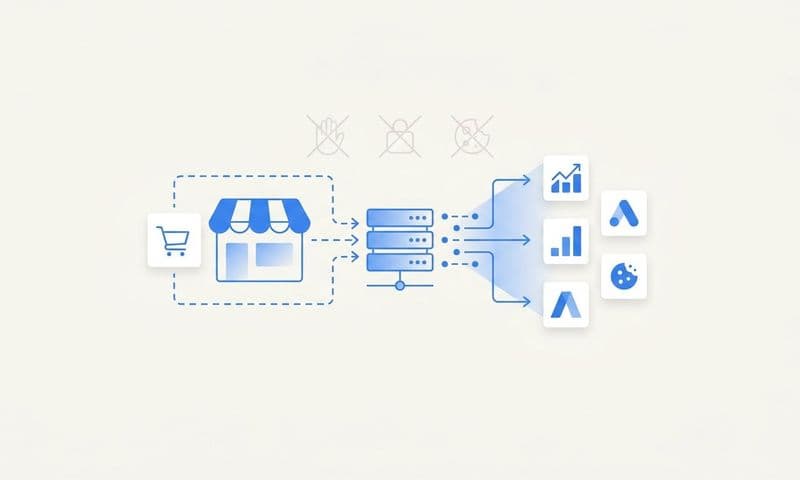
Server-side tracking processes data on your server rather than relying on browser-based JavaScript. When someone clicks a UTM-tagged link, your server captures and stores those parameters independently of browser tracking. Even if their ad blocker prevents client-side analytics from loading, your server still records the source data and can connect it to conversions.
This approach future-proofs your attribution against privacy changes and technical limitations. Server-side tracking isn't affected by cookie restrictions, iOS tracking prevention, or ad blockers. You get more complete data coverage and more reliable attribution, especially for users who would otherwise appear as direct or unattributed traffic.
Modern attribution platforms can sync server-side tracking data back to your advertising platforms, feeding better conversion data to their algorithms. This improves ad targeting and optimization while maintaining the privacy-first approach that browsers and regulations demand.
Implementation Steps
1. Evaluate server-side tracking solutions that integrate with your current analytics and advertising platforms—options include Google Tag Manager Server-Side, Segment, or dedicated attribution platforms like Cometly that combine server-side tracking with AI-powered optimization recommendations.
2. Implement server-side parameter capture by configuring your server to log UTM parameters from incoming traffic and store them in a database or data warehouse where they can be associated with user sessions and conversion events.
3. Set up conversion sync to send enriched, server-side conversion data back to advertising platforms like Meta and Google Ads, improving their algorithmic optimization while maintaining accurate attribution in your own reporting.
Pro Tips
Start with server-side tracking for your highest-value conversion events—purchases, qualified leads, demo requests—where attribution accuracy matters most. You don't need to move everything server-side immediately; a hybrid approach using both client-side and server-side tracking provides redundancy and more complete data coverage. Platforms like Cometly handle this complexity automatically, capturing UTM data server-side while providing AI-driven insights on which campaigns to scale.
Putting It All Together
Implementing these UTM best practices isn't about achieving perfection overnight. It's about building a systematic approach that gives you trustworthy data for making marketing decisions that actually move your business forward.
Start with the foundation: standardize your naming conventions and create that centralized tracking document. These two practices alone will eliminate the majority of data fragmentation issues that plague most marketing teams. Once your team consistently creates properly formatted, documented UTM links, you'll immediately see clearer reporting and more reliable attribution.
Then progressively layer in the advanced practices. Connect your UTM data to your CRM to enable revenue attribution. Schedule those monthly audits to catch problems early. Implement server-side tracking to future-proof against browser limitations and privacy changes.
The teams that treat UTM tracking as a foundational discipline rather than a checkbox task are the ones who can confidently answer the question every marketer needs to know: "What's actually driving results?" They're the ones who can scale campaigns with certainty, knowing exactly which sources convert and which waste budget.
With accurate attribution data flowing through your entire marketing stack—from initial click through CRM to closed revenue—you stop guessing and start optimizing based on what actually converts. You can see which ad creative resonates, which channels deliver qualified leads, and which campaigns justify increased investment.
Ready to elevate your marketing game with precision and confidence? Discover how Cometly's AI-driven recommendations can transform your ad strategy—Get your free demo today and start capturing every touchpoint to maximize your conversions.