

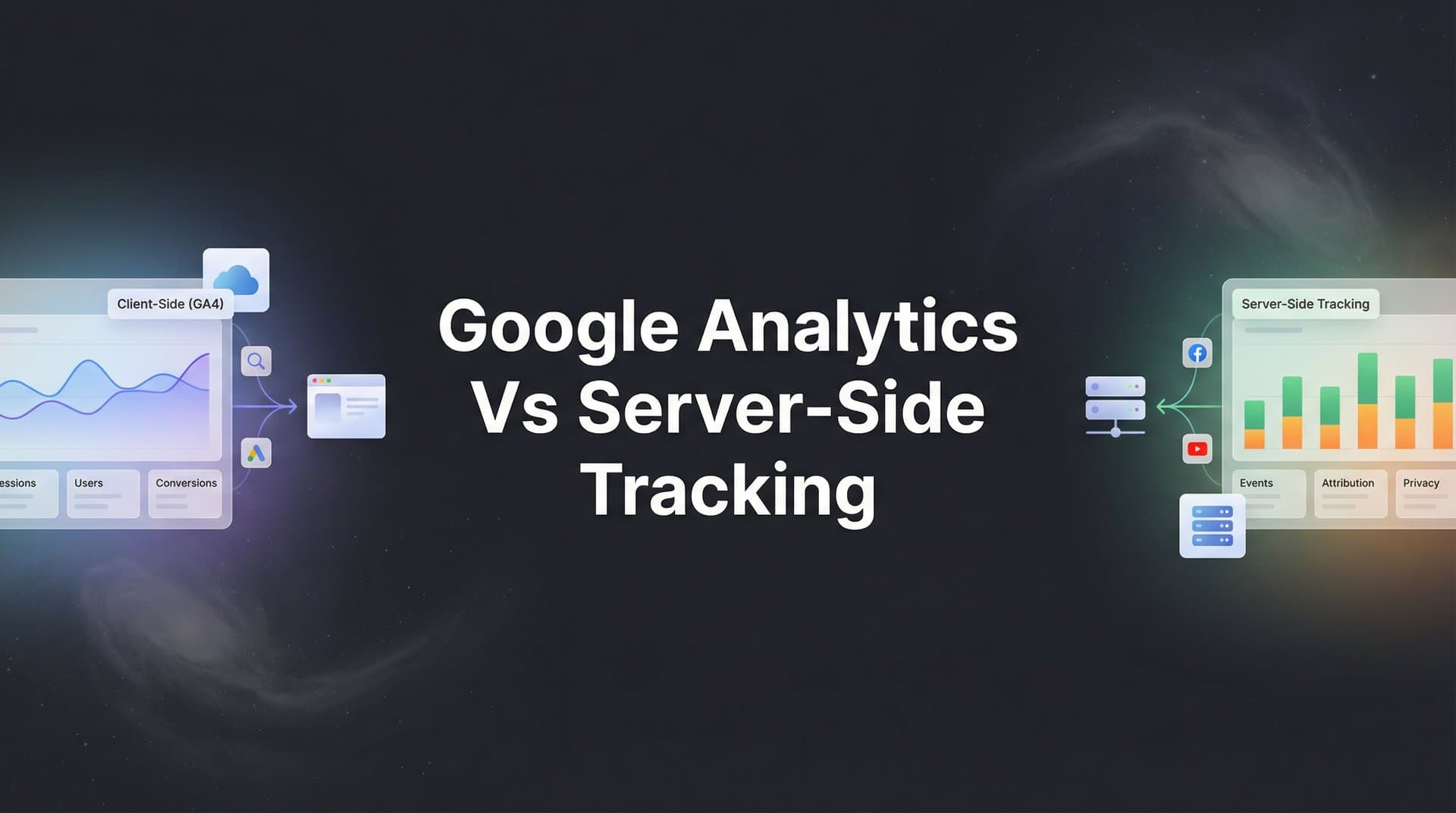
You're running ads across multiple platforms. Your dashboard shows clicks, impressions, and conversions. But here's what keeps you up at night: you know some of that data is wrong. Browser blockers are filtering your pixels. iOS users are invisible. Your attribution is guessing at best.
The tracking landscape has fundamentally shifted. With browser privacy updates, iOS restrictions, and cookie deprecation looming, marketers face a critical decision: stick with traditional Google Analytics, move to server-side tracking, or find a hybrid approach.
The wrong choice means lost data, misattributed conversions, and wasted ad spend. The right choice means seeing your entire customer journey with clarity and feeding your ad platforms the data they need to optimize effectively.
This guide breaks down seven actionable strategies to help you evaluate both approaches, understand when each excels, and implement the right tracking architecture for your specific marketing needs. Whether you're running multi-platform ad campaigns or trying to understand your full customer journey, these strategies will help you capture accurate data that drives real revenue decisions.
1. Audit Your Current Data Gaps
The Challenge It Solves
You can't fix what you can't see. Most marketers assume their tracking works until they dig deeper and discover massive blind spots. Safari's Intelligent Tracking Prevention blocks third-party cookies by default. Firefox Enhanced Tracking Protection does the same. iOS App Tracking Transparency requires explicit user permission.
The result? You're making budget decisions based on incomplete data. You might be scaling campaigns that only appear profitable because you're missing the conversions that didn't track.
The Strategy Explained
Start by quantifying exactly what you're missing. Compare your tracked conversions against ground truth data from your CRM or payment processor. The gap between what actually happened and what your analytics captured reveals your tracking accuracy.
Look at conversion rates by browser and device. If Safari users show dramatically lower conversion rates than Chrome users, you're likely experiencing tracking loss rather than actual performance differences. Check your iOS vs Android data for similar patterns.
Review your ad platform reporting against Google Analytics. When Facebook reports 100 conversions but GA4 only shows 60, that 40% gap represents attribution you're losing. This discrepancy matters because it affects how ad algorithms optimize your campaigns.
Implementation Steps
1. Export your last 90 days of conversion data from your CRM, payment processor, or backend system—this is your source of truth for what actually happened.
2. Compare this ground truth data against what Google Analytics tracked during the same period, calculating the percentage of conversions that were successfully captured versus those that went untracked.
3. Segment your tracking accuracy by traffic source, browser type, and device to identify specific patterns—for example, if Safari shows 40% lower tracking accuracy than Chrome, you've found a critical gap.
4. Document your findings in a simple spreadsheet showing total conversions, tracked conversions, tracking rate percentage, and estimated revenue impact of the missing data.
Pro Tips
Focus on revenue-generating conversions first. A 20% tracking gap on newsletter signups matters less than a 20% gap on purchases. Prioritize fixing what impacts your bottom line most directly.
Don't just look at volume—examine the quality of tracked conversions. If your analytics captures bottom-funnel conversions but misses top-funnel touchpoints, you're losing attribution context that matters for understanding your marketing effectiveness.
2. Map Customer Journey Complexity
The Challenge It Solves
Not all businesses need the same tracking sophistication. If you sell impulse-buy products where customers convert in a single session, your tracking needs differ dramatically from a B2B company with 90-day sales cycles and multiple decision-makers.
Client-side tracking like Google Analytics works reasonably well for simple, single-session journeys. But when customers research on mobile, compare options on desktop, and convert days later after seeing multiple ads, client-side tracking struggles to connect those dots.
The Strategy Explained
Map out your actual customer journey from first touch to conversion. How many sessions does a typical buyer have before purchasing? How many days elapse? Do they switch devices? Do they interact with multiple marketing channels?
The more complex your journey, the more you need persistent tracking that survives browser restrictions. Server-side tracking excels at maintaining identity across sessions and devices because it doesn't rely on browser cookies that expire or get blocked.
Consider your average order value too. Higher-value purchases typically involve longer research periods and multiple touchpoints. If you're selling enterprise software or high-ticket services, the investment in robust tracking infrastructure pays for itself by preventing misattribution of valuable conversions.
Implementation Steps
1. Analyze your conversion data to calculate average time from first visit to purchase, number of sessions before conversion, and percentage of customers who switch devices during their journey.
2. Interview your sales team or review CRM notes to understand the typical research process—how many touchpoints do prospects have with your brand before they're ready to buy?
3. Create a visual map showing each stage of your customer journey with the channels they use at each stage, noting where tracking typically breaks down.
4. Score your journey complexity on key factors: single-session vs multi-session purchases, same-device vs cross-device behavior, direct conversions vs assisted conversions, and average days to convert.
Pro Tips
If your customers typically convert within 24 hours on the same device they discovered you on, client-side tracking probably captures most of your journey. But if you see patterns of multi-day, cross-device behavior, that's your signal that you need more persistent tracking.
Look at your assisted conversions in Google Analytics. If a high percentage of conversions show multiple touchpoints across different channels, you're dealing with complexity that benefits from server-side tracking's ability to maintain identity across sessions.
3. Evaluate Privacy Compliance Requirements
The Challenge It Solves
Privacy regulations aren't just legal requirements—they directly impact which tracking methods you can use and how you can use them. GDPR in Europe, CCPA in California, and similar laws worldwide create constraints that differ between client-side and server-side approaches.
The confusion comes from conflicting requirements. You need user consent for tracking, but you also need accurate data to run your business. Some tracking methods require explicit consent, while others fall into gray areas that vary by jurisdiction.
The Strategy Explained
Understand that privacy compliance isn't about choosing between tracking or not tracking—it's about implementing tracking that respects user consent while still capturing the data you need. Server-side tracking gives you more control over data collection and processing, which can actually improve compliance.
With client-side tracking, third-party scripts load in the user's browser and send data to multiple external services. You have limited control over what those scripts do. With server-side tracking, data flows through your own infrastructure first, giving you the ability to filter, anonymize, or exclude data before sending it anywhere.
Consider where your customers are located. If you serve primarily US customers, your compliance requirements differ from a business serving EU customers. GDPR requires explicit consent for most tracking, while US regulations are generally less restrictive but evolving rapidly.
Implementation Steps
1. Identify which privacy regulations apply to your business based on where your customers are located—GDPR for EU customers, CCPA for California residents, and any industry-specific regulations like HIPAA for healthcare.
2. Review your current tracking implementation against these requirements, checking whether you're collecting consent properly, providing clear privacy policies, and giving users control over their data.
3. Evaluate how server-side tracking could improve your compliance posture by giving you direct control over data flows, allowing you to implement consent preferences before data reaches third parties.
4. Consult with legal counsel familiar with digital marketing to ensure your chosen tracking approach meets regulatory requirements in your specific markets.
Pro Tips
Server-side tracking doesn't automatically make you compliant, but it gives you better tools for compliance. You can implement consent management that actually works—when a user opts out, you can prevent data from being sent to ad platforms entirely, rather than relying on browser-side controls.
Consider that first-party data collection through server-side tracking often faces fewer restrictions than third-party tracking. When you're collecting data directly on your own domain and processing it on your own servers, you have clearer legal standing than when you're relying on third-party cookies and pixels.
4. Calculate the Cost of Inaccurate Attribution
The Challenge It Solves
Tracking solutions cost money. Server-side infrastructure requires investment in tools, setup, and ongoing maintenance. But here's what many marketers miss: inaccurate tracking costs you money too, often far more than the price of better infrastructure.
When your attribution is wrong, you make budget decisions based on false signals. You might cut campaigns that are actually profitable but appear to underperform because conversions aren't being tracked. Or you scale campaigns that look great in your dashboard but aren't actually driving results.
The Strategy Explained
Build a business case by quantifying what inaccurate tracking actually costs you. Start with your monthly ad spend. If you're spending $50,000 per month on ads and your tracking captures only 70% of conversions, you're making optimization decisions with 30% of your data missing.
That missing data leads to misallocation. You might be over-investing in last-click channels that get credit for conversions while under-investing in awareness channels that initiated the journey but don't get tracked. The cost isn't just the tracking gap—it's the compounding effect of wrong decisions based on incomplete information.
Consider the opportunity cost too. Better attribution helps you identify which campaigns, audiences, and creatives actually drive revenue. When you can see the full picture, you optimize more effectively and get more return from the same budget.
Implementation Steps
1. Calculate your tracking accuracy rate from your data audit, then apply this percentage to your total ad spend to estimate how much budget is being allocated based on incomplete information.
2. Identify specific campaigns or channels that likely suffer from attribution loss—typically top-of-funnel awareness campaigns and channels like YouTube or display that assist conversions rather than driving last-click conversions.
3. Estimate the revenue impact by comparing your current ROAS against what it could be with accurate attribution—even a 10% improvement in attribution accuracy can significantly change which campaigns you scale or pause.
4. Compare this cost of inaccuracy against the investment required for better tracking infrastructure, including setup costs, monthly platform fees, and ongoing maintenance time.
Pro Tips
The bigger your ad budget, the more valuable accurate tracking becomes. If you're spending $10,000 per month, tracking gaps might cost you a few thousand in misallocated budget. If you're spending $500,000 per month, those same tracking gaps could be costing you tens of thousands in wasted spend.
Don't forget the cost of lost optimization signals to ad platforms. When Facebook or Google's algorithms receive incomplete conversion data, they optimize based on partial information. Better conversion tracking through server-side methods feeds these algorithms more complete data, improving their ability to find and convert your ideal customers.
5. Implement a Hybrid Approach
The Challenge It Solves
The Google Analytics vs server-side tracking debate creates a false choice. You don't have to pick one or the other. The most sophisticated marketers run both approaches in parallel, using each method's strengths to create comprehensive data capture.
Google Analytics excels at user behavior analysis, content performance, and providing a familiar interface for exploring your data. Server-side tracking excels at accuracy, persistence across sessions, and feeding clean conversion data to ad platforms. Why not use both?
The Strategy Explained
A hybrid approach means implementing Google Analytics 4 for behavioral insights and content analysis while simultaneously running server-side tracking for conversion accuracy and ad platform optimization. The two systems complement rather than compete with each other.
Use GA4 to understand how users navigate your site, which content drives engagement, and where drop-offs occur in your funnel. These insights help you improve user experience and optimize your conversion paths. Meanwhile, use server-side tracking to capture accurate conversion data that survives browser restrictions and feeds your ad platforms.
The key is implementing both with consistent event naming and data structure. When a conversion happens, both systems should record it with matching parameters. This redundancy ensures you capture the event even if one tracking method fails, and it allows you to compare data quality between approaches.
Implementation Steps
1. Keep your existing Google Analytics 4 implementation running for behavioral analysis and content performance tracking—don't remove what's already working for those use cases.
2. Layer in server-side tracking focused specifically on conversion events and revenue data, implementing tools like Cometly that capture every touchpoint from ad clicks to CRM events for a complete customer journey view.
3. Ensure both tracking systems use consistent event names and parameters so you can compare data between them and identify discrepancies that reveal tracking issues.
4. Create dashboards that combine insights from both sources—use GA4 for user behavior patterns and funnel analysis, while relying on server-side data for accurate attribution and revenue reporting.
Pro Tips
Start by implementing server-side tracking for your most valuable conversion events first. Get your purchase tracking, lead submissions, and high-intent actions flowing through server-side methods before expanding to every possible event. This prioritization ensures you fix your most critical tracking gaps first.
Use the discrepancies between GA4 and server-side tracking as diagnostic signals. When server-side tracking captures significantly more conversions than GA4, you've identified browser-based tracking loss. This comparison helps you understand exactly where client-side tracking fails for your specific audience.
6. Optimize Ad Platform Performance
The Challenge It Solves
Your ad platforms are only as smart as the data you feed them. Facebook's algorithm, Google's smart bidding, and other automated optimization systems make decisions based on the conversion signals they receive. When those signals are incomplete or delayed, the algorithms optimize toward the wrong outcomes.
Client-side tracking often delivers conversion data to ad platforms with delays and gaps. Browser blockers prevent pixels from firing. iOS restrictions limit data sharing. By the time a conversion reaches the ad platform, the optimization window has often passed, and the algorithm can't effectively connect the conversion to the ad that drove it.
The Strategy Explained
Server-side tracking solves this by sending conversion data directly from your server to ad platforms through their Conversion APIs. This method bypasses browser restrictions entirely and delivers more complete, more accurate conversion data faster than client-side pixels can.
When Facebook's algorithm receives better conversion data, it gets better at finding people similar to your converters. When Google's smart bidding sees accurate conversion values, it optimizes toward higher-value customers. The improvement compounds over time as the algorithms learn from higher-quality signals.
This isn't theoretical. Ad platforms explicitly recommend server-side tracking through their Conversion APIs because it improves their optimization capabilities. Meta's Conversions API and Google's Enhanced Conversions are designed specifically to accept server-side data and use it to improve campaign performance.
Implementation Steps
1. Implement server-side conversion tracking that sends data directly to your ad platforms' APIs—Meta Conversions API for Facebook and Instagram, Google Enhanced Conversions for Google Ads, and similar APIs for other platforms you use.
2. Include rich conversion data in your API calls beyond just "conversion occurred"—send purchase values, product categories, customer lifetime value predictions, and any other signals that help algorithms optimize effectively.
3. Monitor your ad platform reporting to verify that conversions are being received and attributed correctly, checking that your server-side events appear in the platform's event manager or conversion tracking interface.
4. Compare campaign performance before and after implementing server-side conversion tracking, watching for improvements in cost per conversion, conversion rate, and return on ad spend as algorithms receive better data.
Pro Tips
Don't wait for perfect implementation. Even partially complete server-side conversion data improves ad platform performance compared to client-side tracking alone. Start with your highest-value conversion events and expand from there as you refine your implementation.
Pay attention to conversion matching rates in your ad platforms' reporting. When you send server-side conversions, platforms attempt to match them to specific ad interactions. Higher match rates mean better optimization. Include as many matching parameters as possible—email hashes, phone hashes, IP addresses, and user agents all improve matching accuracy.
7. Build a Future-Proof Tracking Stack
The Challenge It Solves
The tracking landscape keeps changing. Chrome has announced plans to deprecate third-party cookies. Privacy regulations continue to expand globally. Browser makers keep introducing new tracking restrictions. If your tracking infrastructure depends on methods that are being phased out, you're building on a foundation that's crumbling beneath you.
Many marketers keep patching their client-side tracking with workarounds and fixes, but each browser update breaks something new. This reactive approach means you're constantly firefighting tracking issues instead of focusing on growing your business.
The Strategy Explained
Future-proof tracking means building infrastructure around first-party data collection that you control. Instead of relying on third-party cookies or browser-based tracking that external parties can block or restrict, you collect data directly on your own domain and process it on your own servers.
This approach centers on server-side tracking combined with first-party identity. When users interact with your site, you establish identity through logins, email capture, or other first-party methods. This identity persists across sessions and devices because it's tied to your relationship with the customer, not to browser cookies that can be blocked.
The investment in this infrastructure pays dividends as privacy restrictions tighten. While competitors struggle with tracking loss, you maintain accurate data collection because you're not dependent on methods that are being deprecated. Your tracking gets more valuable as everyone else's tracking gets worse.
Implementation Steps
1. Audit your current tracking dependencies to identify which methods rely on third-party cookies or other technologies that are being phased out—if your tracking breaks when third-party cookies are disabled, you're not future-proof.
2. Implement server-side tracking infrastructure that collects data directly on your domain and processes it on servers you control, using tools like Cometly that provide AI-driven insights while maintaining first-party data ownership.
3. Develop first-party identity strategies that allow you to recognize returning customers across sessions and devices—this might include account creation, email capture, or loyalty programs that give users reasons to identify themselves.
4. Test your tracking resilience by disabling third-party cookies in your browser and verifying that your critical conversion tracking still functions correctly—if it doesn't, you have dependencies to eliminate.
Pro Tips
The transition to first-party data infrastructure doesn't happen overnight. Start by ensuring your most critical conversion paths work without third-party cookies, then gradually expand coverage to all touchpoints. Prioritize based on revenue impact rather than trying to fix everything at once.
Consider that server-side tracking infrastructure becomes more valuable over time, not less. As privacy restrictions increase, the gap between your tracking accuracy and competitors' tracking accuracy widens. The earlier you invest in future-proof infrastructure, the more competitive advantage you gain as the industry transitions away from third-party cookies.
Putting Your Tracking Strategy Into Action
The choice between Google Analytics and server-side tracking isn't binary. The most successful marketers use both approaches strategically, leveraging GA4's behavioral insights while implementing server-side tracking for conversion accuracy and ad platform optimization.
Start with strategy one: audit your data gaps. You can't fix what you don't measure, and understanding exactly where your tracking fails reveals which solutions will deliver the most impact. If you're losing 40% of Safari conversions, that's your priority. If your multi-touch attribution is missing key touchpoints, that's where to focus.
Prioritize based on immediate impact. If you're spending significant money on ads and your attribution is incomplete, implementing server-side conversion tracking to ad platforms delivers quick wins. If you're preparing for cookie deprecation, building first-party data infrastructure matters more than incremental improvements to client-side tracking.
The tracking landscape will keep evolving. Browser restrictions will tighten. Privacy regulations will expand. Ad platforms will demand better data. The infrastructure you build today determines whether you're prepared for these changes or constantly reacting to them.
Remember that accurate tracking isn't just about seeing numbers in a dashboard. It's about making better decisions with confidence. When you know which campaigns actually drive revenue, which touchpoints matter in your customer journey, and which optimizations move the needle, you stop guessing and start scaling what works.
Ready to elevate your marketing game with precision and confidence? Discover how Cometly's AI-driven recommendations can transform your ad strategy—Get your free demo today and start capturing every touchpoint to maximize your conversions.



