

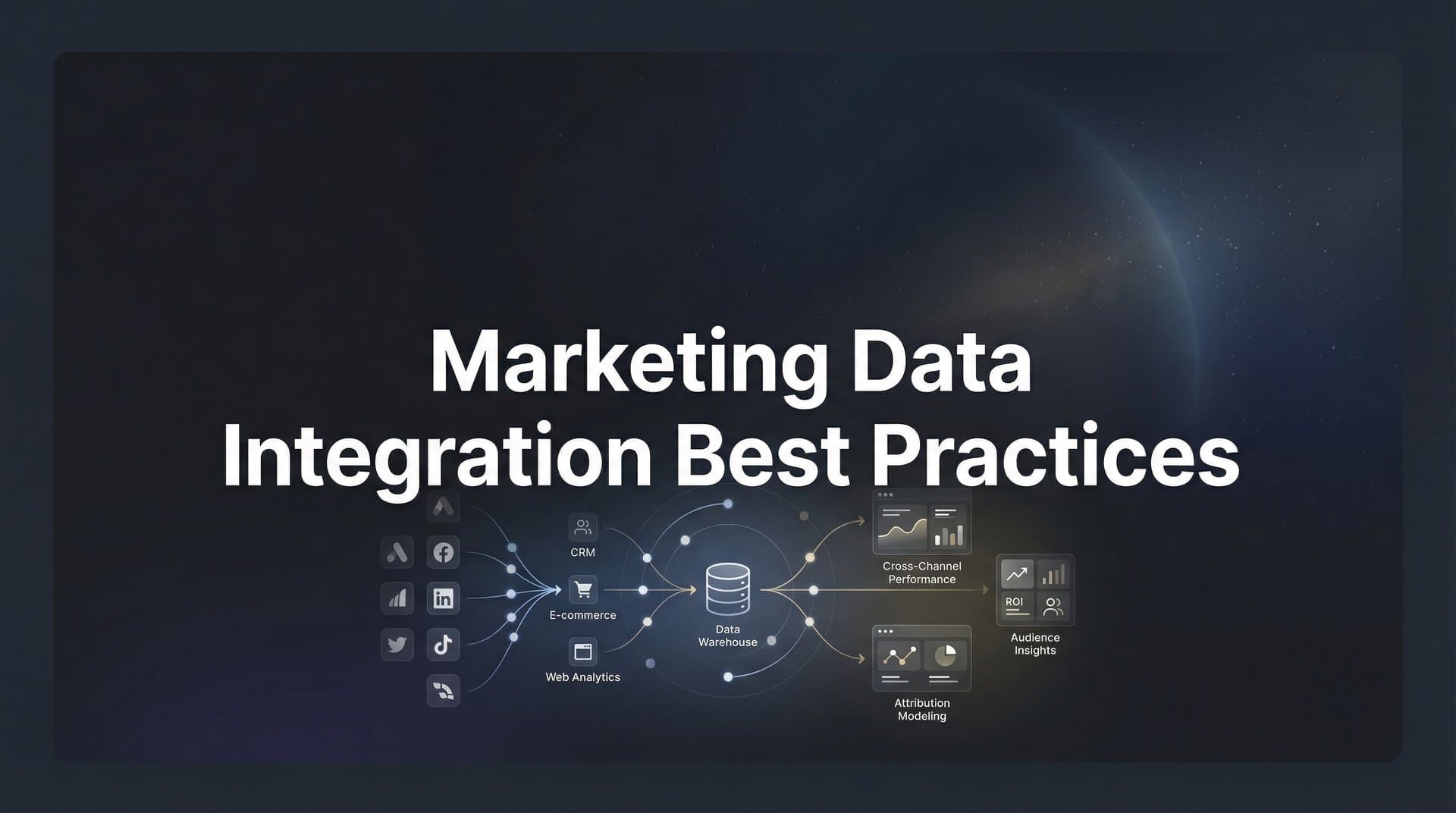
Marketing teams today juggle data from dozens of sources—ad platforms, CRMs, website analytics, email tools, and more. When this data lives in silos, you're making decisions based on incomplete pictures. You might be doubling down on channels that look good in isolation but actually contribute little to revenue, or cutting spend on touchpoints that quietly drive conversions.
Marketing data integration solves this by connecting your disparate data sources into a unified view of the customer journey. But integration done poorly creates its own problems: duplicate records, conflicting metrics, and dashboards nobody trusts.
This guide covers eight proven best practices for integrating your marketing data effectively—so you can finally see which ads and channels actually drive leads and revenue, not just clicks and impressions.
1. Start With a Clear Data Architecture Map
The Challenge It Solves
Jumping straight into integration without understanding your data landscape creates chaos. You end up with connections that miss critical fields, duplicate data you can't reconcile, and blind spots you don't discover until months later. Many marketing teams realize too late that their CRM and ad platforms track customer identifiers differently, making it impossible to match records accurately.
The Strategy Explained
Before connecting any platforms, document everything. Map out every data source you use—ad platforms, analytics tools, CRMs, email systems, payment processors. For each source, identify what data fields exist, how they're formatted, and what they actually measure. Note where customer identifiers live and how they're structured across systems.
This mapping process reveals gaps before they become problems. You'll spot where Facebook Ads uses "campaign_name" while Google Ads uses "campaignName," or where your CRM tracks phone numbers with formatting while your lead forms strip it out. Understanding these differences upfront lets you build transformations into your integration from day one.
Implementation Steps
1. Create a spreadsheet listing every marketing data source you currently use, including platforms you access manually for reporting.
2. For each source, document the key data fields you need for attribution: customer identifiers, campaign parameters, conversion events, and revenue data.
3. Identify your single source of truth for customer records—typically your CRM—and map how identifiers from other systems will match to it.
4. Note any data transformations needed, such as standardizing date formats, currency conversions, or field name mappings.
Pro Tips
Include stakeholders from sales and customer success in this mapping exercise. They often have insights about data quality issues and missing connections that marketing teams overlook. Update your architecture map quarterly as you add new tools or change tracking approaches.
2. Standardize Naming Conventions Across All Platforms
The Challenge It Solves
When different team members create campaigns with inconsistent naming—"Q1_Facebook_Leads" versus "fb-q1-lead-gen" versus "Facebook Q1 Lead Campaign"—your reporting becomes impossible. You can't aggregate performance across similar campaigns, compare channels accurately, or build reliable dashboards. The problem compounds when you're trying to track customer journeys that span multiple platforms with different naming schemes.
The Strategy Explained
Create a universal taxonomy that everyone follows across all platforms. This means standardized UTM parameters, campaign naming structures, and channel definitions. Your taxonomy should be detailed enough to enable granular analysis but simple enough that team members actually follow it consistently.
Think of this as the grammar rules for your marketing data. Just as consistent grammar makes writing clear, consistent naming makes data analysis possible. When every campaign follows the same structure—like "channel_objective_audience_quarter"—you can slice and analyze performance across any dimension without manual cleanup.
Implementation Steps
1. Define your core dimensions: channel (paid social, paid search, email), campaign objective (awareness, consideration, conversion), audience segment, and time period.
We compare the leading options in our AI UGC content generator roundup.
2. Create a naming convention template that combines these dimensions in a consistent order, using the same separators and capitalization rules everywhere.
3. Document this taxonomy in a shared resource that includes examples for every platform you use, showing exactly how to structure campaign names, ad group names, and UTM parameters.
For a deeper dive into this space, see our AI UGC ad generator guide.
4. Build validation into your workflow by creating campaign name generators or templates that enforce the structure automatically.
We compare the leading options in our AI UGC generator roundup.
Pro Tips
Keep your taxonomy flat rather than deeply nested. "paid-social" is clearer than "digital_paid_social_meta." Make your conventions platform-agnostic so they work whether you're on Meta, Google, LinkedIn, or TikTok. Review campaign names monthly to catch and correct deviations before they spread.
3. Implement Server-Side Tracking for Data Accuracy
The Challenge It Solves
Browser-based tracking misses significant portions of your customer journey. Ad blockers strip tracking pixels, privacy settings limit cookie duration, and iOS restrictions prevent accurate attribution of mobile traffic. This means the data flowing into your analytics and ad platforms is incomplete from the start. You're making budget decisions based on partial visibility, often undervaluing channels that drive conversions you simply can't see.
The Strategy Explained
Server-side tracking moves data collection from the user's browser to your server. When someone converts on your site, your server sends that event data directly to your analytics platforms and ad networks. This approach bypasses browser limitations entirely, capturing touchpoints that client-side tracking misses.
The difference is substantial. Server-side tracking captures conversions from users with ad blockers, maintains accurate attribution despite cookie restrictions, and provides reliable data even when browsers limit tracking duration. For marketers running campaigns across multiple platforms, this means finally seeing the complete picture of which ads drive results.
Implementation Steps
1. Evaluate your current tracking setup to identify gaps—look for discrepancies between ad platform reported conversions and actual conversions in your CRM or payment system.
2. Set up a server-side tracking infrastructure that connects your website or app backend to your marketing platforms, either through direct API integrations or a customer data platform.
3. Configure event forwarding to send conversion data from your server to ad platforms like Meta and Google Ads, ensuring you're passing the same event parameters they need for attribution.
4. Run parallel tracking for 2-4 weeks, comparing server-side data against your existing client-side setup to validate accuracy before fully transitioning.
Pro Tips
Don't abandon client-side tracking entirely—use it alongside server-side for redundancy and to capture behavioral data that's difficult to track server-side. Prioritize server-side tracking for your most valuable conversion events first, especially those tied directly to revenue. Tools like Cometly handle server-side tracking implementation automatically, removing the technical complexity while ensuring accurate data flows to all your platforms.
4. Connect Ad Platforms to Your CRM for Revenue Attribution
The Challenge It Solves
Your ad platforms show clicks, impressions, and even conversions—but they don't show revenue. Without connecting ad data to your CRM, you're optimizing for lead volume instead of lead quality. A campaign might generate 100 leads at $50 each, looking efficient in your ad dashboard, while actually producing zero closed deals. Meanwhile, another campaign generates 20 leads at $150 each but closes $50,000 in revenue. Surface-level metrics miss this entirely.
The Strategy Explained
Integrating your ad platforms with your CRM creates closed-loop attribution. When a lead converts into a customer and generates revenue, that outcome flows back to the original ad that started the journey. You can see exactly which campaigns, ad sets, and individual ads drive not just leads, but qualified leads that close.
This connection transforms your optimization strategy. Instead of bidding for conversions, you're bidding for revenue. You can calculate true return on ad spend, identify which audience segments have the highest customer lifetime value, and shift budget toward campaigns that drive business outcomes rather than vanity metrics.
Implementation Steps
1. Ensure your CRM tracks the original source of every lead, capturing UTM parameters or ad platform identifiers when leads first enter your database.
2. Set up bidirectional sync between your CRM and ad platforms—leads flow from ads to CRM, while deal status and revenue data flow back to your attribution system.
3. Define your revenue milestones: qualified lead, sales-qualified opportunity, closed deal, and any expansion revenue, ensuring each stage is tracked in your CRM with timestamps.
4. Build reports that connect ad spend to these revenue milestones, showing cost per qualified lead, cost per closed deal, and actual ROAS based on closed revenue rather than estimated conversion value.
Pro Tips
For B2B companies with long sales cycles, track multiple conversion milestones. A campaign might show poor immediate conversion rates but excel at generating opportunities that close six months later. Update your attribution model as deals progress through your pipeline—a lead that looked expensive at first touch might become your most efficient source when measured at closed revenue.
5. Establish Real-Time Data Syncing Where It Matters
The Challenge It Solves
Not all data needs to sync in real time, but critical decisions often depend on current information. When you're actively managing campaigns and adjusting bids throughout the day, yesterday's data isn't enough. Conversely, syncing everything in real time creates unnecessary complexity and cost. The challenge is identifying which data flows need immediate updates and which can batch overnight without impacting your ability to optimize effectively.
The Strategy Explained
Prioritize sync frequency based on how the data influences decisions. Campaign performance metrics that inform active bid adjustments should update frequently—ideally every 15-30 minutes during business hours. Conversion events that feed back to ad platform algorithms need near-real-time syncing to improve targeting. Meanwhile, historical trend data, monthly reports, and customer lifetime value calculations can update daily or weekly without consequence.
Think about your decision-making cadence. If you review and adjust campaigns multiple times daily, you need fresh data. If you make strategic shifts weekly based on broader trends, daily syncs suffice. Match your data freshness to your action frequency.
Implementation Steps
1. Map your decision-making workflows—identify when you review performance, adjust budgets, pause campaigns, or launch new tests, and note what data each decision requires.
2. Categorize your data flows into tiers: critical (needs real-time or near-real-time updates), important (needs daily updates), and reference (can update weekly or on-demand).
3. Configure sync schedules accordingly, setting up frequent polling or webhooks for critical data while scheduling batch jobs for less time-sensitive information.
4. Monitor sync performance to ensure updates complete successfully and troubleshoot failures quickly—real-time syncing only helps if it's reliable.
Pro Tips
Build in sync frequency flexibility for high-spend periods. During major campaign launches or promotional periods, temporarily increase sync frequency for affected data sources. Outside peak periods, you can reduce frequency to optimize costs. Set up alerts for sync failures on critical data flows so you know immediately when attribution data isn't flowing properly.
6. Build Feedback Loops to Ad Platform Algorithms
The Challenge It Solves
Ad platforms optimize toward the conversion events you send them. When you only send basic conversion data—"lead submitted" or "purchase completed"—the algorithm treats all conversions equally. It can't distinguish between a $50 lead that never qualifies and a $50 lead that becomes a $10,000 customer. This means the platforms optimize for volume rather than value, often driving down cost per conversion while simultaneously reducing lead quality.
The Strategy Explained
Conversion sync sends enriched event data back to your ad platforms after leads progress through your funnel. When a lead qualifies, closes, or generates revenue, you send that outcome back to Meta, Google, or LinkedIn tied to the original ad interaction. The platform's algorithm learns which creative, audiences, and placements drive valuable conversions versus low-quality ones.
This creates a continuous improvement loop. Your ad platforms get smarter over time, increasingly showing ads to people who match the profile of your best customers. You're essentially training the algorithm using your real business outcomes rather than surface-level conversion events.
Implementation Steps
1. Identify your most valuable conversion events beyond the initial lead capture—qualified lead, opportunity created, deal closed, and any revenue milestones.
2. Set up conversion tracking that sends these downstream events back to ad platforms using their conversion APIs, ensuring you're passing the original click ID or user identifier to maintain attribution.
3. Configure value-based bidding where available, sending actual revenue amounts or lead quality scores so platforms can optimize toward higher-value conversions.
4. Monitor how algorithm performance changes over time as it receives more enriched conversion data, typically seeing improved lead quality within 2-4 weeks of implementation.
Pro Tips
Start with your highest-volume campaigns when implementing conversion sync—the algorithm needs sufficient data to learn patterns. For B2B companies with long sales cycles, consider sending intermediate quality signals like "engaged with sales" or "attended demo" rather than waiting months for closed deals. Platforms like Cometly automate this feedback loop, syncing enriched conversion events back to ad platforms automatically as leads progress through your funnel.
7. Create Data Validation and Quality Checks
The Challenge It Solves
Integration errors happen silently. A field mapping breaks after a platform API update. A webhook stops firing. UTM parameters get stripped by a redirect. By the time you notice the problem, weeks of data are incomplete or incorrect, and you've been making decisions based on flawed information. The worst part? You often don't realize data quality issues exist until they've already corrupted your reports and misguided your budget allocation.
The Strategy Explained
Automated validation catches integration problems before they cascade into bigger issues. Set up monitoring that continuously checks data flows, comparing expected patterns against actual results. When conversion volumes drop suddenly, when key fields come through empty, or when data from different sources doesn't reconcile, your validation system alerts you immediately.
Think of this as a smoke detector for your data infrastructure. You're not preventing fires, but you're catching them early enough to minimize damage. Regular validation also builds trust in your data—when your team knows quality checks are running continuously, they're more confident acting on the insights they see.
Implementation Steps
1. Define your data quality rules: expected volume ranges for key metrics, required fields that should never be empty, and cross-platform reconciliation checks that ensure data matches across systems.
2. Set up automated monitoring that runs these checks daily, comparing current data against historical baselines to flag anomalies like sudden drops in conversion tracking or spikes in null values.
3. Create a tiered alert system that distinguishes between critical issues requiring immediate attention (like complete tracking failure) and warnings that need investigation but aren't urgent (like slightly elevated null rates).
4. Establish a response protocol so team members know who investigates alerts and how quickly different issue types need resolution.
Pro Tips
Build reconciliation reports that compare data across systems weekly. Your ad platform should show similar conversion counts to your analytics tool, which should roughly match your CRM lead volume. Significant discrepancies indicate tracking problems. Document every validation rule and its rationale—when someone new joins your team, they'll understand not just what you're checking, but why it matters.
8. Design Dashboards That Tell the Full Story
The Challenge It Solves
Most marketing dashboards show disconnected metrics. You have ad performance in one view, website analytics in another, and CRM data in a third. To understand true campaign performance, you're manually cross-referencing numbers across platforms, trying to piece together which ad led to which website session that became which CRM lead. This fragmentation makes it nearly impossible to see which marketing touchpoints actually drive business outcomes.
The Strategy Explained
Unified dashboards connect data across your entire marketing stack, showing the complete customer journey in one view. You can see how someone discovered your brand through a Facebook ad, visited your site multiple times through different channels, downloaded content through an email campaign, and ultimately converted into a customer—with revenue attributed back to each touchpoint based on your chosen attribution model.
The goal isn't cramming every metric onto one screen. It's creating focused views that answer specific questions: Which campaigns drive qualified leads? What's the true cost per customer across all touchpoints? Which content converts browsers into buyers? Each dashboard should tell a coherent story that leads to clear action.
Implementation Steps
1. Identify the key questions your team needs to answer regularly—these become the organizing principle for your dashboards rather than just displaying available metrics.
2. Build unified data models that combine information across platforms, creating calculated fields like true customer acquisition cost (including all touchpoints) or multi-touch attributed revenue.
3. Design dashboard views for different audiences: executives need high-level ROI and trend data, campaign managers need granular performance by channel and campaign, and analysts need detailed attribution breakdowns.
4. Add context to your metrics by including comparison periods, targets, and thresholds that help viewers interpret whether performance is good or concerning.
Pro Tips
Start each dashboard with the most important metric at the top—usually something tied directly to business outcomes like revenue, qualified leads, or ROAS. Arrange supporting metrics below in order of importance. Use consistent color coding across all dashboards so green always means good and red always means needs attention. Update dashboards based on user feedback—if team members aren't using a view, either fix it or remove it.
Putting It All Together
Effective marketing data integration isn't a one-time project—it's an ongoing practice that compounds in value over time. Start by mapping your current data landscape and standardizing naming conventions across all platforms. These foundational steps prevent chaos as you scale.
Then tackle the technical foundations: server-side tracking for accuracy and CRM connections for revenue attribution. These integrations transform your data from incomplete snapshots into comprehensive customer journey views.
Build in feedback loops to improve ad platform performance, and establish quality checks to maintain trust in your data. Without validation, even the best integrations degrade over time as platforms change and connections break.
The payoff is clarity: knowing exactly which campaigns drive revenue, not just engagement. When your marketing data flows seamlessly from ad click to closed deal, you stop guessing and start scaling what actually works. You can confidently shift budget toward high-performing channels, cut spend on campaigns that look good but don't convert, and optimize toward business outcomes rather than vanity metrics.
Most importantly, integrated data enables faster learning. You see what's working within days instead of months, test new approaches with confidence, and compound your marketing effectiveness over time. The teams that master data integration don't just report better—they perform better, because they're making decisions based on complete information rather than fragmented signals.
Ready to elevate your marketing game with precision and confidence? Discover how Cometly's AI-driven recommendations can transform your ad strategy—Get your free demo today and start capturing every touchpoint to maximize your conversions.



