

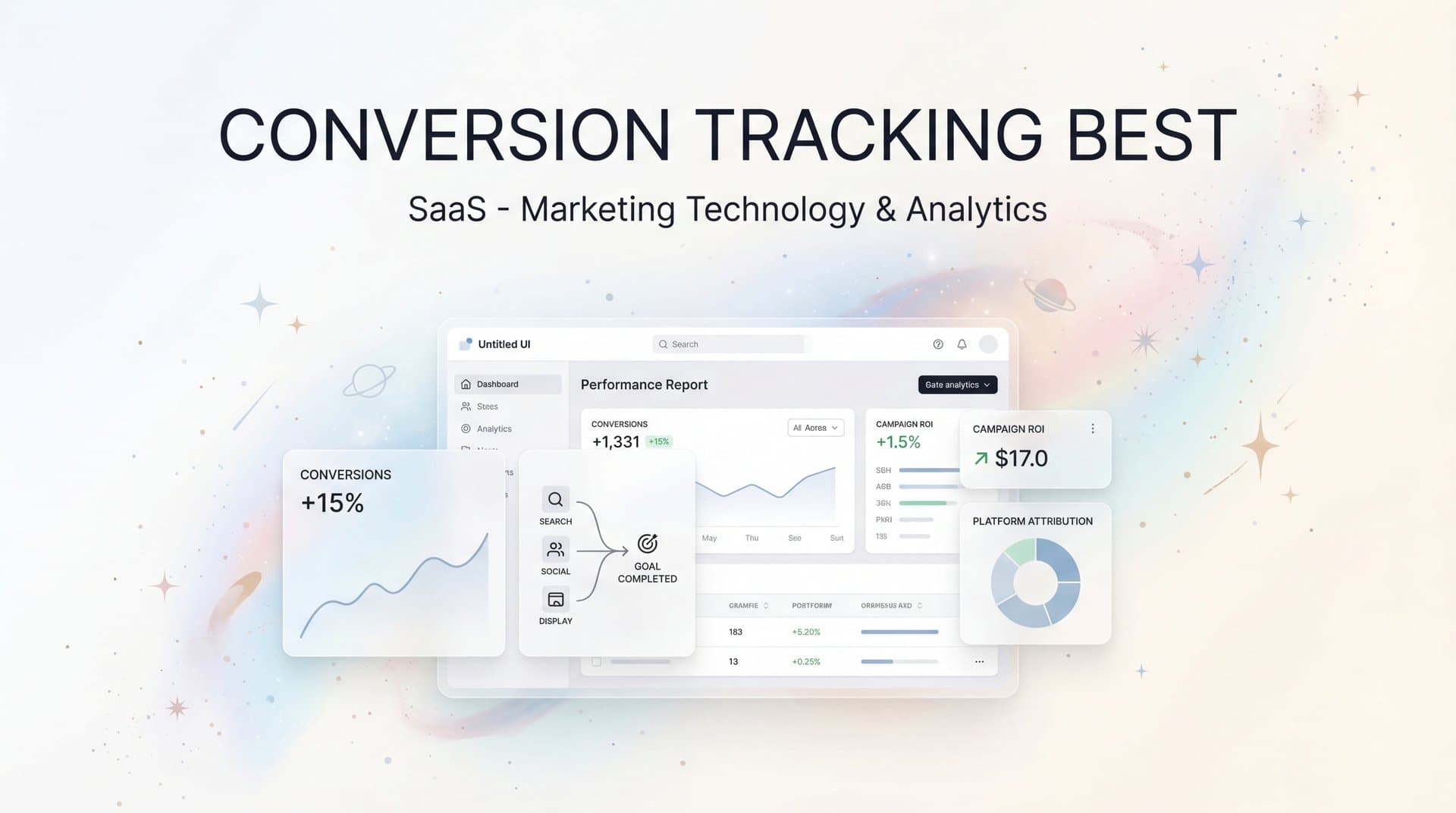
You're spending thousands on ads every month. Your dashboards show clicks, impressions, and reported conversions. But here's the uncomfortable question: do you actually know which campaigns are driving real revenue?
If you hesitated even for a second, you're not alone. Between iOS privacy restrictions, cookie deprecation, and customers bouncing between devices before they convert, conversion tracking has become a minefield. The data you're seeing in your ad platforms? It's probably incomplete. The attribution you're relying on? Likely oversimplified.
This isn't just a technical problem—it's a strategic crisis. Every optimization decision, every budget allocation, every scaling attempt is only as good as the data behind it. Get your conversion tracking wrong, and you're essentially flying blind with a seven-figure ad budget.
The good news? There are proven best practices that can transform your tracking from guesswork into a competitive advantage. These seven strategies will help you capture accurate data, understand true channel contribution, and make confident decisions that actually improve ROI. Let's break down exactly how to implement conversion tracking that works in today's privacy-first landscape.
1. Implement Server-Side Tracking as Your Foundation
The Challenge It Solves
Browser-based tracking is dying. Ad blockers, privacy settings, and iOS restrictions mean that traditional pixel-based tracking now misses a significant portion of your actual conversions. When Safari blocks third-party cookies or a user opts out of tracking, your client-side pixels simply stop firing. You're making budget decisions based on incomplete data, often without even realizing how much you're missing.
The Strategy Explained
Server-side tracking moves conversion tracking from the browser to your server, bypassing browser restrictions entirely. When a conversion happens, your server sends the data directly to ad platforms through their APIs—no browser involvement required. This means you capture conversions that client-side tracking would miss completely.
The difference is substantial. Server-side tracking gives you a complete view of conversion activity because it operates independently of browser settings, ad blockers, and user privacy preferences. You're no longer at the mercy of what browsers allow—you're tracking conversions at the source, where they actually happen.
Implementation Steps
1. Set up server-side tracking infrastructure through your website backend or use a platform that handles this automatically, ensuring your server can communicate directly with ad platform conversion APIs.
2. Configure event forwarding to send conversion data from your server to Meta's Conversions API, Google's Enhanced Conversions, and other platforms you advertise on.
3. Implement deduplication logic so conversions tracked by both client-side pixels and server-side tracking aren't counted twice, using event IDs to match and merge data.
Pro Tips
Start with your highest-value conversion events first—purchases, qualified leads, demo requests. These are where missing data hurts most. Test your server-side implementation alongside existing pixels to verify accuracy before fully transitioning. Many marketers find that server-side tracking reveals 20-40% more conversions than they were previously seeing.
2. Define and Track Micro-Conversions Along the Funnel
The Challenge It Solves
Optimizing campaigns based solely on final conversions creates a data scarcity problem. If you're a B2B company that closes ten deals per month, you simply don't have enough conversion volume for ad algorithms to learn effectively. You're making decisions with statistically insignificant sample sizes, and your campaigns can't optimize because they lack meaningful signals.
The Strategy Explained
Micro-conversions are meaningful actions users take before the final conversion—form submissions, content downloads, video views, product page visits, or email signups. By tracking these intermediate steps, you give your campaigns more data points to optimize against while still moving users toward your ultimate goal.
Think of micro-conversions as leading indicators. Someone who watches your product demo video is more likely to convert than someone who just visits your homepage. Someone who downloads a pricing guide is showing purchase intent. By tracking and optimizing for these signals, you can improve campaign performance even when final conversion volume is limited.
Implementation Steps
1. Map your customer journey from first touch to final conversion, identifying the key actions users take at each stage that indicate genuine interest and progression.
2. Implement tracking for 3-5 micro-conversions that correlate most strongly with final conversions, such as pricing page views, demo video completions, or trial signups.
3. Create conversion events in your ad platforms for these micro-conversions and test campaigns that optimize for them, comparing performance against campaigns optimizing only for final conversions.
Pro Tips
Not all micro-conversions are created equal. Analyze which actions have the highest conversion-to-purchase rate and prioritize those. A pricing page visitor might convert at 15% while a blog reader converts at 2%—optimize for the pricing page visit. Use micro-conversions to feed ad platform algorithms more data, but always validate that optimizing for them actually improves your final conversion metrics.
3. Sync Enriched Conversion Data Back to Ad Platforms
The Challenge It Solves
Ad platforms only know what you tell them. When you send a basic "purchase" event without additional context, the algorithm can't distinguish between a $50 customer and a $5,000 customer. It optimizes for conversion volume, not conversion value. This means you're often attracting the wrong customers—people who convert but don't generate meaningful revenue.
The Strategy Explained
Conversion sync feeds enriched data from your CRM and backend systems back to ad platforms. Instead of just saying "conversion happened," you're telling platforms the customer's lifetime value, which products they purchased, their subscription tier, or whether they qualified as a high-intent lead. This gives ad algorithms the information they need to find more of your best customers.
The impact compounds over time. As platforms receive better data about which conversions actually matter, they adjust targeting and bidding to prioritize similar users. You stop wasting budget on low-value conversions and start attracting customers who actually move your revenue needle.
Implementation Steps
1. Connect your CRM and backend systems to your ad platforms through conversion APIs, enabling real-time data flow from where conversions are verified to where ads are optimized.
2. Enrich conversion events with value data including purchase amount, product category, customer tier, lead score, or any metric that indicates conversion quality.
3. Configure value-based bidding in your campaigns so ad platforms optimize for conversion value rather than just conversion volume, prioritizing users likely to generate higher revenue.
Pro Tips
Don't wait for perfect data—start syncing what you have and refine over time. Even basic revenue data significantly improves optimization compared to no value information at all. For B2B companies, consider syncing lead quality scores or sales stage progression so campaigns can optimize for leads that actually close, not just form submissions.
4. Adopt Multi-Touch Attribution for the Full Picture
The Challenge It Solves
Last-click attribution lies to you. It gives all credit to the final touchpoint before conversion, completely ignoring the Facebook ad that introduced your brand, the LinkedIn post that built trust, and the Google search that brought them back. You end up over-investing in bottom-funnel channels while starving the top-of-funnel activities that actually start the customer journey.
The Strategy Explained
Multi-touch attribution distributes credit across all touchpoints in the customer journey based on their actual contribution. Someone might discover you through a Facebook ad, research you through organic search, engage with your email campaign, and finally convert through a retargeting ad. Multi-touch attribution ensures each channel gets appropriate credit for its role.
This fundamentally changes how you allocate budget. Channels that looked unprofitable under last-click attribution often reveal themselves as crucial journey initiators. You can confidently invest in awareness campaigns because you can see their downstream impact, not just their immediate conversions.
Implementation Steps
1. Implement tracking that captures every touchpoint in the customer journey from first anonymous visit through final conversion, maintaining a persistent user ID across sessions.
2. Choose an attribution model that matches your business reality—linear for equal credit, time decay for emphasizing recent touches, or position-based for highlighting first and last interactions.
3. Compare attribution models side-by-side to understand how different perspectives change channel valuation, using these insights to inform budget allocation rather than relying on a single model as absolute truth.
Pro Tips
Start by comparing last-click attribution with first-click attribution. The difference reveals which channels are being systematically undervalued in your current reporting. For longer sales cycles, time-decay models often provide the most actionable insights because they recognize that touchpoints closer to conversion typically have more influence while still crediting earlier awareness activities.
5. Establish UTM Consistency and Naming Conventions
The Challenge It Solves
Inconsistent UTM parameters turn your analytics into chaos. When one campaign uses "utm_source=facebook" and another uses "utm_source=Facebook" and a third uses "utm_source=fb," you can't aggregate data meaningfully. Your reports become fragmented, you can't track performance accurately, and you waste hours manually cleaning data that should have been clean from the start.
The Strategy Explained
UTM naming conventions create a standardized system for tagging all marketing links. Every campaign, channel, and creative gets tagged consistently using predetermined rules. This transforms your analytics from a messy spreadsheet into a structured database where you can instantly answer questions about performance across any dimension.
The key is treating UTM parameters as structured data, not freeform text. When everyone on your team follows the same naming convention, your data automatically organizes itself correctly. You can segment by channel, campaign type, content variation, or any other dimension without manual cleanup.
Implementation Steps
1. Document a clear UTM naming convention covering source (where traffic comes from), medium (how it arrives), campaign (what initiative it belongs to), content (which creative variation), and term (paid search keywords).
2. Create a UTM builder tool or spreadsheet that enforces your naming convention, making it impossible for team members to create inconsistent tags even if they try.
3. Audit existing campaigns and systematically update any links using inconsistent UTM parameters, then train your team on the new standard before launching future campaigns.
Pro Tips
Use lowercase for everything—"facebook" not "Facebook"—to avoid case sensitivity issues. Include campaign dates in your campaign parameter (like "utm_campaign=spring_sale_2026") so you can identify campaigns chronologically without checking launch dates. Consider using underscores instead of hyphens for multi-word values to maintain consistency across your entire tracking ecosystem.
6. Implement Cross-Domain and Cross-Device Tracking
The Challenge It Solves
Your customer journey doesn't happen in one place. A user discovers you on mobile, researches on desktop, and converts on tablet. Or they start on your marketing site and complete purchase on a separate checkout domain. Without cross-domain and cross-device tracking, these look like three different people. You're fragmenting single customer journeys into multiple disconnected sessions, making attribution impossible.
The Strategy Explained
Cross-domain tracking maintains user identity as they move between different domains you control—from marketing site to checkout subdomain to customer portal. Cross-device tracking connects the same user across their phone, laptop, and tablet. Together, they create a unified view of each customer's complete journey regardless of where or how they interact with you.
This is particularly critical for businesses with complex site architectures or long consideration cycles. When you can see that the mobile user who visited last week is the same desktop user converting today, you can properly credit the mobile campaign that started the journey rather than only crediting the desktop retargeting ad.
Implementation Steps
1. Configure cross-domain tracking in your analytics platform to maintain user identity across all domains you control, passing user IDs through domain transitions without breaking the session.
2. Implement user ID tracking that persists across devices by assigning a unique identifier when users log in or provide email addresses, allowing you to stitch together their cross-device activity.
3. Use a platform that automatically handles cross-device identity resolution through probabilistic matching when users don't explicitly log in, connecting sessions based on behavioral patterns and device fingerprints.
Pro Tips
Cross-device tracking works best when you have user login events or email capture early in the journey. If you're B2C e-commerce, consider implementing email capture at cart addition rather than just at checkout—this lets you connect browsing behavior to eventual purchases even when they happen on different devices. For B2B, gating valuable content behind email forms serves double duty: generating leads and enabling cross-device tracking.
7. Audit and Validate Your Tracking Regularly
The Challenge It Solves
Tracking breaks silently. A developer pushes a site update that removes your conversion pixel. A tag manager change stops firing events. An API integration hits a rate limit and stops syncing. Meanwhile, you're making budget decisions based on incomplete data, completely unaware that you're missing conversions. By the time you notice, you've wasted weeks of ad spend optimizing against bad data.
The Strategy Explained
Regular tracking audits proactively identify data quality issues before they impact decisions. This means systematically checking that all conversion events are firing correctly, data is flowing to all platforms, attribution is working as expected, and reported numbers match reality. Think of it as preventive maintenance for your marketing infrastructure.
The audit process catches both obvious breaks (pixels not firing at all) and subtle issues (pixels firing but with incorrect data). It's the difference between discovering a tracking problem immediately versus months later when you realize your Q1 data was completely wrong.
Implementation Steps
1. Schedule monthly tracking audits where you manually test all conversion paths, verify events are firing in tag manager, and confirm data is appearing correctly in all connected platforms.
2. Set up automated alerts that notify you immediately when conversion volume drops significantly or when critical events stop firing, catching silent failures within hours rather than weeks.
3. Compare conversion data across multiple sources—ad platforms, analytics, CRM, and backend systems—to identify discrepancies that indicate tracking problems or attribution gaps.
Pro Tips
Create a tracking audit checklist that covers every conversion event, every platform integration, and every critical data point. Run through it systematically rather than spot-checking randomly. Pay special attention after any site updates, platform migrations, or major campaign launches—these are when tracking most commonly breaks. Consider using browser extensions that show you exactly which tracking pixels are firing on each page to quickly identify issues.
Your Implementation Roadmap
Conversion tracking isn't a one-time setup—it's an ongoing practice that directly determines whether your ad spend generates profit or just burns budget. Every dollar you invest in advertising depends on the quality of your tracking data. Get it right, and you can scale confidently. Get it wrong, and you're optimizing in the dark.
Start with the foundation: implement server-side tracking to capture conversions that browser-based tracking misses. Then layer in conversion sync to feed better data back to ad platforms so their algorithms can find your best customers. Once your data quality is solid, adopt multi-touch attribution to understand true channel contribution and establish UTM conventions to keep your data clean going forward.
The marketers winning in today's privacy-first landscape aren't the ones with the biggest budgets—they're the ones with the most accurate data. They know exactly which campaigns drive revenue, which channels deserve more investment, and which optimizations actually move the needle. That clarity becomes your competitive advantage.
Platforms like Cometly streamline this entire process by connecting your ad platforms, CRM, and website tracking in one place. You get server-side tracking, conversion sync, multi-touch attribution, and automated auditing without building complex infrastructure yourself. It's the difference between spending weeks implementing best practices and having them work out of the box.
Take an honest look at your current tracking setup. Are you confident in the data driving your optimization decisions? Can you track conversions across devices and domains? Do you know which channels actually contribute to revenue beyond last-click? If you hesitated on any of those questions, you have gaps worth fixing.
Ready to elevate your marketing game with precision and confidence? Discover how Cometly's AI-driven recommendations can transform your ad strategy—Get your free demo today and start capturing every touchpoint to maximize your conversions.


