

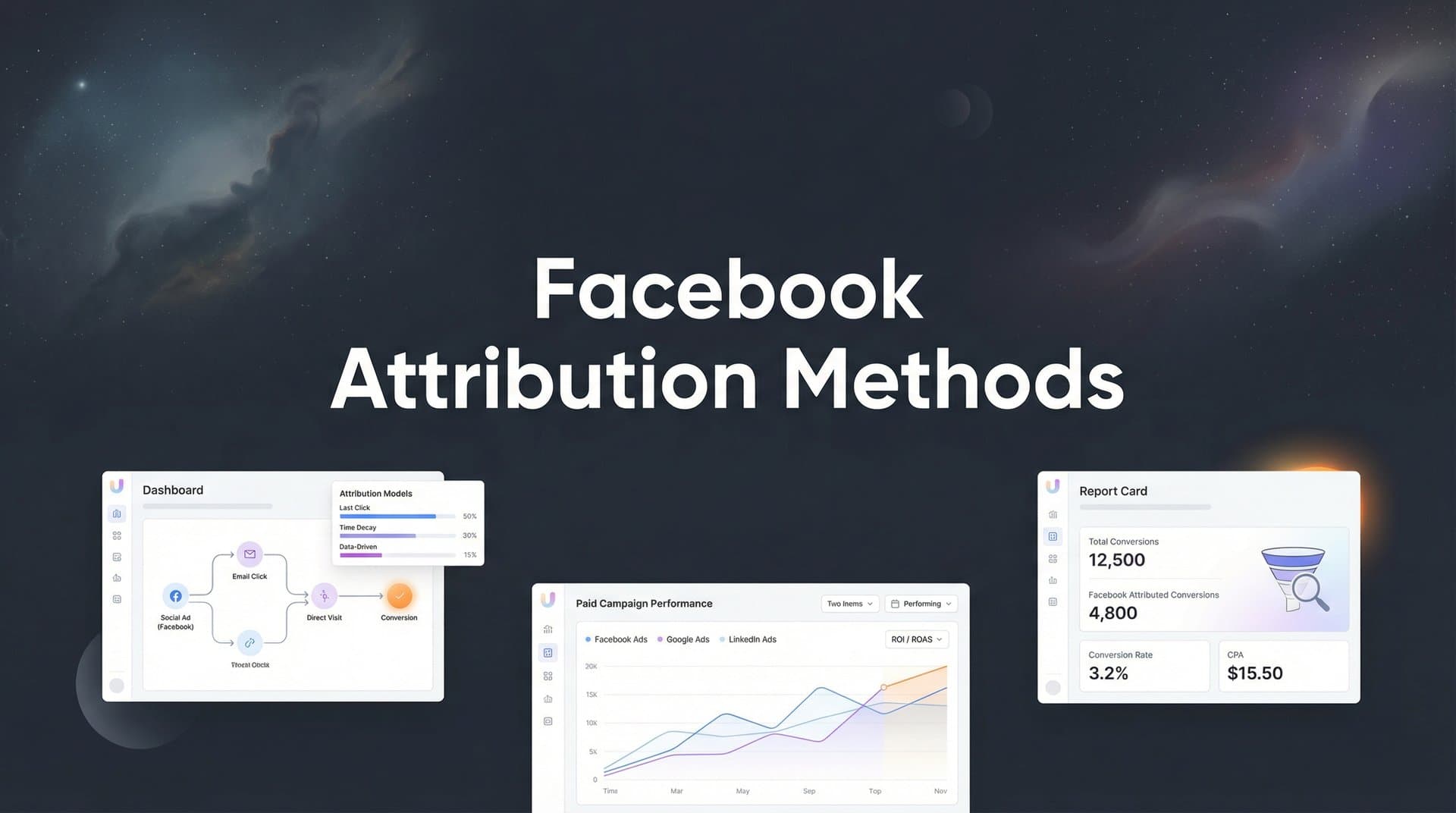
Facebook attribution has become increasingly complex since iOS 14.5 changed the tracking landscape. Marketers now face delayed data, limited visibility into cross-device journeys, and attribution windows that don't capture the full customer path. The result? Many businesses are making budget decisions based on incomplete or inaccurate data.
This guide covers seven attribution methods that help you see beyond Facebook's native reporting limitations. Each approach addresses specific tracking gaps, from server-side solutions that bypass browser restrictions to multi-touch models that credit the entire customer journey.
Whether you're running campaigns for an ecommerce brand or driving B2B demo requests, these methods will help you understand which ads actually convert—not just which ones get clicks.
1. Server-Side Tracking with Conversions API
The Challenge It Solves
Browser-based tracking through the Facebook Pixel faces significant limitations in 2026. Ad blockers, browser privacy settings, and iOS restrictions prevent the pixel from capturing many conversion events. When someone converts on your site but their browser blocks the pixel, Facebook never receives that signal—and your attribution data shows a gap that doesn't reflect reality.
This creates a compounding problem: Facebook's algorithm doesn't learn from conversions it can't see, which means your campaigns optimize based on incomplete data. You're essentially flying blind on a portion of your actual results.
The Strategy Explained
Server-side tracking sends conversion data directly from your server to Facebook, bypassing browser restrictions entirely. When someone completes a purchase or fills out a form, your server communicates that event to Facebook through the Conversions API—regardless of whether their browser allowed the pixel to fire.
Facebook's own documentation acknowledges that Conversions API helps capture events that may be lost due to browser limitations, ad blockers, and connectivity issues. The key difference is the data flow: instead of relying on JavaScript running in someone's browser, your server handles the communication.
This approach doesn't replace the pixel—it complements it. The pixel still captures valuable browser-side data like page views and session behavior, while Conversions API ensures your critical conversion events always reach Facebook.
Implementation Steps
1. Set up the Conversions API integration through your website platform or a third-party tool that connects your server to Facebook's API endpoint.
2. Configure event matching by sending identifying information (email, phone number, IP address) with each conversion event so Facebook can match it to the correct user profile.
3. Implement event deduplication using unique event IDs to prevent counting the same conversion twice when both pixel and Conversions API fire successfully.
4. Test your setup using Facebook's Events Manager Test Events tool to verify that server events are arriving correctly and matching to users.
Pro Tips
Send conversion events as quickly as possible after they occur—ideally within seconds. The faster Facebook receives the data, the better it can optimize your campaigns. Also, include as many matching parameters as possible (email, phone, address) to improve event matching accuracy, especially for users who aren't logged into Facebook when they convert.
2. Multi-Touch Attribution Modeling
The Challenge It Solves
Last-click attribution—Facebook's default approach—credits the final touchpoint before conversion. This creates a distorted view of your marketing effectiveness. A prospect might discover your brand through a Facebook awareness ad, research your product over several days, and finally convert after clicking a retargeting ad. Last-click attribution gives all the credit to that retargeting ad, completely ignoring the awareness campaign that started the journey.
For businesses with longer sales cycles or multiple touchpoints, this leads to systematically undervaluing top-of-funnel campaigns and overvaluing bottom-funnel retargeting.
The Strategy Explained
Multi-touch attribution distributes conversion credit across multiple touchpoints in the customer journey. Instead of giving 100% credit to the last ad click, you acknowledge that several interactions contributed to the final decision.
Common multi-touch models include linear attribution (equal credit to all touchpoints), time-decay (more credit to recent interactions), and position-based (extra credit to first and last touchpoints). Each model reveals different insights about how your campaigns work together.
The goal isn't to find the "perfect" model—it's to understand how different parts of your funnel contribute to conversions. When you see that awareness campaigns consistently appear early in converting customer journeys, you gain confidence in continuing that spend even if Facebook's dashboard shows lower direct ROAS.
Implementation Steps
1. Choose an attribution platform that can track users across multiple sessions and touchpoints, connecting Facebook ad clicks to subsequent website visits and conversions.
2. Define your attribution window based on your typical sales cycle—B2B companies often need 30-60 day windows, while ecommerce might use 7-14 days.
3. Select 2-3 attribution models to compare simultaneously (such as last-click, linear, and time-decay) so you can see how different perspectives change your understanding of campaign performance.
4. Review attribution reports weekly to identify campaigns that show strong performance in multi-touch models but appear weak in last-click reporting.
Pro Tips
Don't abandon last-click entirely—use it as one perspective among several. Compare last-click ROAS against multi-touch models to find campaigns that deserve more budget based on their full contribution to the customer journey. Also, segment your attribution analysis by customer value: high-value customers often have more complex journeys that multi-touch attribution captures more accurately.
3. UTM Parameter Strategy for Cross-Platform Tracking
The Challenge It Solves
Facebook's native reporting shows you performance within the platform, but it doesn't connect to your broader analytics ecosystem. When you're running campaigns across multiple channels—Google Ads, email, organic social—you need a unified view of how Facebook fits into your overall marketing mix. Without consistent tracking parameters, you can't compare Facebook's true performance against other channels or understand how they work together.
Inconsistent UTM tagging creates another problem: your Google Analytics might show different conversion numbers than Facebook Ads Manager, making it impossible to reconcile data or trust either platform's reporting.
The Strategy Explained
UTM parameters are tags you add to your ad URLs that pass campaign information to your analytics platform. When someone clicks a Facebook ad with properly structured UTMs, your analytics tool captures exactly which campaign, ad set, and creative drove that visit—regardless of what happens with Facebook's pixel.
The key is building a consistent taxonomy across all your marketing channels. When your Facebook campaigns use the same UTM structure as your Google Ads and email campaigns, you can finally compare performance across channels using your analytics platform as the source of truth.
This approach gives you attribution data that survives browser restrictions and cookie limitations. Even if Facebook can't track what happens after the click, your analytics platform can—as long as the UTM parameters are properly structured.
Implementation Steps
1. Create a UTM naming convention document that defines exactly how you'll structure campaign names, sources, mediums, and content parameters across all channels.
2. Build URL templates in Facebook Ads Manager that automatically append UTM parameters to all your ad URLs using dynamic values for campaign name, ad set name, and ad ID.
3. Set up custom channel groupings in your analytics platform that properly categorize Facebook traffic based on your UTM structure, separating paid social from other channels.
4. Create a dashboard that shows conversions by UTM parameters, allowing you to analyze performance at the campaign, ad set, and creative level outside of Facebook's interface.
Pro Tips
Use Facebook's dynamic parameters like {{campaign.name}} and {{adset.name}} in your URL templates so the UTM tags automatically populate with the actual campaign structure. This eliminates manual tagging errors and keeps your data clean. Also, avoid spaces and special characters in your UTM values—use underscores or hyphens instead to prevent tracking issues.
4. First-Party Data Collection and Enrichment
The Challenge It Solves
Cookie-based tracking breaks down when users switch devices, clear their cookies, or browse in private mode. Someone might click your Facebook ad on their phone during lunch, then convert on their laptop at home that evening. Traditional tracking sees these as two separate users, breaking the attribution connection between the ad click and the conversion.
This cross-device gap becomes especially problematic for businesses with longer consideration periods. By the time someone converts, the original Facebook ad click might be days or weeks old—and if they've switched devices, the connection is lost entirely.
The Strategy Explained
First-party data collection captures identifying information early in the customer journey, creating persistent profiles that survive cookie restrictions and device switches. When someone provides their email address—through a newsletter signup, content download, or account creation—you can track their entire journey across devices and sessions.
Data enrichment takes this further by appending additional information to customer profiles. When someone fills out a form, you can enrich their profile with company data, technographic information, or behavioral signals that help you understand which Facebook campaigns attract high-value prospects.
The goal is building a customer data foundation that doesn't depend on third-party cookies or browser tracking. Once you have a persistent identifier like email address, you can connect all of that user's interactions—including their original Facebook ad click—regardless of device or browser.
Implementation Steps
1. Implement progressive profiling on your website to collect email addresses early in the customer journey through content offers, tool access, or newsletter signups.
2. Connect your form submissions to a customer data platform or CRM that creates unified profiles across all touchpoints and devices.
3. Pass first-party identifiers (email, phone number) to Facebook through Conversions API to improve event matching and attribution accuracy.
4. Set up identity resolution logic that matches anonymous website visitors to known customer profiles when they log in or provide identifying information.
Pro Tips
Offer genuine value in exchange for email addresses—calculators, assessments, templates, or exclusive content work better than generic "newsletter signup" forms. The earlier in the journey you can identify visitors, the more complete your attribution data becomes. Also, ensure your privacy policy clearly explains how you'll use collected data and gives users control over their information.
5. Conversion Lift Studies and Incrementality Testing
The Challenge It Solves
Attribution models tell you which ads were present in converting customer journeys, but they don't answer a more fundamental question: would those conversions have happened anyway? When you retarget website visitors or target existing customers, many of those people would have converted without seeing your ad. Standard attribution gives your campaigns credit for conversions they didn't actually cause.
This incrementality problem leads to overinvesting in campaigns that capture existing demand rather than generating new demand. Your Facebook ads might show strong ROAS while actually just intercepting conversions that would have occurred through organic channels.
The Strategy Explained
Conversion lift studies measure true incremental impact by comparing a test group that sees your ads against a control group that doesn't. The difference in conversion rates between these groups reveals what conversions your ads actually caused—not just which ones happened to occur after someone saw an ad.
Facebook offers built-in conversion lift studies through Ads Manager, creating matched test and control groups and measuring the difference in conversion behavior. This scientific approach removes the ambiguity from attribution by directly testing whether your ads change behavior.
The insights from lift studies often surprise marketers. Prospecting campaigns typically show stronger incrementality than retargeting, even though retargeting shows better attributed ROAS. This happens because retargeting reaches people already interested in your product—many would convert anyway.
Implementation Steps
1. Set up a conversion lift study in Facebook Ads Manager by selecting the campaign you want to test and defining your conversion event and measurement window.
2. Let the study run for at least 2-3 weeks to gather statistically significant data—rushing results leads to inconclusive findings.
3. Analyze the incremental cost per result (the actual cost to drive one additional conversion that wouldn't have happened otherwise) rather than just standard ROAS.
4. Compare incrementality across different campaign types to identify which strategies generate true new demand versus capturing existing intent.
Pro Tips
Run lift studies on your highest-spend campaigns first to get the most impactful insights. Also, test during normal business periods—holiday seasons or promotional events can skew results. Use the incrementality data to inform budget allocation: campaigns with high incrementality deserve more investment even if their attributed ROAS looks lower than retargeting campaigns.
6. CRM-Connected Attribution for Revenue Tracking
The Challenge It Solves
Facebook's conversion tracking stops at the lead or purchase event, but for many businesses, that's just the beginning of the revenue story. B2B companies need to track leads through the sales pipeline to closed deals. Ecommerce brands need to account for returns, refunds, and lifetime value. Subscription businesses need to measure retention and expansion revenue.
When you optimize campaigns based on Facebook's reported ROAS, you're making decisions without knowing which campaigns drive customers who actually pay, stay, and grow their account value over time. The ad that generates the most leads might attract prospects who never close, while a campaign with fewer leads might drive highly qualified buyers.
The Strategy Explained
CRM-connected attribution links Facebook ad clicks directly to revenue outcomes in your CRM or subscription platform. When a lead enters your system, you track it back to the originating Facebook campaign. When that lead becomes a customer, you attribute the revenue to the campaign that started the journey. When that customer expands their account or churns, you update the campaign's true ROI.
This approach transforms attribution from a top-of-funnel metric to a full-funnel revenue measurement. You can calculate actual customer acquisition cost by campaign, compare average deal size across different Facebook audiences, and identify which campaigns drive customers with the highest lifetime value.
For B2B companies with multi-month sales cycles, this becomes essential. The Facebook campaign that looked mediocre in week one might show exceptional ROI in month three when those leads close into high-value deals.
Implementation Steps
1. Implement hidden form fields that capture UTM parameters or Facebook click IDs when leads submit forms, passing that attribution data into your CRM.
2. Create custom fields in your CRM to store first-touch attribution data (original Facebook campaign) and track it through the entire customer lifecycle.
3. Build reports that show closed revenue by Facebook campaign, calculating true ROAS based on actual deal value rather than platform-reported conversions.
4. Set up automated data syncing between your CRM and attribution platform so revenue updates flow back to campaign performance dashboards in real time.
Pro Tips
Track both first-touch and last-touch attribution in your CRM to understand which campaigns start relationships versus which ones close deals. Many businesses find that different Facebook campaigns excel at different funnel stages. Also, segment your analysis by deal size—campaigns that drive smaller deals might still be valuable if they convert faster or have better retention rates.
7. AI-Powered Attribution Analysis
The Challenge It Solves
Even with comprehensive attribution data, making sense of it all becomes overwhelming. You're tracking multiple attribution models, analyzing cross-channel journeys, comparing incrementality studies, and monitoring CRM revenue—but which campaigns should you actually scale? Which audiences are truly performing? Which creative variations drive better long-term outcomes?
Manual analysis can't process the volume and complexity of modern attribution data fast enough to make timely optimization decisions. By the time you've analyzed last week's performance across all dimensions, market conditions have already shifted.
The Strategy Explained
AI-powered attribution platforms use machine learning to identify patterns in your conversion data that humans would miss or take too long to find. These systems analyze thousands of data points across campaigns, audiences, creative variations, and customer outcomes to surface actionable insights.
Modern AI attribution goes beyond simple reporting—it provides specific recommendations on budget allocation, audience targeting, and creative strategy. The algorithms learn which combinations of campaign elements drive the best outcomes for your specific business, then suggest optimizations based on those patterns.
This approach continuously improves as it processes more data. The AI identifies which Facebook campaigns consistently appear in high-value customer journeys, which audiences show strong intent signals, and which creative approaches drive engagement that leads to actual revenue.
Implementation Steps
1. Connect your attribution platform to all data sources—Facebook Ads, analytics tools, CRM, and customer data platforms—so the AI has complete visibility into campaign performance and outcomes.
2. Define your optimization goals clearly, whether that's revenue, qualified leads, customer lifetime value, or another metric that matters to your business.
3. Review AI-generated recommendations weekly, starting with the highest-impact suggestions around budget reallocation or audience targeting.
4. Track the results of implemented recommendations to validate the AI's suggestions and improve its learning over time.
Pro Tips
Don't blindly follow every AI recommendation—use it as intelligent input for decisions that still require human judgment about brand strategy and market context. The best results come from combining AI pattern recognition with human expertise. Also, ensure your AI attribution platform can explain its recommendations—black-box algorithms that suggest changes without reasoning don't build the confidence you need to make major budget decisions.
Putting These Attribution Methods Into Action
Start with server-side tracking as your foundation. Implementing Conversions API ensures you're capturing conversion data that browser-based tracking misses, giving you more complete information regardless of which other attribution methods you layer on top.
From there, add multi-touch attribution to see the complete customer journey. This shift in perspective often reveals that your awareness and consideration campaigns contribute more value than last-click attribution suggests—information that changes how you allocate budget across your funnel.
For B2B companies with longer sales cycles, CRM-connected attribution becomes essential. You need to track leads through to closed revenue to understand which Facebook campaigns drive customers who actually convert and generate ROI. Without this connection, you're optimizing for lead volume rather than revenue outcomes.
The goal isn't to implement every method at once. Start with the approaches that address your biggest attribution gaps, then expand your stack as you build confidence in the data. A retailer with short purchase cycles might prioritize server-side tracking and multi-touch attribution, while a SaaS company might focus on CRM integration and incrementality testing.
What matters most is moving beyond Facebook's native reporting limitations to build an attribution system that matches your business model. When you understand which ads actually drive revenue—not just which ones get clicks—you can scale your Facebook campaigns with confidence.
Ready to elevate your marketing game with precision and confidence? Discover how Cometly's AI-driven recommendations can transform your ad strategy—Get your free demo today and start capturing every touchpoint to maximize your conversions.



