

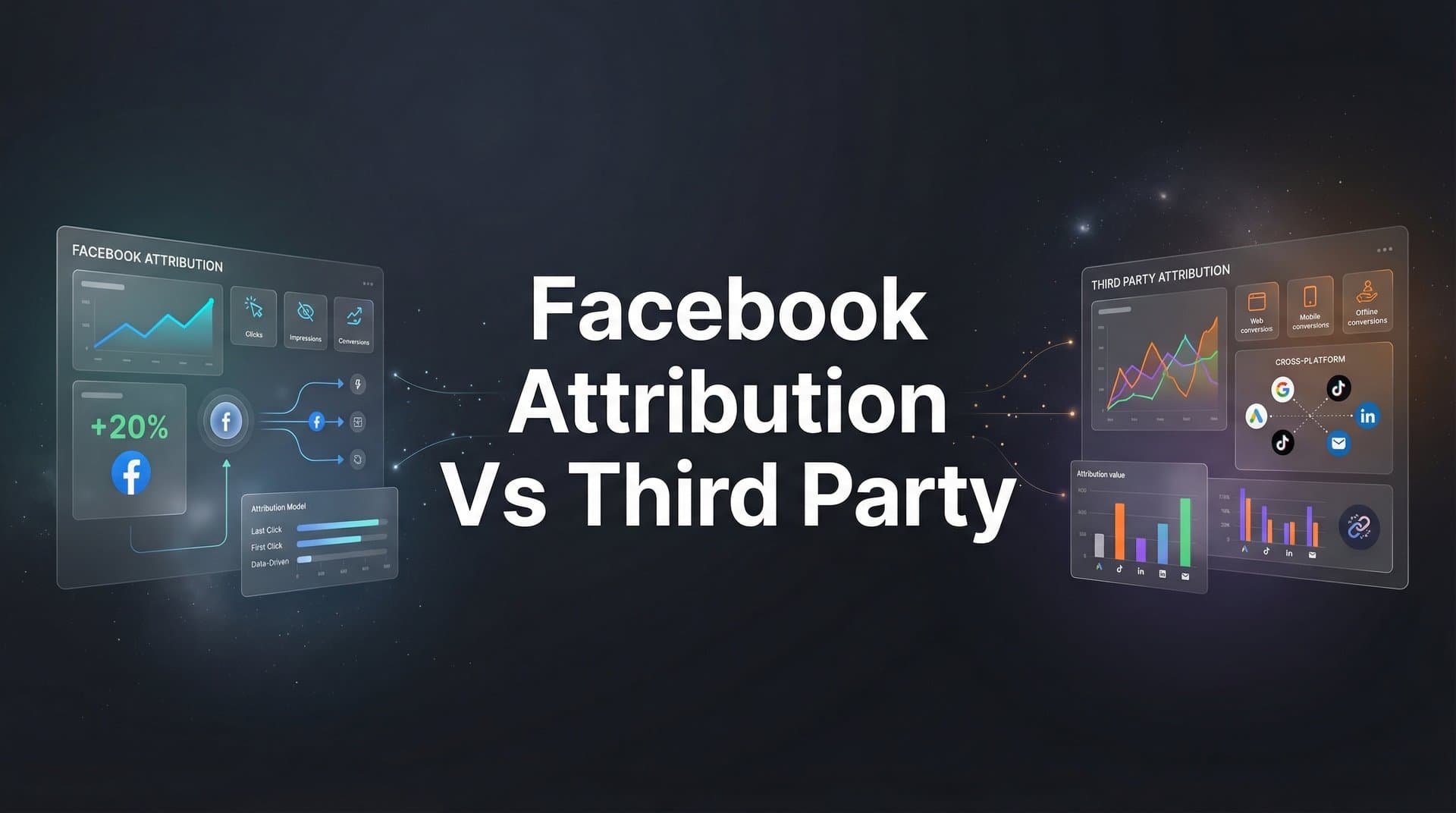
You're staring at your Facebook Ads dashboard, and the numbers look incredible. Facebook claims your campaigns drove 200 conversions this month. But when you check your CRM, you only see 120 actual sales. Your CFO wants to know which number to trust, and you're stuck explaining a gap you don't fully understand yourself.
This scenario has become the norm for digital marketers since iOS 14.5 fundamentally changed how platforms track user behavior. The disconnect between Facebook's native attribution and what actually drives revenue isn't just frustrating—it's costing businesses real money through misallocated budgets and missed optimization opportunities.
The challenge isn't choosing between Facebook's built-in metrics or third-party tracking tools. It's understanding how each measures success differently, then building a strategic approach that leverages both for accurate, revenue-focused decisions.
The marketers who thrive in today's privacy-first landscape don't accept platform-reported metrics at face value. They build attribution systems that reflect reality, not vanity metrics. This guide delivers seven proven strategies to help you navigate the Facebook attribution versus third-party tracking dilemma and make smarter marketing decisions that actually move your business forward.
1. Understand the Fundamental Attribution Model Differences
The Challenge It Solves
When Facebook reports 150 conversions and your analytics platform shows 90, which one is telling the truth? The answer isn't that one is lying—they're measuring different things entirely. Without understanding these fundamental differences, you'll constantly chase phantom results and make decisions based on incomplete data.
Facebook's default attribution uses a 7-day click and 1-day view window, meaning it credits conversions that happen within seven days of someone clicking your ad, or within one day of viewing it. Third-party tools often use different windows and methodologies, creating inevitable discrepancies that confuse rather than clarify.
The Strategy Explained
Think of attribution models like different camera angles filming the same event. Facebook's camera focuses tightly on its own platform interactions. Third-party tools use a wider lens that captures the entire customer journey across multiple channels.
Facebook's native attribution is inherently platform-centric. It credits conversions to Facebook touchpoints whenever possible, which makes sense from Facebook's perspective but doesn't always reflect reality. If someone clicks your Facebook ad, then later searches your brand on Google and converts, Facebook still claims that conversion within its attribution window.
Third-party attribution platforms take a channel-agnostic approach. They track the complete path to conversion—Facebook ad click, Google search, email open, direct website visit—and use various models to distribute credit across touchpoints. This provides a fuller picture but requires more complex implementation.
Implementation Steps
1. Document your current attribution windows across all platforms. Note that Facebook defaults to 7-day click/1-day view, Google Ads uses last-click by default, and your analytics platform may use yet another model.
2. Choose a standard attribution window for cross-platform comparison. Many businesses use 7-day click as a baseline because it balances recency with reasonable conversion timeframes.
3. Create a reference document that explains how each platform measures conversions, so your team understands why numbers differ and which metrics to prioritize for specific decisions.
Pro Tips
Don't try to make the numbers match perfectly across platforms—they never will. Instead, establish which source you'll use as your primary decision-making tool for different scenarios. Use Facebook's data for in-platform optimization decisions, but rely on your third-party source of truth for budget allocation across channels and reporting to stakeholders.
2. Implement Server-Side Tracking to Bridge Data Gaps
The Challenge It Solves
Browser-based tracking is dying. Ad blockers, cookie restrictions, and privacy settings prevent Facebook's pixel from capturing a significant portion of your actual conversions. Industry observations suggest that browser-based pixels can miss substantial conversion data, leaving you blind to your true performance.
When your tracking only captures a fraction of real conversions, you make decisions based on incomplete data. You might pause profitable campaigns because Facebook can't see the conversions they're driving, or scale losing campaigns that appear successful due to attribution bias.
The Strategy Explained
Server-side tracking sends conversion data directly from your server to Facebook's Conversions API, bypassing browser limitations entirely. Picture this: when someone completes a purchase on your website, your server immediately notifies Facebook, regardless of whether that person has an ad blocker enabled or has opted out of tracking.
This approach captures conversions that browser-based pixels miss, giving Facebook—and you—a more complete picture of campaign performance. It also improves Facebook's ability to optimize your campaigns because the platform receives better data about who's actually converting.
The key advantage is reliability. Browser-based tracking depends on the user's device and settings. Server-side tracking depends on your infrastructure, which you control. This shift from client-side to server-side measurement has become an industry best practice for serious marketers.
Implementation Steps
1. Set up Facebook's Conversions API alongside your existing pixel. The two work together, with the pixel capturing what it can and the server filling in the gaps.
2. Configure event matching to deduplicate conversions that both the pixel and Conversions API capture. This prevents double-counting while ensuring you capture conversions that only one source sees.
3. Test your implementation by completing test conversions and verifying they appear in Facebook's Events Manager from both the pixel and Conversions API sources.
Pro Tips
Prioritize server-side tracking for your most valuable conversion events first—purchases, qualified leads, or whatever drives revenue for your business. You can gradually expand to track additional events as your implementation matures. Monitor your Event Match Quality score in Facebook's Events Manager to ensure you're sending enough customer information for Facebook to match conversions to users.
3. Build a Multi-Touch Attribution Framework
The Challenge It Solves
Last-click attribution gives all credit to the final touchpoint before conversion, completely ignoring the Facebook ad that introduced someone to your brand or the retargeting campaign that brought them back. This creates a distorted view where bottom-of-funnel touchpoints appear extraordinarily valuable while top-of-funnel efforts seem worthless.
When you optimize based on last-click data, you systematically underinvest in awareness and consideration campaigns that actually drive future conversions. Your attribution system should reflect how customers actually buy—through multiple interactions across days or weeks—not pretend they convert after a single touchpoint.
The Strategy Explained
Multi-touch attribution distributes conversion credit across all touchpoints in the customer journey. If someone sees your Facebook ad, clicks it three days later, receives a retargeting ad the next week, then searches your brand and converts, multi-touch attribution acknowledges that all these interactions contributed to the sale.
Different models distribute credit differently. Linear attribution splits credit equally across all touchpoints. Time-decay gives more credit to recent interactions. Position-based models emphasize the first and last touchpoints. The right model depends on your business, but any multi-touch approach beats pretending conversions happen in isolation.
This framework connects your marketing to actual revenue, not just platform-reported conversions. You see which channels work together to drive sales, which campaigns introduce customers who later convert through other channels, and where your budget creates the most business impact.
Implementation Steps
1. Map your typical customer journey from first awareness to final conversion. Identify the common touchpoints and channels customers interact with along the way.
2. Choose an attribution model that reflects your business reality. If you run long sales cycles with multiple touchpoints, consider time-decay or position-based models. For simpler journeys, linear attribution provides a good starting point.
3. Implement tracking that captures the full journey, not just the last click. This requires a platform that can stitch together interactions across devices and channels to build complete customer paths.
Pro Tips
Start with a simple multi-touch model and evolve it as you learn. You don't need perfect attribution from day one—you need attribution that's better than last-click. Compare your multi-touch attribution results against last-click for a few weeks to see which campaigns gain or lose credit, then adjust your strategy accordingly.
4. Create a Unified Data Source for Cross-Platform Comparison
The Challenge It Solves
You're running campaigns on Facebook, Google, LinkedIn, and TikTok. Each platform uses different attribution windows, different conversion tracking methods, and different definitions of success. When you try to compare performance across channels, you're comparing apples to oranges to pineapples.
This fragmentation makes it nearly impossible to allocate budget intelligently. You can't confidently shift spending from Facebook to Google when each platform measures conversions differently. Without a unified view, you're flying blind across the most important strategic decision you make: where to invest your marketing dollars.
The Strategy Explained
A unified data source normalizes attribution across all your marketing channels using consistent methodology, attribution windows, and conversion definitions. Instead of trusting each platform's self-reported metrics, you establish a single source of truth that measures everything the same way.
This approach doesn't mean ignoring platform-native data. Facebook's metrics still matter for in-platform optimization. But for strategic decisions about budget allocation and channel performance, you need a neutral arbiter that treats all channels equally.
The unified source connects your ad platforms, website analytics, and CRM to track the complete customer journey. When someone converts, it knows which ads they saw, which emails they opened, and which touchpoints influenced their decision—across every channel you use.
Implementation Steps
1. Select a platform that can ingest data from all your marketing channels and normalize it using consistent attribution methodology. This becomes your strategic decision-making dashboard.
2. Connect your ad platforms, analytics tools, and CRM to this unified source. Ensure conversion events flow from your website or CRM into the platform so it can attribute them accurately.
3. Establish reporting standards that use your unified source for strategic decisions while still referencing platform-native data for tactical optimization within each channel.
Pro Tips
Train your team to distinguish between "optimization metrics" and "strategic metrics." Use platform-native data to optimize campaigns within that platform—Facebook's data helps you improve Facebook campaigns. Use your unified source to make cross-channel decisions about where to allocate budget and which channels drive the most revenue.
5. Use Third-Party Data to Feed Better Signals Back to Facebook
The Challenge It Solves
Facebook's optimization algorithms are only as good as the data you feed them. When browser-based tracking misses conversions, Facebook's AI doesn't know which users actually converted, so it can't find more people like them. This creates a vicious cycle where incomplete data leads to poor targeting, which leads to worse results.
Your third-party attribution platform sees conversions that Facebook's pixel misses. But that valuable data sits isolated in your analytics dashboard, doing nothing to improve Facebook's ability to optimize your campaigns. You're leaving performance on the table by not connecting these systems.
The Strategy Explained
Conversion data flows both ways in a mature attribution system. Your third-party platform captures accurate conversion data, then sends enriched conversion events back to Facebook through the Conversions API. This gives Facebook's algorithms better information about who's actually converting, which improves both attribution accuracy and campaign optimization.
Think of it as teaching Facebook's AI with better training data. When you send complete, accurate conversion information, Facebook learns to identify high-intent users more effectively. The platform's lookalike audiences become more accurate, its automated bidding makes smarter decisions, and your overall campaign performance improves.
This strategy turns attribution from a passive reporting tool into an active performance driver. You're not just measuring results more accurately—you're using that accurate measurement to help Facebook deliver better results.
Implementation Steps
1. Configure your attribution platform to send conversion events to Facebook's Conversions API. Include as much customer information as possible—email, phone, address—to improve Facebook's ability to match conversions to users.
2. Send enriched conversion data that includes revenue values, product categories, and customer lifetime value predictions. This helps Facebook optimize for valuable conversions, not just conversion volume.
3. Monitor your conversion quality in Facebook's Events Manager. Look for improvements in Event Match Quality scores and conversion rates as Facebook receives better data.
Pro Tips
Don't just send standard conversion events back to Facebook. Send custom events that reflect your business reality—qualified leads versus junk form fills, high-value purchases versus low-margin sales. The more nuanced your conversion data, the better Facebook can optimize toward outcomes that actually matter for your business.
6. Establish Validation Testing Between Attribution Sources
The Challenge It Solves
You've implemented third-party attribution, but how do you know it's more accurate than Facebook's native reporting? Both sources show different numbers, and you need a way to determine which one to trust for specific decisions. Without validation, you're just replacing one uncertain number with another.
Different attribution sources excel in different scenarios. Facebook's data might be more reliable for immediate post-click conversions, while your third-party tool better captures longer conversion paths. You need a systematic way to understand when to trust which source.
The Strategy Explained
Validation testing uses controlled experiments to verify which attribution source accurately reflects reality. Holdout tests pause campaigns for specific audience segments, then measure whether conversions actually decrease. Incrementality tests compare conversion rates between exposed and unexposed groups to determine true campaign impact.
These tests provide ground truth data that you can compare against what each attribution source reported. If Facebook claimed 100 conversions from a campaign, but the holdout test shows only 60 incremental conversions, you know Facebook over-attributed. This calibrates your understanding of how much to trust each source.
The goal isn't to prove one source right and another wrong. It's to understand the biases and limitations of each source so you can make informed decisions about which data to prioritize in different contexts.
Implementation Steps
1. Run a simple holdout test by pausing a campaign for one week while keeping everything else constant. Measure whether your overall conversions decrease by the amount Facebook attributed to that campaign.
2. Implement conversion lift studies through Facebook's Brand Lift tool or similar incrementality testing platforms. These compare conversion rates between users who saw your ads and control groups who didn't.
3. Document the results of these tests in a reference guide that helps your team understand which attribution source to trust for different campaign types and decision scenarios.
Pro Tips
Run validation tests quarterly to account for changes in tracking accuracy, platform algorithms, and customer behavior. What you learned six months ago may not hold true today. Use these tests to build institutional knowledge about attribution accuracy rather than one-time answers.
7. Leverage AI-Powered Analysis for Actionable Recommendations
The Challenge It Solves
You've built a sophisticated attribution system that captures accurate data across all your marketing channels. Now you're drowning in information. You have dashboards full of metrics, attribution reports showing complex customer journeys, and more data than any human can effectively analyze to make timely optimization decisions.
The bottleneck has shifted from data collection to data analysis. You need to identify which ads are truly driving revenue, which campaigns to scale, and which to pause—but doing this manually across hundreds of ads and multiple attribution models is overwhelming and slow.
The Strategy Explained
AI-powered analysis processes your attribution data at scale to surface actionable insights and optimization recommendations. Instead of manually comparing performance across attribution models and channels, AI identifies patterns that indicate high-performing ads, optimal budget allocation, and scaling opportunities.
Modern attribution platforms use machine learning to analyze the complete customer journey data they collect. They identify which ad combinations drive the highest lifetime value customers, which creative elements correlate with conversion, and which audience segments show the strongest intent signals across multiple touchpoints.
This transforms attribution from a reporting tool into an optimization engine. You move from "here's what happened" to "here's what you should do next" based on comprehensive analysis of your accurate attribution data.
Implementation Steps
1. Choose an attribution platform with built-in AI analysis capabilities that can process your multi-touch attribution data and generate specific recommendations about which campaigns to scale or pause.
2. Configure the AI to align with your business goals—whether that's maximizing revenue, improving return on ad spend, or acquiring customers with high predicted lifetime value.
3. Start with AI-generated recommendations for your top-spending campaigns, validate the suggestions against your business knowledge, then gradually expand to more automated optimization as you build confidence in the system.
Pro Tips
Use AI recommendations as decision support, not decision replacement. The AI can process more data faster than you can, but you understand context, strategic priorities, and business nuances that the algorithm doesn't. The most effective approach combines AI-powered analysis with human judgment about which recommendations to implement.
Putting It All Together
The Facebook attribution versus third-party tracking debate misses the point entirely. This isn't about choosing one over the other—it's about building an attribution system that leverages both strategically to drive better marketing decisions and actual business results.
Start with the foundation: understand how Facebook's native attribution differs from third-party approaches and why those differences create the reporting discrepancies you see. This knowledge alone will prevent countless hours of confusion and misguided optimization efforts.
Then address the data gaps. Implement server-side tracking to capture conversions that browser-based methods miss. This single change can dramatically improve both your attribution accuracy and Facebook's ability to optimize your campaigns. Many marketers report seeing significant improvements in data completeness after implementing the Conversions API properly.
Build toward sophistication with multi-touch attribution that reflects how customers actually buy—through multiple interactions across days or weeks, not single touchpoints. Create a unified data source that normalizes attribution across all your channels so you can make intelligent budget allocation decisions based on consistent methodology.
Close the loop by feeding your accurate third-party data back to Facebook. This isn't just about better reporting—it's about improving Facebook's optimization algorithms so they deliver better results. The platforms that receive better conversion data consistently outperform those working with incomplete information.
Validate your attribution sources through systematic testing. Run holdout tests and incrementality studies to understand when to trust Facebook's data versus your third-party tool. This calibration is essential for making confident decisions when the numbers inevitably differ.
Finally, leverage AI to transform your attribution data into actionable insights. The marketers who win aren't those with the most data—they're those who can analyze that data effectively and act on it quickly.
Your next step: audit your current attribution setup against these seven strategies. Which gaps are costing you the most in terms of misallocated spend or missed optimization opportunities? Start there. You don't need to implement everything at once, but you do need to start building toward an attribution system that reflects reality rather than platform-reported vanity metrics.
Ready to elevate your marketing game with precision and confidence? Discover how Cometly's AI-driven recommendations can transform your ad strategy—Get your free demo today and start capturing every touchpoint to maximize your conversions.



