

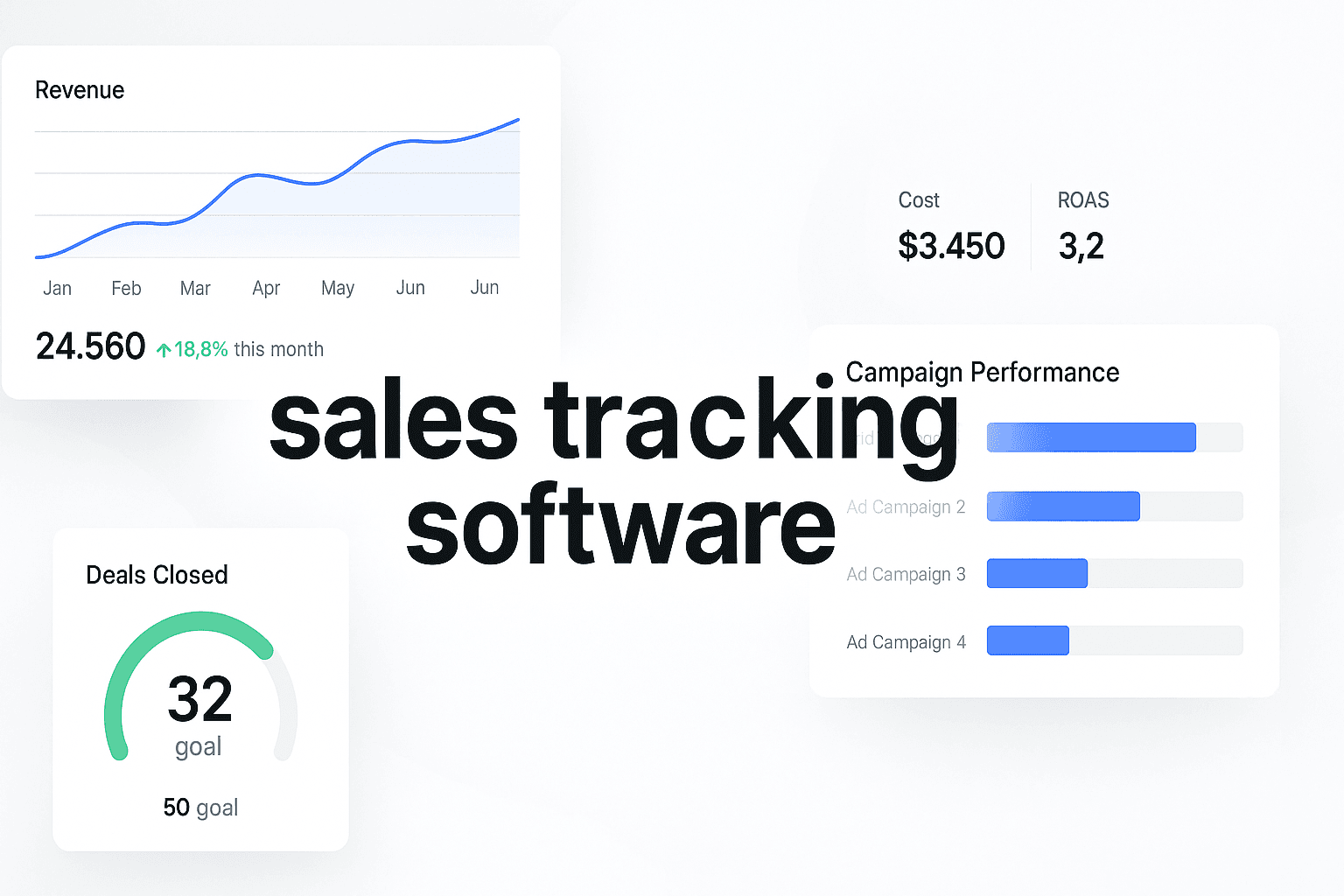
Picture this: It's Monday morning, and your sales team is scrambling through five different spreadsheets, trying to figure out which leads are hot, which deals are stalling, and why last quarter's numbers didn't match the forecast. Sound familiar? Most sales teams waste 20+ hours per week on manual tracking instead of actually selling.
The problem isn't your team's effort—it's the tools they're using. When your sales data lives in disconnected systems, you're flying blind. You can't see which marketing channels feed your pipeline with quality leads. You can't identify bottlenecks until deals are already lost. And you definitely can't make data-driven decisions about where to invest your resources.
Modern sales tracking software changes everything. The right platform connects your marketing attribution, CRM data, and revenue metrics in one place—giving you real-time visibility into what's actually driving results. Instead of guessing which campaigns work, you'll know exactly which touchpoints convert prospects into customers.
Here are the leading sales tracking software platforms that help teams close more deals in 2025.
1. Cometly
Best for: Marketing teams and agencies that need accurate attribution connecting ad spend to actual revenue
Cometly is a marketing attribution and analytics platform built specifically for performance marketers who need to prove ROI.
 7 Best Sales Tracking Software To Close More Deals In 2025
Unlike traditional analytics tools that stop at website behavior, Cometly tracks the complete customer journey from first ad click through CRM events and final purchase—then feeds that enriched data back to your ad platforms to improve targeting.
Where This Tool Shines
Cometly solves the attribution black box that plagues most sales teams. When you're running campaigns across Meta, Google, TikTok, and other channels, standard analytics can't tell you which specific ads and touchpoints actually drive revenue—they only show surface-level metrics like clicks and form fills.
The platform captures every interaction across the entire funnel, enriches it with CRM data, and uses AI to identify which marketing sources truly convert. This means you can confidently scale the campaigns that work and cut the ones that don't, based on actual revenue data instead of vanity metrics. The platform's server-side tracking also bypasses iOS 14+ limitations and ad blockers, giving you complete visibility even as third-party cookies disappear.
Key Features & Capabilities
Multi-touch attribution modeling: Compare first-click, last-click, linear, and AI-powered models to understand the full customer journey.
Server-side tracking (CAPI): Capture accurate conversion data that bypasses browser limitations and ad blockers.
Ad platform integration: Send enriched conversion events back to Meta, Google, and TikTok to improve their AI optimization.
Real-time revenue dashboards: See which campaigns, ads, and keywords drive actual sales, not just leads.
CRM connection: Sync with your sales system to track deals from first touch to closed-won.
AI recommendations: Get automated insights on which campaigns to scale and which to pause.
Best For / Ideal Users
Cometly is ideal for performance marketing teams, growth agencies, and ecommerce brands that spend significant budgets on paid advertising. If you're tired of making budget decisions based on incomplete data, or if your sales team complains that marketing leads don't convert, Cometly gives you the attribution clarity you need.
The platform is particularly valuable for businesses with longer sales cycles where multiple touchpoints influence the final purchase decision. When you need to prove which marketing dollars actually generate revenue—not just traffic or leads—Cometly connects those dots with precision.
Pricing
Cometly offers tiered pricing based on monthly tracked conversions, starting around $99/month for small businesses and scaling up for enterprise needs.
2. HubSpot Sales Hub
Best for: Small to mid-sized B2B companies that want an all-in-one CRM with built-in sales tracking
HubSpot Sales Hub combines contact management, deal pipeline tracking, and sales automation in one integrated platform.
 6 Best Attribution Modeling For Marketing Platforms That Track Real ROI
It connects marketing, sales, and service data without requiring complex integrations or technical setup.
Where This Tool Shines
HubSpot excels at giving sales teams complete visibility into every prospect's journey before the first conversation even happens. When a lead enters your system from a marketing campaign, HubSpot automatically logs every email open, website visit, content download, and sales call in one unified timeline.
Sales reps can see exactly which blog posts a prospect read, which pricing pages they visited, and how many times they've engaged with your emails—all before picking up the phone. This context transforms cold outreach into warm conversations where you're speaking directly to demonstrated interests.
The platform eliminates the tool-switching friction that kills productivity. Meeting scheduling, email templates, and sequence automation all live in the same interface where you manage your pipeline. For teams transitioning from spreadsheets or basic CRMs, HubSpot's intuitive design requires minimal training—most reps are productive within days, not weeks.
For a deeper dive, see our guide to AI talking avatar ads generator.
Key Features & Capabilities
Visual deal pipeline: Drag-and-drop interface to move deals through customizable sales stages with clear visibility into what's closing this quarter.
Email tracking and templates: Know when prospects open emails and use proven templates to speed up outreach without sacrificing personalization.
Meeting scheduler: Let prospects book time directly on your calendar without email back-and-forth, reducing scheduling friction by days.
Sales automation sequences: Set up multi-touch follow-up campaigns that run automatically and pause intelligently when prospects reply.
Reporting dashboards: Track team performance, forecast revenue, and identify pipeline bottlenecks with pre-built reports that actually make sense.
Native marketing integration: See which campaigns and content pieces influence deal progression, connecting marketing spend to sales outcomes.
Best For / Ideal Users
HubSpot Sales Hub works best for B2B companies with 5-50 sales reps who want a unified system for marketing and sales. If your team currently uses separate tools for email, CRM, and reporting, HubSpot consolidates everything into one platform where data flows automatically between functions.
It's particularly strong for businesses with inbound marketing strategies where content and nurture campaigns play a major role in the sales process. When prospects consume multiple pieces of content before talking to sales, HubSpot's timeline view gives reps the context they need to have relevant conversations.
3. Salesforce Sales Cloud
Best for: Enterprise organizations that need highly customizable sales tracking with complex workflows
Salesforce Sales Cloud is the industry-standard CRM for large sales organizations that need enterprise-grade customization and scalability.
 7 Best Sales Tracking Software To Close More Deals In 2025
Where This Tool Shines
Salesforce's real power lies in its ability to bend to your exact sales process rather than forcing you to adapt to the software. Unlike simpler CRMs that offer preset workflows, Salesforce lets you build custom objects, fields, and automation rules that mirror even the most complex enterprise sales methodologies. Whether you're tracking 18-month enterprise deals with multiple stakeholders across different business units, or managing high-velocity inside sales with same-day closes, Salesforce can be configured to match your reality.
The platform's AppExchange marketplace provides access to thousands of pre-built integrations and extensions, meaning you can connect virtually any tool in your tech stack without custom development. For organizations with dedicated sales operations teams, Salesforce provides the depth needed to build sophisticated territory management systems, multi-dimensional forecasting models, and complex commission structures that reflect actual business logic.
Key Features & Capabilities
Opportunity Management: Track complex deals with multiple products, stakeholders, and decision stages while maintaining complete visibility into deal progression.
Einstein AI: Leverage predictive lead scoring, automated data entry suggestions, and intelligent deal insights that help reps prioritize their time effectively.
Advanced Forecasting: Build multi-dimensional forecasts segmented by rep, team, product line, region, or any custom dimension relevant to your business.
Workflow Automation: Create sophisticated automation rules that handle approvals, notifications, data updates, and task assignments based on complex business logic.
Mobile Capabilities: Full-featured iOS and Android apps give field sales teams complete CRM access from anywhere with offline functionality.
Best For / Ideal Users
Salesforce is built for enterprise sales organizations with 50+ reps that have complex sales processes requiring extensive customization. If your company has multiple product lines, intricate approval workflows, or needs to integrate with legacy enterprise systems, Salesforce can handle it. The platform requires significant setup investment and ongoing administration, so it's best suited for organizations with dedicated Salesforce administrators or sales operations professionals who can manage the system.
Companies with straightforward sales processes and small teams will likely find Salesforce overkill. The platform's power comes with complexity that demands proper implementation, training, and maintenance to deliver value.
Pricing
Salesforce Sales Cloud starts at $25/user/month for basic contact management (Essentials edition), but most companies need Professional ($75/user/month) or Enterprise ($150/user/month) editions for full functionality.
4. Pipedrive
Best for: Small sales teams that prioritize simplicity and visual pipeline management
Pipedrive is a sales-focused CRM designed around one core principle: help reps close deals faster with minimal friction.
 7 Best Sales Tracking Software To Close More Deals In 2025
Where This Tool Shines
Pipedrive's visual pipeline interface makes it instantly clear what every rep should be working on right now. Instead of digging through lists and reports, sales managers can see at a glance which deals are progressing, which are stuck, and which need immediate attention.
The platform emphasizes activity-based selling—it tracks calls, emails, and meetings, then shows reps exactly which prospects need follow-up today. This focus on next actions (rather than endless data fields) keeps teams moving forward. For small teams that don't have a dedicated CRM admin, this ease of use is game-changing.
Key Features & Capabilities
Visual sales pipeline: Color-coded deal cards show status, value, and next steps at a glance.
Activity reminders: Never miss a follow-up with automatic task scheduling and notifications.
Email integration: Sync Gmail or Outlook to log all sales communications automatically.
Sales reporting: Track win rates, average deal size, and sales cycle length with pre-built reports.
Mobile apps: Update deals and log activities from anywhere with native iOS and Android apps.
Workflow automation: Automate repetitive tasks like lead assignment and follow-up sequences.
Best For / Ideal Users
Pipedrive works best for small to mid-sized B2B sales teams (5-25 reps) that sell relatively straightforward products or services. If your sales process has 3-7 clear stages and you want your team actually using the CRM instead of avoiding it, Pipedrive's simplicity is a major advantage.
It's particularly popular with consultants, agencies, and SaaS companies with shorter sales cycles where speed and visibility matter more than complex customization.
Pricing
Pipedrive offers four pricing tiers starting at $14/user/month (Essential) up to $99/user/month (Enterprise). Most teams find the Professional tier ($49/user/month) provides the right balance of features and affordability.
5. Close
Best for: Inside sales teams that live on the phone and need built-in calling and SMS
Close is a CRM built specifically for high-velocity inside sales teams that prioritize phone conversations over lengthy email threads.
 7 Best Sales Tracking Software To Close More Deals In 2025
Where This Tool Shines
Close eliminates the friction that kills inside sales productivity. Instead of switching between your CRM, phone system, and email client, reps make calls with one click directly from Close. Every conversation is automatically logged and recorded, so managers can coach based on actual call recordings rather than guesswork.
The platform's Power Dialer lets reps blast through call lists without manual dialing, while Smart Views surface the hottest leads based on engagement and behavior. Close also excels at team collaboration—reps can leave internal notes on leads, tag colleagues for help, and see what their teammates are working on in real time. For sales teams where speed matters and every conversation counts, Close keeps everyone moving fast without losing important context.
Key Features & Capabilities
Built-in calling: Make and receive calls directly in the CRM with automatic logging and recording.
SMS messaging: Send text messages to prospects without leaving the platform.
Power Dialer: Automatically dial through lead lists to maximize talk time.
Email sequences: Set up automated follow-up campaigns that pause when prospects reply.
Smart Views: Filter leads by engagement, deal stage, or custom criteria to prioritize outreach.
Call analytics: Track call volume, talk time, and conversion rates by rep and team.
Best For / Ideal Users
Close is ideal for inside sales teams with 10-100 reps that make 50+ calls per day and need tight integration between communication and CRM. If your sales process relies heavily on phone conversations—like SDR teams qualifying inbound leads or account executives closing mid-market deals—Close's built-in calling eliminates tool-switching friction.
It's particularly strong for B2B SaaS companies and agencies with high-volume outbound sales motions where every minute spent dialing manually is a minute not spent actually talking to prospects.
Pricing
Close offers three pricing tiers: Startup ($49/user/month), Professional ($99/user/month), and Enterprise ($149/user/month). The Startup plan includes basic calling features, while Professional adds Power Dialer and advanced reporting. All plans include unlimited calling within the US and Canada, with international calling available as an add-on.
6. Zoho CRM
Best for: Budget-conscious teams that need robust sales tracking without enterprise pricing
Zoho CRM delivers enterprise-level features at small business prices, offering a comprehensive sales platform that competes with Salesforce and HubSpot on functionality while costing a fraction of the price.
 7 Best Sales Tracking Software To Close More Deals In 2025
Where This Tool Shines
Zoho CRM punches well above its weight class in terms of features per dollar. You get advanced sales automation, AI-powered lead scoring, custom dashboards, and workflow rules that typically only appear in premium CRMs—all at prices that small teams can actually afford.
The platform integrates seamlessly with Zoho's broader ecosystem of business apps including email, accounting, project management, and helpdesk tools. This lets you build a complete business operating system without juggling multiple vendors or dealing with complex third-party integrations. For companies that need sophisticated sales tracking but can't justify spending $100+ per user monthly, Zoho delivers remarkable value without compromising on capabilities.
Key Features & Capabilities
Sales automation: Automate lead assignment, follow-up tasks, and deal progression with a visual workflow builder that requires no coding.
Zia AI assistant: Get predictive analytics, smart recommendations for optimal contact times, and conversational data queries that help identify patterns in your sales data.
Multichannel communication: Track emails, calls, social media interactions, and live chat conversations in one unified timeline for complete context.
Territory management: Assign leads and accounts based on geography, industry, deal size, or custom rules to optimize coverage.
Custom modules: Create entirely new objects to track data unique to your business beyond standard contacts, deals, and accounts.
Mobile apps: Full-featured iOS and Android apps with offline access let your team update deals and log activities from anywhere.
Best For / Ideal Users
Zoho CRM works well for small to mid-sized businesses with 5-50 employees across industries that need powerful sales tracking without breaking the bank. If you're currently using spreadsheets or a basic CRM and need to graduate to something more sophisticated, Zoho provides an affordable path to enterprise features.
The platform is particularly valuable for companies already using other Zoho products who want tight integration across their business tools. It's also ideal for teams that need extensive customization capabilities but don't have the budget or technical resources for Salesforce-level complexity.
Pricing
Zoho CRM offers a free plan for up to 3 users with basic features. Paid plans start at $14/user/month (Standard) and go up to $52/user/month (Ultimate) for advanced AI and analytics capabilities.
7. Copper
Best for: Google Workspace users who want a CRM that lives inside Gmail
Copper is a CRM built specifically for teams that run their business on Google Workspace.
 7 Best Sales Tracking Software To Close More Deals In 2025
Instead of forcing you to switch between Gmail and a separate CRM tab, Copper embeds directly into your inbox—letting you update deals, log activities, and view contact histories without ever leaving Gmail.
Where This Tool Shines
Copper eliminates the context-switching that kills sales productivity for Google Workspace teams. When you open an email from a prospect, Copper's sidebar automatically displays their complete history—past conversations, deal status, recent website visits, and upcoming tasks—right next to the message thread. You can create new contacts, update deal stages, or schedule follow-ups with a few clicks, all while staying in Gmail. This seamless integration means reps actually use the CRM instead of avoiding it because it feels like extra work.
The platform also automatically captures relationship data from your Google ecosystem. Every email, calendar meeting, and document collaboration gets logged without manual entry. Copper even suggests contacts to add based on your email patterns and identifies which relationships are growing cold based on communication frequency. For teams already living in Gmail, Google Calendar, and Google Drive, Copper feels like a natural extension rather than a separate system to learn.
Key Features & Capabilities
Gmail sidebar integration: Access full CRM functionality directly in your inbox without switching tabs or windows.
Automatic activity capture: Emails, meetings, and calls log automatically based on your Google Workspace activity.
Visual pipeline management: Drag-and-drop deals through customizable stages with clear visibility into what needs attention.
Relationship intelligence: AI identifies strong and weak relationships based on communication patterns and engagement.
Google Drive integration: Attach and access relevant documents directly from deal records without leaving the CRM.
Mobile apps: Full-featured iOS and Android apps sync with Google Workspace for on-the-go access.
Best For / Ideal Users
Copper is ideal for small to mid-sized B2B teams (5-50 people) that already use Google Workspace as their primary business platform. If your team lives in Gmail and finds traditional CRMs disruptive to workflow, Copper's native integration removes that friction. It's particularly popular with agencies, consultancies, and professional services firms where relationship management matters more than complex sales automation.
The platform works best for teams with straightforward sales processes that don't require extensive customization. If you need Salesforce-level complexity, Copper will feel limiting. But if you want your team to actually maintain clean CRM data without constant reminders, Copper's automatic logging and Gmail integration make adoption nearly effortless.
Making the Right Choice
The right sales tracking software depends entirely on your team's size, sales motion, and technical sophistication. If you're running paid campaigns and need to connect ad spend to actual revenue, Cometly delivers the attribution clarity that traditional CRMs can't provide. For small B2B teams wanting an all-in-one solution, HubSpot combines ease of use with powerful automation. Enterprise organizations with complex workflows will find Salesforce's customization capabilities worth the investment.
Here's the quick decision framework: Choose Pipedrive if you prioritize visual simplicity. Pick Close if your inside sales team lives on the phone. Go with Zoho if budget is tight but you still need enterprise features. Select Copper if your business runs on Google Workspace. And if you're a performance marketer tired of guessing which campaigns actually convert, Cometly shows you exactly where your revenue comes from.
The best approach? Start with a clear audit of your current pain points. Are deals falling through the cracks because of poor follow-up? That's a pipeline management problem. Can't figure out which marketing channels feed your best customers? That's an attribution gap. Identify your biggest bottleneck, then choose the tool that solves it.
Ready to see which marketing touchpoints are actually driving your sales pipeline? Get your free demo and discover how accurate attribution transforms your sales strategy.


