

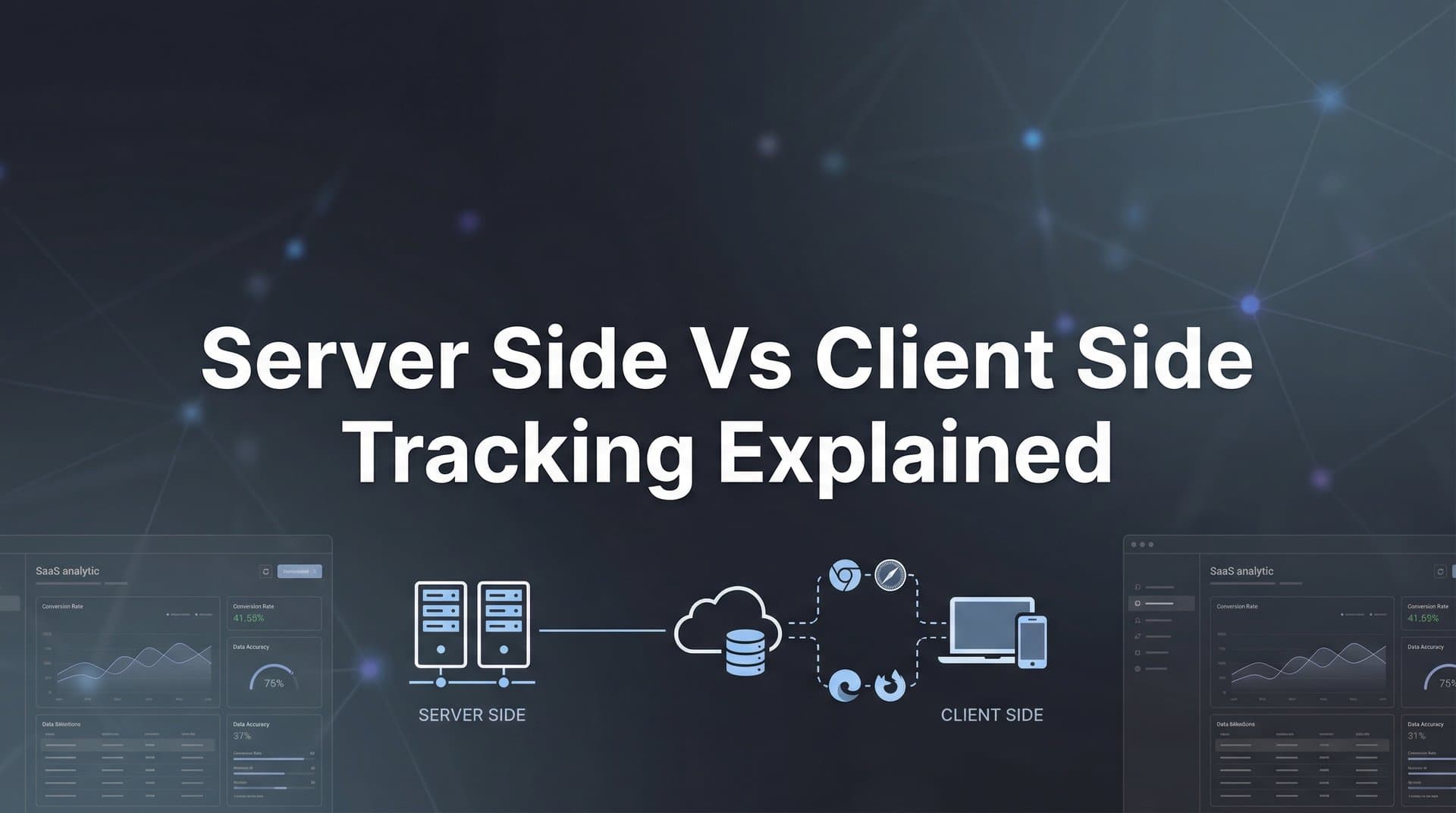
The tracking landscape has fundamentally shifted. With browser privacy updates, cookie deprecation, and iOS restrictions, marketers who rely solely on traditional client-side tracking are flying blind—missing critical conversion data that could transform their campaign performance. But here's the opportunity: understanding when and how to leverage both server-side and client-side tracking gives you a competitive edge in attribution accuracy.
Think of it like this: client-side tracking is like watching customers through a storefront window—you see what they do in public view, but privacy curtains keep blocking your sight. Server-side tracking is like having security cameras inside your own store—you control the view and capture everything that happens on your property.
This guide breaks down seven actionable strategies to help you implement the right tracking approach for your marketing stack, ensure data accuracy, and future-proof your attribution. Whether you're running paid campaigns across Meta, Google, or TikTok, these strategies will help you capture the complete customer journey and make data-driven decisions that actually move the needle.
1. Audit Your Current Tracking Gaps Before Making Changes
The Challenge It Solves
You can't fix what you can't measure. Most marketers jump straight into implementing new tracking solutions without understanding exactly where their current setup is failing. This leads to redundant tracking, conflicting data, and wasted implementation time on problems that might not be your biggest issues.
The reality is that your tracking gaps vary based on your traffic sources, audience demographics, and conversion funnel. iOS users behave differently than Android users. Safari blocks more tracking than Chrome. Understanding your specific blind spots helps you prioritize where to invest your technical resources first.
The Strategy Explained
Start by comparing your analytics platform data against your ad platform reporting and your actual revenue numbers. Look for discrepancies—these gaps reveal where tracking is breaking down. Pay special attention to conversion events that matter most to your business: purchases, lead submissions, sign-ups, or high-value actions.
Run this audit across different segments: mobile vs desktop, iOS vs Android, different browsers, and different traffic sources. You'll often find that certain segments have significantly worse tracking accuracy than others. These patterns tell you exactly where to focus your server-side implementation efforts.
Check your ad blockers impact too. Install common ad blockers and navigate through your own conversion funnel. See what fires and what doesn't. This simple test reveals how much of your audience you're completely missing with client-side tracking alone.
Implementation Steps
1. Export conversion data from your analytics platform, ad platforms, and actual revenue systems for the past 30 days—compare the numbers to identify gaps and discrepancies across sources.
2. Segment your traffic by device type, browser, and operating system in your analytics platform—identify which segments show the largest tracking gaps or lowest attribution rates.
3. Test your conversion funnel with ad blockers enabled and privacy settings maximized—document which tracking pixels fire successfully and which get blocked at each step.
4. Create a prioritized list of your highest-value conversion events that show the biggest tracking gaps—these become your first candidates for server-side implementation.
Pro Tips
Focus on revenue-generating events first. A 10% improvement in tracking your $100 purchases matters more than perfect tracking of newsletter sign-ups. Also, don't forget to check your CRM data—many marketers discover their biggest attribution gap isn't in initial conversions but in connecting ad clicks to actual closed deals and lifetime value.
2. Implement Server-Side Tracking for High-Value Conversion Events
The Challenge It Solves
Your most important conversion events—purchases, qualified leads, high-value sign-ups—are exactly the ones most vulnerable to tracking loss. Browser restrictions, ad blockers, and privacy settings don't discriminate. When a $5,000 sale goes untracked because of a blocked pixel, you can't optimize toward more of those sales.
Server-side tracking solves this by sending conversion data directly from your server to ad platforms, completely bypassing the user's browser and all its restrictions. This means your highest-value events get tracked reliably, giving ad platform algorithms the signal they need to find more customers like your best ones.
The Strategy Explained
Server-side tracking works by capturing conversion events on your backend—your server, your database, your order processing system—and then sending that data directly to ad platforms through their server-side APIs. Meta calls this the Conversions API (CAPI), Google has Enhanced Conversions, and TikTok offers the Events API.
The key advantage is control and accuracy. Your server knows definitively when a purchase happens, when a lead qualifies, or when a subscription starts. There's no guessing based on JavaScript that may or may not fire. You own the data pipeline from start to finish.
Start with your revenue events. Purchases, subscriptions, qualified leads—whatever drives actual business value. These events should be tracked server-side first because they have the highest impact on your ROAS and campaign optimization. Once these are solid, you can expand to other conversion events.
Implementation Steps
1. Choose your highest-value conversion event (typically purchases or qualified leads) and identify where it's recorded in your backend system—your e-commerce platform, CRM, or order database.
2. Set up the server-side API connection for your primary ad platform (Meta CAPI, Google Enhanced Conversions, or TikTok Events API)—follow the platform's documentation to establish the server-to-server connection.
3. Configure your backend to send conversion data to the ad platform API whenever the high-value event occurs—include key parameters like conversion value, timestamp, and user identifiers (email hash, phone hash, or click ID).
4. Test the implementation by completing a test conversion and verifying the event appears in your ad platform's events manager with complete data—compare server-side event volume to your previous client-side tracking to confirm improvement.
Pro Tips
Send as many user identifiers as possible with each server-side event. Email hashes, phone hashes, and click IDs all help ad platforms match conversions back to the right users and campaigns. The more identifiers you include, the better your attribution accuracy becomes. Also, make sure you're sending the actual conversion value—not just that a purchase happened, but how much revenue it generated.
3. Keep Client-Side Tracking for Real-Time User Experience Data
The Challenge It Solves
Server-side tracking excels at capturing definitive conversion events, but it's blind to real-time user behavior on your site. You can't see how users navigate, which content they engage with, where they hesitate, or when they abandon their journey. These behavioral insights are crucial for optimizing your funnel and understanding the full customer experience.
Client-side tracking captures these micro-moments because it lives in the user's browser, watching every click, scroll, and interaction in real time. While it's vulnerable to blocking, it provides context that server-side tracking simply can't access. The solution isn't to abandon client-side tracking—it's to use it strategically for what it does best.
The Strategy Explained
Client-side tracking should remain your primary method for engagement metrics, behavioral data, and user experience insights. Track page views, time on page, scroll depth, video plays, button clicks, form interactions, and navigation patterns with JavaScript-based tracking. These events help you understand how users experience your site and where your funnel breaks down.
The key is accepting that client-side tracking will never be 100% accurate due to privacy restrictions and ad blockers. That's fine for engagement metrics where you need directional insights rather than perfect accuracy. You don't need to know about every single page view—you need to understand patterns and trends.
Use client-side data to inform optimization decisions: which landing page variations perform better, which content keeps users engaged, where people drop off in your funnel. Then rely on server-side tracking to measure the final conversion outcomes that determine your actual ROI.
Implementation Steps
1. Identify which user behaviors and engagement metrics matter most for optimizing your funnel—page views, scroll depth, video engagement, form starts, or specific button clicks.
2. Implement or maintain client-side tracking (Google Analytics, Meta Pixel, or other JavaScript tags) specifically for these engagement events—focus on behavioral data rather than conversion tracking.
3. Set up custom events in your client-side tracking for key engagement signals like scroll milestones, video completion rates, or time thresholds on high-value pages.
4. Build reports that combine client-side engagement data with server-side conversion data—analyze how engagement patterns correlate with actual conversions to identify optimization opportunities.
Pro Tips
Don't try to make client-side tracking do everything. Accept its limitations and focus on the insights it uniquely provides. Also, consider using first-party cookies for client-side tracking when possible—they're more resistant to blocking than third-party cookies. And remember: if an engagement metric doesn't inform a decision, stop tracking it. Clean, purposeful tracking beats comprehensive but cluttered data.
4. Build a Hybrid Tracking Architecture for Complete Attribution
The Challenge It Solves
The biggest mistake marketers make is treating server-side and client-side tracking as an either-or decision. Use only client-side and you miss critical conversions. Use only server-side and you lose visibility into user behavior and engagement. Neither approach alone gives you the complete picture you need to optimize effectively.
A hybrid architecture combines the strengths of both methods while compensating for each one's weaknesses. You get reliable conversion tracking from server-side, rich behavioral insights from client-side, and the ability to see the complete customer journey from first click through final purchase.
The Strategy Explained
Hybrid tracking means strategically deploying both methods based on what each does best. Server-side handles your definitive conversion events—purchases, qualified leads, sign-ups, subscriptions. Client-side captures the journey leading to those conversions—page views, engagement, content interaction, and behavioral signals.
The magic happens when you connect these data streams. Your client-side tracking captures the click ID when someone clicks your ad. Your server-side tracking includes that same click ID when sending the conversion event. This creates an unbroken chain from ad impression through engagement to final conversion, even when browser restrictions would normally break that chain.
Think of it as a relay race. Client-side tracking runs the first leg, capturing initial engagement and passing the baton (user identifiers) to your server. Server-side tracking runs the final leg, reliably delivering conversion data back to ad platforms. Together, they complete the full race that neither could finish alone.
Implementation Steps
1. Map your customer journey from ad click to conversion, identifying which events should be tracked client-side (engagement, behavior) and which should be tracked server-side (conversions, revenue).
2. Implement client-side tracking that captures and stores user identifiers (click IDs, FBP/FBC parameters, GCLID) in cookies or local storage when users arrive from ads.
3. Configure your server-side tracking to retrieve these stored identifiers when conversion events occur and include them in the server-side API calls to ad platforms.
4. Set up deduplication logic to prevent double-counting when both client-side and server-side tracking fire for the same conversion—most platforms use event IDs to deduplicate automatically.
5. Build attribution reports that combine client-side engagement data with server-side conversion data to analyze the complete funnel from impression to revenue.
Pro Tips
Use event IDs consistently across both tracking methods to enable proper deduplication. If your client-side pixel fires a purchase event and your server-side API sends the same purchase, they should share the same event ID so platforms count it once. Also, consider using a Customer Data Platform or attribution tool that's purpose-built for hybrid tracking—trying to manually stitch together client-side and server-side data gets complex fast.
5. Sync Enriched Conversion Data Back to Ad Platforms
The Challenge It Solves
Ad platform algorithms are only as good as the data you feed them. When your tracking is incomplete or your conversion data lacks context, algorithms optimize toward the wrong signals. They might prioritize cheap clicks over high-value customers, or they might miss patterns that indicate purchase intent because they're working with partial information.
Server-side tracking gives you the opportunity to send richer, more accurate conversion data back to ad platforms. You can include actual purchase values, customer lifetime value predictions, lead quality scores, or any other business metric that matters. This enriched data helps algorithms find more of your best customers, not just more customers.
The Strategy Explained
Conversion sync means sending detailed, enriched conversion events from your backend systems to ad platforms through server-side APIs. Instead of just telling Meta "a purchase happened," you tell them "a $347 purchase happened from a customer with high predicted lifetime value who bought premium products."
This enriched data transforms how ad platforms optimize your campaigns. Value-based optimization becomes truly effective because platforms see actual revenue, not estimated values. Lookalike audiences improve because they're built from your highest-value customers, not just anyone who converted. And automated bidding strategies can optimize toward profit, not just conversion volume.
The key is connecting your conversion data to your business intelligence. Pull in data from your CRM, order management system, customer database, or analytics platform. Send conversion events that include not just the immediate action, but the business value behind it.
Implementation Steps
1. Identify which business metrics beyond basic conversion data would improve your ad optimization—actual order values, product categories, customer segments, lead quality scores, or predicted lifetime value.
2. Configure your server-side tracking to pull these additional data points when conversion events occur—connect to your CRM, order database, or customer data platform to enrich events with business context.
3. Structure your server-side API calls to include enriched parameters like conversion value, custom conversion types, or custom data fields that ad platforms support.
4. Set up value-based optimization in your ad campaigns to leverage the enriched conversion data—configure campaigns to optimize for purchase value or custom conversion values rather than just conversion count.
Pro Tips
Send conversion events as quickly as possible after they occur. Real-time or near-real-time syncing gives ad platforms fresher data to optimize with, which improves performance. Also, consider sending post-purchase events like "high lifetime value customer" or "repeat purchase" even days or weeks after the initial conversion. These signals help platforms understand which customers become your most valuable over time.
6. Future-Proof Your Tracking Against Privacy Changes
The Challenge It Solves
Privacy regulations and browser restrictions aren't slowing down—they're accelerating. What works today might break tomorrow when the next iOS update drops or when a new privacy law takes effect. Marketers who build tracking infrastructure around current workarounds end up in a constant cycle of fixes and patches as each new restriction appears.
Future-proof tracking means building your infrastructure on methods that align with the direction privacy is heading, not fighting against it. Server-side tracking, first-party data collection, and consent-based approaches aren't just better for privacy compliance—they're more resilient to future changes because they work with privacy principles rather than around them.
The Strategy Explained
Future-proofing starts with owning your data collection. First-party data—information users give you directly through forms, accounts, purchases, or interactions on your owned properties—is more resistant to privacy restrictions than third-party tracking. Build your tracking infrastructure around capturing and leveraging first-party data wherever possible.
Server-side tracking is inherently more future-proof because you control the entire data pipeline. Browser vendors can't block what happens on your server. Privacy regulations focus on user consent and data handling, not on preventing you from tracking actions on your own properties. As long as you handle data responsibly and get proper consent, server-side tracking remains viable.
The strategic shift is from "track everything we can" to "track what matters with user consent." Implement proper consent management, be transparent about data collection, and focus your tracking on conversion events and user actions that directly serve your business goals. This approach satisfies both privacy requirements and business needs.
Implementation Steps
1. Implement a consent management platform that properly handles GDPR, CCPA, and other privacy regulations—ensure tracking only fires after users provide appropriate consent based on their location.
2. Shift your tracking infrastructure to prioritize first-party data collection through user accounts, email capture, or authenticated experiences—reduce reliance on third-party cookies and cross-site tracking.
3. Build your server-side tracking to use first-party identifiers (hashed emails, phone numbers, or user IDs) rather than third-party cookies for matching conversions to users.
4. Document your data handling practices and create a clear privacy policy that explains what you track, why you track it, and how users can control their data—transparency builds trust and ensures compliance.
Pro Tips
Don't wait for the next privacy update to force changes. Proactively audit your tracking against upcoming privacy regulations and browser changes. Also, consider that future-proof tracking often means tracking less but tracking better. Focus on high-value conversion events with proper consent rather than trying to track every micro-interaction across the web.
7. Connect Your CRM to Close the Attribution Loop
The Challenge It Solves
Your attribution story doesn't end at the initial conversion. For many businesses, the real value happens after someone fills out a form or makes a first purchase. Leads get qualified, deals close, customers make repeat purchases, and lifetime value accumulates. But if your attribution only tracks that first action, you're optimizing toward the wrong goal.
The gap between marketing metrics and revenue metrics creates a blind spot. You might think a campaign is performing well because it generates lots of leads, when actually those leads never close. Or you might pause a campaign that generates fewer conversions but higher-value customers. Without connecting your CRM to your attribution, you're making decisions on incomplete information.
The Strategy Explained
CRM integration closes the attribution loop by connecting downstream revenue events back to the original ad click or campaign. When a lead becomes a qualified opportunity, when a deal closes, when a customer makes a repeat purchase—these events get attributed back to the marketing source that started the journey.
This requires passing unique identifiers through your entire funnel. When someone clicks an ad, capture the click ID. When they convert, store that ID with their lead or customer record in your CRM. When revenue events happen in your CRM, send those events back to ad platforms with the original click ID attached. This creates a complete chain from ad spend to revenue.
The strategic value is massive. You can optimize campaigns based on actual revenue and profit, not just conversion volume. You can build lookalike audiences from your highest lifetime value customers. You can identify which campaigns generate customers who stick around versus those who churn quickly. This level of insight transforms how you allocate budget.
Implementation Steps
1. Configure your lead capture forms or conversion process to capture and store ad click identifiers (GCLID, FBCLID, or UTM parameters) alongside the lead or customer data in your CRM.
2. Set up CRM triggers or workflows that fire when high-value events occur—qualified leads, closed deals, repeat purchases, or lifetime value milestones—and send these events to your server-side tracking system.
3. Configure your server-side tracking to retrieve the original ad click identifier from the CRM record and include it when sending the revenue event back to ad platforms through their APIs.
4. Build reports that connect ad campaign data to CRM revenue data, showing metrics like revenue per campaign, customer lifetime value by source, and deal close rates by ad set.
5. Use the CRM-connected attribution data to create custom audiences of high-value customers and build lookalike audiences that find similar prospects.
Pro Tips
Start simple by just tracking deal closures back to ad source, then expand to more sophisticated metrics like lifetime value or customer quality scores. Also, make sure your sales team understands the importance of data hygiene in the CRM—if they don't properly update deal stages or mark leads as qualified, your attribution breaks down. Clean CRM data is essential for accurate revenue attribution.
Putting Your Tracking Strategy Into Action
Here's the truth: the marketers seeing the best results in 2026 aren't choosing between server-side and client-side tracking—they're strategically combining both. Start with the audit to understand your current gaps and identify where tracking is breaking down. This diagnostic step ensures you invest your technical resources where they'll have the biggest impact.
Then prioritize server-side implementation for your highest-value conversions. Purchases, qualified leads, revenue events—these are the conversions that determine your actual ROI, and they deserve the most reliable tracking. Maintain client-side tracking for engagement data and behavioral insights, but accept its limitations and use it for what it does best.
Build your hybrid architecture thoughtfully. Connect the data streams so client-side engagement flows into server-side conversion tracking, creating a complete view of the customer journey. Sync enriched conversion data back to ad platforms so their algorithms can optimize toward your actual business goals, not just proxy metrics.
Future-proof your approach by prioritizing first-party data and consent-based tracking. The privacy landscape will continue evolving, but tracking infrastructure built on solid principles remains resilient. And close the attribution loop by connecting your CRM—this is where you unlock the ability to optimize campaigns based on real revenue and lifetime value.
With accurate attribution data flowing back to your ad platforms, you can finally see which campaigns actually drive revenue and scale with confidence. No more guessing which channels work. No more flying blind because of iOS restrictions or browser blocking. Just clear, actionable data that shows you exactly where to invest your next dollar.
Ready to elevate your marketing game with precision and confidence? Discover how Cometly's AI-driven recommendations can transform your ad strategy—Get your free demo today and start capturing every touchpoint to maximize your conversions.


