

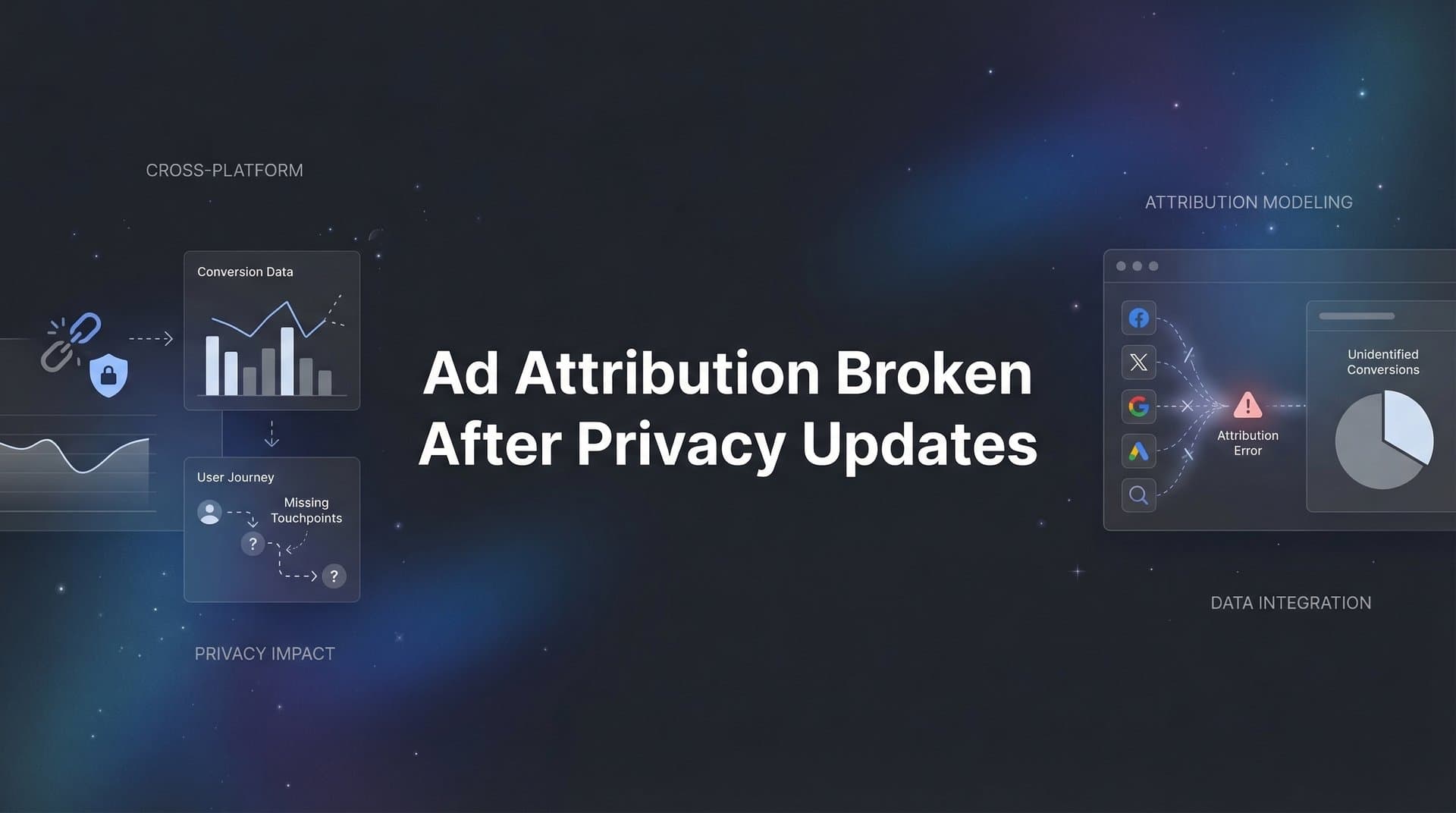
Your Meta Ads Manager shows 50 conversions last month. Your CRM shows 200 actual sales. That 150-conversion gap represents real revenue your ad platform cannot see, which means its algorithm is optimizing blind and your budget decisions are based on incomplete data. This is not a glitch in your tracking setup. This is the new reality of digital advertising after privacy updates fundamentally rewired how browsers and devices handle tracking data.
Apple's iOS 14.5 update forced apps to ask permission before tracking users across other apps and websites. Most users said no. Safari's Intelligent Tracking Prevention now expires cookies in as little as 24 hours for some sites. Google Chrome is phasing out third-party cookies entirely. Firefox and other browsers have already blocked them by default.
The result? Your pixel sees a fraction of what actually happens. View-through conversions vanish. Cross-device journeys break. Multi-day consideration cycles disappear from your reports. Platform algorithms receive incomplete signals, so they optimize toward the wrong audiences and miss your best customers.
This guide provides a systematic recovery plan. You will audit exactly where your attribution breaks, implement server-side tracking that operates independently of browser restrictions, build a first-party data foundation that respects privacy while capturing the full customer journey, sync accurate conversion data back to ad platforms so their algorithms can optimize effectively, validate your new setup against actual revenue, and reallocate budget based on what truly drives results.
These are not theoretical fixes. These are the specific technical implementations that restore visibility into which ads generate revenue. By the end of these steps, you will have a privacy-compliant attribution system that shows the complete picture, regardless of what browsers or platforms restrict next.
Step 1: Audit Your Current Attribution Gaps
You cannot fix what you have not measured. Your first step is quantifying exactly how much attribution data you are losing and identifying which traffic sources and touchpoints show the biggest gaps.
Start by comparing platform-reported conversions against your actual revenue data. Pull conversion counts from Meta Ads Manager, Google Ads, and any other platforms you use. Then pull actual sales or leads from your CRM, payment processor, or database for the same date range. Calculate the gap percentage. If Meta reports 40 conversions but your CRM shows 120 customers who clicked a Meta ad at some point in their journey, you are missing 67% of your attribution data on that platform.
This gap varies significantly by traffic source. Meta typically shows the largest discrepancies because iOS users represent a substantial portion of Facebook and Instagram audiences, and most iOS users opt out of tracking. Google Search often maintains better visibility because users are closer to conversion intent and complete purchases in shorter timeframes that fit within cookie windows. But Google Display and YouTube face similar challenges to Meta.
Next, segment your gap analysis by device and operating system. Compare iOS versus Android conversion tracking. iOS attribution gaps are typically 2-3 times larger than Android because App Tracking Transparency directly impacts iOS devices while Android maintains more permissive tracking by default. If you see conversions dropping specifically from iOS traffic while Android remains stable, you have confirmed that ATT is your primary attribution challenge. Understanding iOS privacy updates affecting ads helps you quantify this impact accurately.
Document which touchpoints are missing from customer journeys. Pull a sample of recent customers from your CRM and trace their path backward through your analytics. You will likely find that mid-funnel interactions disappear. A customer might show an initial ad click, then nothing for several days, then suddenly a conversion with no visible journey in between. Those missing days represent blog visits, email opens, retargeting ad views, and other touchpoints that browsers no longer allow you to connect.
Finally, verify that your pixel events are still firing correctly. Open your website in Chrome, right-click anywhere, and select "Inspect" to open developer tools. Navigate to the Network tab and filter by your tracking domain. Click through your conversion funnel while watching the network requests. You should see pixel events firing at each step. If events fire in the browser but do not appear in your ad platform, the problem is not your implementation. The problem is that browsers or privacy settings are blocking the data from reaching the platform.
Document everything you find: total conversion gap percentage, gap by platform, gap by device type, missing touchpoint patterns, and pixel firing status. This baseline measurement will prove the value of the fixes you implement in the following steps.
Step 2: Implement Server-Side Tracking
Browser-based tracking is fundamentally compromised. Cookies get deleted. Ad blockers strip tracking parameters. Privacy settings block pixel requests. Server-side tracking bypasses all of these limitations by sending event data directly from your server to ad platforms, independent of what happens in the user's browser.
Here is how it works: When a user takes an action on your site (views a page, adds to cart, completes a purchase), your website backend captures that event and sends it to your tracking server. Your tracking server then forwards that event data to Meta, Google, and other platforms through their server-side APIs. Because this happens server-to-server, browser restrictions cannot interfere.
The technical implementation requires setting up a tracking endpoint on your server that receives events from your website. If you use a platform like Shopify, WooCommerce, or a custom-built site, you will configure your checkout and key pages to send event data to this endpoint whenever important actions occur. The endpoint needs to capture event type (page view, add to cart, purchase), timestamp, user identifier, transaction value, and any other relevant parameters.
Your tracking server must then format this data according to each platform's requirements and send it through their APIs. Meta uses the Conversions API. Google uses the Measurement Protocol for Google Analytics and offline conversion imports for Google Ads. Each platform has specific required fields and formatting rules. Your tracking server needs to handle these transformations and manage API authentication. Learning how to properly configure Google Ads attribution tracking ensures your server events match platform requirements.
The critical piece is connecting server-side tracking to your CRM. When someone fills out a lead form, your form handler should send that lead data to both your CRM and your tracking server. When a deal closes in your CRM, your CRM should trigger a webhook that sends the conversion event to your tracking server, which forwards it to ad platforms. This closes the loop from ad click to final revenue, capturing the complete journey regardless of cookie restrictions.
Verify your server-side implementation by checking your analytics dashboard for server events. Most platforms distinguish between browser pixel events and server API events. You should see server events appearing in your reporting, often with higher match rates than pixel events because server-side tracking can include better user identifiers like email addresses or phone numbers (hashed for privacy) that platforms use to match events to user profiles.
One important note: server-side tracking complements your pixel, it does not replace it. Keep your browser pixel active. Some events are easier to capture client-side, and having both sources provides redundancy. When both the pixel and server send the same event, platforms deduplicate using event IDs, so you will not see double-counting.
Step 3: Build Your First-Party Data Infrastructure
Server-side tracking sends data to platforms, but you need a foundation of first-party data to make that tracking accurate and comprehensive. First-party data means information you collect directly from users with their consent, stored in your own systems, not reliant on third-party cookies or cross-site tracking.
Start with UTM parameter capture and storage. Every visitor who arrives from a marketing channel should have UTM parameters in the URL (utm_source, utm_medium, utm_campaign, utm_content, utm_term). Your website must capture these parameters on the first page load and store them in your database associated with that visitor. Do not rely on cookies alone to hold this data because cookies expire. Store UTM parameters in your database, linked to a visitor identifier, so you can attribute conversions back to the original campaign even weeks later.
Implement first-party cookies with proper domain configuration. Set cookies on your root domain, not a subdomain. A cookie set on "yourdomain.com" will work across "www.yourdomain.com" and "shop.yourdomain.com", but a cookie set on "www.yourdomain.com" will not work on the shop subdomain. Configure your cookies with appropriate expiration periods. While third-party cookies face restrictions, first-party cookies set by your own domain still function and can extend your tracking window beyond browser defaults. Understanding tracking pixel limitations after privacy updates helps you design around these constraints.
Create unique visitor identifiers that persist across sessions. When someone first visits your site, generate a random unique ID and store it in both a first-party cookie and your database. Every subsequent action that visitor takes should be logged against this ID. When they eventually convert and provide an email address or phone number, link that identifier to their contact information. Now you have a complete history of every touchpoint, even if individual session cookies expired between visits.
Connect your website forms and checkout process to capture and associate user data with ad interactions. When someone fills out a contact form, your form handler should look up their visitor ID and retrieve the stored UTM parameters from their first visit. Send this attribution data along with the lead information to your CRM. When someone completes a purchase, your checkout process should include the original campaign source in the order record. This ensures that every conversion has attribution data attached, even if the browser pixel missed it.
Build a data layer that consolidates all of this information. A data layer is a JavaScript object on your page that contains all relevant tracking information in a standardized format. Your analytics tools, ad platform tags, and server-side tracking can all read from this data layer, ensuring consistency across all tracking methods. The data layer should include visitor ID, current session UTM parameters, historical UTM parameters from first visit, user email (if known), and any other relevant attributes.
This first-party data infrastructure becomes the foundation for accurate attribution. You are no longer dependent on third-party cookies that browsers block. You are collecting data directly, storing it in your own systems, and using it to maintain complete customer journey records regardless of privacy restrictions.
Step 4: Configure Conversion Sync to Ad Platforms
You have implemented server-side tracking and built first-party data infrastructure. Now you need to feed that accurate conversion data back to your ad platforms so their algorithms can optimize effectively and your reporting shows true performance.
Start with offline conversion imports. Most ad platforms allow you to upload conversion data directly, outside of pixel or API events. For Meta, this is called Offline Conversions. For Google Ads, it is offline conversion imports. You create a CSV file or use an API to send conversion records that include user identifiers (email, phone, address), conversion value, conversion time, and the original ad click ID if available. The platform matches these conversions to user profiles and attributes them back to the campaigns that drove them. Implementing offline to online attribution tracking bridges this critical gap in your data.
Configure Meta's Conversions API for real-time server event tracking. The Conversions API allows you to send events from your server to Meta as they happen, rather than batching them in daily uploads. Set up your tracking server to forward purchase events, lead events, and other key actions to Meta's Conversions API endpoint immediately after they occur. Include as many matching parameters as possible: email (hashed), phone (hashed), first name, last name, city, state, zip code, country. The more parameters you include, the higher the match rate, which means more conversions get attributed correctly.
Implement Google Ads enhanced conversions to improve match rates with first-party data. Enhanced conversions work by sending hashed user information along with conversion events. When someone completes a purchase on your site, your conversion tag sends the conversion to Google along with their hashed email address. Google matches this email to signed-in Google users and can attribute the conversion even if cookies were blocked. Set up enhanced conversions by modifying your Google Ads conversion tag to include user-provided data from your checkout form.
Establish automated syncing so conversion data flows back to platforms continuously. Manual CSV uploads work for initial setup, but you need automation for ongoing accuracy. If you use a CRM like Salesforce or HubSpot, set up native integrations or use tools like Zapier to automatically send new leads and closed deals to your ad platforms. If you have a custom system, build API integrations that trigger conversion uploads whenever relevant events occur in your database.
The goal is a closed feedback loop: ad platforms send traffic to your site, your first-party tracking captures the complete journey, conversions happen and get recorded in your CRM, and that conversion data automatically flows back to ad platforms with full attribution details. This loop ensures that platform algorithms receive accurate signals about which campaigns drive real results, not just which campaigns drive the conversions that browsers happened to track.
Verify your conversion sync by checking platform reporting for offline events or API conversions. Most platforms show a breakdown of conversion sources: pixel, API, offline uploads. You should see conversions appearing from your server-side sources, often with higher values than pixel-only tracking showed because you are now capturing conversions that pixels missed.
Step 5: Validate and Compare Attribution Models
You have implemented new tracking infrastructure. Before you make budget decisions based on this data, you need to validate that your new setup accurately reflects reality and understand how different attribution models tell different stories about campaign performance.
Run parallel tracking between your new setup and platform-reported data for at least two to four weeks. Do not immediately abandon platform dashboards. Instead, compare what platforms report against what your first-party tracking and CRM data show. Create a spreadsheet that tracks conversions by source according to three different views: platform pixel data only, platform data including server events and offline conversions, and your internal first-party tracking. The gap between the first and second columns shows how much attribution you recovered. The difference between the second and third columns reveals remaining discrepancies you need to investigate.
Compare multi-touch attribution against last-click models to understand the full customer journey. Last-click attribution (the default in most ad platforms) gives 100% credit to the final touchpoint before conversion. This systematically undervalues awareness and consideration campaigns while overvaluing bottom-funnel remarketing. Exploring multi-touch attribution models for data helps you distribute credit accurately across all touchpoints. Run both models simultaneously and identify campaigns that show dramatically different performance. If a campaign looks weak in last-click but strong in multi-touch, it is likely playing an important role early in the funnel that last-click attribution misses.
Identify which campaigns show the biggest differences between platform data and actual revenue. Pull your top 20 campaigns by spend and compare their reported ROAS in the ad platform against their actual revenue contribution based on CRM data. You will likely find that some campaigns appear to underperform in platform reporting but actually drive significant revenue that was not tracked. These are your hidden winners that deserve more budget. Conversely, some campaigns might show inflated performance in platforms due to attribution quirks or fraud that your first-party tracking catches.
Document your baseline metrics to measure ongoing attribution accuracy. Record key numbers: total conversion gap percentage, match rate for server events, percentage of conversions captured by pixel versus server versus offline sync, average number of touchpoints per conversion, and time from first touch to conversion. Track these metrics monthly. If your conversion gap starts widening again, you will catch it early and investigate whether new privacy restrictions have emerged or your tracking implementation has degraded. Learning how to fix attribution discrepancies in data prepares you for ongoing maintenance.
This validation period is critical. You are not just checking that data flows correctly. You are building confidence that your new attribution system reflects business reality. When you see your CRM revenue numbers align with your attribution data, you know you can trust this data to guide budget allocation.
Step 6: Optimize Campaigns Using Recovered Data
You have restored attribution accuracy. Now use that visibility to make better budget decisions, scale what actually works, and catch future attribution problems before they cost you revenue.
Reallocate budget based on true revenue attribution rather than platform-reported conversions. Take your analysis from Step 5 that identified campaigns with the biggest gaps between platform data and actual revenue. Increase spend on campaigns that drive more real revenue than platforms showed. Decrease spend on campaigns that looked good in platform dashboards but do not hold up when you trace conversions to actual CRM revenue. This reallocation often means shifting budget from bottom-funnel remarketing (which gets over-credited in last-click models) toward top-funnel awareness and mid-funnel consideration campaigns (which were invisible in broken attribution). Using marketing attribution platforms for revenue tracking makes this reallocation process systematic.
Identify previously hidden high-performers that were undervalued due to tracking gaps. Look specifically at campaigns targeting iOS users, campaigns with longer consideration cycles, and campaigns that drive awareness but not immediate conversions. These campaign types suffered most from privacy updates because their conversions often happened days later or on different devices, exactly the scenarios where cookie-based tracking fails. With server-side tracking and first-party data, you can now see their true contribution. Scale these campaigns confidently, knowing you have accurate data on their performance.
Set up ongoing monitoring to catch any new attribution gaps as privacy policies continue evolving. Create a dashboard that tracks your key attribution health metrics: conversion gap percentage, server event match rate, average touchpoints per conversion, and discrepancy between platform and CRM data. Review this dashboard weekly. If you see sudden changes, investigate immediately. Privacy policies will continue evolving. Browsers will implement new restrictions. Ad platforms will change their APIs. Your monitoring system ensures you catch these changes quickly rather than discovering months later that your attribution quietly broke again. Implementing real-time attribution tracking enables this continuous monitoring.
Use AI-powered recommendations to scale campaigns with confidence in your data. When your attribution accurately reflects which campaigns drive revenue, AI can identify patterns and opportunities that manual analysis misses. AI can spot which audience segments convert best, which creative elements perform strongest, which budget allocations maximize return, and which campaigns are ready to scale. But AI recommendations are only as good as the data they analyze. Now that you have fixed your attribution, AI can actually help rather than optimizing toward incomplete signals.
The ongoing optimization process looks like this: review attribution data weekly, identify campaigns with strong true performance, gradually increase budgets on winners while monitoring efficiency, pause or reduce spend on campaigns that do not hold up in first-party data, test new campaigns with proper attribution tracking from day one, and continuously validate that your tracking remains accurate as platforms and privacy policies evolve.
This is not a one-time fix. Attribution accuracy requires ongoing attention. But with the infrastructure you have built in these steps, you have a system that adapts to privacy changes rather than breaking when browsers or platforms implement new restrictions.
Putting It All Together
Privacy updates broke attribution for nearly every digital marketer. Browser restrictions, iOS tracking limitations, and cookie deprecation created blind spots that hide the true performance of your campaigns. But broken attribution is fixable through systematic implementation of privacy-compliant tracking infrastructure.
You started by auditing your attribution gaps to quantify exactly how much data you were losing and which traffic sources showed the biggest discrepancies. You implemented server-side tracking that bypasses browser restrictions by sending event data directly from your server to ad platforms. You built first-party data infrastructure that captures complete customer journeys in your own systems, independent of third-party cookies. You configured conversion sync to feed accurate conversion data back to ad platforms so their algorithms can optimize effectively. You validated your new setup by comparing attribution models and verifying that your data aligns with actual revenue. And you used recovered attribution data to reallocate budget toward campaigns that truly drive results.
Use this checklist to verify you have completed each step: conversion gap documented with specific percentages by platform and device type, server-side tracking implemented and sending events to ad platforms, first-party data infrastructure capturing UTM parameters and visitor journeys, conversion sync active and automatically feeding CRM data back to platforms, attribution models compared with discrepancies identified and explained, and budget reallocated based on true revenue attribution rather than platform-reported conversions.
With these steps complete, you have a privacy-compliant attribution system that shows exactly which ads drive revenue, regardless of browser restrictions or platform limitations. You are no longer optimizing blind. You can see the full customer journey, understand which touchpoints matter, and allocate budget with confidence that your data reflects reality.
The marketing landscape will continue evolving. More privacy restrictions will emerge. Platforms will change their tracking methods. But you now have infrastructure that adapts rather than breaks. Your first-party data foundation, server-side tracking, and conversion sync create resilience against future changes.
Ready to elevate your marketing game with precision and confidence? Discover how Cometly's AI-driven recommendations can transform your ad strategy. Get your free demo today and start capturing every touchpoint to maximize your conversions.


