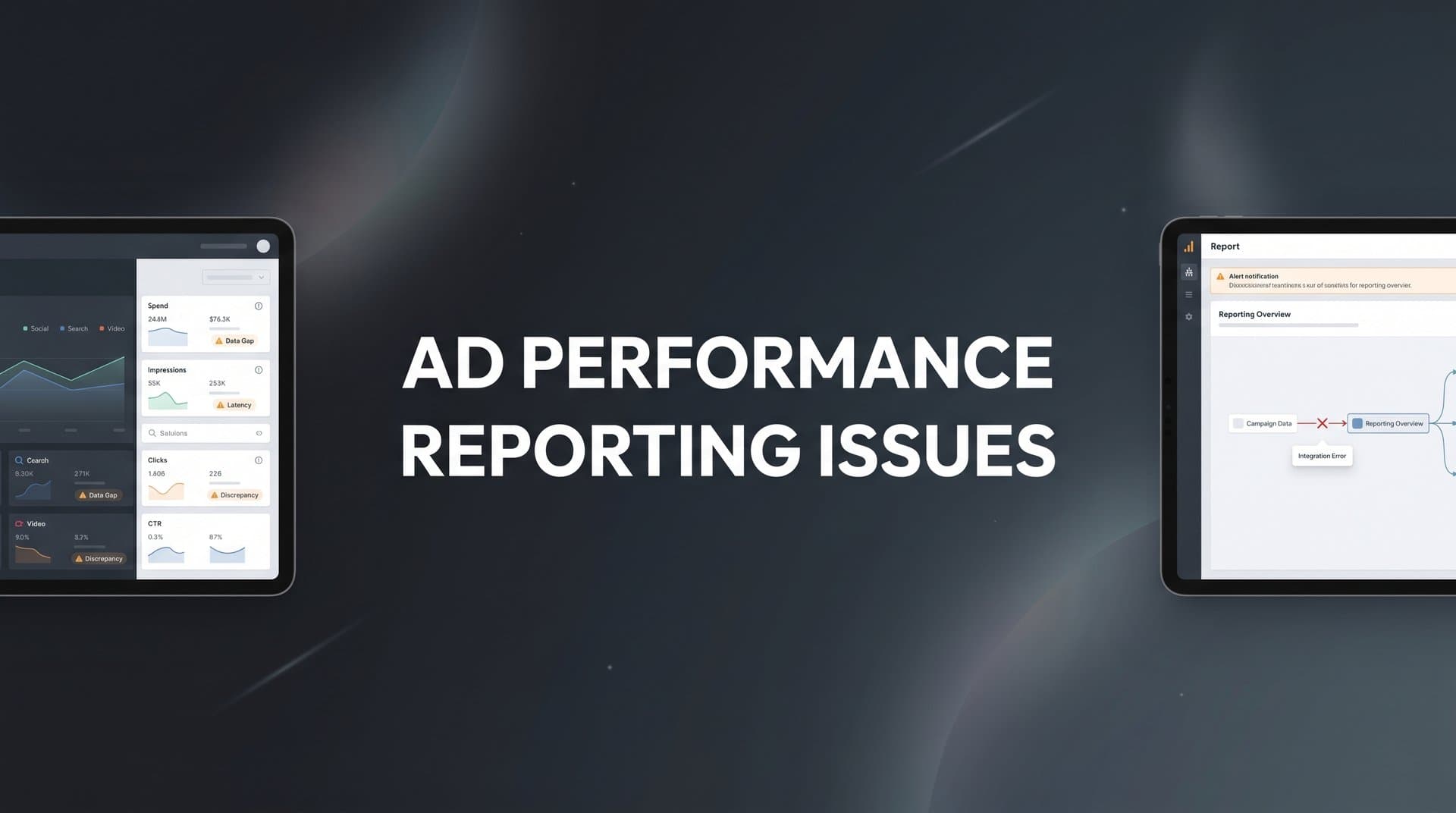
You've spent the last hour cross-referencing your ad platform dashboards, only to find that Facebook reports 47 conversions while Google Analytics shows 31, and your CRM confirms just 19 actual customers. The numbers don't match, your boss is asking questions, and you're left wondering which metric to trust when planning next month's budget.
This isn't just frustrating. It's dangerous.
When your ad performance reporting is broken, every scaling decision becomes a shot in the dark. You might be cutting budgets on campaigns that actually drive revenue, or doubling down on ads that look good on paper but deliver nothing to your bottom line.
The reality is that most ad performance reporting issues stem from fixable problems in tracking setup, data integration, and attribution methodology. iOS privacy updates, browser restrictions, and disconnected data sources have made accurate reporting harder than ever, but they haven't made it impossible.
This guide walks through seven battle-tested strategies to diagnose and resolve the most common reporting discrepancies. You'll learn how to identify where your tracking breaks down, capture the data browser-based pixels miss, and build a reporting foundation you can actually trust for making confident scaling decisions.
1. Audit Your Tracking Implementation for Data Gaps
The Challenge It Solves
Your tracking setup might look fine on the surface, but hidden configuration errors create blind spots in your data. A single misconfigured event parameter or broken conversion path means you're making decisions based on incomplete information.
Most marketers assume their tracking works because they see some data flowing in. But "some data" isn't the same as "complete data." Missing parameters, duplicate events, and broken pixel implementations silently corrupt your reporting without obvious warning signs.
The Strategy Explained
A systematic tracking audit reveals exactly where your data collection breaks down. This means checking every pixel, tag, and conversion event across your entire funnel to verify they're firing correctly and capturing the right information.
Start by mapping your complete customer journey from first click to final conversion. Then test each tracking point along that path to confirm it captures the data you need. Look for common issues like pixels that fire on page load instead of conversion completion, event parameters that pass empty values, or conversion paths that break when customers switch devices.
The goal isn't perfection. It's identifying the gaps that matter most for your business decisions.
Implementation Steps
1. Document your complete conversion funnel, including every page, form, and checkout step where tracking should fire.
2. Use browser developer tools or tag management preview modes to verify each tracking pixel fires at the correct moment with complete event parameters.
3. Test your conversion paths across different browsers, devices, and scenarios (including ad blockers enabled) to identify where tracking fails.
4. Compare platform-reported events against your website's actual form submissions or purchase confirmations to spot discrepancies.
5. Create a spreadsheet documenting every tracking issue you find, prioritized by potential revenue impact.
Pro Tips
Focus your audit on high-value conversion events first. A broken purchase tracking pixel matters more than a misconfigured page view event. Understanding ad performance visibility gaps helps you prioritize which tracking issues to fix first. Also, test your tracking while logged into your ad accounts, as some platforms filter out your own conversions, which can make testing confusing if you don't account for it.
2. Implement Server-Side Tracking to Bypass Browser Limitations
The Challenge It Solves
Browser-based tracking pixels miss a significant portion of your actual conversions. Ad blockers, iOS privacy restrictions, and cookie limitations prevent traditional pixels from firing, creating a gap between what your platforms report and what actually happens.
This data loss isn't random. It disproportionately affects privacy-conscious users and iOS device users, which means you're flying blind on some of your most valuable audience segments. When platforms can't see conversions, their algorithms optimize toward incomplete data.
The Strategy Explained
Server-side tracking sends conversion data directly from your server to ad platforms, completely bypassing browser restrictions. Instead of relying on JavaScript pixels that users can block, your server communicates directly with platform APIs whenever a conversion occurs.
Think of it like this: browser-based tracking is like asking customers to hand-deliver a receipt to your ad platform. Server-side tracking is like your payment processor automatically sending that receipt regardless of what the customer does. The data flows whether or not the customer's browser allows it.
This approach captures conversions that browser-based methods miss, giving you more complete data for both reporting and platform optimization. If you're experiencing pixel tracking issues on iOS devices, server-side implementation is often the most effective solution.
Implementation Steps
1. Choose a server-side tracking solution that integrates with your ad platforms and website infrastructure.
2. Configure your server to capture conversion events when they occur (form submissions, purchases, sign-ups) and structure the data according to each platform's API requirements.
3. Set up conversion API connections for your primary ad platforms, starting with Meta and Google since they typically drive the most volume.
4. Implement event deduplication to prevent counting the same conversion twice when both browser and server tracking fire successfully.
5. Monitor your conversion volumes before and after implementation to verify the server-side tracking captures additional events.
Pro Tips
Don't disable your browser-based pixels when you implement server-side tracking. Run both in parallel with proper deduplication. This hybrid approach captures the maximum number of conversions while maintaining data accuracy. Also, prioritize sending high-value conversion events first rather than trying to track everything at once.
3. Unify Data Sources with a Single Source of Truth
The Challenge It Solves
Your ad platforms, website analytics, and CRM each tell different stories about campaign performance. Google Ads reports one conversion count, Meta shows another, and your sales team insists the actual lead quality doesn't match either number.
These conflicting reports create organizational chaos. Marketing claims success based on platform metrics while sales disputes the lead quality based on CRM data. Without a unified view, you can't definitively answer the simple question: which campaigns actually drive revenue?
The Strategy Explained
A unified attribution platform connects all your data sources into one centralized system that becomes your single source of truth. Instead of jumping between disconnected dashboards, you see the complete customer journey from first ad click through CRM conversion in one place.
This unified view resolves reporting conflicts by tracking each customer touchpoint across platforms and matching them to actual business outcomes. When Meta and Google disagree on attribution, your unified system shows exactly which touchpoints each customer experienced before converting. A unified marketing reporting dashboard eliminates the guesswork from cross-platform analysis.
The key is connecting data at the user level, not just aggregating platform reports. This means tracking individual customer journeys across every touchpoint.
Implementation Steps
1. Identify all the data sources that matter for your attribution: ad platforms, website analytics, email marketing, CRM, and payment processors.
2. Implement a tracking system that captures user-level data across all these touchpoints using consistent identifiers.
3. Connect your ad platforms, analytics tools, and CRM to your unified attribution platform so data flows automatically.
4. Verify that customer journeys connect properly by testing a few known conversion paths end-to-end.
5. Build reports that show both platform-level metrics and your unified attribution data side-by-side for comparison.
Pro Tips
Start by unifying your highest-volume platforms first. Getting Meta and Google connected to your CRM data immediately solves the biggest reporting conflicts. You can layer in additional platforms once your core attribution is working. Also, expect some discrepancies to remain—perfect data matching is impossible—but aim to understand and document why those gaps exist.
4. Choose the Right Attribution Model for Your Business
The Challenge It Solves
Default last-click attribution gives 100% credit to the final touchpoint before conversion, completely ignoring the earlier ads that introduced customers to your brand. This creates a distorted view of campaign performance that systematically undervalues your top-of-funnel efforts.
When you optimize based on last-click data, you naturally shift budget toward bottom-funnel tactics while starving the awareness campaigns that actually fill your pipeline. Over time, this creates a self-fulfilling prophecy where top-funnel campaigns look ineffective because they're chronically underfunded.
The Strategy Explained
Different attribution models distribute conversion credit across touchpoints in different ways, and the right model depends on your actual customer journey. Multi-touch attribution recognizes that most customers interact with multiple ads before converting, distributing credit across those touchpoints based on their influence.
For businesses with longer sales cycles and multiple touchpoints, position-based or time-decay models often provide more accurate insights than last-click. These models acknowledge that both the first touchpoint (which created awareness) and the last touchpoint (which closed the deal) deserve credit. Understanding attribution reporting issues in paid ads helps you select the model that best reflects your customer journey.
The goal isn't finding the "perfect" model. It's choosing one that reflects how customers actually discover and evaluate your product.
Implementation Steps
1. Map your typical customer journey to understand how many touchpoints occur before conversion and what role each plays.
2. Compare how different attribution models (last-click, first-click, linear, position-based, time-decay) would distribute credit across your actual conversion paths.
3. Choose a model that aligns with your business reality—if you have a long sales cycle with multiple touchpoints, avoid last-click; if you have a short path to purchase, simpler models work fine.
4. Implement your chosen model in your attribution platform and run reports comparing it against last-click to see how campaign values shift.
5. Give the new model at least 30 days of data before making major budget changes based on the insights.
Pro Tips
Don't get paralyzed trying to choose the theoretically perfect model. Pick one that makes sense for your business and commit to it for at least a quarter. Consistency matters more than perfection. Also, keep last-click data available for comparison—platform algorithms still optimize based on their own attribution, so you need to understand both views.
5. Sync Conversion Data Back to Ad Platforms
The Challenge It Solves
Your ad platforms optimize based only on the conversion data they can see. When browser restrictions prevent them from tracking qualified leads or revenue events, their algorithms optimize toward incomplete signals that don't reflect actual business value.
This creates a dangerous disconnect: platforms think they're optimizing for conversions, but they're actually optimizing for the subset of conversions they can track. The result is campaigns that look good in platform dashboards but underperform on actual revenue metrics.
The Strategy Explained
Conversion syncing sends your qualified lead and revenue data back to ad platforms through their APIs, giving their algorithms visibility into outcomes they couldn't track through browser-based methods. This enriched data helps platforms optimize more effectively.
When you sync CRM conversions back to Meta or Google, you're essentially telling their algorithms: "These are the conversions that actually matter to my business." The platforms can then optimize toward finding more customers who match those high-value conversion patterns. Resolving conversion sync issues with ad platforms is critical for improving algorithm performance.
This is particularly powerful for businesses with longer sales cycles where the initial conversion (like a form fill) happens quickly but the qualified opportunity or closed deal happens days or weeks later.
Implementation Steps
1. Identify which conversion events provide the strongest signal for platform optimization—typically qualified leads, opportunities, or purchases rather than just form submissions.
2. Set up conversion API connections that send these high-value events back to your ad platforms when they occur in your CRM or payment system.
3. Configure event matching to connect synced conversions back to the original ad clicks using customer identifiers like email, phone, or user ID.
4. Implement value-based conversion syncing if you have revenue data, allowing platforms to optimize for higher-value customers.
5. Monitor platform learning periods after implementation—algorithms need time to adjust to the new conversion signals.
Pro Tips
Start by syncing one high-value conversion event rather than trying to send everything at once. Get that working reliably, then layer in additional events. Also, be patient with platform optimization—it typically takes 7-14 days for algorithms to fully adapt to new conversion data, so don't panic if performance dips initially.
6. Standardize Reporting Metrics Across Teams
The Challenge It Solves
Marketing calls it a "conversion" when someone fills out a form. Sales calls it a "conversion" when someone becomes a qualified opportunity. Finance measures conversions as closed revenue. Everyone thinks they're discussing the same metric, but they're actually comparing completely different things.
These definitional conflicts create endless friction between teams. Marketing reports strong performance based on form fills while sales complains about lead quality. Finance questions marketing ROI because the revenue attribution doesn't match the conversion counts. Nobody's wrong—they're just measuring different parts of the funnel.
The Strategy Explained
Standardized metrics create shared definitions that everyone across your organization uses consistently. This means explicitly documenting what each metric means, how it's calculated, and which system serves as the source of truth for that number.
The goal isn't forcing everyone to care about the same metrics. Marketing still needs to track form fills, and sales still needs to track qualified opportunities. But when you standardize definitions, everyone knows exactly what each metric represents and how it connects to other metrics in the funnel. Using marketing performance reporting automation ensures consistent metric calculations across all your reports.
This shared language eliminates the "my dashboard says X but yours says Y" debates that waste hours of meeting time.
Implementation Steps
1. Document every metric your teams currently use for measuring ad performance, including conversions, leads, opportunities, ROI, and ROAS.
2. Bring marketing, sales, and finance together to create shared definitions for each metric, including exactly what qualifies and which system provides the official count.
3. Build a metrics glossary that documents these definitions and publish it where all teams can reference it.
4. Create standardized reports that use these agreed-upon definitions and pull from the designated source-of-truth systems.
5. Schedule monthly metric alignment reviews to address any new definitional conflicts that emerge.
Pro Tips
Focus on standardizing the metrics that create the most cross-team conflict first. You don't need perfect definitions for every possible metric—just clear alignment on the ones that drive budget and strategy decisions. Also, accept that some platform-specific metrics (like Meta's "link clicks") won't perfectly map to your business definitions, and that's okay.
7. Build a Systematic Data Validation Process
The Challenge It Solves
Tracking breaks silently. A developer pushes a website update that breaks your conversion pixel. A platform changes its API without warning. A form gets redesigned and the tracking parameters don't carry through. By the time you notice the problem, you've lost weeks of data and made decisions based on incomplete information.
Most marketers discover tracking issues only when performance suddenly drops or numbers look obviously wrong. But subtle degradation often goes unnoticed for months, quietly corrupting your data and leading to poor optimization decisions.
The Strategy Explained
A systematic validation process catches data quality issues before they impact your decisions. This means establishing baseline expectations for your key metrics and automatically flagging when actual numbers deviate from those baselines by concerning amounts.
Think of it like setting up smoke detectors in your house. You don't wait until you smell burning to check for fire—you install systems that alert you at the first sign of trouble. Data validation works the same way, catching problems early when they're still small and fixable. Implementing real-time ad performance monitoring tools automates this detection process.
The key is automating these checks so they run continuously rather than relying on manual review.
Implementation Steps
1. Establish baseline ranges for your critical metrics based on historical data—for example, daily conversion counts typically fall between X and Y.
2. Set up automated alerts that notify you when metrics fall outside expected ranges or when key tracking events stop firing.
3. Create a weekly data quality checklist that compares platform reports against your source-of-truth system to catch discrepancies.
4. Document your validation process so anyone on your team can run it, not just the person who set it up.
5. When you discover a tracking issue, add a new validation check to prevent that specific problem from happening again.
Pro Tips
Start with simple checks on your highest-value conversion events rather than trying to validate everything at once. A basic alert that flags when purchase tracking drops to zero is infinitely more valuable than a complex validation system you never actually use. Also, set variance thresholds that account for normal fluctuations—you want alerts for real problems, not false alarms every time traffic dips on a weekend.
Your Implementation Roadmap
Fixing ad performance reporting issues requires a systematic approach rather than quick patches. The strategies in this guide build on each other, creating a foundation of trustworthy data that gets stronger with each layer you add.
Start with a tracking audit to identify your immediate gaps. This reveals where you're losing data right now and gives you a clear priority list of what to fix first. From there, implement server-side tracking to capture the conversions that browser-based methods miss. These two steps alone typically resolve the majority of data collection issues.
Once your data collection is solid, focus on unifying your data sources and choosing an attribution model that reflects your actual customer journey. This transforms disconnected platform reports into a coherent view of what's actually driving results. Then layer in conversion syncing to help ad platforms optimize more effectively, and standardize your metrics so teams stop arguing about whose numbers are right.
The final piece, building a systematic validation process, ensures your improvements compound over time rather than degrading when things inevitably change.
Prioritize based on your biggest pain point. If you suspect you're missing significant conversion data, start with tracking audits and server-side implementation. If you have data but it conflicts across platforms, jump straight to unification and attribution. If your platforms are optimizing poorly despite good tracking, focus on conversion syncing.
The common thread across all these strategies is moving from fragmented, incomplete data toward a unified view you can actually trust. With clean, comprehensive reporting in place, you can finally make scaling decisions with confidence instead of crossing your fingers and hoping the numbers are close enough.
Ready to elevate your marketing game with precision and confidence? Discover how Cometly's AI-driven recommendations can transform your ad strategy. Get your free demo today and start capturing every touchpoint to maximize your conversions.