

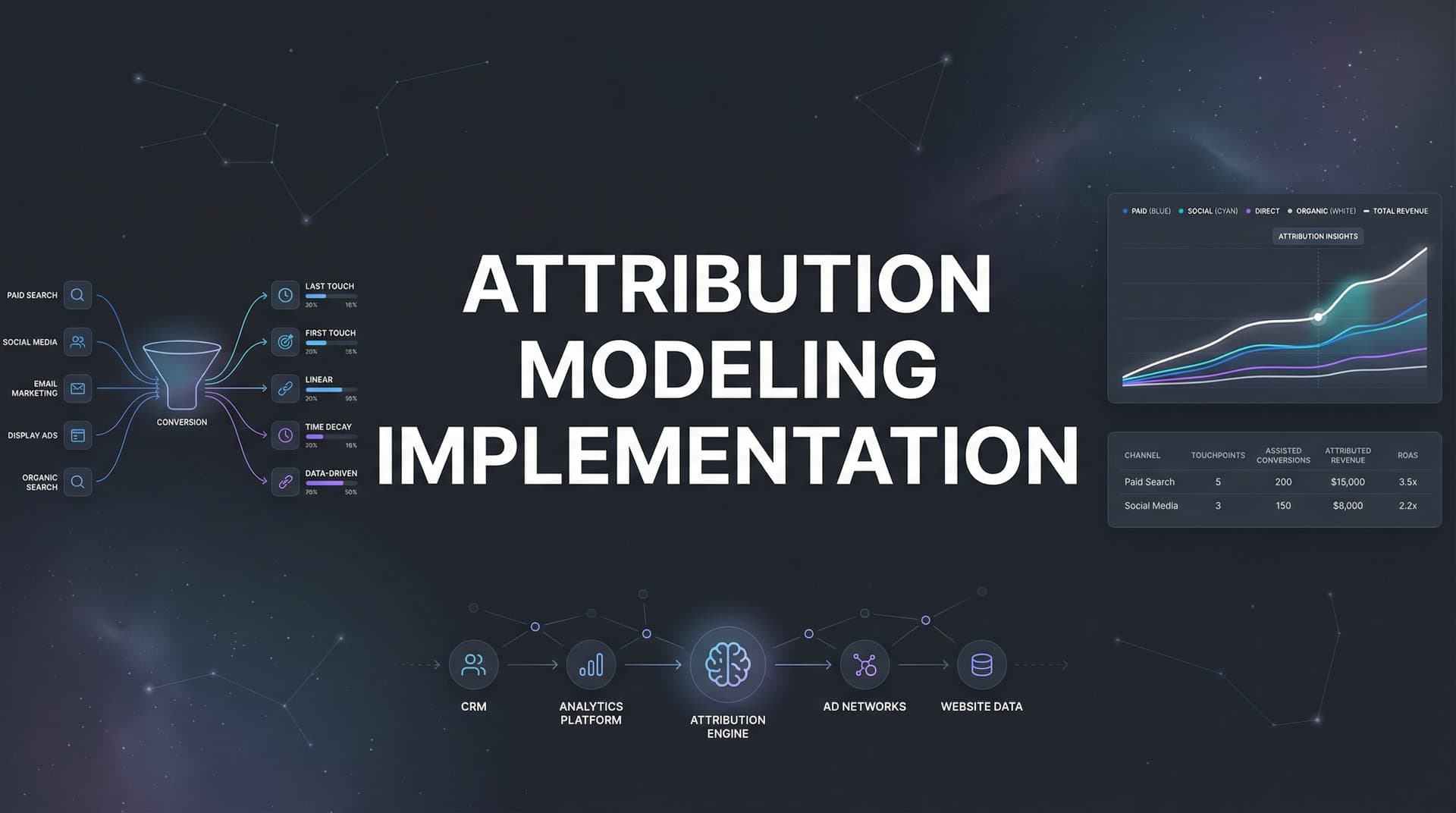
Every marketing team faces the same frustrating question: which campaigns are actually driving revenue? You are running ads across Meta, Google, LinkedIn, and maybe a dozen other channels, but when a lead converts, you have no clear answer about what truly influenced that decision.
The problem runs deeper than curiosity. Without knowing which touchpoints matter, you are essentially flying blind with your budget. That $50,000 you spent on Meta ads last month? It might deserve credit for conversions that Google Search is claiming. Or maybe your LinkedIn campaigns are doing the heavy lifting while your retargeting gets the glory.
Attribution modeling solves this by assigning credit to the touchpoints that matter most in your customer journey. Instead of guessing which channels work, you get data-backed clarity on exactly how prospects move from first awareness to final conversion.
The challenge is that implementation often feels overwhelming. Technical requirements pile up. Data integration becomes a puzzle with pieces scattered across platforms. And then there's the daunting task of choosing the right model for your business when you are still figuring out what questions you need answered.
This guide breaks down attribution modeling implementation into clear, actionable steps that any marketing team can follow. Whether you are starting from scratch or upgrading from basic last-click tracking, you will learn exactly how to set up a system that reveals which ads and channels genuinely drive your leads and revenue.
By the end, you will have a functioning attribution system that connects your ad platforms, CRM, and website to track the complete customer journey in real time. No more guessing. No more budget waste. Just clear visibility into what actually works.
Step 1: Audit Your Current Tracking Infrastructure
Before you build anything new, you need to understand what you already have. Think of this as taking inventory before renovating a house. You might discover solid foundations worth keeping, or you might find problems that need fixing before you add anything else.
Start by mapping every tracking pixel, tag, and analytics tool currently installed on your website. Open your tag manager or view your page source and document everything. You are looking for Meta Pixel, Google Analytics, Google Ads conversion tracking, LinkedIn Insight Tag, and any other platform pixels you have added over time.
Next, audit your UTM parameter usage across campaigns. Pull reports from each ad platform and check for consistency. Are your campaign names standardized? Do your UTM conventions make sense, or did different team members create their own systems? Inconsistent parameters create data chaos that undermines attribution accuracy.
Now identify the gaps. Cross-device tracking is where most teams discover their first major blind spot. When someone clicks your ad on mobile but converts on desktop three days later, can you connect those dots? What about offline conversions? If leads fill out forms but close deals through sales calls, does that revenue data flow back to your marketing analytics?
Document your complete tech stack in a spreadsheet. List every ad platform, your CRM, website analytics tools, marketing automation platforms, and any existing attribution or analytics solutions. Note which systems talk to each other and which operate in silos. For a deeper dive into this process, explore our attribution analytics implementation guide.
Check your data quality by running a few test scenarios. Create a conversion and trace it backward through your systems. Does the data match across platforms? Look for duplicate events where multiple pixels fire for the same action. Check for missing parameters that should capture source information but come through blank.
Success looks like a complete inventory document that shows exactly what you can track today and where the holes exist. You should be able to point to specific gaps and say "we cannot currently track this customer journey scenario." Those gaps become your implementation priorities.
This audit typically reveals that teams have more tracking in place than they realized, but it is fragmented and inconsistent. That is normal. The goal is not to judge past decisions but to create a clear baseline for improvement.
Step 2: Define Your Conversion Events and Customer Journey Stages
Attribution only works when you know what actions matter. This step forces clarity on which customer behaviors actually indicate progress toward revenue.
Start by listing every meaningful conversion event in your funnel. Include micro-conversions like email signups, content downloads, and webinar registrations. Add mid-funnel actions like demo requests, free trial starts, and consultation bookings. Finish with macro-conversions: purchases, contract signatures, or whatever represents closed revenue in your business.
Not all conversions carry equal weight. An email signup might indicate interest, but a demo request signals buying intent. Assign value weights to each conversion type based on their typical progression to revenue. If 40% of demo requests close within 90 days at an average deal size of $5,000, that demo request has an expected value of $2,000.
Map your typical customer journey stages. For many B2B companies, this looks like: Awareness (first touch) to Consideration (content engagement) to Intent (demo or trial) to Decision (purchase). Your stages might differ based on your sales cycle and business model. The key is documenting the typical path prospects take from stranger to customer.
Identify how many touchpoints typically occur before conversion. Pull data from your CRM or analytics to find the average. B2B companies with longer sales cycles often see 8-12 touchpoints before close. E-commerce might see 2-4. This number helps you understand journey complexity and informs which attribution model makes sense for your business. Understanding how attribution modeling works at a fundamental level will help you make better decisions here.
Create a hierarchy of your conversion events. Your primary conversion is probably closed revenue or purchase completion. Secondary conversions might be demo bookings or trial starts. Tertiary could be content downloads or email signups. This hierarchy guides how you structure reporting and where you focus optimization efforts.
Document which conversion events you can currently track versus which ones live in systems that are not connected to your marketing data. That gap between what matters and what you measure becomes another implementation priority.
Success here means having a clear, written document that anyone on your team can reference. It should answer: What actions do we care about? What is each action worth? What is the typical sequence of actions before someone becomes a customer? When everyone shares this understanding, attribution implementation becomes much simpler.
Step 3: Select the Right Attribution Model for Your Business
Choosing an attribution model is not about finding the "best" one. It is about matching the model to how your customers actually buy and what questions you need answered.
Let's break down your options. Single-touch models assign all credit to one touchpoint. First-click attribution gives everything to the initial interaction, which helps answer "where do our customers come from?" Last-click gives everything to the final touchpoint before conversion, answering "what closes deals?" These models are simple but ignore everything that happens in between.
Multi-touch models distribute credit across the journey. Linear attribution splits credit equally among all touchpoints, treating every interaction as equally important. Time-decay gives more credit to recent touchpoints, operating on the theory that interactions closer to conversion matter more. Position-based (also called U-shaped) assigns most credit to first and last touch, with remaining credit distributed to middle touchpoints. For a comprehensive breakdown, read our guide on attribution modeling types explained.
Your sales cycle length should guide your choice. If customers typically convert within hours or days with minimal touchpoints, last-click might be perfectly adequate. Why complicate things when the journey is simple? But if your sales cycle spans weeks or months with multiple touchpoints, you need multi-touch attribution to understand the full picture.
Consider your typical customer journey complexity. Pull that touchpoint data you gathered in Step 2. If prospects average 2-3 touchpoints, simpler models work fine. If they average 8-12 touchpoints across multiple channels, you need a model that acknowledges that complexity.
Think about what questions you most need answered. If your biggest challenge is identifying which channels generate awareness, first-click attribution provides that answer. If you need to know what content or campaigns push prospects over the finish line, last-click tells you. If you want to understand the full journey and optimize each stage, multi-touch attribution modeling delivers those insights.
Here's a practical approach: start by running multiple models simultaneously. Most modern attribution platforms let you compare different models side by side. Run first-click, last-click, and a multi-touch model like position-based for 30-60 days. Compare the insights each model surfaces. This comparison often reveals which model best matches your actual business dynamics.
Factor in your team's analytical capabilities. More sophisticated models generate more complex data. If your team is not ready to interpret multi-touch attribution nuances, starting with simpler models while building analytical muscle makes sense. You can always graduate to more complex models as your sophistication grows.
Related reading: our complete guide to ad platform data accuracy issues.
Success means documenting your chosen primary model with clear rationale. Write down why you selected it based on your sales cycle, journey complexity, and business questions. This documentation helps when you need to explain attribution results to stakeholders who question why numbers differ from platform-reported metrics.
Step 4: Connect Your Data Sources and Platforms
Attribution only works when data flows between all the systems where customer interactions happen. This step is where the technical work begins, but modern platforms have made integration much simpler than it used to be.
Start with your ad platforms. You need to connect Meta, Google Ads, LinkedIn, TikTok, and any other channels where you run paid campaigns. Most attribution platforms offer native integrations that pull campaign data, ad spend, and click information automatically. Look for integrations that use official APIs rather than requiring manual data exports.
Your CRM integration is critical because it is where leads and revenue data live. Whether you use Salesforce, HubSpot, Pipedrive, or another system, you need a connection that syncs lead creation, opportunity progression, and closed deals back to your attribution platform. This connection is what allows you to tie marketing touchpoints to actual revenue outcomes.
Here's where server-side tracking becomes essential. Browser-based tracking through pixels and cookies has significant limitations in 2026. iOS App Tracking Transparency restrictions mean you miss data from iPhone users who opt out. Ad blockers strip tracking parameters. Browser privacy features delete cookies quickly. Server-side tracking captures data on your server before it ever reaches the browser, bypassing these limitations.
Implementing server-side tracking means installing tracking code that sends conversion data directly from your server to your attribution platform, which then forwards it to ad platforms. This approach captures complete data even when browser-based methods fail. The technical implementation varies by platform, but most modern attribution tools provide clear documentation and support. If you need help with this process, consider working with an attribution software implementation consultant.
Set up conversion sync to feed enriched data back to your ad platforms. This is a game-changer for algorithm performance. Instead of ad platforms only seeing conversions that their pixels captured, you send them complete conversion data including events they missed. This richer data helps Meta, Google, and other platforms optimize delivery more effectively.
Conversion sync works by taking the complete conversion picture your attribution system sees and pushing that data back to each ad platform via their Conversion API. When Meta's algorithm knows about conversions it would have missed through pixel tracking alone, it makes better optimization decisions.
Test each integration individually before moving to the next. Connect Meta and verify data is flowing correctly. Then add Google. Then your CRM. Sequential testing makes troubleshooting much easier than connecting everything at once and trying to debug multiple integrations simultaneously.
Success looks like data flowing bidirectionally. Your attribution platform pulls campaign data and ad spend from platforms while pushing conversion data back. Your CRM sends lead and revenue information while receiving attribution data about which campaigns influenced each deal. Everything talks to everything else in a continuous data loop.
Step 5: Implement Tracking Code and Configure Events
Now you are ready to implement the actual tracking that captures customer journey data. This step requires attention to detail, but following a systematic approach keeps it manageable.
Install your attribution platform's tracking script on every page of your website. Most platforms provide a single script that you add to your site header, similar to how Google Analytics works. If you use a tag manager like Google Tag Manager, you can deploy the script through there for easier management.
Configure event tracking for each conversion action you defined in Step 2. This means setting up specific tracking calls that fire when someone completes a form, starts a trial, books a demo, or completes a purchase. Each event should capture relevant data like conversion value, product details, or lead information.
For form submissions, implement tracking that fires on the thank-you page or confirmation screen rather than on the form button click. Button click tracking can fire even if the form has validation errors, creating false conversion data. Confirmation page tracking ensures you only count actual completed submissions.
Set up proper UTM parameter conventions and enforce them across all campaigns. Create a standardized naming structure for campaign, source, medium, content, and term parameters. Document this structure in a shared guide that everyone on your team follows. Consistent UTM usage is what allows attribution systems to properly categorize and credit touchpoints. Our marketing attribution implementation guide covers these conventions in detail.
A good UTM convention might look like: utm_source=facebook, utm_medium=paid_social, utm_campaign=q1_leadgen_2026, utm_content=carousel_benefits. The specific structure matters less than consistency. Whatever convention you choose, stick to it religiously.
Implement tracking for offline conversions if they are part of your business model. If leads convert through phone calls, in-person meetings, or other offline channels, you need a way to connect those conversions back to the marketing touchpoints that generated them. This often involves CRM integration where your sales team logs conversion source information.
Test your tracking implementation before going live with real campaigns. Use browser debugging tools or your attribution platform's test mode to verify events fire correctly. Submit test forms, complete test purchases, and walk through each conversion scenario while watching the data flow into your system.
Check that all expected data points are captured. Each conversion event should include source information, campaign details, timestamp, conversion value, and any other parameters you defined as important. Missing data now means incomplete attribution later.
Success means all conversion events fire correctly with complete data capture. You should be able to trigger any conversion action on your site and immediately see it appear in your attribution platform with all relevant details properly recorded.
Step 6: Validate Data Accuracy and Troubleshoot Issues
Implementation is only valuable if the data is accurate. This validation step catches problems before they corrupt your insights and decision-making.
Run controlled test conversions through each major channel. Create a test campaign in Meta with a small budget. Click your own ad, convert on your site, and trace that conversion through your entire data flow. Does it appear correctly attributed to Meta in your attribution platform? Does the conversion value match? Repeat this test for Google, LinkedIn, and other key channels.
Compare attribution data against known conversions in your CRM. Pull a report of conversions from the past week and cross-reference them with your attribution platform data. The numbers should align within a reasonable variance. Some discrepancy is normal due to timing differences and attribution windows, but major gaps indicate tracking problems.
Look for common issues that plague attribution implementations. Duplicate tracking is a frequent culprit where multiple pixels or scripts fire for the same conversion, inflating your numbers. Check your tag manager and site code for redundant tracking implementations. Understanding common attribution modeling accuracy issues helps you identify and fix problems faster.
Missing referral data often shows up as a large bucket of "direct" or "unknown" traffic in your reports. This usually indicates problems with UTM parameters being dropped, tracking cookies being deleted too quickly, or gaps in your cross-domain tracking if you send users between multiple domains.
Incorrect event values corrupt ROI calculations and optimization decisions. Verify that purchase values, lead values, and other conversion values are passing through correctly. A common mistake is passing values as strings instead of numbers, or including currency symbols that break calculations.
Set up ongoing data quality monitoring to catch problems as they emerge. Configure alerts that notify you when conversion volume drops suddenly, when a major traffic source stops appearing in reports, or when data patterns look anomalous. Catching issues quickly limits the damage to your data integrity.
Create a regular validation routine. Once weekly, spot-check a handful of recent conversions by tracing them back through your systems. This ongoing validation catches problems that creep in from site updates, tag manager changes, or platform updates that break integrations.
Success means your attribution data matches CRM records within acceptable variance. Typically, 90-95% accuracy is realistic. Perfect 100% match is rare due to legitimate factors like attribution windows, model differences, and timing discrepancies. But you should be able to explain any variances you see.
Step 7: Build Reports and Operationalize Your Insights
Data only creates value when it informs decisions. This final step transforms your attribution implementation from a technical achievement into a business asset.
Create dashboards that show attribution data in ways that match how your team makes decisions. Start with a channel performance view that shows which sources drive the most conversions and revenue. Add a campaign-level dashboard that breaks down performance by individual campaigns within each channel. Include a creative-level view if you run multiple ad variations.
Build a customer journey dashboard that visualizes the typical paths prospects take from first touch to conversion. This helps you identify which sequences work best and where prospects typically drop off. Understanding common journey patterns reveals optimization opportunities you would miss looking only at channel-level data. For more on tracking across channels, see our multi-channel attribution modeling resource.
Establish a regular reporting cadence. Weekly reviews work well for most teams, with monthly deep dives for strategic planning. Define who needs access to what data. Your media buyers need campaign and ad-level insights. Leadership needs channel performance and ROI summaries. Sales teams benefit from seeing which marketing touchpoints influenced their deals.
Document processes for using attribution insights to optimize budget allocation. Create a decision framework: if a channel shows strong first-touch performance but weak last-touch, what does that tell you? If a campaign generates lots of early-stage conversions but few closed deals, how should that inform budget decisions? These frameworks help teams act consistently on attribution data.
Train your team on interpreting multi-touch attribution data versus platform-reported metrics. This is critical because the numbers will differ, and without understanding why, team members might lose trust in the data. Explain that Meta reports conversions it can see through its pixel, while attribution shows the complete picture including conversions Meta missed or shares credit for.
Help your team understand that attribution models assign credit based on the customer journey, not just the last click. A campaign might look less impressive in last-click attribution but reveal its value in a multi-touch model that shows it consistently appears early in high-value customer journeys.
Create use cases that demonstrate attribution value. Show how attribution data revealed an undervalued channel that deserved more budget. Document a scenario where attribution insights led to campaign restructuring that improved results. Real examples help teams internalize how to use the data effectively.
Success looks like your team actively using attribution data to inform campaign decisions. Budget allocation discussions reference attribution insights. Campaign planning incorporates learnings about which touchpoints drive progression through your funnel. Attribution becomes part of your team's regular decision-making vocabulary.
Putting It All Together: Your Attribution Implementation Checklist
You now have a complete roadmap for implementing attribution modeling that reveals which marketing efforts truly drive revenue. The journey from scattered data to clear insights is systematic when you follow these steps in sequence.
Start with your infrastructure audit to understand what you have and where the gaps exist. Define your conversion events with clear value weights so you know what matters. Select your attribution model based on your actual sales cycle and customer journey complexity, not what sounds most sophisticated. Connect your data sources to create the bidirectional data flow that powers accurate attribution.
Implement tracking with attention to detail because small mistakes create big data problems. Validate accuracy before trusting your data for decisions. Build reports and train your team so insights actually inform action.
The key to success is treating this as an iterative process. Your first implementation will surface insights that help you refine your approach over time. You might discover that your initial attribution model does not match your business dynamics as well as you expected. You might find gaps in tracking that you did not anticipate. That is normal and valuable. Each refinement makes your attribution more accurate and useful.
Here's your quick reference checklist to track progress:
Current tracking audited and gaps identified. You know what you can and cannot currently measure.
Conversion events defined with value weights. Everyone agrees on what actions matter and what they are worth.
Attribution model selected based on your sales cycle. You have documented rationale for your choice.
Ad platforms, CRM, and website connected. Data flows bidirectionally between all systems.
Server-side tracking implemented for complete data capture. You are not losing conversions to iOS restrictions and ad blockers.
Tracking tested and validated against CRM data. Your attribution numbers align with known conversion reality.
Dashboards built and team trained on interpretation. People are actually using attribution data to make decisions.
Remember that attribution modeling is not about achieving perfect precision. It is about having significantly better visibility into what works than you had before. Even imperfect attribution data beats guessing about which campaigns drive revenue.
The difference between teams that succeed with attribution and those that struggle often comes down to commitment. The successful teams treat attribution as a core business capability, not a side project. They invest time in maintaining data quality, refining their approach, and training their people to use insights effectively.
Ready to skip the complexity and get accurate attribution data faster? Cometly connects your ad platforms, CRM, and website to track the entire customer journey in real time. From ad clicks to CRM events, Cometly captures every touchpoint, providing AI-powered recommendations to identify high-performing campaigns across every channel. With server-side tracking and conversion sync, you feed better data to ad platforms while getting the clarity to scale campaigns with confidence. Get your free demo today and start capturing every touchpoint to maximize your conversions.



