

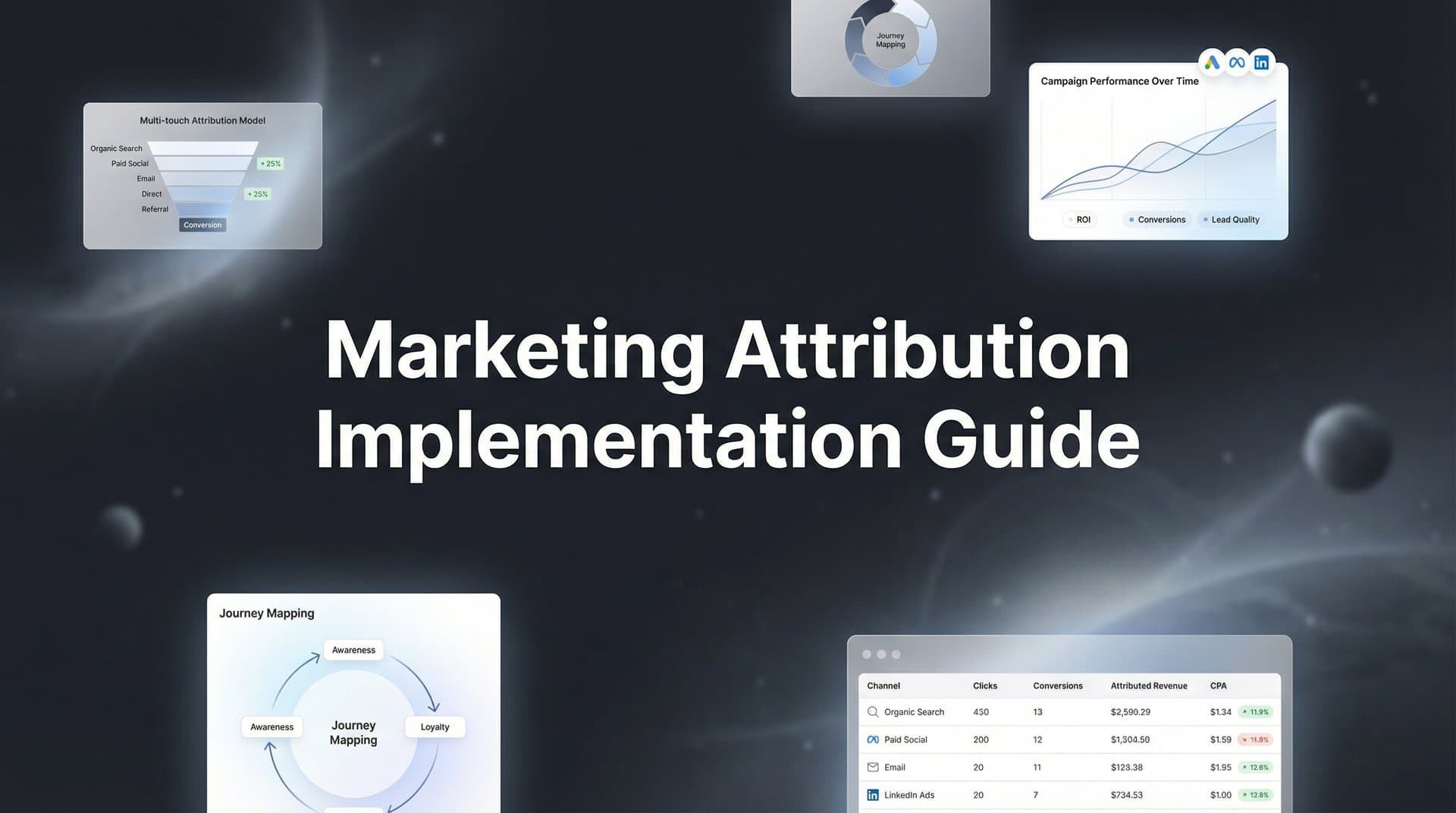
Marketing attribution implementation can feel overwhelming—multiple ad platforms, scattered data, and the constant question of "what's actually working?" But here's the reality: without proper attribution, you're essentially flying blind with your ad spend.
Think about it. You're running campaigns across Meta, Google, TikTok, maybe LinkedIn. Traffic is coming in. Some conversions are happening. But which ad actually convinced someone to buy? Was it the first Facebook ad they saw three weeks ago, or the retargeting campaign that closed the deal yesterday?
This guide walks you through the exact process of implementing marketing attribution from scratch, whether you're setting up your first system or rebuilding a broken one. By the end, you'll have a working attribution system that tracks every touchpoint, connects your ad platforms to actual revenue, and gives you the data you need to scale winning campaigns.
We'll cover everything from initial setup and tracking configuration to connecting your CRM and choosing the right attribution model for your business. Each step builds on the previous one, so you'll have a clear path from zero to fully operational attribution.
Let's get your marketing data working for you.
Step 1: Audit Your Current Marketing Stack and Data Sources
Before you implement anything new, you need to understand what you're working with. This audit phase prevents you from building on a shaky foundation and helps you identify exactly where your data gaps exist.
Start by documenting every active ad platform you're running campaigns on. Create a simple spreadsheet listing Meta Ads, Google Ads, TikTok Ads, LinkedIn Ads, or any other platform you're spending money on. Next to each platform, note whether you currently have tracking pixels installed, what conversion events they're capturing, and whether the data looks accurate.
Now map your existing customer journey touchpoints from first click to conversion. Walk through the actual path a customer takes: they see an ad, click through to your website, maybe browse a few pages, perhaps download a resource, then eventually convert. Where are you currently tracking them? Where do you lose visibility?
This is where most marketers discover uncomfortable truths. You might have a Facebook pixel firing on your homepage but not on your thank-you page. Your Google Analytics might show traffic from ads, but you can't connect it to actual sales. Your CRM might track closed deals, but there's no record of which marketing campaign brought them in.
List out your complete tech stack: your CRM (HubSpot, Salesforce, Pipedrive), your website analytics (Google Analytics, Mixpanel), any existing tracking tools, your email platform, and any other systems that touch customer data. Understanding how these systems currently connect—or don't connect—is critical for solving common attribution challenges in marketing analytics.
Pay special attention to data gaps. Can you see the ad someone clicked before they filled out a form? Do you know if someone who became a customer three months ago first discovered you through an organic social post or a paid ad? These gaps are exactly what your attribution implementation will solve.
Your success indicator for this step: a complete inventory document that lists every marketing channel, every data collection point, and every identified gap in your current tracking. This becomes your implementation roadmap.
Step 2: Define Your Conversion Events and Attribution Goals
Here's where many implementations go wrong: jumping straight to installing tracking code without clearly defining what you're actually trying to measure. Let's fix that.
Start by identifying your primary conversions—the actions that directly generate revenue or move prospects significantly closer to becoming customers. For e-commerce, this is purchases. For SaaS, it might be demo bookings or trial sign-ups. For B2B services, it could be qualified lead forms or consultation requests.
Then identify your micro-conversions—the smaller actions that indicate interest and progression. These might include content downloads, email sign-ups, video views, or specific page visits. While these don't generate immediate revenue, they're valuable touchpoints in the customer journey that your attribution system needs to capture.
Now assign value to each conversion event. Your primary conversions should have actual dollar values—average order value for purchases, average deal size for demos, or customer lifetime value for sign-ups. Micro-conversions can have estimated values based on how often they lead to primary conversions.
Determine which metrics matter most for your business decisions. Are you optimizing for ROAS (return on ad spend)? Trying to reduce CAC (customer acquisition cost)? Maximizing LTV (lifetime value)? Improving conversion rates at specific funnel stages? Your attribution system needs to surface the data that answers these questions.
Set clear goals by asking: What decisions will attribution data help you make? Will you use it to reallocate budget between channels? To identify which campaigns to scale? To understand which touchpoints are most influential? Write these goals down—they'll guide your entire implementation and help you understand why attribution is important in digital marketing.
Document the full conversion path you want to track. For example: "User clicks Meta ad → lands on product page → adds to cart → completes purchase → receives order confirmation." Or: "User clicks LinkedIn ad → downloads whitepaper → receives nurture emails → books demo → becomes SQL → closes as customer."
Your success indicator: a written document listing all conversion events, their assigned values, priority levels, and the specific business questions your attribution system needs to answer. This becomes your measurement framework.
Step 3: Install Tracking Infrastructure Across All Touchpoints
Now we get into the technical setup that makes attribution possible. This is where you build the foundation for accurate data collection across every customer touchpoint.
Start with server-side tracking—this is non-negotiable in 2026. Client-side pixels alone miss significant data due to iOS App Tracking Transparency restrictions, ad blockers, and browser privacy features. Server-side tracking captures events directly from your server to ad platforms, bypassing these limitations and giving you more accurate conversion data.
Implement this by setting up a server-side tracking solution that can receive events from your website or app and forward them to your ad platforms. This typically involves configuring a server endpoint that receives conversion data and sends it to Meta's Conversions API, Google's Enhanced Conversions, and other platform APIs.
Next, establish UTM parameter conventions and enforce them consistently across all campaigns. Create a naming structure that makes sense for your reporting needs. For example: utm_source for the platform (facebook, google), utm_medium for the traffic type (cpc, social), utm_campaign for the specific campaign name, and utm_content for ad variations.
Document these conventions in a shared resource that everyone on your team can access. Inconsistent UTMs—like using "Facebook" in one campaign and "facebook" in another—will fragment your attribution data and make analysis nearly impossible. Proper attribution marketing tracking depends on this consistency.
Set up first-party data collection on your website to future-proof against continued cookie deprecation. This means collecting data directly through your own domain and storing it in your own systems before sending it to third-party platforms. Use a first-party cookie or server-side session management to track users across multiple visits.
If you use multiple domains or subdomains, configure cross-domain tracking so you can follow users as they move between them. Without this, someone moving from blog.yoursite.com to shop.yoursite.com looks like two different visitors, breaking your attribution chain.
Test everything thoroughly. Run test conversions through each channel and verify they're being captured correctly. Click an ad, complete a conversion, and check that the event appears in your tracking system with all the correct parameters. This validation step catches configuration issues before they corrupt your data.
Your success indicator: test conversions firing correctly across all platforms with consistent data, including source information, conversion values, and user identifiers.
Step 4: Connect Your CRM and Revenue Data
This is where attribution becomes truly powerful—connecting marketing touches to actual revenue, not just website conversions. Without this connection, you're still guessing which campaigns drive profitable customers versus which just drive cheap clicks.
Start by integrating your CRM with your attribution system. If you use HubSpot, Salesforce, Pipedrive, or another CRM, you need a way to pass marketing touchpoint data into contact records and associate it with deals and revenue.
The goal is simple: when someone becomes a customer, you should be able to see every marketing touchpoint they had before converting. The first ad they clicked, the content they downloaded, the retargeting campaign that brought them back, the email that pushed them over the edge—all of it connected to the final revenue number. This is the foundation of effective marketing revenue attribution.
Map your lead stages to attribution touchpoints so you can track the full funnel. Set up your system to capture when someone moves from visitor to lead, from lead to marketing qualified lead, from MQL to sales qualified lead, and from SQL to closed deal. Each stage transition is a conversion event worth tracking.
Set up offline conversion tracking for sales that happen off-platform. If your sales team closes deals over phone calls or in-person meetings, you need a way to feed those conversions back into your attribution system. This typically involves creating a process where your sales team logs deals in your CRM, and your attribution system automatically associates those deals with the marketing touchpoints that originated the lead. For businesses with significant phone traffic, understanding marketing attribution for phone calls is essential.
Ensure customer IDs pass correctly between ad platforms, website, and CRM. This is the technical glue that makes everything work. When someone fills out a form on your website, that form submission should include a user ID that connects to their ad click data and eventually to their CRM contact record.
Many platforms use email addresses as the primary identifier, which works well for B2B. For B2C or situations where you don't collect email immediately, you might need to use cookie IDs or device fingerprinting to maintain the connection across touchpoints.
Test the full flow: click an ad while logged out, convert on your website, verify the lead appears in your CRM with the correct source attribution, and confirm that if this lead closes as a customer, the revenue gets attributed back to the original campaign.
Your success indicator: closed deals in your CRM show complete marketing touchpoint history, and you can generate reports showing revenue by original campaign, not just lead volume.
Step 5: Select and Configure Your Attribution Model
Now that you're collecting data across all touchpoints, you need to decide how to assign credit for conversions. This is where attribution models come in, and choosing the wrong one can lead to seriously misguided budget decisions.
Let's break down your options. Last-click attribution gives all credit to the final touchpoint before conversion—the last ad someone clicked. This is simple but often misleading because it ignores all the earlier marketing that built awareness and consideration. First-click attribution does the opposite, giving all credit to the initial touchpoint. This highlights what drives discovery but ignores what actually closes deals.
Linear attribution divides credit equally across all touchpoints. If someone had five interactions before converting, each gets 20% credit. This is more balanced but assumes every touchpoint is equally important, which is rarely true.
Time-decay attribution gives more credit to touchpoints closer to conversion. The logic is that recent interactions matter more than ones from weeks ago. This often works well for shorter sales cycles where the closing touchpoints genuinely drive the decision.
Data-driven attribution uses machine learning to analyze your actual conversion patterns and assign credit based on which touchpoints statistically correlate with conversions. This is the most sophisticated approach but requires significant data volume to work accurately. For a deeper dive into these options, explore our guide on marketing attribution models.
Match your model to your sales cycle. If you have a long B2B sales cycle where prospects research for months before buying, multi-touch models like linear or data-driven make more sense. They recognize that early awareness campaigns matter even if they don't get the final click. If you have a short e-commerce cycle where people often buy immediately after seeing an ad, last-click might be acceptable.
Configure your attribution window based on typical time-to-conversion. If most customers convert within seven days of first interaction, a seven-day window works. If your sales cycle takes months, you need a longer window—perhaps 30, 60, or 90 days.
Here's the key insight: don't commit to one model immediately. Plan to compare models side-by-side for at least a few weeks before making major budget decisions based on attribution data. Run reports showing the same campaigns under different models and see how credit shifts. This comparison reveals which touchpoints are genuinely driving results versus which are just getting convenient credit. Understanding what multi-touch attribution in marketing offers can help you make this decision.
Your success indicator: attribution model selected with clear rationale documented, including why this model fits your sales cycle and business model better than alternatives.
Step 6: Validate Data Accuracy and Troubleshoot Gaps
You've built the system. Now you need to verify it's actually working correctly before you start making budget decisions based on the data. Skipping this validation step is how marketers end up scaling the wrong campaigns.
Run test conversions through each channel and verify they appear correctly in your attribution reports. Click an ad from your Facebook campaign, complete a purchase, and check that the conversion shows up attributed to that specific Facebook ad. Repeat this for Google, TikTok, and every other channel you're tracking.
Cross-reference your attribution data with platform-reported conversions to identify discrepancies. Pull your Facebook Ads conversion numbers and compare them to what your attribution system reports for Facebook. Do the same for Google and other platforms. Some variance is normal—different attribution windows, view-through conversions, and technical limitations mean perfect matching is impossible.
The question is: are discrepancies within acceptable ranges? Generally, if your attribution system reports within 5-15% of what platforms report, you're in good shape. Larger gaps indicate tracking issues that need investigation. Proper digital marketing attribution measurement requires this level of validation.
Check for common issues that break attribution. Duplicate conversions happen when both client-side pixels and server-side tracking fire for the same event—you're double-counting. Missing UTMs mean some traffic shows up as "direct" or "unknown" when it actually came from paid campaigns. Broken tracking pixels occur when site changes remove tracking code or when ad blockers prevent pixels from firing.
Set up alerts for tracking failures or unusual data patterns. Configure notifications if conversion volume drops suddenly, if a major traffic source stops sending attribution data, or if you see impossible patterns like conversions without any preceding touchpoints.
Pay special attention to mobile tracking accuracy, especially for iOS users. Due to App Tracking Transparency, you should expect lower match rates for iOS traffic. If your attribution system shows almost no iOS conversions but you know iOS users buy from you, that's a red flag indicating your tracking setup needs improvement—likely requiring better server-side implementation.
Document every discrepancy you find and how you resolved it. This becomes your troubleshooting guide when similar issues arise later. Common fixes include adjusting attribution windows, implementing deduplication logic, fixing UTM parameters in campaign URLs, or updating tracking code after site changes.
Your success indicator: attribution data matches within acceptable variance of platform data (typically 5-15%), test conversions appear correctly for all channels, and you have monitoring in place to catch future tracking breaks.
Step 7: Build Dashboards and Establish Optimization Workflows
You have accurate attribution data flowing. Now you need to turn that data into actionable insights that actually improve your marketing performance. This is where many implementations fail—they collect great data but never use it to make better decisions.
Create reporting views that answer your key questions. Build a dashboard that shows what's driving revenue, not just traffic. Include metrics like revenue by source, ROAS by campaign, customer acquisition cost by channel, and conversion rates at each funnel stage. Make sure you can easily see which campaigns are profitable and which are burning budget. The right marketing attribution analytics setup makes this straightforward.
Design different views for different purposes. Your daily optimization dashboard might show yesterday's performance with quick filters for underperforming ads. Your weekly review dashboard might show trends over the past 30 days with comparisons to the previous period. Your monthly strategic dashboard might show customer lifetime value by acquisition source and long-term channel performance.
Set up a regular review cadence that matches your decision-making cycle. For campaign optimization—pausing underperforming ads, increasing budgets on winners, testing new creative—review attribution data weekly or even daily for high-spend accounts. For strategic decisions about channel mix and budget allocation, monthly reviews provide enough data to spot meaningful trends without overreacting to short-term fluctuations.
Configure conversion sync to feed accurate data back to ad platforms for better algorithm optimization. This is a game-changer that most marketers miss. Your attribution system has more accurate conversion data than platform pixels alone can capture. By syncing this data back to Meta, Google, and other platforms through their APIs, you improve their algorithm's ability to optimize your campaigns.
When Meta's algorithm knows which conversions actually happened—including ones that pixels missed—it can better identify patterns in who converts and optimize delivery accordingly. This creates a virtuous cycle where better data leads to better optimization, which leads to better results. Learn how data analytics can improve marketing strategy through this feedback loop.
Document your process for using attribution insights to adjust budgets and creative. Create a decision framework: "If a campaign shows ROAS above X for Y days, increase budget by Z%." Or: "If a channel's CAC exceeds our target by more than 20% for two weeks, reduce spend and investigate." Having clear rules prevents emotional decision-making and ensures your team uses attribution data consistently.
Train your team to independently pull attribution reports and make data-backed decisions. The goal isn't to centralize all decision-making with one person who understands the system. It's to democratize access to attribution insights so everyone running campaigns can see what's working and optimize accordingly.
Create documentation that explains how to interpret attribution reports, what actions to take based on different scenarios, and how to troubleshoot common questions. When someone asks "Why does our attribution show different numbers than Facebook?" they should be able to find the answer without waiting for the one person who knows.
Your success indicator: your team can independently pull attribution reports, interpret the data correctly, and make optimization decisions without constant guidance. Attribution insights drive actual budget and creative changes, not just interesting reports that sit unread.
Putting It All Together
You now have a complete roadmap for implementing marketing attribution that actually works. Let's recap the essential steps: audit your current stack to understand what you're working with, define your conversion events and goals before installing anything, implement tracking infrastructure across all touchpoints with server-side tracking as your foundation, connect your CRM to see full-funnel revenue attribution, select an attribution model that matches your sales cycle, validate data accuracy before making budget decisions, and build dashboards with optimization workflows that turn data into action.
The key to success isn't perfection on day one—it's getting the foundation right and iterating based on what you learn. Start with your highest-spend channels, get clean data flowing, and expand from there. You don't need to track every possible micro-conversion immediately. Focus on the conversions that matter for your business decisions and build from there.
Common pitfalls to avoid: don't rely solely on last-click attribution if you have a long sales cycle—you'll undervalue your awareness and consideration campaigns. Don't skip the validation step after setup—catching tracking issues early saves you from making bad decisions on bad data. Don't forget to sync conversion data back to ad platforms—this feedback loop dramatically improves their optimization algorithms.
With proper attribution in place, you'll finally see which ads and channels drive real revenue, not just clicks. You'll stop guessing about budget allocation and start making decisions based on actual performance data. You'll identify which touchpoints matter most in your customer journey and optimize accordingly. You'll feed better data to ad platform algorithms, improving their targeting and optimization.
Ready to skip the manual setup and get attribution working faster? Cometly connects your ad platforms, CRM, and website automatically, giving you accurate multi-touch attribution with server-side tracking that captures what pixels miss. From ad clicks to CRM events, Cometly tracks it all—providing a complete, enriched view of every customer journey. You'll know what's really driving revenue, get AI-powered recommendations to scale high-performing campaigns, and feed better data back to ad platforms for improved targeting and ROI. Get your free demo today and start capturing every touchpoint to maximize your conversions.



