

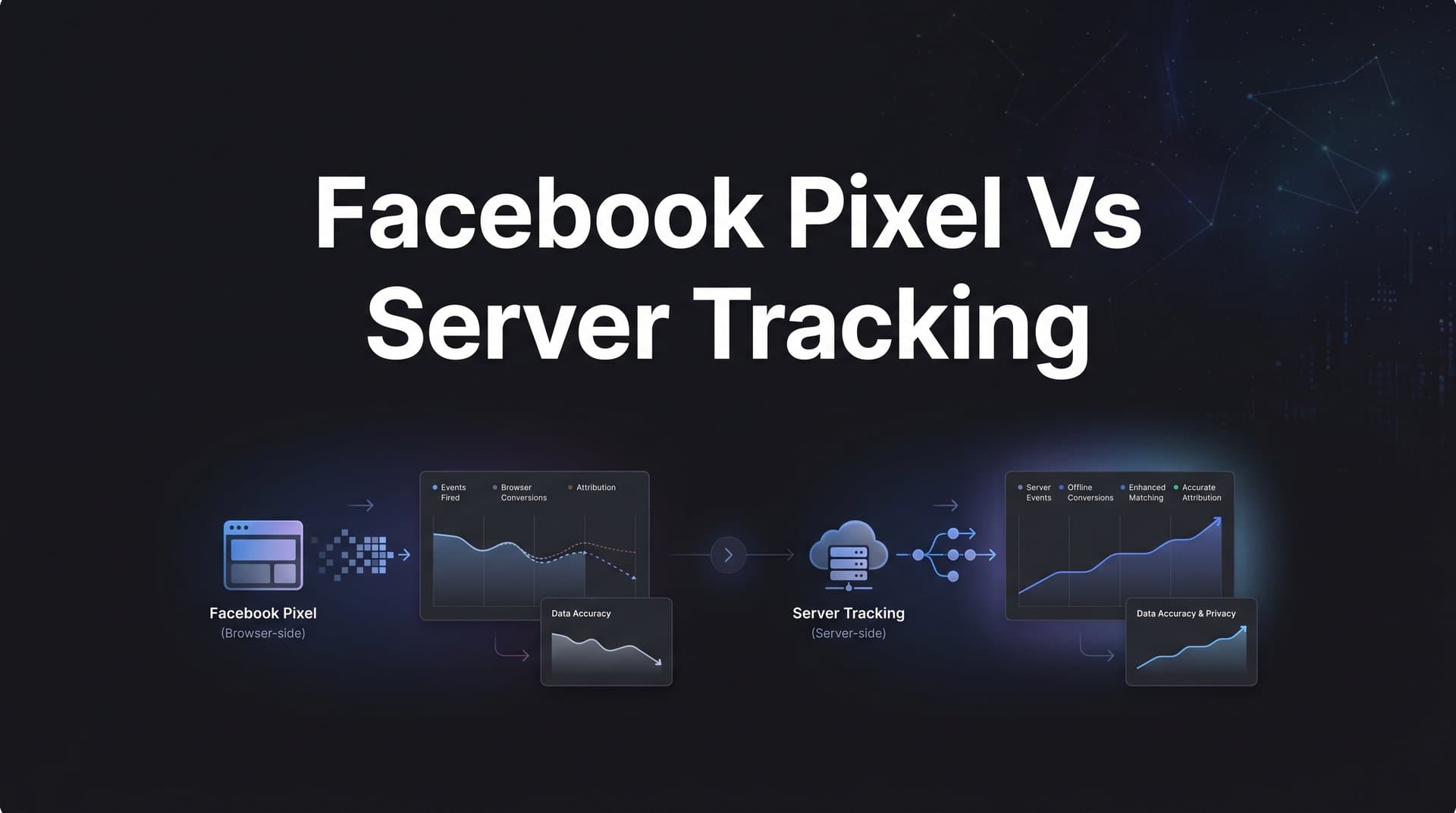
The tracking landscape for Facebook advertisers has shifted dramatically. Between browser privacy updates, iOS restrictions, ad blockers, and the gradual deprecation of third-party cookies, the classic Facebook Pixel that once captured nearly every conversion now misses a growing share of customer actions.
Apple's App Tracking Transparency framework, introduced with iOS 14.5, requires apps to ask users for permission before tracking. Opt-in rates have been widely reported as low across the industry, which means a significant portion of your iOS audience is essentially invisible to the pixel. Add in Safari and Firefox blocking third-party cookies by default, and the picture becomes even more complicated.
At the same time, server-side tracking through the Conversions API (CAPI) has emerged as a more resilient alternative. It sends data directly from your server to Meta, bypassing browser-level limitations entirely. Ad blockers cannot intercept it. Cookie restrictions do not apply. JavaScript loading failures do not break it.
But the real question is not simply which method is better. It is how you combine and optimize both to build a tracking infrastructure that gives you accurate data, stronger ad optimization signals, and confident budget decisions.
This guide breaks down seven actionable strategies for evaluating, implementing, and maximizing Facebook Pixel and server-side tracking so you can stop guessing which ads drive revenue and start scaling with clarity.
1. Audit Your Current Pixel Data Gaps Before Making Any Changes
The Challenge It Solves
Most advertisers have no idea how much conversion data they are actually losing. If you are making budget decisions based on pixel-reported numbers alone, you may be optimizing against an incomplete dataset. Before you change anything in your tracking setup, you need to understand the size of the problem you are solving.
The Strategy Explained
Run a side-by-side comparison between what your Facebook Pixel reports and what your backend systems actually record. Pull your pixel-reported purchase conversions from Meta Events Manager for a defined time window, then pull the corresponding order data from your CRM, e-commerce platform, or payment processor for the same period.
The gap between these two numbers is your data loss. If your pixel reports 80 purchases but your backend shows 120, you are working with a 33% blind spot. That gap directly affects how Meta's algorithm optimizes your campaigns, which audiences it targets, and how it allocates your budget. Understanding why Facebook ads are not tracking conversions is the first step toward fixing the problem.
This audit also reveals which conversion events are most affected. Top-of-funnel events like page views tend to have smaller gaps. Revenue-critical events like purchases and qualified leads often show the largest discrepancies, especially for audiences with high iOS usage.
Implementation Steps
1. Export pixel-reported conversions from Meta Events Manager for the past 30 to 90 days, broken down by event type.
2. Pull matching conversion data from your backend: orders, CRM entries, or payment records for the same period.
3. Calculate the percentage gap for each event type and rank them by revenue impact.
4. Document which events show the largest discrepancies. These become your highest-priority targets for server-side implementation.
Pro Tips
Segment your audit by device type if possible. iOS users typically show higher pixel drop-off rates than Android or desktop users, so your overall gap number may actually understate the problem for mobile-heavy audiences. This segmentation also helps you make the case internally for investing in server-side infrastructure.
2. Understand Exactly What Each Tracking Method Captures (And Misses)
The Challenge It Solves
Many advertisers treat the pixel and the Conversions API as interchangeable options when they are actually complementary tools with different strengths and blind spots. Choosing the right events for each method requires understanding what each one is technically capable of capturing and where each one breaks down.
The Strategy Explained
The Facebook Pixel is a JavaScript snippet that fires in the user's browser. It captures rich behavioral signals: page views, scroll depth, time on page, and user interactions that happen client-side. It is excellent at capturing intent signals early in the funnel. The problem is that it depends entirely on the browser environment. Ad blockers, cookie restrictions, iOS privacy settings, and slow page loads can all prevent it from firing. You can learn more about tracking pixel limitations from privacy updates to understand the full scope of these challenges.
The Conversions API operates at the server level. Your server sends event data directly to Meta without touching the user's browser at all. This makes it immune to ad blockers and browser restrictions. However, it captures a different set of signals: events that happen in your backend systems, like confirmed purchases, subscription activations, offline conversions, or CRM status changes. It does not naturally capture the behavioral richness of browser interactions unless you deliberately architect it to do so.
Think of the pixel as your front-of-house observer and CAPI as your back-of-house recorder. You need both perspectives to see the full customer journey.
Implementation Steps
1. List every conversion event you currently track and categorize each as browser-side (pixel) or server-side (CAPI) based on where the data originates.
2. Identify which events are purely behavioral (page views, add-to-cart) versus transactional (purchases, form submissions with CRM data).
3. Map which events are currently only tracked by the pixel and therefore vulnerable to data loss.
4. Flag transactional events as candidates for server-side implementation or hybrid coverage.
Pro Tips
Some events genuinely belong on both sides. A purchase confirmation, for example, can fire a pixel event in the browser and a CAPI event from your server simultaneously. With proper deduplication in place (covered in Strategy 3), this redundancy improves coverage without inflating your reported numbers.
3. Deploy a Hybrid Tracking Architecture for Maximum Coverage
The Challenge It Solves
Neither the pixel alone nor CAPI alone gives you complete data coverage. The pixel misses privacy-restricted users. CAPI on its own can miss behavioral signals that never reach your server. Running both together with proper deduplication is the approach Meta itself recommends, and for good reason.
The Strategy Explained
A hybrid architecture means both the pixel and the Conversions API fire for the same key events. When a user completes a purchase, your thank-you page fires a pixel Purchase event in the browser while your server simultaneously sends a Purchase event via CAPI. Meta's system uses event deduplication to recognize these as the same event and count it only once. For a deeper dive into the differences, read our comparison of server-side tracking vs pixel tracking.
The deduplication mechanism relies on a unique event_id parameter. Meta's developer documentation specifies that when the same event_id appears in both a pixel event and a CAPI event within a 48-hour window, Meta deduplicates them automatically. This is the technical foundation that makes the hybrid approach work without inflating your conversion numbers.
The result is that you capture conversions that the pixel would have missed (because the server event still fires) while retaining the browser-side behavioral signals that CAPI alone cannot provide.
Implementation Steps
1. Generate a unique event_id for every conversion event. This can be a combination of order ID, user ID, and timestamp to ensure uniqueness.
2. Pass the same event_id to both your pixel event and your CAPI event for every shared conversion.
3. Verify deduplication is working correctly in Meta Events Manager by checking the "Deduplicated" column in your event activity.
4. Monitor your total event volume before and after implementation to confirm you are seeing incremental coverage rather than double-counting.
Pro Tips
Platforms like Cometly handle server-side tracking and event deduplication automatically, removing the technical complexity of building and maintaining this infrastructure yourself. This is especially valuable for teams without dedicated engineering resources who still need enterprise-grade tracking accuracy.
4. Prioritize Server-Side Tracking for Revenue-Critical Events
The Challenge It Solves
Not all conversion events carry equal weight in your ad optimization strategy. Page views matter, but they do not directly drive ROAS calculations. Purchases, qualified lead submissions, and high-intent actions are the events that Meta's algorithm uses to find more customers like your best converters. Losing these signals is far more damaging than losing a page view.
The Strategy Explained
Start by ranking your conversion events by their direct impact on revenue and ad optimization decisions. Events that trigger budget reallocation, campaign scaling, or audience expansion should be treated as your highest-priority candidates for server-side conversion tracking implementation.
The logic is straightforward: if Meta's algorithm cannot reliably see your purchase events because the pixel keeps missing them, it will optimize toward a distorted version of your ideal customer. Server-side tracking for these events ensures the algorithm receives a complete, accurate signal about who is actually converting and at what value.
For e-commerce advertisers, this typically means prioritizing Purchase and InitiateCheckout events. For lead generation advertisers, it means prioritizing form submission completions and CRM-qualified lead events. For SaaS businesses, it often means sending trial activations and subscription events directly from the backend where the data is most reliable.
Implementation Steps
1. Rank all tracked events by their influence on ROAS, budget decisions, and campaign optimization.
2. Identify the top three to five events that most directly signal customer value to Meta's algorithm.
3. Implement CAPI for these high-priority events first, pulling data from your most reliable backend source (payment processor, CRM, subscription system).
4. Validate that these events are appearing in Meta Events Manager with strong match quality scores before moving to lower-priority events.
Pro Tips
Consider sending customer lifetime value or purchase value alongside your server-side purchase events. Meta's algorithm can use value-based optimization to find customers likely to generate higher revenue, not just more conversions. This requires server-side implementation because accurate order values live in your backend, not always in the browser.
5. Use Event Match Quality Scores to Fine-Tune Your Data
The Challenge It Solves
Sending events to Meta via CAPI is only half the battle. Meta needs to be able to match those events to actual Facebook accounts to use them for ad optimization. If your event payloads are sparse, Meta cannot make the connection, and the data you send has limited optimization value regardless of how technically correct your implementation is.
The Strategy Explained
Event Match Quality (EMQ) is a real metric in Meta Events Manager that scores how well your server events can be matched to Facebook accounts. It is rated on a scale of roughly 1 to 10. According to Meta's documentation, higher EMQ scores correlate with better ad delivery optimization because the platform can more accurately attribute conversions and use them to improve targeting.
EMQ scores improve when you include more customer identifiers in your event payloads. The more data points Meta has to work with, the more likely it is to find a matching account. Each identifier is hashed before transmission, so you are not sending raw personal data to Meta's servers. Our guide on why server-side tracking is more accurate explains how this data enrichment translates into better attribution.
Common identifiers include email address, phone number, first name, last name, city, state, zip code, country, date of birth, and external ID. Email and phone number tend to have the highest matching power. Adding multiple identifiers compounds the matching probability significantly.
Implementation Steps
1. Check your current EMQ scores in Meta Events Manager under the "Events" tab for each CAPI event.
2. Identify which customer identifiers you are currently including in your event payloads and which you are omitting.
3. Update your CAPI implementation to include all available customer identifiers, hashed using SHA-256 as Meta requires.
4. Monitor EMQ score changes over the following week and continue enriching payloads until scores plateau at their highest achievable level.
Pro Tips
Your CRM is often the richest source of customer identifier data. If your pixel only captures an email address at checkout, but your CRM also has phone number, city, and date of birth, pulling event data from the CRM for CAPI payloads will significantly improve your match rates compared to relying solely on what the browser captures.
6. Build a Cross-Platform Attribution Layer Beyond Meta's Native Reporting
The Challenge It Solves
Meta's native reporting tells you how Meta sees your conversions. It does not tell you how your conversions look across Google Ads, organic search, email, and every other channel your customers interact with before converting. Relying exclusively on Meta's attribution means you are making channel budget decisions based on a single platform's self-reported data, which has an obvious conflict of interest.
The Strategy Explained
An independent attribution layer sits above all your ad platforms and tracks the full customer journey from first touch to conversion without any single platform's bias. It pulls data from your pixel, your CAPI events, your CRM, your other ad platforms, and your website analytics to build a unified view of what actually drives revenue.
This is where platforms like Cometly become particularly valuable. Cometly connects your ad platforms, CRM, and website to track the entire customer journey in real time, giving you multi-touch attribution across every channel. Instead of seeing Meta claim credit for a conversion that Google Ads assisted two days earlier, you see the full path and can make budget decisions accordingly.
Multi-touch attribution models, whether linear, time-decay, or data-driven, distribute credit across all the touchpoints that contributed to a conversion. This prevents any single channel from appearing artificially more effective than it actually is and helps you allocate budget toward the combinations of channels that work together most effectively. For advertisers running campaigns across platforms, understanding tracking for Facebook and Google Ads together is essential for accurate budget allocation.
Implementation Steps
1. Audit which channels currently receive attribution credit in your reporting and identify where you suspect credit is being misallocated.
2. Implement a cross-platform attribution solution that ingests data from all your ad platforms and conversion sources.
3. Compare attribution model outputs (first-touch, last-touch, multi-touch) to understand how credit distribution changes across models.
4. Use the cross-platform view to identify channels that assist conversions frequently but receive little last-touch credit, and adjust budget allocation accordingly.
Pro Tips
Pay particular attention to how assisted conversions appear in your cross-platform data. A channel that rarely gets last-touch credit might be responsible for introducing a large percentage of your eventual buyers to your brand. Cutting that channel based on last-touch attribution alone can quietly damage your overall conversion volume without an obvious immediate cause.
7. Feed Enriched Conversion Data Back to Strengthen Ad Platform AI
The Challenge It Solves
Ad platforms like Meta and Google use machine learning algorithms to optimize your campaigns. These algorithms are only as good as the conversion data you feed them. If your pixel is missing conversions, or if the conversion signals you send lack rich customer identifiers, the algorithm is optimizing toward an incomplete and potentially distorted picture of your ideal customer.
The Strategy Explained
The final strategy is about closing the feedback loop. Once you have enriched server-side conversion data flowing accurately, the next step is ensuring that data actively improves your ad platform algorithms rather than just sitting in your reporting dashboard. Understanding the full range of server-side tracking benefits for advertisers helps contextualize why this step is so impactful.
Cometly's Conversion Sync feature is designed specifically for this purpose. It sends enriched, conversion-ready events back to Meta, Google, and other platforms so their algorithms receive the highest-quality signal possible. This means the algorithm learns from complete, accurate conversion data including customer identifiers, purchase values, and CRM-qualified signals rather than the fragmented, browser-limited data it would otherwise receive.
The practical impact is meaningful. When Meta's algorithm has better conversion data to learn from, it finds more users who resemble your actual buyers rather than just users who resemble people who happened to have their pixel fire. Over time, this improves targeting precision, reduces wasted spend, and increases the efficiency of your campaigns. If you are ready to implement, our server-side tracking setup guide walks through the technical steps in detail.
Implementation Steps
1. Confirm that your server-side conversion events include all available customer identifiers and accurate conversion values before syncing them back to ad platforms.
2. Enable conversion syncing to Meta via CAPI and to Google via the Google Ads API or Enhanced Conversions, using your enriched backend data as the source.
3. Allow three to four weeks of enriched data to accumulate before evaluating algorithm performance changes, as machine learning models need sufficient data to recalibrate.
4. Compare campaign performance metrics before and after enriched conversion syncing to quantify the impact on targeting quality and cost per acquisition.
Pro Tips
Consider syncing offline conversion events as well. If you have a sales team that closes deals by phone or in person, those conversions can be sent back to Meta and Google via their offline conversion APIs. This gives the algorithm a complete picture of your revenue-generating customers, including those who converted outside the digital funnel entirely.
Putting It All Together
Getting your Facebook tracking right is not about picking pixel or server-side and calling it a day. The most effective approach starts with understanding where your current data falls short, then building a hybrid architecture that covers your blind spots.
Here is the priority order for implementation:
Start with the audit (Strategy 1). That single exercise will show you exactly how much revenue visibility you are missing and give you a clear roadmap for everything else. Do this week.
Build your technical foundation (Strategies 2 and 3). Understand what each method captures, then deploy the hybrid architecture with proper deduplication. This is the infrastructure everything else depends on.
Focus on what matters most (Strategy 4). Prioritize server-side tracking for the events that directly influence your ROAS and budget decisions. Do not spread implementation effort evenly across all events.
Optimize the data quality (Strategy 5). Improve your Event Match Quality scores so Meta can actually use the data you send. Sending events that cannot be matched to accounts wastes the effort you put into capturing them.
Expand your perspective (Strategy 6). Layer an independent attribution platform on top of your tracking setup to get an unbiased, cross-channel view. Stop relying on any single platform's self-reported numbers for budget decisions.
Close the feedback loop (Strategy 7). Feed enriched conversion data back to ad platforms so their algorithms work harder for you. This is where accurate tracking translates directly into better campaign performance.
If you want to shortcut the technical complexity, Cometly brings server-side tracking, cross-platform attribution, and conversion syncing together in one platform. You get complete customer journey visibility, AI-powered recommendations for scaling your best-performing campaigns, and the ability to feed enriched data back to Meta and Google automatically.
Ready to stop guessing and start scaling with accurate data? Get your free demo today and see exactly which ads are driving your revenue across every channel.



