

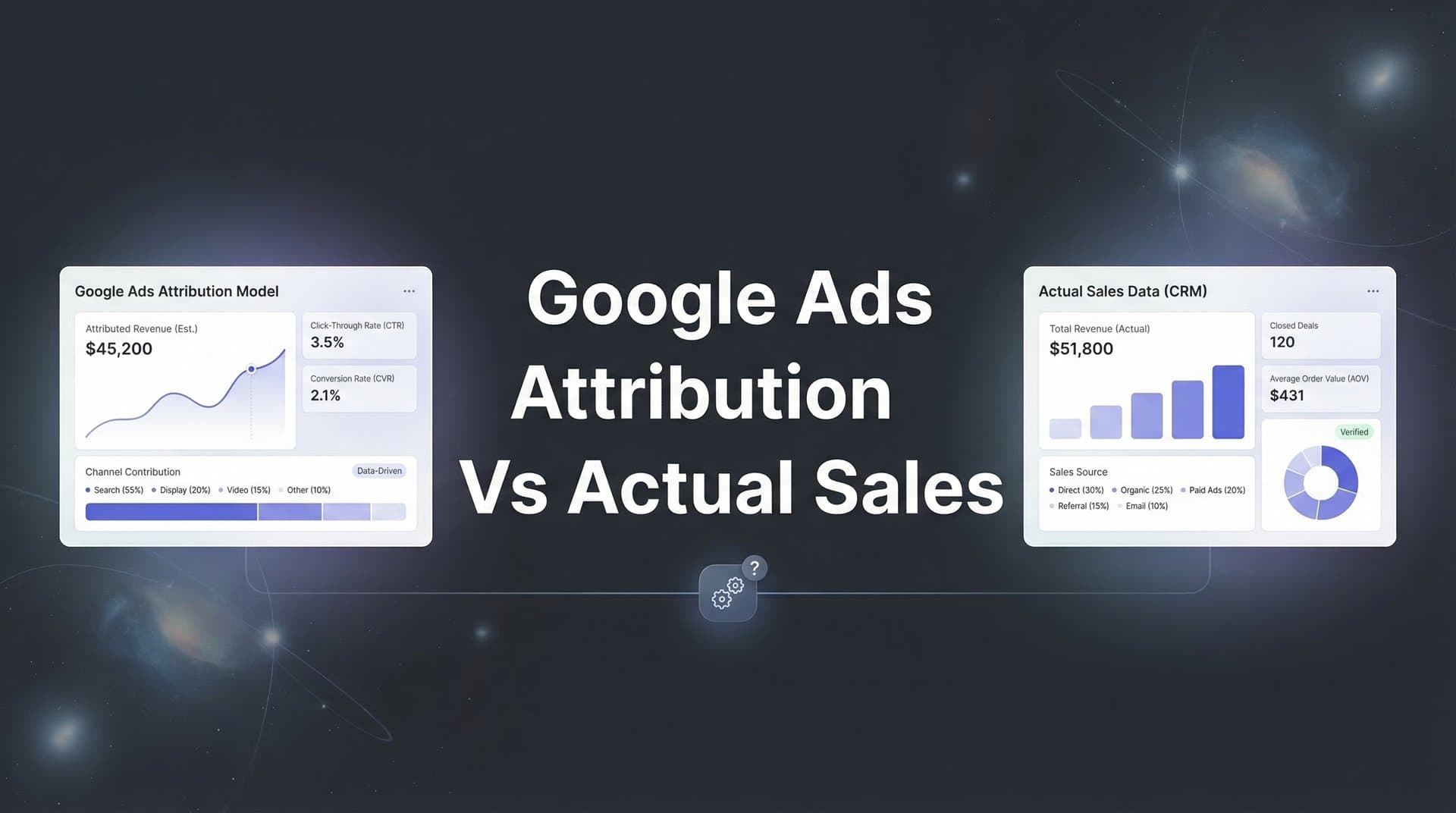
Google Ads tells you one story about your campaign performance. Your bank account tells another.
This disconnect between Google Ads attribution data and actual revenue is one of the most frustrating challenges facing digital marketers today. The platform might show 50 conversions, but your CRM only reflects 30 closed deals—and the revenue numbers don't match up either.
This gap isn't just an inconvenience. It's costing you money through misallocated budgets and scaling decisions based on incomplete data.
The root causes range from attribution model limitations and cross-device tracking gaps to the fundamental difference between what Google considers a "conversion" and what actually generates revenue for your business. Browser restrictions, ad blockers, and privacy updates have only widened this chasm.
The good news? You can bridge this gap with the right strategies and systems in place.
This guide delivers seven actionable strategies to align your Google Ads attribution with real sales data, giving you the clarity needed to optimize campaigns based on what truly drives revenue. Let's turn your attribution reporting into something you can actually trust.
1. Implement Server-Side Tracking to Capture Lost Conversions
The Challenge It Solves
Traditional client-side tracking relies on browser cookies and JavaScript tags to record conversions. The problem? Ad blockers, browser privacy settings, and iOS restrictions are blocking these tracking mechanisms at an alarming rate.
When a conversion happens but your tracking pixel can't fire, Google Ads has no idea that conversion occurred. You're blind to a significant portion of your actual results, which means your data is incomplete before you even start analyzing it. Understanding these Google Ads conversion tracking issues is the first step toward solving them.
The Strategy Explained
Server-side tracking bypasses the browser entirely by sending conversion data directly from your server to Google Ads. When someone completes a purchase or fills out a form, your server communicates that event to Google's servers through a direct API connection.
This approach is immune to ad blockers, browser restrictions, and most privacy tools because the data transmission happens behind the scenes, not in the user's browser. You capture conversions that client-side tracking would miss entirely.
The technical implementation involves setting up Google's Measurement Protocol or using a server-side Google Tag Manager container. Your server sends conversion events with unique identifiers that match them back to the original ad click.
Implementation Steps
1. Set up a server-side Google Tag Manager container on your own server infrastructure or use a cloud hosting solution designed for tag management.
2. Configure your conversion events to send from your backend system to the server-side container, including all relevant conversion data like transaction value and user identifiers.
3. Map these server-side events to Google Ads conversion actions using the Conversions API, ensuring proper click ID (GCLID) matching for accurate attribution.
4. Run parallel tracking for 2-4 weeks, comparing server-side conversion counts against client-side data to validate implementation and identify the gap you were missing.
Pro Tips
Start with your highest-value conversion actions first rather than trying to implement server-side tracking for everything at once. Focus on purchase completions or lead submissions that directly impact revenue. Also, maintain client-side tracking as a backup—server-side tracking should complement, not completely replace, your existing setup for maximum coverage.
2. Connect Your CRM to Create a Single Source of Revenue Truth
The Challenge It Solves
Google Ads tracks when someone fills out a form or completes a purchase. Your CRM tracks when that lead actually closes into a paying customer. These two systems often tell completely different stories about campaign performance.
A campaign might generate 100 form submissions according to Google Ads, but only 15 of those leads actually became customers worth a combined $45,000. Without connecting these systems, you're optimizing toward the wrong goal.
The Strategy Explained
CRM integration creates a closed-loop system where actual sales data flows back into your advertising analysis. Instead of measuring success by form fills or initial purchases, you measure by closed deals and actual revenue generated.
This integration tracks the complete customer journey from the initial ad click through every touchpoint until the deal closes in your CRM. You can see which campaigns, ad groups, and even specific keywords are generating your highest-value customers—not just the most clicks or form submissions. Proper Google Ads attribution tracking makes this visibility possible.
The connection typically works through offline conversion imports or third-party attribution platforms that sync CRM data with Google Ads. When a lead closes in your CRM, that information gets sent back to Google Ads and matched to the original campaign source.
Implementation Steps
1. Ensure your CRM captures the original Google Ads click ID (GCLID) when leads enter your system, either through hidden form fields or URL parameter tracking that persists through your lead capture process.
2. Set up offline conversion tracking in Google Ads by creating conversion actions specifically for CRM events like "Opportunity Created," "Deal Closed," or "Customer Lifetime Value Milestone."
3. Build an automated workflow that sends closed deal data from your CRM to Google Ads using the offline conversions API, including the GCLID, conversion time, and actual revenue value.
4. Create custom columns and reports in Google Ads that show both initial conversions and CRM-verified outcomes side by side, giving you visibility into conversion-to-close rates by campaign.
Pro Tips
Pay attention to conversion windows—Google Ads has specific time limits for how long after a click you can report a conversion. For longer sales cycles, you might need to track milestone events (like "Demo Completed" or "Proposal Sent") as interim conversion points while still feeding back final revenue data. Consider using a platform like Cometly that automatically handles the technical complexity of connecting your CRM to your ad platforms while providing AI-powered insights about which campaigns drive real revenue.
3. Adopt Multi-Touch Attribution to See the Full Customer Journey
The Challenge It Solves
Google Ads' default last-click attribution model gives 100% of the credit to the final touchpoint before conversion. This creates a distorted view of reality, especially when customers interact with multiple ads across different campaigns before converting.
Your brand awareness campaign on YouTube might introduce prospects to your solution, your search campaign might re-engage them a week later, and your remarketing campaign might close the deal. Last-click attribution gives all the credit to remarketing while ignoring the critical role the other touchpoints played.
The Strategy Explained
Multi-touch attribution distributes conversion credit across all the touchpoints a customer interacted with during their journey. This provides a more accurate picture of how different campaigns work together to drive conversions. Understanding attribution modeling for paid ads helps you implement the right approach for your business.
Different attribution models weight touchpoints differently. Linear attribution splits credit evenly across all interactions. Time decay gives more credit to touchpoints closer to conversion. Position-based attribution emphasizes both the first and last touchpoint while acknowledging middle interactions.
The key is understanding that most customer journeys aren't linear. People research, compare, leave and return, and interact with your brand multiple times before converting. Multi-touch attribution acknowledges this reality and helps you value campaigns based on their true contribution.
Implementation Steps
1. Enable Google Ads attribution reporting by navigating to Tools & Settings, then Attribution, and review the Model Comparison report to see how different attribution models change your conversion credit distribution.
2. Analyze your typical customer journey length and touchpoint count using the Path Metrics report to understand how many interactions typically occur before conversion in your specific business.
3. Select an attribution model that matches your business reality—longer sales cycles often benefit from time decay or position-based models, while shorter cycles might work well with linear attribution.
4. Apply your chosen attribution model to conversion actions in Google Ads and use it consistently when evaluating campaign performance, budget allocation, and optimization decisions.
Pro Tips
Don't just pick one attribution model and forget about it. Compare multiple models regularly to understand how your credit distribution changes. If a campaign performs well under data-driven attribution but poorly under last-click, it's playing an important assist role in your conversion funnel. Also, remember that attribution models within Google Ads only account for Google touchpoints—you'll need a cross-platform attribution solution to see how Google Ads works alongside Facebook, LinkedIn, and other channels.
4. Set Up Enhanced Conversions for Better Data Matching
The Challenge It Solves
Cookie-based tracking is becoming less reliable as browsers implement stricter privacy controls and users delete cookies more frequently. When someone converts but their cookie has been deleted or blocked, Google Ads can't match that conversion back to the original ad click.
This creates attribution gaps where conversions happen but can't be credited to any campaign. Your actual conversion count might be significantly higher than what Google Ads reports, leading to undervaluation of successful campaigns.
The Strategy Explained
Enhanced Conversions uses hashed first-party data—like email addresses, phone numbers, and names—to match conversions to ad clicks when cookies fail. When someone converts on your website, you send their information to Google in a privacy-safe, hashed format. Learn more about implementing enhanced conversions Google Ads to improve your match rates.
Google then matches this hashed data against signed-in Google account information to connect the conversion back to the ad interaction, even if cookies were blocked or deleted. This improves conversion tracking accuracy without compromising user privacy.
The data you send gets hashed using SHA-256 encryption before it leaves your website, so Google receives only encrypted strings, not readable personal information. Google's systems then attempt to match these encrypted values to find the corresponding ad click.
Implementation Steps
1. Implement Enhanced Conversions through Google Tag Manager by updating your conversion tag configuration to collect first-party data from form fields or your data layer.
2. Configure which user data to send—typically email address provides the highest match rate, but you can also include phone number, first name, last name, and address information for better matching.
3. Ensure your data collection complies with privacy regulations by updating your privacy policy to disclose that you're sharing hashed conversion data with Google for attribution purposes.
4. Monitor your enhanced conversions match rate in Google Ads reporting to see what percentage of conversions are being successfully attributed through this method versus traditional cookie-based tracking.
Pro Tips
Enhanced Conversions works best when you collect email addresses during the conversion process, so it's particularly effective for lead generation campaigns and e-commerce checkouts. For campaigns where you don't collect user information (like phone call conversions), you'll need to rely on other tracking methods. Also, give the system time to learn—match rates typically improve over the first few weeks as Google's algorithms get better at connecting your hashed data to user accounts.
5. Align Conversion Values with Actual Revenue Metrics
The Challenge It Solves
Many advertisers assign static, arbitrary values to conversions—like giving every lead submission a $50 value regardless of what that lead actually generates in revenue. This creates two problems: your reported conversion value doesn't reflect real business impact, and Google's Smart Bidding algorithms optimize toward the wrong goal.
When Google's machine learning thinks every conversion is worth the same amount, it can't distinguish between a $500 customer and a $50,000 customer. You end up with bidding strategies that maximize conversion count instead of revenue. This is one of the core reasons behind inaccurate conversion data Google Ads reports.
The Strategy Explained
Dynamic conversion values replace static placeholder numbers with actual transaction data. For e-commerce, this means passing the real purchase amount to Google Ads. For lead generation, it means calculating and importing the actual value of each lead based on whether they closed and how much revenue they generated.
This approach gives Google Ads accurate revenue signals, allowing Smart Bidding strategies like Target ROAS to optimize toward actual business value instead of proxy metrics. The algorithm learns which audiences, placements, and search queries drive high-value conversions versus low-value ones.
The implementation varies by business model. E-commerce sites can pass transaction values dynamically through their conversion tags. B2B companies with longer sales cycles need to import offline conversion values from their CRM once deals close.
Implementation Steps
1. For e-commerce, modify your conversion tracking code to dynamically pass the transaction amount variable to Google Ads instead of using a static conversion value.
2. For lead generation, calculate average customer value or lifetime value by lead source, then either assign these values to conversion actions or import actual values through offline conversion tracking once deals close.
3. Update your Google Ads bidding strategy to Target ROAS instead of Target CPA, since you now have accurate value data that makes return on ad spend a meaningful optimization goal.
4. Create value-based segments in your reporting to identify which campaigns, ad groups, and audiences drive the highest average order value or customer lifetime value, not just the most conversions.
Pro Tips
If you're transitioning from static to dynamic values, expect a learning period where campaign performance might fluctuate as Smart Bidding adjusts to the new signals. Consider using a blended approach initially—keep your existing conversion actions while adding new value-based ones, then gradually shift budget as the value-based campaigns prove themselves. Also, review your conversion value reporting regularly to catch any tracking issues early, since incorrect value data can send your automated bidding strategies in the wrong direction.
6. Build a Reconciliation Process Between Platforms
The Challenge It Solves
Even with perfect tracking implementation, discrepancies between Google Ads and your CRM are inevitable due to differences in attribution windows, conversion counting methodologies, and data processing delays. Without a systematic way to identify and understand these gaps, you can't distinguish between acceptable variance and serious tracking problems.
When your Google Ads dashboard shows 200 conversions but your CRM only has 150 records from the same period, you need to know whether that's a 25% tracking failure or an expected difference based on how each system defines and counts conversions. Understanding Google Ads attribution window problems helps explain many of these discrepancies.
The Strategy Explained
A reconciliation process creates regular audits comparing Google Ads data against CRM records to identify discrepancy patterns, quantify the gap, and maintain data integrity over time. This isn't about making the numbers match perfectly—it's about understanding why they differ and ensuring those differences stay within expected ranges.
The process involves pulling conversion data from both Google Ads and your CRM for the same time period, matching records based on shared identifiers, and analyzing where and why discrepancies occur. You're looking for systematic issues like missing GCLID tracking, conversion window mismatches, or duplicate counting.
Regular reconciliation helps you catch tracking breaks quickly, validate that your attribution systems are working correctly, and build confidence in your data even when the numbers don't match exactly.
Implementation Steps
1. Export conversion data from Google Ads and lead/customer data from your CRM for the same date range, ensuring you include the GCLID field from your CRM to enable matching.
2. Match records between the two data sources based on GCLID or other unique identifiers, categorizing conversions into "matched," "Google Ads only," and "CRM only" buckets.
3. Analyze unmatched records to identify patterns—are certain campaigns or landing pages showing higher discrepancy rates? Are mobile conversions matching less frequently than desktop? Is there a consistent time delay between when Google Ads records a conversion and when it appears in your CRM?
4. Document your baseline discrepancy rate and set up monthly or weekly reconciliation reports that alert you when the gap exceeds normal variance, indicating a potential tracking issue.
Pro Tips
Build your reconciliation process into a spreadsheet or dashboard that you can reuse each period rather than doing manual analysis every time. Accept that some level of discrepancy is normal—typically a 10-20% variance can be explained by legitimate differences in counting methodologies and attribution windows. Focus your troubleshooting efforts on sudden changes in discrepancy rates or systematic patterns that suggest tracking problems. Also, involve both your marketing and sales teams in reviewing reconciliation reports, since they often spot data quality issues that pure number analysis might miss.
7. Feed Enriched Conversion Data Back to Google's Algorithm
The Challenge It Solves
Google's Smart Bidding algorithms are only as good as the data you feed them. When you only send basic conversion signals without context about conversion quality, the algorithm treats a $100 customer the same as a $10,000 customer. It can't optimize for the outcomes you actually care about.
Your CRM contains rich data about which leads became customers, how much they spent, and their long-term value. This information is gold for machine learning optimization, but it's trapped in a separate system that Google Ads can't access.
The Strategy Explained
Feeding enriched conversion data back to Google Ads creates a feedback loop where CRM-verified sales data improves the platform's targeting, bidding, and optimization decisions. When Google's algorithm knows which clicks led to high-value customers, it can find more people who look like those customers.
This goes beyond basic offline conversion imports. You're sending back detailed information about conversion quality, customer lifetime value, product categories purchased, and other signals that help the algorithm distinguish between good and great conversions. Leveraging marketing analytics for Google Ads helps you identify which data points matter most.
The enriched data trains Google's machine learning models to recognize patterns in audiences, placements, and search queries that correlate with high-value outcomes. Over time, the algorithm gets better at bidding more aggressively for clicks likely to generate valuable customers and pulling back on lower-quality traffic.
Implementation Steps
1. Identify which CRM data points provide the most valuable signals for optimization—common examples include deal close date, final contract value, customer lifetime value predictions, product category, and customer quality scores.
2. Set up automated workflows that send this enriched data back to Google Ads through offline conversion imports, including the original GCLID, conversion name, conversion time, and conversion value.
3. Create multiple conversion actions for different quality tiers if appropriate—for example, separate conversion actions for "High-Value Customer" versus "Standard Customer" so you can optimize campaigns specifically toward your best outcomes.
4. Allow 2-4 weeks for Google's algorithm to incorporate the new data signals, then evaluate whether campaigns are shifting toward higher-quality conversions even if total conversion volume stays flat or decreases slightly.
Pro Tips
The timing of when you send conversion data back matters. For longer sales cycles, consider sending milestone conversions (like "Opportunity Created") immediately for faster algorithm feedback, then updating with final revenue data when deals close. This gives Google's bidding system actionable signals without waiting months for the complete picture. Also, use conversion value rules in Google Ads to automatically adjust the value of conversions based on audience, location, or device if you notice patterns in which segments produce higher-value customers.
Putting It All Together
Bridging the gap between Google Ads attribution and actual sales isn't a one-time fix. It's an ongoing process of connecting systems, validating data, and continuously refining your measurement approach.
Start with the highest-impact strategies first. Implement server-side tracking to capture conversions you're currently missing, then connect your CRM to establish revenue as your north star metric. These two changes alone will dramatically improve your data accuracy and give you visibility into which campaigns actually drive business results.
From there, layer in multi-touch attribution and enhanced conversions to improve accuracy across different customer journey patterns. Build regular reconciliation processes to maintain data integrity and catch tracking issues before they corrupt your optimization decisions.
The ultimate goal is creating a closed-loop system where actual sales data flows back to Google Ads, improving both your reporting accuracy and the platform's ability to optimize toward real revenue. When your attribution data finally matches your bank account, you'll make scaling decisions with confidence instead of guesswork.
This transformation requires technical implementation, but the business impact is worth the effort. You'll stop wasting budget on campaigns that generate clicks but not customers. You'll identify and scale the campaigns that drive your highest-value conversions. And you'll finally have attribution data you can trust when presenting results to stakeholders.
Ready to elevate your marketing game with precision and confidence? Discover how Cometly's AI-driven recommendations can transform your ad strategy—Get your free demo today and start capturing every touchpoint to maximize your conversions.


