Running ads across Meta, Google, TikTok, and LinkedIn simultaneously? You're not alone. Most marketing teams today spread their budgets across multiple platforms to reach audiences wherever they spend time online.
But here's the challenge: each platform has its own reporting dashboard, its own attribution window, and its own version of the truth about what's working.
The result? Conflicting data, double-counted conversions, and no clear picture of which channels actually drive revenue. You check Meta Ads Manager and see 50 conversions. Google Analytics shows 35. Your CRM records 28 actual sales. Which number do you trust?
Cross platform campaign tracking solves this by unifying your data into a single source of truth. Instead of bouncing between dashboards and manually reconciling numbers in spreadsheets, you can see the complete customer journey from first click to final purchase.
This guide walks you through exactly how to set up cross platform tracking, step by step. You'll learn how to establish consistent naming conventions, implement proper tracking infrastructure, connect your data sources, and analyze performance across all your campaigns in one place.
Whether you're a solo marketer managing multiple ad accounts or part of a larger team coordinating campaigns across channels, these steps will help you finally get clarity on your marketing performance.
Step 1: Audit Your Current Campaign Structure and Data Sources
Before you can fix your tracking, you need to understand what you're working with. Think of this as taking inventory before organizing a cluttered garage.
Start by listing every advertising platform you currently use. Don't just write down the obvious ones like Meta and Google. Include TikTok, LinkedIn, Twitter, Pinterest, Reddit, YouTube, or any other platform where you're spending ad dollars. For each platform, document what tracking capabilities they offer natively.
Meta: Offers pixel tracking, Conversions API, and offline conversion uploads with attribution windows you can customize.
Google Ads: Provides conversion tracking tags, Google Analytics integration, and offline conversion imports with various attribution models.
TikTok: Uses TikTok Pixel and Events API for conversion tracking with limited attribution window options.
LinkedIn: Offers Insight Tag for website tracking and conversion tracking with member-level data.
Next, identify where data gaps exist between these platforms and your actual business systems. Where do conversions happen that your ad platforms can't see? Many businesses close deals through phone calls logged in their CRM, process purchases through backend systems, or convert leads through sales teams days or weeks after the initial ad click.
Map out your complete customer journey from first touchpoint to final conversion. A typical B2B journey might look like: sees LinkedIn ad, clicks to website, downloads guide, receives email sequence, books demo call, becomes customer. Each of these touchpoints needs tracking. For a deeper dive into this process, explore our guide on tracking customer journey across platforms.
Document any tracking you already have in place. You might discover you have Google Analytics on your website, Meta Pixel installed, some UTM parameters on certain campaigns, and CRM tracking for closed deals. Note where these systems overlap, where they conflict, and where they leave blind spots.
Pay special attention to inconsistencies. If your Meta pixel shows 100 purchases but your e-commerce platform recorded 150, that's a 33% data gap you need to address. These discrepancies reveal where your current tracking fails.
Create a simple spreadsheet that lists: Platform, Current Tracking Method, Data Captured, Known Gaps, and Integration Status. This becomes your roadmap for the improvements you'll make in the following steps.
Step 2: Create a Unified UTM and Naming Convention System
Inconsistent naming is the silent killer of cross platform reporting. When one team member names a campaign "FB_Spring_Sale" and another uses "Meta-Spring-Promo-2026", your reporting becomes a nightmare.
Design a standardized UTM parameter structure that works across every platform you use. UTM parameters are the tracking codes you add to your campaign URLs. They look like this: yoursite.com?utm_source=meta&utm_medium=cpc&utm_campaign=spring_sale
Here's a practical structure that scales:
utm_source: The platform name using consistent abbreviations (meta, google, tiktok, linkedin, twitter).
utm_medium: The campaign type or format (cpc, social, display, video, email).
utm_campaign: Your campaign identifier following a clear naming pattern.
utm_content: The specific ad creative or placement for A/B testing.
utm_term: Keywords for search campaigns or audience segments for social.
Build a campaign naming taxonomy that identifies platform, objective, audience, and creative at a glance. A strong naming convention might follow this pattern: Platform_Objective_Audience_Creative_Date
For example: Meta_Leads_Marketers_VideoA_May2026 or Google_Sales_Retargeting_TextAd_Q2
This structure lets you instantly understand what a campaign is trying to accomplish without opening the platform. More importantly, it allows you to filter and compare campaigns across platforms in your reporting dashboard. Our cross platform tracking setup guide covers additional naming best practices.
Create a shared naming convention document that your entire team can reference. Include specific examples for each platform, clear definitions of each naming element, and a list of approved abbreviations. Store this document somewhere accessible like Google Docs, Notion, or your team wiki.
Set up templates or tools to ensure consistent implementation on every campaign. Some teams use spreadsheet templates where marketers input campaign details and formulas generate the properly formatted names and UTM parameters. Others use UTM builder tools that enforce the naming structure.
The key is making it easier to follow the convention than to ignore it. When launching a new campaign becomes a simple form fill rather than manually typing parameters, compliance skyrockets.
Train every team member who creates campaigns on this system. New hires should learn your naming conventions during onboarding. Existing team members need to transition their current campaigns to the new structure gradually.
Remember: perfect consistency beats complex cleverness. A simple naming system that everyone follows delivers better results than an elaborate system that people find too confusing to use correctly.
Step 3: Implement Server-Side Tracking for Accurate Data Collection
Browser-based tracking pixels are dying. Not dramatically, but slowly and steadily as privacy features chip away at their accuracy.
Here's why: when you rely solely on platform pixels like Meta Pixel or Google Tag, those scripts run in the user's browser. iOS App Tracking Transparency blocks them unless users opt in. Safari's Intelligent Tracking Prevention limits them. Firefox Enhanced Tracking Protection restricts them. Ad blockers eliminate them entirely.
The result? Your Meta Pixel might capture only 60-70% of actual conversions. You're making budget decisions based on incomplete data, which means you're likely underinvesting in campaigns that actually work.
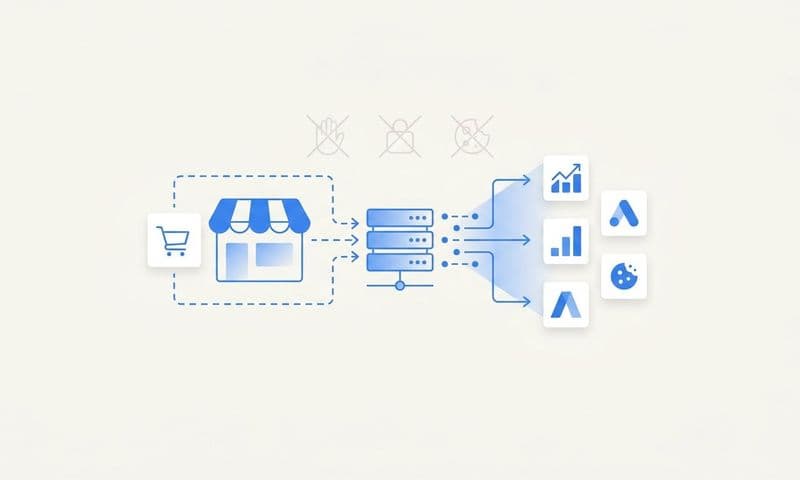
Server-side tracking solves this by capturing events directly from your website or app backend, not from the user's browser. When someone completes a purchase, your server sends that conversion data to your attribution system and ad platforms. No browser script required. No privacy tools can block it.
Setting up server-side tracking requires technical implementation, but the accuracy gain makes it essential for cross platform campaigns. You'll need to configure your website or app to send conversion events from your server to your tracking system. Learn more about achieving accurate cross platform conversion tracking with server-side methods.
For e-commerce sites, this means your checkout system sends purchase events when orders are confirmed. For lead generation, your form submission handler sends lead events when contacts are created. For SaaS products, your application sends signup or subscription events when users convert.
Connect your tracking to your CRM to capture offline conversions and sales data. Many high-value conversions happen outside your website entirely. A prospect might fill out a form, receive follow-up calls, attend demos, and close a deal three weeks later for $50,000.
Your ad platforms need to know about that $50,000 conversion and attribute it back to the original ad click. Server-side tracking from your CRM makes this possible by sending conversion events with the original click ID or user identifier.
Verify your implementation is capturing events that platform pixels miss. Run a comparison test: track conversions through both your pixel and server-side tracking for two weeks. You'll likely see your server-side tracking capture 20-40% more conversions than the pixel alone.
This isn't about inflating numbers. It's about seeing the complete picture. When you know your Google search campaign actually drove 100 conversions instead of the 65 the pixel saw, you can confidently increase your budget.
Server-side tracking also enables conversion sync, where you send enriched conversion data back to ad platforms. This helps platform algorithms optimize better because they're learning from complete, accurate data rather than partial browser-based signals.
Step 4: Connect All Ad Platforms to a Central Attribution System
You've audited your setup, standardized your naming, and implemented server-side tracking. Now comes the part that actually unifies everything: connecting your ad platforms to a central attribution system.
Think of this as building mission control for your marketing. Instead of checking five different dashboards to understand performance, you'll have one system that pulls data from every platform and shows you the complete picture.
Integrate your ad accounts from Meta, Google, TikTok, LinkedIn, and every other platform where you run campaigns. Most modern attribution platforms offer direct API integrations that automatically pull your ad spend, impressions, clicks, and platform-reported conversions. Explore the best cross platform tracking solutions to find the right fit for your needs.
These integrations typically require you to authenticate each ad account and grant read permissions. The attribution system then syncs your campaign data continuously, usually updating every few hours or daily depending on the platform.
Link your website tracking, CRM, and conversion events to the same system. This is where the magic happens. Your attribution platform needs to see both sides of the equation: the marketing activity (ads, clicks, visits) and the business outcomes (leads, sales, revenue).
Your website tracking provides the connection between ad clicks and on-site behavior. Your CRM provides the final conversion data. When these systems connect through your attribution platform, you can finally trace a customer's journey from first ad impression through final purchase.
Configure attribution windows and models that match your actual sales cycle. Attribution windows determine how long after an ad interaction you'll give that ad credit for a conversion. Platform defaults often don't match reality.
If your average sales cycle is 30 days, using a 7-day attribution window means you're missing most of your conversions. B2B companies often need 30-90 day windows. E-commerce might work fine with 7-14 days. Set windows based on your data, not platform defaults.
Choose attribution models that reflect how your channels work together. Last-click attribution gives all credit to the final touchpoint, which undervalues awareness and consideration channels. First-click overvalues top-of-funnel. Linear gives equal credit to all touchpoints.
Multi-touch attribution models like time decay or position-based provide more nuanced insights for cross platform campaigns. They recognize that a customer might see a TikTok ad, click a Google search ad, and convert from a Meta retargeting ad. All three platforms contributed. Learn more about cross platform attribution tracking to choose the right model.
Test that data flows correctly from each platform into your unified dashboard. Launch a small test campaign on each platform with clear UTM parameters. Verify that clicks, conversions, and costs all appear accurately in your attribution system.
Check for common issues: missing conversion data, incorrect cost attribution, duplicate events, or delayed data syncing. Catching these problems now prevents weeks of unreliable reporting later.
Step 5: Set Up Cross Platform Conversion Tracking and Event Mapping
Not all conversions are created equal, and your tracking needs to reflect that. A newsletter signup has different value than a demo request, which has different value than a $10,000 purchase.
Define your key conversion events based on actual business value. Start with the obvious revenue events: purchases, subscriptions, contracts signed. Then add lead quality indicators: demo requests, high-value downloads, qualified form submissions.
For e-commerce, your core events might include: Add to Cart, Initiate Checkout, Purchase, and Repeat Purchase. For B2B SaaS: Lead Capture, Demo Booked, Trial Started, Subscription Created, Expansion Revenue.
Map how each platform tracks these events and normalize the data. Here's where cross platform tracking gets tricky. Meta might call your key conversion "Purchase" while Google calls it "Transaction" and your CRM calls it "Closed Won Deal." If you're struggling with this, our article on why you can't track conversions across multiple platforms addresses common pitfalls.
Create a mapping document that shows how each conversion event appears in each system. When your attribution platform pulls data, it needs to understand that Meta's "Purchase" event, Google's "Transaction" conversion, and your CRM's "Closed Won" status all represent the same business outcome.
Most attribution systems let you create unified event names that map to platform-specific events. You might create a "Purchase" event in your attribution system that pulls from Meta's purchase event, Google's transaction conversion, TikTok's CompletePayment event, and your e-commerce platform's order confirmation.
Configure conversion sync to send accurate data back to ad platforms for optimization. This is one of the most powerful features of proper cross platform tracking. When you capture conversions server-side and through your CRM, you see conversions that platform pixels miss.
Conversion sync sends these additional conversions back to the ad platforms using their server-side APIs. This gives platform algorithms better data to optimize against. Meta's algorithm learns from complete conversion data instead of partial pixel data. Google's Smart Bidding optimizes toward actual revenue instead of estimated conversions.
The result? Better targeting, improved campaign performance, and higher return on ad spend because the platforms are optimizing against real business outcomes.
Create custom events for micro-conversions that indicate campaign health. Not every valuable action is a final conversion. Tracking engagement events helps you understand campaign quality before conversions happen.
Consider tracking: time on site above 2 minutes, multiple page visits, video views above 50%, resource downloads, email signups, and add-to-cart actions. These signals help you identify which campaigns drive engaged traffic even if conversions take time to materialize.
Step 6: Build Your Cross Platform Reporting Dashboard
You've connected everything. Now you need to actually see what's happening across your campaigns in a way that drives decisions.
Select metrics that matter across platforms. Vanity metrics like impressions and reach don't pay the bills. Focus on metrics tied to business outcomes: cost per acquisition, return on ad spend, customer acquisition cost, revenue per campaign, and conversion rate. Understanding how to track marketing ROI across platforms helps you identify the right KPIs.
Choose metrics you can compare fairly across platforms. Cost per lead works across Meta, Google, and LinkedIn. ROAS works for any platform driving revenue. Conversion rate from click to purchase shows efficiency regardless of traffic source.
Create comparison views that show platform performance side by side. Build a dashboard table with platforms as rows and your key metrics as columns. At a glance, you should see which platforms deliver the lowest CPA, highest ROAS, and best conversion rates.
Include time-based comparisons too. Show this week versus last week, this month versus last month, and current performance versus your goals. Trends matter more than snapshots.
Add funnel visualization that shows how each platform performs at each stage. You might discover that TikTok drives cheap clicks but low conversion rates, while LinkedIn drives expensive clicks that convert at 3x the rate. Both insights are valuable but require different optimization approaches.
Set up automated reporting to track trends over time without manual work. Configure your attribution system to send weekly or monthly reports automatically. Include your key metrics, top-performing campaigns, and significant changes from the previous period.
Automated reporting ensures you stay on top of performance without spending hours each week pulling data from multiple platforms. It also creates a historical record you can reference when analyzing long-term trends.
Configure alerts for significant changes in cross platform marketing performance. Set up notifications for: daily spend exceeding budget by 20%, CPA increasing above your target threshold, ROAS dropping below acceptable levels, or conversion volume decreasing by more than 30% day-over-day.
Alerts let you catch problems before they drain your budget. If your Meta campaigns suddenly stop converting, you want to know within hours, not days later when you check your dashboard.
Keep your dashboard focused. It's tempting to track everything, but too many metrics create analysis paralysis. Stick to 5-8 core metrics that directly impact your business goals. You can always drill deeper when needed.
Step 7: Analyze, Optimize, and Scale Based on Unified Data
Having unified tracking means nothing if you don't act on the insights. This is where cross platform data transforms from interesting to profitable.
Use multi-touch attribution to understand how platforms work together in the customer journey. Your unified data now shows you the complete path to conversion, not just the last click.
You might discover that TikTok ads introduce prospects to your brand, Google search captures them when they're researching solutions, and Meta retargeting closes the deal. In a last-click model, Meta gets all the credit. In reality, all three platforms played essential roles.
This insight changes how you allocate budget. Instead of cutting TikTok because it shows low direct conversions, you recognize its value in starting customer journeys and maintain or increase investment. Learn more about how to optimize ad spend across platforms using these insights.
Identify which platform and campaign combinations drive the highest quality conversions. Look beyond volume to quality metrics. Which campaigns drive customers with the highest lifetime value? Which platforms deliver leads that close at the highest rate? Which channels bring customers who stick around longest?
A campaign might drive 100 leads at $50 CPA while another drives 50 leads at $75 CPA. Surface-level analysis favors the first campaign. But if the second campaign's leads close at twice the rate, it actually delivers better ROI.
Your unified tracking reveals these quality differences because it connects ad data to CRM outcomes. You can calculate true customer acquisition cost and lifetime value by traffic source.
Reallocate budget based on actual revenue data rather than platform-reported metrics. This is the payoff for all your tracking work. Instead of trusting Meta's claim that it drove 50 conversions, you know it actually drove 38 conversions worth $45,000 in revenue.
Shift budget from platforms and campaigns with high reported conversions but low verified revenue to those with strong revenue performance. Move money from campaigns with impressive click-through rates but poor conversion quality to campaigns that drive customers who actually buy.
Test budget reallocation gradually. Increase top-performing campaigns by 20-30% while decreasing underperformers by similar amounts. Monitor results for two weeks before making additional changes.
Continuously refine your tracking as you add new campaigns or channels. Cross platform tracking isn't a one-time setup. As you launch new platforms, test new campaign types, or expand to new markets, extend your tracking infrastructure to cover these additions.
Review your naming conventions quarterly to ensure they still serve your needs. Update your conversion event mapping when you add new products or change your sales process. Audit your attribution windows annually to verify they match your current sales cycle.
Putting It All Together
Tracking cross platform campaigns doesn't have to mean juggling multiple dashboards and reconciling conflicting data. By following these seven steps, you now have a framework for unified tracking that shows you exactly which ads and channels drive real revenue.
Start with your audit to understand your current state, build consistent naming conventions, implement server-side tracking for accuracy, and connect everything to a central attribution system. The key is treating this as an ongoing process rather than a one-time setup.
As you add new platforms or campaigns, maintain your naming conventions and verify your tracking captures every touchpoint. Your unified data becomes more valuable over time as you accumulate historical trends and deeper insights into what drives results.
Quick implementation checklist: audit complete, naming conventions documented, server-side tracking live, all platforms connected, conversion events mapped, dashboard built, and optimization process established.
The difference between fragmented tracking and unified attribution is the difference between guessing which campaigns work and knowing with confidence where to invest your next dollar. When you can see the complete customer journey across every platform, you stop wasting budget on channels that look good in their own dashboards but don't actually drive revenue.
You start investing more in the campaigns that truly perform, even when they don't get last-click credit. You catch problems faster when campaigns stop converting. You scale winners with confidence because you trust your data.
Ready to see your cross platform performance in one place? Explore how Cometly connects your ad platforms, CRM, and website to track every customer journey in real time. From first click to final purchase, you'll capture every touchpoint and know exactly which campaigns drive revenue. Get your free demo today and start making data-driven decisions with complete confidence.