

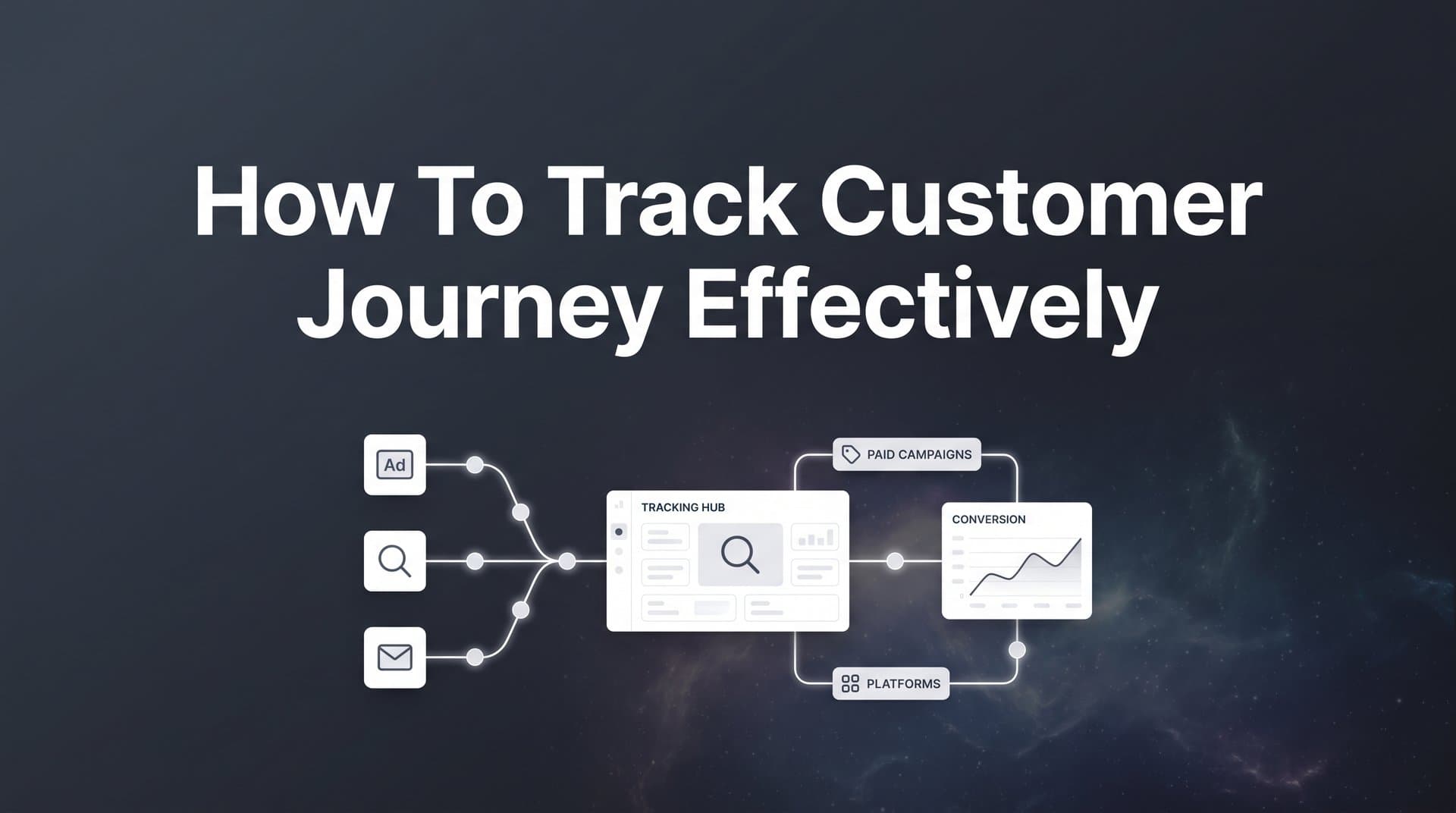
Most marketers know their ads are generating clicks, but the path from that first click to a closed deal remains frustratingly unclear. You might see conversions in your ad platforms, but which touchpoints actually influenced the sale? Did that Facebook ad plant the seed, or was it the Google search two weeks later that sealed the deal?
Without clear visibility into the complete customer journey, you are essentially flying blind with your marketing budget.
This guide walks you through a practical, step-by-step process to track customer journeys effectively across all your marketing channels. You will learn how to connect your data sources, implement proper tracking, and gain the clarity you need to make confident decisions about where to invest your ad spend.
Whether you are running campaigns across Meta, Google, LinkedIn, or multiple platforms simultaneously, these steps will help you see exactly which channels and ads drive real revenue.
Step 1: Map Your Current Customer Touchpoints
Before you can track customer journeys effectively, you need to understand all the places where customers interact with your brand. Think of this as creating a blueprint of your marketing ecosystem.
Start by listing every channel where potential customers encounter your business. This includes paid advertising platforms like Meta, Google Ads, LinkedIn, and TikTok. But do not stop there. Your customer touchpoints extend far beyond paid ads.
Website Interactions: Catalog every way visitors engage with your site. This includes landing pages, blog content, product pages, pricing pages, and contact forms. Each represents a moment where someone chooses to continue their journey with you.
Email Touchpoints: Document your email sequences, newsletters, promotional campaigns, and automated nurture flows. These often play a crucial role in moving prospects toward a purchase decision, yet many marketers fail to connect email engagement back to revenue.
Sales Conversations: Include phone calls, demo requests, sales meetings, and any direct interaction with your team. These high-touch moments frequently serve as the final step before conversion, but they rarely happen in isolation.
Once you have listed all touchpoints, map out the typical paths customers take. Do most people discover you through a Facebook ad, then visit your website, sign up for your email list, and eventually book a demo? Or do they find you through organic search, read several blog posts, and then click a retargeting ad before converting?
The truth is, you probably have multiple common paths. Some customers convert quickly after one or two interactions. Others take weeks or months, engaging with a dozen touchpoints before making a decision.
Now comes the critical part: identify where you currently lose visibility. These gaps are costing you money. Maybe you can see that someone clicked your Google ad, but you cannot tell if they later converted through a different channel. Perhaps you know someone attended a webinar, but you have no idea which ad originally brought them to your site.
Create a visual map showing how these touchpoints connect. You can use a simple flowchart or diagram. The goal is not perfection but clarity. You need to see the complete picture of how customers move through your marketing ecosystem, and more importantly, where your current tracking falls short.
This map becomes your roadmap for the steps ahead. Every gap you identify is an opportunity to gain clarity and make better marketing decisions.
Step 2: Connect Your Ad Platforms and Data Sources
Your customer journey spans multiple platforms, but your data probably lives in separate silos. Meta reports conversions in Ads Manager. Google claims credit in its own dashboard. Your CRM tracks deals, but has no idea which ads influenced them. This fragmentation is the enemy of accurate journey tracking.
The solution is centralization. You need a system that pulls data from all your platforms into one place where you can see the complete story.
Start by integrating your advertising accounts. Connect Meta, Google Ads, LinkedIn Campaign Manager, TikTok Ads, and any other platforms where you run campaigns. The goal is to capture every ad interaction: impressions, clicks, and conversions as reported by each platform.
Here is where it gets interesting. Each ad platform uses its own attribution window and methodology. Meta might claim 100 conversions this month. Google might claim 120. But when you add them up, you only closed 80 actual deals. Who is right?
They are both right from their limited perspective. But neither is telling you the whole truth about the customer journey. That is why centralization matters.
Next, connect your CRM. This is non-negotiable for accurate journey tracking. Your CRM holds the source of truth for revenue: which leads converted, how much they spent, and when they became customers. Without this connection, you are tracking vanity metrics instead of revenue impact.
When you integrate your CRM, you create a bridge between marketing activity and actual business outcomes. Now you can see which ad campaigns generated leads that eventually became paying customers, even if the conversion happened weeks after the initial click. This is essential for tracking customer journey across platforms effectively.
Link your website tracking as well. This captures the middle of the journey, the part between ad click and conversion. You need to know which pages people visit, how long they stay, and what actions they take on your site. This behavioral data reveals intent and helps you understand which content moves people toward conversion.
After connecting everything, verify that data flows correctly. Run a test conversion. Click one of your ads, fill out a form, and watch that event travel through your connected systems. You should see the click in your ad platform, the form submission on your website, and the lead creation in your CRM.
If any link in that chain breaks, you have a tracking gap to fix. These gaps are not just technical annoyances. They represent blind spots in your customer journey visibility, and blind spots lead to bad decisions about where to invest your marketing budget.
Step 3: Implement Server-Side Tracking for Accurate Data
Browser-based tracking is dying. If you are still relying entirely on pixels and cookies that run in the user's browser, you are missing a significant portion of your conversions. This is not a future problem. It is happening right now.
Apple's iOS updates have made it increasingly difficult for browser-based pixels to track conversions accurately. When users opt out of tracking through App Tracking Transparency prompts, your Meta pixel and other browser-based tools lose visibility into their actions. Ad blockers compound the problem, stripping tracking scripts before they can fire.
The result? Your conversion data is incomplete. You think you had 50 conversions this month, but you actually had 75. The missing 25 are invisible to your browser-based tracking, which means you cannot optimize toward them or understand their journey. Understanding what a tracking pixel is and how it works helps you recognize these limitations.
Server-side tracking solves this problem by moving data collection from the user's browser to your server. Instead of relying on pixels that can be blocked or restricted, you capture conversion events on your server and send them directly to ad platforms and analytics tools.
Here is how it works in practice. When someone fills out a form on your website, your server records that conversion event. It then sends that data to Meta, Google, and your analytics platform through server-to-server connections that cannot be blocked by iOS restrictions or ad blockers.
This approach captures conversions that browser-based tracking misses. Someone might opt out of tracking on their iPhone, but when they submit a form, your server still records that conversion and attributes it to the correct marketing source.
Setting up server-side tracking requires some technical implementation, but the accuracy gains are worth it. You need to configure your server to capture conversion events, set up the appropriate API connections to your ad platforms, and ensure you are collecting first-party data in compliance with privacy regulations.
First-party data collection is crucial here. You are collecting data directly from your customers through your owned properties, not relying on third-party cookies that track people across the web. This approach is more privacy-friendly and more resilient to future platform changes.
After implementing server-side tracking, test everything thoroughly. Submit test conversions and verify they appear in your ad platforms and analytics tools. Compare your server-side conversion counts to your browser-based pixel data. You will likely see a significant increase in tracked conversions, revealing how much you were missing before.
This is not about inflating your numbers. It is about seeing the complete picture. Every missed conversion represents a customer journey you could not analyze and optimize. Server-side tracking brings those invisible journeys into focus.
Step 4: Choose the Right Attribution Model for Your Business
Now that you are capturing complete journey data, you need to decide how to assign credit for conversions. This is where attribution models come into play, and choosing the wrong one can lead you to dramatically misunderstand which marketing efforts drive results.
Let's break down the main approaches and when each makes sense for your business.
First-Touch Attribution: This model gives all credit to the first touchpoint in the customer journey. If someone clicked your Facebook ad three months ago, then engaged with five other channels before converting, Facebook gets 100% of the credit. This model helps you understand which channels are best at generating initial awareness, but it completely ignores everything that happened afterward. It works well if you have a very short sales cycle where people typically convert immediately after discovery.
Last-Touch Attribution: The opposite approach. All credit goes to the final touchpoint before conversion. If someone clicked a Google ad right before purchasing, Google gets 100% credit even if they discovered you through a LinkedIn campaign two months earlier. This model shows you which channels close deals, but it overlooks the nurturing that happened along the way. It makes sense for businesses where the last interaction truly drives the decision.
Linear Attribution: This model spreads credit evenly across all touchpoints in the journey. If someone had six interactions before converting, each touchpoint gets equal credit. This approach acknowledges that multiple channels contribute to conversions, but it assumes every touchpoint has equal impact, which is rarely true in practice.
Multi-Touch Attribution: This is where things get sophisticated. Multi-touch models assign different weights to different touchpoints based on their position in the journey and their actual influence on the conversion. Some versions give more credit to touchpoints closer to conversion. Others use data-driven approaches that analyze thousands of customer journeys to determine which touchpoints statistically correlate with higher conversion rates. For a deeper dive, explore understanding customer journey attribution.
So which model should you use? The answer depends on your sales cycle and buying complexity.
If you sell low-cost products with impulse purchases, last-touch attribution might give you actionable insights. People see your ad, click, and buy. The journey is simple.
But if you have a longer sales cycle with multiple decision-makers and research phases, you need multi-touch attribution. Your customers interact with your brand dozens of times before converting. Giving all credit to one touchpoint would be misleading.
Here is the powerful part: you do not have to choose just one model. The best attribution platforms let you view the same data through multiple attribution lenses. You can see how your channels perform under first-touch, last-touch, and multi-touch models simultaneously. This multi-perspective view helps you understand both which channels generate awareness and which ones close deals.
Set up your attribution platform to support this flexibility. You want to analyze your customer journey data through different models and see how the story changes. This reveals a more complete picture than any single model can provide.
Step 5: Sync Conversion Data Back to Ad Platforms
You have connected your data sources and implemented accurate tracking. Now it is time to close the loop by sending enriched conversion data back to your ad platforms. This step transforms your tracking from a reporting tool into an optimization engine.
Ad platforms like Meta and Google use machine learning to optimize your campaigns. They analyze which audiences, placements, and creative variations drive conversions, then automatically adjust your campaigns to show ads to people most likely to convert. But here is the catch: these algorithms are only as good as the data you feed them.
When you rely solely on browser-based pixels, ad platforms receive incomplete conversion data. They miss conversions blocked by iOS restrictions and ad blockers. Even worse, they only see immediate conversions, not the leads that convert days or weeks later through your CRM.
Conversion sync solves this by sending complete, enriched conversion events back to ad platforms through server-side connections. You are feeding the algorithms better data, which leads to better optimization and improved campaign performance over time.
Here is what enriched conversion data looks like in practice. Someone clicks your Meta ad, fills out a lead form, and enters your CRM. Two weeks later, your sales team closes the deal for $5,000. With basic pixel tracking, Meta only knows about the initial lead form submission. With conversion sync, you send Meta the closed deal event, including the revenue value.
Now Meta's algorithm knows that this specific audience segment, creative, and placement combination led to a $5,000 customer. It can optimize toward similar high-value conversions instead of just optimizing for lead volume.
Configure your conversion sync to include offline conversions and CRM events. These are the conversions that happen outside the browser: phone calls that turn into deals, in-person meetings, contract signatures. Ad platforms need this data to understand the full impact of their campaigns. This approach enables end to end customer journey tracking that captures every conversion point.
The same principle applies to Google Ads, LinkedIn, and other platforms. Send them complete conversion data, including revenue values and offline events. You are essentially training their algorithms to find more customers like your best customers.
Monitor how better data improves performance over time. You should see your cost per acquisition decrease and your return on ad spend increase as platforms optimize toward complete conversion data instead of partial signals. This is not magic. It is simply giving machine learning algorithms the accurate information they need to do their job effectively.
Step 6: Analyze Journeys and Optimize Based on Insights
You have built a comprehensive tracking system. Now comes the payoff: using customer journey insights to make smarter marketing decisions and scale what works.
Start by reviewing customer journey reports regularly. Look for patterns in how your best customers found you and what touchpoints they engaged with before converting. You might discover that your highest-value customers typically interact with three specific pieces of content before requesting a demo. Or you might find that people who engage with both Meta and Google ads convert at twice the rate of those who only see one channel.
These patterns reveal your most effective paths to conversion. Double down on them. If you notice that customers who read a specific blog post are 3x more likely to convert, promote that content more aggressively. If LinkedIn ads consistently appear early in high-value customer journeys, increase your LinkedIn budget.
Here is where multi-touch attribution becomes invaluable. You can see which channels contribute most to revenue, not just which ones get the last click. Maybe your Google Search ads get credit for most last-click conversions, but your Meta campaigns are actually introducing most of those customers to your brand in the first place. Without journey-level visibility, you might cut Meta spending and wonder why your Google conversions drop. Learn more about what customer journey analytics can reveal about your marketing performance.
Use AI-powered recommendations to identify scaling opportunities you might miss manually. Modern attribution platforms analyze thousands of customer journeys to spot patterns that are not obvious from surface-level metrics. They might notice that customers who engage with a specific ad creative combination across two channels convert at higher rates, or that certain audience segments have unusually high lifetime value.
These insights help you make confident decisions about budget allocation. Instead of guessing which campaigns to scale, you have data showing which marketing investments drive actual revenue growth. Knowing how to track ad spend effectively ensures every dollar is accounted for in your analysis.
Establish a regular review cadence to continuously refine your marketing mix. Weekly, review your top-performing campaigns and customer journey paths. Monthly, analyze longer-term trends and make strategic budget shifts. Quarterly, step back and evaluate your overall marketing strategy based on cumulative journey insights.
The goal is not to achieve perfect attribution or track every single micro-interaction. The goal is to have enough visibility into customer journeys that you can make informed decisions about where to invest your marketing budget. You want to know with reasonable confidence which channels drive revenue, which touchpoints influence conversions, and where you should focus your optimization efforts.
This ongoing analysis and optimization cycle is what separates effective customer journey tracking from simply collecting data. Data without action is just noise. Insights that drive better marketing decisions create real business value.
Your Path to Complete Journey Visibility
Tracking customer journeys effectively is not about collecting more data. It is about connecting the right data to see the complete picture from first ad click to closed revenue.
By following these six steps, you now have a framework to map touchpoints, connect your platforms, implement accurate tracking, choose appropriate attribution models, sync data back to ad platforms, and continuously optimize based on real insights.
Your next step is to audit your current tracking setup and identify the biggest gaps. Start with Step 1 today by documenting every channel where customers interact with your brand. Once you have that map, you will know exactly where to focus your tracking improvements.
The difference between guessing and knowing where your revenue comes from is the difference between wasting budget and scaling profitably. Every gap in your journey tracking represents money left on the table and opportunities missed.
Ready to see your complete customer journey in one place? Cometly connects your ad platforms, CRM, and website to track every touchpoint in real time. From ad clicks to CRM events, you get a complete, enriched view of every customer journey. Our AI identifies high-performing ads and campaigns across every channel, then feeds enriched conversion data back to Meta, Google, and other platforms to improve targeting and ROI.
Ready to elevate your marketing game with precision and confidence? Discover how Cometly's AI-driven recommendations can transform your ad strategy. Get your free demo today and start capturing every touchpoint to maximize your conversions.



