How to Track Marketing Campaigns: A Complete Guide to Attribution and ROI Measurement
You're managing a $50,000 monthly marketing budget spread across Facebook, Google Ads, LinkedIn, TikTok, and email campaigns. Every platform dashboard shows different numbers. Facebook claims 100 conversions. Google says 80. LinkedIn reports 45. But when you check your actual sales data, you closed 120 deals last month.
Your CEO asks a simple question: "Which campaigns actually make us money?"
You can't answer. Not with confidence, anyway.
This isn't just frustrating—it's expensive. Without knowing which campaigns drive real revenue, you're making budget decisions based on incomplete data. You might be cutting your best-performing campaigns while scaling the ones that barely contribute to your bottom line.
The problem isn't that you lack data. It's that your data doesn't connect. Your ad platforms track clicks and conversions. Your website analytics shows visitor behavior. Your CRM holds sales data. But these systems don't talk to each other, leaving you with a fragmented view of what's actually working.
In 2025, this attribution gap has only gotten worse. iOS privacy changes, cookie deprecation, and browser tracking restrictions have reduced visibility across the customer journey. Meanwhile, your customers interact with your brand across multiple devices and platforms before buying, making it nearly impossible to connect the dots manually.
This guide walks you through building a complete tracking system that finally provides answers. You'll learn how to connect every touchpoint—from first ad impression to final sale—so you can see which campaigns truly drive revenue, not just vanity metrics. By the end, you'll have a tracking foundation that shows exactly where to invest your budget for maximum return.
Let's walk through how to build this system step-by-step.
Step 1: Set Up First-Party Tracking Infrastructure
Before you can track which campaigns drive revenue, you need a reliable system that captures visitor data from the moment someone clicks your ad. This foundation determines everything that follows.
Most marketers rely entirely on platform pixels (Facebook Pixel, Google Analytics, LinkedIn Insight Tag). While these tools provide valuable data, they have critical limitations. Browser tracking restrictions, ad blockers, and privacy regulations reduce their accuracy by 20-40%. When iOS users opt out of tracking, Facebook loses visibility into their journey entirely.
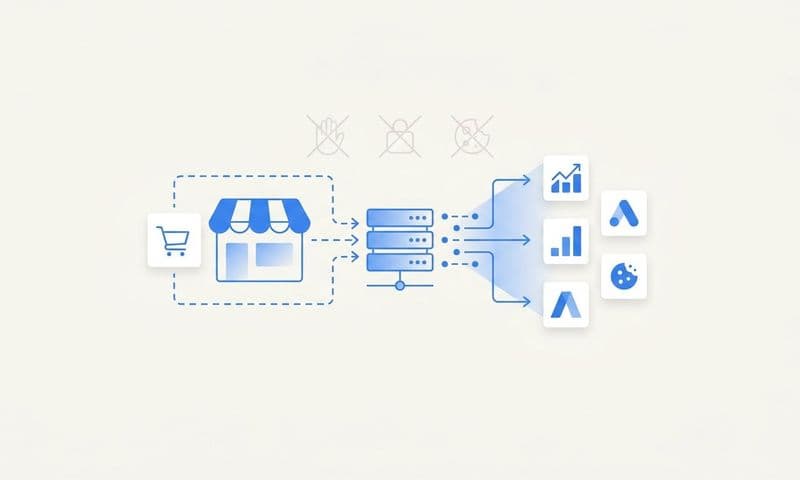
First-party tracking solves this by capturing data directly on your server before it reaches third-party platforms. When someone clicks your ad, your tracking system logs their source, campaign details, and behavior—regardless of browser settings or privacy restrictions.
Here's how to implement it:
Install a server-side tracking solution. Tools like attribution software capture visitor data at the server level, bypassing browser-based limitations. This creates a reliable record of every visitor, even when client-side tracking fails.
The setup process typically involves adding a tracking script to your website header and configuring your server to log incoming traffic data. Most modern tracking platforms provide step-by-step installation guides that take 15-30 minutes to complete.
Implement UTM parameter standards. UTM parameters are tags you add to your campaign URLs that identify the traffic source. Without consistent UTM standards, your tracking data becomes unusable.
Create a naming convention document that specifies exactly how to structure UTMs for every campaign type. For example:
- utm_source: The platform (facebook, google, linkedin)
- utm_medium: The campaign type (cpc, email, social)
- utmcampaign: The specific campaign name (springsale_2025)
- utmcontent: The ad variation (videoa, carousel_b)
- utm_term: The keyword or audience (retargeting, lookalike)
Share this document with everyone who creates campaigns. Inconsistent UTM usage—like mixing "Facebook" and "facebook" or "cpc" and "CPC"—fragments your data and makes analysis impossible.
Configure cross-domain tracking. If your customer journey spans multiple domains (like moving from yoursite.com to checkout.yoursite.com or a third-party payment processor), you need cross-domain tracking to maintain visitor identity.
Without this, the same visitor appears as two different people in your analytics, breaking attribution. Most tracking platforms offer cross-domain configuration options that preserve visitor IDs across domain transitions.
Set up conversion tracking for all key actions. Define what constitutes a conversion for your business—form submissions, purchases, demo requests, phone calls, or trial signups. Then implement tracking code that fires when these actions occur.
For e-commerce, this means tracking the purchase confirmation page and passing transaction details (order value, product IDs, quantity). For lead generation, it means tracking form submissions and capturing lead information. For SaaS, it means tracking trial signups and account activations.
Test each conversion event thoroughly before launching campaigns. Submit test forms, complete test purchases, and verify that your tracking system captures the data correctly.
Enable enhanced measurement features. Modern tracking platforms offer enhanced measurement that automatically captures scroll depth, video engagement, file downloads, and outbound clicks without additional code.
Enable these features to understand how visitors engage with your content beyond basic pageviews. This context helps you identify which campaigns drive quality traffic versus visitors who bounce immediately.
Once your tracking infrastructure is live, verify it's working correctly by clicking through your own ads and confirming that your system captures the source data, records your journey through the site, and logs conversions properly. This validation step prevents weeks of collecting unreliable data.
Step 2: Connect Your Ad Platforms to Your Analytics System
Your tracking infrastructure captures visitor behavior, but it doesn't automatically know how much you spent on each campaign or what happened inside your ad platforms. Connecting your ad accounts to your analytics system creates a complete picture of campaign performance.
Without these connections, you're manually exporting data from each platform, copying it into spreadsheets, and trying to match it with your website analytics. This process is time-consuming, error-prone, and always outdated by the time you finish.
Here's how to automate these connections:
Connect Facebook Ads Manager. Most analytics platforms offer direct integrations with Facebook's Marketing API. This connection automatically imports your ad spend, impressions, clicks, and facebook ads attribution data into your tracking system.
The integration typically requires authorizing your analytics platform to access your Facebook ad account. Once connected, your system pulls fresh data every few hours, ensuring your reports always reflect current performance.
For agencies running facebook ads for clients, you can connect multiple ad accounts under a single tracking dashboard, making it easy to monitor all client campaigns from one interface.
Integrate Google Ads. Similar to Facebook, Google Ads offers API access that lets your analytics platform import campaign data automatically. This connection brings in search campaign performance, display ad metrics, YouTube ad data, and shopping campaign results.
The integration captures keyword-level data, showing exactly which search terms drive conversions and revenue. This granularity helps you optimize bids and pause underperforming keywords based on actual business results, not just Google's conversion tracking.
Link LinkedIn Campaign Manager. For B2B marketers, LinkedIn often drives high-value leads despite higher costs per click. Connecting LinkedIn Campaign Manager imports your sponsored content performance, InMail campaign results, and lead gen form submissions.
This integration is particularly valuable because LinkedIn's native analytics don't show revenue attribution. By connecting it to your tracking system, you can see which LinkedIn campaigns drive actual sales, not just lead form fills.
Connect TikTok Ads Manager. TikTok's growing importance for e-commerce and DTC brands makes this integration essential. The connection imports your TikTok ad spend, video view metrics, and conversion data from TikTok Pixel.
Because TikTok users often browse on mobile and convert later on desktop, proper attribution requires tracking that connects these cross-device journeys. Your integrated system can attribute desktop conversions back to the original TikTok ad view on mobile.
Integrate email marketing platforms. Connect your email service provider (Mailchimp, Klaviyo, HubSpot) to track how email campaigns contribute to conversions. This integration imports email send data, open rates, click rates, and most importantly, which emails led to purchases.
Email often plays an assist role in the customer journey—someone might click your Facebook ad, leave without buying, then convert after receiving an email. Without email integration, you'd only see the Facebook ad and miss email's contribution.
Link your CRM system. For businesses with longer sales cycles, CRM integration is critical. Connecting Salesforce, HubSpot, or Pipedrive lets you track which marketing campaigns generate opportunities, not just leads.
This connection reveals that some campaigns generate many leads but few opportunities, while others generate fewer leads that convert at higher rates. This insight helps you optimize for quality over quantity.
Connect payment processors and e-commerce platforms. For e-commerce businesses, integrating Shopify, WooCommerce, or Stripe ensures your tracking system captures actual transaction data, including order values, product details, and customer lifetime value.
This integration is the final piece that connects ad clicks to revenue. Without it, you're guessing at ROI based on estimated conversion values rather than actual transaction data.
After connecting all platforms, verify that data flows correctly by checking that your dashboard shows recent ad spend, conversions match across systems, and revenue data appears accurately. Most integration issues surface immediately if you check within 24 hours of setup.
Step 3: Implement Multi-Touch Attribution Modeling
Now that your tracking captures every touchpoint and your platforms are connected, you need attribution modeling to determine which campaigns deserve credit for conversions. This is where most marketers get stuck because attribution isn't straightforward.
A typical customer journey might look like this: Someone sees your Facebook ad but doesn't click. Three days later, they search your brand name on Google and visit your site. They leave without converting. A week later, they click a retargeting ad, browse your products, and abandon their cart. Finally, they receive an abandoned cart email and complete the purchase.
Which campaign drove that sale? Facebook introduced your brand. Google search showed intent. Retargeting brought them back. Email closed the deal. They all contributed, but platform analytics only show last-click attribution—giving 100% credit to the email.
Multi-touch attribution distributes credit across all touchpoints based on their actual influence. Here's how to implement it:
Choose an attribution model that matches your business. Different models distribute credit differently. Understanding each helps you select the right approach:
Last-click attribution gives 100% credit to the final touchpoint before conversion. This model is simple but ignores everything that happened earlier in the journey. It's only appropriate for very short sales cycles where customers convert immediately.
First-click attribution gives 100% credit to the first touchpoint. This model helps you understand which campaigns generate awareness but ignores everything that happens afterward. It's useful for top-of-funnel analysis but terrible for optimization.
Linear attribution distributes credit equally across all touchpoints. If someone had five interactions before converting, each gets 20% credit. This model is fair but doesn't account for the fact that some touchpoints are more influential than others.
Time-decay attribution gives more credit to touchpoints closer to conversion. The theory is that recent interactions matter more than older ones. This model works well for businesses where the final touchpoints are most influential in closing deals.
Position-based attribution (also called U-shaped) gives 40% credit to the first touchpoint, 40% to the last touchpoint, and distributes the remaining 20% among middle interactions. This model recognizes that introduction and close are most important.
Data-driven attribution uses machine learning to analyze thousands of customer journeys and determine which touchpoints actually influence conversions. This is the most accurate model but requires significant data volume (typically 3,000+ conversions per month).
For most businesses, position-based attribution provides the best balance of accuracy and simplicity. It recognizes the importance of both awareness and closing touchpoints while still crediting the middle of the journey.
Configure your attribution window. The attribution window determines how far back your system looks when assigning credit. If someone clicks your ad today but converts 45 days later, does that ad get credit?
Your attribution window should match your typical sales cycle. For e-commerce with impulse purchases, a 7-day click window and 1-day view window works well. For B2B with 60-day sales cycles, you might need a 90-day click window.
Setting windows too short means you miss conversions that happen after the window closes. Setting them too long means you credit campaigns for conversions they didn't actually influence. Analyze your time-to-conversion data to find the right balance.
Implement view-through attribution for display and social campaigns. View-through attribution credits campaigns when someone sees your ad but doesn't click, then converts later through another channel.
This is particularly important for brand awareness campaigns and display advertising, where most impressions don't generate immediate clicks but still influence future behavior. Without view-through attribution, these campaigns appear to have zero value.
Set a shorter attribution window for views than clicks—typically 1-7 days. Someone who saw your ad six weeks ago probably isn't converting because of that impression.
Set up cross-device attribution. Modern customers research on mobile, compare options on tablet, and purchase on desktop. Without cross-device attribution, these appear as three different people, breaking your attribution model.
Cross-device attribution requires user identification—typically through login systems, email addresses, or probabilistic matching based on behavior patterns. Most advanced marketing attribution software includes cross-device tracking that connects these journeys automatically.
Create custom attribution rules for your specific funnel. Some touchpoints in your funnel deserve special treatment. For example, if someone attends your webinar, that might be more influential than a regular website visit.
Configure custom rules that give appropriate weight to high-intent actions like demo requests, consultation bookings, or free trial starts. These actions signal strong buying intent and should receive more credit than passive touchpoints.
Test your attribution model with historical data. Before fully committing to an attribution model, test it against historical data to see if the results make sense. Run reports comparing different models to understand how they distribute credit differently.
If your position-based model shows that a campaign you know performs well is getting zero credit, something's wrong with your configuration. Use these tests to refine your model before making budget decisions based on it.
Remember that attribution models are frameworks, not absolute truth. They help you make better decisions, but no model perfectly captures reality. The goal is directional accuracy that improves your optimization, not mathematical perfection.
Step 4: Build Revenue-Focused Reporting Dashboards
Your tracking system captures data, your platforms are connected, and your attribution model assigns credit. Now you need dashboards that turn this data into actionable insights. Without proper reporting, all that tracking infrastructure goes to waste.
Most marketers make the mistake of building dashboards that show vanity metrics—impressions, clicks, click-through rates, cost per click. These metrics matter, but they don't answer the question your CEO asked: "Which campaigns make us money?"
Revenue-focused dashboards prioritize business outcomes over platform metrics. Here's how to build them:
Start with a campaign performance overview. Your main dashboard should show all active campaigns with their key metrics in a single view. Include columns for ad spend, attributed revenue, return on ad spend (ROAS), cost per acquisition (CPA), and conversion count.
Sort this table by attributed revenue by default. This immediately highlights which campaigns drive the most business value, not just the most traffic. You can quickly spot campaigns that spend heavily but generate little revenue—prime candidates for optimization or pause.
Add color coding that flags campaigns below your target ROAS in red and campaigns exceeding targets in green. This visual system lets you assess performance at a glance without reading every number.
Create a channel comparison view. Build a dashboard that compares performance across channels—Facebook vs. Google vs. LinkedIn vs. Email. This view answers questions like "Should we shift budget from Facebook to Google?"
Include metrics for total spend, total revenue, ROAS, CPA, and conversion rate for each channel. Add trend lines showing how each channel's performance has changed over the past 30, 60, and 90 days.
This comparison often reveals surprising insights. You might discover that LinkedIn has a higher CPA but generates customers with 3x higher lifetime value, making it more profitable long-term despite appearing expensive on a CPA basis.
Build a customer journey analysis dashboard. This dashboard shows the typical path customers take before converting. It reveals how many touchpoints are involved, which channels appear most frequently, and where customers enter and exit your funnel.
Visualize common journey patterns—like "Facebook Ad → Website Visit → Retargeting Ad → Email → Purchase." Understanding these patterns helps you optimize the entire journey, not just individual campaigns.
For example, if you notice that customers who engage with email after clicking ads convert at 5x higher rates, you might create automatic email sequences triggered by ad clicks to accelerate conversions.
Set up a real-time performance monitor. Create a dashboard that updates hourly with current campaign performance. This real-time view helps you catch issues quickly—like a campaign that's spending rapidly but generating no conversions.
Include alerts that notify you when campaigns exceed spend thresholds without conversions, when ROAS drops below acceptable levels, or when conversion rates suddenly change. These alerts let you respond to problems within hours instead of discovering them days later.
Design an executive summary dashboard. Your CEO doesn't need to see every campaign detail. Build a high-level dashboard that shows total marketing spend, total attributed revenue, overall ROAS, and how these metrics trend over time.
Add context that explains performance changes—like "ROAS decreased 15% this month due to increased investment in prospecting campaigns that haven't fully matured yet." This context prevents misinterpretation of normal fluctuations.
Create campaign-specific deep-dive reports. For your most important campaigns, build detailed reports that break down performance by audience, ad creative, placement, device, and time of day.
These reports help you optimize within campaigns by identifying which specific elements drive results. You might discover that mobile users convert at half the rate of desktop users, suggesting you should adjust bids by device or improve your mobile experience.
Implement cohort analysis for subscription businesses. If you run a subscription or SaaS business, create cohort reports that track customer lifetime value by acquisition source. This shows which campaigns generate customers who stick around versus those who churn quickly.
A campaign might have a great first-month ROAS but terrible 12-month ROAS if customers churn rapidly. Cohort analysis reveals these patterns so you can optimize for long-term value, not just initial conversions.
Build automated reporting schedules. Set up automated reports that email stakeholders weekly or monthly summaries. These reports should highlight key changes, flag issues requiring attention, and celebrate wins.
Automated reporting ensures everyone stays informed without requiring them to log into dashboards constantly. It also creates a historical record of performance that's useful for year-over-year comparisons and trend analysis.
When designing dashboards, prioritize clarity over comprehensiveness. A dashboard with 50 metrics is overwhelming and unused. A dashboard with 8 key metrics that clearly show what's working gets checked daily and drives action.
Step 5: Optimize Campaigns Based on Attribution Data
You've built the tracking infrastructure, connected your platforms, implemented attribution modeling, and created dashboards. Now comes the payoff: using this data to make smarter budget decisions that improve your marketing ROI.
This is where attribution tracking transforms from a reporting exercise into a profit driver. Here's how to optimize based on your attribution data:
Identify underperforming campaigns and reallocate budget. Review your campaign performance dashboard and identify campaigns with ROAS below your target threshold. These campaigns are burning budget without generating proportional returns.
Before pausing them entirely, investigate why they're underperforming. Check if the issue is targeting, creative, offer, or landing page experience. Sometimes a simple creative refresh or audience adjustment turns an underperformer into a winner.
If optimization doesn't improve performance within two weeks, pause the campaign and reallocate that budget to your top performers. Your attribution data shows exactly which campaigns deserve more investment.
Scale winning campaigns strategically. When you identify campaigns with strong ROAS, the temptation is to immediately 10x the budget. Resist this urge. Campaigns that work at $1,000/day don't always work at $10,000/day.
Scale winning campaigns gradually—increasing budget by 20-30% every few days while monitoring performance. This approach lets you find the point where additional spend maintains acceptable returns without oversaturating your audience.
Your attribution data helps you spot when scaling stops working. If ROAS drops significantly as you scale, you've hit the campaign's ceiling and should look for new opportunities rather than forcing more budget into saturated channels.
Optimize the customer journey based on touchpoint analysis. Review your customer journey dashboard to identify where people drop off. If you notice that people who click ads but don't receive follow-up emails convert at much lower rates, implement automated email sequences triggered by ad clicks.
If your attribution data shows that customers who engage with multiple touchpoints convert at higher rates, create retargeting campaigns that re-engage people who visited but didn't convert. Add them to email nurture sequences. Show them social proof and testimonials.
The goal is to guide more people through the high-converting journey patterns your attribution data has identified.
Adjust attribution credit to improve platform optimization. Facebook and Google's algorithms optimize based on the conversion data you send them. If you're only sending last-click conversions, these platforms don't know about their role in assisted conversions.
Many attribution platforms let you send attributed conversion data back to ad platforms. This helps Facebook and Google understand their true impact and optimize more effectively. When Facebook knows it assisted in a conversion even though someone converted through another channel, it can find more people likely to follow similar paths.
Test new channels based on attribution insights. Your attribution data might reveal that certain customer segments convert better through specific channels. If you notice that enterprise customers often discover you through LinkedIn but convert through direct traffic, that suggests LinkedIn is driving brand awareness even without last-click conversions.
This insight justifies testing more LinkedIn campaigns focused on brand awareness rather than direct response. Without attribution data, you might have concluded LinkedIn doesn't work because it shows few last-click conversions.
Optimize creative based on assisted conversion data. Some ad creatives drive immediate clicks and conversions. Others build awareness that leads to conversions later through other channels. Attribution data reveals which creatives excel at each role.
You might discover that video ads rarely generate last-click conversions but appear frequently in the customer journey before conversion. This suggests video ads are effective for awareness and should be evaluated on assisted conversions, not direct conversions.
Use this insight to build creative strategies where video ads target cold audiences for awareness, while direct response ads target warm audiences for conversion.
Refine your attribution model based on results. As you use attribution data to optimize campaigns, pay attention to whether your decisions improve overall performance. If campaigns that look good in your attribution model don't actually drive business growth, your model needs adjustment.
Experiment with different attribution windows, weighting schemes, and models. Compare attributed results to actual business outcomes. Refine your model until it reliably identifies campaigns that drive real growth.
Create feedback loops between attribution insights and campaign strategy. Schedule weekly optimization sessions where you review attribution data and make campaign adjustments. Document what you change and why, then track whether those changes improve performance.
This systematic approach to optimization compounds over time. Each week, you make small improvements based on attribution insights. After months of consistent optimization, your campaigns perform dramatically better than when you started.
The key is treating attribution data as a guide for continuous improvement, not a one-time analysis. Markets change, audiences evolve, and competitors adjust their strategies. Regular optimization based on current attribution data keeps your campaigns effective as conditions shift.
Common Tracking Mistakes and How to Avoid Them
Even with proper tracking infrastructure, most marketers make critical mistakes that undermine their attribution accuracy. These errors lead to misallocated budgets, incorrect optimization decisions, and wasted ad spend. Here's how to avoid the most common tracking pitfalls:
Mistake: Inconsistent UTM parameter usage across teams. When different team members create campaigns with different UTM naming conventions, your data becomes fragmented and unusable. You end up with "Facebook", "facebook", "FB", and "fb" all appearing as separate sources in your reports.
Solution: Create a UTM parameter naming convention document and require everyone to use it. Build a UTM builder tool that automatically generates properly formatted URLs. Review campaign URLs before launch to catch inconsistencies.
Some teams use URL shorteners that strip UTM parameters, breaking tracking entirely. If you must use shortened URLs, choose services that preserve UTM parameters or add them after the redirect.
Mistake: Not tracking offline conversions. If customers can call your business, visit a physical location, or convert through offline channels, failing to track these conversions creates a massive blind spot in your attribution.
Solution: Implement call tracking that assigns unique phone numbers to different campaigns. When someone calls, your system logs which campaign drove that call. For physical locations, use unique promo codes or ask customers how they heard about you, then manually log this data.
Connect your offline conversion data to your attribution platform so you can see the complete picture of which campaigns drive both online and offline results.
Mistake: Ignoring view-through conversions entirely. Many marketers only track click-through conversions, missing the significant impact of display ads, video ads, and social media impressions that don't generate immediate clicks.
Solution: Implement view-through attribution with appropriate windows (typically 1-7 days). This reveals the true value of awareness campaigns that influence conversions without generating last clicks.
Be careful not to over-credit view-through conversions by using windows that are too long. Someone who saw your ad two months ago probably isn't converting because of that impression.
Mistake: Not excluding internal traffic from tracking. If your team frequently visits your website to check campaigns, create content, or test features, this internal traffic pollutes your data and skews your metrics.
Solution: Set up IP address filters that exclude your office, remote team members, and agency partners from tracking. Most analytics platforms offer built-in IP exclusion features. Update these filters whenever team members' IP addresses change.
For team members with dynamic IP addresses, create a special URL parameter (like ?internal=true) that triggers tracking exclusion when present.
Mistake: Failing to track micro-conversions. Most businesses only track final conversions like purchases or lead form submissions. This ignores valuable signals like email signups, content downloads, video views, and demo requests that indicate buying intent.
Solution: Define and track micro-conversions that represent progress toward your main conversion goal. These signals help you understand which campaigns drive engagement even when they don't immediately generate sales.
Micro-conversion data also helps you optimize campaigns faster. Instead of waiting weeks for enough purchase conversions to assess performance, you can evaluate campaigns based on micro-conversions within days.
Mistake: Not testing tracking implementation before launching campaigns. Many marketers set up tracking, assume it works, and launch campaigns—only to discover weeks later that their tracking was broken the entire time.
Solution: Test every tracking element before launching campaigns. Click through your own ads, complete test conversions, and verify that your system captures all data correctly. Check that UTM parameters appear in your analytics, conversion events fire properly, and revenue data flows accurately.
Set up automated alerts that notify you if tracking stops working. If your system normally records 100+ events daily and suddenly records zero, something broke.
Mistake: Using attribution windows that don't match your sales cycle. E-commerce businesses with 3-day sales cycles using 90-day attribution windows will over-credit campaigns. B2B businesses with 60-day sales cycles using 7-day windows will under-credit campaigns.
Solution: Analyze your time-to-conversion data to understand your typical sales cycle. Set attribution windows that capture most conversions without being so long that they credit campaigns for conversions they didn't influence.
For businesses with multiple product lines or customer segments with different sales cycles, consider using different attribution windows for each segment.
Mistake: Not accounting for seasonality in attribution analysis. Comparing December performance (with holiday shopping) to February performance (post-holiday slump) without considering seasonality leads to incorrect conclusions about campaign effectiveness.
Solution: Compare performance to the same period last year rather than the previous month. Track year-over-year growth rates that account for seasonal patterns. Build seasonality factors into your forecasting and goal-setting.
If you're a new business without historical data, research industry seasonality patterns to set realistic expectations for different times of year.
Mistake: Trusting platform-reported conversions without verification. Facebook, Google, and other platforms have incentives to report high conversion numbers. Their tracking often conflicts with your actual sales data because they use different attribution models and windows.
Solution: Always verify platform-reported conversions against your actual business results. If Facebook claims 200 conversions but you only closed 150 deals, investigate the discrepancy. Your attribution system should reconcile these differences and provide a single source of truth.
Use platform data for optimization within platforms, but use your attribution system for budget allocation decisions across platforms.
Avoiding these mistakes ensures your tracking data accurately reflects reality, enabling confident optimization decisions that improve marketing ROI.
Advanced Attribution Techniques for Complex Funnels
Basic attribution works well for simple funnels where customers see an ad and convert quickly. But if you run a complex business with long sales cycles, multiple product lines, or intricate customer journeys, you need advanced attribution techniques to understand what's really working.
Implement incrementality testing to validate attribution accuracy. Attribution models show correlation between campaigns and conversions, but correlation doesn't prove causation. Incrementality testing reveals whether campaigns actually cause conversions or just correlate with them.
Run geo-holdout tests where you pause campaigns in specific regions while continuing them in others. Compare conversion rates between test and control regions. If conversions drop significantly in regions where you paused campaigns, those campaigns were driving incremental results.
If conversions stay roughly the same, your attribution model was over-crediting those campaigns for conversions that would have happened anyway. This insight helps you avoid wasting budget on campaigns that look good in attribution reports but don't actually drive incremental growth.
Use cohort analysis to track long-term campaign value. For subscription businesses, SaaS companies, and any business where customer lifetime value matters more than initial conversion value, cohort analysis is essential.
Track customers acquired through each campaign over time. Calculate their retention rates, expansion revenue, and total lifetime value. You might discover that campaigns with mediocre first-month ROAS generate customers who stick around for years, making them highly profitable long-term.
Conversely, campaigns with great initial ROAS might generate customers
Ready to elevate your marketing game with precision and confidence? Discover how Cometly's AI-driven recommendations can transform your ad strategy—**Get your free demo** today and start capturing every touchpoint to maximize your conversions.