How to Track Offline Conversions: Complete Attribution Guide for Phone Calls, Store Visits & Sales Teams
You're spending $8,000 monthly on Google Ads and Facebook campaigns. Your sales team closes 40 deals worth $240,000 in revenue. But when you check your analytics dashboard, it shows 18 conversions totaling $12,600. The numbers don't just fail to match—they're telling completely different stories about your marketing effectiveness.
This isn't a tracking error. It's the reality for any business where customers pick up the phone, walk through your door, or talk to your sales team before buying. Your analytics platform can only see what happens inside its tracking domain—the clicks, the form submissions, the online checkouts. The moment a customer's journey moves offline, you lose visibility.
The business impact goes far beyond frustrating dashboards. Your CFO questions the marketing budget because the reported ROI doesn't justify the spend. Your team can't optimize campaigns because they're making decisions based on incomplete data. You're flying blind on which channels actually drive revenue, which keywords convert to sales, and which ad creatives resonate with buyers.
For businesses with phone sales, retail locations, or sales teams, this attribution gap isn't just common—it's the default state. Industry research suggests that 40-70% of conversions happen through offline channels for businesses in home services, healthcare, automotive, real estate, and professional services. That's not a small blind spot. That's the majority of your revenue happening in the dark.
The solution isn't complex or expensive. It just requires the right tracking infrastructure and a systematic approach to connecting online marketing efforts to offline sales outcomes. By the end of this guide, you'll have a complete framework for capturing every offline conversion—phone calls, store visits, sales team closes—and attributing it back to the specific campaign, keyword, or ad creative that drove it.
We'll walk through the exact setup process: configuring call tracking that reveals which ads drive phone inquiries, creating trackable identifiers for every marketing channel, integrating offline conversion data with your CRM and analytics platforms, and building reporting systems that show true marketing ROI. You'll learn how to implement this tracking system regardless of your budget or technical expertise, starting with accessible tools and scaling as your attribution needs grow.
Let's build the tracking system that transforms your marketing from a cost center with questionable ROI into a revenue driver with measurable, optimizable performance.
Understanding Offline Conversion Tracking: What It Is and Why It Matters
Offline conversion tracking is the process of connecting revenue-generating events that happen outside your website—phone calls, in-store purchases, sales team closes—back to the specific online marketing activities that initiated the customer journey. It's the bridge between your digital advertising spend and your actual business revenue.
The tracking challenge exists because standard analytics platforms like Google Analytics or Facebook Pixel can only measure actions that occur within their tracking domain. When a customer clicks your ad, visits your website, then picks up the phone to complete a purchase, that conversion happens in a tracking blind spot. Your analytics shows the click and the website visit, but it never sees the actual sale.
This creates a fundamental attribution problem. Your marketing dashboard might show that a Google Ads campaign generated 15 form submissions at a $45 cost per lead. But if 40 additional customers called your business directly after seeing that same ad—and those calls converted to $180,000 in revenue—your analytics has no visibility into that performance. You're making optimization decisions based on 27% of the actual conversion data.
The business consequences are significant. Marketing teams under-invest in high-performing channels because the reported ROI appears weak. They over-invest in channels that generate trackable but low-value conversions. Campaign optimization becomes guesswork rather than data-driven decision making. Budget allocation discussions turn into opinion battles rather than evidence-based planning.
For businesses with complex sales processes, the attribution gap compounds. A customer might interact with five different marketing touchpoints—a Facebook ad, a Google search, a retargeting campaign, an email, and a direct website visit—before calling to schedule a consultation. Without proper how to measure touchpoints tracking, you can't determine which touchpoints contributed to the conversion or how to allocate credit across the customer journey.
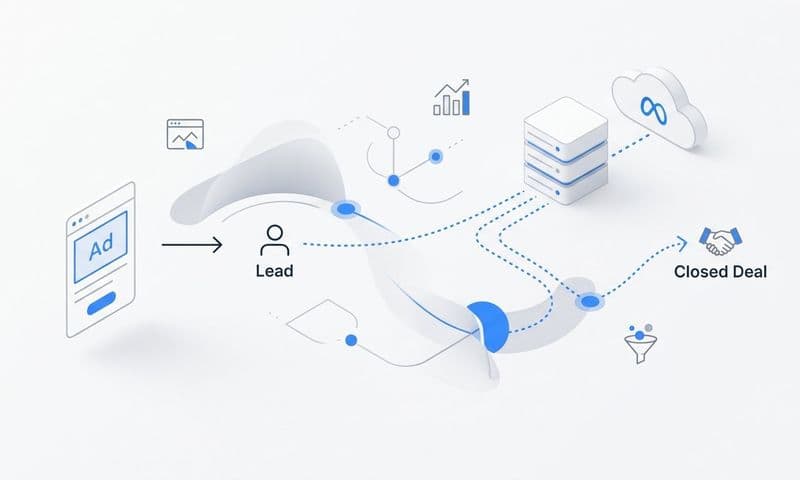
Offline conversion tracking solves this by creating a data connection between your online marketing systems and your offline sales systems. It captures the digital source information when a customer first engages with your marketing, preserves that attribution data through the offline conversion process, and reports the completed conversion back to your advertising platforms and analytics tools.
The implementation approach varies based on your conversion type. Phone call tracking uses dynamic number insertion to assign unique tracking numbers to different marketing sources. In-store visit tracking leverages location data and promotional codes to connect foot traffic to digital campaigns. Sales team conversion tracking integrates CRM data with marketing platforms to attribute closed deals to their originating campaigns.
The result is complete visibility into your marketing performance. You can see which campaigns drive phone calls, which keywords lead to in-store purchases, and which ad creatives result in sales team closes. You can calculate true ROI by connecting ad spend to actual revenue. You can optimize campaigns based on business outcomes rather than proxy metrics.
This visibility transforms marketing from a cost center with questionable value into a revenue driver with measurable, optimizable performance. It enables data-driven budget allocation, accurate ROI reporting, and strategic campaign optimization based on complete conversion data rather than partial visibility.
Step 1: Set Up Call Tracking to Capture Phone Conversions
Call tracking is the foundation of offline conversion tracking for any business that generates leads or sales through phone calls. It works by assigning unique phone numbers to different marketing sources, then capturing detailed data about each call—including the caller's digital journey, the campaign that drove the call, and the call outcome.
The implementation starts with selecting a call tracking platform. Enterprise options like CallRail, CallTrackingMetrics, and Invoca offer comprehensive features including dynamic number insertion, call recording, and conversation analytics. Mid-market solutions like WhatConverts and ResponseTap provide solid tracking capabilities at lower price points. Budget-conscious businesses can start with basic tracking through Google forwarding numbers or simple tracking numbers from providers like Grasshopper.
Dynamic number insertion (DNI) is the most powerful call tracking method. It displays different phone numbers to visitors based on their traffic source, allowing you to attribute calls to specific campaigns, keywords, or ad creatives. When a visitor arrives from a Google Ads campaign, they see one tracking number. When someone comes from Facebook, they see a different number. When a user finds you through organic search, they see a third number.
The technical setup requires adding a JavaScript tracking code to your website. This code detects the visitor's traffic source, selects the appropriate tracking number from your pool, and dynamically displays it on your website. When the visitor calls that number, the call tracking platform captures the source data and forwards the call to your business line.
For businesses with limited tracking number inventory, session-level tracking offers a middle ground. Instead of assigning unique numbers to every traffic source, you assign numbers to individual visitor sessions. This allows you to track the complete digital journey—including multiple touchpoints—for each caller, even with a smaller pool of tracking numbers.
Source-level tracking is the simplest implementation. You assign static tracking numbers to major marketing channels—one number for Google Ads, another for Facebook, a third for direct mail. This approach requires fewer tracking numbers but provides less granular attribution data. You'll know which channel drove the call, but not which specific campaign, ad group, or keyword.
Call tracking platforms capture extensive data beyond just the source. They record call duration, time of call, caller location, first-time vs. returning caller status, and whether the call was answered. Many platforms offer call recording for quality assurance and training. Advanced platforms provide conversation analytics that use AI to analyze call content, identify conversion indicators, and score call quality.
Integration with advertising platforms is critical for closing the attribution loop. Most call tracking platforms offer native integrations with Google Ads, Facebook Ads, and other major advertising systems. These integrations automatically report phone call conversions back to the ad platforms, allowing you to optimize campaigns based on call volume and call quality rather than just form submissions.
The setup process typically follows this sequence: create your call tracking account, generate tracking numbers for your marketing sources, add the tracking code to your website, configure call forwarding to your business line, set up conversion tracking rules, and integrate with your advertising platforms. Most platforms provide step-by-step setup guides and technical support to assist with implementation.
For businesses running how to run facebook ads campaigns, call tracking becomes essential because Facebook's native conversion tracking can't measure phone calls that happen outside the platform. By implementing call tracking with Facebook integration, you can optimize your ad campaigns based on actual phone conversions rather than just website actions.
Call qualification is an important consideration. Not all phone calls represent valuable conversions—some are customer service inquiries, wrong numbers, or spam calls. Configure your call tracking platform to identify qualified calls based on duration (calls longer than 60 seconds), caller behavior (first-time callers vs. existing customers), or manual tagging by your sales team. This ensures your conversion data reflects actual business opportunities rather than total call volume.
The cost structure varies by platform and usage. Most call tracking services charge a monthly platform fee plus per-number fees for each tracking number in your pool. Expect to pay $30-100 monthly for the platform, plus $3-10 per tracking number per month. Call recording and advanced analytics features may incur additional charges. For businesses generating significant phone lead volume, the attribution value far exceeds the tracking cost.
Step 2: Implement CRM Integration to Track Sales Team Conversions
CRM integration connects your customer relationship management system with your marketing platforms, enabling you to track conversions that happen through your sales team. This integration captures when leads become opportunities, when opportunities close as customers, and the revenue associated with each conversion—then attributes those outcomes back to the marketing activities that generated the leads.
The tracking challenge for sales team conversions is the time gap between initial contact and final sale. A lead might fill out a form on Monday, have a discovery call on Wednesday, receive a proposal on Friday, and close the deal three weeks later. Without proper integration, your marketing analytics only sees the initial form submission. The actual conversion and revenue remain invisible to your marketing attribution system.
CRM platforms like Salesforce, HubSpot, Pipedrive, and Zoho CRM serve as the system of record for sales activities. They track lead status, opportunity stages, deal values, close dates, and sales rep activities. The integration challenge is connecting this sales data back to the marketing source data captured when the lead first engaged with your campaigns.
The integration architecture typically involves three components: your marketing platforms (Google Ads, Facebook Ads, etc.), your CRM system, and a middleware integration tool that connects them. Platforms like Zapier, Make (formerly Integromat), or native CRM integrations handle the data synchronization between systems.
The data flow works in both directions. When a lead converts on your website, the marketing source data (campaign, ad group, keyword, ad creative) flows into your CRM along with the lead information. As your sales team moves that lead through the pipeline—from lead to opportunity to closed customer—the conversion and revenue data flows back to your marketing platforms.
For businesses managing running facebook ads for clients, CRM integration becomes critical for demonstrating campaign value. You can show clients not just how many leads their campaigns generated, but how many of those leads converted to customers and how much revenue resulted from the marketing investment.
UTM parameters are the foundation of source tracking. These URL parameters capture campaign details when a user clicks your ad or marketing link. A properly tagged URL might look like: yoursite.com/?utmsource=facebook&utmmedium=cpc&utmcampaign=spring-sale&utmcontent=video-ad-1. When the user converts, these parameters are captured in your CRM, preserving the attribution data throughout the sales process.
Hidden form fields enhance source tracking by capturing additional data that UTM parameters might miss. These fields—invisible to the user but populated automatically by tracking scripts—can capture information like the user's first touch source, landing page, referring URL, and session data. This creates a more complete attribution picture than UTM parameters alone.
Lead source mapping ensures consistency between your marketing platforms and your CRM. Define standard lead source values (Google Ads, Facebook Ads, Organic Search, Direct, etc.) and configure your integration to map marketing platform data to these standardized values. This prevents attribution errors caused by inconsistent naming conventions across systems.
Conversion event configuration determines which CRM stages trigger conversion reports back to your marketing platforms. You might configure three conversion events: Lead Created (when someone fills out a form), Opportunity Created (when sales qualifies the lead), and Customer Won (when the deal closes). Each event can be reported back to your ad platforms with appropriate conversion values.
Revenue tracking requires careful configuration. Most CRM systems store deal value in an opportunity record. Your integration should capture this value when the opportunity closes and report it back to your marketing platforms as conversion value. This enables true ROI calculation by connecting ad spend to actual revenue rather than just lead volume.
The implementation process typically follows this sequence: audit your current lead flow to understand how leads move from marketing to sales, select your integration approach (native integration, Zapier, or custom API), configure UTM parameters and hidden form fields on your website, set up the integration between your CRM and marketing platforms, define conversion events and value tracking, test the integration with sample leads, and monitor data flow to ensure accuracy.
Attribution window configuration determines how long after the initial touch you'll credit marketing for conversions. A 30-day attribution window means conversions that happen within 30 days of the initial marketing touch get attributed to that campaign. For businesses with longer sales cycles, you might extend this to 60 or 90 days to capture conversions that take longer to close.
Multi-touch attribution becomes possible with proper CRM integration. Instead of crediting only the last marketing touch before conversion, you can implement attribution models that distribute credit across all touchpoints in the customer journey. This provides a more accurate picture of how different marketing activities contribute to conversions.
Step 3: Configure Offline Conversion Import to Close the Attribution Loop
Offline conversion import is the process of uploading conversion data from your offline systems—CRM, point-of-sale, call tracking platform—back into your advertising platforms. This closes the attribution loop by informing your ad platforms about conversions they can't track directly, enabling them to optimize campaigns based on actual business outcomes rather than just online actions.
Google Ads offline conversion import allows you to upload conversion data using the Google Click ID (GCLID) as the matching key. When someone clicks your Google ad, a unique GCLID is generated and appended to your landing page URL. By capturing this GCLID when the user converts (through a hidden form field or URL parameter), you can later upload conversion data matched to that specific click.
The setup process in Google Ads starts in the Conversions section. Create a new conversion action, select "Import" as the source, then choose "Other data sources or CRMs" as the import method. Configure the conversion settings including conversion name, value, and attribution model. Google Ads will provide instructions for formatting your conversion data file.
The conversion data file is typically a CSV containing the GCLID, conversion time, conversion value, and conversion currency. You can upload files manually through the Google Ads interface, schedule automated uploads via Google Sheets integration, or use the Google Ads API for programmatic uploads. For businesses with high conversion volume, automated uploads ensure timely data synchronization.
Facebook offline conversions work similarly but use different matching keys. Facebook can match offline conversions using email addresses, phone numbers, or Facebook Click IDs (fbclid). The matching process uses hashed data to protect privacy—you hash the email or phone number before uploading, and Facebook matches it against their hashed user database.
Setting up Facebook offline conversions requires creating an offline event set in Events Manager. Configure the event parameters including event name, value, and matching keys. Facebook provides a data file template showing the required format for your conversion uploads. You can upload files manually, use scheduled uploads via Facebook Business Suite, or implement automated uploads through the Facebook Conversions API.
The Conversions API (formerly Server-Side API) offers the most robust implementation for Facebook offline conversions. Instead of file uploads, your server sends conversion events directly to Facebook in real-time as they occur. This approach provides faster data synchronization, more reliable matching, and better data quality than batch file uploads.
Microsoft Advertising (formerly Bing Ads) supports offline conversion import through a similar process. Capture the Microsoft Click ID (MSCLKID) when users click your ads, then upload conversion data matched to those click IDs. The setup process mirrors Google Ads—create an offline conversion goal, configure the conversion settings, and upload conversion data via CSV files or API.
LinkedIn Campaign Manager offers offline conversion tracking for B2B advertisers. The implementation uses LinkedIn's Conversion API to send offline conversion events matched to LinkedIn member IDs or email addresses. This is particularly valuable for B2B businesses with long sales cycles where conversions happen weeks or months after the initial ad click.
Data quality is critical for successful offline conversion import. Ensure your matching keys (GCLID, email, phone) are captured accurately at the point of initial conversion. Validate data formats before uploading—incorrect formatting causes match failures and attribution loss. Implement data validation rules in your CRM or conversion tracking system to catch errors before they reach your ad platforms.
Conversion timing affects attribution accuracy. Upload conversions as close to the actual conversion time as possible. Delayed uploads can cause attribution errors if the conversion falls outside your attribution window. For businesses with daily conversion volume, implement daily automated uploads. For lower-volume businesses, weekly uploads may suffice.
Deduplication prevents double-counting conversions that are tracked both online and offline. If a customer completes a purchase online (tracked by your website pixel) and then calls to add items to their order (tracked as an offline conversion), you need logic to prevent counting this as two separate conversions. Implement unique transaction IDs that allow you to identify and deduplicate related conversion events.
The implementation sequence typically follows this pattern: configure your website to capture matching keys (GCLID, fbclid, email, phone), set up hidden form fields or URL parameters to preserve these values through your conversion process, store the matching keys in your CRM or conversion database, create offline conversion actions in your ad platforms, develop the conversion data export process from your offline systems, implement the upload mechanism (manual, scheduled, or API), test with sample conversions to verify matching and attribution, and monitor match rates to ensure data quality.
Match rates indicate what percentage of your uploaded conversions successfully matched to ad clicks in the platform. Google Ads and Facebook report match rates in their conversion upload interfaces. Low match rates (below 70%) suggest data quality issues—incorrect formatting, missing matching keys, or conversions outside the attribution window. Investigate and resolve match rate issues to ensure accurate attribution.
For businesses using attribution software, many platforms offer built-in offline conversion import capabilities that simplify the implementation. These platforms handle the technical complexity of capturing matching keys, formatting conversion data, and uploading to multiple ad platforms, reducing the manual work required to maintain offline conversion tracking.
Step 4: Build Reporting Systems That Show True Marketing ROI
Reporting systems transform your offline conversion data into actionable insights that drive marketing decisions. The goal is creating dashboards and reports that show complete marketing performance—including both online and offline conversions—enabling accurate ROI calculation and data-driven optimization.
The reporting challenge is data fragmentation. Your online conversion data lives in Google Analytics and ad platform dashboards. Your offline conversion data exists in your CRM, call tracking platform, and point-of-sale system. Your revenue data sits in your accounting software. Creating a complete performance picture requires aggregating data from all these sources into unified reporting.
Marketing attribution platforms like Cometly, HubSpot, or Ruler Analytics specialize in this aggregation challenge. They connect to your various data sources—ad platforms, analytics tools, CRM, call tracking—and consolidate the data into unified dashboards that show complete customer journeys and accurate attribution across all touchpoints.
The reporting architecture typically involves three layers: data collection (capturing conversion data from all sources), data processing (cleaning, deduplicating, and attributing conversions), and data presentation (dashboards and reports that visualize performance). Each layer requires careful configuration to ensure accuracy and usefulness.
Revenue attribution is the cornerstone metric for offline conversion reporting. It connects ad spend to actual revenue by tracking which campaigns, keywords, and ad creatives drive customers who generate revenue. Calculate revenue attribution by summing the revenue from all conversions attributed to each marketing source, then comparing that revenue to the ad spend for that source.
Return on ad spend (ROAS) becomes meaningful only when it includes offline conversions. The formula is simple: (Total Revenue from Attributed Conversions) / (Total Ad Spend) = ROAS. A campaign with $5,000 spend that generates $25,000 in attributed revenue has a 5:1 ROAS. Without offline conversion data, this calculation dramatically understates performance for businesses with phone sales or sales team conversions.
Customer acquisition cost (CAC) calculation requires complete conversion data. Divide your total marketing spend by the number of customers acquired (not just leads generated) to calculate true CAC. If you spend $10,000 and generate 200 leads but only 40 become customers, your CAC is $250, not the $50 cost-per-lead that incomplete tracking might suggest.
Lifetime value (LTV) integration enhances ROI reporting by accounting for the long-term value of acquired customers. A customer who makes an initial $500 purchase but generates $3,000 in repeat purchases over two years has a much higher value than the initial transaction suggests. Integrate LTV data from your CRM or accounting system to calculate LTV:CAC ratios that guide sustainable growth decisions.
Attribution model selection affects how credit is distributed across marketing touchpoints. Last-click attribution gives all credit to the final touchpoint before conversion. First-click attribution credits the initial touchpoint. Linear attribution distributes credit evenly across all touchpoints. Time-decay attribution gives more credit to recent touchpoints. Choose the model that best reflects your customer journey and business model.
Dashboard design should prioritize actionable metrics over vanity metrics. Include metrics that directly inform optimization decisions: ROAS by campaign, conversion rate by traffic source, revenue by keyword, CAC by channel. Avoid cluttering dashboards with metrics that don't drive action. Every metric should answer a specific business question or inform a specific optimization decision.
Segmentation enables deeper analysis. Segment performance by customer type (new vs. returning), product category, geographic region, device type, or any other dimension relevant to your business. This reveals optimization opportunities that aggregate data might hide. You might discover that mobile traffic has lower conversion rates but higher average order values, or that certain geographic regions have much better ROAS than others.
Trend analysis identifies performance changes over time. Compare current performance to previous periods to spot improvements or declines. Track metrics like month-over-month ROAS growth, quarter-over-quarter CAC changes, or year-over-year revenue attribution. Trend analysis helps you understand whether your optimization efforts are working and whether performance is improving or degrading.
Automated reporting reduces manual work and ensures stakeholders receive timely performance updates. Configure scheduled reports that automatically generate and distribute performance summaries daily, weekly, or monthly. Most analytics and attribution platforms offer automated reporting features that can email reports or post them to Slack channels.
The implementation process typically follows this sequence: identify the key metrics that matter for your business, determine which data sources contain the necessary data, select your reporting platform (attribution software, data visualization tool, or custom dashboard), configure data connections from all relevant sources, build dashboards that visualize your key metrics, set up automated reporting schedules, and train your team to interpret and act on the data.
Data validation ensures reporting accuracy. Regularly audit your reports by comparing them to source data. Verify that conversion counts match between your CRM and your attribution platform. Check that revenue totals align with your accounting system. Investigate discrepancies immediately—reporting errors lead to poor optimization decisions.
For businesses creating how to create a successful facebook ad campaigns, complete reporting that includes offline conversions transforms campaign optimization. Instead of optimizing for form submissions or website conversions, you can optimize for actual customer acquisition and revenue, leading to dramatically better campaign performance and business outcomes.
Common Offline Conversion Tracking Challenges and Solutions
Implementing offline conversion tracking introduces technical and operational challenges that can undermine tracking accuracy if not properly addressed. Understanding these challenges and their solutions ensures your tracking system delivers reliable data for optimization decisions.
Data quality issues represent the most common tracking challenge. Incomplete or inaccurate data at the point of capture creates attribution errors downstream. If your sales team doesn't consistently log lead sources in your CRM, or if your call tracking system fails to capture caller information, your attribution data becomes unreliable. The solution is implementing data validation rules and quality checks at every data capture point, plus regular audits to identify and correct data quality issues.
Attribution window mismatches cause conversions to fall outside tracking windows. If your Google Ads attribution window is 30 days but your sales cycle averages 45 days, conversions that close after day 30 won't be attributed to the original ad click. The solution is configuring attribution windows that match or exceed your actual sales cycle length. For businesses with 60-day sales cycles, use 90-day attribution windows to ensure complete conversion capture.
Multi-device journeys complicate attribution when customers interact with your marketing on one device but convert on another. A user might click your mobile ad, research on their tablet, then call from their desk phone. Without cross-device tracking, these appear as separate, unconnected interactions. The solution is implementing user identification systems—email capture, account login, or platform-provided cross-device tracking—that connect interactions across devices.
Privacy regulations like GDPR and CCPA restrict data collection and usage, potentially limiting tracking capabilities. Regulations require user consent for tracking, restrict personal data usage, and mandate data deletion upon request. The solution is implementing compliant tracking systems that obtain proper consent, anonymize data where possible, and respect user privacy preferences while still capturing necessary attribution data.
Integration complexity increases with the number of systems involved. Connecting your ad platforms, analytics tools, CRM, call tracking, and point-of-sale systems requires technical expertise and ongoing maintenance. The solution is using integration platforms like Zapier or Make that simplify connections between systems, or selecting all-in-one attribution platforms that provide pre-built integrations with major marketing and sales tools.
Data synchronization delays create reporting lag between when conversions occur and when they appear in your dashboards. If your CRM-to-ad-platform integration runs once daily, conversions won't appear in your ad platform reports until the next day. The solution is implementing real-time or near-real-time integrations using APIs and webhooks that push conversion data immediately as it occurs.
Duplicate conversions occur when the same conversion is tracked through multiple systems. A customer might complete an online purchase (tracked by your website pixel) and then call to modify their order (tracked as a phone conversion). Without deduplication logic, this appears as two conversions instead of one. The solution is implementing unique transaction IDs and deduplication rules that identify and merge related conversion events.
Match rate problems prevent offline conversions from being attributed to ad clicks. If your uploaded conversions don't include proper matching keys (GCLID, email, phone), or if the data format is incorrect, the ad platform can't match the conversion to the original click. The solution is implementing robust matching key capture at the point of initial conversion, validating data formats before upload, and monitoring match rates to quickly identify and resolve matching issues.
Sales team adoption challenges arise when tracking systems require manual data entry or process changes. If your sales team doesn't consistently log lead sources or conversion outcomes in your CRM, your tracking data becomes incomplete. The solution is making tracking as automated as possible, providing clear training on why accurate data matters, and implementing data quality incentives or requirements.
Cost concerns emerge as tracking systems add monthly expenses for call tracking numbers, attribution platforms, and integration tools. For small businesses, these costs might seem prohibitive. The solution is starting with basic tracking implementations using free or low-cost tools, then scaling to more sophisticated systems as your marketing budget and attribution needs grow. Even basic offline conversion tracking provides dramatically better insights than no tracking at all.
Technical expertise requirements can be a barrier for businesses without in-house marketing technologists. Setting up call tracking, configuring CRM integrations, and implementing offline conversion import requires technical knowledge that many marketing teams lack. The solution is using platforms with guided setup processes, leveraging vendor support resources, or engaging consultants for initial implementation while building internal expertise over time.
Advanced Offline Conversion Tracking Strategies
Once your basic offline conversion tracking system is operational, advanced strategies can enhance attribution accuracy, provide deeper insights, and enable more sophisticated optimization. These strategies are particularly valuable for businesses with complex customer journeys, multiple conversion types, or high marketing spend.
Multi-touch attribution models distribute conversion credit across all touchpoints in the customer journey rather than assigning all credit to a single touchpoint. This provides a more nuanced understanding of how different marketing activities contribute to conversions. Implement multi-touch attribution by capturing all touchpoints (first click, middle clicks, last click) throughout the customer journey, then applying attribution rules that distribute credit based on your chosen model—linear, time-decay, position-based, or data-driven.
Conversation intelligence adds qualitative insights to quantitative call tracking data. These AI-powered systems analyze call recordings to identify conversion indicators, objection patterns, competitor mentions, and sales effectiveness. Platforms like Gong, Chorus, or CallRail's conversation intelligence feature transcribe calls, extract key topics, and score call quality. This enables you to optimize not just which campaigns drive calls, but which campaigns drive high-quality calls that convert.
Predictive lead scoring uses machine learning to identify which leads are most likely to convert based on their attributes and behavior. By analyzing historical conversion data, these systems learn patterns that indicate high conversion probability. Implement predictive lead scoring by integrating your CRM with machine learning platforms that analyze lead characteristics (source, industry, company size, engagement level) and assign probability scores that help sales teams prioritize follow-up.
Revenue forecasting based on attribution data enables more accurate budget planning and growth projections. By analyzing historical relationships between ad spend, lead volume, conversion rates, and revenue, you can build models that predict future revenue based on planned marketing investments. This transforms marketing from a cost center to a revenue driver with predictable, scalable returns.
Incrementality testing measures the true causal impact of your marketing by comparing outcomes in test groups exposed to marketing versus control groups not exposed. This goes beyond attribution to answer whether your marketing actually causes conversions or just gets credit for conversions that would have happened anyway. Implement incrementality testing by running controlled experiments—geo-holdout tests, audience split tests, or time-based tests—that measure the lift in conversions caused by your marketing.
Cross-channel attribution connects online and offline touchpoints into unified customer journeys. A customer might see a Facebook ad, click a Google search ad, visit your store, then call to complete a purchase. Cross-channel attribution tracks all these touchpoints and attributes the conversion appropriately. Implement this by using attribution platforms that integrate data from all your marketing channels and offline conversion sources into a single customer journey view.
Cohort analysis tracks conversion performance for groups of leads acquired during specific time periods. This reveals how conversion rates, time-to-conversion, and customer value vary by acquisition cohort. You might discover that leads acquired in Q4 convert faster but have lower lifetime value than Q2 leads. Implement cohort analysis by grouping conversions by acquisition date and tracking their performance over time.
Marketing mix modeling uses statistical analysis to understand how different marketing channels interact and contribute to overall business outcomes. Unlike attribution, which tracks individual customer journeys, marketing mix modeling analyzes aggregate data to identify the optimal allocation of marketing budget across channels. This is particularly valuable for businesses with significant offline marketing (TV, radio, print) that's difficult to track at the individual level.
Real-time conversion alerts notify your team immediately when high-value conversions occur. This enables rapid follow-up on hot leads and provides immediate feedback on campaign performance. Implement real-time alerts by configuring webhooks or integrations that trigger notifications (email, Slack, SMS) when conversions meeting specific criteria occur—high deal value, specific lead source, or particular product interest.
Custom attribution models tailored to your specific business model and customer journey often outperform standard attribution models. If your business has unique characteristics—extremely long sales cycles, multiple decision-makers, or complex product configurations—a custom attribution model that reflects these realities provides more accurate insights. Develop custom