You've invested thousands in LinkedIn ads, Google campaigns, and content marketing. Your team generated 200 leads last quarter. Sales closed 12 deals. But here's the question that keeps you up at night: which marketing efforts actually drove those 12 closed deals?
For B2B SaaS companies, this isn't just a curiosity—it's a survival question. Your prospects don't convert after a single ad click. They download a whitepaper, attend a webinar three weeks later, request a demo a month after that, and finally close after multiple sales calls spanning another two months. Without proper revenue attribution, you're optimizing for vanity metrics while your actual revenue drivers remain invisible.
The stakes are real. When you can't connect marketing spend to actual revenue, you make budget decisions based on guesswork. You might be pouring money into channels that generate impressive lead volumes but terrible conversion rates. Meanwhile, the touchpoints that actually influence purchase decisions get starved of resources because they don't show up in your last-click attribution report.
This guide walks you through building a revenue attribution system specifically designed for B2B SaaS realities: multi-month sales cycles, multiple decision-makers, and the critical need to track every touchpoint from anonymous website visitor to closed-won customer. You'll learn how to connect your entire tech stack, implement tracking that survives browser limitations, and build dashboards that show which campaigns actually drive pipeline and revenue.
By the end, you'll have a working framework that answers the question every B2B marketer needs to answer: what's really driving our revenue?
Step 1: Map Your B2B SaaS Customer Journey and Define Revenue Events
Before you track anything, you need to understand what you're tracking. Start by documenting every touchpoint in your typical customer journey. Pull your last 20 closed deals and trace their paths backward. What did they interact with before becoming customers?
Your touchpoint inventory might include paid ads, organic blog posts, comparison pages, case studies, pricing page visits, demo requests, free trial signups, product usage events, sales calls, proposal views, and contract signatures. List everything. The goal is to understand the full complexity of your sales cycle, not to simplify it prematurely.
Next, define what "revenue" means for your business. For most B2B SaaS companies, this includes closed-won deals, but you should also consider expansion revenue from existing customers. If a customer upgrades from your starter plan to enterprise after engaging with new content, that's attributable revenue too. Document both new customer acquisition and expansion as separate revenue events.
Now comes the crucial part: understand your timeline. Calculate the average number of days from first touch to closed deal across those 20 customers you analyzed. For mid-market B2B SaaS, this typically ranges from 90 to 180 days. This number becomes your attribution window—the timeframe you'll analyze when connecting marketing touchpoints to revenue.
Create a simple spreadsheet with three columns: touchpoint type, typical stage in journey, and average time from first interaction. This becomes your reference document. When you see a prospect download a whitepaper, you'll know this typically happens 60 days before demo requests, which happen 30 days before closed deals. Understanding how customer journey software can help B2B SaaS companies scale provides additional context for mapping these complex paths.
Document the difference between your sales cycle for different customer segments too. Enterprise deals might take 180 days while small business customers close in 30. If you lump these together, your attribution will be misleading. Consider creating separate attribution frameworks for each segment if their journeys differ significantly.
Step 2: Connect Your Tech Stack for Full-Funnel Tracking
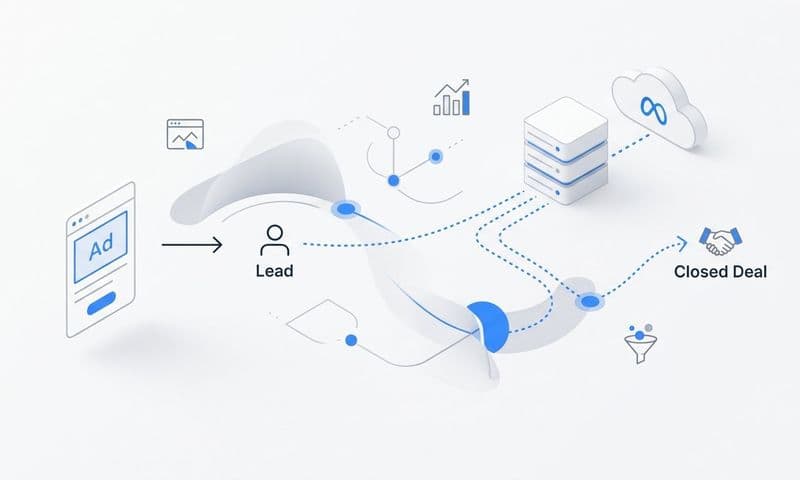
Revenue attribution only works when data flows seamlessly between all your systems. You need to connect three critical layers: your ad platforms, your website, and your CRM. Each layer captures different parts of the customer journey, and the connections between them create the complete picture.
Start with your ad platform integrations. Connect Google Ads, LinkedIn Campaign Manager, and Meta Ads Manager to your attribution system. These integrations capture the initial touchpoint data—which campaign, ad set, and creative drove each click. Most attribution platforms offer native integrations that pull this data automatically through APIs.
Your CRM integration is where attribution becomes revenue attribution. Connect your CRM to capture when leads become sales-qualified, when opportunities are created, and most importantly, when deals close with actual revenue amounts. This connection transforms marketing metrics from lead counts into dollar values. If you use Salesforce, HubSpot, or Pipedrive, look for marketing attribution tools for B2B SaaS companies with pre-built integrations that sync bidirectionally.
Website tracking is your middle layer—it captures behavior between the ad click and the CRM conversion. Implement tracking pixels that fire when prospects visit key pages, download content, or request demos. This layer connects anonymous ad clicks to known prospects in your CRM. When someone clicks your LinkedIn ad, visits your pricing page, and submits a demo request, your tracking system should connect all three events to the same person.
Here's where most B2B SaaS companies hit a wall: browser-based tracking is increasingly unreliable. Safari blocks third-party cookies by default, Firefox offers enhanced tracking protection, and Chrome is phasing out third-party cookies. If you rely solely on client-side tracking, you're missing significant portions of your customer journey.
Implement server-side tracking to solve this problem. Server-side tracking sends data directly from your server to your attribution platform, bypassing browser limitations entirely. This ensures you capture accurate data even when browsers block cookies or users clear their browsing history. Platforms like Cometly offer server-side tracking specifically designed for B2B SaaS attribution needs.
Test your integrations before moving forward. Click one of your own ads, navigate through your website, and submit a demo request using a test email. Then verify that your attribution platform captured the ad click, website visits, and demo submission as a connected journey. If any piece is missing, troubleshoot before proceeding to the next step.
Step 3: Implement UTM Parameters and First-Party Data Collection
UTM parameters are the foundation of campaign-level attribution. They're the tags you add to URLs that tell your analytics system which campaign, source, and content drove each visitor. Without consistent UTM parameters, you can track that traffic came from LinkedIn, but you won't know which specific campaign or ad drove it.
Create a UTM naming convention and document it. Your convention should include utm_source for the platform, utm_medium for the traffic type, utm_campaign for the campaign name, utm_content for the specific ad or content piece, and utm_term for paid search keywords. The key word here is consistent—if one person uses "linkedin" and another uses "LinkedIn" as the source, you've just split your reporting.
Build a simple spreadsheet template for your team. Include columns for the destination URL, source, medium, campaign, content, and term. When someone creates a new campaign, they fill out this template, and you generate the UTM-tagged URLs using a tool like Google's Campaign URL Builder. This prevents the chaos of inconsistent tagging that makes attribution impossible.
Now implement first-party data collection to maintain attribution across sessions. First-party cookies are stored by your own domain, making them more reliable than third-party cookies. When a prospect clicks your ad and visits your website, set a first-party cookie that stores their initial source and campaign information. When they return directly two weeks later and convert, you can still attribute that conversion to the original campaign.
Configure hidden form fields to capture attribution data at conversion points. When someone submits a demo request or starts a free trial, include hidden fields in your form that capture their utm_source, utm_medium, utm_campaign, and first-touch timestamp. This data flows into your CRM alongside their contact information, creating a permanent record of how they discovered you.
Test your UTM and first-party tracking setup thoroughly. Create a test campaign with UTM parameters, click your own ad, browse your site, clear your cookies, return directly to your site, and submit a test form. Check that your CRM received both the original UTM parameters and recorded that the conversion happened after the direct return visit. This verifies that your first-party tracking is working correctly.
Step 4: Choose and Configure Your Attribution Model
Attribution models determine how credit is distributed across touchpoints in a customer journey. Understanding the differences between models is essential because each one tells a different story about what's driving your revenue.
First-touch attribution gives 100% credit to the initial touchpoint. If a prospect discovered you through a LinkedIn ad, first-touch attributes the entire deal value to that LinkedIn campaign—even if they interacted with ten other touchpoints before closing. This model is useful for understanding what's driving awareness, but it ignores everything that happens after the first click.
Last-touch attribution does the opposite—it gives 100% credit to the final touchpoint before conversion. If that same prospect requested a demo after clicking a retargeting ad, last-touch attributes the entire deal to retargeting. This model is useful for understanding what drives final conversions, but it ignores the awareness and consideration phases that made that final conversion possible.
Linear attribution distributes credit equally across all touchpoints. If a prospect interacted with five touchpoints before closing, each touchpoint receives 20% of the credit. This model acknowledges that multiple touchpoints contribute to conversions, but it treats all touchpoints as equally important—which rarely reflects reality.
Time-decay attribution gives more credit to touchpoints closer to the conversion. A touchpoint that happened one week before closing receives more credit than one that happened three months before closing. This model reflects the reality that recent interactions often have stronger influence on purchase decisions, but it can undervalue the awareness-stage content that started the relationship.
For B2B SaaS companies with long sales cycles, multi-touch marketing attribution is essential. Single-touch models either credit your top-of-funnel content or your bottom-of-funnel retargeting, missing the entire nurture sequence that actually built purchase intent. Multi-touch models distribute credit across the full journey, giving you visibility into which touchpoints contribute at each stage.
Configure your attribution window to match your sales cycle length. If your average time from first touch to closed deal is 120 days, set your attribution window to at least 120 days. If you set it to 30 days, you'll only capture touchpoints that happened in the final month before conversion, missing the awareness and consideration phases entirely.
Set up model comparison in your attribution platform. Don't rely on a single model—compare first-touch, last-touch, and multi-touch models side by side. When you see that LinkedIn drives 40% of first-touch attribution but only 10% of last-touch attribution, you learn that LinkedIn is excellent for awareness but prospects typically convert through other channels. For a deeper dive into selecting the right approach, explore this comparison of attribution models for marketers.
Step 5: Sync Conversion Data Back to Ad Platforms
Tracking revenue attribution isn't just about reporting—it's about optimization. When you sync conversion data back to your ad platforms, you enable their algorithms to optimize for actual business outcomes rather than proxy metrics like clicks or leads.
Set up offline conversion imports to feed revenue data back to Google Ads and Meta. Offline conversions are events that happen outside the ad platform—like closed deals in your CRM—that you import back into the platform. When Google Ads knows which clicks led to closed deals, it can optimize your campaigns for revenue rather than just lead volume.
Configure the conversion API for more accurate campaign optimization. Conversion APIs send data directly from your server to the ad platform, bypassing browser limitations. This ensures the ad platform receives accurate conversion data even when tracking pixels are blocked. Both Google and Meta offer conversion APIs specifically designed for server-side data sharing.
Map your CRM stages to conversion events for better algorithmic learning. Don't just send "closed deal" events—send the full progression. Configure events for "sales-qualified lead," "opportunity created," "demo completed," and "closed-won" with their respective values. This gives ad platforms more signals to learn from, improving their ability to find similar prospects.
When mapping values, use actual revenue for closed deals and estimated values for earlier stages. If your average deal size is $10,000 and your demo-to-close rate is 25%, assign a $2,500 value to demo completions. Understanding your average CAC for B2B SaaS helps you benchmark whether these conversion values align with sustainable unit economics.
Verify your data is flowing correctly and matches between systems. Check that the number of conversions reported in Google Ads matches the number of conversions in your attribution platform. Discrepancies are normal due to attribution windows and matching limitations, but significant gaps indicate a technical problem that needs troubleshooting.
Step 6: Build Your Attribution Dashboard and Reporting Cadence
Data without action is just noise. Your attribution dashboard transforms raw data into actionable insights that drive budget allocation and campaign optimization decisions.
Create views that show revenue attributed by channel, campaign, and content. Your primary dashboard should answer: which channels drove the most revenue this month? Break this down further by campaign to identify which specific campaigns within each channel performed best. Add a content view that shows which blog posts, whitepapers, or case studies appear most frequently in closed-deal journeys.
Set up cohort analysis to track how attribution changes over time. Group customers by the month they first engaged with your brand, then track how their attributed touchpoints evolve. You might discover that customers who close in month three have different attribution patterns than those who close in month six. This insight helps you understand what "normal" looks like for different sales cycle lengths.
Build a channel efficiency view that shows cost per closed deal by channel. Pull your ad spend data and divide it by the number of attributed closed deals for each channel. This metric is more valuable than cost per lead because it accounts for lead quality—a channel might generate expensive leads that close at high rates, making it more efficient than a channel with cheap leads that rarely convert. Leveraging SaaS marketing analytics platforms can streamline this analysis significantly.
Establish weekly and monthly reporting rhythms for optimization decisions. Weekly reviews should focus on campaign-level performance—which campaigns are driving pipeline and which should be paused. Monthly reviews should focus on channel-level strategy—whether to increase investment in LinkedIn, shift budget from Google to content, or experiment with new channels.
Define your key metrics clearly. Customer acquisition cost by channel shows what you're paying to acquire customers through each marketing source. Time-to-revenue by channel reveals which channels drive faster conversions. Attributed pipeline shows the total value of open opportunities attributed to each channel, helping you forecast future revenue. Understanding multi-channel attribution for ROI ensures these metrics tell the complete story of your marketing performance.
Create alerts for significant changes. If a channel's cost per closed deal increases by 50% week-over-week, you need to know immediately. If a campaign that typically drives 10 demos per week suddenly drops to two, that's a signal to investigate. Automated alerts ensure you catch problems before they drain significant budget.
Putting It All Together: Your Revenue Attribution Checklist
You now have a complete revenue attribution system that tracks the full B2B SaaS customer journey from first touch to closed revenue. Your implementation checklist: customer journey mapped with all touchpoints documented and revenue events clearly defined, tech stack fully connected with ad platforms, CRM, and website tracking integrated, UTM parameters and first-party data collection implemented across all campaigns, attribution model configured to match your sales cycle length with model comparison enabled, conversion data syncing back to ad platforms through offline conversions and APIs, and dashboard built with weekly and monthly reporting rhythms established.
Start by reviewing your first week of data to verify accuracy. Check that conversions are appearing correctly, that attribution is being assigned to the right channels, and that your CRM data is syncing properly. Don't make major budget decisions based on the first week—give your system two to four weeks to accumulate enough data for reliable insights.
Once you have reliable data, use it to reallocate budget toward channels that actually drive revenue. You'll likely discover that some channels driving high lead volumes produce low-quality leads that rarely close. Shift that budget to channels with better close rates, even if they generate fewer total leads. Remember: you're optimizing for revenue, not lead count. Learning how SaaS growth teams attribute revenue to marketing efforts can provide additional frameworks for making these decisions.
Review your attribution data monthly to identify trends. Which touchpoints appear most frequently in closed-deal journeys? Which content assets consistently show up in the consideration phase? Use these insights to create more of what works and eliminate what doesn't. Attribution isn't just about tracking—it's about learning and improving.
As your system matures, you'll develop intuition about what normal looks like for your business. You'll know your typical cost per closed deal by channel, your average number of touchpoints before conversion, and your standard sales cycle length. When these metrics change significantly, you'll know to investigate rather than assuming it's normal variance.
Ready to elevate your marketing game with precision and confidence? Discover how Cometly's AI-driven recommendations can transform your ad strategy—Get your free demo today and start capturing every touchpoint to maximize your conversions.