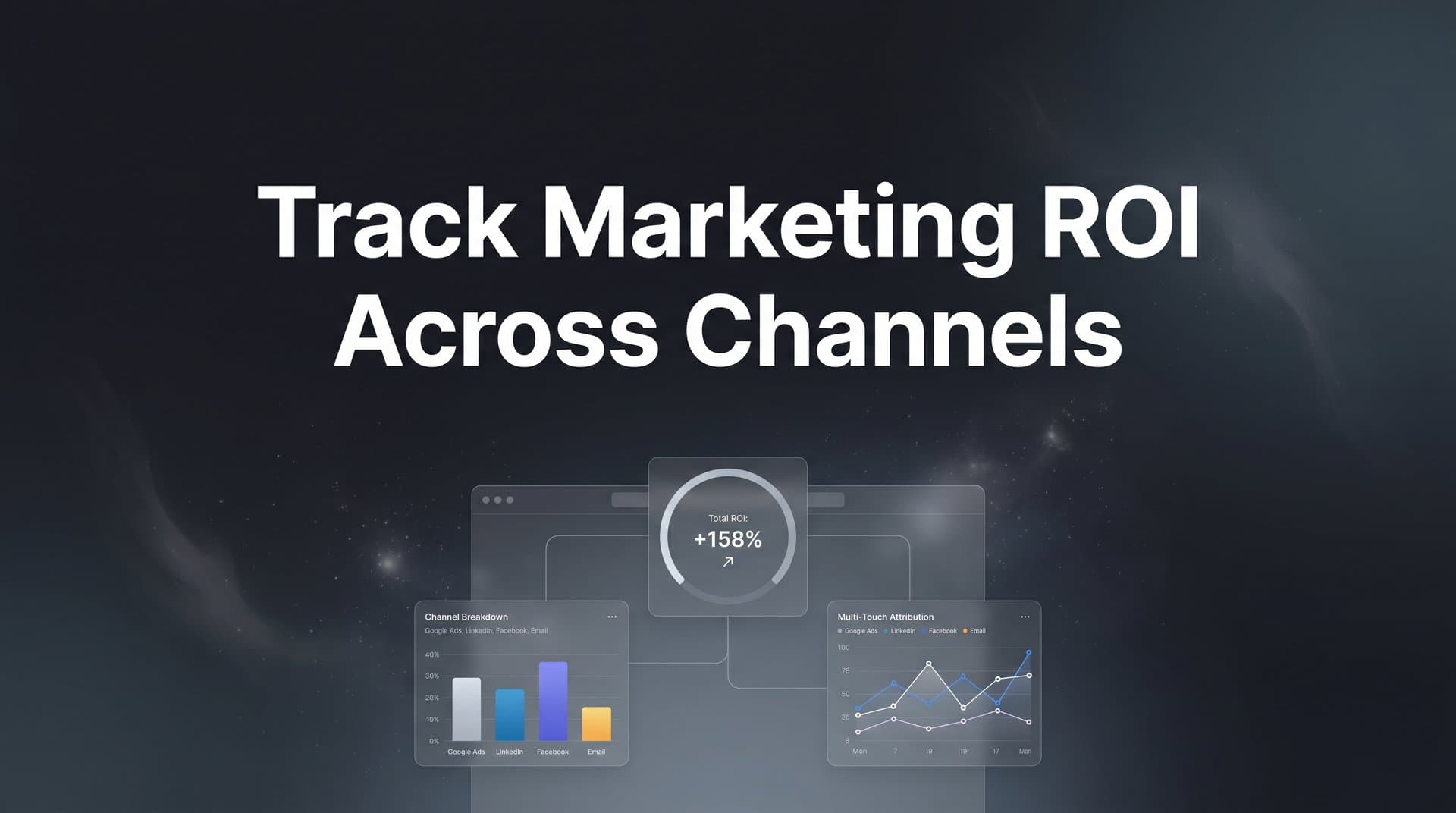
Running campaigns across Meta, Google, LinkedIn, and other platforms creates a fragmented view of your marketing performance. You see clicks in one dashboard, conversions in another, and revenue in your CRM, but connecting these dots to understand true ROI feels impossible.
The result? Budget decisions based on incomplete data, wasted spend on underperforming channels, and missed opportunities to scale what actually works.
This guide walks you through a practical, step-by-step process to track marketing ROI across all your channels in one unified view. You will learn how to set up proper tracking infrastructure, connect your data sources, choose the right attribution model, and build reporting that shows exactly which channels drive revenue.
By the end, you will have a clear system for measuring cross-channel ROI that supports confident budget decisions.
Step 1: Define Your ROI Metrics and Revenue Goals
Before you connect a single platform or build any dashboard, you need clarity on what success looks like. This means identifying the specific revenue events that matter for your business.
For ecommerce, this might be completed purchases. For SaaS, it could be paid subscriptions or trial-to-paid conversions. For B2B companies, you are likely tracking closed deals or qualified opportunities. The key is choosing events that directly connect to revenue, not just engagement metrics.
Once you have identified your revenue events, establish baseline metrics for each channel. What is your current cost per acquisition on Meta versus Google? What is the average customer lifetime value from LinkedIn leads compared to TikTok traffic?
These baselines give you a starting point for measuring improvement. Without them, you are flying blind.
Here's where many marketers stumble: they set the same ROI targets across all channels without accounting for different sales cycles. A LinkedIn campaign targeting enterprise buyers might take 90 days to show ROI, while a Meta retargeting campaign converts within 7 days. Your targets need to reflect these realities.
Document which system serves as your source of truth for conversion data. Is it your CRM? Your ecommerce platform? Your subscription management tool? This decision matters because you will use this system to validate that your marketing ROI tracking is accurate.
When you have multiple data sources claiming different conversion numbers, you need one authoritative source to settle disputes. Choose it now, before you start connecting platforms.
Set specific revenue goals for each channel based on historical performance and growth targets. If Google Ads currently drives $50,000 in monthly revenue at a 3:1 ROI, what would a 20% improvement look like? Defining these targets upfront gives you clear benchmarks to measure against.
The goal is not perfection at this stage. You are creating a framework that you will refine as you gather more data. But starting with clear definitions prevents confusion later when you are analyzing results across multiple platforms.
Step 2: Connect Your Ad Platforms and Data Sources
Now that you know what you are measuring, it is time to connect the systems that generate and track that data. This step creates the foundation for unified ROI tracking.
Start by integrating all your active ad platforms into a central tracking system. This includes Meta Ads, Google Ads, TikTok Ads, LinkedIn Campaign Manager, and any other platforms where you are running paid campaigns. Each platform needs to send its cost and performance data to your tracking system automatically.
Manual data exports might seem easier initially, but they quickly become unsustainable. You need real-time data flowing automatically so your ROI calculations stay current.
Next, connect your CRM to capture downstream revenue events and customer journey data. This connection is critical because it links ad clicks to actual revenue. Without it, you are stuck measuring proxy metrics like form fills or demo requests instead of closed deals and revenue.
The CRM integration should pass back conversion data including deal value, close date, and any relevant customer attributes. This enriched data helps you understand not just which channels drive conversions, but which channels drive high-value customers.
Here's where modern tracking gets interesting: implement server-side tracking to capture conversions that browser-based pixels miss. iOS privacy restrictions and browser cookie limitations have created significant blind spots in traditional pixel-based tracking.
Server-side tracking solves this by sending conversion data directly from your server to ad platforms and analytics tools. This approach captures conversions regardless of browser settings or device restrictions, giving you a more complete picture of campaign performance.
Think of it like this: browser pixels are like trying to track someone through a crowded mall where they keep ducking into stores and disappearing. Server-side tracking is like having security cameras at every entrance and exit, capturing the full path regardless of where they go.
After connecting your platforms, verify that data is flowing correctly. Run test conversions across each connected platform and confirm they appear in your tracking system with accurate attribution. Purchase a product, fill out a lead form, start a trial, whatever your key conversion events are.
Check that the conversion shows up in your tracking system with the correct source, campaign, and revenue value. If something is missing or attributed incorrectly, fix it now before you start making budget decisions based on flawed data. Understanding revenue tracking across marketing channels is essential for this verification process.
This verification step catches integration issues early. Many marketers skip it and discover weeks later that an entire channel has not been tracking properly, invalidating all their ROI analysis.
Step 3: Implement Cross-Channel Tracking Infrastructure
With your platforms connected, you need a consistent tracking framework that works across all channels. This infrastructure ensures every click, conversion, and revenue event gets attributed correctly.
Set up UTM parameters consistently across all campaigns and channels. This means establishing a naming convention and sticking to it religiously. Your UTM structure should include source, medium, campaign, and any additional parameters that help you analyze performance.
For example, a Meta campaign might use utm_source=facebook, utm_medium=paid_social, utm_campaign=q2_retargeting. A Google Ads campaign might use utm_source=google, utm_medium=paid_search, utm_campaign=q2_brand_terms. The specific convention matters less than consistency.
When your UTM parameters follow a predictable pattern, you can easily filter and compare performance across channels. Inconsistent naming creates chaos in your reporting and makes cross-channel analysis nearly impossible.
Deploy first-party tracking that works despite iOS privacy restrictions and cookie limitations. This means implementing tracking that runs on your own domain and respects user privacy while still capturing the data you need for attribution. Learn more about the digital marketing strategy that tracks users across the web to understand these approaches.
First-party tracking has become essential as third-party cookies phase out and privacy regulations tighten. The good news is that first-party data, collected directly from your website and owned by you, is both more accurate and more privacy-compliant than third-party alternatives.
Configure conversion events that capture the full customer journey from click to revenue. Do not just track the final purchase. Track micro-conversions along the way: email signups, product page views, add-to-cart events, checkout starts.
These intermediate events help you understand where prospects drop off and which channels drive users furthest down the funnel. A channel might not show strong purchase ROI but could excel at generating qualified leads that convert later through other touchpoints.
Test your tracking accuracy by comparing platform-reported conversions against actual CRM data. Pull conversion numbers from Meta Ads Manager, Google Ads, and your other platforms. Then compare them to the actual conversions recorded in your CRM or ecommerce system.
You will likely see discrepancies. Some are normal due to attribution windows and counting methodologies. But significant gaps, like 50% more conversions reported in your ad platform than actually occurred, signal tracking problems that need fixing. This is a common challenge when dealing with inconsistent data across marketing platforms.
This comparison reveals whether your tracking infrastructure is capturing reality or creating an inflated picture of performance. Fix any major discrepancies before you start optimizing based on the data.
Step 4: Choose and Configure Your Attribution Model
Attribution models determine how credit for conversions gets distributed across the touchpoints in a customer journey. Your choice here fundamentally shapes how you understand channel performance and allocate budget.
First-touch attribution gives all credit to the initial touchpoint that brought someone to your site. Last-touch attribution gives all credit to the final touchpoint before conversion. Multi-touch attribution distributes credit across multiple touchpoints based on various weighting rules.
Each model tells a different story about your marketing performance. First-touch highlights channels that excel at generating awareness and new traffic. Last-touch emphasizes channels that close deals. Multi-touch attempts to credit every contributing touchpoint.
Select an attribution model that matches your typical customer journey length. If most customers convert on their first visit within 24 hours, last-touch attribution probably reflects reality. If customers typically interact with your brand 5-7 times over 30 days before converting, multi-touch attribution gives you a more accurate picture.
For many businesses, comparing multiple attribution models side by side reveals the most insight. You might discover that Meta drives tons of first-touch conversions but Google Search captures most last-touch conversions. This suggests Meta builds awareness while Google captures high-intent searchers ready to buy.
Neither channel is better, they play different roles in your customer journey. Understanding this helps you optimize each channel for its actual contribution rather than forcing every channel to excel at the same metrics. Our channel attribution in digital marketing revenue tracking guide explores these concepts in depth.
Configure attribution windows that align with your sales cycle for each channel. An attribution window determines how long after a click or impression you will credit that touchpoint with a conversion.
Ecommerce companies might use a 7-day click window and 1-day view window. B2B companies with 60-90 day sales cycles might need 30-day or even 60-day attribution windows to capture the full journey.
Setting attribution windows too short means you miss conversions that your marketing actually influenced. Setting them too long inflates performance by claiming credit for conversions your marketing barely touched.
The right window length depends on your actual customer behavior. Look at your CRM data to see how long prospects typically take from first touch to conversion, then set attribution windows accordingly.
Compare attribution models side by side to understand how credit shifts between channels. Build reports that show the same time period under first-touch, last-touch, and multi-touch attribution. Watch how channel ROI changes based on the model.
This comparison often reveals surprising insights about which channels truly drive revenue versus which channels get credit by being the last click. Use these insights to make smarter budget allocation decisions.
Step 5: Build Your Cross-Channel ROI Dashboard
Data sitting in disconnected platforms does not help you make decisions. You need a unified view that brings everything together in one place.
Create a dashboard showing spend, revenue, and ROI for every active channel. This single view should answer the fundamental question: which channels are profitable and which are not? Include metrics like total spend, attributed revenue, ROI ratio, cost per acquisition, and customer lifetime value.
The dashboard should update in real time as conversions come in throughout the day. Waiting until tomorrow or next week to see how campaigns performed means you are always making decisions based on stale data.
Real-time reporting enables you to catch problems quickly. If a campaign suddenly tanks or a channel starts crushing it, you want to know immediately so you can act. A dedicated marketing ROI tracking tool can automate this entire process.
Include comparison metrics that show channel performance against targets and benchmarks. Do not just show that Meta drove $10,000 in revenue this week. Show that it exceeded the $8,000 target by 25% and improved 15% versus last week.
These comparisons provide context that raw numbers lack. A $10,000 revenue week could be amazing or terrible depending on your goals and historical performance.
Configure alerts for significant ROI changes that require immediate attention. Set thresholds for when you want to be notified, like ROI dropping below 2:1 or cost per acquisition spiking above $100.
Automated alerts mean you do not need to manually check your dashboard every hour. The system notifies you when something important happens, letting you focus on strategy rather than constant monitoring.
Your dashboard should make it easy to drill down from high-level channel performance into specific campaigns, ad sets, and even individual ads. Sometimes overall channel ROI looks fine, but one campaign is bleeding money while another crushes it.
The ability to quickly identify which specific campaigns drive results versus which ones waste budget is where unified tracking delivers real value. You move from gut-feel optimization to data-driven decisions backed by complete visibility.
Step 6: Analyze Results and Optimize Budget Allocation
Having accurate cross-channel ROI data only matters if you actually use it to improve performance. This step is where tracking transforms into growth.
Review your cross-channel data weekly to identify top performers and underperformers. Look for channels consistently exceeding ROI targets and campaigns falling short. Weekly reviews keep you close enough to the data to spot trends without getting lost in daily noise.
During these reviews, ask specific questions: Which channels drove the highest-value customers this week? Did any campaigns show improving or declining trends? Are there channels where spend increased but ROI stayed flat?
Use AI-powered recommendations to spot optimization opportunities across campaigns. Modern attribution platforms can analyze patterns in your data and surface insights you might miss manually, like identifying that certain ad creatives perform better with specific audience segments or that budget is capped on high-performing campaigns.
These AI recommendations help you move faster than manual analysis alone. Instead of spending hours digging through data, you get actionable suggestions backed by pattern recognition across all your channels.
Shift budget toward channels showing strong ROI while testing improvements on weaker ones. This does not mean immediately killing every underperforming channel. Sometimes channels need optimization, not elimination. Understanding marketing budget allocation across channels helps you make these decisions strategically.
But it does mean moving money from channels delivering 1.5:1 ROI to channels delivering 5:1 ROI. The math is simple: every dollar you shift from low ROI to high ROI channels improves overall marketing performance.
Feed better conversion data back to ad platforms to improve their targeting algorithms. Platforms like Meta and Google use conversion data to optimize who sees your ads. When you feed them accurate, enriched conversion data including revenue values and customer attributes, their algorithms get smarter.
This creates a virtuous cycle: better data leads to better targeting, which drives better results, which generates more conversion data to feed back into the platforms. Over time, this compounds into significantly improved campaign performance.
Server-side tracking is particularly valuable here because it sends conversion data that browser pixels miss. Ad platforms receive a more complete picture of campaign performance, enabling their algorithms to optimize more effectively.
Document your optimization decisions and their results. When you shift budget or pause a campaign, note why you made that decision and what happened afterward. This creates a knowledge base that helps you spot patterns and avoid repeating mistakes.
The goal is continuous improvement driven by data, not random changes hoping for better results. Each optimization cycle should be informed by what you learned in previous cycles.
Your Roadmap to Cross-Channel ROI Clarity
Tracking marketing ROI across channels requires connecting your ad platforms, CRM, and website into one unified system. Start by defining clear revenue goals, then build the tracking infrastructure that captures every touchpoint.
Choose an attribution model that reflects your customer journey, and create dashboards that show real-time ROI across all channels. The payoff is significant: you will know exactly which ads and channels drive actual revenue, not just clicks.
Use this checklist to get started. Define your ROI metrics and source of truth. Connect all ad platforms and your CRM. Implement server-side tracking for accurate data. Select and configure your attribution model. Build a unified ROI dashboard. Establish a weekly optimization routine.
With accurate cross-channel tracking in place, you can scale winning campaigns with confidence and stop wasting budget on channels that do not deliver. Every dollar you spend becomes accountable to real revenue results.
The difference between guessing which channels work and knowing which channels work is the difference between hoping for growth and engineering it. Unified ROI tracking transforms marketing from an art into a science backed by data.
Ready to elevate your marketing game with precision and confidence? Discover how Cometly's AI-driven recommendations can transform your ad strategy. Get your free demo today and start capturing every touchpoint to maximize your conversions.