

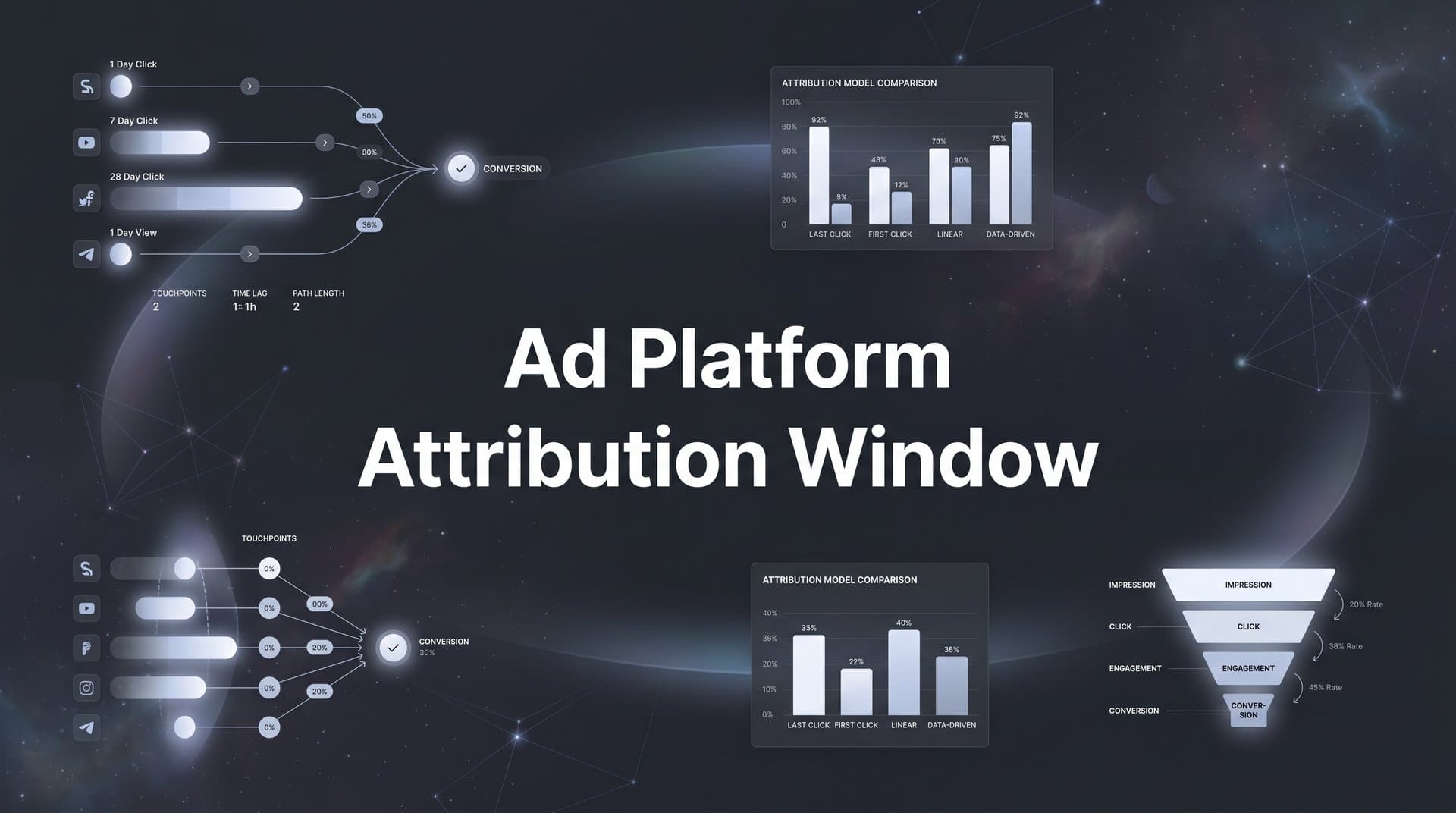
Picture this: you're reviewing last week's campaign results and notice a conversion that came through three days after someone clicked your ad. But when you check your reporting, the credit is going to a campaign that technically ended before the conversion happened. Frustrating, right? You're not imagining things, and your tracking isn't broken. What you're running into is the mechanics of an ad platform attribution window.
An attribution window is the time frame an ad platform uses to decide whether a conversion can be credited back to an ad interaction. Click an ad on Monday, buy something on Thursday? Depending on how the window is set, that conversion may or may not be tied to that click. The platform is essentially asking: "Did this conversion happen close enough to the ad interaction that we can reasonably credit our ad for it?"
This might sound like a minor technical detail, but it has real consequences. Attribution windows directly shape how your campaigns appear to perform in reporting dashboards, how ad platform algorithms decide to optimize your bids, and ultimately how you allocate budget across channels. Set them wrong, and you could be scaling campaigns that aren't actually driving results, or cutting campaigns that are quietly responsible for a significant share of your revenue.
This guide breaks down exactly how attribution windows work, what the major platforms default to, why your current settings might be distorting your data, and how to build a more accurate attribution strategy that holds up across all your channels.
How Attribution Windows Actually Work Behind the Scenes
Think of an attribution window as a timer that starts the moment someone interacts with your ad. The platform stamps that interaction, and if the user converts before the timer runs out, the platform claims credit for that conversion. If the user converts after the timer expires, the conversion goes unattributed by that platform.
There are two main types of attribution windows, and they track fundamentally different behaviors.
Click-through attribution windows track conversions that happen after someone physically clicks your ad. This is the most direct signal: the user saw your ad, acted on it, and eventually converted. The window defines how many days after that click the platform will still take credit for a resulting conversion.
View-through attribution windows track conversions that happen after someone sees your ad but does not click it. This is a softer signal. The idea is that even if someone didn't click, the impression may have influenced their eventual purchase decision. View-through windows are typically much shorter than click-through windows because the causal link between seeing an ad and converting is harder to establish.
Here's where it gets interesting. The mechanics are straightforward enough when you're running ads on a single platform. But the moment you're running campaigns on Meta, Google, TikTok, and LinkedIn simultaneously, each platform is running its own timer independently. None of them are talking to each other. Each one is making its own judgment call about whether it deserves credit for a conversion, based entirely on its own rules.
It's also worth clarifying a distinction that often causes confusion: attribution windows and attribution models are not the same thing. Attribution windows define the time boundary. They answer the question: "How long after an ad interaction can we still claim credit?" Attribution models, on the other hand, define how credit is distributed among multiple touchpoints within that window. Models like first-touch, last-touch, and multi-touch are about allocating credit across a journey. Windows are about setting the outer boundary of that journey.
A user might click a Meta ad on Day 1, see a Google Display ad on Day 5, and convert on Day 8. Whether each platform even sees that conversion depends on its window settings. How much credit each gets depends on the attribution model. Both matter, but they operate at different levels of the measurement stack.
Understanding this distinction is foundational. Once you know that windows define the boundary and models define the distribution, you can start making more deliberate decisions about both, rather than just accepting whatever defaults the platforms hand you.
Default Settings Across Meta, Google, TikTok, and LinkedIn
Every major ad platform ships with default attribution window settings. Most marketers never change them. That's a problem, because each platform's defaults are different, and those differences have a compounding effect on your cross-channel reporting.
Meta Ads currently defaults to a 7-day click, 1-day view attribution window. This is a significant change from where Meta stood before Apple's App Tracking Transparency rollout with iOS 14.5. Prior to those privacy changes, Meta's default was a 28-day click window, which gave it a much longer runway to claim credit for conversions. The shift to a shorter window was partly a response to reduced signal availability from iOS devices. Meta does allow you to configure windows of 1-day click, 7-day click, or 1-day view within your campaign settings and reporting views.
Google Ads defaults to a 30-day click-through window for most Search and Shopping campaign types, though this can vary depending on the campaign objective and conversion action you're tracking. Google also offers view-through attribution for display and video campaigns, with a default of 1 day for view-through conversions. The longer default click window reflects the nature of Search intent: someone searching for a product may research for weeks before committing to a purchase.
TikTok Ads Manager defaults to a 7-day click and 1-day view window, similar to Meta's current defaults. Given TikTok's roots in impulse-driven, entertainment-first content, a 7-day click window is a reasonable starting point for many advertisers, though it can still miss conversions from users who needed more time to decide.
LinkedIn Campaign Manager defaults to a 30-day click and 7-day view window. This reflects the platform's B2B orientation. Sales cycles on LinkedIn tend to be longer, and the longer default windows acknowledge that a decision-maker who sees a LinkedIn ad may not convert for several weeks.
Now here's the core problem. When you run campaigns across all four of these platforms simultaneously, each one is operating with different time frames and each one is independently claiming credit for conversions. There's no coordination between them. A user who clicks a Meta ad on Day 1 and a Google Search ad on Day 10 before converting on Day 12 could very plausibly be counted as a conversion by both platforms, because both interactions fall within their respective click windows.
This fragmentation means your platform-level reporting is not additive. You cannot simply sum up the conversions reported by Meta, Google, TikTok, and LinkedIn and expect to get an accurate picture of total performance. The numbers will almost certainly overlap, and in many cases significantly so. For a deeper look at why this happens, see our guide on why attribution data doesn't match across platforms.
Why Your Attribution Window Choice Inflates or Deflates Performance
The length of your attribution window has a direct effect on how many conversions get credited to your ads, and that effect can go in either direction depending on your situation.
Longer windows tend to attribute more conversions to ads. If someone clicks your ad on Day 1 and converts on Day 25, a 30-day click window captures that conversion while a 7-day window misses it entirely. For high-consideration purchases, long B2B sales cycles, or expensive products where buyers do extensive research, shorter windows can systematically undercount the value your ads are actually generating. You might look at a campaign's 7-day click data and conclude it's underperforming, when in reality many of its conversions are happening on Day 10, 15, or 20.
On the other end, longer windows can also over-credit ads for conversions that would have happened regardless of ad exposure. A user who clicked an ad three weeks ago but converted today after doing their own research, reading reviews, and visiting your site multiple times may not have needed that original ad click to convert. Whether the ad deserves credit for a conversion that happened 28 days later is a legitimate question. Understanding attribution window performance helps you evaluate where that line should be drawn.
The double-counting problem is where things get particularly messy for multi-channel advertisers. Each platform operates in its own silo, using its own rules, and each one will claim full credit for any conversion that falls within its window. There's no deduplication happening between platforms. The same conversion can be claimed simultaneously by Meta, Google, and TikTok, which means your total reported ROAS across platforms can look significantly higher than what's actually happening in your business.
This isn't a hypothetical edge case. It's a structural reality of how platform-native attribution works. When you add up the conversions from each platform's dashboard, you're often counting the same customers multiple times.
There's another layer to this that many marketers overlook: attribution window settings feed directly back into ad platform optimization algorithms. The conversions a platform sees within its window are the signal it uses to learn which audiences, placements, and creatives are working. If your window is too short and the platform isn't seeing many conversions, it has less data to optimize with and may make poor bidding decisions. If your window is too long and the platform is attributing conversions that aren't genuinely driven by your ads, it may optimize toward the wrong audience segments based on faulty signal. This is one of the key reasons your ad platform shows wrong data in its reporting.
In short, your attribution window isn't just a reporting preference. It's an input into the algorithm's decision-making process, which means getting it wrong has downstream effects on campaign performance, not just dashboard numbers.
Choosing the Right Attribution Window for Your Business Model
There's no universal correct attribution window. The right setting depends on how your customers actually buy, and that varies significantly by business model, product type, and price point.
A useful framework starts with your typical sales cycle length. Ask yourself: from the moment a potential customer first encounters your ad to the moment they convert, how long does that journey typically take?
Short sales cycles are common in ecommerce, particularly for impulse or low-consideration purchases. If someone clicks an ad for a $30 product and typically buys within a day or two, a 1-day or 7-day click window is probably sufficient. You're not missing much by using a shorter window, and the tighter boundary gives you cleaner, more reliable data. Ecommerce brands looking for more precise measurement should explore attribution platforms built for ecommerce.
Medium sales cycles apply to many direct-to-consumer brands with products in the $100 to $500 range. Buyers may research for a week or two before committing. A 7-day click window might capture most conversions, but a 14-day or 30-day window could give you a more complete picture. This is worth testing.
Long sales cycles are the norm in B2B, high-ticket services, and big-ticket consumer purchases. If your product requires demos, proposals, or multiple stakeholder sign-offs, a 7-day window will miss a substantial portion of the conversions your ads are actually influencing. A 30-day or longer click window is more appropriate here, and even then, you may want to supplement platform-native attribution with independent tracking that can follow a lead through a CRM pipeline. For B2B-specific guidance, check out the latest B2B marketing attribution SaaS tools.
Most platforms allow you to change your reporting attribution window without affecting how your campaigns are delivered. This means you can look at the same campaign data through multiple window lengths and compare conversion counts. The gap between what a 7-day window reports and what a 30-day window reports tells you a lot about how delayed your conversions tend to be, and that insight should directly inform which window you use for optimization purposes.
The key principle here is alignment. Your attribution window should reflect your actual customer journey, not just the platform default. If you've never audited your window settings, there's a good chance you're either under-crediting campaigns that are driving delayed conversions or over-crediting ones that are benefiting from a window that's too wide for your sales cycle.
Moving Beyond Platform-Native Windows With Independent Attribution
Even if you optimize your window settings on every platform individually, you're still working with a fundamental limitation: each platform is measuring in its own silo, using its own rules, with no visibility into what the other platforms are doing.
Meta doesn't know that the user who clicked your Meta ad also clicked your Google Search ad three days later. Google doesn't know that the same user saw a TikTok video the week before. Each platform sees only its own slice of the customer journey, and each one applies its own attribution window to that slice. The result is fragmented, often conflicting data across your marketing stack, with no reliable way to reconcile it from within the platforms themselves. This is exactly the problem that cross-platform analytics tools are designed to solve.
This is where independent, server-side attribution becomes essential. Rather than relying on each platform's pixel or SDK to track conversions on the client side, server-side tracking captures events directly from your server and applies consistent measurement rules across all channels. It isn't subject to the same browser-based limitations that come with cookie deprecation, ad blockers, or device-level privacy restrictions. And because it operates outside any single platform's ecosystem, it can track the full customer journey from first touch through CRM conversion with a consistent methodology.
The practical result is a single source of truth. Instead of looking at four different dashboards that each tell a different story, you have one unified view that shows you which touchpoints actually contributed to each conversion, with consistent attribution logic applied across all of them. Double-counting is eliminated because you're working from actual conversion events, not platform-reported estimates.
There's another significant benefit to this approach. When you feed accurately tracked, independently verified conversion data back to the ad platforms through conversion sync, you improve the quality of the signal their algorithms use for optimization. Platforms like Meta and Google rely heavily on conversion data to train their bidding and targeting models. If that data is noisy, duplicated, or incomplete because of tracking limitations, the algorithms optimize on a distorted signal. Feeding them cleaner, more complete conversion data helps them find the right audiences and make smarter bidding decisions, which translates to more efficient ad spend over time. You can explore how different solutions handle this in our revenue attribution platform comparison.
Cometly is built around exactly this approach. It connects your ad platforms, CRM, and website to track the entire customer journey in real time, applies consistent multi-touch attribution logic across all channels, and syncs enriched conversion data back to Meta, Google, and other platforms to improve their optimization. The goal is to give you data you can actually make decisions from, rather than a collection of siloed reports that contradict each other.
Building an Attribution Strategy That Scales
Here's the core takeaway: attribution windows are not just a reporting setting you configure once and forget. They are a strategic lever that affects how your campaigns appear to perform, how ad platform algorithms optimize, and how confidently you can allocate budget across channels. Getting them right matters at every stage of your marketing operation.
If you're not sure where to start, here's a practical action checklist to work through.
1. Audit your current window settings across all platforms. Log into each ad platform and check what attribution window is currently applied to your campaigns and reporting. Many marketers have never changed the defaults and may not even know what they're set to.
2. Compare reported conversions to actual CRM data. Pull your platform-reported conversion totals for a recent period and compare them to the actual number of leads or customers recorded in your CRM during the same period. If the platform numbers are significantly higher, double-counting is likely happening.
3. Identify discrepancies and trace their source. Look at which platforms are claiming the most conversions and whether those claims align with your understanding of your customer journey. Use platform-level attribution window comparisons to see how much your numbers shift when you change the window length.
4. Align your window settings with your actual sales cycle. Use the framework from earlier in this article to choose window lengths that reflect how your customers actually buy, rather than defaulting to whatever each platform recommends.
5. Move toward unified, independent attribution. Consider implementing server-side tracking and multi-touch attribution to get a consistent, deduplicated view of your full customer journey across all channels.
The marketers who scale efficiently aren't necessarily the ones with the biggest budgets. They're the ones who know which touchpoints are actually driving results and can make budget decisions based on that knowledge. A clear, accurate attribution strategy is what makes that possible.
The Foundation of Accurate Marketing Measurement
Understanding and configuring attribution windows is foundational to accurate marketing measurement. It's not glamorous work, but it's the kind of work that separates marketers who are guessing from marketers who know. When your windows are misconfigured or mismatched across platforms, every optimization decision you make is built on shaky ground.
Platform-native attribution windows serve a real purpose. They give each platform a reasonable framework for measuring the impact of its own ads. But for marketers running multi-channel campaigns, those native windows are not enough on their own. They don't talk to each other, they don't deduplicate, and they don't give you the unified view you need to make confident budget decisions.
The solution is a layer of independent attribution that sits above the platforms, captures every touchpoint, and applies consistent measurement logic across your entire marketing stack. That's what turns fragmented platform data into actionable intelligence.
Ready to move beyond platform silos and make budget decisions based on accurate, unified data? Get your free demo and discover how Cometly's multi-touch attribution and conversion sync capabilities can help you capture every touchpoint, eliminate double-counting, and optimize your campaigns with confidence.



