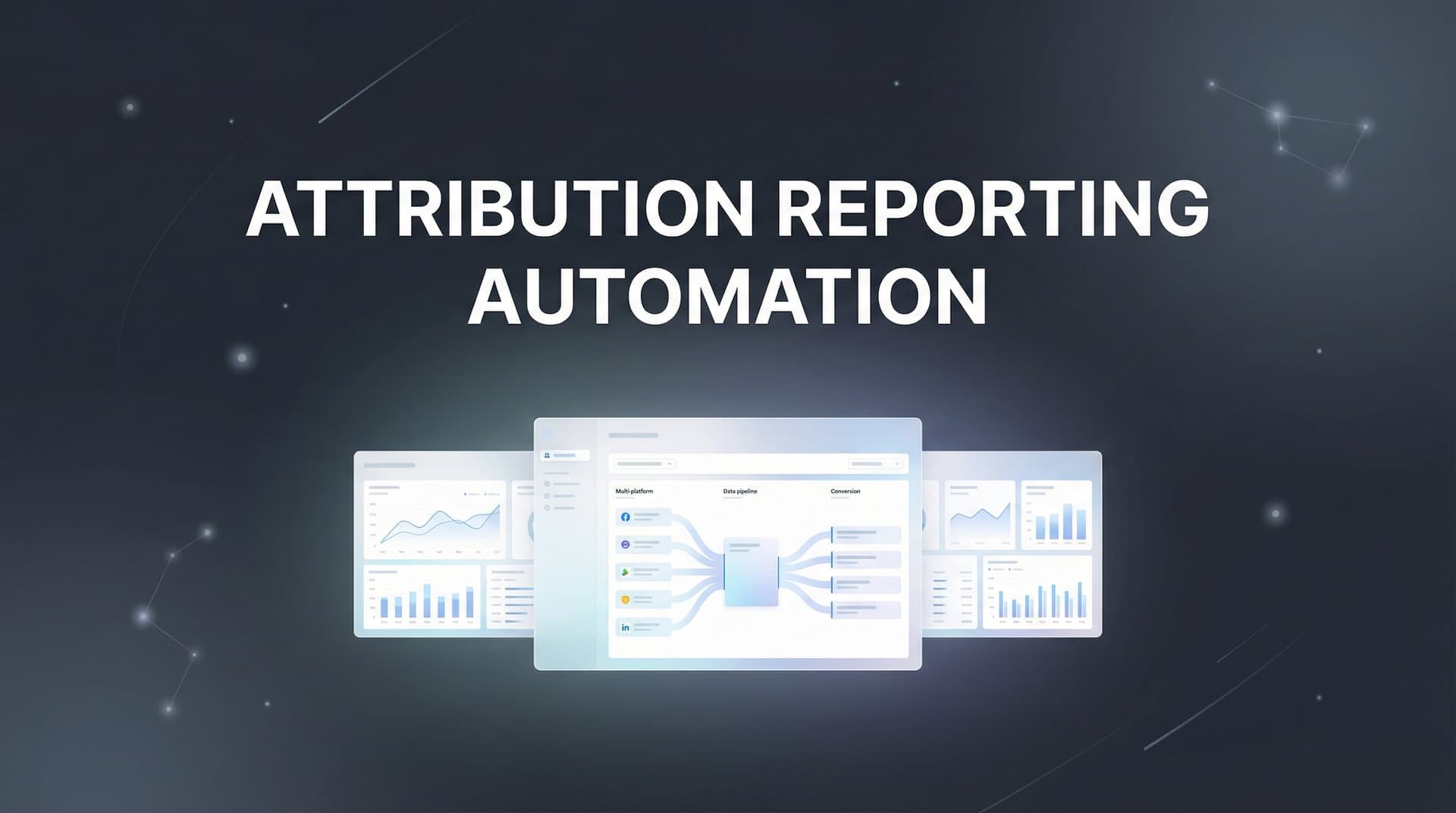
Manual attribution reporting drains hours from your week—time better spent optimizing campaigns and scaling what works. Every time you pull data from multiple platforms, cross-reference spreadsheets, and build reports by hand, you're not just losing time; you're working with data that's already outdated by the time you finish.
Attribution reporting automation changes this equation entirely.
Instead of reactive reporting that tells you what happened last week, you get real-time insights that inform decisions right now. You can spot a conversion rate drop at 10 AM and adjust your campaign by lunch. You can identify your best-performing channel this morning and increase budget before the day ends.
This guide walks you through setting up automated attribution reporting from the ground up. You'll learn how to connect your data sources, configure tracking across touchpoints, build automated dashboards, and create alert systems that flag opportunities and problems before they impact your bottom line.
Whether you're running campaigns across Meta, Google, LinkedIn, or multiple platforms simultaneously, these steps will help you build a reporting system that works while you sleep. Let's get started.
Step 1: Audit Your Current Data Sources and Tracking Setup
Before you automate anything, you need a clear picture of what you're working with. Start by mapping every advertising platform, CRM system, and analytics tool your team currently uses. Create a simple spreadsheet listing each platform, what data it captures, and how that data currently flows into your reporting.
This isn't just busywork—it's detective work that reveals the gaps costing you accurate attribution.
Look for tracking inconsistencies across platforms. Are you using UTM parameters consistently across all campaigns? Check your recent campaign URLs. If some campaigns have detailed UTM tagging while others have generic or missing parameters, you're creating blind spots in your customer journey data. Every untagged link is a conversion you can't properly attribute.
Next, verify that your conversion pixels are firing correctly. Log into each ad platform and check the events dashboard. Are you seeing the conversion events you expect? Compare the numbers against your actual conversions in your CRM or analytics platform. Significant discrepancies signal tracking problems—maybe your pixel isn't installed on the thank-you page, or it's firing multiple times per conversion. Understanding how to fix attribution discrepancies in data becomes critical at this stage.
Document your current reporting workflow in detail. How many hours does your team spend each week pulling reports? Which platforms require manual exports? Where do you reconcile data discrepancies? This documentation becomes your automation roadmap—every manual step is a candidate for elimination.
Pay special attention to disconnected data sources. If your CRM doesn't talk to your ad platforms, you're missing the complete journey from click to customer. If your website analytics exists in isolation from your advertising data, you can't see which campaigns drive engaged visitors versus bounces.
Test your conversion tracking by completing a test purchase or lead submission yourself. Watch which events fire in real-time using browser developer tools or platform debugging extensions. This hands-on verification often reveals issues that dashboard metrics hide.
The goal here isn't perfection—it's clarity. You need to know exactly what's working, what's broken, and what's missing before you build automation on top of it. A clear audit prevents you from automating bad data into polished reports that look accurate but mislead your decisions.
Step 2: Choose and Configure Your Attribution Platform
Your attribution platform becomes the central nervous system of your automated reporting. This isn't just another dashboard—it's the foundation that connects every data source and makes automation possible. The right platform eliminates data silos by bringing ad platforms, CRM, and website tracking into a unified view.
When evaluating platforms, prioritize those offering server-side tracking capabilities. Browser-based pixels increasingly miss conversions due to ad blockers, cookie restrictions, and iOS privacy changes. Server-side tracking captures conversion data directly from your server to the attribution platform, bypassing browser limitations entirely. This means more accurate data feeding your automated reports. Many teams are losing attribution data due to privacy updates, making server-side solutions essential.
Start the configuration process by connecting your advertising platforms. Most attribution tools offer one-click integrations with major platforms like Meta, Google Ads, TikTok, and LinkedIn. Authorize each connection and verify that campaign data flows correctly. Check that spend, impressions, and clicks sync accurately—these become the baseline metrics for your attribution analysis.
The CRM integration deserves extra attention because it closes the loop from ad click to revenue. Connect your CRM (whether it's Salesforce, HubSpot, or another system) and map your deal stages to conversion events. This connection lets you attribute not just leads, but actual revenue back to specific campaigns and channels.
Configure your website tracking next. Install the platform's tracking code on every page of your site, paying special attention to conversion pages like checkout confirmations, thank-you pages, and form submissions. If your attribution platform offers a Chrome extension or testing tool, use it to verify that events fire correctly across your conversion funnel.
Set up your server-side tracking by following your platform's implementation guide. This typically involves configuring a server endpoint that receives conversion data from your website or app, then forwards it to the attribution platform. While this step requires some technical setup, the data accuracy improvement makes it worthwhile.
Many attribution platforms, including Cometly, provide AI-powered features that analyze your complete customer journey data. These capabilities identify patterns and opportunities that manual analysis would miss—like discovering that customers who engage with both social and search ads convert at three times the rate of single-touch visitors.
Test your complete setup by running a small campaign and tracking it through the entire journey. Launch an ad, click it yourself, complete a conversion, and verify that every touchpoint appears correctly in your attribution platform. This end-to-end test confirms your foundation is solid before you build automation on top of it.
Step 3: Define Your Attribution Model and Conversion Events
Your attribution model determines how credit gets distributed across the customer journey. Choose the wrong model, and your automated reports will consistently point you toward the wrong optimization decisions. This step requires thinking carefully about your actual business model and sales cycle.
First-touch attribution gives all credit to the initial touchpoint—useful if you're focused on brand awareness and top-of-funnel performance. Last-touch attribution credits the final interaction before conversion—appropriate if you're optimizing for direct response and immediate conversions. Linear attribution spreads credit evenly across all touchpoints, while data-driven models use machine learning to assign credit based on actual influence. A thorough comparison of attribution models for marketers can help you make the right choice.
For most marketing teams running multi-channel campaigns, data-driven or multi-touch attribution models provide the most actionable insights. They reveal which channels work together to drive conversions, rather than oversimplifying the journey to a single touchpoint.
Configure your conversion events to align with real business outcomes, not vanity metrics. Yes, newsletter signups and content downloads are engagement signals, but if they don't correlate with revenue, automating reports around them wastes time. Focus on events that matter: demo requests, trial signups, purchases, qualified leads.
Assign revenue values to each conversion type. If a demo request converts to a customer 30% of the time with an average deal size of $5,000, that demo request has an expected value of $1,500. These values enable your automated reports to show ROI and revenue attribution, not just conversion counts.
Set lookback windows based on your actual sales cycle. If customers typically convert within seven days of their first interaction, a seven-day lookback window captures your full journey. If you're in B2B with a 90-day sales cycle, you need a longer window to attribute touchpoints accurately. Many platforms default to 28 days, but your business might require different settings.
Configure attribution windows separately for clicks and views. Click-through attribution typically uses longer windows (seven to 30 days) because clicks signal stronger intent. View-through attribution uses shorter windows (one to seven days) since ad impressions have less direct influence.
Test your attribution model by analyzing a known successful campaign through different models. Compare how first-touch, last-touch, and multi-touch models attribute credit. If the results differ dramatically, dig into the customer journey data to understand why. This analysis helps you choose the model that most accurately reflects how your customers actually behave.
Step 4: Build Your Automated Dashboard and Report Templates
Your automated dashboard transforms raw attribution data into actionable insights. The key is building different views for different stakeholders—executives need high-level ROI metrics, while campaign managers need granular performance data by ad set and creative.
Start by creating an executive dashboard that answers the questions leadership actually asks. What's our overall marketing ROI? Which channels drive the most revenue? How does this month compare to last month? Keep this view clean and focused—five to seven key metrics maximum. Include total ad spend, attributed revenue, blended ROAS, cost per acquisition, and customer acquisition cost by channel.
Build a campaign manager dashboard with the tactical details needed for daily optimization. This view should show performance by campaign, ad set, and individual ad creative. Include metrics like click-through rate, conversion rate, cost per conversion, and attribution by touchpoint position. Campaign managers need to see which specific ads are working, not just channel-level summaries. Using revenue attribution reporting templates can accelerate this process significantly.
Configure your data refresh schedule based on how quickly you need to react. Real-time dashboards work well for high-spend campaigns where budget pacing matters hour by hour. Daily refreshes suit most marketing teams, providing fresh data each morning without overwhelming your attribution platform's API limits. Weekly or monthly refreshes only make sense for low-frequency reporting needs.
Create standard report templates for recurring reviews. Your weekly report might focus on campaign performance and optimization opportunities. Monthly reports typically include channel comparisons, budget allocation recommendations, and trend analysis. Quarterly reports zoom out to strategic questions about channel mix and long-term performance patterns.
Include comparison views that make patterns obvious. Period-over-period comparisons (this week vs. last week, this month vs. last month) quickly show whether performance is improving or declining. Channel-by-channel views reveal which platforms deliver the best returns. Campaign-level breakdowns identify your winners and losers.
Add visual elements that make insights jump off the page. Use color coding to highlight performance against targets—green for campaigns exceeding ROI goals, red for those underperforming. Include trend lines that show whether metrics are moving in the right direction. Charts and graphs communicate patterns faster than tables of numbers.
Test your dashboards by using them to make actual decisions for a week. Do they answer your questions without requiring additional data pulls? Can you identify optimization opportunities within 60 seconds of opening the dashboard? If you're still exporting data to spreadsheets for analysis, your dashboard needs refinement.
Step 5: Configure Automated Alerts and Notifications
Automated alerts transform your reporting system from passive documentation to active management. Instead of discovering problems during your weekly review, you catch them within hours of occurrence. The trick is setting thresholds that catch real issues without creating alert fatigue.
Start with budget pacing alerts. Configure notifications when campaigns spend 50% of budget before reaching 50% of the time period. This early warning prevents situations where you blow through your monthly budget in the first two weeks. Set a second alert at 80% budget consumption to trigger final optimization decisions.
Create CPA spike alerts based on your historical performance data. If your typical cost per acquisition is $50, set an alert when it exceeds $75 for more than four hours. This threshold accounts for normal daily variance while catching genuine performance degradation. Adjust sensitivity based on your campaign volume—high-spend campaigns warrant tighter thresholds.
Configure conversion rate drop alerts using percentage changes rather than absolute numbers. A 30% decrease in conversion rate over a 24-hour period signals a problem worth investigating—maybe your landing page broke, your form stopped working, or your targeting shifted dramatically.
Set up performance anomaly detection for metrics that matter most to your business. Most attribution platforms offer AI-powered anomaly detection that learns your normal performance patterns and flags unusual deviations. This catches issues you wouldn't think to create manual alerts for, like sudden changes in time-to-conversion or unexpected shifts in device mix.
Choose notification channels based on urgency levels. Critical alerts—like conversion tracking failures or massive budget overspend—should trigger immediate notifications via SMS or phone. High-priority alerts like CPA spikes or conversion rate drops work well in Slack channels where your team can respond quickly. Low-priority alerts like weekly performance summaries fit better in email. Implementing marketing performance reporting automation streamlines this entire notification workflow.
Build escalation rules so the right people see critical issues immediately. If a campaign manager doesn't acknowledge a critical alert within 30 minutes, escalate to the marketing director. If budget overspend reaches a certain threshold, notify finance automatically. These rules prevent situations where important alerts get missed.
Test your alert system by intentionally triggering each alert type. Pause conversion tracking briefly to verify your tracking failure alert works. Increase bids dramatically to test your CPA spike alert. This testing confirms your safety net works before you actually need it.
Step 6: Enable Conversion Sync to Feed Better Data Back to Ad Platforms
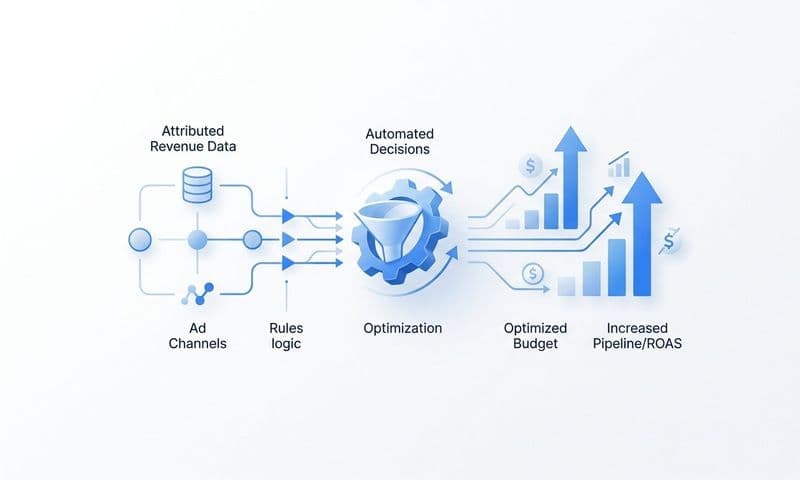
Conversion sync creates a powerful feedback loop that improves your campaign performance automatically. By sending enriched conversion data back to your ad platforms, you give their algorithms better signal to optimize against. This step often delivers the biggest performance improvement of your entire automation setup.
Configure conversion sync by connecting your attribution platform to each ad platform's conversion API. For Meta, this means setting up the Conversions API. For Google, it's the enhanced conversions feature. These server-side connections send conversion data directly from your attribution platform to the ad platform, bypassing browser limitations.
The magic happens in the data enrichment. Your attribution platform knows which ad generated the first touch, which generated the last touch, and every interaction in between. When you sync this enriched data back to ad platforms, you're sending more accurate conversion signals than browser pixels alone could capture. This helps ad algorithms understand which campaigns truly drive results.
Set up your conversion events in priority order. Start with your highest-value conversions—purchases, demo requests, qualified leads. These events have the most impact on campaign optimization. Add secondary events like email signups or content downloads only if they correlate strongly with your primary goals.
Verify that synced conversions match your attribution platform data. Most ad platforms provide a diagnostics dashboard showing conversion data received via API. Compare these numbers against your attribution platform's conversion counts. Small discrepancies are normal due to timing differences, but large gaps signal configuration problems.
Monitor algorithm learning periods after enabling enhanced conversion data. Ad platforms typically need seven to 14 days to incorporate new conversion signals into their optimization models. During this period, performance might fluctuate as algorithms adjust. Resist the urge to make major changes—let the learning period complete.
Platforms like Cometly automate this conversion sync process, continuously feeding accurate attribution data back to your ad platforms. This creates an optimization loop where better data leads to better targeting, which generates better results, which provides even better data for the next optimization cycle.
Track the impact of conversion sync by comparing campaign performance before and after implementation. Most marketing teams see improvements in cost per acquisition and conversion rates within 30 days as ad algorithms optimize against more accurate conversion data.
Putting It All Together: Your Attribution Automation Checklist
You've built a complete attribution reporting automation system. Here's your quick-reference checklist to verify everything's configured correctly:
Data Foundation: All ad platforms, CRM, and analytics tools connected with accurate tracking across every conversion point.
Attribution Setup: Attribution model selected and configured with appropriate lookback windows and conversion event values.
Automated Reporting: Dashboards built for different stakeholders with appropriate refresh schedules and comparison views.
Alert System: Threshold alerts configured for budget, CPA, and conversion rates with appropriate notification channels and escalation rules.
Conversion Sync: Enhanced conversion data flowing back to ad platforms with verified accuracy and completed learning periods.
Common troubleshooting scenarios: If conversion counts don't match between platforms, check attribution window settings—different windows create different counts. If alerts trigger too frequently, widen your threshold ranges based on actual performance variance. If dashboards load slowly, reduce the date range or number of metrics displayed. Following attribution reporting best practices helps avoid these common pitfalls.
Timeline expectations: Week one focuses on data accuracy verification and dashboard refinement. Month one is about building trust in your automated system and establishing new workflows. By month three, you should see measurable time savings and faster optimization decisions.
Your next steps involve ongoing optimization. Review your attribution model quarterly to ensure it still reflects customer behavior. Refine alert thresholds based on what's actually actionable. Add new conversion events as your business evolves. The system you've built isn't static—it grows with your marketing sophistication.
Your Path to Data-Driven Marketing Decisions
With your attribution reporting automation now in place, you've eliminated hours of manual data pulling and positioned your team to make faster, more confident decisions. The real value emerges over time—as your system collects more data, your attribution models become more accurate, and your ability to identify winning campaigns improves.
Start by monitoring your automated reports daily for the first two weeks, verifying data accuracy against your previous manual methods. Compare the attribution your new system shows against what you believed was true. You'll likely discover campaigns you undervalued and channels you overinvested in. This recalibration is part of the process.
Once you trust the system, shift your focus from data collection to data action. Use the time you've saved to test new campaigns, optimize creative, and scale what's working. The marketers who win aren't the ones with the most data—they're the ones who act on accurate data fastest.
Your automated alerts will catch problems before they escalate. Your conversion sync will continuously improve ad platform optimization. Your dashboards will reveal opportunities your competitors miss because they're still stuck in manual reporting cycles.
This foundation supports everything that comes next. As you scale campaigns, launch new channels, or expand into new markets, your attribution automation scales with you. The infrastructure you've built today becomes more valuable with every campaign you run.
Ready to elevate your marketing game with precision and confidence? Discover how Cometly's AI-driven recommendations can transform your ad strategy—Get your free demo today and start capturing every touchpoint to maximize your conversions.