You're juggling budgets across Meta, Google, TikTok, and maybe three other platforms. Every morning starts the same way: check performance, shift $500 here, pull $300 there, hope you're making the right call. By the time you finish, the data's already outdated and you're second-guessing every decision.
Here's the reality: manual budget management doesn't scale. The moment you move money based on yesterday's metrics, market conditions have already shifted. High-performing campaigns sit underfunded while underperformers drain budget simply because you haven't checked in yet.
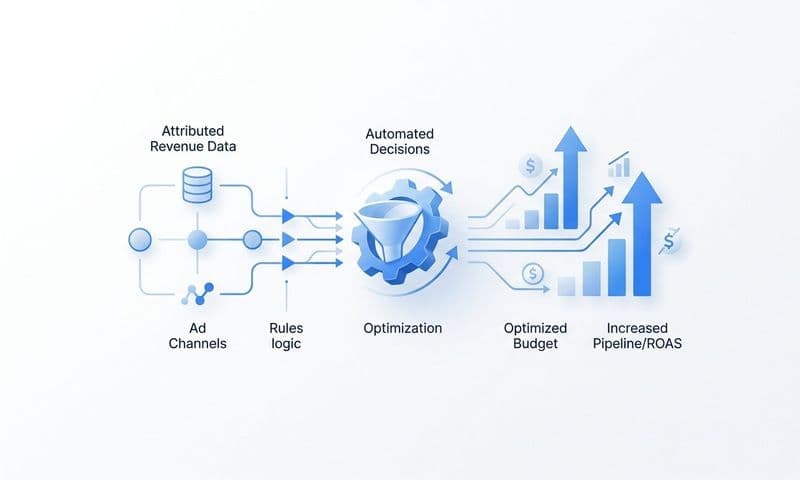
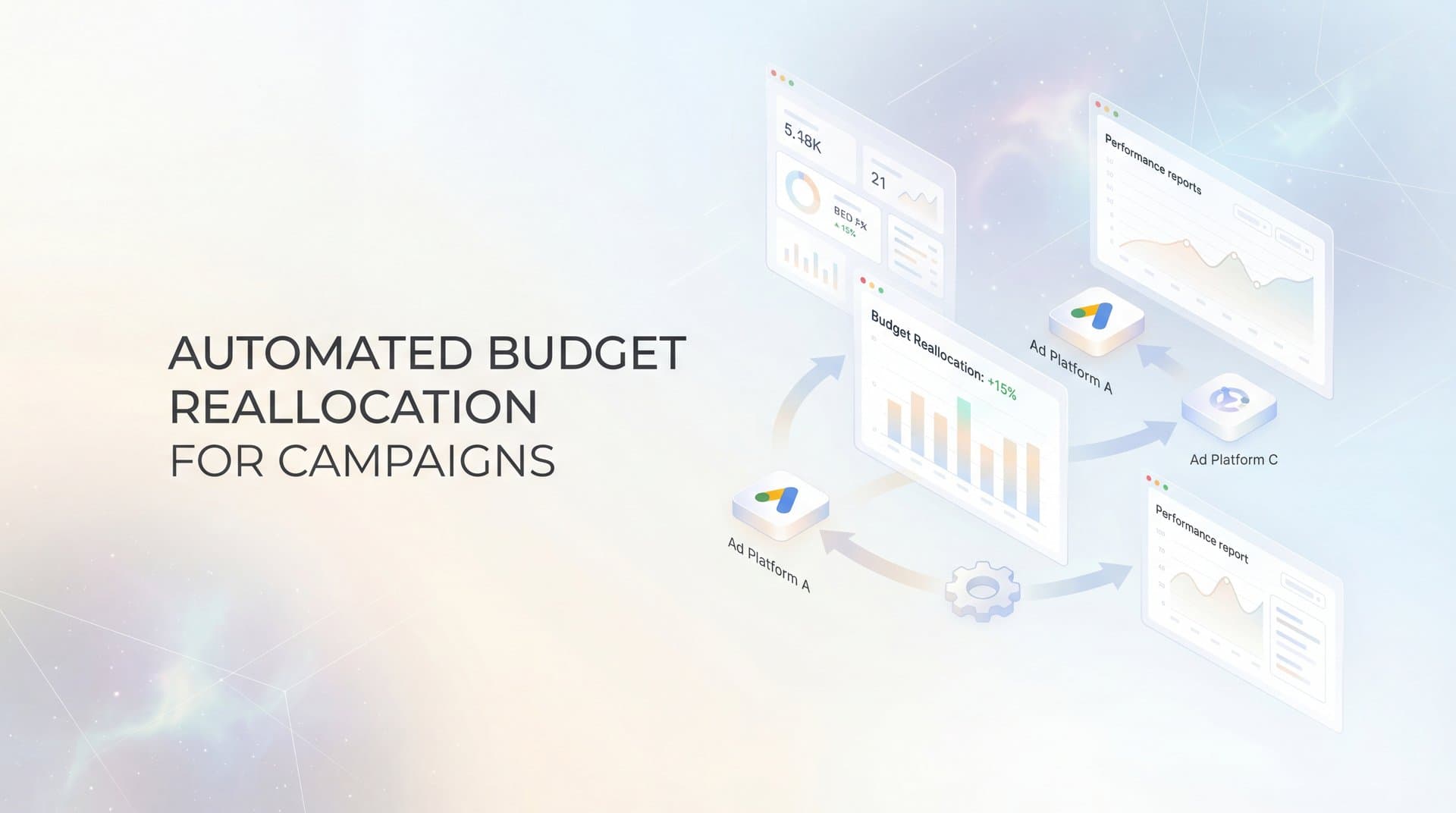
Automated budget reallocation solves this by using real-time performance data to shift spend toward campaigns that actually drive revenue—and away from those that don't. Instead of relying on gut feelings or outdated reports, your budget moves automatically based on what's converting right now.
This guide walks you through building a complete automated budget reallocation system from scratch. You'll learn how to audit your current setup, connect accurate attribution data, define smart reallocation rules, implement safeguards, and refine your automation over time. By the end, you'll have a working system that optimizes spend based on actual revenue attribution, not platform-reported vanity metrics.
One critical foundation: automated budget reallocation is only as good as the data feeding it. If your attribution is incomplete or inaccurate, automation will simply optimize toward the wrong signals faster. That's why we'll start by ensuring you have unified tracking across all touchpoints before automating anything.
Step 1: Audit Your Current Budget Distribution and Performance Gaps
Before automating anything, you need to understand where your money's going right now and whether that allocation makes sense. Most marketers discover significant inefficiencies during this step—campaigns receiving 30% of budget while generating only 15% of revenue, or high-performers starved of spend because budgets were set months ago and never adjusted.
Start by creating a comprehensive budget audit spreadsheet. List every active campaign across all platforms. For each campaign, document three core metrics: current daily or monthly budget allocation, actual cost per acquisition (CPA), and total revenue generated over the past 30 days.
This sounds straightforward, but here's where it gets tricky. Don't just pull these numbers from individual ad platforms. Platform-reported conversions often miss the full picture—a Facebook ad might show zero conversions while actually initiating customer journeys that convert days later through Google search. You need attribution data that connects the dots across your entire marketing ecosystem.
If you don't have unified attribution yet (we'll fix this in Step 2), use the best data available for now. The goal is establishing a baseline that reveals patterns: Which campaigns consistently deliver strong returns? Which ones consume budget without proportional revenue? Where are the obvious mismatches between spend and performance?
Calculate the revenue-to-spend ratio for each campaign. A campaign spending $1,000 monthly and generating $5,000 in attributed revenue has a 5:1 ratio. Compare these ratios across your portfolio. The gaps tell you where automation will have the biggest impact.
Look for campaigns stuck in budget purgatory—performing well enough to stay active but never receiving enough budget to scale. These are prime candidates for automated increases. Similarly, identify campaigns that keep running despite mediocre returns simply because no one's had time to adjust their budgets. Following marketing budget allocation best practices during this audit phase sets the foundation for effective automation.
Document your findings in clear terms: "Campaign A is underfunded by approximately $500/month based on its revenue contribution" or "Campaign B consumes 20% of total budget but generates only 8% of revenue." These insights become your automation roadmap.
Success indicator: You have a complete spreadsheet showing current budget allocation, performance metrics, and identified gaps where automation can improve efficiency. You can clearly articulate which campaigns deserve more budget and which need less.
Step 2: Connect Your Attribution Data Sources for Unified Tracking
Automated budget reallocation makes decisions based on data. If that data is incomplete or inaccurate, your automation will confidently optimize toward the wrong outcomes. This is why unified attribution tracking is non-negotiable before implementing any automation.
The challenge: each ad platform wants to take credit for conversions. Facebook claims the sale happened because of their ad. Google says it was their search click. Your email platform insists the newsletter drove the purchase. Without unified tracking, you're making budget decisions based on fragmented, often contradictory data.
Start by implementing server-side tracking that captures every touchpoint in the customer journey. Unlike browser-based tracking (which faces increasing limitations from privacy changes and ad blockers), server-side tracking records events directly from your server, creating a complete, accurate record of each customer's path to conversion.
Connect all your marketing channels to a central attribution system. This includes your ad platforms (Meta, Google, TikTok, LinkedIn), your CRM (where sales and revenue data lives), your website analytics, and any other tools in your marketing stack. A robust marketing campaign attribution platform creates one source of truth that shows how campaigns work together to drive conversions.
Configure conversion events properly across all platforms. A "purchase" event needs to fire consistently whether the customer converts through a Facebook ad, a Google search, or direct website visit. These events should include revenue values, not just conversion counts—automation needs to optimize for revenue, not just volume.
Here's a common pitfall that breaks budget automation: relying on platform-reported conversions leads to massive duplicate counting. When Facebook, Google, and your email tool all claim credit for the same sale, your automation sees three conversions instead of one. Budget flows toward campaigns that appear to perform well but are actually just claiming credit for other channels' work.
Multi-touch attribution solves this by showing the complete journey. Instead of giving 100% credit to the last click, you see every touchpoint that contributed—the Facebook ad that created awareness, the Google search that indicated intent, the email that closed the deal. Understanding which attribution model is best for optimizing ad campaigns helps you make smarter decisions about where budget creates the most value.
Test your attribution setup thoroughly before automating. Make a test purchase and verify that it appears correctly in your attribution system with all touchpoints recorded. Check that revenue values match your actual order data. Confirm that conversions aren't being duplicated across platforms.
Pay special attention to attribution windows. A customer might see your ad today but convert next week. Your attribution system needs to connect those events correctly, and your automation rules need to account for this delay when evaluating campaign performance. Proper revenue tracking through marketing attribution platforms ensures your automation sees accurate conversion data.
Success indicator: All campaigns show unified conversion data in your attribution system. When you make a test conversion, it appears once (not multiple times) with accurate revenue attribution across all touchpoints. You can see complete customer journeys from first click to final purchase.
Step 3: Define Your Reallocation Rules and Performance Thresholds
Now comes the strategic work: deciding exactly when and how your system should move budget between campaigns. Without clear rules, automation becomes chaos. With smart rules, it becomes your most valuable team member—one that never sleeps and never makes emotional decisions.
Start by defining your primary optimization metric. Most sophisticated marketers optimize for return on ad spend (ROAS) or cost per acquisition (CPA) tied to actual revenue, not just leads or clicks. Choose the metric that matters most for your business model.
Set your performance thresholds—the specific numbers that trigger budget changes. For example: "If a campaign maintains ROAS above 4:1 for three consecutive days, increase its budget by 15%. If ROAS drops below 2:1 for three consecutive days, decrease budget by 20%."
Notice the "three consecutive days" requirement? This prevents your automation from overreacting to normal daily fluctuations. A single bad day doesn't mean a campaign is broken. Consistent underperformance does. Build this stability into your rules.
Define minimum and maximum budget boundaries for each campaign. A minimum floor (like $50/day) ensures campaigns have enough budget to gather meaningful data and allow platform algorithms to optimize. A maximum ceiling prevents any single campaign from consuming your entire budget if something goes wrong.
Establish reallocation frequency—how often your system checks performance and makes adjustments. Daily checks work well for most businesses, but some prefer every 12 hours for fast-moving campaigns or every 2-3 days for longer sales cycles. Match frequency to your typical conversion timeline.
Here's a critical tip: start conservative. Your first automation rules should make small percentage shifts (10-20%) rather than dramatic reallocations (50%+). This lets you build confidence in the system and catch any issues before they cause significant budget waste. You can always increase aggressiveness once you've validated that automation improves performance.
Document decision logic for edge cases. What happens if all campaigns underperform simultaneously? (Market-wide issue, not campaign-specific—pause automation temporarily.) What if a campaign's performance spikes suddenly? (Increase budget but cap the maximum daily shift to prevent overspending on an anomaly.) Learning how to evaluate marketing performance metrics helps you set appropriate thresholds for your specific business.
Create different rule sets for different campaign types if needed. Brand awareness campaigns might have different thresholds than direct response campaigns. New campaigns in testing phase might need more conservative rules than proven performers.
Success indicator: You have a documented ruleset that clearly defines when budget increases, when it decreases, by how much, and what safeguards prevent extreme actions. Someone else could read your rules and understand exactly how your automation will behave.
Step 4: Configure Automated Budget Rules in Your Ad Platforms
With your rules defined, it's time to implement them. The goal is creating a system that executes budget changes automatically based on your attribution data, not platform-specific metrics that miss the complete picture.
Most ad platforms offer native automation rules, but here's the catch: these rules typically only see data from their own platform. Facebook's automated rules optimize based on Facebook-reported conversions. Google's rules use Google's data. This creates the same fragmented decision-making you're trying to escape.
The solution is connecting your unified attribution data to your automation execution. Some attribution platforms offer direct integrations with ad platforms, letting you create rules that reference cross-platform attribution data rather than single-platform metrics. Exploring the best marketing automation platforms can help you find tools with these integration capabilities.
If direct integration isn't available, you can use API connections to pull attribution data and push budget changes to ad platforms programmatically. This requires more technical setup but provides complete control over how automation executes.
Start by implementing rules for your highest-spend campaigns first. These are where automation will have the biggest immediate impact. Configure the rules according to your documented thresholds from Step 3, ensuring each rule references your unified attribution metrics.
Test each rule individually before activating multiple rules simultaneously. Set a rule to increase budget for a strong performer by 10%, verify it executes correctly, then move to the next rule. This methodical approach prevents compounding errors.
Here's a common pitfall: setting rules too aggressively causes budget thrashing—money rapidly shifting back and forth between campaigns as they alternately cross performance thresholds. This prevents campaigns from stabilizing and gathering meaningful data. If you notice thrashing, increase your consecutive-day requirements or reduce the percentage of budget shifts.
Configure your rules to log every action they take. You need a clear audit trail showing when budgets changed, by how much, and what performance data triggered the change. This transparency is essential for refining your automation over time.
Set up notification alerts for when rules execute. You don't need to approve each change (that defeats the purpose of automation), but you should be aware of significant budget movements. Many marketers configure alerts for changes exceeding 25% or $500, whichever is smaller.
Consider the timing of your automation execution. Running budget changes at the start of the ad platform's day (usually midnight in your account's time zone) gives campaigns a full day to perform under their new budget. Mid-day changes can create partial-day data that's harder to interpret.
Success indicator: Your automation rules are active and executing correctly. You've verified that small test reallocations happen as expected, reference your unified attribution data, and log their actions for review.
Step 5: Implement Safeguards and Budget Caps
Automation is powerful, but unchecked automation is dangerous. Before fully trusting your system, implement multiple layers of protection that prevent runaway spending, budget drain, and optimization disasters during unusual circumstances.
Start with hard spending limits at the account level. Even if automation goes haywire, you need absolute caps that prevent total budget from exceeding safe levels. Set daily account spending limits in each ad platform that align with your overall marketing budget.
Establish minimum campaign budgets that automation cannot go below. A campaign needs sufficient budget to gather meaningful data and allow platform algorithms to optimize. Setting a floor of $30-50 per day (depending on your industry) prevents automation from essentially killing campaigns by reducing them to ineffective budget levels.
Create maximum daily shift limits—the most budget can change in a single day regardless of performance. Even if a campaign is crushing it, limiting increases to 25-30% per day prevents sudden budget spikes that might indicate data anomalies rather than genuine performance improvements.
Build in anomaly detection for unusual activity. If a campaign's conversion rate suddenly triples or cost per click drops by 70%, that's worth investigating before automation pours more budget into it. Set alerts for performance changes exceeding 2-3 standard deviations from the norm. Using marketing analytics platforms with real-time conversion data helps you catch these anomalies quickly.
Implement a manual override or kill switch that pauses all automation instantly. During major promotions, product launches, or market events, you might need to manage budgets manually. Your kill switch should freeze all automated rules while preserving your configurations for easy reactivation later.
Set up budget reserve pools—portions of your total budget that automation cannot touch. This ensures you always have funds available for testing new campaigns, responding to opportunities, or covering unexpected needs without waiting for automation to free up budget.
Configure time-based safeguards for high-risk periods. Many businesses pause automation during Black Friday, major sales events, or end-of-quarter pushes when manual control is preferable. Schedule these pauses in advance so you don't forget during hectic periods.
Test your safeguards thoroughly. Simulate edge cases: What happens if all campaigns suddenly report zero conversions? Does your system freeze or keep spending? What if one campaign's performance spikes 500%? Do your caps prevent excessive budget shifts?
Success indicator: You've tested your safeguards with simulated scenarios and confirmed they work correctly. Your automation has multiple layers of protection preventing budget disasters, and you have a quick way to pause everything if needed.
Step 6: Monitor, Analyze, and Refine Your Automation Over Time
Launching automation isn't the finish line—it's the starting line. The real value comes from continuously monitoring performance, identifying patterns, and refining your rules based on what actually works in your specific business context.
Establish a weekly review ritual. Every week, analyze how automation performed compared to your manual management baseline. Look at total budget efficiency: are you getting more revenue per dollar spent? Is overall ROAS improving? Are cost per acquisition numbers trending down?
Review the specific budget changes automation made. Which campaigns received increases? Which got decreases? Do these decisions align with your strategic understanding of campaign value, or is automation revealing insights you missed?
Track automation's decision accuracy over time. After automation increases a campaign's budget, does that campaign continue performing well, or does performance decline under higher spend? If performance consistently drops after budget increases, your thresholds might be too aggressive or your attribution window too short.
Compare automated performance against your previous manual approach. Calculate metrics like total revenue, average ROAS, and overall marketing efficiency for the 30 days before automation versus the 30 days after. Meaningful improvements typically take 2-4 weeks to materialize as automation gathers data and optimizes allocation. Knowing how to improve campaign performance with analytics accelerates this optimization process.
Look for patterns in when automation works best and when it struggles. Some businesses find automation excels during steady-state periods but needs manual oversight during major campaigns. Others discover certain campaign types respond better to automated management than others.
Refine your rules based on observed behavior. If you notice budget thrashing between two campaigns, increase your consecutive-day requirements. If automation seems too conservative, gradually increase your percentage shift limits. Small iterative improvements compound into significant optimization gains.
Stay alert for market condition changes that require rule adjustments. Seasonal shifts, competitive landscape changes, or platform algorithm updates might mean your original thresholds no longer align with optimal performance. Your 4:1 ROAS threshold from January might need adjustment by June. Implementing best practices for real-time marketing optimization keeps your automation responsive to changing conditions.
Document what you learn. Keep notes on why you made specific rule changes and what results followed. This creates institutional knowledge that prevents repeating mistakes and accelerates optimization for future campaigns.
Success indicator: After 30 days of automated reallocation, you can demonstrate documented improvement in overall ROAS, CPA, or total marketing efficiency compared to your manual management baseline. You have a clear process for ongoing refinement and optimization.
Your Automated Budget Reallocation Checklist
You now have everything needed to implement automated budget reallocation that actually drives better performance. Here's your quick-reference checklist for the complete process:
Foundation Phase: Audit current budget distribution and identify performance gaps. Connect all attribution data sources for unified tracking across platforms. Verify that conversion events fire correctly with accurate revenue attribution.
Configuration Phase: Define reallocation rules with specific performance thresholds and shift percentages. Configure automated rules in ad platforms using unified attribution data. Implement safeguards including budget caps, minimum floors, and kill switches.
Optimization Phase: Monitor automation performance weekly and compare against manual management baseline. Analyze which decisions improve results and which need refinement. Adjust rules iteratively based on observed behavior and market conditions.
The most critical insight: automated budget reallocation is only as good as the attribution data feeding it. If your tracking is incomplete or inaccurate, automation will confidently optimize toward the wrong signals. That's why unified, server-side tracking with multi-touch attribution forms the foundation of any successful automation strategy.
Start conservative with your automation rules. Small percentage shifts and longer evaluation periods let you build confidence in the system before scaling aggressiveness. You can always increase automation's decisiveness once you've validated that it improves performance consistently.
Remember that automation doesn't eliminate the need for strategic thinking—it amplifies it. Your job shifts from manually moving budget every day to defining smart rules, monitoring system performance, and continuously refining based on what works. This is higher-leverage work that drives better results with less daily effort.
Ready to elevate your marketing game with precision and confidence? Discover how Cometly's AI-driven recommendations can transform your ad strategy—Get your free demo today and start capturing every touchpoint to maximize your conversions.