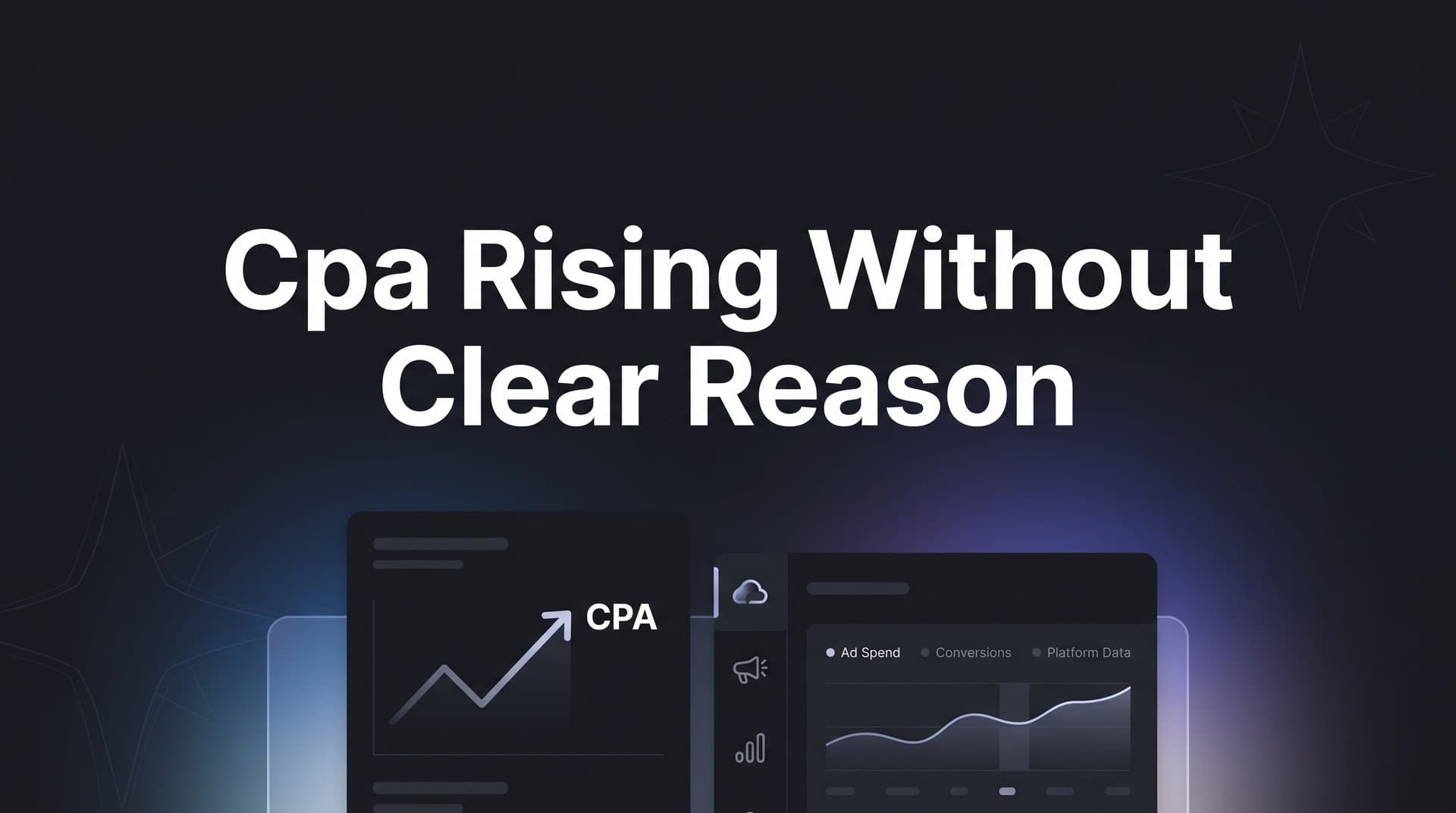
Few things frustrate digital marketers more than watching cost per acquisition creep upward with no obvious explanation. Your ads look the same, your budgets haven't changed, and your landing pages are intact, yet CPA keeps climbing.
The truth is that CPA rarely rises without a reason. The problem is that the reason is often hidden beneath layers of incomplete data, platform-level changes, and audience shifts that standard dashboards fail to surface. When you rely solely on in-platform metrics, you are only seeing part of the picture.
Broken tracking, audience fatigue, algorithmic shifts, and attribution gaps can all silently inflate your CPA while everything appears normal on the surface. Think of it like a car's check engine light that never turns on. The problem is real, but nothing in the dashboard is telling you where to look.
This guide walks through seven actionable strategies to uncover the real culprits behind unexplained CPA increases and, more importantly, how to bring those costs back under control. Whether you are running campaigns across Meta, Google, TikTok, or multiple platforms simultaneously, these approaches will help you move from guessing to knowing exactly where the problem lives.
1. Audit Your Tracking and Conversion Data First
The Challenge It Solves
Before you change a single bid strategy or pause an ad, you need to verify that your reported CPA is actually accurate. Tracking infrastructure breaks more often than most marketers realize. A misfired pixel, a broken UTM parameter, or a conversion event that stopped firing after a site update can all make your CPA look worse than it truly is. You could be optimizing against a problem that is entirely a data artifact.
The Strategy Explained
Start by auditing every layer of your conversion tracking. Check that your pixel or tag is firing correctly on confirmation pages. Verify that your conversion events are being reported in real time and that event counts align with what your CRM or backend systems show.
Apple's App Tracking Transparency framework, which began rolling out in 2021, significantly reduced the ability of platforms like Meta to track conversions through pixel-based methods alone. This is widely documented by Apple and has been covered extensively across industry publications. If you are running Meta campaigns and relying solely on browser-based pixel tracking, a meaningful portion of your conversions may simply not be getting reported. Your actual CPA could be far lower than what the platform shows you.
Similarly, Google has been progressively phasing out third-party cookies in Chrome through its Privacy Sandbox initiative. This shift continues to affect how conversion data is captured and attributed across the web, making tracking conversions without third-party cookies an essential capability for modern marketers.
Implementation Steps
1. Open your ad platform's diagnostic tools (Meta Events Manager, Google Tag Assistant, or TikTok Events) and confirm that your key conversion events are firing without errors.
2. Cross-reference your platform-reported conversions against your CRM, Shopify backend, or order management system for the same date range to identify any discrepancy.
3. Check your UTM parameters by pulling a source/medium report in your analytics platform to confirm traffic is being attributed correctly and not lumping into "direct" or "none."
4. Review any recent site changes, tag manager updates, or third-party app installations that may have interfered with tracking scripts.
Pro Tips
Use a tool like Cometly to create a single source of truth for your conversion data. When your attribution platform pulls from server-side events and cross-references multiple data sources, you catch discrepancies that in-platform dashboards will never surface on their own. Tracking audits should happen on a scheduled basis, not just when something looks wrong.
2. Segment Performance to Isolate the Real Problem
The Challenge It Solves
Account-level CPA is a blended number, and blended numbers hide the truth. When you look at your overall CPA and see it rising, you are looking at an average that could be masking one underperforming campaign dragging up an otherwise healthy account. Without segmentation, you end up applying broad fixes to a problem that only exists in one specific corner of your account.
The Strategy Explained
The goal here is to break your blended CPA into its component parts until the problem becomes visible. Think of it like diagnosing a fever. You know something is wrong, but you need to narrow it down before you can treat it effectively.
Segment your performance by campaign, then by ad set or ad group, then by audience, device type, placement, and geography. Often, you will find that CPA is perfectly stable in most of your account but has spiked dramatically in one specific segment. Understanding unclear marketing channel performance starts with this kind of granular breakdown.
Pay close attention to device-level splits. Mobile and desktop often convert at very different rates, and a shift in your traffic mix can inflate blended CPA without any actual degradation in campaign quality.
Implementation Steps
1. Pull a campaign-level CPA report for the last 30 days and compare it to the prior 30-day period. Flag any campaign where CPA has moved more than 20 percent in either direction.
2. Drill into flagged campaigns and segment by audience, placement, and device. Identify the specific segment where the CPA increase is concentrated.
3. Check your traffic mix over the same period. If mobile traffic has increased significantly and your mobile conversion rate is lower, that shift alone could explain the CPA rise.
4. Export this segmented data into a simple comparison table so you can present findings clearly to stakeholders or your team.
Pro Tips
Do not stop at the first level of segmentation. CPA issues are often nested, meaning the problem might be a specific audience within a specific campaign on a specific placement. Cometly's multi-touch attribution dashboard makes it easier to trace performance across channels and segments without bouncing between five different platform interfaces.
3. Diagnose Audience Fatigue and Creative Decay
The Challenge It Solves
Creative fatigue is one of the most common and most overlooked causes of rising CPA in paid media. When your target audience has seen the same ad too many times, engagement drops, click-through rates decline, and the platform's algorithm interprets this as a signal that your ad is less relevant. The result is higher CPMs, lower conversion rates, and a CPA that climbs steadily with no obvious trigger.
The Strategy Explained
Meta's own ad delivery documentation acknowledges that high ad frequency can reduce effectiveness over time. This is not a fringe theory; it is a documented behavior of how ad auctions work. When users start ignoring or hiding your ads, the algorithm penalizes delivery quality, and you pay more to reach fewer people who are less likely to convert.
Look at your frequency metrics alongside your CPA trend. If frequency has been climbing steadily over the same period that CPA started rising, you have likely found your culprit. The fix is refreshing your creative assets, expanding your audience pools, or both. For a deeper dive into creative performance, explore these tips to improve ad performance across your campaigns.
Creative decay does not always look dramatic. Sometimes it is a gradual erosion of click-through rate over four to six weeks that quietly inflates your cost per click and, by extension, your CPA.
Implementation Steps
1. Pull a frequency report for your top campaigns over the last 60 days. Flag any ad sets where frequency has exceeded four to five impressions per user within a 30-day window.
2. Compare click-through rate trends for the same period. A declining CTR paired with rising frequency is a strong signal of creative fatigue.
3. Audit your active creatives and identify which ones have been running the longest without a refresh. Pause or rotate out assets that have been live for more than six to eight weeks without performance testing.
4. Introduce new creative variations with different hooks, formats, or visual styles and run them against your fatigued assets to reset engagement rates.
Pro Tips
Build a creative testing calendar so you are proactively introducing new assets before fatigue sets in rather than reacting after CPA has already risen. Many marketing teams find that maintaining three to five active creative variants per ad set helps sustain performance over longer campaign windows.
4. Evaluate Platform Algorithm and Auction Changes
The Challenge It Solves
Sometimes your CPA rises and it has nothing to do with your campaigns at all. Ad auction dynamics are influenced by factors entirely outside your control: seasonal surges in advertiser competition, new entrants flooding your target audience's auction, platform algorithm updates that change how delivery is optimized, and shifts in how platforms score ad relevance. If you do not account for these external forces, you risk making internal changes that do not address the actual root cause.
The Strategy Explained
CPM (cost per thousand impressions) is the most direct indicator of auction pressure. When more advertisers compete for the same audience, CPMs rise. If your CPM has increased significantly but your conversion rate has remained stable, your CPA increase is an auction problem, not a creative or targeting problem.
Q4 holiday seasonality is a well-understood example of this dynamic. Retail advertisers flood the auction in October through December, driving up CPMs across virtually every platform and audience. But auction pressure can spike at other times too, particularly when a major platform rolls out a new ad product that shifts how budgets are allocated or when a large competitor in your vertical increases their spend.
Platform algorithm updates can also change how your campaigns are delivered without any notification. Broad match expansions, audience signal adjustments, and smart bidding recalibrations can all subtly shift who sees your ads and at what cost. This is why ad optimization without accurate data becomes a dangerous guessing game during periods of algorithmic change.
Implementation Steps
1. Pull a CPM trend report for your key campaigns over the last 60 to 90 days. If CPM has risen substantially while your CTR and conversion rate have stayed flat, the auction is the primary driver of your CPA increase.
2. Check industry news and platform announcements from the same period. Look for documented algorithm updates, policy changes, or new ad product rollouts that may have affected delivery.
3. Review your competitive landscape. If new advertisers have entered your space or existing competitors have scaled their spend, this will show up as increased auction pressure in your CPM data.
4. Adjust your bidding strategy or budget allocation in response. In high-competition periods, shifting spend toward lower-funnel audiences or branded campaigns can help protect CPA efficiency.
Pro Tips
Set up CPM benchmarks for your key audiences so you have a baseline to compare against. When CPM spikes, you will know immediately whether it is a seasonal pattern or something more structural. This context prevents you from over-correcting your campaigns in response to external market dynamics you cannot directly control.
5. Fix Attribution Gaps Across the Full Funnel
The Challenge It Solves
Last-click attribution is still the default model in many ad platforms, and it creates a distorted picture of which channels and campaigns are actually driving conversions. When attribution is incomplete, some campaigns appear to have a much higher CPA than they actually do because their contribution to the conversion journey is not being credited. You end up cutting spend on channels that are genuinely working and doubling down on channels that are getting credit they do not deserve.
The Strategy Explained
Multi-touch attribution assigns credit to every touchpoint in the customer journey, not just the last click before conversion. This matters enormously when you are trying to diagnose a rising CPA, because what looks like a CPA problem in one channel might actually be an attribution problem across your full funnel. Understanding the different types of attribution models is critical to selecting the right approach for your business.
Consider a customer who sees a Facebook ad, searches Google three days later, clicks a retargeting display ad, and then converts via email. Last-click attribution gives all the credit to email. Your Facebook and Google campaigns look expensive and inefficient. But if you remove them based on that flawed data, your email conversions will likely collapse because the top-of-funnel touchpoints that built awareness and intent are gone.
Attribution gaps also emerge when different platforms use different attribution windows. Meta might count a conversion within a 7-day click window while Google counts the same conversion within a 30-day window, leading to double-counting that inflates your total reported conversions and distorts your true CPA.
Implementation Steps
1. Audit your current attribution model across all active platforms. Document what attribution window each platform uses and whether any conversions are being double-counted across platforms.
2. Implement a third-party attribution platform like Cometly that provides a unified, cross-channel view of the customer journey independent of any single ad platform's self-reported data.
3. Compare your platform-reported CPA for each channel against your third-party attribution data. Identify channels where the discrepancy is largest, as these are your highest-risk attribution gaps.
4. Use multi-touch attribution models (linear, time-decay, or data-driven) to redistribute credit more accurately and recalibrate your budget allocation accordingly.
Pro Tips
Many marketers find that switching from last-click to a multi-touch attribution model reveals that top-of-funnel channels are far more efficient than they appeared. This insight alone can dramatically change how you allocate budget and which campaigns you choose to scale.
6. Sync Better Conversion Data Back to Ad Platforms
The Challenge It Solves
Ad platform algorithms are only as smart as the data you feed them. When your conversion signals are incomplete, delayed, or inaccurate, the algorithm optimizes toward the wrong outcomes. It targets users who look like your reported converters, but if your reported converters are a biased, incomplete sample of your actual customer base, the algorithm will find the wrong audience. Over time, this degrades targeting quality and drives CPA higher.
The Strategy Explained
Meta, Google, and TikTok all officially recommend server-side tracking as a best practice for maintaining conversion data accuracy. Meta calls it the Conversions API, Google calls it Enhanced Conversions, and TikTok calls it the Events API. Each of these tools allows you to send conversion data directly from your server to the ad platform, bypassing the browser-based limitations created by Apple's ATT framework and cookie restrictions.
When you send richer, more accurate conversion data back to these platforms, their machine learning models can optimize more effectively. They can find more users who share characteristics with your actual paying customers, bid more efficiently in auctions, and reduce wasted spend on low-intent traffic. Implementing an accurate conversion tracking solution is the foundation for this kind of signal improvement.
This is not just about volume of conversion events. It is about signal quality. Enriched conversion data that includes customer lifetime value, lead quality scores, or purchase value gives the algorithm more nuanced signals to optimize against, which often leads to better-quality conversions at a lower cost.
Implementation Steps
1. Implement server-side event tracking using your ad platform's recommended API: Meta Conversions API, Google Enhanced Conversions, or TikTok Events API depending on where you run campaigns.
2. Verify that your server-side events are deduplicating correctly with any browser-based pixel events to avoid inflating your reported conversion counts.
3. Enrich your conversion events with additional data where possible, including customer value, lead quality indicators, or offline conversion outcomes from your CRM.
4. Use a platform like Cometly to automate conversion sync across all your ad platforms from a single integration, ensuring consistent signal quality without managing multiple API connections manually.
Pro Tips
Server-side tracking is not a one-time setup. Audit your conversion sync regularly to confirm that events are firing correctly and that the data being sent is accurate. Many marketers find that the quality of their conversion signals degrades gradually over time as site changes or CRM updates break event pipelines without triggering obvious alerts.
7. Build a Continuous CPA Monitoring and Response System
The Challenge It Solves
Most marketers discover a CPA problem after it has already been running for days or weeks. By the time the trend is obvious in a weekly report, significant budget has already been wasted and the algorithm has potentially been trained on bad signals. Reactive troubleshooting is expensive. A proactive monitoring system lets you catch CPA increases early, when they are still small and easier to diagnose.
The Strategy Explained
The goal is to build a structured system that monitors your key CPA metrics continuously, alerts you when thresholds are crossed, and gives you a clear diagnostic checklist to follow when something looks off. This removes the guesswork from troubleshooting and ensures that every CPA spike gets investigated systematically rather than intuitively.
Think of it like a flight checklist. Pilots do not rely on memory or gut instinct to identify problems. They follow a documented process. Your CPA response system should work the same way: a defined set of checks you run in a specific order every time CPA rises above your threshold. Leveraging marketing analytics techniques within this system ensures your diagnostic process is data-driven rather than reactive.
This system also creates institutional knowledge. When your team follows the same diagnostic process consistently, you build a record of past CPA issues and their resolutions that makes future troubleshooting faster and more accurate.
Implementation Steps
1. Define your CPA benchmarks by campaign type, channel, and audience. Set alert thresholds (for example, a 15 to 20 percent increase over a rolling seven-day average) that trigger a review before the trend becomes a crisis.
2. Configure automated alerts in your analytics platform or attribution tool to notify you immediately when CPA crosses your defined thresholds.
3. Build a diagnostic checklist that mirrors the strategies in this guide: tracking integrity check, segmentation review, creative fatigue assessment, CPM trend analysis, attribution audit, and conversion sync verification.
4. Schedule a weekly CPA review as a standing agenda item for your marketing team. Use a consistent reporting template so trends are easy to spot across time periods.
Pro Tips
Cometly's analytics dashboard and AI-powered insights can serve as the foundation of your monitoring system, surfacing anomalies and performance shifts across all your channels in one place. When you have a unified view of CPA trends alongside attribution data, conversion signals, and campaign performance, you spend less time hunting for the problem and more time fixing it.
Putting It All Together: Your CPA Troubleshooting Roadmap
CPA rising without a clear reason almost always has a clear reason. It is just buried under incomplete data, platform-level noise, or attribution blind spots that standard dashboards are not built to surface. The seven strategies above give you a structured path from confusion to clarity.
Here is how to prioritize your implementation. Start with the foundation: audit your tracking and fix your conversion sync (strategies 1 and 6). If your data is broken, every other diagnostic you run will lead you in the wrong direction. Once you have confidence in your data, move to segmentation and attribution (strategies 2 and 5) to understand where the problem actually lives and whether your attribution model is distorting the picture.
From there, investigate the creative and auction dynamics (strategies 3 and 4) that are most likely driving cost increases at the campaign level. Finally, build the ongoing monitoring system (strategy 7) that ensures you catch the next CPA spike before it becomes a budget crisis.
The marketers who consistently control their CPA are not the ones with the best instincts. They are the ones with the best data. They know which touchpoints drive conversions, they feed accurate signals back to ad platforms, and they have systems that alert them to problems before those problems compound.
If you are ready to eliminate the blind spots that cause unexplained CPA increases, Cometly gives you unified attribution, server-side conversion tracking, and AI-powered insights across every channel you run. You get a complete view of your customer journey, accurate conversion signals synced back to Meta, Google, and TikTok, and the clarity to make confident budget decisions. Get your free demo today and start turning your CPA mystery into a solved problem.