

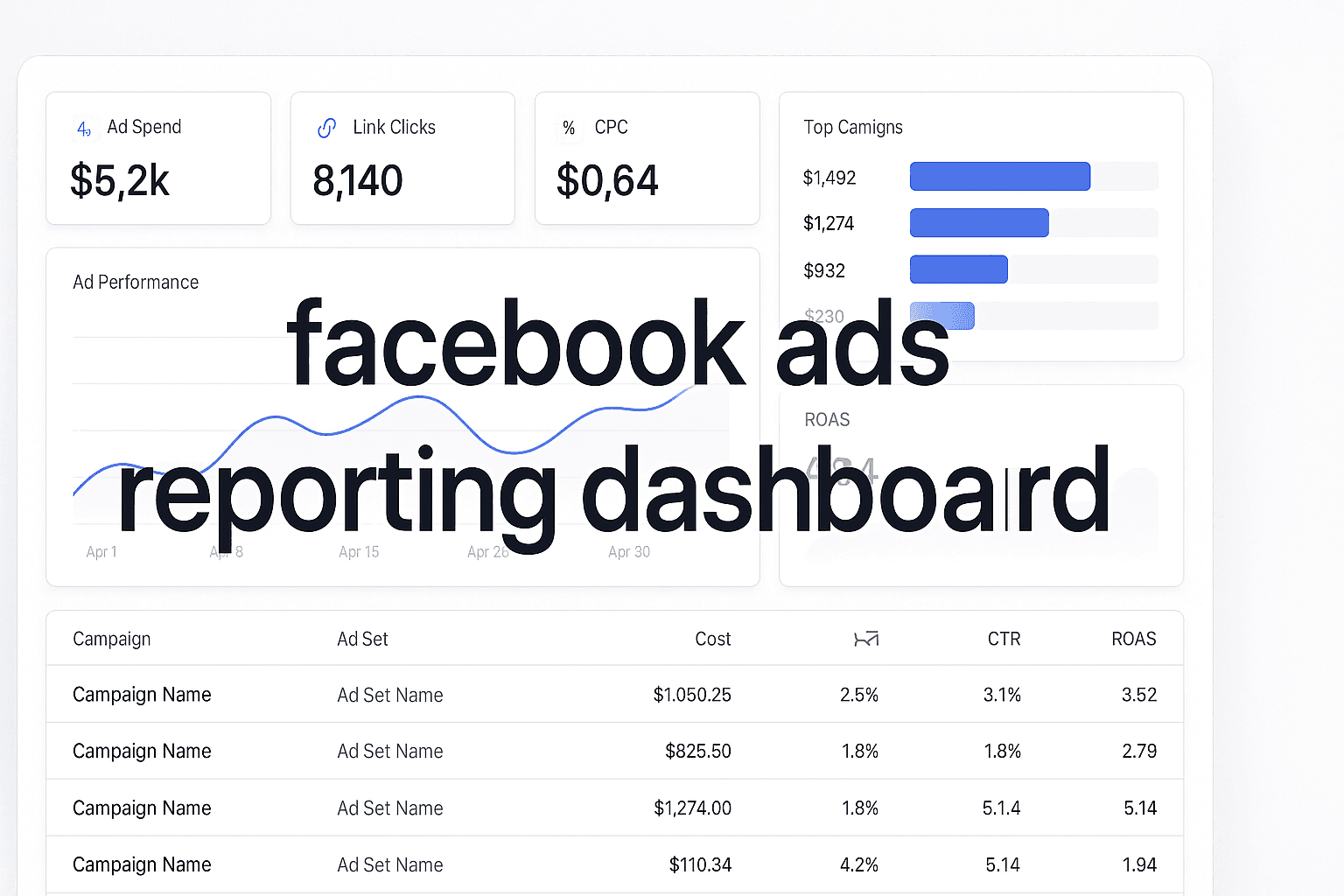
You're spending $10,000 a month on Facebook ads, but when your CEO asks which campaigns actually drove revenue, you're stuck pointing at vanity metrics. Facebook Ads Manager shows impressive click-through rates and engagement numbers, but it can't tell you which ads generated customers who paid—or how much those customers were worth.
The gap between ad clicks and actual revenue is where most marketing budgets disappear. Facebook's native reporting tracks what happens inside its platform, but it goes dark the moment someone lands on your website. You can't see which ads influenced deals that closed three weeks later, which campaigns attracted high-value customers versus tire-kickers, or how Facebook fits into journeys involving email, search, and sales calls.
Dedicated Facebook ads reporting dashboards solve this by connecting your ad spend to real business outcomes. These platforms track the complete customer journey from initial ad click through CRM conversions and revenue events, attribute value across multiple touchpoints, and show you exactly which campaigns justify scaling. Here are the leading dashboards that marketers use to track actual ROI from Facebook advertising.
1. Cometly
Best for: Marketers who need AI-powered attribution and real-time revenue tracking across all ad platforms
Cometly is a marketing attribution and analytics platform that connects your Facebook ads, CRM, and website to track every touchpoint in the customer journey.
 Top 7 Facebook Ads Reporting Dashboard Tools To Maximize ROI
Where This Tool Shines
Cometly excels at capturing the complete customer journey from first ad click to final purchase. Unlike basic dashboards that only track surface metrics, Cometly enriches every conversion event with full attribution data—showing you exactly which Facebook ads, campaigns, and ad sets contributed to each sale.
The platform uses AI to analyze performance patterns across campaigns and recommend which ads to scale for maximum ROI. It also sends enriched conversion data back to Facebook's algorithm through Conversions API, improving targeting and optimization over time. For agencies managing multiple client accounts, Cometly's workspace structure makes it easy to switch between brands while maintaining consistent marketing attribution software methodology.
Key Features & Capabilities
Real-time tracking of every customer touchpoint: Cometly captures data from ad clicks through CRM events, providing complete visibility into the customer journey.
AI-powered recommendations: The platform identifies high-performing ads and campaigns across every ad channel, then suggests scaling opportunities with confidence.
Multiple attribution models: Compare first-click, last-click, linear, and time-decay models in one dashboard to understand different perspectives on campaign contribution.
Conversions API integration: Feed enriched, conversion-ready events back to Meta, Google, and more—improving targeting, optimization, and ad ROI.
Revenue attribution: Connect ad spend directly to closed deals and customer lifetime value, not just conversion counts.
Cross-channel reporting: See how Facebook ads work alongside Google, email, and organic channels in unified dashboards.
Custom event tracking: Track lead forms, demo bookings, trial signups, and other conversion actions specific to your business model.
Best For / Ideal Users
Cometly is ideal for performance marketers, e-commerce brands, and agencies who need accurate attribution across complex customer journeys. It's particularly valuable for businesses with longer sales cycles where multiple touchpoints influence conversions, or for teams running ads across several platforms who need unified reporting.
If you're scaling Facebook ad spend and need confidence in which campaigns actually drive revenue, Cometly provides the clarity to make those decisions. The platform works especially well for businesses that have moved beyond basic pixel tracking and need sophisticated attribution software that connects advertising to actual business outcomes.
Pricing
Cometly offers tiered pricing based on monthly tracked conversions an
2. Google Analytics 4
Best for: Businesses wanting free, comprehensive analytics with basic Facebook ads integration
Google Analytics 4 is Google's latest analytics platform that tracks user behavior across websites and apps, providing free insights into how Facebook ad traffic performs once it reaches your digital properties.
 10 Best Enterprise Channel Analytics Software To Maximize Marketing ROI
Where This Tool Shines
GA4 provides robust free analytics that can track Facebook ad performance when properly configured with UTM parameters. The platform excels at showing user behavior after ad clicks—which pages visitors view, how long they stay, and where they drop off in your funnel.
GA4's event-based tracking model captures micro-conversions like video views, scroll depth, and button clicks that help you understand engagement quality beyond Facebook's native metrics. The Advertising workspace shows acquisition metrics by source, letting you compare Facebook's performance against organic search, email, and other channels in one unified view.
Key Features & Capabilities
Free Unlimited Tracking: No cost for standard website and mobile app analytics, making it accessible for businesses of all sizes without monthly software fees.
Event-Based Measurement: Captures custom conversion actions beyond purchases—form submissions, demo requests, content downloads, and any interaction you define as valuable.
Cross-Device User Tracking: Follows users across multiple sessions and devices when they're signed in, providing more complete journey visibility than single-session tracking.
Funnel Visualization: Shows exactly where Facebook traffic drops off in your conversion process, helping you identify friction points that waste ad spend.
Audience Building for Retargeting: Creates custom audiences based on behavior patterns that can be exported for Facebook retargeting campaigns.
Looker Studio Integration: Connects with Google's free visualization tool to create custom dashboards combining Facebook data with other business metrics.
Predictive Metrics: Uses machine learning to calculate purchase probability and predicted revenue for user segments, helping you identify high-value Facebook traffic.
Technical Setup Requirements
GA4 requires proper UTM parameter tagging on all Facebook ads to accurately attribute traffic. Without consistent UTM implementation, Facebook traffic appears as generic referral data rather than being broken down by campaign, ad set, and individual ad.
The platform doesn't automatically connect ad spend to conversions—you'll need to manually import cost data or use third-party connectors to see true ROI calculations. For businesses tracking phone calls or offline conversions, additional integration work is necessary to capture these events in GA4.
Best For / Ideal Users
GA4 works best for small to mid-size businesses that need solid analytics without monthly software costs. It's particularly useful for content-driven sites and e-
3. Supermetrics
Best for: Teams that want to pull Facebook ads data into existing reporting tools like Google Sheets or Data Studio
Supermetrics is a data connector that automatically pulls marketing data from Facebook Ads and 100+ other platforms into your preferred reporting tools.
 Top 7 Facebook Ads Reporting Dashboard Tools To Maximize ROI
Where This Tool Shines
Supermetrics excels at data extraction and centralization. Instead of logging into Facebook Ads Manager daily, you can automatically pull campaign performance, ad set metrics, and creative-level data into Google Sheets, Excel, Looker Studio, or Power BI. The platform refreshes data on schedules you set—hourly, daily, or weekly—so your reports always show current numbers.
For agencies managing dozens of client accounts, Supermetrics eliminates manual reporting work by automating data collection across all accounts. The tool also combines Facebook data with other sources like Google Ads and LinkedIn, creating unified dashboards that compare channel performance side-by-side. This makes it particularly valuable when you already have established reporting workflows and just need reliable data pipelines feeding them.
Key Features & Capabilities
Direct Data Connectors: Supermetrics connects to Facebook Ads, Instagram Ads, and over 100 marketing platforms, pulling data directly through official APIs without manual exports.
Automated Data Refresh: Set custom schedules from hourly to monthly updates, ensuring your reports always reflect current performance without manual intervention.
Pre-Built Templates: Access ready-made report templates for common Facebook ads use cases, reducing setup time from hours to minutes.
Historical Data Backfill: Import past campaign performance to analyze trends over time and compare current results against historical benchmarks.
Custom Metric Calculations: Create calculated fields and custom metrics within your reports, transforming raw Facebook data into business-specific KPIs.
Multi-Account Support: Manage numerous client profiles or brand accounts from a single interface, essential for agencies juggling multiple Facebook ad accounts.
Flexible Destination Options: Send data to Google Sheets, Excel, Looker Studio, Power BI, Tableau, Snowflake, BigQuery, and other business intelligence tools your team already uses.
Best For / Ideal Users
Supermetrics is ideal for data analysts, agencies, and marketing teams that already have preferred reporting tools and just need reliable data pipelines. It's particularly valuable when you're building custom dashboards or combining Facebook data with other business metrics like CRM information, sales data, or financial systems.
The platform works best for teams comfortable working in spreadsheets or BI tools who want control over how data is structured and visualized. If your organization has specific reporting formats,
4. Improvado
Best for: Enterprise marketing teams needing automated data pipelines and advanced transformation capabilities
Improvado is an enterprise marketing analytics platform that aggregates data from 500+ sources including Facebook Ads into centralized data warehouses and business intelligence tools.
 Top 7 Facebook Ads Reporting Dashboard Tools To Maximize ROI
Where This Tool Shines
Improvado handles complex data operations that go far beyond simple reporting. The platform automatically extracts Facebook ads data at granular levels—campaign, ad set, ad creative, and even individual placement performance. It then transforms this raw data through custom mapping rules, normalizes metrics across platforms, and loads everything into your data warehouse or BI tool.
For enterprises running hundreds of campaigns across multiple brands and regions, Improvado's data governance features ensure consistency in how metrics are calculated and reported. The platform also handles data quality issues like duplicate entries, missing values, and schema changes that break traditional integrations. This industrial-strength approach means your data infrastructure stays reliable even as your marketing analytics complexity grows.
Key Features & Capabilities
500+ Pre-Built Connectors: Direct integrations with Facebook Ads, Instagram, Audience Network, and virtually every major marketing platform, eliminating custom API development.
Automated ETL Pipelines: Extract, transform, and load data on custom schedules without manual intervention, ensuring your dashboards always reflect current performance.
Advanced Data Transformation: Custom mapping rules, calculated metrics, and business logic that standardize data across platforms for apples-to-apples comparison.
Data Warehouse Integration: Native connections to Snowflake, BigQuery, Redshift, and Azure, feeding your existing analytics infrastructure rather than creating another silo.
Marketing Common Data Model: Standardized schema that normalizes metrics across all platforms, so "conversions" means the same thing whether it comes from Facebook, Google, or LinkedIn.
Historical Data Import: Backfill years of historical data for long-term trend analysis and year-over-year comparisons that Facebook's native reporting doesn't support.
Enterprise Support: Dedicated customer success team and technical support for implementation, custom connector development, and ongoing optimization.
Best For / Ideal Users
Improvado serves enterprise marketing teams, large agencies, and data-driven organizations that need industrial-strength data infrastructure. It's built for companies spending millions on ads across many platforms who require centralized, governed data for executive reporting and advanced analytics.
If your team has data engineers and uses tools like Tableau, Looker, or Power BI for visualization, Improvado provides the reliable data foundation underneath. The platform is particularly valuable when you need to combine B2B marketing attribution data with other enterprise systems for comprehensive business intelligence.
5. Whatagraph
Best for: Agencies that need beautiful, client-ready reports with minimal setup time
Whatagraph is a marketing reporting tool designed specifically for agencies to create visual performance reports for clients.
 Top 7 Facebook Ads Reporting Dashboard Tools To Maximize ROI
Where This Tool Shines
Whatagraph transforms raw Facebook ads data into visually stunning reports that clients actually want to read. The platform's strength lies in its pre-designed templates specifically built for Facebook advertising—you're not starting from a blank canvas trying to figure out which metrics matter or how to arrange them effectively.
The drag-and-drop interface lets you customize reports with your agency's branding, client logos, and color schemes in minutes rather than hours. Connect Facebook Ads Manager once, and Whatagraph automatically pulls campaign performance, audience insights, cost metrics, and creative data into polished visualizations. Charts, graphs, and widgets present complex data in formats that non-technical clients can understand immediately—no spreadsheet literacy required.
For agencies juggling multiple client accounts, Whatagraph's workspace structure becomes invaluable. You can duplicate proven report templates across all clients, maintaining consistency in how you present data while customizing KPIs and goals for each account. This standardization saves hours of manual work while ensuring every client receives professional-grade reporting.
Key Features & Capabilities
45+ Marketing Platform Integrations: Connect Facebook, Instagram, Google Ads, LinkedIn, and other channels to build comprehensive cross-platform reports.
Pre-Designed Report Templates: Industry-specific templates for Facebook ads, social media, PPC, and SEO eliminate the need to build reports from scratch.
Automated Report Generation: Schedule reports to generate and email automatically—daily, weekly, or monthly—so clients receive updates without manual intervention.
White-Label Customization: Add your agency branding, logos, color schemes, and custom domains to make reports feel like your own product.
Client Portal Access: Give clients login credentials to view live dashboards anytime, reducing "how are my ads performing?" emails and calls.
Historical Data Storage: Whatagraph maintains unlimited historical data, enabling year-over-year comparisons and long-term trend analysis beyond Facebook's native retention limits.
Cross-Channel Dashboards: Combine Facebook performance with Google Ads, email marketing, and website analytics to show complete marketing picture in one view.
Best For / Ideal Users
Whatagraph excels for digital marketing agencies, freelance consultants, and in-house marketing teams that present performance data to stakeholders regularly. It's particularly valuable when your audience cares more about visual presentation and high-level insights than accessing raw data or building custom analyses.
6. Funnel.io
Best for: Marketing teams that need to combine Facebook ads data with offline conversions and CRM revenue
Funnel.io is a marketing data hub that collects advertising spend and performance data from 500+ platforms and connects it to sales outcomes.
 Top 7 Facebook Advertising Reporting Software To Track Real ROI
Where This Tool Shines
Funnel.io bridges the gap between advertising data and business outcomes. The platform automatically imports Facebook ad spend, impressions, clicks, and conversions, then enriches this data by matching it with CRM records, offline sales, and revenue information.
This connection lets you see not just which Facebook campaigns generated leads, but which ones produced customers who actually paid and how much revenue each campaign contributed. For businesses where the sale happens days or weeks after the initial ad click—through phone calls, in-person meetings, or complex B2B sales processes—Funnel provides the missing link between marketing activity and closed revenue.
Funnel's data transformation layer handles currency conversions, date standardization, and custom calculations—essential for global brands running campaigns in multiple markets. The platform also maintains historical data indefinitely, letting you analyze trends over years rather than the limited windows most ad platforms provide.
Key Features & Capabilities
500+ Data Connectors: Integrates Facebook Ads with CRM systems, e-commerce platforms, offline sales databases, and other marketing tools in one centralized hub.
Automated Cost and Revenue Matching: Connects ad spend to actual sales by matching customer records across systems, showing true ROI rather than just conversion counts.
Multi-Currency Support: Automatically converts currencies for global campaigns, essential when running ads in multiple countries with different payment currencies.
Custom Data Transformation Rules: Build calculated metrics and apply business logic to raw data—like excluding refunds from revenue or segmenting by customer type.
Unlimited Historical Data Storage: Stores all your marketing data indefinitely, enabling long-term trend analysis that goes beyond Facebook's 28-month limit.
Flexible Data Export: Send unified data to Google Sheets, Data Studio, Tableau, Power BI, or directly to data warehouses like Snowflake and BigQuery.
Team Collaboration Features: Share data sources, transformation rules, and reporting templates across teams to maintain consistency in how metrics are calculated.
Best For / Ideal Users
Funnel.io works best for mid-size to enterprise companies with complex data needs—multiple ad platforms, CRM systems, and offline sales channels that need to be unified. It's particularly valuable for businesses with longer sales cycles where Facebook ads influence deals that close weeks or months later.
If you need to prove marketing ROI to
7. Ruler Analytics
Best for: B2B companies tracking Facebook ads through long sales cycles with multiple touchpoints
Ruler Analytics is a marketing attribution platform built specifically for businesses with complex, multi-touch customer journeys.
 Top 7 Facebook Ads Reporting Dashboard Tools To Maximize ROI
Where This Tool Shines
Ruler Analytics solves the hardest problem in B2B Facebook advertising: proving that awareness campaigns actually drive revenue even when conversions happen through completely different channels weeks later. The platform tracks anonymous website visitors from Facebook ads, captures their behavior across multiple sessions, and reveals their identity when they convert into leads. Once a lead enters your CRM, Ruler continues following their journey through every sales stage until they become paying customers—then attributes revenue back to the original Facebook ad that started the relationship.
This closed-loop approach is essential for B2B companies where Facebook ads generate initial interest, but actual conversions happen through sales calls, product demos, and email nurture sequences. Ruler's attribution models show how Facebook ads work alongside organic search, email campaigns, and direct sales outreach in complex buying journeys. For businesses struggling to justify Facebook ad spend because deals close offline, Ruler provides the data trail that connects ad clicks to closed revenue.
Key Features & Capabilities
Visitor-Level Tracking: Follows anonymous users from Facebook ads through multiple website sessions until they convert into identified leads.
CRM Integration: Connects with Salesforce, HubSpot, and Pipedrive to track deal progression through sales stages and attribute revenue to original traffic sources.
Closed-Loop Attribution: Links ad clicks to closed revenue that happens months later, showing true ROI beyond surface-level conversion metrics.
Multiple Attribution Models: Compare first-click, last-click, linear, and position-based models to understand different perspectives on campaign contribution.
Call Tracking: Attributes phone conversions back to Facebook campaigns, capturing offline conversions that happen outside digital forms.
Form Tracking: Captures lead source data from website forms and passes it to your CRM for complete journey visibility.
Revenue Reporting: Shows actual ROI by campaign, ad set, and individual ad based on closed deal value, not just lead counts.
Best For / Ideal Users
Ruler Analytics is ideal for B2B companies, SaaS businesses, and professional service providers with sales cycles longer than a few days. It's particularly valuable when Facebook ads generate awareness and initial interest, but conversions happen through multiple touchpoints including sales calls, product demos, and email follow-up sequences.
If your team struggles to prove Facebook's value because
Making the Right Choice
The right Facebook ads reporting dashboard depends on what you're actually trying to solve. If you need complete attribution that connects ad clicks to CRM revenue and want AI-powered recommendations on which campaigns to scale, Cometly delivers that end-to-end visibility with real-time tracking across every touchpoint. For agencies focused on beautiful client presentations, Whatagraph makes reporting effortless with white-label templates and automated delivery.
Teams already embedded in Google's ecosystem will find GA4 provides solid free analytics, though it requires technical setup for accurate Facebook attribution. If you're building custom dashboards in existing BI tools, Supermetrics handles the data extraction reliably. Enterprise organizations with complex data infrastructure needs should evaluate Improvado or Funnel.io for their advanced transformation capabilities and warehouse integrations. B2B companies tracking long sales cycles will appreciate how Ruler Analytics connects Facebook ads to deals that close months later.
The common thread across effective Facebook advertising is moving beyond surface metrics to understand actual business impact. When you can see which campaigns drive qualified customers and real revenue—not just clicks and impressions—you make smarter scaling decisions and justify your ad spend with confidence.
Ready to see exactly which Facebook ads are driving your revenue? Get your free demo and discover how AI-powered attribution transforms your advertising strategy.



