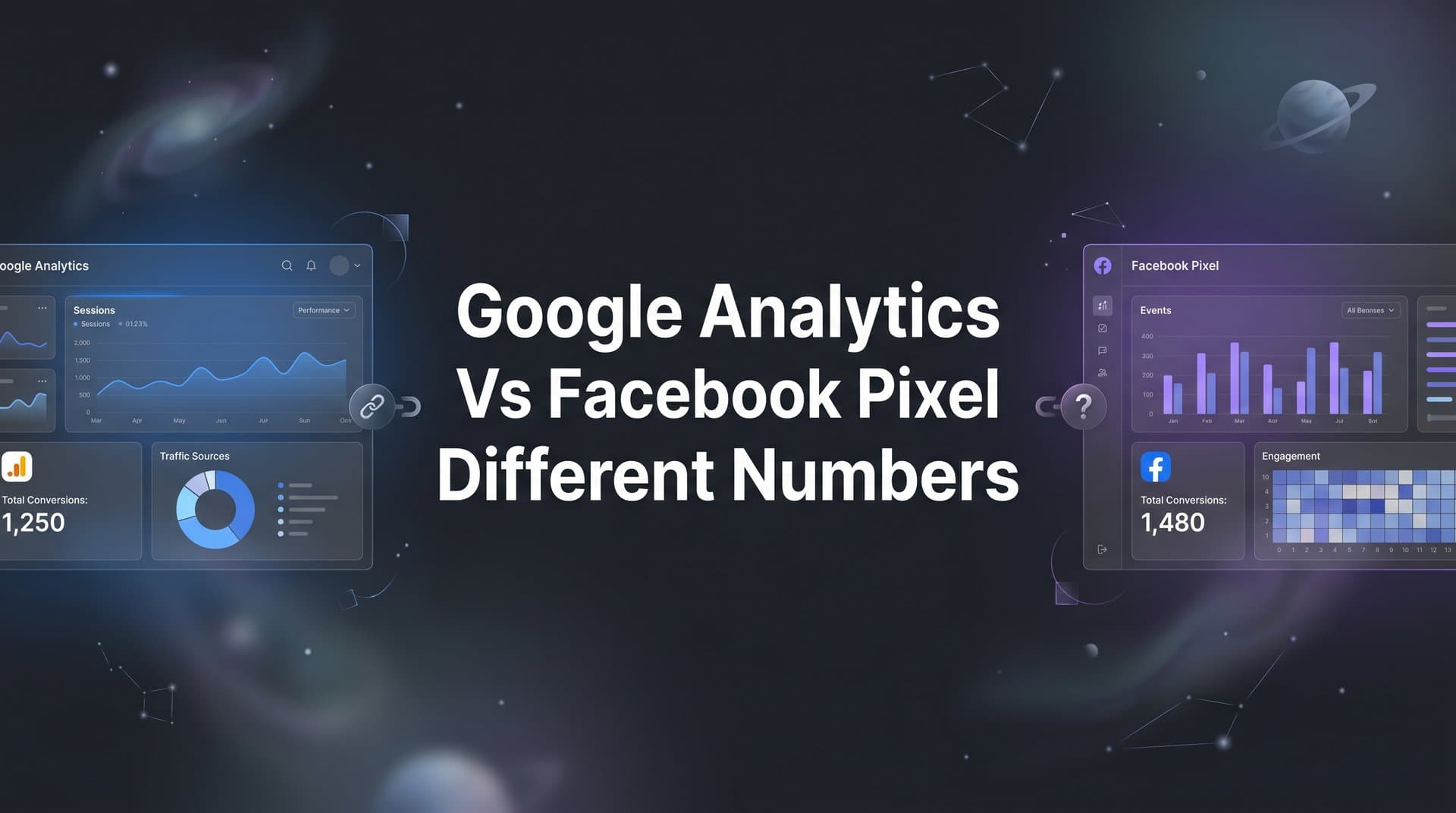
If you have ever compared your Google Analytics data to your Facebook Pixel reports and wondered why the numbers never match, you are not alone. This discrepancy frustrates marketers daily and can lead to poor budget decisions if left unaddressed.
The reality is that these platforms were built for different purposes, use different tracking methodologies, and operate under different attribution models. Google Analytics tracks website behavior across all traffic sources, while Facebook Pixel focuses specifically on measuring Facebook ad performance and optimizing campaigns.
Understanding why these differences exist and how to work around them is essential for making confident marketing decisions. In this guide, we will walk through seven actionable strategies to help you understand, reconcile, and ultimately solve the data mismatch between Google Analytics and Facebook Pixel so you can trust your numbers and scale your campaigns with clarity.
1. Understand the Fundamental Attribution Differences
The Challenge It Solves
When you see Google Analytics reporting 50 conversions from Facebook ads while Facebook Ads Manager shows 78, your first instinct might be to assume one platform is broken. The truth is more nuanced: both platforms are technically correct based on their own attribution logic.
This creates confusion when you are trying to determine which campaigns are actually working and where to allocate budget. Without understanding why these differences exist, you risk making decisions based on incomplete or misinterpreted data.
The Strategy Explained
Google Analytics defaults to last-click attribution, meaning it credits the final touchpoint before conversion. If someone clicks your Facebook ad, browses your site, leaves, then returns three days later via a Google search and converts, Google Analytics credits the Google search, not the Facebook ad.
Facebook Ads Manager uses a default 7-day click, 1-day view attribution window. This means Facebook can claim credit for conversions that happened up to 7 days after someone clicked your ad or 1 day after viewing it without clicking. In the same scenario above, Facebook would still claim the conversion because it happened within 7 days of the ad click. Understanding this Facebook attribution vs Google Analytics difference is crucial for accurate reporting.
This fundamental difference means Facebook typically reports more conversions than Google Analytics for the same campaigns. Neither platform is lying. They are just measuring different things based on different rules.
Implementation Steps
1. Document the default attribution model for each platform you use so your team understands what each number actually represents.
2. Review your Facebook attribution window settings in Ads Manager and consider whether 7-day click, 1-day view aligns with your actual sales cycle or if you need to adjust it.
3. Explore Google Analytics attribution models beyond last-click by navigating to Conversions, then Multi-Channel Funnels, then Model Comparison Tool to see how different attribution approaches change your reported results.
Pro Tips
Do not try to force the numbers to match perfectly. Instead, focus on understanding the directional trends each platform shows. If Facebook reports a 20% increase in conversions and Google Analytics shows a 15% increase for the same period, both are telling you the campaign is working even if the absolute numbers differ.
2. Align Your Conversion Tracking Definitions
The Challenge It Solves
Sometimes the discrepancy between platforms has nothing to do with attribution models and everything to do with tracking completely different events. If Google Analytics tracks form submissions while Facebook Pixel tracks button clicks, you are comparing apples to oranges.
This misalignment makes it impossible to reconcile numbers because you are literally measuring different user actions. The result is wasted time trying to explain differences that stem from basic setup issues rather than platform methodology.
The Strategy Explained
Both platforms need to track identical conversion events with matching values and timing. When a user completes a purchase, submits a lead form, or triggers any conversion action, both Google Analytics and Facebook Pixel should fire at the exact same moment and record the same event details.
This requires careful coordination between your tracking implementation. Your conversion events should have consistent naming conventions, trigger on the same page elements, and pass the same transaction values. Think of it like having two cameras recording the same scene from different angles. They should capture the same moments even if their perspectives differ slightly.
Implementation Steps
1. Create a tracking specification document that lists every conversion event you want to measure, including the exact trigger condition, event name in each platform, and what data should be captured.
2. Audit your current implementation by testing each conversion action and checking that both Google Analytics and Facebook Pixel fire simultaneously using browser developer tools or a tag management debugging extension. Proper event tracking in Google Analytics is essential for accurate measurement.
3. Standardize your event naming across platforms so a purchase event is called the same thing everywhere, making it easier to compare data later.
4. Verify that transaction values match exactly between platforms by completing test conversions and confirming the revenue amounts appear identically in both Google Analytics and Facebook Events Manager.
Pro Tips
Use Google Tag Manager to centralize your tracking implementation. This lets you manage both Google Analytics and Facebook Pixel tags from one interface, making it easier to ensure they fire under identical conditions. Set up preview mode to test changes before pushing them live.
3. Address iOS Privacy and Browser Tracking Limitations
The Challenge It Solves
Apple's privacy updates and browser tracking prevention technologies have fundamentally changed how marketing data gets collected. These changes do not affect all platforms equally, which creates new sources of data discrepancy beyond attribution differences.
iOS users who opt out of tracking essentially become invisible to Facebook Pixel in many cases, while Google Analytics may still capture some of their activity through first-party cookies. This asymmetric data loss makes your numbers diverge in ways that have nothing to do with attribution models.
The Strategy Explained
Apple's iOS updates introduced App Tracking Transparency, which requires apps to get user permission before tracking. Many users opt out, reducing the data Facebook can collect about their behavior after clicking ads. Safari's Intelligent Tracking Prevention limits cookie lifespans, affecting both platforms but particularly impacting cross-session tracking.
Understanding these limitations helps you interpret discrepancies more accurately. If Facebook shows significantly fewer conversions than Google Analytics, iOS privacy restrictions might be preventing Facebook from seeing conversions that Google Analytics still captures through its own tracking methods. This often leads to inaccurate Facebook Pixel tracking that requires additional solutions.
The key is recognizing that neither platform sees the complete picture anymore. Browser-based tracking has inherent blind spots that vary by platform, device, and user privacy settings.
Implementation Steps
1. Segment your analytics data by device type and browser to identify how much of your traffic comes from iOS and Safari users where tracking limitations are most severe.
2. Compare conversion rates between iOS and non-iOS traffic in both platforms to quantify the impact of privacy restrictions on your specific audience.
3. Set realistic expectations with stakeholders about data completeness by documenting the percentage of your audience that uses privacy-focused browsers or has opted out of tracking.
Pro Tips
Monitor your data quality over time rather than focusing on absolute numbers. If you see iOS conversion tracking degrade month over month in Facebook while remaining stable in Google Analytics, that tells you something meaningful about platform-specific tracking challenges even if you cannot measure the exact impact.
4. Implement UTM Parameters Consistently
The Challenge It Solves
Google Analytics relies on UTM parameters to understand where traffic comes from and which campaigns drove it. Without proper UTM tagging on your Facebook ads, Google Analytics might classify that traffic as direct or referral instead of properly attributing it to your Facebook campaigns.
This creates artificial discrepancies where Facebook correctly tracks conversions from its ads, but Google Analytics attributes those same conversions to the wrong source because it cannot identify the traffic properly. The result is underreporting of Facebook performance in Google Analytics.
The Strategy Explained
UTM parameters are tags you add to your ad URLs that tell Google Analytics exactly where the click came from. When implemented consistently, they ensure Google Analytics can properly attribute Facebook traffic to the right source, medium, and campaign.
The challenge is maintaining consistency across hundreds or thousands of ads. Every Facebook ad URL needs properly formatted UTM parameters with standardized naming conventions. Otherwise, you end up with fragmented data where the same campaign appears under multiple names or gets misclassified entirely. Misclassified traffic often shows up as direct traffic in Google Analytics, skewing your attribution data.
Implementation Steps
1. Create a UTM naming convention document that defines exactly how you will tag source, medium, campaign, content, and term parameters for all Facebook ads.
2. Build URL templates in Facebook Ads Manager using dynamic parameters that automatically populate campaign names, ad set names, and ad IDs into your UTM tags without manual entry.
3. Use a URL builder tool or spreadsheet to generate properly formatted URLs for every ad, ensuring consistency and reducing human error in manual tagging.
4. Audit existing campaigns to identify ads with missing or inconsistent UTM parameters and update them to match your standardized convention.
Pro Tips
Use Facebook's URL parameters feature to automatically append UTM tags to all your ads. Set utm_source=facebook, utm_medium=paid, and use dynamic parameters like utm_campaign={{campaign.name}} to automatically pull campaign details. This eliminates manual tagging and ensures consistency across all ads.
5. Use Server-Side Tracking for More Accurate Data
The Challenge It Solves
Browser-based tracking faces increasing limitations from privacy features, ad blockers, and cookie restrictions. These browser-level barriers prevent your tracking pixels from firing or collecting complete data, creating gaps that affect both platforms but impact them differently.
When a user blocks third-party cookies or uses an ad blocker, your Facebook Pixel might fail to record their conversion entirely while Google Analytics still captures it through first-party methods. This asymmetric data loss creates discrepancies that have nothing to do with attribution and everything to do with technical limitations.
The Strategy Explained
Server-side tracking moves data collection from the browser to your server, bypassing many of the restrictions that affect browser-based pixels. Instead of relying on JavaScript that runs in the user's browser, your server sends conversion data directly to Facebook and Google through their APIs.
Facebook Conversions API is Facebook's server-side tracking solution designed to work alongside the Pixel to improve data accuracy. Understanding the differences between Facebook CAPI vs Pixel tracking helps you implement the right solution. Google Analytics 4 also supports server-side tracking through Google Tag Manager Server-Side. Both platforms recommend implementing server-side tracking to address browser-based tracking limitations.
This approach captures conversions that browser-based tracking misses, giving you more complete data and reducing the gap between what each platform can see.
Implementation Steps
1. Implement Facebook Conversions API by connecting your server or CRM to Facebook's API endpoint so conversion events get sent from your backend rather than relying solely on browser-based Pixel tracking.
2. Set up Google Tag Manager Server-Side by deploying a server container that receives events from your website and forwards them to Google Analytics, bypassing browser restrictions. Learn more about Google Analytics vs server side tracking to understand the benefits.
3. Configure event deduplication to prevent double-counting conversions that get tracked by both browser-based pixels and server-side implementations by passing matching event IDs.
4. Test your server-side implementation by triggering conversions and verifying that events appear in both platforms' real-time reporting with all expected parameters.
Pro Tips
Start with your highest-value conversion events when implementing server-side tracking. Focus on purchases and qualified leads first rather than trying to move all your tracking server-side immediately. This lets you see the impact on your most important metrics while learning the implementation process.
6. Create a Unified Reporting Dashboard
The Challenge It Solves
Jumping between Google Analytics and Facebook Ads Manager to compare numbers wastes time and makes it difficult to spot patterns or make quick decisions. Each platform presents data differently, uses different terminology, and requires separate logins.
This fragmentation leads to analysis paralysis where you spend more time gathering data than actually using it to improve your campaigns. Without a unified view, you miss the bigger picture of how all your marketing channels work together.
The Strategy Explained
A unified reporting dashboard pulls data from both platforms into a single view where you can compare metrics side-by-side with proper context. Instead of trying to reconcile numbers manually, you see both perspectives simultaneously and can make informed decisions based on the complete picture.
The goal is not to force the numbers to match but to present them together so you understand what each platform is telling you. When you see Google Analytics reporting 50 conversions and Facebook reporting 78 for the same campaign, having both numbers visible with their respective attribution contexts helps you interpret the results correctly.
Implementation Steps
1. Choose a reporting platform that can connect to both Google Analytics and Facebook Ads APIs to pull data automatically, such as Google Data Studio, Supermetrics, or a dedicated marketing analytics tool.
2. Design your dashboard layout to show key metrics from both platforms side-by-side, clearly labeling which platform each number comes from and what attribution model it uses. This helps address the common Google Analytics vs Facebook Analytics discrepancy issues.
3. Add calculated fields that show the variance between platforms for each metric so you can quickly identify where discrepancies are largest and track whether they are growing or shrinking over time.
4. Schedule automated reports that deliver your unified dashboard to stakeholders on a regular cadence so everyone works from the same data rather than pulling their own conflicting reports.
Pro Tips
Include annotations in your dashboard that explain common reasons for discrepancies, such as attribution differences or tracking limitations. This educates your team every time they view the data and reduces repetitive questions about why the numbers do not match perfectly.
7. Establish Your Own Source of Truth with Multi-Touch Attribution
The Challenge It Solves
Google Analytics and Facebook Pixel each tell part of the story, but neither gives you the complete picture of how your marketing channels work together to drive conversions. Relying on either platform alone means making decisions based on incomplete information.
The fundamental problem is that these platforms were built to optimize their own performance, not to give you an objective view of your entire marketing ecosystem. You need a neutral third party that tracks all touchpoints and connects them to actual revenue.
The Strategy Explained
Multi-touch attribution platforms sit above your individual marketing channels and track the entire customer journey from first touch to conversion and beyond. Instead of relying on Google's last-click view or Facebook's view-through attribution, you get a complete timeline of every interaction.
This approach lets you see which channels truly drive revenue rather than which ones happen to be present at conversion. You might discover that Facebook ads are excellent at generating awareness that leads to conversions weeks later, even if they do not get last-click credit in Google Analytics. Many marketers are exploring Google Analytics alternatives for attribution to solve this challenge.
The key is connecting all your marketing data in one place so you can make decisions based on what actually drives revenue rather than relying on conflicting reports from platforms that each tell only part of the story.
Implementation Steps
1. Evaluate multi-touch attribution platforms that integrate with your marketing stack and can track conversions across all channels, not just Facebook and Google.
2. Implement tracking that captures every touchpoint in the customer journey, including ad clicks, website visits, email opens, and CRM interactions, then connects them to revenue outcomes.
3. Define which attribution model best reflects your business reality, whether that is linear, time-decay, position-based, or a custom model that weights touchpoints based on your specific sales cycle.
4. Use your attribution platform as the source of truth for budget allocation decisions while still monitoring platform-specific metrics for optimization within each channel.
Pro Tips
Look for attribution solutions that offer AI-powered recommendations based on your complete marketing data. The best platforms do not just show you what happened but tell you what to do next, identifying which campaigns to scale and which to pause based on actual revenue impact rather than vanity metrics.
Moving Forward with Confidence
The discrepancy between Google Analytics and Facebook Pixel numbers is not a bug to fix but a reality to manage. Each platform serves a different purpose and uses different methodologies, so expecting perfect alignment sets you up for frustration.
Start by understanding why the differences exist, then systematically implement these strategies based on your priorities. Begin with aligning conversion definitions and UTM parameters since these are quick wins that immediately improve data quality.
Then move to server-side tracking to address privacy-related data loss that creates artificial gaps in your reporting. This investment pays dividends as browser-based tracking continues to face new restrictions.
Finally, consider implementing a unified attribution solution that connects all your marketing data in one place. This gives you the complete picture you need to make confident budget decisions based on what actually drives revenue.
The marketers who win are not the ones with perfectly matching numbers across platforms. They are the ones who understand what each number represents, how to interpret conflicting data, and which metrics actually matter for their business goals.
Ready to elevate your marketing game with precision and confidence? Discover how Cometly's AI-driven recommendations can transform your ad strategy. Get your free demo today and start capturing every touchpoint to maximize your conversions.