

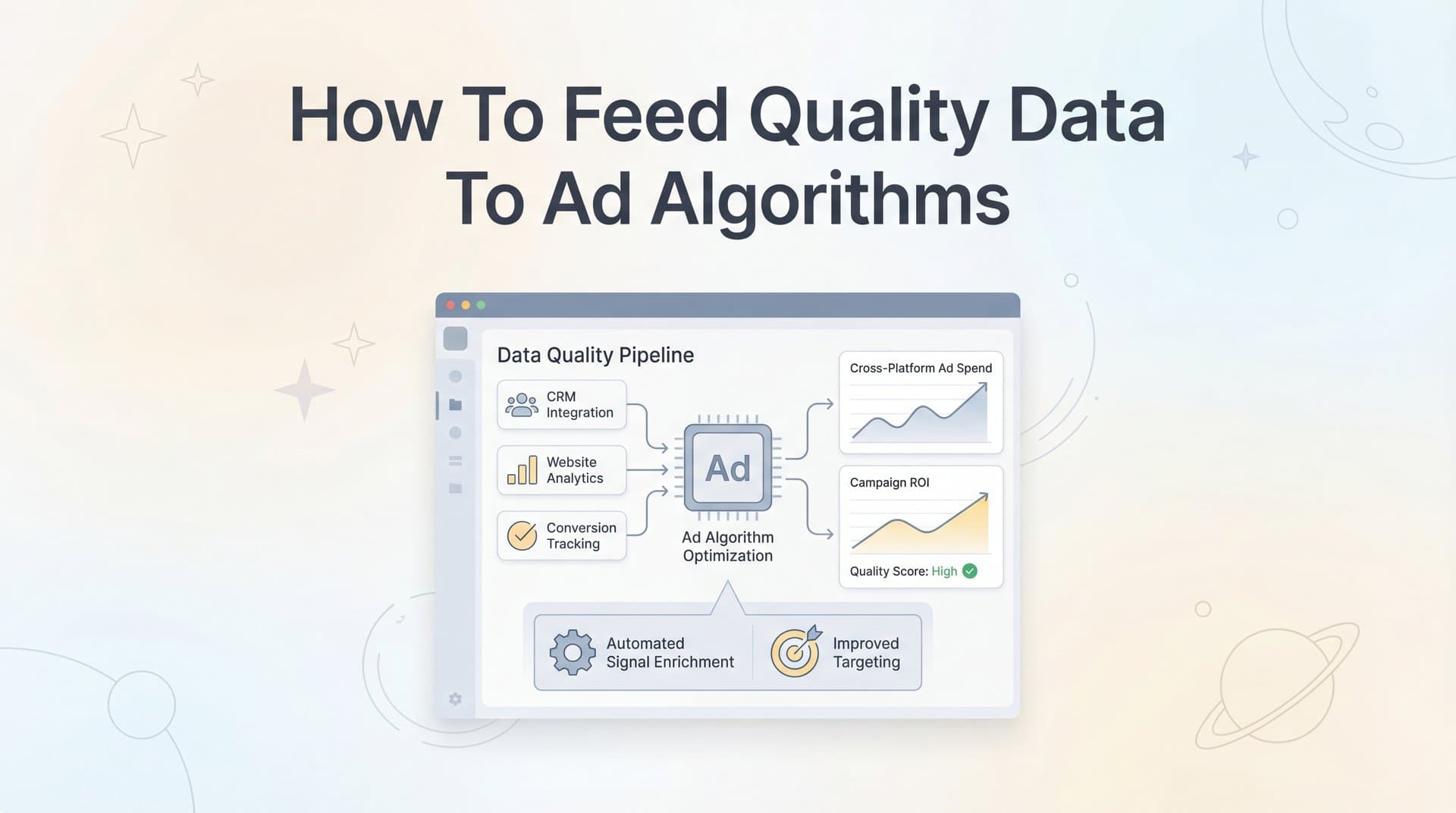
Your ad platforms are only as smart as the data you give them. Meta, Google, and TikTok all rely on machine learning algorithms to find your ideal customers, optimize bids, and scale your campaigns. But here's the problem: most advertisers unknowingly feed these algorithms incomplete or inaccurate data, which leads to wasted spend and missed opportunities.
When your conversion data is fragmented—due to iOS privacy changes, browser restrictions, or disconnected tracking systems—ad platforms can't properly optimize. They end up targeting the wrong audiences and misattributing conversions.
This guide walks you through exactly how to fix that. You'll learn the five essential steps to capture complete customer journey data, enrich it with revenue signals, and sync it back to your ad platforms in a format their algorithms can actually use. By the end, you'll have a system that helps Meta, Google, and other platforms find more customers like your best buyers.
Step 1: Audit Your Current Data Flow and Identify Gaps
Before you can fix your data quality issues, you need to understand exactly where your tracking breaks down. Think of this as creating a diagnostic map of your entire conversion path—from the moment someone clicks your ad to when revenue hits your bank account.
Start by documenting every tracking mechanism you currently have in place. This includes Meta Pixel, Google Ads tags, TikTok Pixel, Google Analytics, and any other tracking scripts on your website. List out which conversion events each platform is receiving: purchases, leads, sign-ups, or custom events you've configured.
Next, compare what your ad platforms report against your actual business records. Pull your sales data from your CRM, payment processor, or e-commerce platform for the past 30 days. Now check what Meta and Google show for the same period. If there's a significant gap—say your Shopify shows 500 orders but Meta only reports 350 conversions—you've found your first data leak. Understanding how to fix attribution discrepancies in data becomes essential at this stage.
Common culprits behind data gaps: iOS users who've opted out of tracking represent a significant blind spot for browser-based pixels. Ad blockers strip tracking scripts before they can fire. Cross-device journeys where someone clicks an ad on mobile but converts on desktop often go untracked. And if you have any offline conversions—phone sales, in-store purchases, or deals closed through sales calls—those rarely make it back to your ad platforms without manual intervention.
Pay special attention to data latency. When do conversions appear in your ad platforms compared to when they actually happen? If there's a 24-48 hour delay, you're hampering real-time optimization. Ad algorithms work best when they receive conversion signals within minutes, not days.
Document your findings in a simple spreadsheet. Column one: tracking method. Column two: what it captures. Column three: what it misses. Column four: estimated percentage of conversions affected. This becomes your roadmap for the improvements you'll make in the following steps.
Your success indicator here is clarity. You should be able to explain exactly where your data breaks down and roughly how many conversions you're losing to attribution data gaps. If you discover you're only capturing 60-70% of actual conversions, you're not alone—but you now know the scope of the problem you're solving.
Step 2: Implement Server-Side Tracking for Complete Data Capture
Browser-based tracking pixels were the standard for years, but they've become increasingly unreliable. Ad blockers strip them out. iOS privacy settings block them. Even users who accept cookies might have browser settings that prevent pixels from firing correctly. This is where server-side tracking changes everything.
Instead of relying on JavaScript code running in someone's browser, server-side tracking captures conversion data directly from your backend systems—your web server, CRM, or payment processor. When a purchase happens, your server sends the conversion data directly to Meta's Conversions API or Google's Enhanced Conversions, bypassing all the browser-level restrictions that cause data loss.
Here's what this looks like in practice: A customer clicks your Meta ad on their iPhone. They browse your site, add items to cart, but don't convert immediately. Three days later, they return directly (no ad click) on their laptop and complete the purchase. A browser pixel would miss this conversion entirely—different device, no tracking cookie, direct traffic. But server-side tracking captures it because it monitors your actual transaction database, not browser behavior.
To set this up, you'll need to connect your website backend to your ad platforms' server-side APIs. For Meta, that's the Conversions API (CAPI). For Google, it's Enhanced Conversions. TikTok has its Events API. Each platform provides documentation for implementation, though the technical complexity varies depending on your setup.
The key components you're connecting: Your website or app (where users interact), your CRM or customer database (where you store user information), and your payment processor or e-commerce platform (where transactions are recorded). These systems need to communicate with each other and then send consolidated conversion data to your ad platforms.
First-party data tracking is crucial here. You're gathering information directly from your customers—email addresses, phone numbers, purchase history—and using it to match conversions back to ad clicks. This respects privacy regulations because you're using data customers provided directly to you, not third-party cookies tracking them across the web.
If you're on Shopify, WooCommerce, or another major e-commerce platform, look for native integrations or apps that handle server-side tracking. If you have a custom website, you'll likely need developer help to implement the APIs correctly. The technical investment is worth it—server-side tracking typically recovers 20-40% of conversions that browser pixels miss.
Your success indicator: the conversion counts in your tracking system should now align closely with your actual sales records. If your payment processor shows 100 transactions and your server-side tracking captures 95-98 of them, you're in excellent shape. That's the level of data completeness that gives ad algorithms the information they need to optimize effectively.
Step 3: Enrich Conversion Events with Revenue and Customer Value Data
Capturing conversions is only half the battle. The real power comes from telling ad platforms not just that a conversion happened, but how valuable it was. This is where most advertisers leave significant optimization potential on the table.
Think about how different your customers are. One person might buy a $30 product once and never return. Another might spend $500 on their first order and become a repeat customer worth $5,000 over time. If you're sending both of these as generic "purchase" events without revenue data, ad algorithms treat them identically. They can't optimize toward your most valuable customers because they don't know which ones those are.
Start by ensuring every conversion event includes the actual transaction value. When someone completes a $250 purchase, that exact number should be passed to your ad platforms. This enables value optimization—where algorithms specifically seek out users likely to spend more, not just users likely to convert at any price point.
For e-commerce businesses, this means passing order totals with every purchase event. For B2B companies, it might mean assigning estimated values to different lead types. A demo request from a enterprise prospect might be worth $5,000 in potential revenue, while a free trial signup might be worth $500. Assign these values consistently so algorithms can learn which user characteristics correlate with higher-value conversions.
Customer lifetime value signals take this further. If your business model relies on repeat purchases or subscriptions, consider passing predicted lifetime value when available. A customer who signs up for an annual plan is more valuable than one who chooses monthly billing. If your CRM can calculate this, include it in your conversion data.
For B2B marketers, lead quality indicators are essential. Not all form fills are created equal. A lead that matches your ideal customer profile—right company size, industry, and job title—is fundamentally different from someone who barely qualifies. Structure your conversion events to differentiate: "qualified_lead" vs "unqualified_lead" as separate events, or pass a quality score with each lead event.
Include deal stage information when you have it. If your sales team marks leads as "qualified," "demo scheduled," or "proposal sent," feed those milestones back to your ad platforms as conversion events. This helps algorithms understand the full funnel, not just top-of-funnel form fills that might not convert to revenue. For SaaS companies, understanding SaaS revenue attribution is particularly valuable for this process.
Distinguish between new and returning customers in your event data. First-time buyers often have different characteristics than repeat purchasers. By labeling them differently, you help ad algorithms optimize for new customer acquisition specifically, which is typically what most businesses need from paid advertising.
Your success indicator here is straightforward: open your ad platform's events manager and verify that each conversion event shows the correct revenue amount. If you see purchases with actual dollar values attached, qualified leads with appropriate value estimates, and different customer types properly labeled, your data enrichment is working. This enriched data becomes the foundation for smarter algorithmic optimization.
Step 4: Sync Enriched Conversions Back to Ad Platforms
You've captured complete conversion data and enriched it with revenue signals. Now comes the critical step: getting this data back to Meta, Google, and TikTok in a format their algorithms can actually use for optimization. This is where Conversions API, Enhanced Conversions, and Events API come into play.
Each major ad platform has built server-side solutions specifically to receive enriched conversion data. Meta's Conversions API (CAPI) lets you send conversion events directly from your server to Meta, including all the customer information and revenue data you've collected. Google's Enhanced Conversions works similarly, using hashed customer data to match conversions to ad clicks. TikTok's Events API follows the same pattern.
The key to successful syncing is proper event matching. When you send a conversion event to Meta or Google, you need to include enough information for their systems to match it back to the original ad click. This typically means sending hashed email addresses, phone numbers, and click IDs along with the conversion event itself.
Timing matters significantly here. Real-time or near-real-time syncing gives ad algorithms the freshest data to work with. When a conversion happens and the platform knows about it within minutes, that signal can immediately influence ongoing auctions and bidding decisions. Batch uploads that happen once a day or once a week provide historical data but miss the opportunity for real-time optimization.
Set up your server-side tracking to send conversion events as they happen. Most modern attribution platforms and server-side tracking tools can handle this automatically. If you're building a custom solution, prioritize low latency—aim for conversion events to reach ad platforms within 5-15 minutes of the actual transaction.
Data formatting is crucial. Each platform has specific requirements for how conversion events should be structured. Meta wants certain parameters in specific formats. Google expects hashed customer data in SHA-256 format. TikTok has its own specifications. Use each platform's event testing tools to validate that your events are being received and processed correctly.
Pay attention to event deduplication. If you're running both browser pixels and server-side tracking (which is recommended for maximum coverage), you need to ensure the same conversion doesn't get counted twice. Most platforms handle this automatically if you include the same event ID in both the pixel event and the server-side event. The platform will recognize them as the same conversion and count it only once.
Navigate to Meta's Events Manager and check your Event Match Quality score. This metric shows how well your conversion events are matching back to ad clicks based on the customer data you're sending. Scores above 80% indicate strong data quality. For Google, check the Enhanced Conversions reporting in your Google Ads account to see what percentage of conversions are being enhanced with your first-party data.
Your success indicator: ad platform conversion counts should align within 5-10% of your source data. If your CRM shows 100 conversions and Meta reports 92-98 of them, you've achieved excellent sync quality. Some discrepancy is normal due to attribution windows and matching limitations, but if you're seeing 30-40% gaps, something in your syncing setup needs adjustment.
Step 5: Monitor Data Quality and Optimize Continuously
Data quality isn't a set-it-and-forget-it situation. Browser updates, platform changes, and shifts in your business model all require ongoing monitoring and adjustment. The most successful advertisers treat data quality as a weekly practice, not a one-time project.
Establish a weekly data quality check routine. Every Monday morning, compare your ad platform conversion data against your actual revenue records from the previous week. Pull the numbers from your CRM, payment processor, or e-commerce platform. Then check what Meta, Google, and TikTok each reported. Calculate the variance for each platform.
Watch your event match rates closely. In Meta's Events Manager, monitor your Event Match Quality score. If it starts declining from 85% to 70%, investigate immediately. Common causes include changes to your website that broke tracking, updates to how you're hashing customer data, or shifts in your traffic sources that affect matching ability.
Set up alerts for significant discrepancies. If your actual revenue shows 200 conversions but Meta only reports 120, that 40% gap signals a serious problem. Maybe your server-side tracking went down. Perhaps a recent website update broke your integration. Or iOS changes affected matching more than expected. The sooner you catch these issues, the less they impact your campaign optimization.
Look for patterns in your data gaps. Are you missing more conversions on mobile than desktop? That might indicate iOS-specific tracking issues. Are certain product categories underreported? Your tracking might not be properly configured for those checkout flows. Do conversions from specific traffic sources match better than others? This helps you understand which channels provide the cleanest data for optimization.
As your business evolves, update your conversion events accordingly. Launching a new product tier? Add a new conversion event for it. Changing your pricing model? Adjust the revenue values you're passing. Starting to track a new stage in your sales funnel? Configure it as a conversion event so ad platforms can optimize toward it.
Review your attribution model periodically. If you're using last-click attribution but your customers typically interact with multiple touchpoints before converting, you're missing crucial insights about which channels drive awareness versus which ones close sales. Implementing multi-touch attribution models helps you understand the full customer journey, giving ad algorithms better context for optimization.
Test your tracking regularly. Place a test order or submit a test lead at least monthly. Verify that it appears correctly in your attribution system and syncs to all your ad platforms with the right revenue data and customer information. This simple test catches broken integrations before they accumulate into significant data loss.
Your success indicator is consistency. Match rates should stay above 80% week over week. Discrepancies between platform-reported conversions and actual revenue should remain stable and small—ideally under 10%. When you see these metrics holding steady or improving over time, you know your data quality system is working as intended.
Putting It All Together
Feeding quality data to ad algorithms isn't a one-time setup—it's an ongoing practice that compounds over time. When you give platforms like Meta and Google accurate, enriched conversion data, their machine learning works for you instead of against you.
Let's verify you have everything in place. Server-side tracking should now capture conversions that browser pixels miss, recovering 20-40% of lost conversion data. Every conversion event should include actual revenue data, not just a generic "purchase" signal, enabling value-based optimization. Events should sync to ad platforms in real-time or near-real-time, maximizing their optimization value. Your match rates should stay consistently above 80%, indicating strong data quality. And weekly audits should catch discrepancies early, before they compound into serious optimization problems.
The impact of this work shows up gradually but powerfully. Ad algorithms need time to learn from better data. Over the first few weeks, you'll notice your conversion tracking numbers align more closely with actual revenue. After a month or two, you'll start seeing improved campaign performance—lower cost per acquisition, higher return on ad spend, and better quality customers.
This happens because algorithms finally have the information they need to distinguish your best customers from mediocre ones. They can see which ad creatives, audiences, and placements drive high-value conversions versus low-value ones. They can optimize bids more aggressively for users who look like your top spenders. And they can automatically shift budget toward the combinations that generate actual revenue, not just cheap clicks. Learning how ad tracking tools can help you scale ads using accurate data accelerates this entire process.
Tools like Cometly can streamline this entire process by connecting your ad platforms, CRM, and website into one system that automatically captures, enriches, and syncs conversion data. Instead of manually configuring multiple integrations and monitoring data quality across different dashboards, you get a unified view of your customer journey with AI-powered insights into what's actually driving revenue.
The result: ad algorithms that actually know which clicks turn into revenue, so they can find more customers like your best ones. Your campaigns become more efficient over time as machine learning systems work with complete, accurate data instead of fragmented signals. And you gain confidence in your marketing decisions because your data finally reflects reality.
Ready to elevate your marketing game with precision and confidence? Discover how Cometly's AI-driven recommendations can transform your ad strategy—Get your free demo today and start capturing every touchpoint to maximize your conversions.



