

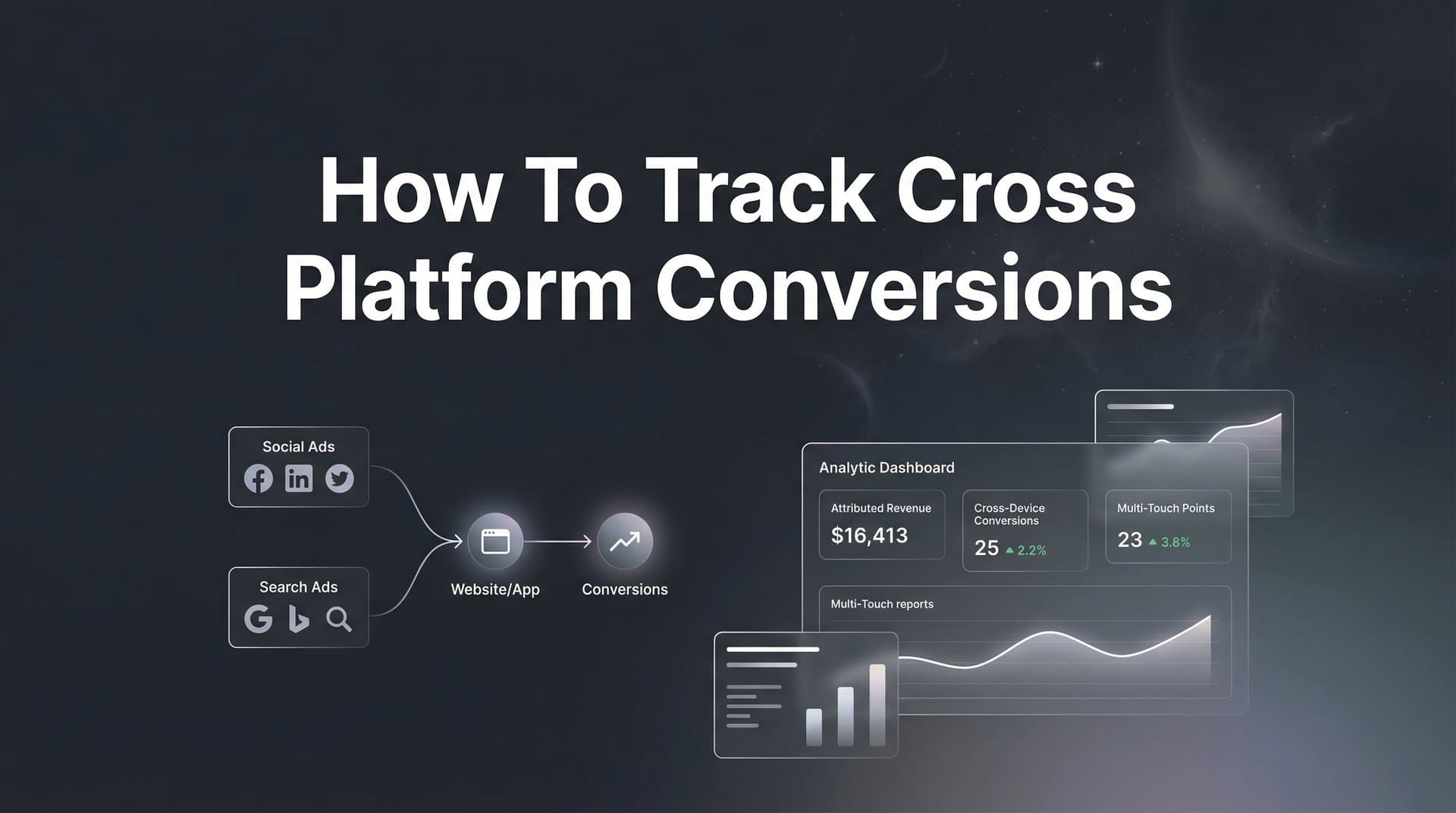
Running ads across Meta, Google, TikTok, and LinkedIn means dealing with fragmented data that rarely tells the same story. Each platform claims credit for conversions, leaving you guessing which channels actually drive revenue. You launch a campaign on Meta, see 50 conversions. Check Google Ads, another 40. Add up the numbers, and suddenly you have more conversions than actual customers.
Sound familiar?
This disconnect happens because each platform tracks in isolation, using different attribution windows and methodologies. Throw in iOS privacy restrictions, ad blockers, and cross-device journeys, and your conversion data becomes more fiction than fact. You need a unified view that connects every touchpoint to real business outcomes.
This guide walks you through setting up cross platform conversion tracking that actually works. You will learn how to unify your data sources, implement server-side tracking for accuracy, and build a system that shows exactly which ads and campaigns deserve your budget. By the end, you will have a clear framework for tracking the complete customer journey across all your advertising platforms.
Let's get started.
Step 1: Map Your Current Tracking Infrastructure and Identify Gaps
Before you can fix your tracking, you need to understand what you have right now. Start with a complete audit of every pixel and tracking code currently installed on your website. Log into Meta Events Manager, Google Ads conversion tracking, TikTok Events Manager, and LinkedIn Insight Tag. Document which events each platform tracks and how they're configured.
Most marketing teams discover they have duplicate pixels, outdated implementations, or events firing incorrectly. Check your website's source code or use a browser extension like Tag Assistant to see exactly what's loading on each page. You might find three different Meta pixels from past campaigns or tracking codes that fire on the wrong pages entirely.
Now identify where your tracking breaks down. iOS App Tracking Transparency has reduced pixel accuracy by blocking cross-app tracking for users who opt out. Browser-based ad blockers prevent pixels from loading altogether. Cross-device journeys, where someone clicks an ad on mobile but converts on desktop, create attribution gaps that pixels can't bridge.
Here's what typically gets missed:
Conversions that happen after the attribution window: Someone clicks your ad, researches for two weeks, then converts. Most platforms only track conversions within seven days of the click.
Phone calls and offline sales: A customer sees your ad, calls your sales team, and buys three months later. Your pixel has no idea this conversion exists. Understanding how to track offline conversions becomes essential for capturing this revenue.
CRM conversions: A lead enters your system through an ad click but converts to a paying customer weeks later. The disconnect between marketing and sales data means you never connect that revenue to the original campaign.
Create a tracking requirements document that lists every touchpoint you need to measure. Start with the obvious: ad clicks, landing page views, form submissions, purchases. Then add the less obvious: email opens from ad-generated leads, phone calls from campaigns, demo bookings, and actual revenue from closed deals.
This document becomes your roadmap. You're not just tracking conversions anymore. You're tracking the complete journey from first ad impression to final revenue event. That's the foundation for accurate cross platform attribution.
Step 2: Set Up a Unified Tracking Foundation with Server-Side Events
Browser-based pixels are dying, and you need to accept it. Privacy restrictions, ad blockers, and cookie limitations mean relying solely on JavaScript pixels leaves massive gaps in your data. Server-side tracking solves this by sending conversion events directly from your server to ad platforms, bypassing browser restrictions entirely.
Think of it like this: browser pixels are like trying to track someone through a crowded mall by following their phone signal. Sometimes it works, but walls block the signal, they turn off their phone, or they switch devices. Server-side tracking is like having cameras at every entrance, exit, and checkout counter. You capture every movement regardless of what device they use or privacy settings they enable.
Start by connecting your website to a central tracking hub that collects first-party data. This means implementing tracking that captures user actions directly on your server before sending them to ad platforms. When someone submits a form, makes a purchase, or completes any conversion event, your server records it with complete accuracy.
The technical setup involves three core components. First, install a tracking script that captures user interactions and sends them to your server. Second, configure your server to process these events and enrich them with additional data like customer value or lead status. Third, connect your server to each ad platform's API to send conversion events directly.
For Meta, this means implementing the Conversions API alongside your pixel. The pixel captures what it can in the browser, while the Conversions API sends the same events from your server. This dual approach maximizes data accuracy. Google Ads uses enhanced conversions and offline conversion imports. TikTok has its own Events API. LinkedIn supports conversion tracking through its API as well. Choosing the best server side tracking platform can simplify this entire process.
Connect your payment systems and CRM to this central hub. When someone makes a purchase through Stripe or PayPal, that transaction data flows into your tracking system. When a lead enters HubSpot or Salesforce, that event gets captured with the original ad click data attached. Everything connects to one source of truth.
Verify data flows correctly before moving forward. Run test conversions and check that events appear in your tracking dashboard and in each ad platform. Send a test purchase, fill out a form, trigger each conversion event you configured. If something doesn't show up, troubleshoot now before you have thousands of conversions flowing through the system.
Server-side tracking isn't just more accurate. It future-proofs your marketing data against ongoing privacy changes. As browsers continue restricting third-party cookies and tracking, your server-side implementation keeps working. You own the data, you control the tracking, and you maintain accuracy regardless of external changes.
Step 3: Connect Your Ad Platforms to Your Attribution System
Now that you have a unified tracking foundation, connect each ad platform to send and receive conversion data. This two-way sync ensures platforms receive accurate conversion data for optimization while you maintain a complete view of cross platform performance.
Start with Meta Conversions API integration. Inside your tracking system, configure the connection to send conversion events to Meta's API. You'll need your Meta pixel ID and access token. When someone converts, your server sends the event to Meta with details like conversion value, event time, and user information. Meta uses this data to optimize ad delivery and attribute conversions accurately.
Google Ads requires setting up offline conversion imports or enhanced conversions. For offline conversions, you upload conversion data that includes the Google Click ID (GCLID) captured when someone clicked your ad. Enhanced conversions send hashed user data like email addresses to match conversions to ad clicks. Configure both methods to maximize match rates and attribution accuracy.
TikTok Events API works similarly to Meta. You send conversion events from your server with event details and user information. LinkedIn Conversion Tracking requires uploading conversion data or implementing their Insight Tag with first-party cookies enabled for better tracking.
Here's the critical part: implement consistent UTM parameters across every campaign on every platform. Create a naming convention and stick to it religiously. Use utm_source for the platform (meta, google, tiktok), utm_medium for the ad type (cpc, social, video), utm_campaign for the campaign name, and utm_content for specific ads or ad sets.
Consistency matters more than the specific structure. If you use "facebook" as a source in some campaigns and "meta" in others, your data fragments. Pick one naming convention and document it. Share it with everyone who creates campaigns. Enforce it through templates or automated campaign creation tools.
Configure conversion events to sync conversions to ad platforms for optimization. This is where your setup becomes powerful. When someone converts, that event flows to all relevant platforms. Meta sees the conversion and optimizes toward similar audiences. Google adjusts bidding based on actual conversion data. Each platform improves performance using accurate, unified conversion information.
Test your integrations with small campaigns before scaling. Launch a test campaign on each platform with a minimal budget. Drive traffic to a conversion page and verify the conversion appears in both the ad platform and your unified tracking system. Check that the conversion value matches, the timestamp aligns, and the attribution data connects properly.
If discrepancies appear, investigate immediately. Common issues include incorrect API credentials, missing event parameters, or attribution window mismatches. Fix these problems with test data before real budget flows through the system.
Step 4: Link CRM and Revenue Data to Marketing Touchpoints
Ad clicks generate leads, but leads don't pay the bills. Revenue does. Connecting your CRM to marketing touchpoints transforms your attribution from tracking conversions to tracking actual business outcomes. This is where you move beyond "we got 100 leads" to "we generated $50,000 in revenue from these specific campaigns."
Start by integrating your CRM with your tracking system. HubSpot, Salesforce, Pipedrive, and most modern CRMs offer API access or native integrations. The goal is capturing every lead that enters your CRM with the original marketing touchpoint data attached. When someone fills out a form, that lead enters your CRM tagged with the campaign, ad, and keyword that drove them there.
Configure your integration to sync bidirectionally. Marketing data flows into your CRM, enriching lead records with campaign information. Revenue data flows back to your attribution system, connecting closed deals to the ads that generated them. This creates a complete loop from ad spend to revenue. Platforms focused on marketing attribution revenue tracking make this connection seamless.
Map revenue events back to original ad clicks and campaigns. When a lead becomes a customer, your system should trace that revenue to every marketing touchpoint involved. The Meta ad they clicked three weeks ago, the Google search ad they clicked five days later, the retargeting campaign that brought them back, all get connected to the final purchase.
Track offline conversions like phone calls and in-person sales. Implement call tracking that captures which campaigns drive phone calls. Use dynamic phone numbers that change based on the traffic source, or implement call tracking software that records the referring campaign for each call. When your sales team closes a deal from a phone lead, that revenue gets attributed back to the campaign that generated the call.
For in-person sales, create a process for capturing the original lead source. Train your sales team to ask how customers heard about you. Implement a field in your CRM for "original source" that sales reps fill out during discovery calls. Even rough attribution is better than no attribution for offline conversions.
Build a complete view from first touch through final purchase. Your attribution system should show the entire customer journey: initial ad impression, first click, website visits, content downloads, email engagement, sales calls, and final purchase. Each touchpoint gets timestamped and connected to the next.
This comprehensive view reveals patterns that single-platform tracking misses. You might discover that LinkedIn ads rarely drive direct conversions but generate leads that convert at 3x the rate of other sources. Or that customers who interact with both Meta and Google ads before purchasing spend 40% more than single-touch customers.
The key is patience. Revenue attribution takes time to populate because sales cycles extend beyond ad clicks. A B2B company might see leads convert to customers 60-90 days after the initial ad click. Give your system time to accumulate data before making major budget decisions based on revenue attribution.
Step 5: Configure Multi-Touch Attribution Models for Cross Platform Analysis
Single-touch attribution is a lie. Customers don't see one ad and immediately buy. They interact with multiple touchpoints across platforms before converting. Multi-touch attribution distributes credit across the entire journey, revealing which platform combinations actually drive results.
Start by understanding the different attribution models available. First-touch attribution gives all credit to the initial touchpoint, the ad that introduced someone to your brand. Last-touch attribution credits the final interaction before conversion. Linear attribution distributes credit equally across all touchpoints. Time-decay gives more credit to recent interactions. Data-driven attribution uses machine learning to assign credit based on actual impact.
Choose the right model based on your sales cycle and customer journey complexity. Short sales cycles with simple journeys work fine with last-touch attribution. If someone clicks an ad and buys immediately, last-touch accurately reflects reality. Longer sales cycles with multiple touchpoints need multi-touch models to capture the complete picture.
For most businesses running cross platform campaigns, linear or time-decay attribution provides the most actionable insights. Linear attribution shows which platforms contribute throughout the journey. Time-decay highlights which platforms close deals while still crediting earlier touchpoints that generated awareness. A dedicated cross platform attribution tool can automate these calculations across all your channels.
Set up side-by-side model comparison to see how credit shifts across platforms. Run the same data through multiple attribution models simultaneously. You'll often discover that platforms claiming credit in last-touch attribution contribute differently when viewed through first-touch or linear models.
Here's what this looks like in practice. Last-touch attribution might show Google Ads driving 60% of conversions because customers often search for your brand before purchasing. First-touch attribution reveals that Meta ads actually introduced 50% of those customers to your brand initially. Linear attribution shows both platforms contributing significantly, just at different stages.
Use attribution insights to identify which platform combinations drive the best results. Analyze customer journeys that convert at the highest rates or generate the most revenue. You might find that customers who interact with LinkedIn ads followed by Google search ads convert at twice the rate of those who only see one platform.
This reveals opportunities for strategic budget allocation. Instead of simply increasing spend on the "best performing" platform, you optimize the platform mix that drives the highest-value customer journeys. Maybe you maintain LinkedIn spend for top-of-funnel awareness while increasing Google Ads to capture high-intent searches from LinkedIn-generated awareness.
Multi-touch attribution also exposes undervalued platforms. A channel might look weak in last-touch attribution but prove essential for initiating customer journeys. Cutting that budget would reduce overall conversions even though it doesn't get last-touch credit. The complete view prevents optimization mistakes that hurt performance.
Review your attribution models regularly as your marketing mix evolves. Adding new platforms, changing campaign strategies, or shifting to different products can alter which attribution model best reflects reality. What works for awareness campaigns differs from what works for direct response. Adjust your models to match your current marketing approach.
Step 6: Validate Your Data and Optimize Based on Cross Platform Insights
Your tracking system is live, data is flowing, but how do you know it's accurate? Data validation separates useful attribution from garbage data that leads to bad decisions. Start by running quality checks that compare platform-reported conversions to your unified tracking data.
Pull conversion reports from each ad platform for the same date range. Compare those numbers to what your unified tracking system shows. Small discrepancies are normal due to attribution windows and processing delays. Large gaps indicate tracking problems that need immediate attention. When ad platforms show different numbers, your unified system becomes the source of truth.
Common discrepancies and what they mean: If your unified system shows significantly fewer conversions than ad platforms report, you're missing tracking somewhere. Check that all conversion events fire correctly and that your server-side implementation captures everything. If your system shows more conversions than platforms report, you might have duplicate tracking or events firing multiple times.
Identify and troubleshoot common tracking issues systematically. Test each conversion event manually. Fill out forms, complete purchases, trigger every event you track. Verify they appear in your dashboard with correct values and attribution data. If something breaks, you'll find it during testing rather than after spending thousands on campaigns with broken tracking.
Check for bot traffic and spam conversions that inflate numbers. Implement filters that exclude obvious bot patterns: conversions from known bot IP ranges, form submissions with suspicious patterns, or purchases with invalid payment information. Clean data beats inflated numbers every time.
Use cross platform insights to reallocate budget toward highest-performing channels. Now that you have accurate attribution across platforms, analyze which channels and campaigns actually drive revenue. Look beyond surface-level metrics like cost per click or click-through rate. Focus on cost per acquisition and return on ad spend based on real revenue data. Learning to track marketing ROI across platforms ensures every dollar works harder.
You might discover that a platform with a higher cost per click generates leads that close at 3x the rate of cheaper traffic. Or that a campaign with mediocre click-through rates attracts customers who spend twice as much. Revenue-based optimization reveals these insights that CPC optimization misses.
Set up ongoing monitoring dashboards to maintain data accuracy over time. Create alerts for sudden drops in conversion volume, spikes in cost per acquisition, or discrepancies between platform data and your unified tracking. Catching problems early prevents wasted spend and maintains data quality.
Your dashboard should show key metrics at a glance: total conversions by platform, revenue by campaign, attribution model comparisons, and data quality indicators. Review it daily during the first few weeks, then weekly once everything stabilizes. Regular monitoring catches issues before they become expensive problems.
Schedule monthly deep dives into your attribution data. Look for trends, test new attribution models, and analyze customer journey patterns. Your tracking system generates insights, but you need to extract and act on them. Block time for analysis, not just monitoring.
Your Cross Platform Tracking System Is Live
You now have a complete system for tracking cross platform conversions from ad click to revenue. Let's verify your setup is ready to drive real optimization decisions.
Quick checklist: All ad platforms connected via server-side tracking? Check. CRM integrated with marketing touchpoints? Check. Attribution models configured for your business? Check. Data validation processes in place? Check.
Start by auditing your current tracking gaps using the framework from Step 1. Document what's working and what's missing. Then work through each step systematically. Don't rush the foundation. Accurate server-side tracking matters more than connecting every platform on day one. Build it right, then scale it.
The transition from fragmented platform data to unified attribution takes time. Give your system at least 30 days to accumulate meaningful data before making major budget shifts. Watch for patterns, validate accuracy, and let the insights guide gradual optimization rather than dramatic changes.
Your biggest wins will come from discovering undervalued touchpoints that current attribution misses. The LinkedIn ad that doesn't drive direct conversions but generates leads that close at twice the rate. The Google search campaign that captures high-intent traffic from Meta-generated awareness. These insights only emerge when you track the complete cross platform journey.
Tools like Cometly can accelerate this entire process by connecting your ad platforms, CRM, and website automatically while providing AI-powered recommendations for optimization. Instead of manually configuring server-side tracking and building attribution models from scratch, you get a unified system that captures every touchpoint and feeds better data back to ad platform algorithms. The AI analyzes your cross platform performance and suggests specific budget allocation changes based on what actually drives revenue.
The result is clear visibility into which ads and channels actually drive your business forward. No more guessing which platform deserves credit. No more fragmented data that tells conflicting stories. Just accurate attribution that connects ad spend to revenue across every platform you use.
Ready to elevate your marketing game with precision and confidence? Discover how Cometly's AI-driven recommendations can transform your ad strategy. Get your free demo today and start capturing every touchpoint to maximize your conversions.



