

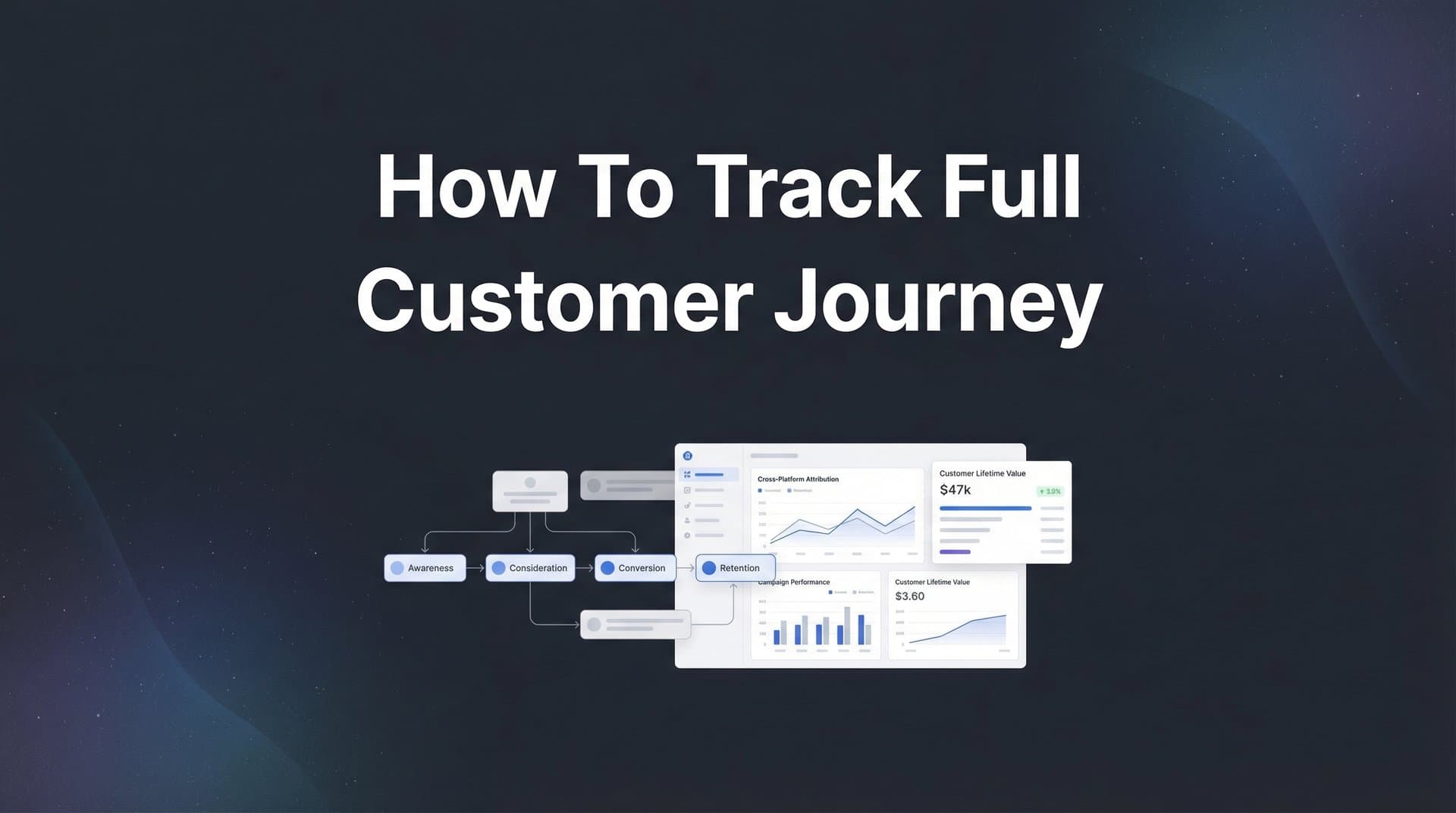
Every marketer knows the frustration: a customer converts, but you have no idea which touchpoints actually influenced that decision. Was it the Facebook ad they clicked last week? The Google search from yesterday? Or the email they opened this morning?
Without full customer journey tracking, you're essentially flying blind—making budget decisions based on incomplete data and potentially wasting spend on channels that look good on paper but don't actually drive revenue.
The problem has only gotten worse. iOS privacy changes have broken traditional pixel tracking. Ad blockers eliminate visibility into customer behavior. Cookie restrictions mean you're missing huge chunks of the journey. Meanwhile, your customers are bouncing between devices, channels, and platforms before they ever convert.
The result? You're optimizing campaigns based on last-click attribution, giving all the credit to the final touchpoint while ignoring the five other interactions that actually built trust and moved the prospect forward. Your Facebook ads might be generating awareness that leads to Google searches that convert—but if you're only seeing the Google click, you'll cut Facebook and wonder why conversions drop.
This guide walks you through exactly how to set up comprehensive customer journey tracking, from connecting your first data source to analyzing multi-touch attribution insights. No fluff, no theory—just the practical steps you need to capture every touchpoint and understand which marketing efforts truly move the needle.
By the end, you'll have a clear system that shows you the complete path from first interaction to closed deal, so you can confidently allocate budget to channels that actually drive revenue.
Step 1: Map Your Current Customer Touchpoints and Data Sources
Before you can track the full customer journey, you need to understand what that journey actually looks like for your business. This isn't about creating an idealized flowchart—it's about documenting every real place where prospects interact with your brand.
Start by auditing all the channels where customers can discover or engage with you. Paid channels include Facebook, Instagram, Google Ads, LinkedIn, TikTok, YouTube, and any other platforms where you're running campaigns. Organic channels cover SEO traffic, social media posts, referrals, and partnerships. Don't forget email marketing, retargeting campaigns, and direct traffic from people who already know your brand.
Next, document your existing tech stack. List every tool that touches customer data: your ad platforms, website analytics (like Google Analytics), CRM system, email marketing platform, chat tools, and any other software that captures interactions. Write down which platforms talk to each other and which operate in silos.
Now comes the critical part: identify the gaps. Where are customer interactions happening that you're not currently tracking? Common blind spots include:
Cross-device behavior: A prospect researches on mobile but converts on desktop—can you connect those sessions? Understanding customer journey tracking across devices is essential for capturing this behavior.
Offline conversions: Phone calls, in-person demos, or sales meetings that happen after digital touchpoints.
Assisted conversions: The Facebook ad that introduced your brand before the prospect Googled you and clicked a search ad.
Post-click engagement: What happens after someone lands on your site? Do you know which pages they visited before converting?
Create a visual map of your ideal customer journey from first touch to conversion. For a B2B SaaS company, this might look like: sees LinkedIn ad → visits website → downloads whitepaper → receives email sequence → searches brand name on Google → books demo → becomes customer. For e-commerce, it could be: clicks Instagram ad → browses products → abandons cart → sees retargeting ad → returns via email → purchases.
Your map should include every major touchpoint and note which ones you can currently track versus which ones are invisible. This document becomes your blueprint for what you need to capture in the steps ahead. Learning what customer journey mapping entails can help you create more effective documentation.
The goal isn't perfection—it's clarity. You need to know what you're working with before you can build a system that captures the complete picture.
Step 2: Implement Server-Side Tracking for Accurate Data Collection
Here's the uncomfortable truth: if you're relying solely on browser-based tracking pixels, you're missing a significant portion of your customer journey data. iOS privacy restrictions block tracking. Ad blockers eliminate pixels. Cookie limitations prevent cross-session visibility. The data you think you're collecting? It's incomplete.
Server-side tracking solves this by capturing data directly from your server rather than relying on the user's browser. When someone converts on your website, the conversion event fires from your server to your attribution platform—bypassing all the browser-level restrictions that break traditional tracking.
Think of it like the difference between asking a customer to mail you a postcard (browser-based) versus having a direct phone line to your store (server-side). The phone line is faster, more reliable, and doesn't depend on the customer's willingness or ability to send the postcard. If you're struggling with cookie limitations, explore how to track conversions without cookies effectively.
To set up server-side tracking, you'll need to integrate your website with an attribution platform that supports this method. The technical implementation typically involves adding a tracking script to your site that sends events to your server, which then forwards them to your attribution system.
Start by identifying your key conversion events. These might include: form submissions, button clicks, page views of high-intent pages (like pricing or demo request), add-to-cart actions, purchases, or any other action that indicates progress through your funnel.
Configure your tracking to capture these events along with critical context: which ad campaign brought this user to your site? What pages did they visit before converting? How long did they spend on each page? What device are they using? Understanding what a tracking pixel is and how it works helps you appreciate why server-side tracking offers superior reliability.
Once your server-side tracking is configured, verify it's working correctly. Submit a test conversion on your website and check that it appears in your attribution platform with all the correct parameters. Test across different browsers, devices, and scenarios (including with ad blockers enabled) to ensure data flows consistently.
The beauty of server-side tracking is that it provides first-party data collection in a privacy-compliant way. You're capturing information about interactions with your own website, not tracking users across the internet. This makes it both more accurate and more sustainable as privacy regulations continue to evolve.
With server-side tracking live, you've built the foundation for reliable customer journey data. Now you can trust that when someone converts, you'll capture that event regardless of their browser settings or device restrictions.
Step 3: Connect Your Ad Platforms and Marketing Channels
Your server-side tracking captures what happens on your website—but to understand the full customer journey, you need to connect the dots back to the ads and campaigns that brought people there in the first place.
Start by integrating your ad platforms directly with your attribution system. For most marketers, this means connecting Meta (Facebook and Instagram), Google Ads, and potentially LinkedIn, TikTok, YouTube, or other channels where you run paid campaigns. These integrations pull in click data, impression data, and campaign details automatically.
The integration process typically involves granting API access to your attribution platform so it can read data from your ad accounts. This allows the system to see when someone clicked your ad, which specific ad they clicked, what campaign it belonged to, and how much you spent to generate that click.
But here's where many marketers make a critical mistake: they assume platform integrations alone will track everything. They won't. You also need consistent UTM parameters across all your campaigns.
UTM parameters are the tags you add to your URLs that identify the source, medium, and campaign. They look like this: ?utm_source=facebook&utm_medium=paid&utm_campaign=spring_sale. When someone clicks a link with UTM parameters, your analytics tools can attribute that visit to the specific campaign. Learn more about UTM tracking and how UTMs help your marketing to implement this correctly.
Create a UTM naming convention and stick to it religiously. Use lowercase consistently. Decide whether you'll use underscores or hyphens. Document which utm_source values you'll use for each platform (facebook, google, linkedin) and which utm_medium values indicate paid versus organic (paid, social, email, organic).
Apply UTM parameters to every single link in every campaign. Your Facebook ads, Google search campaigns, email marketing links, social media posts—everything. This ensures that when someone lands on your site, your tracking system knows exactly where they came from.
Now set up conversion events to sync back to each platform. This is crucial because ad platforms use conversion data to optimize their algorithms. When you feed conversion information back to Meta or Google, their AI learns which audiences and placements drive results and automatically improves your campaign performance.
Configure your attribution platform to send conversion events back to your ad platforms via their Conversion APIs. This creates a feedback loop: the platform sends you traffic, you track conversions, and you send conversion data back to improve targeting.
Finally, test that click data flows correctly from ads to your tracking system. Run a small test campaign, click your own ad, and verify that the click appears in your attribution platform with all the correct campaign details. Check that conversions are syncing back to the ad platform within a reasonable timeframe. For a deeper dive, explore how to track conversions across multiple ad platforms.
With your ad platforms connected and UTM parameters in place, you can now see which specific campaigns and ads are driving traffic—and more importantly, which ones are driving conversions.
Step 4: Integrate Your CRM to Track Post-Click Actions
Here's where customer journey tracking gets really powerful: connecting what happens after the click. A website conversion is just the beginning of the journey for many businesses—especially in B2B or high-ticket sales. The real question is: which marketing touchpoints led to qualified leads, demos booked, and actual revenue?
Your CRM holds the answers. It tracks when leads become opportunities, when opportunities become deals, and when deals close with actual dollar amounts attached. By integrating your CRM with your attribution platform, you connect marketing touchpoints to revenue outcomes.
Start by connecting your CRM system to your attribution platform. The most common CRMs—HubSpot, Salesforce, Pipedrive, and others—typically offer direct integrations or API access. The goal is to sync lead records, deal stages, and revenue data automatically.
Once connected, map your CRM stages to marketing touchpoints. When a lead moves from "Marketing Qualified Lead" to "Sales Qualified Lead" to "Demo Scheduled" to "Closed Won," your attribution system should capture each stage change and connect it back to the original marketing touchpoints that generated that lead. Understanding how to track sales leads effectively is crucial for this process.
This is where you start seeing the real ROI of your marketing. That Facebook ad didn't just generate a form fill—it generated a lead that became a $10,000 customer. That Google search ad didn't just drive traffic—it drove a qualified opportunity that's currently in your sales pipeline worth $50,000.
Set up revenue tracking so conversions tie back to actual dollars. Configure your attribution platform to pull in deal amounts from your CRM. This allows you to calculate metrics like cost per qualified lead, cost per opportunity, and most importantly, return on ad spend based on actual revenue, not just conversions.
Don't forget offline conversions. Many customer journeys include sales calls, in-person demos, or phone conversations that happen after initial digital touchpoints. Make sure these offline interactions are captured in your CRM and connected to the original marketing source. Learn how to track offline conversions to ensure no touchpoint goes unrecorded.
For example, a prospect might click a LinkedIn ad, fill out a contact form, receive a follow-up email, and then schedule a phone call with sales. That phone call needs to be logged in your CRM with the original LinkedIn campaign tracked as the source. When the deal closes, you should be able to trace it back to that specific ad.
The CRM integration also reveals which marketing channels generate the highest quality leads. You might discover that Google Ads drives more volume but LinkedIn drives leads that close at twice the rate. Or that organic search generates leads with longer sales cycles but higher lifetime values. This intelligence is impossible to uncover without connecting marketing data to sales outcomes.
Test your CRM integration thoroughly. Create a test lead, move it through your pipeline stages, and verify that each stage change appears in your attribution platform with the correct marketing touchpoints attached. Confirm that revenue amounts sync correctly when deals close.
With your CRM integrated, you're no longer just tracking clicks and conversions—you're tracking actual business outcomes tied to specific marketing efforts.
Step 5: Configure Multi-Touch Attribution Models
Now that you're capturing the full customer journey, it's time to make sense of it. This is where attribution models come in—frameworks for assigning credit to different touchpoints along the path to conversion.
The challenge is that most customer journeys involve multiple touchpoints. A prospect sees your Facebook ad, clicks it, browses your site, leaves, searches your brand name on Google three days later, clicks that ad, visits again, receives an email, clicks through, and finally converts. Which touchpoint deserves credit for that conversion? Exploring customer journey attribution helps clarify these complex scenarios.
Different attribution models answer this question differently, and each reveals different insights about your marketing performance.
First-touch attribution gives all credit to the first interaction. In our example, the Facebook ad gets 100% credit. This model helps you understand which channels are best at generating awareness and bringing new prospects into your funnel.
Last-touch attribution gives all credit to the final interaction before conversion. The email gets 100% credit here. This model shows which channels are best at closing deals, but it completely ignores everything that happened before.
Linear attribution splits credit evenly across all touchpoints. Facebook, Google, and email each get 33% credit. This model acknowledges that multiple interactions matter but doesn't account for the fact that some touchpoints might be more influential than others.
Time-decay attribution gives more credit to touchpoints closer to conversion. The email gets the most credit, Google gets less, and Facebook gets the least. This model assumes that recent interactions are more important than older ones.
Data-driven attribution uses machine learning to analyze patterns across thousands of customer journeys and assign credit based on which touchpoints statistically correlate with conversions. This is the most sophisticated approach but requires substantial data volume to be accurate.
So which model should you use? The honest answer is: all of them. No single attribution model tells the complete story. The real insight comes from comparing models side-by-side to understand how each values different channels.
Choose your primary model based on your business goals and sales cycle. If you're focused on top-of-funnel growth, first-touch attribution helps you understand which channels bring in new prospects. If you're optimizing for immediate conversions, last-touch shows which channels close deals. If you have a complex B2B sales cycle with many touchpoints, data-driven attribution helps you understand the true influence of each interaction.
Set up your attribution platform to calculate credit across touchpoints using your chosen model. Most platforms allow you to view the same data through different attribution lenses, so you can switch between models to gain different perspectives. Reviewing customer journey attribution software options can help you find the right tool for your needs.
Build comparison views that show how your channel performance changes under different models. You might discover that Facebook looks mediocre under last-touch attribution but incredibly valuable under first-touch. Or that email appears to drive tons of conversions under last-touch but is actually just capturing demand generated by other channels.
The goal isn't to find the "correct" model—it's to understand how different touchpoints contribute to the customer journey in different ways. Some channels build awareness. Others nurture consideration. Others close deals. Multi-touch attribution reveals these distinct roles so you can optimize each channel for its actual contribution, not just its position in the journey.
Step 6: Analyze Your Journey Data and Optimize Campaigns
You've built the tracking infrastructure. You're capturing every touchpoint. Your attribution models are configured. Now comes the payoff: turning that data into decisions that improve your marketing performance.
Start by building dashboards that show the complete path from ad click to revenue. You want to see at a glance which channels are driving traffic, which are generating conversions, and which are contributing to revenue. More importantly, you want to see how these channels work together. Leveraging customer journey analytics tools makes this visualization much easier.
Look for patterns in high-converting customer journeys. Do most customers who convert interact with three or more touchpoints? Do they typically start with paid social and end with branded search? Do email touchpoints correlate with higher conversion rates? These patterns reveal the optimal customer journey for your business.
Identify which channels assist conversions versus which ones close them. A channel might not get much last-click credit but could be crucial for introducing prospects to your brand. Facebook might generate awareness that leads to Google searches that convert. In this scenario, cutting Facebook because it doesn't show strong last-click ROI would be a mistake—it's playing an essential role earlier in the journey.
Find high-performing ad combinations and scale what works. If you notice that prospects who see both a Facebook ad and a YouTube ad convert at twice the rate of those who only see one, you've identified a powerful combination. Test increasing spend on both channels simultaneously rather than optimizing them in isolation.
Use your attribution data to reallocate budget based on true ROI, not just apparent performance. If your data shows that LinkedIn generates fewer conversions than Google but those conversions close at 3x the rate with 2x the deal size, LinkedIn deserves more budget even though its conversion numbers look lower on the surface.
AI-powered recommendations can accelerate this optimization process. Modern attribution platforms analyze your journey data and identify scaling opportunities automatically—highlighting which campaigns are underperforming, which audiences show strong engagement patterns, and where budget shifts could improve overall ROI.
Pay attention to conversion paths that involve multiple devices. You might discover that prospects often research on mobile but convert on desktop, which means your mobile campaigns are generating value even if they don't show direct conversions. This insight prevents you from undervaluing mobile traffic. Addressing multi-device customer tracking challenges ensures you capture the full picture.
Review your attribution insights weekly, not monthly. Customer behavior changes quickly, and so should your optimization decisions. Set up automated reports that show week-over-week changes in channel performance, conversion paths, and attribution patterns.
Test new channel combinations based on what your data reveals. If you see that customers who interact with both paid search and organic content convert at higher rates, consider creating content specifically designed to support your paid campaigns rather than treating them as separate efforts.
The real power of full customer journey tracking isn't just seeing what happened—it's using that visibility to make smarter decisions about where to invest your next dollar.
Putting It All Together: Your Customer Journey Tracking Checklist
With these six steps complete, you now have full visibility into how customers move from first interaction to conversion. You're no longer guessing which channels drive results—you're seeing the complete picture backed by real data.
Quick verification checklist to ensure everything is working:
Touchpoint map documented: You've identified all channels where customers interact with your brand and noted which ones you're tracking.
Server-side tracking live: Conversions fire reliably from your server, bypassing browser restrictions and capturing accurate data.
Ad platforms connected: Meta, Google, and other channels are integrated with consistent UTM parameters across all campaigns.
CRM integrated: Lead stages and revenue data sync automatically, connecting marketing touchpoints to actual business outcomes.
Attribution model configured: You're viewing your data through multiple attribution lenses to understand how different touchpoints contribute.
Dashboards built: You can see the complete path from ad click to revenue and identify patterns in high-converting journeys.
The real power comes from acting on this data—shifting budget toward channels that actually drive revenue, not just clicks. Review your attribution insights weekly, test new channel combinations, and continuously refine your tracking as your marketing evolves.
Start with step one today, and within a few weeks you'll wonder how you ever made decisions without this level of clarity. The difference between guessing and knowing is the difference between wasting budget and scaling profitably.
Ready to elevate your marketing game with precision and confidence? Discover how Cometly's AI-driven recommendations can transform your ad strategy—Get your free demo today and start capturing every touchpoint to maximize your conversions.



