

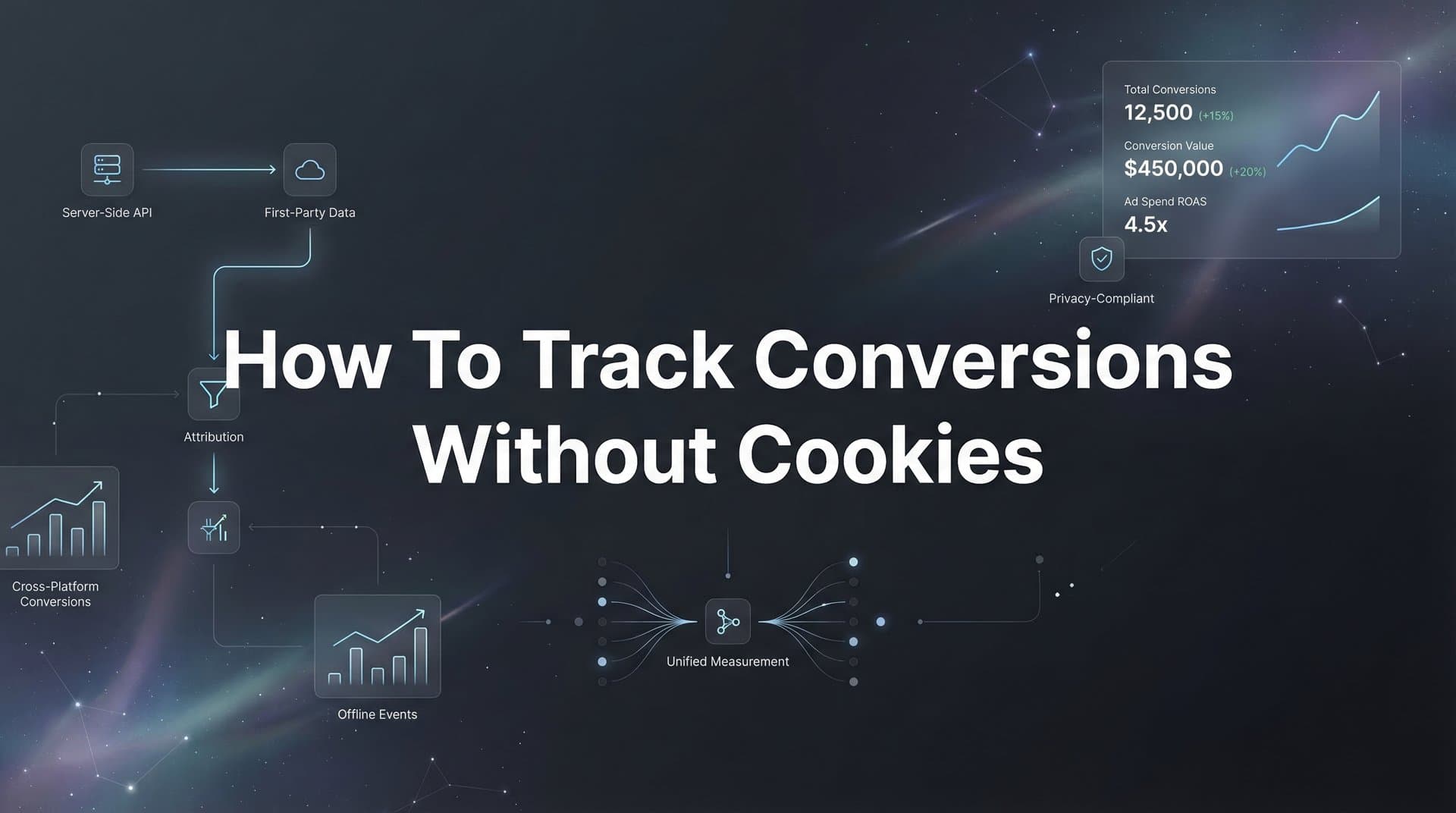
Your Meta Ads Manager shows 150 conversions. Your CRM shows 237 actual sales. Google Analytics reports something in between. If this sounds familiar, you're not alone—and it's getting worse, not better.
The foundation of digital marketing measurement is shifting beneath our feet. With browsers blocking third-party cookies, iOS privacy updates limiting tracking, and privacy regulations tightening globally, the cookie-based tracking methods that marketers relied on for decades are becoming increasingly unreliable.
If you've noticed gaps in your conversion data, attribution becoming less accurate, or ad platform reporting diverging wildly from your actual results, you're experiencing this shift firsthand. Safari and Firefox already block third-party cookies by default. Chrome has announced deprecation plans. iOS 14.5+ requires user opt-in for tracking, and most users simply tap "Ask App Not to Track."
The result? Your tracking is probably missing 30-60% of actual conversions, depending on your audience's device mix.
Here's the thing: cookieless tracking isn't just a workaround—it's often more accurate than what we had before. Server-side tracking, first-party data strategies, and privacy-compliant attribution methods can capture conversions that cookies miss entirely, including cross-device journeys and users who clear their browsers.
This guide walks you through implementing cookieless conversion tracking from start to finish. You'll learn how to audit your current setup, implement server-side tracking, leverage first-party data, and connect everything to your ad platforms for better optimization. By the end, you'll have a tracking system that's both privacy-compliant and more accurate than traditional cookie-based methods.
Step 1: Audit Your Current Tracking Gaps and Data Loss
Before you fix anything, you need to understand exactly what's broken. Most marketers know their tracking is off, but they don't know by how much or where the biggest gaps are.
Start by comparing your ad platform reported conversions against your actual business results. Pull your Meta Ads conversion data for the last 30 days. Then pull your actual sales or leads from your CRM or payment processor for the same period. Calculate the discrepancy percentage.
If Meta reports 100 conversions but you actually had 165 sales, you're missing 39% of your conversions. That's not just a reporting problem—your ad platform's algorithm is optimizing with incomplete data, which means it's making poor decisions about who to target and how much to bid.
Next, check your browser console for blocked tracking scripts. Open your website in Chrome, right-click and select "Inspect," then navigate to the Console tab. Refresh the page and look for red error messages related to blocked cookies or tracking scripts. You'll likely see messages about third-party cookies being blocked or scripts failing to load.
Pay special attention to iOS traffic. Filter your analytics to show only iOS users and compare their conversion tracking to Android and desktop. The gap is usually dramatic. iOS traffic often shows 50-70% fewer tracked conversions than other platforms, not because iOS users don't convert, but because iOS privacy features block most traditional tracking methods.
Document which specific conversion events are most affected. Is it all conversions across the board, or are certain events like purchases tracking better than lead form submissions? Understanding this helps you prioritize what to implement first.
Create a simple spreadsheet with these columns: Traffic Source, Reported Conversions, Actual Conversions, Gap Percentage, and Priority. This becomes your implementation roadmap. The conversion events with the biggest gaps and highest business value get fixed first.
This audit typically reveals that you're making decisions based on 40-60% of your actual data. Once you see the numbers, the case for cookieless tracking becomes obvious.
Step 2: Implement Server-Side Tracking Infrastructure
Server-side tracking is the foundation of cookieless conversion measurement. Instead of relying on JavaScript running in the user's browser (which can be blocked), you send tracking data from your server, which can't be blocked by browser privacy features.
The most accessible starting point is Google Tag Manager Server-side. Create a server container in GTM, which gives you a tagging server that runs in the cloud rather than in users' browsers. Google Cloud Platform hosts this for you, though you can also use other cloud providers.
Here's what makes this powerful: when tracking calls go through your own server instead of directly to ad platforms, browsers don't recognize them as third-party tracking and don't block them. You're essentially creating a privacy-compliant bridge between your website and your marketing tools. For a detailed walkthrough, check out our guide on how to set up server-side tracking.
Configure your server container to route tracking calls through your own domain. Instead of sending data to facebook.com/events, you send it to tracking.yourdomain.com, which then forwards it to Facebook. Browsers see this as first-party communication and allow it through.
Set up your server to capture critical data at the server level: UTM parameters from the URL, click IDs from ad platforms (fbclid, gclid), session identifiers, and user data like email addresses when available. This data gets stored server-side where it can't be deleted by browser privacy features or cleared cookies.
The technical implementation varies based on your platform. If you're using Shopify, there are apps that simplify server-side setup. WordPress sites can use plugins or custom code. For custom websites, you'll need developer support to implement the tracking calls.
Once configured, verify data is flowing correctly before moving forward. Send a test conversion through your website and check that it appears in your server container's preview mode. Confirm that the data includes all the parameters you need: user identifier, conversion value, event name, and source attribution data.
Common setup mistakes include forgetting to update your cookie domain settings, not properly forwarding the original user IP address (which ad platforms need for attribution), or failing to include event deduplication IDs. Double-check these before proceeding.
Server-side infrastructure might sound complex, but platforms like Cometly handle this automatically. Instead of configuring GTM server containers and cloud hosting yourself, attribution platforms provide the server-side infrastructure as part of their service, significantly reducing implementation time.
Step 3: Build Your First-Party Data Collection System
Third-party cookies are dying, but first-party cookies—cookies set by your own domain—work fine and aren't affected by privacy restrictions. The key is using them strategically to build a first-party data foundation.
Implement first-party cookies with longer expiration periods. While third-party cookies might last hours or days before being deleted, you can set first-party cookies to persist for months or even years. This gives you a stable user identifier that survives browser sessions and even cookie-clearing in many cases.
Create a unique user identifier system that doesn't rely solely on cookies. When someone visits your site, generate a unique ID and store it in multiple places: a first-party cookie, local storage, and session storage. If the cookie gets deleted but local storage persists, you can restore the ID. This redundancy keeps tracking consistent.
The real power comes from identity resolution. Set up form tracking to capture email addresses and phone numbers whenever users submit forms—newsletter signups, lead forms, checkout processes, account creation. These identifiers are deterministic, meaning they definitively identify the same person across devices and sessions.
When someone fills out a form, immediately associate their email with their anonymous tracking ID. Now you can connect all their previous anonymous browsing to their identity, and track them accurately even if they switch devices or clear their cookies.
Connect your website behavior data to your CRM for complete journey tracking. When a lead enters your CRM, sync their website activity history with their CRM record. When they eventually convert to a customer, you can trace their entire journey back to the original ad that brought them in. Understanding how to track customer journey data is essential for this process.
This creates a closed-loop system: anonymous visitor → identified lead → paying customer, with every touchpoint preserved. You're no longer dependent on cookies surviving the entire journey.
Implement progressive profiling to enrich user data over time. Don't ask for everything upfront. If someone downloads a whitepaper and gives you their email, you have their identity. Next time they visit, you can track them without asking again. If they later fill out a demo form and provide their company name, you add that to their profile.
Privacy compliance is critical here. Make sure you have proper consent mechanisms, clear privacy policies, and give users control over their data. First-party data collection is legal and effective, but only when done with transparency and user consent.
Step 4: Connect Conversion Data to Your Ad Platforms
Having accurate conversion data is only valuable if your ad platforms can actually use it for optimization. This step connects your server-side tracking and first-party data to the platforms where you're spending money.
Start with Meta's Conversions API (CAPI). This lets you send conversion events directly from your server to Meta, bypassing browser-based tracking entirely. Set up CAPI to send purchase events, lead events, and other key conversions with as much first-party data as possible: email, phone, first name, last name, city, state, zip code.
The more data points you include, the better Meta can match events to user profiles. Meta uses this data to attribute conversions to the right ads and to improve its targeting algorithms. Event match quality scores tell you how well Meta can match your data—aim for a score of 6.0 or higher.
Configure Google Ads Enhanced Conversions next. This works similarly to CAPI but for Google. You send hashed first-party data (email, phone, address) along with conversion events, allowing Google to match conversions to users even when cookies don't work.
Enhanced Conversions integrates with Google Tag Manager or can be implemented via the Google Ads API. The key is capturing user data at the point of conversion and sending it securely to Google. Hash the data before sending to protect user privacy.
For businesses with longer sales cycles, implement offline conversion imports. If someone clicks your ad today but doesn't convert until they speak with sales next week, browser-based tracking will miss that conversion. Learning how to track offline conversions lets you upload completed sales with the original click ID, properly attributing the conversion.
Set up a system to export conversions from your CRM with their associated click IDs (gclid for Google, fbclid for Meta), then import these back to the ad platforms. This closes the loop for sales that happen offline or after extended consideration periods.
Monitor event match quality scores in both Meta and Google. These scores indicate how well the platforms can match your conversion data to user profiles. Low scores mean you're not including enough identifying information, which reduces attribution accuracy.
If your match quality is below 6.0 on Meta, you need to send more customer information parameters. Add fields like phone number, state, or zip code to improve matching. For Google, ensure you're sending email addresses in the correct hashed format.
Platforms like Cometly automate this entire step. Instead of manually configuring CAPI, Enhanced Conversions, and offline imports for each ad platform, attribution platforms sync conversions to ad platforms automatically, including all the first-party data needed for high match quality scores.
Step 5: Establish Cross-Device and Cross-Session Attribution
Users don't convert in a single session on a single device anymore. Someone might see your ad on their phone during their commute, research on their laptop at work, and finally purchase on their tablet at home. Cookie-based tracking breaks at each device switch.
Deterministic matching solves this by using known identifiers. When you capture someone's email address, you can definitively connect all their activity across any device where they use that email. This is the gold standard for cross-device tracking.
Build your system to recognize users by email or phone number whenever possible. When someone logs into your site, checks out, or fills out a form, capture that identifier and link it to all their previous and future activity. You now have a complete view of their journey regardless of device switching.
Implement probabilistic matching as a fallback for anonymous users. This uses signals like IP address, user agent, browsing patterns, and timing to make educated guesses about whether two sessions are the same person. It's not as accurate as deterministic matching, but it's better than nothing for users who haven't identified themselves yet.
Set attribution windows based on your actual sales cycle, not arbitrary defaults. If you sell enterprise software with a 60-day sales cycle, a 7-day attribution window will miss most conversions. Analyze your CRM data to understand how long it typically takes from first touch to conversion, then set your attribution windows accordingly.
Most businesses should use at least a 28-day click window and a 1-day view window for paid ads. For longer sales cycles, extend this to 60 or even 90 days. The goal is capturing the full journey, not just the last touchpoint before conversion.
For a deeper dive into this space, see our AI paid ads agent guide.
Configure multi-touch attribution to see the complete journey. Last-click attribution gives all credit to the final touchpoint, which dramatically undervalues awareness and consideration channels. Multi-touch models distribute credit across all touchpoints, showing you which channels work together to drive conversions. Understanding how to measure assisted conversions helps you see the true value of each touchpoint.
Compare different attribution models—first-click, last-click, linear, time-decay, position-based—to understand how different channels contribute. Awareness channels like Facebook and YouTube often look terrible in last-click but show strong performance in first-click or linear models.
The key insight: cookieless tracking actually improves cross-device attribution because you're relying on stable identifiers (email, phone) rather than fragile cookies that break with every device switch. Your attribution becomes more accurate, not less.
Step 6: Validate and Optimize Your Cookieless Tracking Setup
Implementation is only half the battle. Validation ensures your new tracking system is actually working better than what you had before, and optimization fine-tunes it for maximum accuracy.
Run parallel tracking for two to four weeks, keeping your old cookie-based system running alongside your new cookieless setup. Compare the data daily. Your new system should capture significantly more conversions, especially from iOS users and users who clear cookies frequently.
During this parallel period, resist the urge to make major campaign changes. You need clean data to validate that the new system is working. If you change campaigns while also changing tracking, you won't know which caused any performance differences.
Check for duplicate conversions and implement deduplication logic. When you're running both browser-based and server-side tracking simultaneously, the same conversion might get counted twice. Use event deduplication IDs to ensure each conversion is only counted once, even if it's reported through multiple channels.
Most ad platforms accept an event_id parameter that identifies unique conversions. Send the same event_id from both your browser pixel and your server-side tracking. The platform will automatically deduplicate, counting the conversion only once.
Monitor event match quality and data freshness in your ad platform dashboards. Meta and Google provide diagnostics showing how well your conversion data is being matched and how quickly it's being processed. High match quality (above 6.0) and fast processing (under an hour) indicate a healthy setup.
If match quality drops, investigate which customer information parameters are missing. If data processing is delayed, check your server-side infrastructure for bottlenecks or API rate limiting issues.
Set up alerts for tracking failures or data anomalies. Configure notifications when conversion volume drops below expected levels, when event match quality falls below thresholds, or when server-side tracking returns errors. Catching issues quickly prevents them from impacting your campaigns.
Review your attribution data weekly during the first month. Look for patterns: Are certain traffic sources now showing better performance? Are conversion values more accurate? Is cross-platform attribution capturing journeys you were missing before?
The validation period usually reveals that your previous tracking was missing 30-50% of conversions. Once you see the complete data, you'll likely need to adjust campaign budgets and strategies based on what's actually working.
Your Roadmap to Tracking That Actually Works
Implementing cookieless conversion tracking requires upfront investment, but the payoff is substantial: more accurate data, better ad platform optimization, and future-proofed measurement that won't break with the next privacy update.
Your implementation checklist: audit your current data gaps to understand what you're missing, set up server-side infrastructure to bypass browser blocking, build first-party data collection to create stable user identifiers, connect to ad platform APIs so your data actually improves optimization, establish cross-device attribution to see complete customer journeys, and validate everything with parallel tracking to prove it works.
The marketers who master cookieless tracking now will have a significant competitive advantage as privacy regulations continue to evolve. While competitors struggle with incomplete data and declining attribution accuracy, you'll have a complete view of what's driving results.
Start with Step 1 today—even a simple audit will reveal how much data you're currently missing and make the case for moving forward with implementation. Compare your ad platform conversions to your actual sales for just the last 30 days. That gap represents money you're leaving on the table by not optimizing with complete data.
The technical implementation might seem daunting, but remember that platforms exist specifically to solve this problem. You don't have to build everything from scratch. Attribution platforms like Cometly provide server-side tracking infrastructure, automate first-party data collection, sync conversions to ad platforms automatically, and handle cross-device attribution—turning a months-long technical project into a straightforward setup process.
Ready to elevate your marketing game with precision and confidence? Discover how Cometly's AI-driven recommendations can transform your ad strategy—Get your free demo today and start capturing every touchpoint to maximize your conversions.


