

You just launched a high-converting Facebook campaign. Leads are pouring in. Your dashboard shows hundreds of clicks, dozens of form submissions, and your sales team is booking demos. But three weeks later, when you look at closed deals, you can't connect the dots. Which Facebook ad actually drove those customers? Did they see your retargeting campaign first, or was it the cold traffic ad? What about the email sequence they opened between the demo request and the purchase?
This is the reality for most marketers running multi-step conversion processes. Your prospects don't click an ad and immediately buy. They research. They compare. They visit your site multiple times across different devices. They engage with multiple touchpoints before finally converting.
Without proper funnel tracking, you're flying blind. You might be cutting budgets on campaigns that actually drive revenue while scaling ones that only generate cheap clicks. You're making decisions based on incomplete data, wondering why your cost per acquisition keeps climbing even though your "conversion rate" looks fine.
The problem isn't your marketing strategy. It's your tracking infrastructure.
This guide shows you exactly how to set up comprehensive multi-step funnel tracking that captures every touchpoint in your customer journey. You'll learn how to implement server-side tracking that works despite iOS restrictions, connect your CRM to capture offline conversions, feed better data back to ad platforms for improved optimization, and build dashboards that show you exactly where prospects drop off and which channels actually drive revenue.
By the end, you'll have a clear system for tracking every stage of your pipeline—from first ad click to closed deal—so you can optimize based on real revenue data instead of platform vanity metrics.
Step 1: Map Your Conversion Stages and Define Key Events
Before you implement any tracking code, you need a clear picture of your actual customer journey. Not the idealized version in your marketing deck, but the messy, multi-touch reality of how prospects actually become customers.
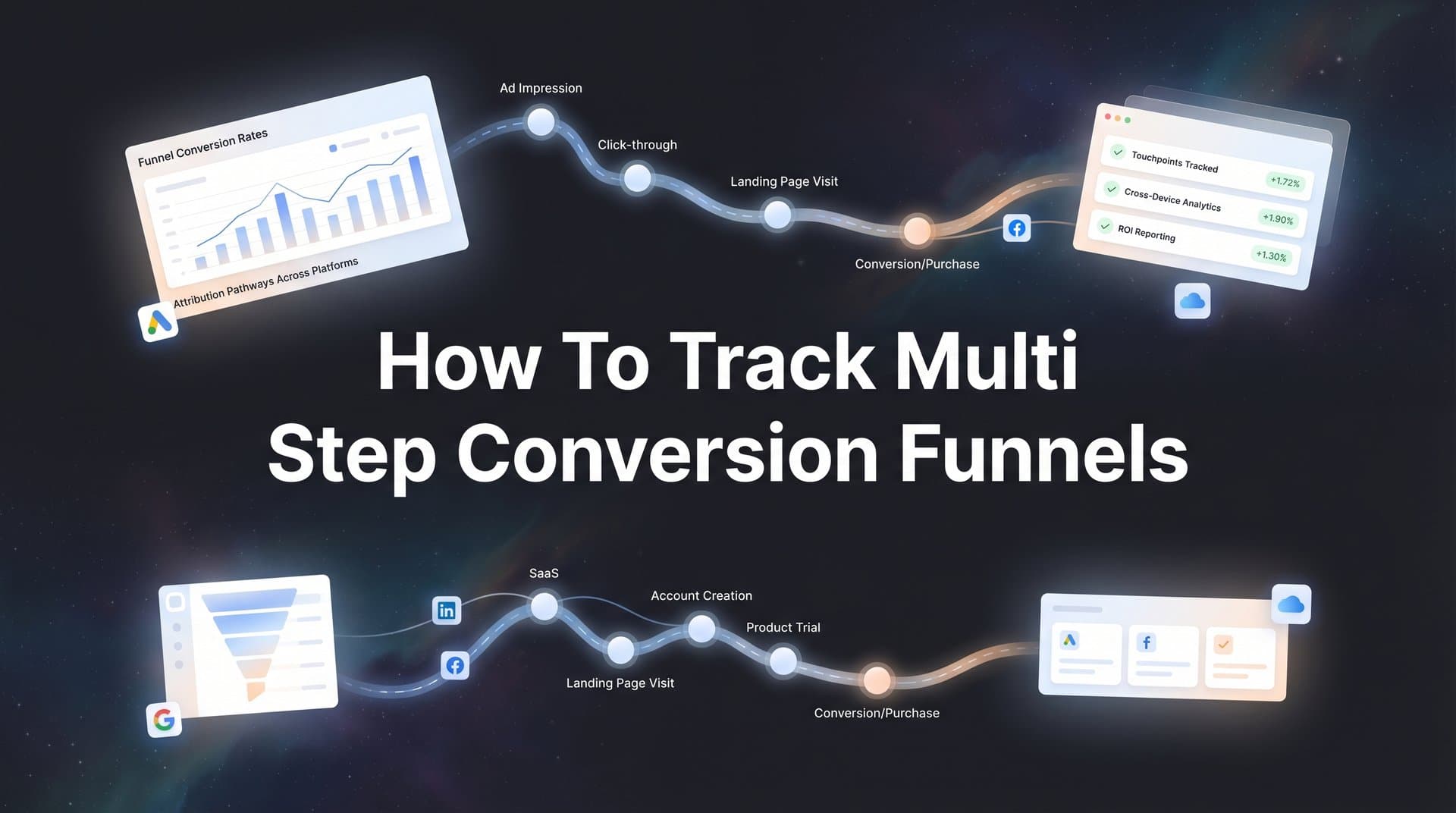
Start by listing every meaningful interaction a prospect has with your business from first awareness to final purchase. For a B2B SaaS company, this might look like: ad click, website visit, content download, email engagement, demo request, demo completion, trial signup, and closed deal. For e-commerce, it could be: ad click, product page view, add to cart, checkout initiation, and purchase completion.
The key word here is "meaningful." You're not tracking every single page view or mouse movement. You're identifying the specific actions that indicate a prospect is moving closer to becoming a customer.
Next, define exactly what constitutes each event in technical terms. "Demo request" needs to translate into something your tracking system can measure. Is it a form submission on a specific URL? A button click that triggers a calendar widget? A Calendly booking confirmation? Be precise. Vague definitions lead to inconsistent tracking and unreliable data.
Create a visual funnel map showing the expected flow between stages. This doesn't need to be fancy—a simple flowchart works fine. The goal is to document the primary path prospects take and identify potential exit points. Where might someone drop off? After visiting your pricing page? Between requesting a demo and actually attending it? Between trial signup and first login?
Now assign relative value to each stage based on historical conversion rates. If you know that 30% of demo requests turn into customers, and your average customer value is $10,000, then a demo request is worth approximately $3,000 in expected revenue. This weighting becomes crucial later when you're comparing the performance of different marketing channels.
Document everything in a shared spreadsheet or tracking plan that your entire team can reference. Include the event name, the technical trigger, the expected conversion rate to the next stage, and the relative value. This becomes your single source of truth as you build out your tracking infrastructure. Following best practices for tracking conversions accurately from the start saves countless headaches later.
One critical mistake to avoid: don't create so many stages that your funnel becomes impossible to analyze. Five to eight meaningful stages is usually the sweet spot. More than that and you'll drown in data without gaining actionable insights.
Step 2: Set Up Tracking Infrastructure Across All Touchpoints
Now that you know what you're tracking, it's time to build the infrastructure that actually captures this data. This is where most marketers make a critical error: they rely entirely on client-side tracking through browser pixels and cookies.
Here's the problem with that approach. iOS privacy updates have severely limited what client-side tracking can capture. Ad blockers strip out tracking pixels. Users who disable cookies become invisible. Cross-device journeys break attribution. You end up with massive data gaps that make accurate funnel analysis impossible. Understanding how to track conversions without cookies has become essential in this privacy-first landscape.
The solution is server-side tracking. Instead of relying on browser pixels that can be blocked or restricted, you send event data directly from your server to your analytics platform and ad networks. This captures conversions that client-side tracking misses and provides a more complete picture of your customer journey.
Implementing server-side tracking requires some technical work, but the payoff is worth it. You'll need to set up a server endpoint that receives conversion events from your website, CRM, and other systems, then forwards that data to your analytics platform and ad networks through their conversion APIs.
While you're building your tracking infrastructure, configure UTM parameters consistently across all your marketing channels. Create a standardized naming convention for campaigns, ad sets, and individual ads. Many marketers skip this step and end up with messy data where the same campaign appears under five different names because someone used inconsistent capitalization or abbreviations. Learn what UTM tracking is and how UTMs can help your marketing to avoid these common pitfalls.
Your UTM structure should answer three questions: What channel drove this traffic? What specific campaign? What individual ad or creative? A simple format like utm_source=facebook, utm_medium=paid_social, utm_campaign=q2_demo_drive, utm_content=video_ad_v2 works well. The key is consistency—document your naming convention and make sure everyone on your team follows it.
Next, connect your CRM to your tracking system. This is non-negotiable for B2B companies or anyone with a sales team. Many of your most valuable conversions happen offline—sales calls, contract negotiations, closed deals. If your tracking system only sees what happens on your website, you're missing the most important part of the funnel.
Most modern CRMs offer webhooks or APIs that can send conversion events to your analytics platform when deals move through pipeline stages. Set these up so that when a sales rep marks a deal as "closed won," that event flows into your attribution system and gets connected back to the original marketing touchpoints.
Finally, verify everything is working correctly before you start making decisions based on the data. Manually test each funnel stage by going through the conversion process yourself. Click a test ad, fill out forms, trigger each event, and confirm that the data appears correctly in your analytics dashboard with proper source attribution.
Check that events are firing in the right order, that timestamps are accurate, and that user identifiers are being passed correctly between systems. Finding and fixing tracking bugs now saves you from making expensive optimization decisions based on flawed data later.
Step 3: Connect Ad Platforms to Your Funnel Data
Your tracking infrastructure is capturing funnel events. Now you need to feed that data back to your ad platforms so their algorithms can optimize for the outcomes that actually matter to your business.
Start by integrating Meta, Google, TikTok, LinkedIn, and any other ad platforms you use with your tracking system. Each platform offers a Conversions API that allows you to send server-side event data directly to their systems. This is separate from the browser pixel tracking you might already have in place—it's a complementary layer that fills in the gaps where pixel tracking fails.
The Conversions API setup varies by platform, but the concept is consistent: your server sends conversion events with user identifiers and event details to the platform's API endpoint. The platform matches those conversions back to ad interactions and uses that data to optimize campaign delivery. If you're running ads on multiple networks, mastering how to track conversions across multiple ad platforms is critical for unified reporting.
Here's why this matters for funnel tracking specifically. When you only send final purchase events to ad platforms, their algorithms optimize for people who are ready to buy right now. That works fine if you're selling impulse purchases, but it fails spectacularly for multi-step funnels where the buying process takes weeks or months.
Instead, configure custom conversions for each stage of your funnel. Send "demo_requested," "demo_completed," "trial_started," and "purchase_completed" events separately. This allows Meta's algorithm to optimize for demo requests when you're running top-of-funnel awareness campaigns, and optimize for purchases when you're running bottom-of-funnel retargeting.
The platform algorithms learn which types of users are more likely to complete each funnel stage. Over time, this improves targeting accuracy and reduces your cost per conversion at every stage.
One critical technical detail: include value data with each conversion event. Even if someone just requested a demo and hasn't purchased yet, send the expected value you calculated in Step 1. This helps ad platforms understand that a demo request from your high-intent enterprise segment is worth more than a demo request from a small business, and optimize accordingly.
You also need to set up cross-platform deduplication to avoid counting the same conversion multiple times. If someone clicks a Facebook ad, then later clicks a Google ad, and finally converts, you don't want to credit both platforms with a full conversion. Implement a deduplication window—typically 7 days—where conversions are attributed to the last click within that window. Avoiding duplicated conversion tracking across platforms keeps your data clean and your ROAS calculations accurate.
Most attribution platforms handle this automatically by assigning a unique conversion ID and checking for duplicates across platforms. Just make sure your setup includes this logic, or you'll end up with inflated conversion counts that make your ROAS calculations meaningless.
Step 4: Build Your Funnel Visualization and Reporting Dashboard
You're capturing comprehensive funnel data across all touchpoints. Now you need to turn that data into insights you can actually use to improve performance.
Start by building a unified funnel visualization that shows conversion rates between each stage. This should be your primary view—a single dashboard that answers the question "how many people move from stage A to stage B, and where do they drop off?"
The visualization should show both absolute numbers and conversion rates. Seeing that 500 people requested demos is less useful than knowing that represents a 5% conversion rate from website visitors, and 40% of those demo requests actually attend the demo. Those percentages tell you where to focus optimization efforts.
Layer in source attribution so you can see which channels drive prospects into and through your funnel. Don't just look at first-touch attribution—that only tells you which channel created awareness. Also track last-touch (which channel closed the deal) and multi-touch (which channels assisted along the way). Understanding tracking conversions across multiple touchpoints gives you the complete picture of your customer journey.
A complete view might show that Facebook drives high volume at the top of your funnel, but Google Search has a higher conversion rate from demo to purchase. That insight changes how you allocate budget. You might keep Facebook spending high for awareness but shift more budget to Google for bottom-funnel conversions.
Configure time-based reporting to understand your typical customer journey length. How long does it take, on average, for someone to move from first touch to closed deal? What about from demo request to purchase? These time windows inform your attribution windows and help you set realistic expectations for campaign performance.
If your average sales cycle is 45 days, you can't evaluate a campaign's ROI after running it for two weeks. Build this time context into your reporting so you're not making premature optimization decisions.
Set up segment comparisons to analyze how different audiences move through your funnel. Compare enterprise versus small business leads. Compare different geographic regions. Compare traffic from different campaign types. You'll often find that certain segments have dramatically different funnel conversion rates, which should inform both your targeting and your budget allocation.
Make your dashboard accessible to your entire marketing team, not just the analytics person. The goal is to democratize funnel data so everyone from the paid media manager to the content marketer can see how their work impacts the full customer journey. When everyone can see the complete picture, optimization becomes a team effort rather than a siloed activity.
Step 5: Analyze Drop-Off Points and Identify Optimization Opportunities
Your dashboard is showing you the full funnel. Now it's time to dig into the data and find the leaks that are killing your conversion rates.
Start by calculating stage-to-stage conversion rates for each step in your funnel. What percentage of website visitors request a demo? What percentage of demo requests actually attend? What percentage of attendees start a trial? What percentage of trials convert to paid customers?
These conversion rates reveal your biggest opportunities. If 50% of demo requests never attend the demo, that's a massive leak. Fixing that one bottleneck could double your customer acquisition without spending another dollar on ads. Compare that to optimizing your ad creative to improve click-through rate by 10%—the demo attendance issue has far more impact.
Next, break down drop-off rates by traffic source. You might discover that LinkedIn drives demo requests with a 60% attendance rate, while Facebook drives demo requests with only a 30% attendance rate. That doesn't necessarily mean LinkedIn is better—it might just attract a different audience. But it does mean you should adjust your expectations and potentially your targeting strategy for each platform. Learning how to track multi-channel marketing helps you make these source-level comparisons with confidence.
Review time-in-stage metrics to spot friction points that slow down the buying process. If most prospects move from website visit to demo request within 24 hours, but then sit in "demo requested" status for two weeks before attending, that suggests a scheduling or follow-up problem. Maybe your calendar booking process is too complicated. Maybe your confirmation emails are getting lost in spam folders.
Time-based analysis also reveals seasonal patterns and campaign fatigue. If conversion rates drop steadily over the course of a campaign, your audience might be seeing your ads too frequently. If certain days of the week show consistently higher conversion rates, you can adjust your budget pacing to capitalize on those high-intent periods.
Use cohort analysis to track how funnel performance changes over time. Compare the conversion rates of users who entered your funnel in January versus those who entered in March. Are newer cohorts converting better or worse? This helps you understand whether your optimization efforts are actually working or whether external factors are driving performance changes.
Look for correlation patterns between funnel stages. Do prospects who engage with certain content pieces have higher conversion rates later in the funnel? Do people who request demos within 24 hours of their first visit convert at different rates than those who take a week to request? These patterns inform both your targeting and your nurture strategies.
Step 6: Optimize Campaigns Based on Full-Funnel Attribution Data
You've identified the leaks in your funnel and the channels driving the highest-quality traffic. Now you can make optimization decisions based on complete customer journey data rather than isolated platform metrics.
Start by reallocating budget toward channels that drive revenue, not just top-of-funnel engagement. That Facebook campaign with the low cost-per-click might look efficient in the platform dashboard, but if those clicks convert to customers at half the rate of your Google Search traffic, it's actually more expensive on a cost-per-customer basis.
Use multi-touch attribution models to understand the true value of awareness campaigns. First-touch attribution shows which channels create initial awareness. Last-touch shows which channels close deals. But the reality is that most customer journeys involve multiple touchpoints, and each one plays a role.
A prospect might discover you through a Facebook ad, return later through organic search, download a guide after clicking a LinkedIn ad, and finally convert after seeing a retargeting ad. Which channel deserves credit? The answer is all of them, weighted appropriately. Multi-touch attribution models like time decay or position-based give you a more nuanced view of channel value.
Feed your enriched conversion data back to ad platforms through the Conversions APIs you set up earlier. As your tracking system captures more complete funnel data, the algorithms get better at identifying which users are likely to convert. This creates a virtuous cycle where better data leads to better targeting, which leads to higher conversion rates, which generates even better data. If you're struggling with data gaps, understanding how to improve ad conversion tracking can help you close those gaps systematically.
Set up automated alerts when funnel metrics deviate from expected performance. If your typical demo-to-trial conversion rate is 45%, and it suddenly drops to 30%, you want to know immediately—not three weeks later when you finally look at the dashboard. Configure alerts for significant changes in stage-to-stage conversion rates, unusual drop-offs at specific funnel stages, or sudden shifts in time-to-convert metrics.
These alerts help you catch problems early. Maybe a form broke on your website. Maybe a competitor launched an aggressive campaign that's changing buyer behavior. Maybe your sales team is overwhelmed and follow-up times have slipped. Whatever the cause, early detection means faster fixes and less revenue lost to preventable issues. Knowing how to fix broken conversion tracking quickly is a skill every marketer needs.
Test variations at each funnel stage, not just at the top. Most marketers obsess over ad creative and landing page optimization but ignore the rest of the funnel. What if you tested different demo formats? Different trial onboarding sequences? Different sales follow-up cadences? The conversion rate improvements from mid-funnel optimization often exceed what you can achieve through ad testing alone.
Turning Data Into Revenue
Tracking multi-step conversion funnels transforms how you evaluate marketing performance. Instead of celebrating vanity metrics like impressions and clicks, you're optimizing for the outcomes that actually matter—qualified leads, sales conversations, and closed revenue.
The marketers who implement comprehensive funnel tracking gain a significant competitive advantage. They know exactly which campaigns drive customers, not just traffic. They can confidently shift budget toward high-performing channels because they're measuring complete customer journeys, not fragmented platform data. They catch and fix conversion bottlenecks before they cost thousands in lost revenue.
Your implementation checklist: Map your funnel stages and define trackable events for each one. Set up server-side tracking infrastructure to capture data that browser pixels miss. Connect your CRM so offline conversions get attributed back to marketing touchpoints. Integrate all ad platforms with conversion APIs to feed them enriched event data. Build dashboards showing stage-to-stage conversion rates and source attribution. Analyze drop-off points by traffic source and user segment. Reallocate budget based on full-funnel attribution, not just top-of-funnel metrics.
The difference between good marketers and great ones often comes down to data quality. Great marketers make decisions based on complete customer journey data. They understand that the cheapest click rarely drives the most valuable customer. They optimize for revenue, not vanity metrics.
Cometly captures every touchpoint in your customer journey—from initial ad click through CRM events to closed deals—giving you the complete attribution data you need to optimize with confidence. Our AI analyzes your funnel performance across all channels and provides specific recommendations for where to shift budget and which campaigns to scale. Ready to elevate your marketing game with precision and confidence? Discover how Cometly's AI-driven recommendations can transform your ad strategy—Get your free demo today and start capturing every touchpoint to maximize your conversions.


