

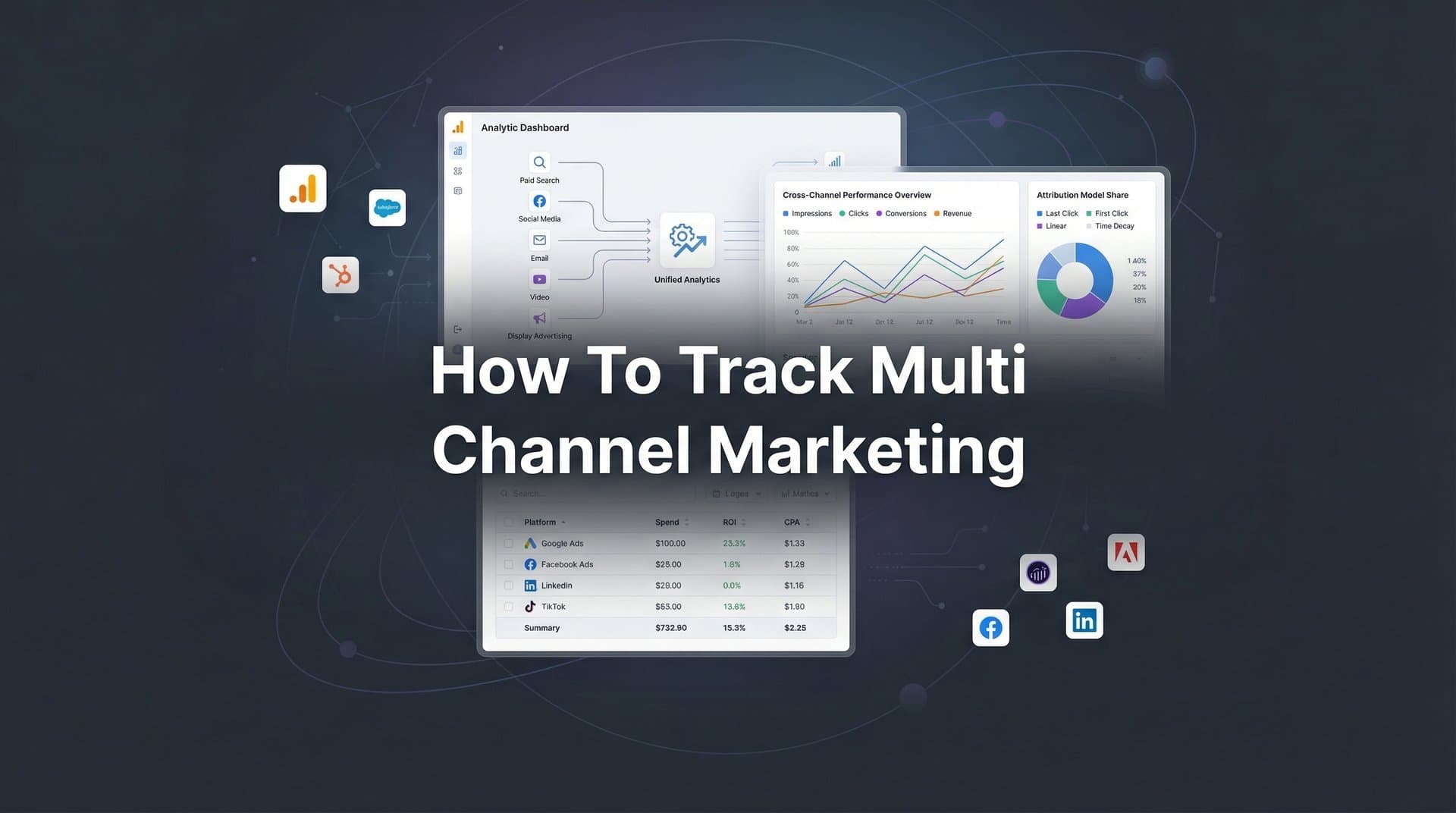
You're running ads on Meta, Google, LinkedIn, and maybe TikTok. Each platform's dashboard shows conversions. You add them up, and suddenly you have 147% of your actual sales. Sound familiar?
This isn't a math problem—it's the reality of multi-channel marketing without proper tracking. When each platform operates in its own silo, they all claim credit for the same conversion. Meta says the Facebook ad drove the sale. Google insists it was the search click. LinkedIn points to that sponsored post. Meanwhile, you're left guessing which channels actually deserve your budget.
The truth is more complex and more valuable: most customers touch multiple channels before buying. That LinkedIn post might introduce them to your brand. The Google search happens when they're researching solutions. The Meta retargeting ad closes the deal. Each plays a role, but without unified tracking, you can't see the complete story.
Multi-channel marketing tracking solves this visibility problem by connecting every touchpoint into a single, coherent customer journey. Instead of isolated conversion counts, you see the actual path from first impression to final purchase. You understand which channels work together, which combinations convert best, and where your budget creates the most impact.
This guide walks you through the exact process of setting up comprehensive tracking across all your marketing channels. You'll learn how to capture data accurately despite privacy restrictions, connect your CRM and revenue sources, implement attribution models that reflect reality, and build a dashboard that shows the complete picture. By the end, you'll have a unified system that reveals what's actually driving revenue—not just what's touching customers last.
Step 1: Map Your Current Marketing Channels and Conversion Points
Before you can track everything, you need to know what "everything" actually includes. This inventory step sounds basic, but most marketing teams discover gaps they didn't know existed.
Start by listing every platform where you're actively spending money. Don't just count the big ones—include that experimental TikTok campaign, the LinkedIn sponsored content, the YouTube pre-rolls, and even affiliate partnerships. Each represents a data source you need to track.
Next, identify every conversion event that matters to your business model. For e-commerce, this might include product views, add-to-cart actions, initiated checkouts, and completed purchases. For SaaS, you're probably tracking demo requests, free trial signups, and paid conversions. B2B companies often need to capture form submissions, content downloads, webinar registrations, and sales calls.
The critical part: document where data currently lives for each event type. Your website analytics might capture form submissions, but are those syncing to your CRM? Your payment processor records purchases, but does that data connect back to the ad that started the journey? These disconnects are where attribution breaks down.
Create a simple spreadsheet with columns for channel name, monthly spend, conversion events tracked, data location, and current tracking status. A well-designed marketing campaign tracking spreadsheet becomes essential for documenting these details systematically. Be brutally honest about what's working and what's broken. If you're not sure whether tracking is accurate on a channel, mark it as "needs verification."
Pay special attention to offline conversions—phone calls from ads, in-person sales, and deals that close through direct outreach. These often represent your highest-value conversions, yet they're frequently the hardest to connect back to marketing touchpoints.
Your success indicator here is simple: you should have zero blind spots. Every channel where you spend money should appear on your list. Every conversion event that impacts revenue should be documented. Every data source should be identified. If you discover channels or conversion types you can't currently track, that's valuable information—you've just found your first optimization opportunity.
Step 2: Implement Server-Side Tracking Across Your Website
Here's the uncomfortable truth about browser-based tracking: it's increasingly unreliable. iOS App Tracking Transparency blocks a significant portion of mobile tracking. Browser privacy features limit cookie duration. Ad blockers strip tracking pixels entirely. If you're relying solely on client-side JavaScript pixels, you're missing 20-40% of your actual conversions.
Server-side tracking solves this by capturing events on your server before they ever reach the user's browser. When someone submits a form or completes a purchase, your server records that action and sends the data directly to your analytics platform. No browser restrictions. No ad blockers. No iOS limitations.
Implementation starts with installing server-side tracking code on your website. This typically involves adding a tracking script to your site's backend that fires when specific events occur. The exact process varies by platform, but the concept remains consistent: capture the event server-side, then transmit it to your tracking system.
Focus your initial setup on high-value pages where conversions happen. Landing pages that receive paid traffic need tracking to connect ad clicks to page visits. Checkout pages require purchase event tracking. Thank you pages confirm completed conversions. Form submission pages capture lead generation events.
For a deeper dive into this space, see our AI UGC video generator guide.
Configure your server-side tracking to collect first-party data—information users provide directly to you through forms, account creation, or purchases. This data belongs to you, survives cookie restrictions, and provides the foundation for accurate attribution even as privacy regulations tighten.
The technical setup should include event parameters that capture relevant context: which page the event occurred on, what campaign brought the user to your site, their customer status (new versus returning), and any relevant product or service details. This enriched data becomes crucial when you're analyzing which channels drive which types of conversions.
Test your implementation thoroughly before considering it complete. Trigger test conversions and verify they appear in your tracking system within seconds. Check that all relevant parameters are captured correctly. Confirm that events fire consistently across different devices and browsers.
Your success indicator: server-side events should fire with 95%+ reliability. Compare your server-side conversion counts to your previous client-side tracking. You'll likely see a significant increase in captured events—that's not more conversions, that's more accurate tracking of the conversions that were always happening.
Step 3: Connect Your CRM and Revenue Data Sources
Marketing attribution falls apart at the exact moment it matters most: when leads become customers. You can track ad clicks and form submissions all day, but if you can't connect those initial touchpoints to closed revenue, you're optimizing for the wrong metrics.
CRM integration bridges this gap by linking marketing events to the entire customer lifecycle. When someone fills out a form from your Google ad, that contact enters your CRM with the source attribution intact. As they move through your pipeline—from marketing qualified lead to sales qualified lead to closed deal—the original marketing touchpoint travels with them.
Start by integrating your CRM platform—whether that's HubSpot, Salesforce, Pipedrive, or another system. Modern attribution platforms offer native integrations that sync data bidirectionally. Marketing events flow into your CRM, enriching contact records with source information. Revenue data flows back out, connecting closed deals to the campaigns that generated them.
The key is mapping CRM stages to marketing events. When a contact moves from "lead" to "opportunity," that represents a conversion event worth tracking. When they reach "closed-won," that's revenue you can attribute to marketing channels accurately. Configure your tracking system to recognize these stage changes and update attribution accordingly.
Don't stop at CRM data. Connect your payment processors, e-commerce platforms, and subscription management systems. Stripe, Shopify, WooCommerce, and similar platforms hold the actual revenue numbers. Integrating these sources ensures your attribution reflects real money, not just pipeline movement.
For businesses with offline conversion events—phone calls, in-person meetings, deals closed through direct sales—set up call tracking and offline event import processes. When a prospect calls the number on your landing page, that call should link back to the ad that brought them there. When a sales rep closes a deal that started with a LinkedIn message, that revenue should credit the LinkedIn campaign.
The technical implementation usually involves API connections between your tracking platform and data sources. Most modern platforms offer pre-built integrations that require minimal technical expertise—you're connecting accounts, not writing code.
Your success indicator: revenue data should flow back to marketing touchpoints within 24 hours of a deal closing. When you look at a campaign's performance, you should see not just leads generated, but pipeline created and revenue closed. That's when attribution becomes a business tool instead of a vanity metric.
Step 4: Establish UTM Parameters and Consistent Naming Conventions
UTM parameters are the DNA of multi-channel tracking. These simple URL tags—utm_source, utm_medium, utm_campaign, utm_content, utm_term—tell your analytics system exactly where each visitor came from. Without them, all your traffic blurs into "direct" or "referral," and attribution becomes guesswork.
The challenge isn't using UTMs—it's using them consistently across platforms, campaigns, and team members. When one person tags Facebook ads as "facebook" and another uses "meta," your reporting splits the same channel into two separate sources. When campaign names follow no pattern, you can't aggregate performance by campaign type or time period.
Create a standardized UTM structure that your entire team follows religiously. A typical framework might look like this: utm_source identifies the platform (google, meta, linkedin), utm_medium specifies the channel type (cpc, social, email), utm_campaign names the specific campaign (spring-sale-2026, webinar-series-q1), utm_content differentiates ad variations (video-a, carousel-b), and utm_term captures keywords for search campaigns. Understanding what UTM tracking is and how it helps your marketing provides the foundation for this entire process.
For a deeper dive into this space, see our Shopify ad variation generator guide.
Document this taxonomy in a shared resource that everyone can access. Include examples for each platform and campaign type. Specify capitalization rules (lowercase is standard), separator characters (hyphens work better than underscores), and abbreviation standards. The goal is that any team member can build a UTM-tagged URL and it will match the pattern everyone else uses.
For platforms that support auto-tagging—Google Ads and Meta primarily—enable it. Auto-tagging ensures tracking parameters append automatically to every ad click, eliminating human error. But don't rely on auto-tagging alone; manual UTMs give you more control over how data appears in your reports.
Build UTM-tagged URLs using a generator tool or spreadsheet template. This reduces errors and ensures consistency. Many teams maintain a campaign URL spreadsheet where every campaign gets a row with its properly formatted tracking links. This creates a reference library and prevents duplicate or conflicting parameter usage.
We compare the leading options in our WooCommerce UGC ad generator roundup.
Apply UTMs everywhere you drive traffic: paid ads, email campaigns, social posts, affiliate links, PR placements, and even offline materials with QR codes. The more comprehensive your UTM coverage, the more complete your attribution picture becomes.
Your success indicator: every ad click should carry complete, consistent tracking parameters. When you review your analytics, sources and campaigns should group logically without duplicates or inconsistencies. If you see "Facebook," "facebook," "fb," and "meta" all appearing as separate sources, your UTM discipline needs work.
Step 5: Configure Multi-Touch Attribution Models
Last-click attribution is a lie. It credits the final touchpoint before conversion while ignoring every interaction that built awareness, consideration, and intent. First-click attribution makes the opposite mistake, giving all credit to initial discovery while dismissing the nurturing that actually closed the deal.
Multi-touch attribution models distribute credit across the customer journey, reflecting the reality that conversions result from multiple interactions. The question isn't whether to use multi-touch attribution—it's which model best matches your business reality. A comprehensive guide to multi-touch attribution in marketing can help you understand the nuances of each approach.
Linear attribution splits credit evenly across all touchpoints. If a customer clicked a LinkedIn ad, searched your brand on Google, and then converted through a Meta retargeting ad, each touchpoint receives 33.3% of the credit. This model works well for businesses with short sales cycles where every interaction matters roughly equally.
Time-decay attribution gives more credit to touchpoints closer to conversion. That first LinkedIn ad might receive 10% credit, the Google search 30%, and the final Meta ad 60%. This reflects the assumption that recent interactions influenced the decision more than early awareness touches. It's useful for longer sales cycles where consideration builds over time.
Position-based (U-shaped) attribution credits first and last touchpoints more heavily—typically 40% each—while distributing the remaining 20% across middle touches. This acknowledges that initial discovery and final conversion moments matter most, but the nurturing in between still plays a role.
Data-driven attribution uses machine learning to analyze your actual conversion paths and assign credit based on which touchpoints statistically correlate with conversions. Instead of assuming equal weight or time decay, the model learns from your data what actually drives results. This requires substantial conversion volume to work effectively—typically hundreds of conversions monthly—but provides the most accurate attribution when you have enough data.
The smart approach: don't pick one model and call it truth. Set up multiple attribution views so you can compare how different models credit your channels. When you analyze campaign performance, look at it through last-click, first-click, linear, and data-driven lenses. The patterns that appear across all models represent reliable insights. The differences highlight where your channels play supporting versus closing roles.
Configure your attribution window—the timeframe during which touchpoints receive credit. A 30-day window means interactions within 30 days of conversion get attributed. For impulse purchases, a 7-day window might suffice. For complex B2B sales, you might need 90 days or more to capture the full journey.
Your success indicator: you can view the same conversion data through multiple attribution models and understand how each channel's role changes depending on the model used. This nuanced view reveals which channels drive awareness, which nurture consideration, and which close deals—insights that single-model attribution completely misses.
Step 6: Sync Conversion Data Back to Ad Platforms
Here's where tracking becomes optimization. Ad platforms like Meta and Google use conversion data to train their algorithms—determining which audiences to target, which placements to prioritize, and how to bid on each auction. When they receive incomplete or inaccurate conversion signals, their optimization suffers. Your ads reach the wrong people at the wrong price.
Conversion sync (also called server-side conversion API or offline conversion tracking) sends enriched conversion data back to ad platforms. Instead of relying on browser pixels that miss events, you transmit conversions directly from your server to theirs. The platforms receive complete, accurate data about which ads drove which conversions, including revenue values and customer details.
This feedback loop dramatically improves campaign performance. Meta's algorithm learns that users who take specific actions after seeing your ads are more likely to convert. It finds more people like them. Google's Smart Bidding adjusts bids based on actual conversion likelihood, not just click probability. Both platforms optimize toward real business outcomes instead of proxy metrics.
Implementation involves configuring conversion APIs for each platform where you advertise. Meta's Conversions API, Google's Enhanced Conversions, and LinkedIn's Conversion API all work similarly: you send conversion events from your server to theirs, including matching parameters that connect the conversion to the original ad click.
The critical component is event matching—ensuring the conversion data you send matches the user who clicked your ad. This typically requires hashing user identifiers (email addresses, phone numbers) and including them with conversion events. The ad platform matches these hashed identifiers to user accounts, connecting conversions to ad interactions even when cookies fail.
Configure your conversion sync to send multiple event types, not just final purchases. Send add-to-cart events, form submissions, and demo requests. Each event type gives ad platforms additional signals to optimize against. Someone who adds items to cart but doesn't purchase represents a different audience than someone who never engages. The platforms can use this nuance to improve targeting.
Include revenue values with your conversion events. When platforms know which conversions generate $50 versus $5,000, they can optimize for conversion value, not just conversion volume. This shifts bidding toward high-value customers and away from low-value ones.
Monitor match rates in each platform's events manager. Match rate indicates what percentage of conversions successfully connected to ad interactions. Rates above 70% are good; above 80% is excellent. Low match rates suggest problems with your event matching setup or data quality.
Your success indicator: ad platforms should receive conversion data with high match rates (70%+) and show improved optimization metrics over time. You'll see better audience recommendations, more efficient bidding, and campaigns that perform better as the algorithms learn from accurate conversion signals. The platforms' reporting will also align more closely with your attribution platform, reducing discrepancies.
Step 7: Build Your Unified Dashboard and Reporting Workflow
Data scattered across platforms is data you can't use. You need a single view where all channels, all spend, and all attributed revenue appear together. A multi-channel marketing analytics dashboard becomes your command center for marketing decisions.
Start by identifying the key metrics that actually matter to your business. For most companies, this includes: total ad spend by channel, conversions by channel and campaign, cost per acquisition, return on ad spend, and attributed revenue. Layer in secondary metrics like click-through rates, conversion rates, and average order values to understand performance drivers.
Configure your dashboard to show data at multiple levels of granularity. The overview should display channel-level performance—how much you spent on Meta versus Google versus LinkedIn, and what each returned. Drill-down views should reveal campaign-level details, ad set performance, and even individual ad creative results.
Include attribution model comparison in your dashboard. Show the same metrics under different attribution models side by side. When you see that Meta generates 30% of conversions under last-click but 45% under multi-touch, you understand its true role in your funnel. This prevents under-investing in channels that assist conversions even if they don't close them.
Set up automated reporting that delivers performance updates on the schedule your team needs. Daily reports might show spend and conversion counts to catch issues quickly. Weekly reports could analyze trends and highlight optimization opportunities. Monthly reports should provide strategic insights about channel mix, attribution patterns, and budget allocation recommendations.
Build alerts for anomalies that require immediate attention. If a campaign's cost per acquisition suddenly doubles, you need to know within hours, not days. If tracking breaks on a major landing page, you should receive an alert before you lose significant data. Automated monitoring catches problems before they become expensive.
Make your dashboard accessible to all stakeholders who need it. Marketing team members should see campaign performance. Finance needs revenue attribution. Executive leadership wants high-level ROI metrics. Configure permissions so everyone sees the data relevant to their role without overwhelming them with unnecessary detail.
Establish a regular cadence for reviewing dashboard data as a team. Weekly optimization meetings should analyze performance trends, identify winning campaigns to scale, and flag underperformers to pause or adjust. Monthly strategy sessions should use attribution insights to inform budget allocation and channel mix decisions.
Your success indicator: you have a single source of truth for marketing performance that everyone trusts and uses. When someone asks "how are our ads performing?" or "which channel drives the most revenue?" you can answer from one dashboard, not by cobbling together data from five platforms. Decision-making becomes faster and more confident because the data is reliable and accessible.
Putting It All Together
You've now built a comprehensive multi-channel tracking system that captures the complete customer journey. Your server-side tracking catches conversions that browser pixels miss. Your CRM integration connects marketing touchpoints to actual revenue. Your attribution models reveal which channels drive awareness, consideration, and conversions. Your conversion sync feeds better data back to ad platforms, improving their optimization. And your unified dashboard brings everything together in one actionable view.
The work doesn't end with setup. Multi-channel tracking requires ongoing maintenance to stay accurate. Schedule monthly audits of your tracking implementation—verify that pixels fire correctly, check that CRM integrations sync properly, and confirm UTM parameters remain consistent. When you launch new campaigns or channels, build tracking into the setup process from day one.
Review your attribution data weekly to catch optimization opportunities while they're still relevant. If you notice a channel performing better under multi-touch attribution than last-click suggests, that's a signal to increase investment. Learning how to optimize ad spend across multiple channels becomes much easier with accurate attribution data guiding your decisions. If conversion sync match rates drop, investigate and fix the issue before ad performance suffers.
Keep your team aligned on tracking standards. When new members join or campaign volume increases, UTM discipline often slips. Regular training sessions and documented processes prevent the inconsistencies that undermine attribution accuracy.
Use this checklist to verify your setup is complete:
✓ All active marketing channels documented with spend levels and conversion events
✓ Server-side tracking implemented on key conversion pages with 95%+ event capture
✓ CRM and revenue sources integrated with bidirectional data sync
✓ UTM parameters standardized and documented for team-wide consistency
✓ Multiple attribution models configured for comparison analysis
✓ Conversion sync active on all major ad platforms with 70%+ match rates
✓ Unified dashboard built with automated reporting and anomaly alerts
✓ Regular review cadence established for optimization and maintenance
With these elements in place, you can make confident decisions about where to allocate budget. You'll know which channels deserve more investment and which ones are wasting spend. You'll understand how your marketing channels work together to drive conversions, not just which one touched the customer last. Mastering how to measure ROI from multiple marketing channels transforms your entire approach to budget allocation. And you'll optimize campaigns based on actual revenue impact, not vanity metrics that don't reflect business results.
The difference between fragmented tracking and unified attribution is the difference between guessing and knowing. Every dollar you invest in marketing should generate measurable returns. Now you have the system to measure them accurately.
Ready to elevate your marketing game with precision and confidence? Discover how Cometly's AI-driven recommendations can transform your ad strategy—Get your free demo today and start capturing every touchpoint to maximize your conversions.



