

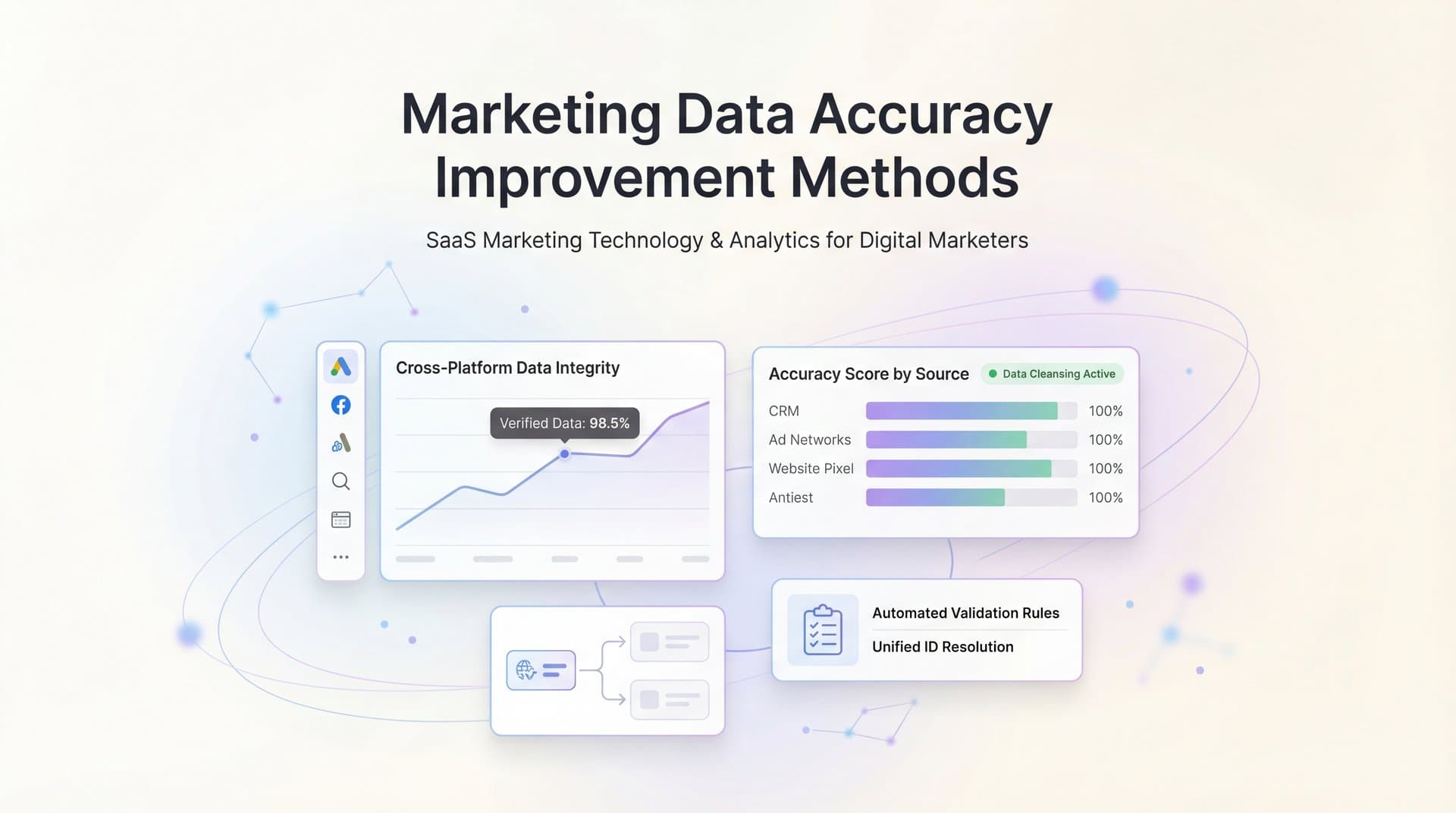
You're staring at your ad dashboard, and the numbers don't add up. Google Ads says it drove 150 conversions this month. Facebook claims 120. Your CRM shows 80 actual customers. Which platform gets the credit? Which campaign should you scale? When your marketing data tells three different stories, every budget decision becomes a gamble.
This isn't just frustrating—it's expensive. Misattributed conversions mean you're likely cutting budgets from channels that actually work while pouring money into ones that don't. Missing touchpoints leave you blind to the full customer journey. Conflicting reports across platforms create analysis paralysis when you should be optimizing.
The root cause? Your tracking infrastructure has gaps. Browser restrictions, ad blockers, cross-device journeys, and disconnected data sources all conspire to hide the truth about what's actually driving revenue.
Here's the good news: data accuracy isn't a mystery. It's a systematic process. By following these six proven methods, you'll identify exactly where your tracking breaks down, fix the gaps that matter most, and build a foundation for confident attribution. The result? Clear visibility into which campaigns deserve more budget and which ones are quietly wasting spend.
Let's get your data telling the truth.
Step 1: Audit Your Current Tracking Setup for Gaps
Before you can fix your data accuracy problems, you need to know exactly what you're tracking—and more importantly, what you're missing. Most marketing teams assume their tracking is comprehensive until they actually inventory it. The reality? Critical conversion events often slip through the cracks.
Start by creating a complete tracking inventory. Open a spreadsheet and list every platform you're using: Google Ads, Meta Ads, LinkedIn, your analytics tool, CRM, email platform, and any other marketing technology. For each platform, document which tracking pixels, tags, or scripts are installed on your site.
Now comes the detective work. Use your browser's developer tools to see what's actually firing. In Chrome, right-click anywhere on your site, select "Inspect," then navigate to the "Network" tab. Reload the page and watch which tracking requests fire. You're looking for pixel calls to Facebook, Google, LinkedIn, and your other platforms.
Install a tag debugging extension like Google Tag Assistant or Facebook Pixel Helper. These tools show you exactly which tags fire on each page and flag any errors. Navigate through your entire conversion funnel—from landing page to checkout to thank-you page—and document what fires at each step.
Pay special attention to high-value pages. Does your checkout page fire all necessary conversion pixels? What about your thank-you page after purchase? If you have a multi-step form, are you tracking abandonment at each step? These are the most common gap areas where conversions go untracked.
Cross-domain tracking deserves special scrutiny. If your site sends users to a third-party payment processor or a separate subdomain for checkout, you need cross-domain tracking configured. Without it, the session breaks and the conversion appears to come from the payment processor's domain rather than your original traffic source.
Document everything in your spreadsheet: which platforms track which events, on which pages, with what parameters. Mark any gaps you discover—missing pixels on key pages, events that should fire but don't, or platforms that aren't tracking at all. A well-organized marketing campaign tracking spreadsheet becomes invaluable for this process.
Look for overlaps too. Are multiple platforms tracking the same event? That's fine, but you need to know it exists so you don't double-count conversions later.
Your success indicator: a complete tracking inventory showing every pixel, tag, and script across your site, with identified gaps clearly marked. This document becomes your roadmap for the fixes ahead.
Step 2: Implement Server-Side Tracking to Capture Lost Data
Here's the uncomfortable truth: browser-based tracking is breaking down. Safari's Intelligent Tracking Prevention blocks third-party cookies. Firefox Enhanced Tracking Protection does the same. iOS App Tracking Transparency requires user permission. Ad blockers strip out tracking scripts entirely.
The result? A growing percentage of your conversions never get reported to your ad platforms. You're making budget decisions based on incomplete data, and the platforms' algorithms are optimizing toward phantom audiences because they can't see who actually converted.
Server-side tracking solves this by moving conversion tracking from the browser to your server. Instead of relying on JavaScript pixels that users can block, your server sends conversion data directly to ad platforms through their APIs. No browser restrictions. No ad blockers. Just clean, reliable data.
Here's how it works: when a conversion happens on your site—a purchase, form submission, or signup—your server captures that event along with the user's click ID from the original ad. Then your server makes an API call directly to the ad platform, reporting the conversion and attributing it to the correct campaign.
To implement server-side tracking, start with your highest-value conversion events. You'll need access to your server environment and basic technical resources. Most platforms provide server-side conversion APIs: Meta's Conversions API, Google's Enhanced Conversions, TikTok's Events API.
The setup process typically involves three steps. First, modify your conversion pages to capture and store the click ID from ad platforms. When someone clicks your ad, platforms append a parameter to the URL (like fbclid for Facebook or gclid for Google). Your site needs to grab this parameter and store it—usually in a cookie or session.
Second, when a conversion occurs, your server needs to capture the conversion details: what happened, when, the conversion value, and the stored click ID. This usually means adding code to your checkout confirmation process or form submission handler.
Third, configure your server to send this data to the platform's API. You'll need API credentials from each platform and code that formats the conversion data according to their specifications. Many digital marketing attribution software tools handle this automatically, but you can also build it yourself if you have developer resources.
After implementation, verify everything works by comparing event counts. Check your server logs to confirm conversion events are being sent. Then compare the number of conversions reported by server-side tracking against what you see in your ad platforms. You should see server-side reporting capture more conversions than browser-based tracking alone.
Run a test purchase yourself. Complete a transaction, then check if it appears in your ad platform's events manager within a few minutes. If it does, your server-side tracking is working.
Your success indicator: a measurable reduction in the discrepancy between actual sales (from your CRM or payment processor) and reported conversions in your ad platforms. Many marketers find that server-side tracking reveals 15-30% more conversions that browser-based tracking was missing.
Step 3: Unify Data Sources Into a Single Attribution System
Every ad platform wants to take full credit for your conversions. Google Ads reports 150 conversions. Facebook claims 120. LinkedIn says 40. Add them up and you get 310 conversions—but your CRM only shows 80 actual customers. Welcome to the attribution chaos that comes from siloed data.
The problem isn't that platforms are lying. Each one genuinely played a role in the customer journey. But when they each claim 100% credit for the same conversion, you can't make intelligent budget decisions. You need one source of truth that shows the complete picture.
Unifying your data sources means connecting your ad platforms, CRM, website analytics, and any other marketing tools into a single attribution system that tracks the entire customer journey from first touch to final purchase. Solving the marketing data silos problem is essential for accurate attribution.
Start by establishing a unique identifier for each customer journey. This could be an email address, phone number, or anonymous user ID. The key is having something that connects a person's interactions across different platforms and devices. When someone clicks your Facebook ad, fills out a form, receives nurture emails, and finally converts through a Google search, you need to recognize that these are all the same person.
Next, implement a consistent UTM parameter strategy across all campaigns. UTM parameters are the tags you add to your URLs (like utm_source=facebook and utm_campaign=spring_sale) that tell your analytics where traffic came from. Create a standardized naming convention and enforce it across every campaign on every platform.
Your UTM structure should capture: source (facebook, google, linkedin), medium (cpc, email, social), campaign name, and content variation. Document this convention and make sure everyone on your team follows it. Inconsistent UTMs—like using "Facebook" in some campaigns and "fb" in others—break your ability to analyze performance.
Connect your data sources through a marketing attribution platform or build custom integrations. You need to pull conversion data from your CRM, ad click data from each platform, website session data from your analytics tool, and any other touchpoints like email opens or sales calls. Effective marketing data integration creates a unified customer journey map that shows every interaction a person had before converting.
Set up your attribution system to track both anonymous and known user journeys. Before someone fills out a form, you're tracking an anonymous user through cookies and device IDs. After they provide their email, you can connect their earlier anonymous sessions to their known identity. This gives you visibility into the full journey, including the touchpoints that happened before you knew who they were.
Configure your system to deduplicate conversions. When multiple platforms report the same conversion, your attribution system should recognize it as one event, not three. This typically works by matching conversion timestamps and customer identifiers across platforms.
Your success indicator: a single dashboard that displays complete customer journeys, showing every touchpoint from first click through conversion, with no duplicate counting. You should be able to pull up any customer and see their entire path—which ads they clicked, which pages they visited, which emails they opened, and which touchpoint ultimately drove the conversion.
Step 4: Validate Conversion Events Against Actual Revenue
Your marketing platforms report conversions. Your CRM shows closed deals. Your payment processor records actual revenue. These numbers should match. If they don't, you've got phantom conversions—events that fire but don't represent real customers or real money.
Phantom conversions are more common than you'd think. Someone reaches your thank-you page by typing the URL directly. A bot triggers your conversion pixel. A test purchase fires a real conversion event. An existing customer makes a repeat purchase that your CRM doesn't count as a new acquisition. All of these inflate your reported conversion numbers without generating actual new revenue.
The solution is systematic validation. Set up a weekly reconciliation process that compares what your marketing platforms report against what actually happened in your business.
Start by pulling conversion data from each ad platform for a specific time period—let's say last week. Export the conversion counts and total conversion value reported by Google Ads, Facebook, LinkedIn, and any other platforms you're running.
Next, pull the corresponding data from your CRM. How many new customers came in during that same week? What was the total revenue from those customers? If you have a longer sales cycle, you might need to look at leads generated rather than closed deals, but the principle is the same—match marketing's reported conversions to sales' actual results.
Also pull data from your payment processor or accounting system. This is your ultimate source of truth. How much revenue actually hit your bank account? Which transactions correspond to new customers versus existing customers?
Now compare the numbers. Calculate the variance between what your ad platforms reported and what actually happened. A small discrepancy is normal—attribution windows, processing delays, and refunds can create minor differences. But if you're seeing more than a 5-10% variance, you've got data quality issues to fix.
Investigate the gaps. Are conversions firing on pages they shouldn't? Is your thank-you page accessible without completing a purchase? Are test transactions triggering real conversion events? Are you tracking events that don't represent actual business value? Understanding attribution challenges in marketing analytics helps you identify where these discrepancies originate.
Set up conversion value tracking that pulls actual purchase amounts rather than using static values. Instead of counting every conversion as worth the same amount, pass the real transaction value to your ad platforms. This gives you accurate ROAS calculations and helps platforms optimize for high-value customers rather than just high conversion volume.
Implement filters to exclude internal traffic, test purchases, and bot activity from your conversion reporting. Most analytics platforms let you create filters based on IP address, user agent, or specific URL parameters.
Create a recurring calendar event for this reconciliation process. Every Monday morning, compare last week's reported conversions against actual revenue. Track the variance over time. As you fix data quality issues, you should see this variance decrease.
Your success indicator: consistent variance of less than 5% between what your marketing platforms report and what your CRM and payment processor record. When these numbers align, you can trust your data enough to make confident budget decisions.
Step 5: Configure Multi-Touch Attribution for Full Journey Visibility
Last-click attribution is lying to you. It gives 100% credit to whichever touchpoint happened right before conversion—usually a branded search or direct visit. Meanwhile, the Facebook ad that introduced someone to your brand three weeks ago gets zero credit. The LinkedIn post that warmed them up gets ignored. The retargeting ad that brought them back gets forgotten.
This creates a dangerous blind spot. You end up over-investing in bottom-of-funnel channels that capture demand and under-investing in top-of-funnel channels that create it. Multi-touch marketing attribution software fixes this by distributing credit across all the touchpoints that influenced a conversion.
Start by choosing an attribution model that matches your sales cycle. If people typically convert on their first visit, last-click might actually be fine. But if your sales cycle spans days or weeks with multiple touchpoints, you need a model that acknowledges the full journey.
Common multi-touch models include linear attribution (equal credit to every touchpoint), time decay (more credit to recent touchpoints), position-based (extra credit to first and last touch), and data-driven (algorithmic credit based on actual influence). Each has strengths depending on your business model.
For most B2B companies and considered purchases, position-based attribution works well. It gives 40% credit to the first touchpoint that introduced the customer, 40% to the last touchpoint that closed them, and distributes the remaining 20% across middle touchpoints. This acknowledges both demand generation and demand capture.
Time decay attribution makes sense if your sales cycle is short but multi-touch. It gives more weight to touchpoints closer to conversion, recognizing that recent interactions matter more than ones from weeks ago.
Configure your attribution system to apply your chosen model across all customer journeys. Most marketing attribution platforms let you compare multiple models side-by-side, which helps you understand how different perspectives change which channels look valuable.
Once configured, analyze the results. Which channels are getting more credit under multi-touch attribution than they did under last-click? These are likely your undervalued channels—the ones generating awareness and consideration that deserve more budget. Which channels are getting less credit? These might be over-invested channels that are good at capturing existing demand but not creating new demand.
Look specifically at the role each channel plays. Some channels excel at first touch—introducing new audiences to your brand. Others shine at mid-funnel engagement. Still others are best at closing ready-to-buy prospects. Understanding these roles helps you build a balanced channel mix rather than over-relying on bottom-funnel tactics.
Pay attention to assist conversions versus last-click conversions. A channel might have a low last-click conversion count but a high assist count, meaning it frequently appears in customer journeys even though it doesn't get final credit. These channels are often worth scaling because they're playing a valuable role in the journey. Reviewing marketing analytics data across models reveals these hidden contributors.
Your success indicator: clear visibility into which campaigns assist versus close conversions, with credit distributed across the full customer journey. You should be able to explain the role each channel plays and make budget decisions based on total influence rather than just last-click credit.
Step 6: Feed Enriched Data Back to Ad Platforms for Better Optimization
Here's something most marketers miss: improving your data accuracy isn't just about better reporting. It's about better performance. When you feed accurate, enriched conversion data back to ad platforms, their algorithms get smarter. They learn who actually converts, what those customers are worth, and how to find more people like them.
Ad platforms rely on machine learning to optimize your campaigns. Facebook's algorithm decides who to show your ads to. Google's Smart Bidding adjusts bids in real-time. TikTok's system identifies high-intent users. But these algorithms are only as good as the data you feed them.
When your conversion tracking is broken—missing events due to browser restrictions, reporting phantom conversions, or using static conversion values—the algorithms optimize toward the wrong signals. They might target users who clicked but never bought. They might treat a $50 purchase the same as a $5,000 purchase. They might miss your best customers entirely because those conversions never got reported.
Conversion sync fixes this by sending enriched, validated conversion data back to ad platforms. Instead of relying on browser pixels that miss conversions, you're feeding platforms complete, accurate data through their APIs.
Start by implementing server-side conversion tracking if you haven't already (from Step 2). This ensures platforms receive all conversions, not just the ones browsers successfully tracked.
Next, enrich the conversion data you send. Include actual purchase values rather than static numbers. Pass customer lifetime value if you have it. Send additional parameters like product categories, customer segments, or purchase frequency. The more context you provide, the better platforms can optimize.
Configure conversion value optimization in your campaigns. Instead of optimizing for conversion volume, tell platforms to optimize for conversion value. This shifts the algorithm's focus from finding anyone who might convert to finding high-value customers worth acquiring.
For platforms like Meta and Google, enable enhanced conversions or advanced matching. These features let you send hashed customer information (email, phone, address) along with conversion events, which helps platforms match conversions to users more accurately even when cookies are blocked.
Set up offline conversion tracking if you have a sales process that happens outside your website. When a lead converts to a customer days or weeks later through a sales call, feed that conversion back to the ad platform that generated the original lead. This closes the loop and helps platforms understand which campaigns generate qualified leads, not just form fills.
After implementing conversion sync, monitor algorithm performance improvements. This won't happen overnight—platforms need time to gather data and adjust their models. Give it at least two weeks, ideally 30 days.
Watch your key metrics: cost per acquisition, return on ad spend, conversion rate. Many marketers find that feeding better data to platforms results in improved targeting efficiency. The algorithms get better at finding people who actually convert rather than people who just click. Implementing data driven marketing strategies amplifies these optimization gains.
Check your audience quality. Are the leads coming in more qualified? Are customers sticking around longer? Better data often means better customer acquisition, not just more of it.
Your success indicator: measurable improvements in ROAS and lower cost per acquisition over a 30-day period after implementing conversion sync. The platforms' algorithms should deliver better performance as they learn from more accurate conversion signals.
Your Data Accuracy Action Plan
You now have a systematic approach to fixing marketing data accuracy. Here's your quick-reference checklist to keep you on track:
Audit your tracking setup and document all gaps. Verify that pixels fire correctly on every critical page, especially checkout and thank-you pages. Fix cross-domain tracking issues.
Implement server-side tracking for your highest-value conversions. This captures the events that browser restrictions and ad blockers hide from traditional tracking.
Unify all data sources into a single attribution system. Connect ad platforms, CRM, analytics, and other tools so you can see complete customer journeys without duplicate counting.
Validate conversions against actual revenue weekly. Compare what ad platforms report to what your CRM and payment processor record. Investigate and fix any variance above 5%.
Configure multi-touch attribution to see which channels assist versus close. Move beyond last-click to understand the full role each campaign plays in customer journeys.
Feed enriched conversion data back to ad platforms. Enable conversion sync, pass actual purchase values, and let algorithms optimize toward high-value customers.
Remember: data accuracy isn't a one-time project. Browser restrictions evolve. New platforms launch. Your tracking setup drifts over time. Schedule a monthly audit to catch issues before they compound.
The payoff is worth the effort. When your data tells the truth, every decision gets easier. You know which campaigns to scale. You spot underperforming channels before they drain budget. You optimize with confidence instead of guessing. Turning raw numbers into actionable marketing data is what separates guesswork from strategy.
Marketing attribution platforms like Cometly can automate many of these steps—handling server-side tracking, unifying data sources, validating conversions, and syncing enriched data back to ad platforms. From ad clicks to CRM events, the platform tracks every touchpoint and provides AI-driven recommendations on which campaigns to scale. When you feed ad platform algorithms better data through conversion sync, you improve targeting and optimization automatically.
Ready to elevate your marketing game with precision and confidence? Discover how Cometly's AI-driven recommendations can transform your ad strategy—Get your free demo today and start capturing every touchpoint to maximize your conversions.



