

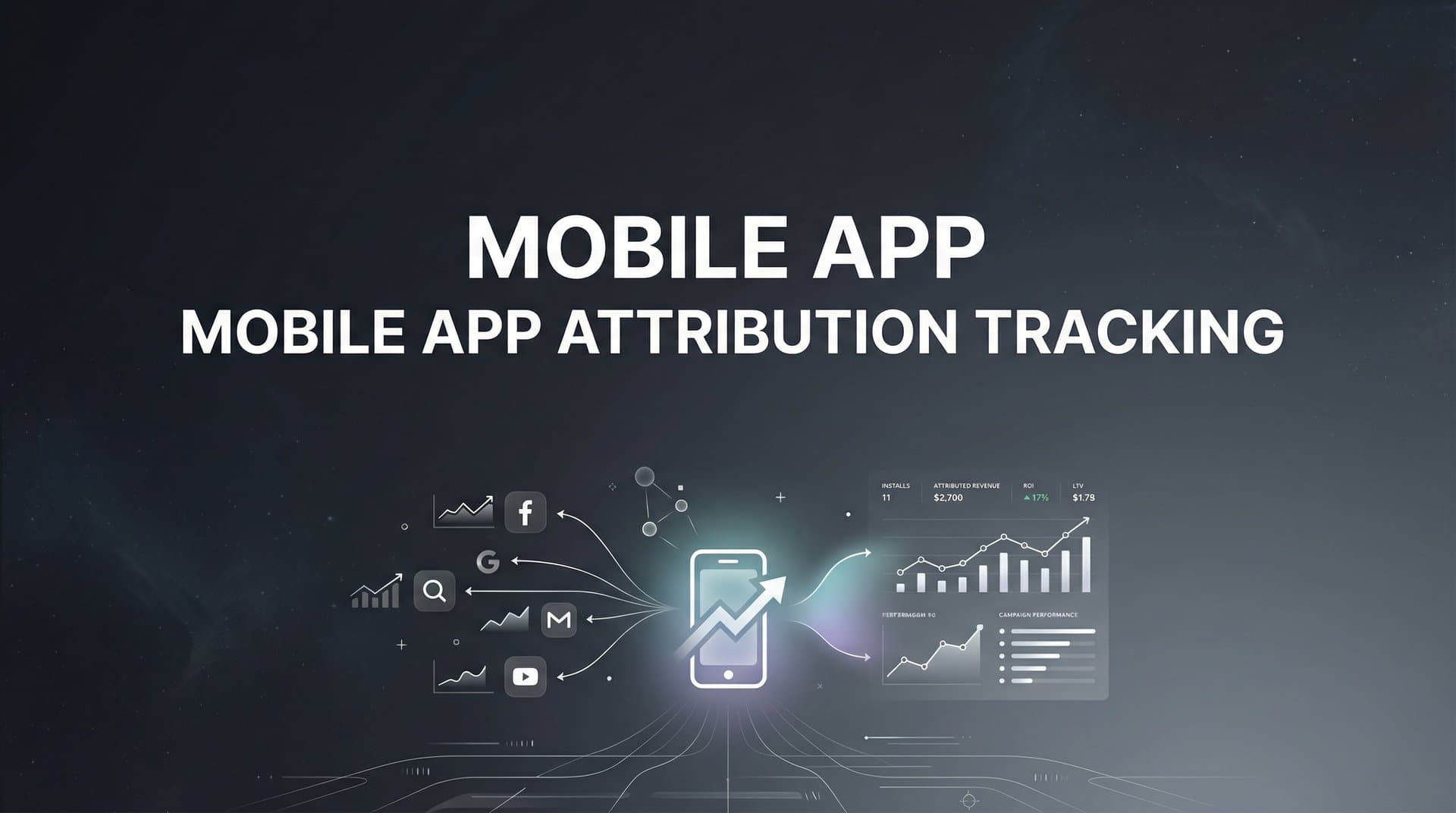
You've launched your mobile app. You're running ads on Meta, Google, TikTok, maybe even Apple Search Ads. The installs are coming in. But here's the question that keeps you up at night: which campaigns are actually driving users who stick around, make purchases, and become loyal customers?
Without mobile app attribution tracking, you're flying blind. You might see 10,000 installs from a campaign, but have no idea if those users opened your app once and disappeared or if they became your highest-value customers. You're optimizing for vanity metrics instead of revenue.
Mobile app attribution tracking solves this by connecting every install and in-app action back to the specific ad, campaign, and channel that influenced it. It shows you the complete user journey from first ad exposure to conversion, helping you understand which marketing efforts actually work.
This isn't just about tracking installs anymore. With privacy changes like Apple's App Tracking Transparency and evolving measurement frameworks, the attribution landscape has fundamentally shifted. You need a system that works within these constraints while still giving you actionable insights.
This guide walks you through the complete process of setting up mobile app attribution tracking from scratch. You'll learn how to choose the right tools, implement tracking correctly, connect your ad platforms, and use the data to make smarter optimization decisions. By the end, you'll have a attribution system that tracks the entire user journey and helps you confidently scale the campaigns that drive real business results.
Step 1: Define Your Attribution Goals and Key Events
Before installing any tracking code or choosing a platform, you need clarity on what you're actually trying to measure. Different apps have different success metrics, and your attribution setup should reflect your specific business model.
Start by identifying which in-app events truly matter for your business. An e-commerce app cares about purchases and cart additions. A subscription app focuses on trial starts and paid conversions. A gaming app tracks level completions and in-app purchases. These aren't just data points—they're the actions that indicate real user value.
Map out your ideal user journey from first touchpoint to conversion. What does a valuable user's path look like? They might see your ad on Instagram, click through to the App Store, install your app, complete onboarding, and make their first purchase within three days. Understanding this journey helps you identify which touchpoints to track and how to attribute credit across them. For a deeper dive into customer journey mapping tools for marketers, consider how visualization can improve your tracking strategy.
Attribution windows determine how long after an ad interaction you'll credit that touchpoint for a conversion. For mobile apps, click attribution windows typically range from 7 to 30 days, while view-through windows are much shorter—usually 1 to 24 hours. Your choice depends on your sales cycle and app category.
Consider your product's natural buying cycle. A food delivery app might use a 7-day click window because users often convert quickly. A fitness app with a subscription model might extend to 14 or 30 days since users research and compare before committing. There's no universal right answer—match your windows to actual user behavior.
Document everything you've decided. Create a simple tracking plan that lists each event you'll track, what it measures, why it matters, and what parameters you'll capture with it. This becomes your source of truth and ensures everyone on your team—from developers to marketers to executives—understands what success looks like.
This foundation prevents scope creep later. When someone asks "Can we also track this?" you can evaluate it against your documented goals rather than adding random events that clutter your data. Clean, purposeful tracking beats comprehensive-but-chaotic tracking every time.
Step 2: Choose and Integrate Your Attribution Platform
Mobile Measurement Partners (MMPs) serve as neutral third parties that collect attribution data across all your ad networks and organize it in one place. They solve a fundamental problem: ad platforms naturally want to take credit for every conversion, leading to inflated, overlapping attribution claims. An MMP provides an independent view of what actually drove each install and conversion.
Evaluate platforms based on three core criteria. First, which ad channels do you run? Make sure your MMP integrates with Meta, Google, TikTok, and any other networks in your mix. Second, what's your technical capacity? Some platforms require significant developer resources while others offer simpler implementations. Third, consider your budget and scale—pricing typically varies based on monthly attributed conversions.
Popular options include AppsFlyer, Adjust, Branch, and Singular. Each has strengths in different areas. Some excel at fraud prevention, others at deep linking or cost aggregation. Most offer free tiers for smaller apps, with pricing scaling as your install volume grows. You can explore our guide on best software for tracking marketing attribution to compare your options.
SDK integration is where tracking actually gets implemented in your app code. You'll install the MMP's software development kit in both your iOS and Android apps. This SDK captures install events, tracks in-app actions, and communicates with the attribution platform's servers.
Follow your chosen platform's integration guides carefully. For iOS, you'll typically add the SDK via CocoaPods or Swift Package Manager, then initialize it in your AppDelegate file. For Android, you'll add it through Gradle and initialize it in your Application class. Each platform provides detailed documentation with code examples.
Here's where it gets critical: configure server-side tracking alongside your SDK implementation. Client-side tracking alone misses conversions due to ad blockers, users who opt out of tracking, and technical issues. Server-side tracking captures these events by sending conversion data directly from your servers to your attribution platform, creating a more complete picture.
Before moving forward, verify everything fires correctly. Install your app on test devices, trigger your key events, and confirm they appear in your attribution dashboard. Check that install attribution works by clicking test campaign links and completing the install flow. This validation step catches integration issues before they corrupt your production data.
Test both iOS and Android separately. Apple's App Tracking Transparency means you'll see different data depending on whether users grant tracking permission. Make sure your setup handles both scenarios gracefully—tracking what it can while respecting user privacy choices.
Step 3: Connect Your Ad Platforms and Marketing Channels
Your attribution platform needs to communicate bidirectionally with your ad networks. Data flows in to attribute installs and conversions, then flows back out to help ad platforms optimize their targeting algorithms. This two-way connection is what transforms attribution from a reporting tool into an optimization engine.
Start by linking each ad platform to your MMP. Most attribution platforms offer one-click integrations with major networks like Meta, Google Ads, TikTok, Snapchat, and Apple Search Ads. You'll authenticate your ad accounts, granting your MMP permission to access campaign data and send conversion information back.
Postback URLs are the mechanism that sends conversion data from your attribution platform back to ad networks. When a user completes a valuable action in your app, your MMP fires a postback to the originating ad network, telling it "this conversion happened because of your ad." This feedback helps the ad platform's algorithm learn which users are most likely to convert.
Configure postbacks for each key event you defined in Step 1. If you're tracking registrations, purchases, and subscription starts, set up separate postbacks for each. This granularity lets ad platforms optimize for specific outcomes rather than just installs. Understanding how app marketing attribution works helps you configure these postbacks more effectively.
The impact of proper postback configuration is significant. Ad platforms use this conversion data to improve their targeting, showing your ads to users who resemble those who actually convert. Without postbacks, platforms optimize for clicks or installs without knowing which users became valuable customers.
Deep linking connects users from ads directly to specific content within your app. Instead of dropping users on your home screen after install, deep links take them to the exact product, offer, or feature mentioned in the ad. This improves both user experience and attribution accuracy.
There are two types of deep links you'll implement. Deferred deep links work for new users who don't have your app installed yet—they remember the intended destination through the install process and route users there on first open. Regular deep links work for existing users, taking them directly to specific in-app content when they click your ads.
Set up deep links for your major campaigns and product categories. If you're running ads for specific product collections, create deep links that take users directly to those collections. If you're promoting a limited-time offer, deep link to that offer page. The tighter the connection between ad message and post-install experience, the better your conversion rates.
Test each connection methodically. Click through your own ads, complete the install or open flow, and verify you land in the right place. Check that the attribution data appears correctly in both your MMP dashboard and your ad platform's reporting. This validation catches broken links and misconfigured postbacks before they impact real campaigns.
Step 4: Implement Event Tracking Throughout the User Journey
Now you'll instrument your app to track each key event you defined in Step 1. This is where attribution moves beyond install tracking to capture the complete user journey and the actions that indicate real business value.
Implement tracking code at each conversion point in your app. When a user completes registration, trigger a registration event. When they make a purchase, fire a purchase event with the revenue value. When they start a subscription, track that with relevant plan details. Your MMP's SDK documentation provides the exact code syntax for each platform.
Event parameters add crucial context to each tracked action. For purchase events, include revenue amount, currency, product ID, and quantity. For subscription events, capture plan type, billing frequency, and trial status. These parameters transform generic "purchase happened" data into actionable insights about what users actually bought and how much they spent.
Here's why parameters matter: without them, you know a campaign drove 100 purchases but not whether those were $5 impulse buys or $500 premium subscriptions. With proper parameters, you can optimize for high-value conversions instead of just conversion volume. This is essential for accurate marketing attribution platforms revenue tracking.
Create a consistent naming convention before you start tracking. Use clear, descriptive event names like "purchase_completed" rather than vague names like "event_3". Apply the same naming pattern across both iOS and Android. Consistency makes analysis straightforward and prevents confusion when different team members access the data.
Document your parameter structure too. If you're tracking "product_id" as a parameter, make sure it uses the same format across all events and platforms. This standardization becomes critical when you're analyzing cross-platform campaigns or comparing performance across different product categories.
Revenue tracking deserves special attention. For any event that involves money changing hands, include the revenue value as a parameter. Your attribution platform uses this to calculate return on ad spend (ROAS) and lifetime value (LTV) metrics that actually reflect business performance.
Validate each event implementation before considering it complete. Trigger the action in your app and verify it appears in your attribution dashboard with all expected parameters. Check that revenue values match exactly—a misconfigured decimal point can throw off your entire ROAS calculation.
Test edge cases too. What happens if a user completes a purchase without internet connectivity? Does the event fire when they reconnect? What if they force-quit the app mid-transaction? Your tracking should handle these scenarios gracefully, either by queuing events for later transmission or by implementing server-side tracking as a backup.
Step 5: Configure Attribution Models and Reporting
Attribution models determine how credit gets distributed across the multiple touchpoints in a user's journey. A user might see your Instagram ad, click a Google search ad three days later, then install your app and convert. Which touchpoint gets credit? Your attribution model decides.
Last-click attribution gives all credit to the final touchpoint before conversion. It's simple and commonly used, but it ignores the earlier interactions that introduced users to your app. First-click attribution does the opposite, crediting the initial touchpoint while ignoring what actually closed the deal.
Multi-touch attribution distributes credit across multiple touchpoints based on different weighting schemes. Linear attribution splits credit equally. Time-decay gives more weight to recent interactions. U-shaped attribution emphasizes both the first and last touchpoints. Each model tells a different story about your marketing performance. For a comprehensive overview, see our guide on multi-touch marketing attribution software.
Choose models that match how your customers actually discover and convert. For products with long consideration cycles, multi-touch models better reflect the journey. For impulse-driven apps, last-click might accurately represent user behavior. Many marketers compare multiple models side-by-side to understand performance from different angles.
Mobile attribution has unique considerations due to privacy frameworks. Apple's SKAdNetwork provides aggregated, delayed attribution data without user-level tracking for iOS users who don't grant tracking permission. You'll need to work with this probabilistic data alongside your deterministic tracking for users who do opt in. Learn more about cookieless attribution tracking to prepare for these privacy-first environments.
Dashboard configuration transforms raw attribution data into actionable insights. Set up views that show performance by channel, campaign, ad set, and creative. Create cohort analyses that track how user behavior evolves over time. Build funnel reports that reveal where users drop off in your conversion flow.
Organize dashboards by stakeholder needs. Your media buyers need granular campaign performance data. Executives want high-level channel comparisons and ROAS trends. Product teams care about in-app behavior patterns. Create focused views for each audience rather than overwhelming everyone with every possible metric.
If you're evaluating vendors, our Slack media buyer agent breakdown can help.
Automated reporting saves time and ensures stakeholders stay informed. Set up daily or weekly reports that deliver key metrics via email or Slack. Configure alerts that notify you when performance drops below thresholds or when unusual patterns emerge. Proactive monitoring catches issues before they drain significant budget.
Benchmarking gives context to your numbers. A 3% conversion rate means nothing without knowing whether that's good or terrible for your app category. Track your own performance over time to establish baselines. Compare against industry benchmarks when available. This context helps you identify genuine wins and real problems.
Step 6: Optimize Campaigns Using Your Attribution Data
Attribution data only creates value when you actually use it to make better decisions. This step transforms your tracking setup from a reporting tool into an optimization engine that continuously improves campaign performance.
Start with budget reallocation based on true performance. Your attribution data reveals which channels and campaigns drive users who actually convert and generate revenue. Shift spend away from sources that look good on install volume but deliver low-quality users. Double down on channels that drive high-LTV customers, even if their cost per install seems higher initially.
This is where many marketers discover surprising insights. That cheap traffic source with amazing install numbers might deliver users who never open the app again. That expensive-looking channel might actually have the best ROAS when you track beyond the install. Attribution data cuts through vanity metrics to reveal what actually works. Understanding channel attribution in digital marketing helps you make these budget decisions with confidence.
Conversion data feedback to ad platforms significantly improves their optimization algorithms. When you send rich conversion data via postbacks, platforms learn which user characteristics correlate with valuable actions. Their algorithms then show your ads to more users who match those patterns.
The quality of data you send back matters enormously. Sending just install events gives platforms limited signal. Sending purchase events with revenue values lets them optimize for actual business outcomes. Sending multiple conversion events lets them optimize for different goals across different campaigns.
Platforms like Cometly enhance this feedback loop by capturing attribution data across your entire marketing stack and feeding enriched conversion information back to ad platforms. This gives their algorithms better signal about which users actually convert, helping them optimize for revenue instead of just clicks or installs.
Creative and audience insights emerge when you analyze attribution data at granular levels. Which ad creatives drive the highest post-install engagement? Which audience segments have the best retention rates? Which messaging angles lead to the most purchases?
Use these insights to inform your creative strategy. If video ads consistently outperform static images for high-value conversions, shift creative resources accordingly. If certain product benefits resonate with users who actually subscribe, emphasize those benefits in new ad variations.
Audience analysis reveals patterns you can exploit. Maybe users who engage with educational content before installing have higher LTV than those who respond to discount offers. This insight should shape your targeting strategy and campaign structure. For TikTok specifically, explore the best tools for tracking TikTok ads to maximize your creative testing.
Ongoing monitoring catches attribution issues before they corrupt your optimization decisions. Set up regular checks for data discrepancies between your MMP and ad platforms. Investigate sudden changes in attribution rates or conversion patterns. Monitor for fraud signals like impossible click-to-install times or suspicious traffic sources.
Attribution data quality degrades over time if you don't maintain it. SDKs need updates. Integrations break when platforms change their APIs. Events stop firing when developers modify code. Regular audits ensure your tracking remains accurate as your app evolves.
Create a monthly review process. Verify that your key events still fire correctly. Check that attribution rates align with expectations. Confirm that revenue values match your actual business data. This maintenance prevents small issues from becoming major problems that undermine your entire optimization strategy.
Putting It All Together
You now have a complete mobile app attribution system that tracks the entire user journey from ad exposure to in-app conversion. This visibility transforms how you make marketing decisions—replacing guesswork with data-driven confidence about which campaigns actually drive valuable users.
Here's your implementation checklist to confirm everything's working:
✓ Key events and attribution windows defined based on your business model and user journey
✓ Attribution platform integrated with both SDK and server-side tracking for complete data capture
✓ Ad platforms connected with bidirectional data flow via postbacks and deep links
✓ Event tracking implemented throughout the app with proper parameters and revenue values
✓ Attribution models and reporting dashboards configured for actionable insights
✓ Optimization workflow established to turn attribution data into better campaign decisions
The real work begins now. Attribution tracking isn't a set-it-and-forget-it implementation—it's an ongoing optimization engine. Use your data to continuously test, learn, and improve. Reallocate budget toward what works. Feed better conversion data back to ad platforms. Refine your creative and targeting based on what drives real business outcomes.
Privacy changes have made mobile attribution more complex, but they haven't made it impossible. Your setup now works within frameworks like App Tracking Transparency while still providing the insights you need to scale profitably. You're tracking what matters most—not just who installed your app, but who became a valuable customer.
The difference between marketers who succeed with mobile apps and those who struggle often comes down to attribution. Without it, you're optimizing for metrics that don't correlate with revenue. With it, you can confidently invest in the channels and campaigns that drive real growth.
Ready to elevate your marketing game with precision and confidence? Discover how Cometly's AI-driven recommendations can transform your ad strategy—Get your free demo today and start capturing every touchpoint to maximize your conversions.



