

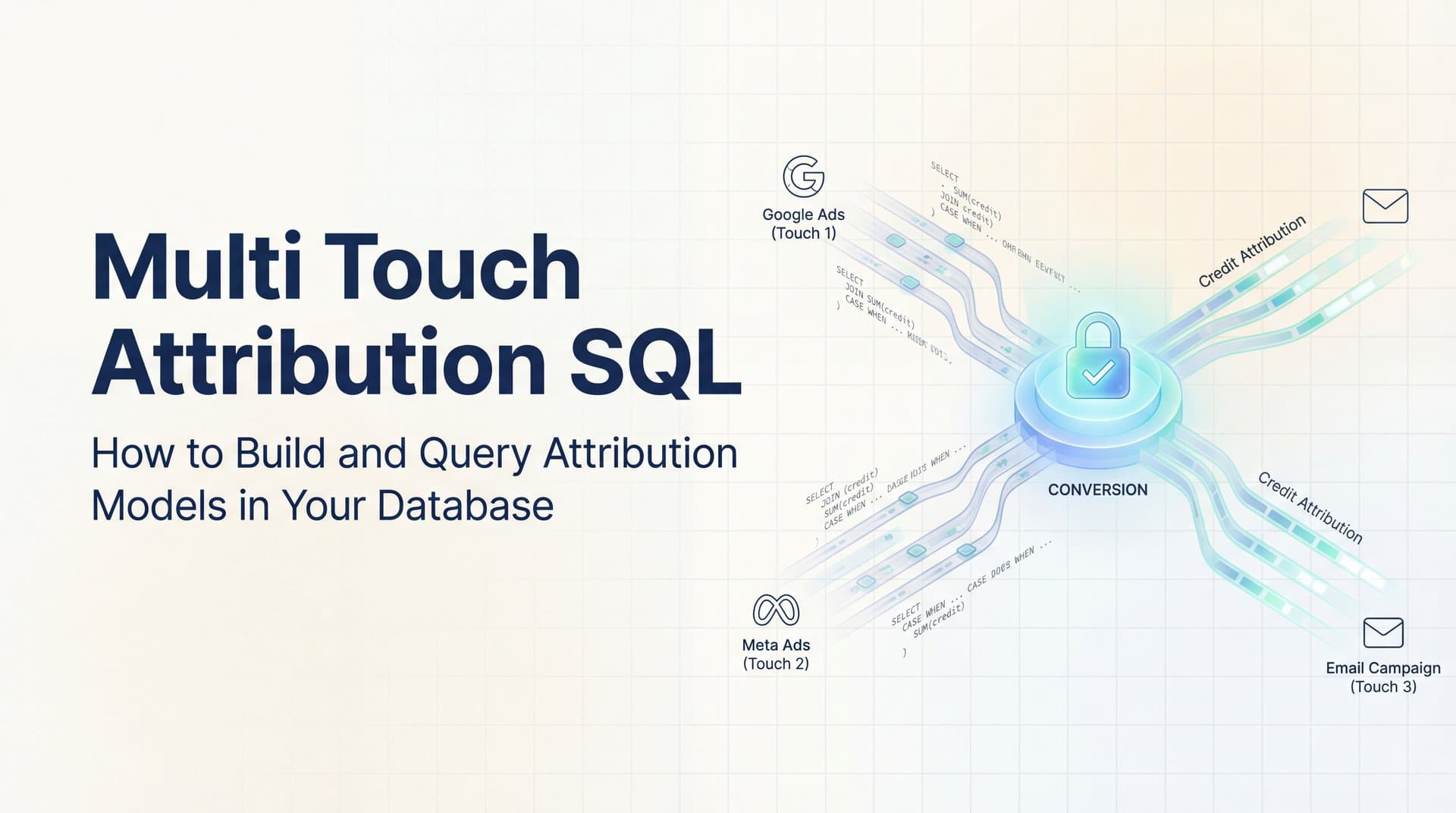
You've spent weeks optimizing campaigns across Google, Meta, and email. Your conversion numbers look solid. But when your CMO asks which channels actually drove those sales, you're stuck stitching together fragmented reports that don't tell the full story.
This is the attribution gap that haunts marketing teams everywhere. You know multiple touchpoints influenced each conversion, but pinpointing their individual contributions feels impossible without the right tools.
Multi-touch attribution in SQL offers a solution—a way to build custom attribution models directly in your database, giving you complete control over how conversion credit gets distributed across every customer interaction. It's technical, yes, but it provides transparency that black-box analytics platforms can't match. You see exactly how the math works, and you can adjust the logic to fit your specific business model.
This guide walks you through the practical implementation of SQL-based attribution models, from structuring your data tables to writing queries that calculate credit distribution. Whether you're a data analyst supporting your marketing team or a technical marketer who wants deeper insights, understanding these concepts will fundamentally change how you evaluate channel performance.
The Foundation: How Attribution Data Gets Structured in SQL
Before you write a single query, you need the right data architecture. Multi-touch attribution starts with properly structured tables that capture every meaningful interaction in the customer journey.
Your core schema should include at least four essential tables. The events table records every touchpoint—ad clicks, email opens, website visits, content downloads. Each row represents a single interaction with fields like event_id, user_id, timestamp, channel, campaign, and utm_source. This becomes your source of truth for what happened and when.
The users table maintains your customer records with user_id as the primary key, plus identifying information like email, first_seen_date, and any other attributes you need for segmentation. This table anchors everything else because attribution requires connecting events to specific people.
Your conversions table tracks the outcomes you care about—purchases, form submissions, demo requests, whatever defines success for your business. Critical fields include conversion_id, user_id, conversion_timestamp, conversion_value, and conversion_type. This table answers the question: what are we actually trying to attribute?
The touchpoints table serves as a bridge, connecting events to conversions within your defined attribution window. Think of it as a pre-processed view that says "these specific events potentially influenced this conversion." It includes touchpoint_id, conversion_id, event_id, user_id, touchpoint_position (first, middle, last), and time_to_conversion.
Here's where data modeling decisions become crucial. Event-level tracking captures every individual action, giving you maximum granularity but potentially overwhelming your queries with noise. A user might trigger fifty events before converting—do you really need to attribute credit to every single page view?
Session-level tracking groups related events into meaningful interaction clusters. When someone clicks an ad, browses three product pages, and leaves, that's one session. This approach reduces complexity and often provides more actionable insights when implementing multi-touch attribution models for data analysis. You're attributing to meaningful engagement periods rather than individual micro-interactions.
The choice depends on your business model and conversion cycle. E-commerce with quick purchase decisions might prefer event-level detail. B2B SaaS with multi-month sales cycles typically benefits from session-level aggregation where each touchpoint represents a distinct engagement episode.
Your timestamp fields need millisecond precision and consistent timezone handling. Attribution logic relies heavily on chronological ordering—which touchpoint came first, which came last, how much time elapsed between them. Sloppy timestamp management will corrupt your entire attribution model.
Relationships between tables use user_id as the primary join key, but you'll also need conversion_id to link touchpoints back to specific outcomes. Proper indexing on these fields isn't optional. Without indexes on user_id, timestamp, and conversion_id, your attribution queries will crawl as your data scales.
Building Linear and Time-Decay Attribution Queries
Linear attribution is the simplest multi-touch model to implement in SQL, making it the perfect starting point. The logic is straightforward: every touchpoint in the conversion path receives equal credit. If four touchpoints led to a $100 sale, each gets $25.
The query structure uses window functions to count touchpoints per conversion, then divides the conversion value by that count. Here's the fundamental pattern: you JOIN your conversions table to your touchpoints table on conversion_id, then use COUNT() OVER (PARTITION BY conversion_id) to determine how many touchpoints contributed to each conversion.
Your SELECT statement calculates attributed_value as conversion_value divided by touchpoint_count. This gives you fractional credit for each touchpoint. You can then GROUP BY channel, campaign, or any other dimension to see aggregate attribution across your marketing efforts.
The beauty of linear attribution is its transparency. Every touchpoint matters equally, which feels fair and is easy to explain to stakeholders who aren't data scientists. The limitation? It ignores the reality that some touchpoints have more influence than others.
Time-decay attribution addresses this by weighting recent interactions more heavily. The assumption is that touchpoints closer to conversion had greater influence on the final decision. This makes intuitive sense for many business models—the retargeting ad someone saw yesterday probably mattered more than the blog post they read three weeks ago.
Implementing time-decay requires calculating the time gap between each touchpoint and the conversion, then applying an exponential decay formula. A common approach uses a half-life parameter—the number of days at which a touchpoint's weight drops to 50% of maximum value.
Your SQL query needs to calculate days_to_conversion for each touchpoint, then apply the decay formula: POWER(0.5, days_to_conversion / half_life_days). This generates a weight between 0 and 1, with recent touchpoints approaching 1 and older ones decaying toward 0.
Here's where it gets interesting: you need to normalize these weights so they sum to 1 for each conversion path. Calculate the sum of weights across all touchpoints for a conversion using SUM() OVER (PARTITION BY conversion_id), then divide each individual weight by that sum. Now you have proportional weights that total 100% of the credit.
The attributed value for each touchpoint becomes conversion_value multiplied by its normalized weight. A touchpoint that occurred one day before conversion with a 7-day half-life receives significantly more credit than one that happened 20 days prior.
Common table expressions (CTEs) make these queries manageable. Your first CTE calculates raw weights, your second CTE normalizes them, and your final SELECT aggregates attributed values by your chosen dimensions. Breaking the logic into steps prevents query spaghetti and makes debugging much easier.
Performance considerations matter here. Time-decay queries involve multiple passes over your data—calculating gaps, applying formulas, normalizing weights, then aggregating. On large datasets, this can take minutes or even hours without proper optimization. Materialized views that pre-calculate time gaps can dramatically speed up query execution.
Position-Based and Custom Model SQL Patterns
Position-based attribution recognizes that certain touchpoints in the customer journey carry outsized importance. The U-shaped model, also called position-based attribution, assigns 40% of credit to the first touchpoint, 40% to the last touchpoint, and distributes the remaining 20% equally among middle touchpoints.
This model reflects a common marketing reality: awareness (first touch) and conversion (last touch) are critical moments, but the nurturing touches in between still matter. Understanding the difference between single source attribution and multi-touch attribution models helps you appreciate why position-based approaches often outperform simpler alternatives.
Implementing U-shaped attribution in SQL requires identifying each touchpoint's position in the conversion path. Use ROW_NUMBER() OVER (PARTITION BY conversion_id ORDER BY timestamp) to assign sequential positions, and COUNT() OVER (PARTITION BY conversion_id) to determine the total number of touchpoints.
Your credit assignment logic uses CASE statements. If touchpoint_position equals 1, assign 0.40 times conversion_value. If touchpoint_position equals total_touchpoints, assign 0.40 times conversion_value. For all middle positions, divide 0.20 by the count of middle touchpoints and multiply by conversion_value.
Edge cases need handling. What happens when a conversion has only one touchpoint? It gets 100% credit. What about two touchpoints? Split 50/50 since there's no middle. Your CASE logic should account for these scenarios to avoid null values or incorrect calculations.
W-shaped attribution extends this concept for B2B marketing where lead creation represents a critical milestone between first touch and conversion. This model assigns 30% to first touch, 30% to lead creation, 30% to conversion, and 10% distributed across remaining middle touches.
The SQL complexity increases because you need to identify which touchpoint represents lead creation. This typically requires joining to your CRM data where lead_created_date gets matched to the closest preceding touchpoint timestamp. You're essentially finding the touchpoint that triggered the transition from anonymous visitor to known lead.
Custom weighted models give you complete flexibility to match your specific customer journey. Maybe you know from analysis that demo requests are the highest-intent signal, so you want to weight those touchpoints at 50% regardless of position. Or perhaps you want to reduce credit for display ads while boosting organic search.
Building custom models means creating a weighting configuration table with rules like: channel equals 'demo_request' gets weight 0.50, channel equals 'organic_search' gets weight 0.30, channel equals 'display' gets weight 0.10, and all others get weight 0.20. Your attribution query JOINs to this config table and applies weights before normalization.
The normalization step remains essential. After applying your custom weights, sum them across all touchpoints for each conversion, then divide individual weights by that sum. This ensures that total attributed value still equals actual conversion value—you're redistributing credit, not creating it from thin air.
Parameterization makes custom models maintainable. Store your weighting rules in a table rather than hardcoding them in queries. When your marketing strategy shifts or you gain new insights about channel effectiveness, you update the config table instead of rewriting SQL across multiple queries.
Common SQL Challenges and How to Solve Them
Identity resolution is the thorniest problem in SQL-based attribution. Your database contains multiple identifiers for the same person—anonymous cookie IDs, email addresses, CRM contact IDs, mobile device IDs. Attribution requires connecting these fragments into unified customer profiles.
The SQL approach uses an identity graph table that maps related identifiers. When someone browses anonymously with cookie_id ABC123, then later submits a form with email jane@example.com, you create a link between those identifiers. Your attribution queries JOIN through this identity graph to connect pre-conversion touchpoints to post-conversion customer records.
Cross-device journeys complicate this further. Someone might research on mobile, compare options on desktop, and purchase on tablet. Without identity resolution, these look like three separate customer journeys. Deterministic matching (same email address) works when users log in, but probabilistic matching (similar behavioral patterns, shared IP addresses) requires sophisticated logic that pushes SQL's limits.
Lookback windows define how far back in time you'll search for touchpoints that influenced a conversion. A 30-day lookback means you only attribute credit to touchpoints that occurred within 30 days before conversion. This prevents ancient interactions from receiving credit they don't deserve.
Implementing lookback windows in SQL uses WHERE clauses that filter touchpoints based on the time gap between touchpoint_timestamp and conversion_timestamp. The calculation is straightforward: conversion_timestamp minus touchpoint_timestamp must be less than your lookback window threshold.
Different conversion types might warrant different lookback windows. High-consideration B2B purchases might use 90-day windows, while impulse e-commerce buys might use 7-day windows. Your query logic can incorporate conversion_type to apply appropriate windows dynamically.
Performance optimization becomes critical as your attribution data scales. Queries that run fine with 10,000 conversions grind to a halt with 10 million. Strategic indexing is your first defense—composite indexes on (user_id, timestamp) and (conversion_id, touchpoint_position) dramatically speed up common query patterns.
Partitioning large tables by date reduces the data volume each query must scan. If you're analyzing last month's attribution, queries should only touch last month's partition, not scan years of historical data. Time-based partitioning aligns naturally with marketing analysis patterns.
Pre-aggregation through materialized views trades storage space for query speed. Calculate and store attribution results at the daily or weekly level, then query these summaries instead of recalculating from raw events. The trade-off is freshness—materialized views need periodic refreshes, introducing latency between data collection and analysis.
Window function performance can degrade with large partition sizes. When a single user has thousands of touchpoints, calculating row numbers and running totals becomes expensive. Consider session-level aggregation to reduce the number of rows before applying window functions.
When SQL Attribution Hits Its Limits
The maintenance burden of SQL attribution grows heavier over time. Marketing teams launch new campaigns constantly, add channels, restructure UTM parameters, and experiment with different messaging. Each change requires updating your attribution queries to recognize new values and handle new edge cases.
What starts as a clean, elegant query becomes a sprawling CASE statement with dozens of conditions. You're constantly adding rules: "when campaign contains 'promo' classify as promotional," "when source equals 'partner_xyz' attribute to partnerships," "when medium is empty but referrer contains 'social' classify as organic social." The logic becomes brittle and difficult to test.
Real-time attribution is nearly impossible with SQL batch processing. Your queries run on a schedule—hourly, daily, or weekly—creating reporting delays that frustrate marketers who want immediate feedback on campaign performance. By the time you see that a new ad isn't generating quality touchpoints, you've already burned through budget.
Streaming architectures can provide near-real-time attribution, but they require completely different infrastructure. You're no longer writing SQL queries against a static database; you're processing event streams with tools like Apache Kafka and Flink. The technical complexity jumps several levels.
Cross-platform data integration becomes a major pain point. Your attribution model needs data from Google Ads, Meta, your website analytics, email platform, CRM, and potentially a dozen other sources. Each has its own API, data format, and update frequency. Building and maintaining ETL pipelines to feed your attribution database is a full-time job.
When offline conversions enter the picture—phone calls, in-store purchases, sales team closures—connecting them back to digital touchpoints requires additional data infrastructure. Implementing marketing attribution for phone calls demands systems that match offline customer identifiers to online behavioral data, often with fuzzy matching logic that's painful to implement in SQL.
Data quality issues multiply as complexity increases. Missing timestamps, duplicate events, malformed UTM parameters, and inconsistent naming conventions all corrupt attribution results. Learning how to fix attribution discrepancies in data becomes essential as you spend more time debugging data problems than actually analyzing performance.
Many teams reach a tipping point where the engineering effort required to maintain SQL attribution outweighs the insights gained. The queries become too complex to modify confidently. The infrastructure costs of processing and storing attribution data at scale rival the cost of purpose-built solutions. The reporting delays prevent timely optimization.
This is when teams typically evaluate dedicated attribution platforms. These solutions handle the data integration, identity resolution, and attribution calculation automatically. They provide real-time insights without the query maintenance overhead. The trade-off is less granular control over attribution logic, but for most teams, the operational efficiency gain justifies that trade-off.
Moving Forward with Attribution That Actually Works
Building multi-touch attribution in SQL teaches you how attribution really works. You understand the data structures, the mathematical models, and the technical challenges that make accurate attribution difficult. This knowledge is valuable even if you eventually move to a dedicated platform—you'll ask better questions and interpret results more critically.
For teams with strong data engineering resources and relatively simple marketing funnels, SQL attribution can work well. You maintain complete control over the logic, you can customize models to match your exact business requirements, and you avoid vendor lock-in. The transparency is real and valuable.
But most marketing teams hit the limits faster than they expect. The maintenance burden grows, the real-time requirements become pressing, and the attribution challenges in marketing analytics consume engineering time that could be spent on higher-value projects. SQL attribution is a learning tool and a starting point, not typically the long-term solution for scaling organizations.
The path forward often involves hybrid approaches. Use SQL for custom analysis and validation while relying on purpose-built platforms for day-to-day attribution reporting. This gives you the best of both worlds—operational efficiency with the ability to dig deeper when needed.
Modern multi-touch attribution tools have evolved beyond simple multi-touch models. They incorporate machine learning to identify patterns in conversion paths, they handle identity resolution across devices automatically, and they sync attribution data back to ad platforms to improve targeting. These capabilities are extremely difficult to replicate in SQL.
Ready to elevate your marketing game with precision and confidence? Cometly captures every touchpoint automatically—from ad clicks to CRM events—giving your AI a complete view of every customer journey. You'll know exactly what's driving revenue, get AI-powered recommendations to scale winning campaigns, and feed enriched conversion data back to Meta, Google, and other platforms to improve their optimization algorithms. Get your free demo today and start making data-driven decisions without the query maintenance overhead.



