Every digital marketer has felt the frustration: ad platform dashboards show one set of numbers, your CRM tells a different story, and you are left guessing which campaigns actually drive revenue. At the heart of this disconnect is a fundamental tracking decision that many teams overlook or get wrong.
Pixel tracking, the browser-based scripts that fire when users take actions on your site, and server side tracking, data sent directly from your server to ad platforms, each come with distinct strengths, limitations, and ideal use cases. With browser privacy restrictions tightening, cookie deprecation evolving, and ad platform algorithms demanding better signal data, the choice between these two approaches has never been more consequential for your marketing ROI.
The good news: it is not always an either/or decision. The best-performing marketing teams use a strategic combination of both methods, tailored to their specific goals, tech stack, and audience. This guide walks you through seven actionable strategies to help you evaluate pixel tracking vs server side tracking, implement the right approach for your campaigns, and ultimately capture more accurate data that fuels smarter decisions.
1. Audit Your Current Data Gaps Before Choosing a Tracking Method
The Challenge It Solves
Most teams pick a tracking method based on what is easiest to implement, not what their data actually needs. The result is a growing gap between what ad platforms report and what your CRM or backend systems show. Before you can make an informed decision between pixel tracking and server side tracking, you need to understand where your current setup is failing you.
The Strategy Explained
Run a structured comparison between your ad platform reported conversions and your actual CRM or backend conversion data over a meaningful time window, ideally 30 to 90 days. Look specifically for patterns: Are certain campaigns consistently over-reporting? Are mobile conversions showing lower match rates? Are long sales cycles producing attribution gaps near the end of the funnel?
This audit gives you a quantified picture of your data loss. If you find significant discrepancies on mobile or across Safari users, that points toward server side tracking as a priority. If your gaps are smaller and primarily tied to retargeting audiences, pixel optimization may be the more immediate fix.
Implementation Steps
1. Export conversion data from each ad platform (Meta, Google, LinkedIn) for the past 60 days.
2. Pull the corresponding lead and purchase data from your CRM or backend database for the same period.
3. Segment discrepancies by device type, browser, traffic source, and funnel stage to identify patterns.
4. Document the size and source of each gap so you have a baseline to measure improvement against after implementation.
Pro Tips
Pay close attention to Safari traffic specifically. Apple's Intelligent Tracking Prevention restricts JavaScript-set first-party cookies to as little as 24 hours in some scenarios and 7 days in others, meaning any user who converts more than a week after their first visit may not be attributed correctly through pixel tracking alone. That is a critical gap for any business with a longer consideration cycle.
2. Understand the Technical Architecture Behind Each Approach
The Challenge It Solves
Making a strategic decision about tracking without understanding how each method actually works is like choosing between two roads without knowing where either one leads. Marketers who lack technical clarity on pixel vs server side tracking often end up with mismatched implementations that create more data problems than they solve.
The Strategy Explained
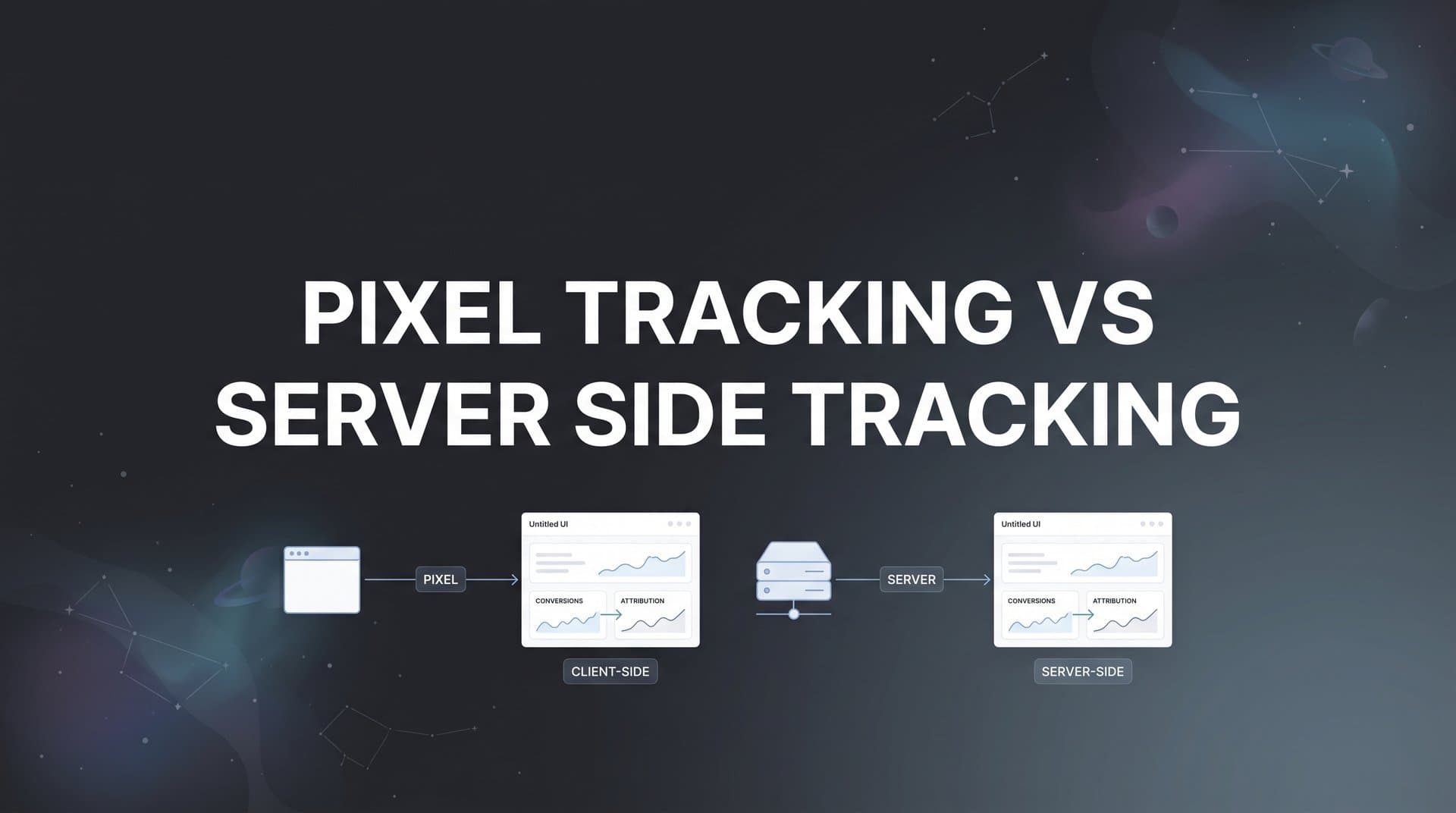
Pixel tracking works by loading a small JavaScript snippet in the user's browser. When a user takes an action (a page view, a button click, a purchase), the browser fires a request to the ad platform's servers with event data. The entire process depends on the browser executing the script correctly, cookies being available, and no blocking tools interfering.
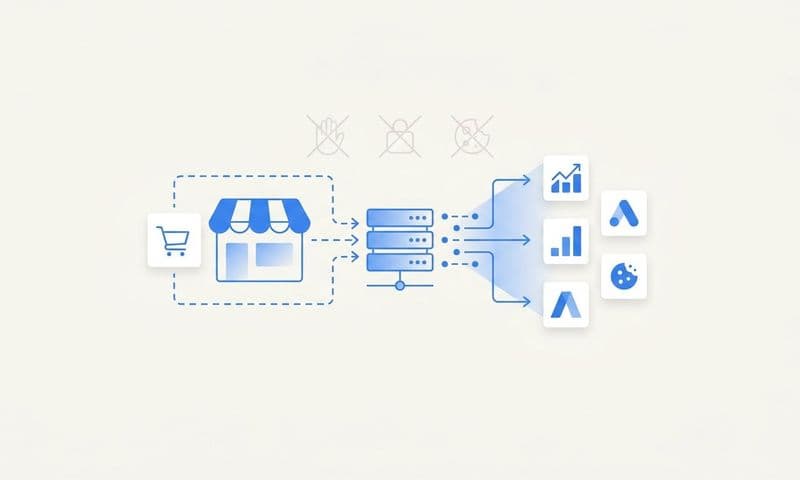
Server side tracking removes the browser from the equation entirely. Your server (or a middleware layer) collects the event data and sends it directly to the ad platform's API. This means ad blockers cannot intercept it, browser privacy restrictions do not apply in the same way, and you have full control over what data is transmitted and when. The tradeoff is that it requires more technical setup, including API integrations and server infrastructure, but the data quality payoff is significant.
Implementation Steps
1. Map out your current tracking setup: identify every pixel or tag firing on your site and what events each one captures.
2. Research the server side API options for each platform you use, such as Meta's Conversions API or Google's enhanced conversions via server side Google Tag Manager.
3. Assess your team's technical capacity or identify a developer resource who can handle API-level integrations.
4. Document the data flow for both methods so your team understands exactly how each event travels from user action to ad platform.
Pro Tips
Think of pixel tracking as a relay race where the baton can be dropped at any point in the browser. Server side tracking is a direct handoff with no intermediaries. Once your team visualizes the difference this way, the strategic implications become immediately clearer and implementation decisions get easier to prioritize.
3. Match Your Tracking Strategy to Your Sales Cycle Length
The Challenge It Solves
A SaaS company with a 90-day sales cycle and an e-commerce store with a two-minute checkout process have fundamentally different tracking needs. Using the same approach for both is a recipe for attribution blind spots. Your sales cycle length is one of the most underused decision factors when choosing between pixel and server side tracking.
The Strategy Explained
Pixel tracking relies heavily on cookies to connect a user's initial ad click to a later conversion. When those cookies expire or get cleared, the attribution chain breaks. Apple's ITP can reduce JavaScript-set cookie lifespans to as few as 7 days, and in some cross-site scenarios even shorter. If your average deal takes 30, 60, or 90 days to close, pixel-only tracking will systematically misattribute or miss a large portion of your conversions.
Server side tracking solves this by using server-generated identifiers and first-party data that are not subject to the same browser-based restrictions. For longer sales cycles, this means you can maintain attribution integrity across the full journey, from first ad click through multiple touchpoints to final conversion, without losing the thread. Understanding why server-side tracking is more accurate helps clarify this advantage.
Implementation Steps
1. Calculate your average days-to-close from your CRM data, segmented by product line or customer type if they vary significantly.
2. Compare that number against the effective cookie lifespan in your primary browsers, particularly Safari given ITP restrictions.
3. For cycles under 7 days, pixel tracking may be sufficient as a primary method with server side as a supplement.
4. For cycles over 7 days, prioritize server side tracking for conversion events and use first-party identifiers (like hashed email addresses) to maintain attribution continuity.
Pro Tips
Even if your average sales cycle is short, consider your outliers. If a meaningful segment of your customers take 30 or more days to convert, those deals are likely your highest-value ones. Server side tracking ensures you are not systematically under-attributing your best customers to the wrong campaigns or channels.
4. Layer Both Methods for Maximum Signal Strength
The Challenge It Solves
Choosing one tracking method and abandoning the other entirely leaves value on the table. Pixel tracking and server side tracking are not competitors; they are complementary tools that serve different purposes in a complete measurement strategy. Teams that treat it as an either/or decision end up with either behavioral blind spots or conversion accuracy gaps.
The Strategy Explained
The hybrid approach uses pixel tracking for what it does best: capturing real-time behavioral signals, building retargeting audiences, and tracking micro-conversions like page views, scroll depth, and button clicks. These events are inherently browser-side actions and are well-suited for pixel-based collection where precision at the individual conversion level is less critical.
Server side tracking then takes over for high-value conversion events where accuracy is non-negotiable: purchases, qualified lead submissions, subscription activations, and revenue-generating actions. By routing these events through your server and directly to platform APIs, you eliminate the data loss that comes from ad blockers, browser restrictions, and cookie expiration. For a deeper comparison of these two approaches, see our guide on server side vs client side tracking.
This layered architecture gives you the best of both worlds: rich behavioral data for audience building and optimization, plus accurate conversion data for revenue attribution and budget decisions.
Implementation Steps
1. Categorize all tracked events into two buckets: behavioral/micro-conversion events (pixel-appropriate) and high-value conversion events (server side priority).
2. Implement or maintain pixel tracking for behavioral events while setting up server side API connections for conversion events.
3. Use deduplication logic (event IDs matched across both methods) to prevent double-counting when both pixel and server side fire for the same event.
4. Validate the hybrid setup by comparing total event counts across both methods and confirming deduplication is working correctly.
Pro Tips
Deduplication is the most critical technical detail in a hybrid setup. Both Meta's Conversions API and Google's enhanced conversions support event ID-based deduplication, so make sure every event sent through both channels carries a consistent, unique identifier. Without this, your reported conversions will be inflated and your optimization signals will be noisy.
5. Optimize Ad Platform Algorithms by Feeding Cleaner Conversion Data
The Challenge It Solves
Ad platforms like Meta and Google do not just use your conversion data to report results. They use it to train their delivery algorithms, deciding who to show your ads to next. When that conversion data is incomplete or inaccurate because of pixel tracking gaps, you are essentially training the algorithm on bad data, which degrades targeting quality and inflates your cost per acquisition over time.
The Strategy Explained
Server side conversion syncing lets you send enriched, verified conversion events directly to platform APIs after they have been confirmed in your backend. Meta's own documentation recommends using the Conversions API alongside the Meta Pixel for optimal event match quality. Google's enhanced conversions and server side Google Tag Manager serve a similar purpose for the Google ecosystem.
When you send server side events enriched with first-party data like hashed email addresses, phone numbers, or customer IDs, the platform's matching algorithms can connect those conversions to specific users with much higher confidence. This improves event match quality scores, which directly influences how effectively the platform optimizes your campaign delivery. Explore the full range of server side conversion tracking benefits to understand the impact on your campaigns.
Tools like Cometly's Conversion Sync are built specifically for this purpose, feeding enriched conversion events back to Meta, Google, and other platforms so their algorithms have the cleanest possible signal to work with.
Implementation Steps
1. Review your current event match quality scores in Meta Events Manager and Google Ads conversion tracking to establish a baseline.
2. Identify which conversion events are currently sent only via pixel and prioritize migrating those to server side API delivery.
3. Enrich server side events with available first-party identifiers (hashed email, phone, external ID) to improve match rates.
4. Monitor event match quality scores after implementation and track any corresponding changes in campaign performance metrics.
Pro Tips
Do not just measure event match quality as a vanity metric. Connect it to downstream campaign performance: cost per lead, cost per acquisition, and return on ad spend. When you feed better data to platform algorithms, the improvement should show up in actual campaign efficiency, not just in a dashboard score.
6. Future-Proof Your Tracking Against Ongoing Privacy Changes
The Challenge It Solves
The privacy landscape is not stabilizing; it is continuing to evolve. Apple's ITP has been tightening restrictions on Safari for years. Firefox's Enhanced Tracking Protection blocks known third-party trackers by default. Google's Privacy Sandbox initiative is moving Chrome away from third-party cookies toward alternatives like the Topics API. Teams that rely exclusively on pixel tracking are building on a foundation that is being eroded from multiple directions simultaneously.
The Strategy Explained
Transitioning your critical conversion events to server side tracking now is the most durable response to ongoing privacy changes. Server side tracking is not dependent on third-party cookies, is not blocked by most ad blockers, and is not subject to the same browser-level restrictions that continue to degrade pixel tracking accuracy. It operates at the infrastructure level, which is inherently more stable than browser-level scripts. If you are evaluating options, our comparison of server side tracking tools can help you find the right fit.
This does not mean abandoning pixel tracking entirely. It means ensuring that your most important data, the conversion events that drive budget decisions and algorithm optimization, are captured through a method that will remain reliable regardless of what the next browser update brings. Think of it as building your tracking infrastructure on bedrock rather than sand.
Implementation Steps
1. Audit which of your current conversion events are most vulnerable to browser-based blocking or cookie expiration (typically any event that fires more than 7 days after the first user touchpoint).
2. Prioritize migrating those vulnerable events to server side tracking as your first implementation phase.
3. Monitor browser market share in your analytics to understand what percentage of your audience uses Safari, Firefox, or privacy-focused browsers, and weight your urgency accordingly.
4. Set a recurring quarterly review to assess new privacy developments and evaluate whether your tracking setup remains adequate.
Pro Tips
Do not wait for a privacy update to break your tracking before you act. By the time you notice the data degradation in your reports, you will have already made budget decisions based on inaccurate data. Proactive migration to server side tracking for conversion events is one of the highest-leverage infrastructure investments a marketing team can make right now.
7. Tie Your Tracking Strategy Directly to Revenue, Not Vanity Metrics
The Challenge It Solves
It is easy to optimize for what is easy to measure. Pixel tracking makes it simple to count clicks, page views, and form submissions, and many teams stop there. But these metrics are only meaningful if they reliably connect to revenue. When tracking is incomplete or misattributed, teams end up scaling campaigns that look good on paper but do not actually drive business outcomes.
The Strategy Explained
The goal of any tracking infrastructure is not to collect data for its own sake. It is to understand which marketing activities generate real revenue so you can invest more in what works and cut what does not. This requires connecting your tracking setup directly to your CRM and using multi-touch attribution to follow the customer journey from first ad exposure through to closed revenue.
Multi-touch attribution models require consistent, accurate touchpoint data across the full customer journey. When pixel tracking drops off due to cookie expiration or blocking, those touchpoints disappear from your attribution model, and your revenue gets credited to the wrong sources. Implementing server side tracking for ads fills those gaps, giving your attribution model the complete picture it needs to assign credit accurately.
Cometly is built for exactly this use case: connecting your ad platforms, CRM, and website to track the full customer journey in real time, so you can see which campaigns actually drive revenue rather than just which ones drive clicks. With multi-touch attribution and an AI-powered analytics dashboard, you get the complete picture needed to make confident budget decisions.
Implementation Steps
1. Connect your ad platforms to your CRM so that lead and revenue data flows back to the source campaigns and channels.
2. Implement a multi-touch attribution model that accounts for all significant touchpoints in your customer journey, not just first or last click.
3. Use server side tracking to ensure that late-funnel conversion events (demos booked, contracts signed, subscriptions activated) are captured accurately and fed into your attribution model.
4. Review attribution reports regularly and use them as the primary basis for budget allocation decisions, replacing reliance on ad platform reported ROAS as your sole performance indicator.
Pro Tips
Revenue-based attribution is only as good as the data feeding it. If your server side tracking is capturing conversions accurately but your CRM integration is missing deal values or close dates, your attribution model will still be incomplete. Audit the full data pipeline from ad click to closed revenue to make sure every link in the chain is solid before trusting the output for major budget decisions.
Putting It All Together: Your Tracking Implementation Roadmap
The seven strategies in this guide build on each other in a deliberate sequence. Start with the data gap audit to understand exactly where your current tracking is failing. Build technical fluency with both methods so your decisions are grounded in how each approach actually works. Use your sales cycle length as a practical framework for prioritizing server side tracking where it matters most.
From there, implement a hybrid architecture that uses pixel tracking for behavioral signals and retargeting while relying on server side tracking for accurate conversion data. Feed that cleaner data back to ad platform algorithms through conversion syncing to improve delivery optimization. Migrate your critical conversion events to server side tracking now to stay ahead of ongoing privacy changes from Safari ITP, Firefox ETP, and Chrome's Privacy Sandbox evolution.
Finally, anchor everything to revenue. Connect your tracking infrastructure to your CRM, implement multi-touch attribution, and use accurate data to make budget decisions based on what actually drives business outcomes, not what inflated pixel data suggests.
The pixel tracking vs server side tracking decision is not a one-time choice. It should evolve as your business grows, your tech stack changes, and the privacy landscape continues to shift. The teams that build flexible, hybrid tracking architectures today will have a durable competitive advantage as browser restrictions tighten and data accuracy becomes increasingly scarce.
If you are ready to stop guessing and start making decisions backed by accurate, complete attribution data, Get your free demo of Cometly today. Cometly connects your ad platforms, CRM, and website to capture every touchpoint in real time, feeds enriched conversion data back to Meta and Google to improve algorithm performance, and gives your team the AI-powered insights needed to scale campaigns with confidence.