

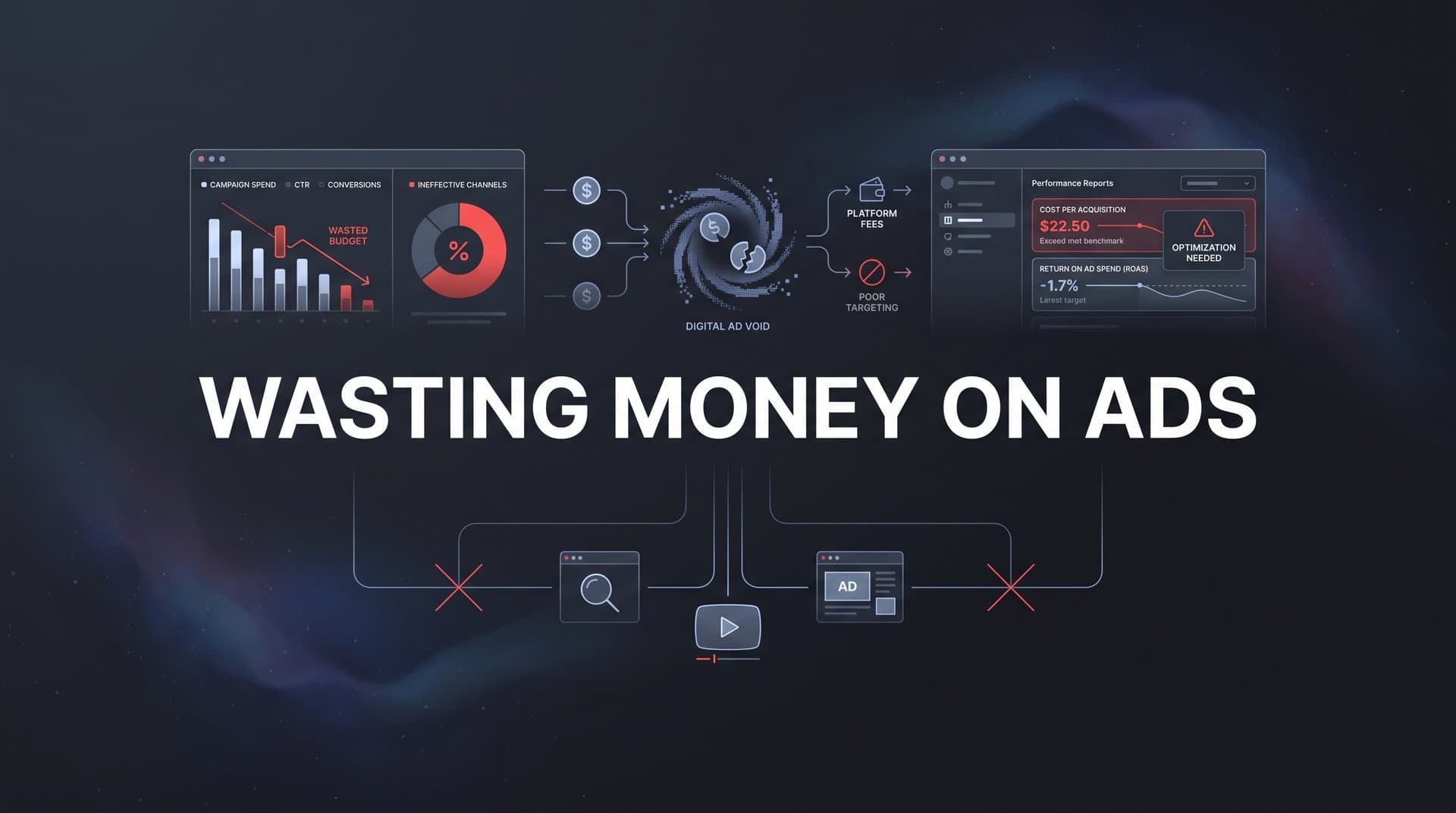
Most marketing teams know they are wasting money on ads somewhere in their campaigns. The frustrating part is not the spending itself but the inability to pinpoint exactly where the waste is happening. You might be running campaigns across Meta, Google, TikTok, and LinkedIn, watching your budget disappear while your dashboards show conflicting data about what is actually working.
The root cause is almost always the same: broken or incomplete tracking, poor attribution, and optimization decisions based on unreliable data. When you cannot accurately connect ad spend to real revenue, every budget decision becomes a guess. And guesses get expensive fast.
This guide walks you through six concrete steps to identify where your ad budget is leaking, fix the tracking and attribution gaps causing the problem, and reallocate spend toward what genuinely drives revenue. Whether you are managing campaigns for your own brand or running ads for clients, these steps will help you build a system where every dollar is accountable.
By the end, you will have a clear process for auditing your current setup, closing data gaps, and making confident optimization decisions rooted in accurate, full-funnel data rather than platform vanity metrics. Let's get into it.
Step 1: Audit Your Current Ad Spend Across Every Platform
The first step to stopping wasted ad spend is getting a clear, honest picture of what you are actually spending and what you are getting back. Sounds obvious, but most teams never do this properly because their data lives in silos.
Pull spend data from every active platform you are running: Meta, Google, TikTok, LinkedIn, Pinterest, YouTube, wherever your budget is going. Do not rely on each platform's native dashboard in isolation. You need a single consolidated view so nothing hides in the gaps between tools.
Once you have your spend numbers in one place, do the comparison that most teams skip: line up what each platform claims as conversions against what your CRM or payment processor actually records as revenue. This is where things get uncomfortable.
Ad platforms have an inherent incentive to take credit for as many conversions as possible. Their attribution windows are often generous, their models often overlap, and the result is that if you add up all the conversions each platform claims, the total frequently exceeds your actual sales by a wide margin. Many marketers who run this comparison for the first time are genuinely surprised by the gap. Understanding why ads show conversions but no sales is critical to making sense of these discrepancies.
Here is what to look for during your audit:
Conversion discrepancies by platform: Which platforms show the largest gap between self-reported conversions and actual CRM or payment data? Those gaps represent the clearest areas of misallocated budget.
Long-running campaigns without revenue proof: Flag any campaign or ad set that has been active for more than a few weeks without a documented connection to downstream revenue. Duration without accountability is a common form of budget waste.
Cost per acquisition inconsistencies: If one platform reports a $30 CPA and your CRM suggests the real number is closer to $120, you are making optimization decisions based on fiction.
The goal of this step is to build a single source of truth: a spreadsheet or dashboard that shows true cost per acquisition by platform, based on actual revenue data rather than platform self-reporting. This document becomes the foundation for every decision you make in the steps that follow. Learning to track sales from paid ads accurately is the cornerstone of this entire process.
You will likely find that some platforms are performing far better than their dashboards suggest, and others are performing far worse. That clarity alone is valuable, because it tells you where to look next.
Step 2: Close Your Tracking Gaps with Server-Side Data Collection
Once you have completed your audit, you will probably notice that a meaningful portion of your conversions are simply not being tracked at all. This is not a configuration error you can fix with a quick settings change. It is a structural problem with how most ad tracking has historically worked.
Traditional browser-based pixels fire from the user's browser when they visit your site or complete an action. The problem is that this method has become increasingly unreliable. Ad blockers prevent pixels from firing. Apple's App Tracking Transparency changes limit the data that can be collected on iOS devices. Third-party cookie restrictions in browsers like Safari and Firefox have been in place for years, and Chrome has been moving in the same direction. The result is that a significant portion of your actual conversions never get recorded by your pixel. If you are running Meta campaigns, understanding how to handle tracking paid ads after the iOS update is essential.
Think about what that means in practice. You are making budget decisions based on conversion data that is missing a meaningful chunk of real events. You might be pausing campaigns that are actually working, or scaling campaigns that are only appearing to work because their audience happens to be less affected by tracking limitations.
Server-side tracking solves this problem by moving the conversion event from the user's browser to your server. Here is how it works in simple terms:
When a customer completes a purchase or submits a lead form, instead of relying on a browser pixel to fire and report that event, your server sends the conversion data directly to the ad platform's API. Because this happens server-to-server, it bypasses ad blockers, cookie restrictions, and iOS privacy limitations entirely.
The practical steps to implement server-side tracking involve setting up a server-side event system, connecting it to your CRM and payment processor (such as Stripe), and configuring your ad platforms to receive events via their conversion APIs rather than relying solely on browser pixels. Meta calls this the Conversions API. Google has its own server-side event ingestion. Most major platforms now support this approach because they know browser-based tracking is degrading.
Connect your CRM to your tracking system: This is critical. If your tracking only captures the initial form submission but not what happens to that lead afterward, you are still missing the full picture. You want to know which ads drove leads that actually became paying customers, not just leads that filled out a form.
Common pitfall to avoid: Many teams implement server-side tracking but leave their browser pixel running in parallel without deduplication. This can cause double-counting of conversions. Make sure your implementation includes proper event deduplication so the same conversion is not reported twice.
The success indicator here is straightforward. After implementing server-side tracking, your tracked conversion count should align much more closely with your actual sales and lead counts in your CRM. If you were previously tracking 60 conversions per week and your CRM showed 100 closed deals, that gap should narrow significantly.
Step 3: Map the Full Customer Journey with Multi-Touch Attribution
Now that your tracking is capturing more complete data, the next problem to solve is how you assign credit for conversions across the multiple touchpoints that most customers go through before buying.
Last-click attribution, which is still the default in many platforms and analytics tools, gives 100 percent of the credit for a conversion to the final ad or channel a customer interacted with before converting. On the surface, this seems logical. But in practice, it creates a systematic distortion in how you allocate budget.
Here is the problem. The customer who converts after clicking a retargeting ad probably did not discover your brand through that retargeting ad. They may have clicked a top-of-funnel awareness campaign on Meta two weeks earlier, then searched for you on Google, then read a blog post, then finally responded to a retargeting ad. Under last-click attribution, the retargeting ad gets all the credit. The awareness campaign that started the whole journey gets none. This is why it is so difficult to determine which ads drive actual revenue without proper attribution.
The result is predictable: teams over-invest in bottom-funnel retargeting because it looks like a conversion machine, while starving the top-of-funnel campaigns that are actually generating the demand that retargeting then captures. Over time, this creates a leaky funnel where you are spending heavily to recapture demand you are no longer generating.
Multi-touch attribution fixes this by distributing credit across every touchpoint in the customer journey. Here is a quick overview of the main models and when each is useful:
First-touch attribution: Gives all credit to the first interaction. Useful when you want to understand which channels are best at generating initial awareness and bringing new prospects into your funnel.
Linear attribution: Distributes credit equally across every touchpoint. Useful for getting a balanced view of which channels are consistently present throughout the journey.
Time-decay attribution: Gives more credit to touchpoints closer to the conversion. Useful when you believe recent interactions are more influential than earlier ones.
Position-based attribution: Gives the most credit to the first and last touchpoints, with the remaining credit distributed across the middle. Useful when you want to value both demand generation and conversion-driving activities.
When you set up multi-touch attribution and start reviewing your data, you will often find that campaigns you thought were underperforming are actually critical early-journey touchpoints that initiate demand. Exploring the top attribution tools for paid ads can help you find the right solution for your needs. Conversely, some campaigns that looked like strong performers under last-click may reveal themselves to be mostly capturing credit for work done by other channels.
The success indicator for this step is the ability to see a complete path from first ad click through CRM events to closed revenue for each customer. That visibility changes how you think about budget allocation entirely.
Step 4: Identify and Cut Your Worst-Performing Budget Drains
With accurate tracking in place and multi-touch attribution giving you a clearer view of the full customer journey, you now have the data you need to make real cuts. This is where you actually stop wasting money on underperforming ads rather than just measuring the waste.
Start by ranking every active campaign, ad set, and individual ad by true return on ad spend. Not platform-reported ROAS. True ROAS, calculated using your actual revenue data from your CRM or payment processor matched against your spend. This ranking will look different from what your platform dashboards show, and the discrepancies are where the budget decisions live.
As you review your ranked list, look for these common budget drains:
Broad audiences with low intent: Campaigns targeting very large, loosely defined audiences often generate clicks and impressions but struggle to convert. If the attribution data shows these campaigns are not contributing to revenue at any point in the journey, they are candidates for reduction or restructuring.
Creative fatigue: Ads that have been running for extended periods often see declining performance as the target audience becomes oversaturated. If your frequency metrics are high and your conversion rates are trending down, the creative needs to be refreshed or the campaign paused.
Geographic targeting that does not convert: Pull your attribution data by geography and look for regions or cities where you are spending meaningfully but seeing little to no revenue attribution. These are often easy cuts that free up budget quickly.
Duplicate audience overlap: If multiple campaigns are targeting overlapping audiences, they are competing against each other in auctions, driving up your costs. Consolidating these or using audience exclusions can reduce waste immediately.
Once you identify the underperformers, pause or reduce their spend. Then reallocate that recovered budget toward campaigns that show strong revenue attribution in your data. The key word is attribution, not just clicks or engagement. A campaign with a modest click-through rate that consistently appears in the early journey of high-value customers is worth more than a campaign with impressive engagement metrics that never shows up in revenue paths. Understanding which ads are actually working requires this revenue-first perspective.
Common pitfall: Do not cut campaigns based on platform-reported metrics alone. A campaign that looks weak in the platform dashboard may be playing an important role in your multi-touch attribution data. Always check the full-funnel view before making cuts.
The success indicator here is counterintuitive: your active campaign count should decrease, but your revenue per dollar spent should increase. Less noise, more signal.
Step 5: Feed Better Conversion Data Back to Ad Platform Algorithms
Here is something that many marketers overlook when they think about stopping wasted ad spend. The quality of data you send back to ad platforms directly determines how well their algorithms optimize your campaigns going forward. This is a feedback loop, and most teams are running it on low-quality data.
Platforms like Meta and Google use the conversion signals you send them to train their bidding and targeting algorithms. When you send a generic lead event, the algorithm learns to find more people who will fill out forms. When you send a revenue-qualified conversion event with actual purchase value attached, the algorithm learns to find more people who will spend money. The difference in downstream campaign performance between these two approaches can be substantial. This is why learning to track leads to revenue is so important for long-term ad efficiency.
This is why the server-side tracking you set up in Step 2 is so important. It is not just about capturing more conversions for your own reporting. It is about sending richer, more accurate signals back to the platforms so their algorithms can do their job better.
Here is how to approach this step in practice:
Map your conversion events to revenue stages: Instead of sending a single lead event, configure your server-side setup to send different events at different stages of your funnel. A lead becoming a sales-qualified opportunity is a different signal than a lead submitting a form. A closed deal is different still. The more granular and revenue-aligned your events are, the better the platform algorithms can optimize toward your actual business goals.
Include conversion value data: Whenever possible, pass the actual revenue value of a conversion back to the platform. For e-commerce, this is the purchase amount. For lead generation businesses, this might be an estimated lifetime value based on the lead's characteristics. Platforms use this value data to optimize toward higher-value customers, not just more conversions.
Use enhanced matching: Both Meta and Google support enhanced match fields that allow you to pass hashed customer data (like email addresses) alongside conversion events. This improves the platform's ability to match your conversion events to actual users, increasing match rates and improving the quality of the optimization signal.
Align your bidding strategy with your conversion data quality: Once you are sending higher-quality conversion data, consider shifting from manual CPC bidding to value-based bidding strategies. These strategies are designed to leverage the conversion value signals you are sending to find customers who are likely to generate higher revenue, not just more clicks.
Meta and Google both explicitly recommend server-side event integration and conversion value passing as best practices for improving algorithmic performance. When you implement this correctly, you are essentially teaching the platform's AI to find your best customers rather than just your most clickable audiences.
The success indicator for this step is a downward trend in your cost per acquisition over the two to four weeks following implementation, as platform algorithms receive and learn from higher-quality data. The improvement is gradual but consistent, and it compounds over time.
Step 6: Build an Ongoing Optimization Routine That Prevents Future Waste
The steps above will help you find and fix the budget leaks that exist right now. But without a structured ongoing process, new waste will creep back in. Campaigns drift. Creative gets stale. Audiences saturate. New platforms get added without proper tracking. The work of stopping wasted ad spend is never fully done; it requires a routine.
Here is how to build one that actually sticks:
Set a weekly or biweekly review cadence: Schedule a recurring review where you compare your attribution data against spend for every active campaign. This does not need to take hours. A focused 30-minute review using a well-structured dashboard can surface the most important signals quickly. The goal is to catch new budget leaks early, before they compound into significant waste.
Use AI-powered recommendations to supplement manual review: Manual reviews are valuable but limited by what you can see. AI-powered tools can surface optimization opportunities across large campaign sets that would take hours to find manually, such as shifting budget between channels based on recent attribution trends, pausing creatives that are showing early signs of fatigue, or flagging campaigns where CPA is trending upward before it becomes a serious problem.
Create clear thresholds and alerts: Define the CPA limits and performance benchmarks that trigger immediate review rather than waiting for a scheduled check. If any campaign exceeds your target CPA by a set percentage, you should know about it the same day, not two weeks later when the damage is done. Investing in the right tracking software for paid ads makes this kind of real-time monitoring possible.
Document your decisions and results: This is the step most teams skip, and it is the one that builds the most long-term value. When you pause a campaign, note why. When you reallocate budget, record what happened. Over time, this documentation builds institutional knowledge about what works for your specific audience and offer, reducing the trial-and-error cost of future optimization cycles. If you are focused on growth, mastering the art of scaling ads without losing money depends on this kind of disciplined process.
The success indicator here is a repeatable process that catches waste within days rather than months, and an overall trend of improving ad efficiency quarter over quarter. Not every quarter will be perfect, but the trajectory should be consistently upward.
Your Action Plan: Putting It All Together
Stopping wasted ad spend is not a one-time fix. It is a system you build, and the six steps above are the blueprint for that system. Here is a quick-reference checklist to keep the process clear:
1. Audit all platform spend against real CRM and payment data to find the gaps between reported and actual performance.
2. Implement server-side tracking to close the pixel gaps created by ad blockers, iOS restrictions, and cookie limitations.
3. Set up multi-touch attribution to see the full customer journey from first touch to closed revenue, not just the last click.
4. Cut or reduce spend on campaigns that cannot demonstrate a clear path to revenue in your attribution data, and reallocate toward what is working.
5. Sync accurate, revenue-qualified conversion data back to ad platforms so their algorithms optimize toward your best customers.
6. Establish a recurring optimization routine with clear CPA thresholds, AI-assisted review, and documented decisions.
The common thread across every step is data accuracy. You cannot stop wasting money on ads if you do not know which ads are actually making money. By building a system that tracks every touchpoint, attributes revenue accurately, and feeds that intelligence back to your ad platforms, you move from guessing to knowing.
Cometly brings all of this together in one platform. It connects your ad accounts, CRM, and website to give you a complete, real-time view of what drives revenue. From server-side tracking and multi-touch attribution to AI-powered optimization recommendations and conversion sync back to Meta and Google, Cometly is built for marketers who want clear, accurate data and the confidence to act on it.
Ready to stop guessing and start scaling with confidence? Get your free demo today and see exactly which ads are driving your revenue so you can stop wasting money and start growing.



