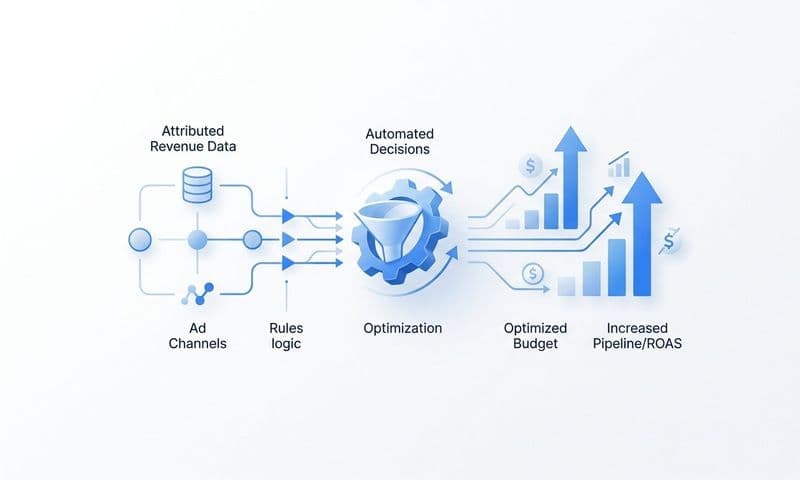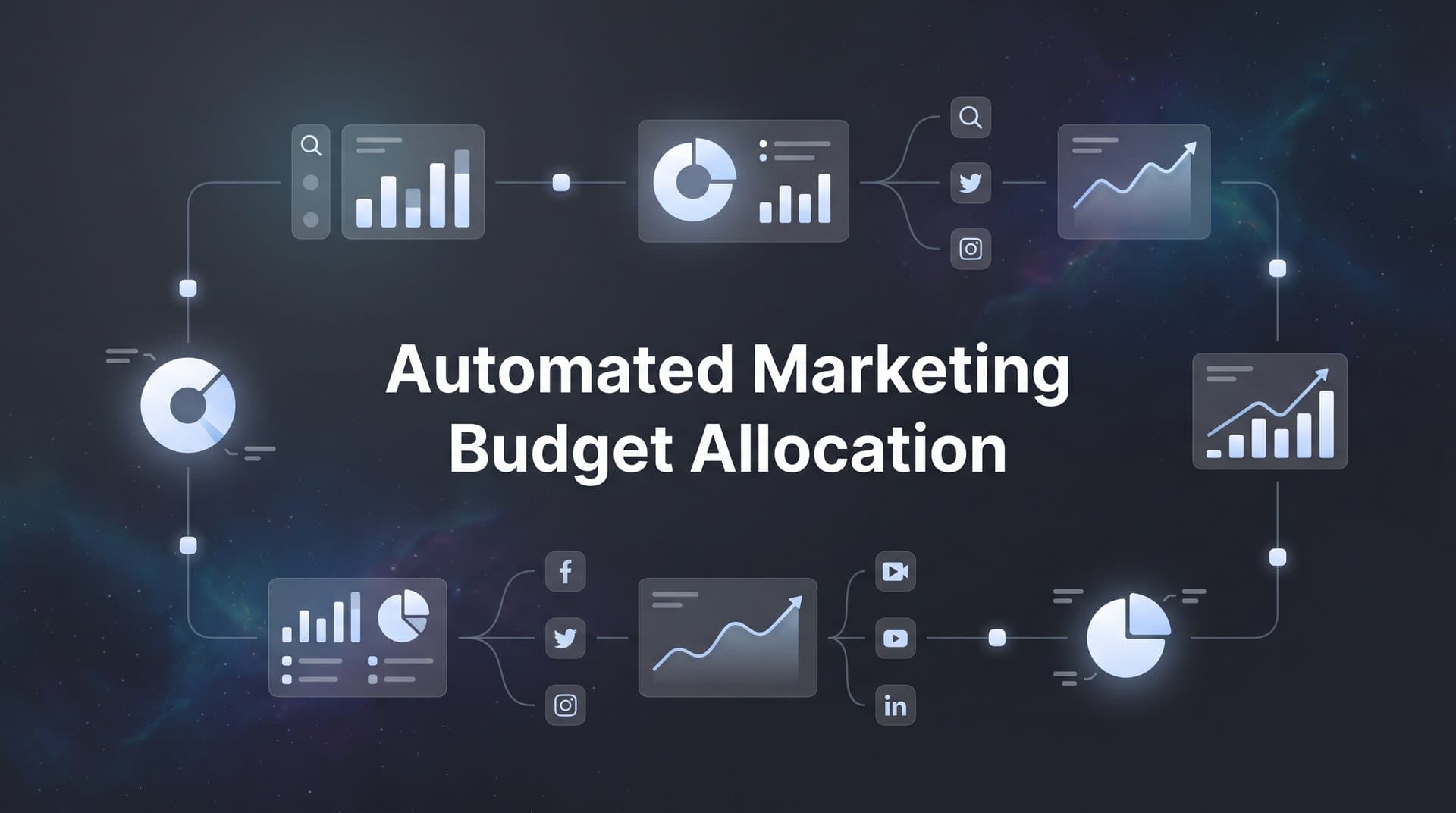
Manual budget allocation across multiple ad platforms is time-consuming and often reactive. By the time you spot an underperforming campaign and shift budget, you have already wasted spend. Automated marketing budget allocation solves this by using real-time performance data and predefined rules to move money where it works best.
This guide walks you through setting up an automated budget allocation system from scratch. You will learn how to connect your data sources, define allocation rules, and let automation handle the day-to-day budget shifts while you focus on strategy.
Whether you are managing campaigns across Meta, Google, TikTok, or LinkedIn, these steps will help you build a system that optimizes spend based on actual revenue, not just clicks or impressions.
Step 1: Audit Your Current Budget Distribution and Performance Data
Before you can automate anything, you need a clear picture of where your money goes and what results you are getting. This audit forms the foundation of your entire automation system.
Start by documenting your current budget splits across every active platform. Create a spreadsheet that lists each channel, the monthly budget allocated, and the percentage of total spend. Include everything: Meta, Google Search, Google Display, TikTok, LinkedIn, YouTube, and any other platforms where you are running campaigns.
Next, identify which metrics you currently use to make budget decisions. Are you moving money based on ROAS? Cost per acquisition? Click-through rates? Revenue attribution? Most marketers rely on a mix of these metrics, but the problem is they often come from different dashboards with inconsistent tracking methodologies.
Map your data gaps. This is where most marketers discover uncomfortable truths. You might find that you are making budget decisions based on platform-reported conversions that do not match your actual revenue data. Or you realize that certain channels get credit for conversions they did not actually drive because you are using last-click attribution by default. Understanding marketing budget allocation without clear data helps you recognize these blind spots.
Common blind spots include missing conversion data from users who interact with ads on mobile but convert on desktop, conversions that happen after the standard attribution window, and revenue that occurs weeks or months after the initial conversion. iOS tracking limitations have made these gaps even wider for many businesses.
Document your decision-making process. Write down how you currently decide to increase or decrease budgets. Is it based on gut feeling after reviewing weekly reports? Do you have specific thresholds that trigger changes? Understanding your current manual process helps you translate those decisions into automated rules later.
Your success indicator for this step is a complete inventory of spend and performance by channel with clearly identified blind spots. You should be able to answer these questions: Where is every dollar going? What metrics are you using to evaluate each channel? Where are you missing critical performance data?
This audit often reveals that you are flying blind on certain channels or making decisions based on incomplete data. That is exactly what you need to know before building an automation system. You cannot automate decisions based on bad data.
Step 2: Connect All Ad Platforms to a Central Attribution System
Scattered data across multiple platforms makes automation impossible. You need a single source of truth that tracks performance across every channel in real time.
Start by integrating all your ad platforms into one centralized attribution dashboard. This means connecting Meta Ads, Google Ads, TikTok Ads, LinkedIn Campaign Manager, and any other platforms you use. Most modern attribution systems offer native integrations that pull in spend, impressions, clicks, and platform-reported conversions automatically.
But platform integrations alone are not enough. You need server-side tracking to capture conversions that client-side tracking misses. Browser-based pixels face increasing limitations from iOS privacy changes, ad blockers, and cookie restrictions. Server-side tracking sends conversion data directly from your server to your attribution system, bypassing browser limitations entirely.
Set up your tracking infrastructure. Install tracking pixels or SDKs on your website and configure server-side conversion tracking. This typically involves adding code to your website that captures user interactions and sends them to both your attribution platform and your ad platforms. The technical setup varies by platform, but the goal is the same: capture every conversion regardless of browser restrictions.
Connect your CRM to track revenue and customer journey data beyond the initial conversion. This is critical because the value of a customer often extends far beyond their first purchase. If you are only tracking initial conversions, you might be over-investing in channels that bring cheap customers who never buy again, while under-investing in channels that bring high-lifetime-value customers. A robust automated marketing attribution system makes this connection seamless.
Verify your data accuracy. Once everything is connected, compare the numbers in your attribution system against what each platform reports. Discrepancies are normal due to different attribution windows and methodologies, but you should understand why the numbers differ. Your attribution system should show more complete data than any single platform because it is tracking the full customer journey.
Test your conversion tracking by running a small purchase or lead submission through your funnel. Verify that it appears correctly in your attribution system with the right source attribution. Check that revenue values are passing through accurately if you are tracking them.
Your success indicator for this step is all platforms feeding data into a single source of truth with complete conversion tracking. You should be able to log into one dashboard and see real-time performance data from every channel, including conversions that individual platforms might miss.
Step 3: Define Your Attribution Model and Revenue Goals
Your attribution model determines which channels get credit for conversions. Get this wrong, and your automated budget allocation will optimize toward the wrong channels.
Choose an attribution model that reflects your actual customer journey. First-touch attribution gives all credit to the first channel a customer interacted with. Last-touch gives all credit to the final touchpoint before conversion. Multi-touch attribution distributes credit across multiple touchpoints based on their influence.
For most businesses with longer consideration cycles, multi-touch attribution provides more accurate credit assignment. If customers typically interact with your brand multiple times across different channels before converting, single-touch models will systematically under-value channels that play important roles earlier or later in the journey.
Set clear revenue targets and ROAS thresholds for each channel. These targets become the benchmarks your automation rules use to make budget decisions. A channel might need to maintain a 3x ROAS to justify its current budget, or exceed 4x to trigger a budget increase. Learning how to allocate marketing budget based on data ensures your targets reflect actual performance.
Different channels often have different target thresholds. Brand search campaigns on Google typically deliver higher ROAS than cold prospecting campaigns on Meta. Your automation rules need to account for these differences rather than applying the same standard across all channels.
Establish minimum and maximum budget caps per platform to prevent over-concentration. Even if one channel is performing exceptionally well, you do not want automation to shift 90% of your budget there overnight. Diversification protects you from platform changes, audience saturation, and unexpected performance drops.
Document your attribution model and targets clearly. Write down which attribution model you are using and why. List your ROAS or CPA targets for each channel along with the reasoning behind those numbers. Include your minimum and maximum budget caps.
This documentation serves two purposes. First, it ensures everyone on your team understands how budget decisions are being made. Second, it gives you a baseline to reference when evaluating whether your automation rules are working as intended.
Your success indicator for this step is a documented attribution model and measurable targets for automated rules to follow. You should have specific numbers that define success for each channel and clear guardrails that prevent automation from making extreme budget shifts.
Step 4: Create Budget Allocation Rules Based on Performance Triggers
Now comes the core of your automation system: the rules that actually move budget based on performance. These rules translate your strategy into automated actions.
Build rules that increase budget when campaigns exceed ROAS thresholds. For example, if a campaign maintains a 4x ROAS for three consecutive days and has not hit its maximum budget cap, increase its daily budget by 20%. This allows high-performing campaigns to scale automatically without waiting for manual intervention.
Set decrease triggers when CPA rises above acceptable limits. If a campaign's cost per acquisition climbs 30% above your target for two consecutive days, decrease its budget by 15%. This prevents runaway spending on campaigns that have stopped performing. Understanding automated budget reallocation for campaigns helps you design these triggers effectively.
Include time-based rules for testing new campaigns before automation takes over. New campaigns need time to gather data and optimize before you can trust performance metrics. Set a rule that keeps new campaigns at their initial budget for the first seven days, then allows automation to adjust based on performance after that learning period.
Create pause rules for campaigns that consistently underperform. If a campaign fails to meet minimum ROAS thresholds for five consecutive days, pause it automatically and send an alert for manual review. This prevents continued waste on campaigns that need strategic changes rather than just budget adjustments.
Build scale-up rules with guardrails. When scaling winning campaigns, limit how quickly budgets can increase. A rule might increase budget by no more than 20% per day, even if performance justifies a larger increase. Rapid budget increases can disrupt campaign learning and cause performance instability.
Layer your rules to handle different scenarios. You might have rules for daily budget adjustments, rules for campaign-level pauses, and rules for reallocating budget between channels. Each rule should have clear triggers and defined actions. Explore AI-powered budget allocation recommendations to see how machine learning can enhance your rule logic.
Consider seasonality and external factors. You might create rules that adjust more aggressively during high-value periods like Black Friday or holiday shopping seasons. Or rules that maintain higher budgets on brand campaigns when you are running PR initiatives that drive search volume.
Your success indicator for this step is at least three to five active rules covering scale-up, scale-down, and pause scenarios. Start with a smaller set of well-defined rules rather than trying to automate every possible decision immediately. You can always add more rules as you gain confidence in the system.
Step 5: Configure Conversion Sync to Improve Platform Optimization
Budget automation works better when the ad platforms themselves are optimizing toward the right goals. Conversion sync sends enriched conversion data back to your ad platforms, helping their algorithms target better customers.
Set up conversion sync to send accurate conversion data from your attribution system back to Meta, Google, and other platforms. This is different from standard pixel tracking because you are sending server-side data that includes conversions the platforms might have missed, along with additional context about conversion quality.
Include revenue values and customer quality signals in conversion events. Instead of just telling Meta that a conversion happened, tell them it was a $500 purchase from a customer who also signed up for your email list. This additional context helps platform algorithms optimize toward higher-value conversions rather than just any conversion. Proper ad budget allocation between platforms depends on this enriched data flow.
Set up event matching to ensure platforms can optimize toward your best customers. Event matching uses hashed customer identifiers like email addresses or phone numbers to connect your conversion data with the user profiles ad platforms maintain. Better matching means better optimization.
For a deeper dive into this space, see our guide to ad platform optimization tools.
Configure different conversion events for different customer values. You might send a standard purchase event for all transactions, but also send a high-value purchase event for orders over $200. This allows you to create campaigns that specifically optimize for high-value conversions.
Send post-conversion events when they provide valuable signals. If customers who make a second purchase within 30 days have much higher lifetime value, send that second purchase event back to your ad platforms. This helps them identify and target users more likely to become repeat customers.
Verify your conversion sync is working correctly. Check your ad platform dashboards to confirm they are receiving the conversion data you are sending. Compare conversion counts between your attribution system and what platforms are reporting. Some discrepancy is normal, but you should see the platforms receiving most of the conversions you are sending.
Monitor how conversion sync affects campaign performance over time. As platforms receive better data, their algorithms should deliver improved targeting and lower costs per high-value conversion. This improvement might take a few weeks as the algorithms learn from the enhanced data.
Your success indicator for this step is ad platforms receiving accurate conversion data that improves targeting over time. You should see conversion matching rates above 70% and gradual improvements in conversion quality as platform algorithms optimize with better information.
Step 6: Test, Monitor, and Refine Your Automation Rules
Automation without monitoring is a recipe for expensive mistakes. This final step ensures your system improves performance rather than creating new problems.
Run automation in shadow mode first to compare automated decisions against manual ones. Shadow mode means your rules run and log what actions they would take, but they do not actually change budgets yet. This lets you validate that rules are triggering correctly and making sensible decisions before you hand over control.
Review the shadow mode logs daily for the first week. Look for rules that trigger too frequently, rules that never trigger, and rules that would make decisions you disagree with. Adjust thresholds and conditions based on what you learn. Using automated budget optimization tools can simplify this monitoring process significantly.
Start with partial automation. Once shadow mode validates your rules, activate automation for a subset of your campaigns rather than everything at once. You might automate budget adjustments for your top three performing campaigns while keeping manual control over everything else. This limits risk while you build confidence in the system.
Review weekly reports to identify rules that need adjustment. Look at which rules triggered most often, what actions they took, and how those actions affected performance. You might discover that your scale-up threshold is too conservative, causing you to miss growth opportunities. Or that your pause threshold is too aggressive, shutting down campaigns that just needed time to recover.
Gradually expand automation scope as you build confidence in the system. Add more campaigns to automated management each week. Introduce new rules for scenarios you have validated. The goal is steady expansion based on proven results, not a big bang deployment that introduces unnecessary risk.
Monitor for unexpected patterns. Watch for budget concentration in a single channel, rapid budget swings between channels, or rules that create feedback loops. If you see unusual patterns, pause automation and investigate before resuming. Reviewing marketing budget allocation best practices can help you identify what normal patterns should look like.
Set up alerts for significant changes. You want to know immediately if automation pauses a major campaign, shifts more than 30% of budget between channels in a single day, or if overall performance drops below acceptable thresholds. These alerts let you intervene quickly when something goes wrong.
Your success indicator for this step is consistent improvement in overall ROAS with reduced manual intervention. You should spend less time making routine budget adjustments and more time on strategic decisions like creative testing and audience expansion.
Putting It All Together
Automated marketing budget allocation transforms how you manage ad spend across multiple platforms. Instead of reacting to performance changes days after they happen, your system responds in real time based on the rules and targets you have defined.
Here is your implementation checklist: Complete your budget and performance audit to understand current spending and identify data gaps. Connect all platforms to centralized attribution with server-side tracking for complete conversion visibility. Define your attribution model and set clear ROAS or CPA targets for each channel. Create performance-based allocation rules that scale winners and cut losers automatically. Set up conversion sync to feed enriched data back to ad platforms for better optimization. Monitor results weekly and refine rules based on actual performance.
Start with your highest-spend platforms first, then expand automation as you validate results. If you are spending $50,000 per month on Meta and Google but only $5,000 on TikTok, focus on automating Meta and Google before worrying about smaller channels. This approach delivers the biggest impact fastest while limiting complexity.
The goal is not to remove human judgment entirely. Automation handles routine budget shifts so you can focus on creative strategy, audience testing, and scaling what works. You still make the strategic decisions about which channels to test, what offers to run, and how to position your brand. Automation just executes the tactical budget moves faster and more consistently than manual management allows.
Expect a learning curve as you dial in your rules and thresholds. Your first set of automation rules will not be perfect, and that is fine. The system improves as you refine rules based on real performance data. Most marketers see meaningful improvements in overall ROAS within 30 to 60 days of implementing budget automation, with continued gains as they optimize their rules.
Ready to elevate your marketing game with precision and confidence? Discover how Cometly's AI-driven recommendations can transform your ad strategy. Get your free demo today and start capturing every touchpoint to maximize your conversions.