You've got Google Ads running, the campaigns look healthy, and the dashboard shows conversions ticking up. But then you open your CRM and the story is completely different. Leads aren't closing. Sales can't tell which ones are worth pursuing. And your finance team wants to know what all that ad spend is actually producing.
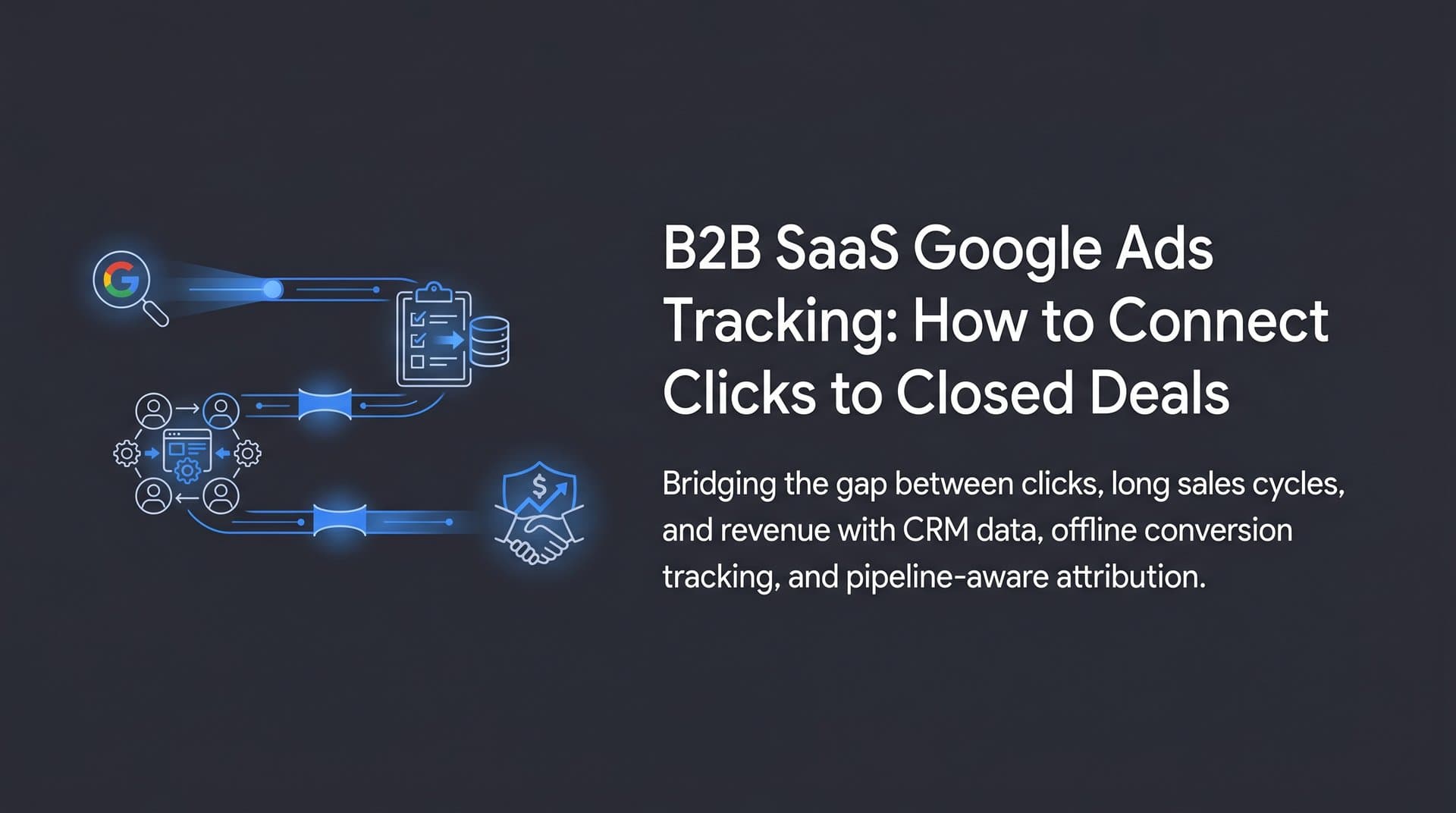
This is the defining frustration of B2B SaaS Google Ads tracking. The platform tells you one thing. Reality tells you another. And somewhere in the gap between a form fill and a closed-won deal, weeks or months of sales activity disappear from your attribution picture entirely.
The problem isn't that Google Ads is broken. It's that standard tracking was built for a fundamentally different buying journey. When someone clicks an ad and buys a product in the same session, last-click attribution works fine. But B2B SaaS deals involve demos, trials, procurement reviews, multiple stakeholders, and sales cycles that can stretch across an entire quarter. A single click-to-conversion model simply wasn't designed for that complexity.
This article walks through why B2B SaaS Google Ads tracking is uniquely challenging, what a proper tracking setup actually looks like, and how to close the loop between ad spend and real pipeline revenue. Whether you're setting this up for the first time or trying to fix a broken attribution system, you'll come away with a clear picture of what needs to change and why it matters.
Why Standard Google Ads Tracking Falls Short for B2B SaaS
Think about how a typical B2B SaaS deal actually unfolds. A VP of Marketing clicks a Google ad, reads a blog post, signs up for a webinar two weeks later, requests a demo, loops in their IT director, goes through a security review, and finally signs a contract three months after that first click. Google Ads, by default, sees a click and then looks for a conversion within a fixed attribution window. Everything that happens in between is largely invisible.
Standard Google Ads conversion tracking relies on browser cookies and a last-click attribution model. When someone clicks your ad, a cookie is dropped in their browser. If they complete a tracked action (like submitting a form) within the conversion window, Google records it as a conversion. That's it. The model doesn't account for cross-device behavior, doesn't follow the lead through your sales process, and has no way of knowing whether that form submission ever became a paying customer.
For B2B SaaS, this creates several compounding problems.
Long consideration windows: Google Ads' default conversion window is 30 days for click-based conversions. Many B2B SaaS deals take 60, 90, or even 180 days to close. If the conversion window doesn't match your actual sales cycle, you're losing attribution data before the deal even has a chance to close.
Multi-stakeholder journeys: Enterprise deals rarely involve a single decision-maker. Your initial contact might be a marketing manager, but the final sign-off comes from a CFO who never clicked your ad. Standard tracking has no mechanism for capturing that complexity.
The form fill problem: Most Google Ads setups track a thank-you page view as a conversion. That means every form submission, regardless of quality, looks like a win. A student doing research, a competitor checking out your pricing, and a genuine enterprise prospect all look identical in your conversion data.
Here's the real cost of getting this wrong. Google's Smart Bidding algorithms learn from your conversion data. If you're feeding the algorithm form fills instead of revenue, it will optimize toward whatever behavior produces the most form fills. That often means cheaper, lower-intent traffic that converts at the top of the funnel but never makes it through your sales process. You end up paying for volume when you need quality, and the algorithm gets smarter at finding the wrong audience.
Accurate B2B SaaS Google Ads tracking isn't just a reporting exercise. It directly determines how your budget gets allocated and how well your bidding strategy performs. Understanding the nuances of tracking for B2B marketing campaigns is the first step toward fixing this.
The Tracking Stack You Actually Need
Getting B2B SaaS tracking right requires connecting several components that don't always talk to each other out of the box. Here's what a complete tracking stack looks like and why each piece matters.
Google Ads Conversion Tracking with Offline Imports: This is your foundation. Beyond basic on-site conversion tracking, you need to set up offline conversion imports, which allow you to send CRM data back to Google Ads after the fact. This is how Google learns that a click from three months ago eventually became a closed deal.
Google Tag Manager: GTM gives you centralized control over your tracking tags without requiring a developer every time you need to make a change. For B2B SaaS, it's essential for managing the various event triggers across your site, from demo request forms to trial sign-ups to pricing page visits.
CRM Integration: Your CRM is the system of record for your sales pipeline. It holds the lead data, the deal stages, and ultimately the revenue outcomes. Connecting your CRM to your Google Ads tracking is what makes the whole system work. Without it, you're always stuck tracking proxies instead of outcomes.
Server-Side Tracking: As browser-based tracking becomes less reliable, server-side tracking fills the gap by sending conversion data directly from your server to ad platforms. We'll cover this in more detail later, but it belongs in every serious B2B SaaS tracking stack.
The thread that ties all of this together is the GCLID, or Google Click ID. Every time someone clicks a Google ad, Google appends a unique GCLID parameter to the landing page URL. This ID is the key to connecting an ad click to everything that happens downstream.
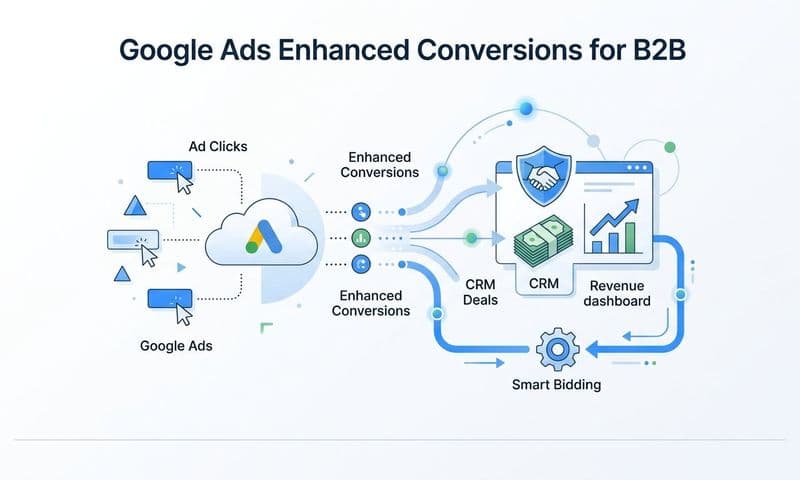
Here's how it works in practice. When a visitor clicks your ad and lands on your site, you capture the GCLID and store it with their form submission. That GCLID travels with the lead record into your CRM. When that lead becomes an MQL, then an SQL, then a closed deal, you can send those milestones back to Google Ads as offline conversions, tagged with the original GCLID. Google can then connect the revenue outcome back to the specific keyword, campaign, and ad that started the journey.
Preserving the GCLID across your funnel is non-negotiable. If it gets lost at any point, whether because a form doesn't capture it, your CRM doesn't store it, or your integration doesn't pass it through, the attribution chain breaks and you lose the ability to close the loop. Many teams find that dedicated tracking software for paid ads simplifies this entire workflow significantly.
The other critical mindset shift is moving from tracking form fills to tracking revenue-generating events. Form fills are a starting point, not a destination. B2B SaaS teams should define conversion actions that reflect real business outcomes: qualified demo requests, opportunities created, trials that convert to paid, and closed-won deals. The more your conversion data reflects actual revenue, the smarter your campaigns become.
Setting Up Conversion Tracking That Reflects Real Revenue
Most Google Ads accounts for B2B SaaS companies have one conversion action: a thank-you page view after a form submission. That's a starting point, but it's not enough. A proper setup tracks multiple funnel stages so Google's algorithm understands not just who fills out a form, but who actually becomes a customer.
Start by mapping your conversion actions to your sales funnel stages. A typical B2B SaaS setup might include:
1. Demo or trial request (MQL): The initial form submission. This is your top-of-funnel conversion and should be tracked, but weighted appropriately.
2. Sales qualified lead (SQL): When your sales team reviews the lead and determines it meets your ideal customer profile. This is an offline conversion imported from your CRM.
3. Opportunity created: When a deal enters your pipeline with a real chance of closing. This signals that the lead has genuine buying intent.
4. Closed-won deal: The revenue outcome. This is the conversion that matters most and should carry the highest value in your Google Ads account.
By assigning different values to each stage, you give Google's Smart Bidding algorithm a nuanced picture of what success looks like. It can then optimize not just for volume at the top of the funnel, but for the characteristics that predict downstream revenue. Implementing revenue attribution for B2B SaaS companies is what makes this level of optimization possible.
The mechanism for sending CRM data back to Google Ads is offline conversion imports. The process works like this: your CRM records the GCLID with each lead, and when a lead advances to a new pipeline stage, you export that data (GCLID, conversion name, conversion time, and optionally a conversion value) and upload it to Google Ads, either manually via CSV or automatically through an API integration. Google matches the GCLID to the original click and records the conversion against that campaign, ad group, keyword, and audience.
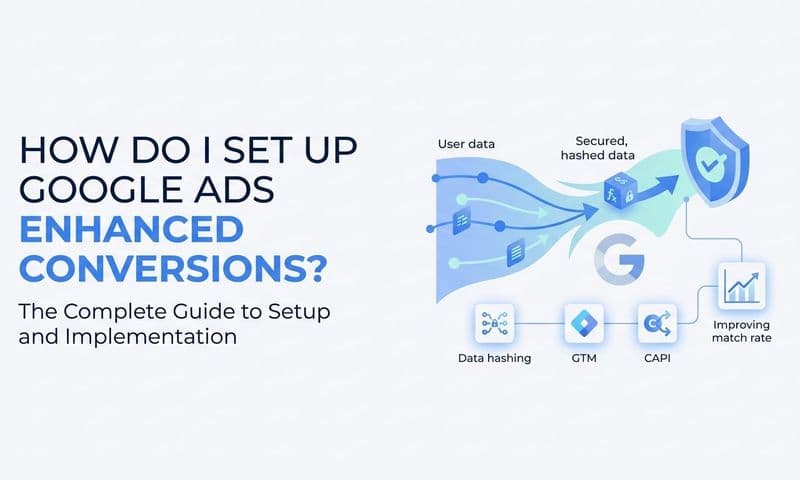
Google also offers Enhanced Conversions for Leads, which uses hashed first-party data like email addresses to improve match rates when GCLIDs aren't available. This is particularly useful for leads who come through channels other than direct ad clicks or where the GCLID may have been lost.
There are several common pitfalls to avoid when setting this up.
Mismatched conversion windows: Google Ads allows you to set conversion windows up to 90 days for click-based conversions. If your average sales cycle is longer, you need to account for that. Deals that close outside your conversion window won't be attributed, which skews your data and misleads your bidding strategy.
Duplicate conversions: If you're tracking both a thank-you page view and a CRM-based MQL for the same action, you'll count the same conversion twice. Audit your conversion actions carefully and make sure each stage is tracked exactly once.
Internal traffic and spam: B2B SaaS forms often attract spam submissions, especially if you're running broad match keywords. Failing to filter these out inflates your conversion numbers and sends bad signals to the algorithm. Use IP exclusions, honeypot fields, or CRM-side filtering to exclude internal traffic and obvious spam before importing conversions.
Missing GCLID capture: If your forms don't have a hidden field capturing the GCLID, or if your CRM integration doesn't preserve it, the entire offline conversion workflow breaks down. Test this regularly to make sure the data is flowing correctly end to end. Understanding the difference between UTM tracking vs attribution software can also help you choose the right approach for your setup.
Multi-Touch Attribution: Seeing the Full Journey
Here's a scenario that plays out constantly in B2B SaaS. A prospect clicks a Google Ads search ad in January, reads two blog posts, attends a webinar in February, gets retargeted on LinkedIn, clicks a branded search ad in March, and finally books a demo after receiving a sales email. The deal closes in April.
In a last-click model, that branded search ad in March gets all the credit. The awareness campaign that started the journey in January gets nothing. That's not just inaccurate, it's actively misleading. If you optimize based on last-click data, you'll underinvest in the campaigns that create demand and overinvest in the campaigns that simply capture it.
Multi-touch attribution models distribute credit across all the touchpoints that influenced a conversion. The most common models include:
Linear attribution: Equal credit to every touchpoint in the journey. Simple and fair, but doesn't account for the fact that some touchpoints are more influential than others.
Time-decay attribution: More credit goes to touchpoints that occurred closer to the conversion. This makes intuitive sense for B2B SaaS, where the interactions closest to the decision often reflect the deepest engagement.
Position-based attribution: Heavy weighting on the first and last touchpoints, with the remaining credit distributed across the middle. This acknowledges both the campaign that created awareness and the one that drove the final action.
The right model depends on your business, your sales cycle, and how your marketing team thinks about influence versus intent. The most important thing is moving away from single-touch models that systematically misattribute credit. Exploring the best SaaS marketing attribution tools can help you find the right platform for your needs.
To make multi-touch attribution work in practice, you need to connect your Google Ads data with your CRM and a dedicated analytics or attribution platform. This unified view reveals which campaigns influence deals at different stages. You might find that display campaigns rarely drive direct conversions but consistently appear in the early touchpoints of your highest-value deals. Or that a specific keyword cluster drives a disproportionate share of your enterprise pipeline. That kind of insight is invisible in a last-click world.
The next step is feeding enriched conversion data back to your ad platforms. When Google's algorithm receives conversion signals that reflect real revenue outcomes rather than form fills, it can optimize toward the audiences, keywords, and placements that actually drive business results. This creates a reinforcing loop: better tracking leads to better signals, which leads to smarter bidding, which leads to better campaign performance. Teams focused on tracking SaaS customer acquisition end-to-end see the biggest gains from this approach.
Server-Side Tracking and the Cookieless Landscape
Browser-based tracking has been the backbone of digital advertising for years. But that foundation is eroding. Safari's Intelligent Tracking Prevention, Firefox's Enhanced Tracking Protection, and the ongoing evolution of Chrome's Privacy Sandbox have all reduced the reliability of third-party cookies. Add ad blockers to the mix and you have a significant portion of your audience generating clicks that your tracking system can't fully capture.
For B2B SaaS advertisers, this is a serious problem. You're already dealing with long sales cycles and complex attribution. If your tracking is losing data at the browser level before it even enters your funnel, your conversion data becomes even less reliable. And when you're paying high CPCs for competitive B2B keywords, inaccurate tracking means you're making budget decisions on incomplete information.
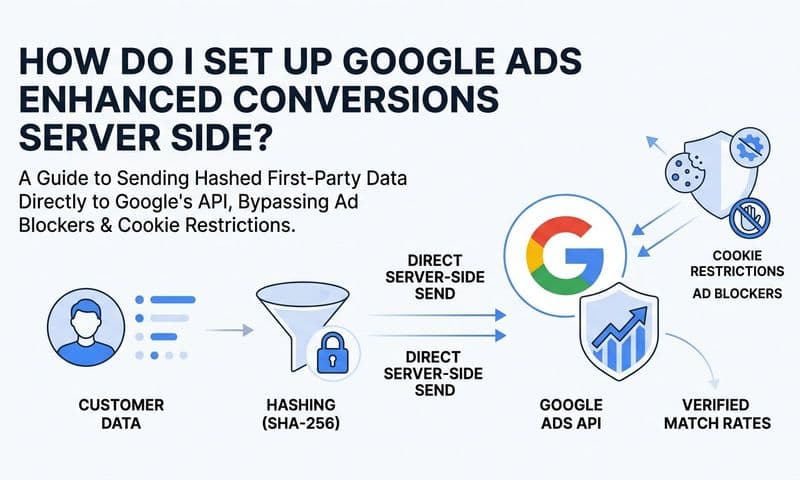
Server-side tracking for ads addresses this by moving the data collection process off the browser and onto your server. Instead of a JavaScript tag in the user's browser firing a request to Google's servers, your server receives the event data and forwards it directly to Google using the Measurement Protocol or a server-side tag container. The browser's privacy restrictions and ad blockers can't interfere with a server-to-server communication.
The practical benefits are meaningful. You get higher data accuracy because you're not dependent on browser conditions. You have more control over what data gets sent and when. And you can enrich the data before it reaches the ad platform, adding CRM attributes or lead quality signals that browser-based tags can't access.
For B2B SaaS companies with high customer lifetime values and long payback periods, the precision that server-side tracking provides is a genuine competitive advantage. When you're spending significant budget on Google Ads and attributing revenue that closes months later, every percentage point of tracking accuracy translates directly into better decisions about where to invest.
Google offers its own Server-Side Tag Manager as one option in this space. Many B2B SaaS teams also find that dedicated attribution platforms provide a more integrated solution, handling server-side tracking alongside CRM integration, offline conversion imports, and multi-touch attribution in a single workflow rather than requiring multiple separate implementations. Reviewing the top marketing analytics platforms for SaaS can help you evaluate which solution fits your stack.
Turning Better Tracking Into Better Campaign Performance
Better tracking isn't just about cleaner reports. It changes how you allocate budget, how your bidding strategy performs, and ultimately how much revenue your Google Ads investment generates.
Start with budget allocation. When your conversion data reflects actual pipeline and revenue rather than form fills, you can see which campaigns, ad groups, and keywords are driving qualified opportunities versus which ones are generating noise. That visibility lets you shift spend toward what's working at a business level, not just what looks good in the Google Ads dashboard. A campaign with a lower conversion rate but a higher deal close rate might deserve more budget than a campaign that generates volume but produces leads your sales team can't close.
The second lever is Smart Bidding performance. Google's automated bidding strategies, including Target CPA and Target ROAS, learn from your conversion data. The quality of that data determines the quality of the algorithm's decisions. When you feed it form fills, it optimizes for form fills. When you feed it revenue-weighted conversion events tied to closed deals, it starts finding the audiences and queries that produce actual customers. This is not a small difference. Teams that make this shift often find that their cost per qualified lead drops meaningfully while their overall lead quality improves, because the algorithm is now solving for the right problem. Investing in tracking paid ads performance at this level is what separates high-performing teams from the rest.
This is where platforms like Cometly become particularly valuable. Cometly connects your ad platforms, CRM, and website to track the entire customer journey in one place. It captures every touchpoint from ad click to CRM event, giving you a complete, enriched view of how deals actually develop. From there, it syncs conversion-ready events back to Google, Meta, and other platforms so their algorithms can optimize based on real revenue signals rather than surface-level metrics.
Cometly's AI-powered recommendations help you identify which ads and campaigns are driving qualified pipeline, so you can scale what's working with confidence. Instead of manually piecing together data from Google Ads, your CRM, and your analytics platform, you get a single attribution view that makes the connection between ad spend and closed revenue clear and actionable.
Your Next Steps Toward Revenue-Driven Tracking
B2B SaaS Google Ads tracking is not a one-time setup task you check off and forget. It's a strategic foundation that determines how well your entire paid acquisition engine performs. Get it right, and every optimization decision you make is grounded in real revenue data. Get it wrong, and you're essentially flying blind while paying premium CPCs for the privilege.
The key shifts to make are straightforward, even if the implementation takes effort. Move beyond last-click attribution to models that reflect the full buying journey. Track revenue outcomes, not just form fills, by implementing offline conversion imports with GCLID-based CRM data. Extend your conversion windows to match your actual sales cycle. Invest in server-side tracking to maintain data accuracy as browser-based tracking becomes less reliable. And feed enriched conversion data back to your ad platforms so their algorithms can do what they're designed to do: find more of the customers who actually convert.
Each of these changes builds on the others. Better data leads to smarter bidding. Smarter bidding leads to better traffic. Better traffic leads to more qualified pipeline. And more qualified pipeline is what justifies the investment and creates room to scale.
If you're ready to connect your ad platforms, CRM, and website into a single attribution view with AI-powered optimization recommendations, Get your free demo of Cometly today and start capturing every touchpoint that matters to your business.