

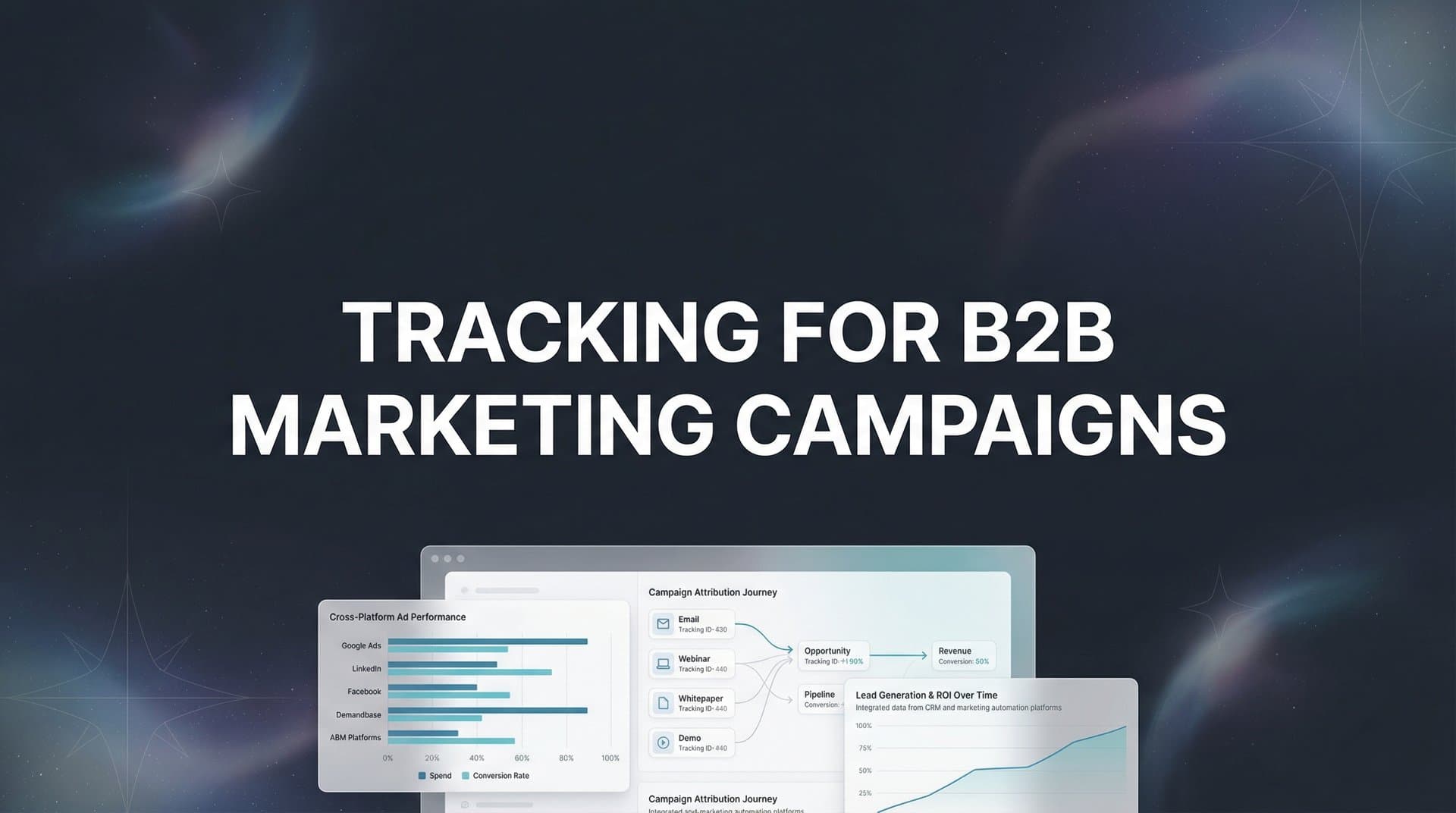
You've just launched a new B2B campaign across LinkedIn, Google, and your content syndication network. Three months later, your dashboard shows 500 leads, but your sales team closed only 12 deals. Which campaigns actually drove those wins? Which channels are burning budget on leads that never convert? Without proper tracking, you're flying blind.
B2B marketing campaigns involve longer sales cycles, multiple decision-makers, and touchpoints spanning weeks or months—making accurate tracking essential but challenging. Unlike B2C transactions where a click leads to a quick purchase, B2B conversions often start with an ad click, continue through content downloads, demos, and sales calls, then finally close in your CRM months later.
Without proper tracking, you're left guessing which campaigns actually drive revenue versus which ones just generate vanity metrics. You might be celebrating a channel that delivers 200 MQLs per month while ignoring the one that quietly generates your highest-value customers.
This guide walks you through setting up comprehensive tracking for your B2B marketing campaigns, from initial infrastructure to advanced attribution. You'll learn how to connect your ad platforms, website, and CRM into a unified tracking system that reveals the true customer journey.
By the end, you'll have a clear framework for understanding which marketing efforts deserve more budget and which ones are quietly draining resources. Let's build a tracking system that actually shows you where your revenue comes from.
Step 1: Map Your B2B Customer Journey and Define Key Conversion Events
Before you install a single tracking pixel, you need to understand what you're actually tracking. B2B customer journeys are rarely linear, and trying to track everything creates noise instead of insight.
Start by documenting your typical buyer journey from first touch to closed deal. Sit down with your sales team and map out the actual path your customers take. Does someone usually click a LinkedIn ad, download a whitepaper, attend a webinar, request a demo, then close three weeks later? Or do they bounce between your website and competitors for months before engaging?
This isn't about creating an idealized funnel. It's about understanding the messy reality of how B2B buyers actually behave. One enterprise software company discovered their highest-value customers typically visited their pricing page five times over two months before requesting a demo—a pattern they'd never have caught without mapping real journeys.
Next, define your conversion event hierarchy. Not all conversions carry equal weight. A closed deal obviously matters more than a blog subscription, but how do you value a demo request versus a pricing page visit versus a content download?
Primary Conversions: These directly indicate buying intent. Demo requests, free trial signups, contact sales forms, and closed deals belong here. Track these as your north star metrics.
Secondary Conversions: These show engagement and progression. Content downloads, webinar registrations, pricing page visits, and case study views fit this category. They matter, but they're not revenue.
Micro-Conversions: These indicate awareness and interest. Newsletter signups, blog engagement, and social follows belong here. Track them, but don't confuse them with pipeline.
Document your average sales cycle length. This determines your attribution window—the timeframe you need to track before a conversion. If your typical deal closes 90 days after first touch, you need tracking that captures at least 90 days of history. Many B2B companies make the mistake of using 30-day attribution windows when their actual sales cycle runs 60-120 days, causing them to miss the campaigns that started the journey.
Create a simple spreadsheet listing every conversion event, its category, its typical position in the buyer journey, and its approximate value. This becomes your tracking blueprint. When you implement tracking in the next steps, you'll configure each of these events as trackable conversions. A well-structured marketing campaign tracking spreadsheet can serve as your foundation for organizing this data.
The goal here is clarity. You should be able to explain to anyone on your team exactly what you're tracking and why each event matters. If you can't articulate why you're tracking something, you probably shouldn't be.
Step 2: Implement Server-Side Tracking to Capture Complete Data
Browser-based tracking pixels are dying, and B2B marketers need to adapt fast. Ad blockers, iOS privacy restrictions, and cross-device journeys mean traditional pixel tracking misses massive chunks of your data.
Think about your typical B2B prospect. They might see your LinkedIn ad on their phone during their commute, visit your website on their work laptop, download a whitepaper on their tablet at home, then request a demo from a different browser at the office. Browser-based tracking sees these as four separate people. Server-side tracking can connect them.
Server-side tracking works by sending conversion data directly from your server to ad platforms and analytics tools, bypassing the browser entirely. This means ad blockers can't stop it, iOS restrictions don't limit it, and you capture data even when JavaScript fails to load.
Start by implementing a server-side tracking solution that sits between your website, CRM, and ad platforms. This could be a dedicated attribution platform, a customer data platform, or a custom implementation using conversion APIs. The key is having a server environment that can receive conversion events and distribute them to your marketing tools. Choosing the right performance marketing tracking software makes this implementation significantly easier.
Configure your tracking to capture both client-side and server-side events. Use browser pixels as your first layer—they're still valuable for immediate tracking. Then layer server-side tracking on top to catch everything the pixels miss. When someone fills out a demo request form, your browser pixel fires immediately, but your server also sends that conversion data directly to Google Ads, Meta, and LinkedIn through their conversion APIs.
Set up first-party data collection to maintain accuracy as third-party cookies disappear. This means collecting data directly from your users through forms, logins, and authenticated experiences, then using that first-party data to power your tracking. When someone fills out a form with their email address, you can use that identifier to track their journey across devices and sessions—something third-party cookies increasingly can't do.
Verify your tracking fires correctly at every conversion point. Use your browser's developer tools to check that pixels fire when someone completes an action. Then verify that your server-side tracking also sends the same event. Check your ad platform conversion dashboards to confirm events are appearing. Run test conversions yourself—fill out your own forms, request your own demos, and watch the data flow through your system.
Common implementation mistake: Companies set up server-side tracking but forget to pass critical parameters like click IDs, user IDs, or UTM parameters. Your server-side events need the same attribution data as your client-side events. When you send a conversion to Google Ads via their API, include the GCLID. When you send to Meta, include the FBC and FBP parameters. Without these identifiers, your server-side events can't be attributed to specific campaigns.
Server-side tracking requires more technical setup than dropping a pixel on your site, but it's becoming non-negotiable for accurate B2B tracking. The data you capture will be dramatically more complete than what browser-based tracking alone provides.
Step 3: Connect Your CRM to Track the Full Revenue Journey
Your CRM holds the most important data for B2B tracking: which leads actually became customers and how much revenue they generated. Without connecting your CRM to your marketing tracking, you're measuring activity instead of outcomes.
Most B2B conversions don't happen on your website. Someone might fill out a demo request form online, but the actual deal closes after three sales calls, two email threads, and a pricing negotiation—all happening in your CRM. If your tracking stops at the demo request, you have no idea which campaigns drive revenue versus which ones generate leads that never close.
Start by integrating your CRM with your tracking platform. If you use HubSpot, Salesforce, Pipedrive, or another major CRM, most attribution platforms offer native integrations. Connect them so conversion data flows bidirectionally: marketing touchpoints sync to your CRM, and CRM events like opportunities created and deals closed sync back to your marketing analytics. Understanding marketing attribution platforms for revenue tracking helps you choose the right integration approach.
Map your CRM stages to marketing touchpoints. Your CRM probably tracks leads through stages like MQL, SQL, Opportunity, Negotiation, and Closed Won. Each stage represents progression through your funnel. Configure your tracking to capture when leads move between stages, and attribute those stage changes back to the marketing campaigns that originated the lead.
This is where B2B tracking gets powerful. You can now see that your LinkedIn campaign generated 50 leads, 12 became opportunities, and 3 closed for $180,000 in revenue. Meanwhile, your Google Ads campaign generated 200 leads, but only 5 became opportunities and 1 closed for $30,000. The LinkedIn campaign looks smaller in lead volume but dramatically outperforms in revenue efficiency.
Set up lead scoring that connects back to original traffic sources. Your CRM should score leads based on engagement, fit, and behavior. But you should also be able to see which campaigns generate high-scoring leads versus low-scoring ones. If one campaign consistently delivers leads that score 80+ while another delivers leads that score 30, that's actionable intelligence.
Configure your CRM to capture offline conversions. When a sales rep closes a deal after a phone call, that conversion needs to flow back to your marketing tracking. Set up automated workflows or manual processes that ensure closed deals sync back to your attribution system with the original lead source attached. For businesses with significant phone traffic, implementing marketing attribution for phone calls becomes essential.
Establish data sync frequency that maintains real-time visibility. Some integrations sync every 15 minutes, others sync hourly or daily. For B2B marketing where deals take weeks to close, daily syncing is usually sufficient. But if you're running aggressive campaigns and need to optimize quickly, more frequent syncing helps you react faster to what's working.
Common pitfall: CRM data quality issues corrupt your tracking. If your sales team doesn't consistently log lead sources, or if they overwrite original source data when they manually create leads, your attribution breaks down. Establish data hygiene rules in your CRM that protect source tracking fields from being changed or deleted.
Step 4: Configure UTM Parameters and Campaign Tagging Standards
UTM parameters are the foundation of campaign tracking, but inconsistent naming turns your data into chaos. One person tags campaigns as "LinkedIn_Ad_Campaign_Q1" while another uses "linkedin-ads-q1-2026" and suddenly you can't compare performance across your team's work.
Create a UTM naming convention that everyone follows religiously. Your convention should be simple, descriptive, and consistent. A solid structure looks like this: utm_source identifies the platform (linkedin, google, facebook), utm_medium identifies the channel type (cpc, email, social), utm_campaign identifies the specific campaign (product-launch-q1, webinar-series-feb), and utm_content identifies the creative variant (video-ad-a, text-ad-b).
Document your standards in a shared resource that your entire team can access. Create a simple one-page guide showing exactly how to structure each UTM parameter, with examples for every channel you use. Include rules like "always use lowercase," "use hyphens not underscores," and "never abbreviate source names."
Set up auto-tagging for platforms that support it. Google Ads, LinkedIn, and Meta all offer auto-tagging that appends tracking parameters to your URLs automatically. Enable this wherever possible to reduce manual tagging errors. Google Ads uses GCLID auto-tagging, LinkedIn uses their own tracking parameters, and Meta uses FBCLID. These platform-specific parameters work alongside your UTM parameters to provide additional tracking data.
Implement URL builders or templates to prevent tagging mistakes. Rather than having team members manually type UTM parameters into every URL, create a spreadsheet template or use a URL builder tool that generates properly formatted URLs. Your template should have dropdown menus for source, medium, and campaign options so people select from predefined values instead of inventing new ones.
Here's what consistent UTM tagging looks like in practice. Your LinkedIn campaign URLs might be: utm_source=linkedin, utm_medium=cpc, utm_campaign=enterprise-demo-jan2026, utm_content=video-testimonial. Your Google Ads URLs: utm_source=google, utm_medium=cpc, utm_campaign=enterprise-demo-jan2026, utm_content=search-brand-terms. Notice the campaign name stays consistent across platforms, making it easy to compare performance.
Test your tagged URLs before launching campaigns. Click through your URLs and verify they arrive at the correct landing page with parameters intact. Check your analytics platform to confirm it's capturing the UTM parameters correctly. A single typo in a URL parameter can make an entire campaign's traffic untrackable.
Common mistakes to avoid: Using different campaign names for the same initiative across platforms. Forgetting to tag email campaigns. Tagging internal links with UTM parameters, which resets session attribution. Changing your naming convention mid-campaign, creating data fragmentation. The key is consistency over perfection—pick a structure and stick with it.
Step 5: Set Up Multi-Touch Attribution to Credit the Right Campaigns
Last-click attribution tells you which campaign got the final touch before conversion, but it ignores the three LinkedIn ads, two content downloads, and webinar that happened first. For B2B marketing where buyers engage with many touchpoints, multi-touch attribution reveals the complete story.
Choose an attribution model appropriate for B2B sales cycles. Last-click is too simplistic. First-click gives all credit to awareness campaigns but ignores what closed the deal. Linear attribution spreads credit evenly across all touchpoints. Time-decay gives more credit to recent touchpoints. Data-driven attribution uses machine learning to assign credit based on actual conversion patterns. For a deeper dive into model selection, explore our multi-touch marketing attribution platform guide.
For most B2B companies, time-decay or data-driven models work best because they recognize that later touchpoints often have more influence on conversion decisions, but they don't completely ignore early awareness efforts. If you're just starting with attribution, begin with linear or time-decay models—they're simpler to understand and implement than data-driven approaches.
Configure attribution windows that match your actual sales cycle length. If your average deal closes 90 days after first touch, use a 90-day attribution window. If it's 180 days, extend your window accordingly. Too-short attribution windows cut off the early touchpoints that started the journey. Too-long windows include irrelevant touchpoints from before the buyer was even in-market.
The attribution window determines how far back in time you look when assigning credit to touchpoints. Someone might click your LinkedIn ad on January 1st, download a whitepaper on January 15th, attend a webinar on February 1st, request a demo on February 15th, and close on March 1st. With a 30-day attribution window, you'd only see the demo request and webinar. With a 90-day window, you'd capture the entire journey including the original LinkedIn ad.
Connect your attribution data back to your ad platforms to improve their optimization algorithms. Modern ad platforms use conversion data to train their algorithms on what success looks like. When you only send last-click conversions, you're teaching the algorithm to optimize for bottom-funnel events. When you send multi-touch attribution data, you're showing the algorithm the full journey, helping it identify patterns across all stages.
This is where server-side tracking and conversion APIs become powerful. You can send weighted conversion values back to ad platforms based on your attribution model. If your time-decay model assigns a LinkedIn ad 30% credit for a $100,000 deal, you can send a $30,000 conversion value back to LinkedIn. This helps their algorithm understand the true value that campaign delivered.
Build dashboards that show both first-touch and revenue-attributed performance side by side. Your team needs to see multiple perspectives: which campaigns start journeys (first-touch), which campaigns close deals (last-touch), and which campaigns contribute throughout the journey (multi-touch). A campaign might look mediocre on last-click attribution but excellent on first-touch, revealing it's strong at generating awareness but needs better nurture sequences. Consider implementing a cross-platform marketing analytics dashboard to visualize these insights effectively.
Set up custom reports that answer your specific questions. Which channels drive the highest-value opportunities? Which campaigns have the shortest time-to-close? Which touchpoint combinations convert best? Your attribution platform should let you slice data by channel, campaign, content type, and buyer journey stage.
Attribution isn't perfect—it's an informed approximation. B2B buyers research across devices, share content with colleagues, and make decisions in conference rooms you can't track. But multi-touch attribution gets you dramatically closer to reality than last-click ever could.
Step 6: Validate Your Tracking and Troubleshoot Common Issues
Your tracking is only valuable if it's accurate. Before you make any budget decisions based on your new tracking system, you need to validate that data is flowing correctly and troubleshoot the inevitable issues.
Run test conversions through your entire funnel. Create a test user account, click through one of your ads, land on your website, fill out a form, and watch what happens. Check every system: Does the conversion appear in your analytics platform? Does it show up in your ad platform? Does it create a lead in your CRM with the correct source attribution? Does it fire your server-side tracking?
Test multiple scenarios. Click a LinkedIn ad and convert. Type your URL directly and convert. Click a Google ad and convert. Each traffic source should be tracked and attributed correctly. If you find gaps—like direct traffic conversions not being tracked or CRM leads missing source data—you've identified problems before they corrupt your real data. When managing attribution tracking for multiple campaigns, systematic testing becomes even more critical.
Check for data discrepancies between platforms. Your Google Ads dashboard might show 50 conversions while your analytics platform shows 45 and your CRM shows 40. Some discrepancy is normal due to different attribution windows, deduplication rules, and tracking methodologies. But large discrepancies (more than 10-15%) indicate tracking problems.
Common causes of discrepancies: Ad platforms count conversions in the user's timezone while your analytics platform uses your account timezone. Ad platforms might count view-through conversions while your analytics only counts clicks. Your CRM might have duplicate leads that inflate counts. Server-side tracking might fire twice for the same conversion. Document your expected discrepancy range so you know when numbers are off enough to investigate.
Watch for common B2B tracking pitfalls. Missing offline conversions is the biggest one—deals that close through sales calls never sync back to marketing tracking. Broken handoffs between systems cause attribution data to get lost when leads move from marketing automation to CRM. Duplicate events happen when both client-side and server-side tracking fire for the same conversion without deduplication. Form spam inflates conversion counts with fake leads.
Set up monitoring alerts for tracking failures. Your tracking system should notify you if conversion volume drops suddenly, if data stops syncing between platforms, or if error rates spike. A broken tracking pixel or failed API connection can go unnoticed for days, corrupting your data and budget decisions. Automated alerts catch problems before they become expensive mistakes.
Create a tracking validation checklist you run monthly. Verify pixel firing on key pages. Check CRM integration status. Review UTM parameter consistency. Test conversion flows. Audit attribution data quality. Compare platform conversion counts. This regular maintenance catches tracking drift before it compounds.
When you find issues, fix them systematically. Document what broke, why it broke, and how you fixed it. Update your tracking documentation so the next person doesn't repeat the same mistake. B2B tracking requires ongoing maintenance—platforms update their APIs, your website changes, team members create new campaigns with inconsistent tagging. Regular validation keeps your data trustworthy.
Your Next Steps
With your B2B tracking infrastructure now in place, you have visibility into the complete customer journey—from first ad click to closed revenue. You're no longer guessing which campaigns work. You're seeing exactly which marketing efforts drive pipeline and which ones waste budget.
Use your quick-start checklist to maintain momentum. Map your conversion events and document your buyer journey. Implement server-side tracking to capture complete data despite browser limitations. Connect your CRM so marketing tracking extends through to closed revenue. Standardize UTM parameters across your entire team. Configure multi-touch attribution that matches your sales cycle. Validate everything with test conversions and ongoing monitoring.
The real value comes from acting on this data. Shift budget toward campaigns that drive actual pipeline, not just lead volume. Pause campaigns generating empty leads that never convert. Identify which content and messaging resonates at different buyer journey stages. Optimize based on revenue attribution rather than vanity metrics like clicks or impressions. For SaaS companies specifically, exploring marketing attribution tools for B2B SaaS can accelerate your optimization efforts.
Start with the fundamentals outlined here, then iterate as you learn which touchpoints matter most for your specific B2B sales cycle. Your tracking will reveal patterns you didn't expect—campaigns that look weak on surface metrics but consistently generate high-value customers, or channels that drive impressive lead volume but terrible conversion rates.
The companies winning at B2B marketing aren't the ones spending the most. They're the ones tracking accurately enough to know exactly where their revenue comes from, then doubling down on what works.
Ready to elevate your marketing game with precision and confidence? Discover how Cometly's AI-driven recommendations can transform your ad strategy—Get your free demo today and start capturing every touchpoint to maximize your conversions.


