

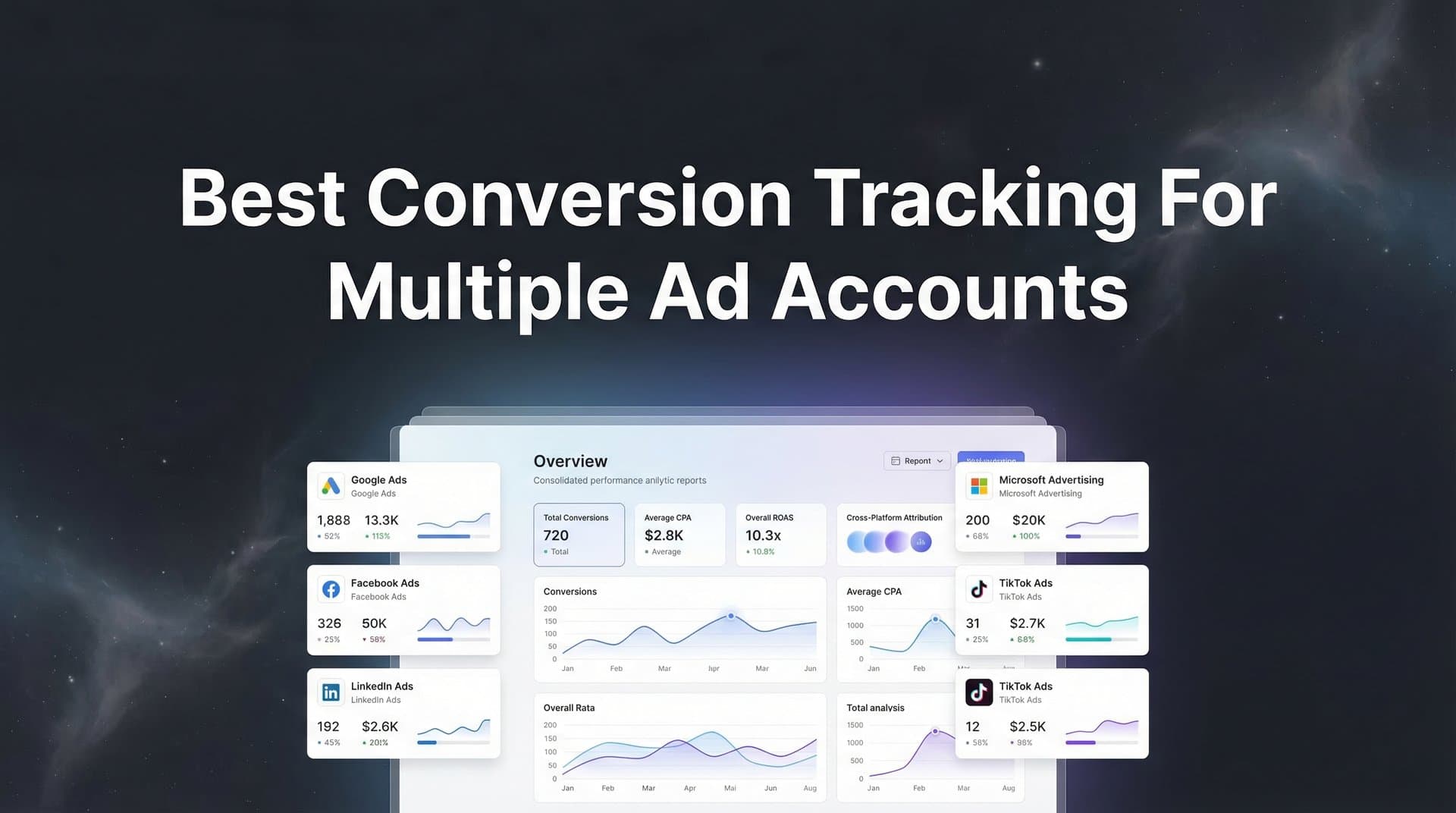
Managing conversion tracking across multiple ad accounts creates a unique set of challenges that single-account marketers never face. When you're running campaigns on Meta, Google, TikTok, and LinkedIn simultaneously—often for different brands, clients, or business units—the complexity multiplies exponentially. Data silos form, attribution becomes murky, and suddenly you're making budget decisions based on incomplete or conflicting information.
The problem intensifies when you realize that each platform reports conversions differently, often claiming credit for the same customer action. Meta says your campaign drove 50 conversions. Google Ads claims 45. LinkedIn reports 30. Which number is real? Without a unified tracking system, you're essentially flying blind with millions in ad spend on the line.
This guide breaks down the most effective strategies for implementing conversion tracking that actually works at scale. Whether you're an agency managing client portfolios or an in-house team running campaigns across multiple business divisions, these approaches will help you capture accurate data, unify your reporting, and finally understand which ads are truly driving revenue across your entire advertising ecosystem.
1. Implement Server-Side Tracking as Your Foundation
The Challenge It Solves
Browser-based pixel tracking has become increasingly unreliable. iOS App Tracking Transparency restrictions, widespread ad blocker adoption, and browser privacy features mean that traditional pixel tracking now misses a significant portion of conversions. When you're managing multiple ad accounts, this data loss compounds across every platform, leaving you with incomplete conversion data that makes optimization nearly impossible.
The challenge intensifies when different accounts show wildly different tracking accuracy rates. Your Meta campaigns might capture most mobile conversions, while your Google campaigns struggle with iOS users. This inconsistency makes cross-account comparison meaningless.
The Strategy Explained
Server-side tracking moves conversion capture from the user's browser to your server, where it can't be blocked by browser restrictions or privacy tools. Instead of relying on JavaScript pixels that load in the browser, server-side tracking sends conversion data directly from your server to ad platforms through their APIs.
This approach captures conversions that browser pixels miss entirely. When a user completes a purchase or submits a lead form, your server logs that event and sends it to Meta, Google, TikTok, and any other platform you're using. The user's browser settings become irrelevant because the data transmission happens server-to-server.
For multi-account managers, this creates consistent tracking accuracy across all platforms. Every account benefits from the same robust data capture, eliminating the platform-specific gaps that make comparison difficult. Learn more about choosing the best server-side tracking platform for your needs.
Implementation Steps
1. Set up server-side tracking infrastructure through your attribution platform or directly through Conversion API implementations for each ad platform you use.
2. Configure event forwarding to send conversion data from your server to all connected ad accounts simultaneously, ensuring every platform receives the same conversion information.
3. Implement event matching parameters like email hashes, phone numbers, and user IDs to help ad platforms match conversions to specific users and campaigns accurately.
4. Test your server-side implementation by triggering test conversions and verifying they appear correctly in each ad platform's reporting within 24 hours.
Pro Tips
Run server-side tracking alongside browser pixels initially to compare data quality and identify gaps. Many marketers find that server-side tracking captures 15-30% more conversions than pixels alone. Once you've validated accuracy, you can rely primarily on server-side data for budget decisions across all accounts.
2. Create a Unified Naming Convention System
The Challenge It Solves
When different team members or agencies name campaigns inconsistently across accounts, analysis becomes a nightmare. One account uses "Q1_Meta_Prospecting" while another uses "FB-Cold-Traffic-Jan" for essentially the same campaign type. This naming chaos makes it impossible to aggregate performance data, compare strategies across accounts, or build automated reports that actually make sense.
The problem extends beyond just campaign names. UTM parameters, ad set naming, and even conversion event names vary wildly between accounts, creating data fragmentation that prevents meaningful insights.
The Strategy Explained
A unified naming convention establishes consistent standards for how you label every element across all ad accounts. This system should cover campaign names, ad set names, UTM parameters, and conversion event naming. The goal is making any campaign instantly identifiable and comparable regardless of which account or platform it lives in.
Your naming convention should encode key information directly into the name itself. This typically includes the platform, campaign objective, audience type, and time period. For example: "META_PROS_COLD_Q1" immediately tells you this is a Meta prospecting campaign targeting cold audiences in Q1.
When applied consistently across multiple accounts, this system enables powerful cross-account analysis. You can instantly pull performance data for all prospecting campaigns across every platform, or compare how warm audience campaigns perform on Meta versus Google. Following best practices for UTM parameter tracking ensures your naming conventions translate into accurate attribution data.
Implementation Steps
1. Document your naming convention in a shared resource that all team members can access, including specific formats for campaigns, ad sets, ads, and UTM parameters.
2. Create naming templates or tools that generate compliant names automatically, reducing human error and ensuring consistency even when multiple people manage different accounts.
3. Audit existing campaigns across all accounts and rename them to match your new convention, starting with active campaigns that represent the bulk of your spend.
4. Set up approval workflows that require naming convention compliance before any new campaign can launch in any account.
Pro Tips
Include a date stamp or campaign ID in your naming convention to track campaign versions over time. This becomes invaluable when analyzing what changed between campaign iterations. Many agencies also include client codes or business unit identifiers when managing multiple brands, making financial reporting and budget allocation significantly easier.
3. Centralize Data with Cross-Platform Attribution
The Challenge It Solves
Platform-native reporting creates isolated data silos that each tell a different story. Meta's dashboard shows one set of conversions, Google claims credit for different ones, and TikTok reports yet another version of reality. When you're managing multiple accounts across these platforms, you end up with dozens of conflicting reports that make it impossible to understand which channels actually drive results.
The fundamental problem is that each platform only sees its own touchpoints. Meta doesn't know about the Google ad someone clicked before converting. Google can't see the TikTok video that introduced the brand. This limited visibility means every platform over-reports its impact using last-click attribution.
The Strategy Explained
Cross-platform attribution connects all your ad platforms, CRM data, and website interactions into a unified system that sees the complete customer journey. Instead of relying on what each platform claims, you track every touchpoint from first awareness to final conversion, understanding how different channels work together to drive results.
This approach captures when someone sees a TikTok ad, clicks a Meta retargeting campaign, searches on Google, and then converts. Rather than each platform claiming 100% credit, you can see the actual sequence of events and assign appropriate value to each touchpoint based on the attribution model you choose. Understanding multiple touchpoints before conversion is essential for accurate attribution.
For multi-account managers, this eliminates the confusion of conflicting reports. You get one source of truth that shows performance across all accounts and platforms, making budget allocation decisions straightforward instead of guesswork.
Implementation Steps
1. Connect all your ad platforms to a centralized attribution system that can ingest data from Meta, Google, TikTok, LinkedIn, and any other channels you use across all accounts.
2. Integrate your CRM and backend systems to capture the full conversion journey, including lead status changes, opportunity values, and closed revenue that happens after the initial conversion.
3. Configure your preferred attribution model, whether first-click, last-click, linear, time-decay, or position-based, to distribute conversion credit across touchpoints in a way that reflects your customer journey.
4. Set up unified dashboards that show cross-platform performance for each account while also providing portfolio-wide insights across all accounts you manage.
Pro Tips
Start by comparing your centralized attribution data against platform-native reporting for each account. This reveals which platforms consistently over-report conversions and helps you understand the true incremental value each channel provides. Many marketers discover that channels they thought were top performers were simply claiming credit for conversions driven by other touchpoints.
4. Set Up Conversion Value Tracking for Revenue Clarity
The Challenge It Solves
Counting conversions without tracking their value creates a dangerous blind spot when managing multiple ad accounts. An account might generate 100 conversions while another generates 50, but if the first account's conversions are worth $20 each and the second account's are worth $500 each, you need to know that difference to allocate budgets intelligently.
This becomes critical when managing accounts with different business models, product lines, or customer segments. Enterprise lead generation campaigns have completely different economics than e-commerce product sales, yet many multi-account managers treat all conversions equally.
The Strategy Explained
Conversion value tracking assigns a monetary value to every conversion event, whether it's an e-commerce purchase, a lead submission, or a trial signup. This shifts your optimization focus from maximizing conversion volume to maximizing revenue, which is what actually matters for business growth.
For e-commerce, this means tracking actual purchase values. For lead generation, it means assigning values based on historical close rates and average deal sizes. A demo request from an enterprise prospect might be worth $5,000 based on your sales data, while a basic contact form submission might be worth $200. Explore how marketing attribution platforms handle revenue tracking to maximize this capability.
When implemented across multiple accounts, value tracking transforms how you compare performance. Instead of seeing that Account A generated more conversions than Account B, you see that Account B generated more revenue despite fewer conversions—completely changing where you should invest additional budget.
Implementation Steps
1. Analyze your historical conversion data to determine average values for different conversion types, using actual closed revenue data from your CRM rather than assumptions.
2. Implement dynamic value tracking in your conversion events, passing actual purchase amounts for transactions and calculated values for leads based on their characteristics and likelihood to close.
3. Configure your ad platforms to optimize for value rather than just conversions, using ROAS targets or value-based bidding strategies that account for conversion quality differences.
4. Set up value-based reporting across all accounts so you can compare true revenue contribution rather than just conversion counts when making budget decisions.
Pro Tips
Update your conversion values quarterly as your business evolves. Lead values change as your sales process improves or your product pricing shifts. Product values change seasonally or as you introduce new offerings. Keeping values current ensures your multi-account optimization decisions reflect current business reality rather than outdated assumptions.
5. Build Automated Conversion Sync Workflows
The Challenge It Solves
Ad platform algorithms need accurate conversion data to optimize effectively, but they only see conversions that their native tracking captures. When you're managing multiple accounts and relying on centralized tracking that captures more complete data, there's often a disconnect between what you know happened and what the ad platforms think happened.
This gap means ad platform algorithms optimize based on incomplete information. Meta's algorithm might think a campaign generated 70 conversions when your server-side tracking shows it actually drove 100. The algorithm then under-invests in that campaign because it doesn't realize how well it's performing.
The Strategy Explained
Conversion sync automatically feeds your complete, enriched conversion data back to each ad platform through their APIs. This ensures that Meta, Google, TikTok, and other platforms have access to the same accurate conversion information you're using for analysis, allowing their algorithms to optimize based on reality rather than partial data.
The workflow captures conversions through your centralized tracking system, then sends those events back to the originating ad platforms with all relevant parameters. When someone converts after clicking a Meta ad, Meta receives that conversion event even if their pixel didn't capture it initially. If you're struggling with data discrepancies, review common multiple ad platforms tracking issues and their solutions.
For multi-account managers, this creates consistency between your analysis and platform optimization. Every account benefits from complete conversion data, and you can trust that ad platform algorithms are making smart decisions based on accurate information.
Implementation Steps
1. Configure conversion API integrations for each ad platform you use, setting up the authentication and connection parameters required to send conversion events programmatically.
2. Build or implement workflows that match conversions to their originating campaigns and ad clicks, using click IDs, user parameters, and timestamp data to ensure accurate attribution.
3. Set up automated sync processes that send conversion events to the appropriate platforms within hours of occurrence, meeting the freshness requirements that ad algorithms need for effective optimization.
4. Monitor sync success rates across all accounts to catch and fix any failures quickly, ensuring no account operates with incomplete conversion data.
Pro Tips
Include conversion value in your synced events, not just conversion counts. This enables ad platforms to optimize for revenue rather than just conversion volume. Many marketers see improved ROAS after implementing value-based conversion sync because algorithms can prioritize high-value customer acquisition over simply maximizing conversion numbers.
6. Establish Account-Level Dashboards with Drill-Down Capability
The Challenge It Solves
Managing multiple ad accounts typically means toggling between dozens of different platform dashboards, exporting data to spreadsheets, and manually compiling reports. This fragmented approach makes it nearly impossible to get quick answers to basic questions like "Which accounts are hitting their targets?" or "Where should I shift budget this week?"
The manual effort required to pull together multi-account insights means most managers only do comprehensive analysis monthly or quarterly. By the time you identify problems or opportunities, weeks of budget have been wasted on underperforming campaigns or missed scaling chances.
The Strategy Explained
Account-level dashboards provide a unified view of all your ad accounts in one place, with the ability to drill down from portfolio-wide metrics to individual campaign performance without switching tools. You start with a high-level view showing total spend, conversions, and revenue across all accounts, then click into specific accounts, campaigns, or even individual ads as needed.
This hierarchical structure mirrors how multi-account managers actually think about their portfolios. You need to see the big picture first to identify which accounts need attention, then drill into those specific accounts to understand what's driving performance or what needs fixing. Agencies especially benefit from conversion tracking tools designed for agencies that handle this complexity.
The key is having all this data update automatically in real-time or near-real-time, eliminating the manual export and compilation work that makes frequent analysis impractical.
Implementation Steps
1. Connect all your ad accounts to a centralized analytics platform that can pull data from multiple sources and normalize it into consistent metrics and dimensions.
2. Build a portfolio overview dashboard that shows key metrics across all accounts, with visual indicators that highlight accounts performing above or below targets.
3. Create account-specific dashboard templates that provide deeper analysis for individual accounts, including channel breakdowns, campaign performance, and trend analysis over time.
4. Set up custom views for different stakeholders, giving executives high-level summaries while providing account managers detailed operational dashboards for the accounts they manage.
Pro Tips
Include comparison metrics that show each account's performance relative to its own historical baseline and relative to other similar accounts in your portfolio. This context makes it immediately obvious which accounts are trending positively versus which need intervention. Many agencies also add budget pacing indicators that show whether accounts are on track to spend their monthly budgets efficiently.
7. Implement Regular Tracking Audits and Validation
The Challenge It Solves
Conversion tracking breaks in subtle ways that often go unnoticed for weeks or months. A developer updates website code and accidentally removes a tracking script. An ad platform changes its API requirements and your integration stops working. A campaign launches with incorrect UTM parameters that prevent proper attribution. When you're managing multiple accounts, these issues multiply, and the data corruption they cause undermines every optimization decision you make.
The problem is that broken tracking rarely fails completely. Instead, you get partial data that looks plausible enough to trust but is actually missing significant conversions or attributing them incorrectly. By the time you realize something's wrong, you've made budget decisions based on bad data.
The Strategy Explained
Regular tracking audits establish a systematic process for validating that your conversion tracking works correctly across all accounts. This includes checking that tracking scripts fire properly, conversion events reach all connected platforms, attribution data matches across systems, and no data anomalies suggest tracking problems.
The audit process compares data across multiple sources to identify discrepancies. Your website analytics should roughly align with your attribution platform data, which should roughly match what ad platforms report. Significant gaps indicate tracking issues that need investigation. Following best practices for tracking conversions accurately helps prevent these issues from occurring.
For multi-account managers, scheduled audits catch problems before they corrupt your data. Instead of discovering tracking issues when you notice conversions suddenly dropped, you proactively verify tracking health and fix issues immediately.
Implementation Steps
1. Create a tracking audit checklist that covers all critical validation points, including pixel firing, conversion API delivery, UTM parameter capture, and cross-platform data consistency.
2. Schedule weekly automated checks that compare conversion counts across your attribution system and individual ad platforms, flagging any account where discrepancies exceed normal variation.
3. Perform manual test conversions monthly for each major conversion type across all accounts, verifying that test events appear correctly in all connected systems.
4. Document your tracking setup comprehensively so anyone on your team can quickly diagnose issues and understand how data should flow through your systems.
Pro Tips
Set up automated alerts that notify you immediately when conversion volumes drop significantly in any account or when data discrepancies between systems exceed thresholds. This catches tracking failures within hours instead of weeks. Many experienced multi-account managers also maintain a tracking changelog that documents every setup change, making it easy to identify what changed when problems appear.
Mastering Multi-Account Conversion Tracking
Getting conversion tracking right across multiple ad accounts isn't a one-time setup—it's an ongoing system that requires the right foundation, consistent processes, and regular maintenance. The strategies outlined here work together to create a comprehensive tracking infrastructure that captures accurate data, eliminates silos, and enables confident optimization decisions across your entire portfolio.
Start by implementing server-side tracking to capture data that browser pixels miss. This foundation ensures consistent tracking accuracy across all accounts regardless of platform-specific limitations. From there, build your unified naming conventions and centralized attribution to make cross-account analysis possible instead of painful.
The next layer focuses on optimization: conversion value tracking shifts your focus from volume to revenue, while automated conversion sync ensures ad platform algorithms have the complete data they need to perform well. Your account-level dashboards then make all this data accessible and actionable, eliminating the manual work that prevents frequent analysis.
Finally, regular tracking audits protect your data quality over time, catching issues before they corrupt the insights driving your budget decisions. This systematic approach might seem like significant upfront work, but it pays dividends every single day through better optimization, faster decision-making, and eliminated waste from bad data.
The marketers and agencies who master multi-account conversion tracking gain a significant competitive advantage. They can confidently scale budgets because they trust their data. They quickly identify winning campaigns because they see complete attribution. They prove ROI with clarity that their competitors simply can't match. In an increasingly complex advertising landscape, this systematic approach to conversion tracking becomes a strategic asset that compounds in value over time.
Ready to see how unified attribution works across all your ad accounts? Explore how Cometly connects your entire customer journey from first click to closed revenue. From server-side tracking that captures every conversion to AI-powered recommendations that identify your best-performing campaigns, Cometly gives you the complete visibility you need to manage multiple accounts with confidence. Get your free demo today and start capturing every touchpoint to maximize your conversions.



