

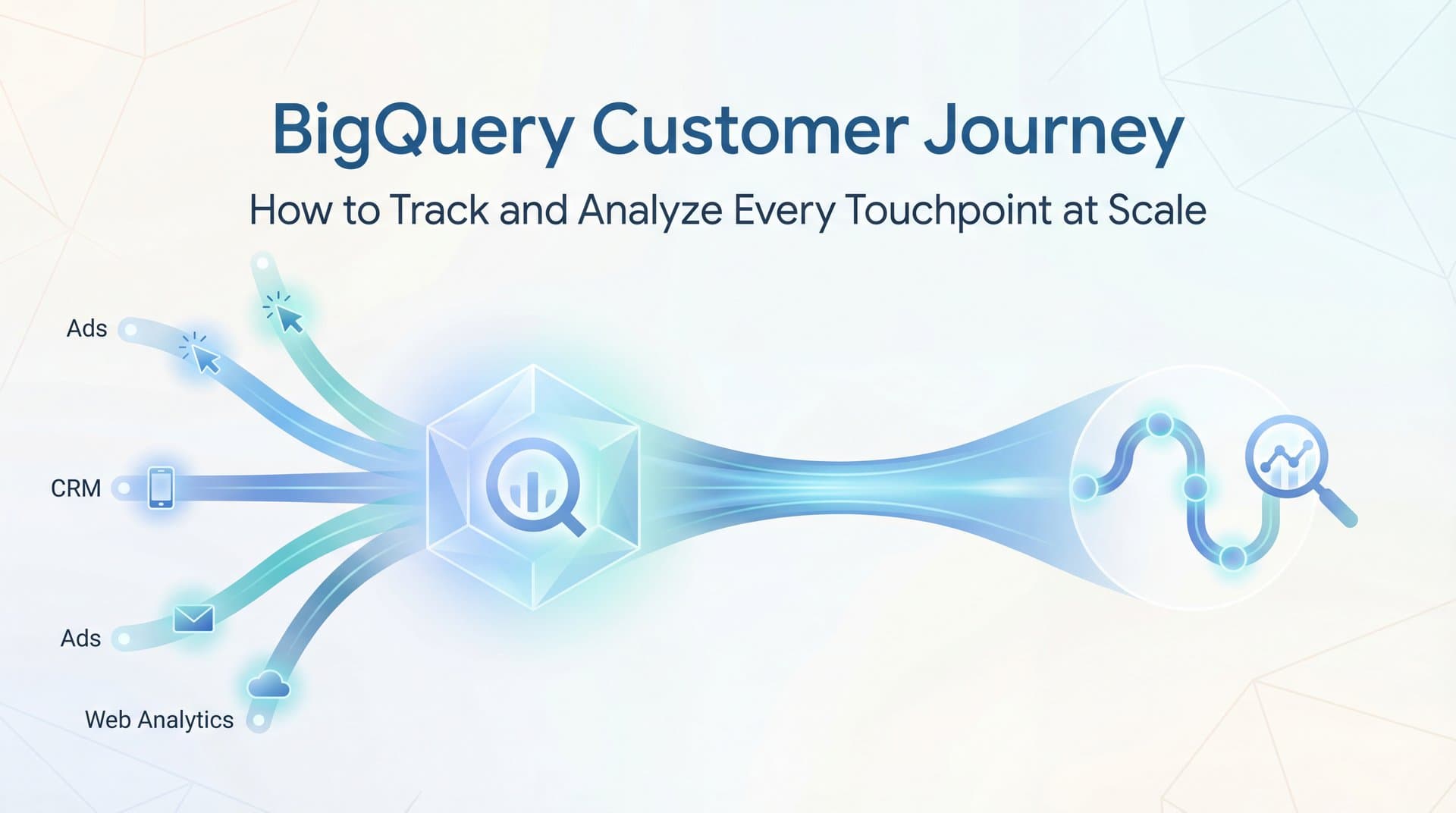
You're running campaigns across Google, Meta, TikTok, and three other platforms. Your CRM is tracking leads. Your website analytics shows conversions. But when you try to piece together what actually drove that $50,000 deal that closed last week, you're staring at fragmented data across seven different dashboards—and none of them agree on which touchpoints mattered.
This is the reality for most marketing teams today. Customer journeys aren't linear anymore. They're sprawling, multi-session odysseys that span weeks, multiple devices, and dozens of interactions. Traditional analytics tools weren't built for this complexity. They sample your data when volumes get high, they can't connect the dots between your ad platforms and CRM, and they force you into pre-built reports that can't answer your specific attribution questions.
Enter BigQuery—Google Cloud's enterprise data warehouse that can store and analyze petabytes of customer interaction data. It's the tool that companies with serious scale use to track every click, view, and conversion without sampling or data limits. But here's the question: does your team actually need BigQuery for customer journey tracking, or is there a faster path to actionable attribution insights?
This guide breaks down exactly how BigQuery enables customer journey analysis at scale, what's required to implement it successfully, and when purpose-built attribution solutions make more sense for marketing teams focused on optimization rather than data engineering.
Why Traditional Analytics Can't Keep Up with Modern Customer Journeys
Google Analytics 4 gives you a dashboard. It shows sessions, conversions, and top channels. For many businesses, that's enough. But when you're spending six or seven figures monthly on paid advertising across multiple platforms, GA4's limitations become painfully obvious.
The sampling problem hits first. When your website generates millions of events monthly, GA4 starts sampling your data to keep reports loading quickly. That means the customer journey analysis you're relying on isn't showing you actual paths—it's showing you statistical estimates based on a subset of your traffic. You're making budget decisions on incomplete information.
Then there's the siloed data reality. Your Facebook ad clicks live in Meta's system. Your Google Ads data sits in Google Ads. Your CRM tracks when leads become customers, but it doesn't know which ads they clicked three weeks ago. Your website analytics sees sessions but can't connect them to the offline events that matter for B2B or high-ticket sales.
Each platform has its own version of the truth, and none of them talk to each other in a meaningful way. You end up with five different "conversion" numbers for the same campaign, and no clear answer about which touchpoints actually contributed to revenue.
The query flexibility problem is subtler but just as frustrating. Pre-built dashboards are designed for common questions: "What's my top traffic source?" or "How many conversions did I get this month?" But they can't answer the questions that actually drive optimization: "What's the typical path for customers who spend over $10,000?" or "How does attribution change when I compare first-touch versus time-decay models?"
You need custom analysis. You need to slice your data in ways the dashboard builders never anticipated. And traditional analytics tools simply weren't designed for that level of flexibility—especially not at scale.
How BigQuery Organizes Customer Journey Data
BigQuery approaches customer data fundamentally differently than traditional analytics platforms. Instead of aggregating your data into pre-calculated metrics, it stores every single event as a raw record that you can query however you want.
Think of it like this: GA4 shows you a summary report that says "5,000 sessions from Google Ads this week." BigQuery stores all 5,000 sessions as individual rows with complete details—timestamps, user IDs, device information, campaign parameters, and every action taken during those sessions. Nothing is summarized until you write a query asking for specific insights.
The data model is event-based. Each row represents a single touchpoint: a page view, an ad click, a form submission, a purchase. Every event includes a user identifier (either a client ID for anonymous visitors or a user ID if you're tracking logged-in customers), a precise timestamp, the source and medium, and any custom parameters you've configured.
This granularity is what makes customer journey analysis possible. You can trace an individual user's complete path from first ad click through multiple sessions to final conversion—something that's impossible when you're working with aggregated reports.
BigQuery uses nested and repeated fields to store complex data efficiently. For example, a single session might include dozens of page views and events. Instead of creating separate rows for each event (which would create massive duplication), BigQuery stores them as nested arrays within a single session record. This structure keeps your data organized and queryable while minimizing storage costs.
The most common implementation connects GA4 directly to BigQuery through native export. Once configured, GA4 automatically sends your raw event data to BigQuery tables daily (or even in real-time for higher-tier accounts). This gives you unsampled access to every interaction your analytics code captures.
But the real power comes from connecting multiple data sources. You can import your ad platform data—cost, impressions, and click data from Google Ads, Meta, and other channels. You can bring in CRM events that show when leads convert to customers and how much revenue they generate. You can add offline conversion data from point-of-sale systems or call tracking platforms.
The challenge is identity resolution—connecting all these customer journey touchpoints to the same customer. BigQuery stores whatever identifiers you send it, but it doesn't automatically match anonymous website visitors to known leads in your CRM. That matching logic requires additional work, either through deterministic matching (when users log in and you can connect their client ID to a user ID) or probabilistic matching (using patterns in behavior, device information, and timing to infer connections).
When implemented correctly, you end up with a unified dataset where every customer touchpoint—from first anonymous ad click through CRM opportunity to closed deal—lives in queryable tables with consistent user identifiers. That's the foundation for meaningful journey analysis.
Writing SQL Queries to Analyze Customer Paths
Having all your customer data in BigQuery is one thing. Extracting meaningful journey insights requires writing SQL queries that can reconstruct paths, identify patterns, and calculate attribution. This is where most marketing teams hit a wall—the analysis they need requires technical skills they don't have in-house.
Start with sessionization. Raw event data shows individual touchpoints, but you need to group them into meaningful sessions to understand behavior. BigQuery's window functions make this possible. You can use timestamp gaps to identify when a new session starts (typically after 30 minutes of inactivity), then assign session numbers to each event using ROW_NUMBER partitioned by user.
Path analysis reveals the sequence of channels customers interact with before converting. The ARRAY_AGG function collects all touchpoints for a user into an ordered array. STRING_AGG concatenates them into a readable path like "Google Ads > Organic Search > Direct > Email > Direct." You can then count how often each path appears, identify the most common sequences, and spot patterns that suggest which channel combinations drive conversions.
To illustrate, imagine you want to see the most common 3-touchpoint paths for customers who converted. Your query would group events by user, filter to only those who converted, order touchpoints by timestamp, limit to the last three channels before conversion, concatenate them into a path string, then count and rank those paths. The result shows you patterns like "Paid Search > Organic > Direct" appearing 1,200 times, suggesting that paid search often initiates journeys that convert through organic and direct traffic.
Attribution calculations assign credit to different touchpoints based on your chosen model. First-touch attribution gives 100% credit to the first interaction—a simple FIRST_VALUE window function. Last-touch gives all credit to the final touchpoint before conversion—LAST_VALUE handles that. Linear attribution divides credit equally across all touchpoints, requiring you to count interactions per user and calculate fractional credit for each.
More sophisticated models like time-decay (giving more credit to recent touchpoints) or position-based (emphasizing first and last touches) require custom logic. You might use CASE statements combined with position calculations to assign different weights based on where a touchpoint falls in the journey.
The key insight is that BigQuery doesn't come with built-in attribution models—you have to code them yourself using SQL. This offers ultimate flexibility but demands technical expertise. You're not clicking through a dashboard to compare attribution models. You're writing queries that implement the mathematical logic behind each model, then visualizing the results.
For teams with SQL skills, this is powerful. You can create custom attribution models that match your specific business logic—maybe giving extra credit to touchpoints that happen during business hours, or weighting channels differently based on customer lifetime value segments. The possibilities are endless, but so is the complexity.
The Challenges That Make BigQuery Customer Journey Tracking Difficult
Even when you have the technical skills to query BigQuery, several practical challenges make customer journey tracking harder than it initially appears. These are the problems that cause many marketing teams to abandon their BigQuery implementation or supplement it with specialized tools.
Identity resolution remains the biggest obstacle. Your website visitor starts as an anonymous client ID. They click an ad, browse your site, and leave. Three days later, they return via organic search on a different device. A week after that, they fill out a form and become a known lead in your CRM. Two weeks later, they convert to a customer.
BigQuery stores all these events, but it doesn't automatically know they're the same person. The client IDs are different across devices. The CRM contact record has an email address but no connection to those earlier anonymous sessions. Unless you've built sophisticated matching logic, your journey analysis will show these as three separate users, not one customer with a multi-touchpoint path.
Deterministic matching works when users log in—you can capture both the client ID and user ID in the same event, creating a bridge between anonymous and known behavior. But most website visitors never log in, especially in the early stages of their journey. Probabilistic matching (using IP addresses, user agents, and behavioral patterns to infer connections) requires complex algorithms and still produces uncertain results.
Data freshness creates operational problems. GA4's BigQuery export runs on a schedule—typically once daily for standard accounts. That means your customer journey data is always at least several hours old, often a full day behind. You can't use it for real-time optimization decisions. By the time you see that a particular ad is driving high-quality multi-touch journeys, you've already spent another day's budget without that insight.
Real-time export exists for GA4 360 accounts, but even then, the data appears in BigQuery with some delay. And real-time querying of large datasets gets expensive quickly, since BigQuery charges based on data scanned. Running frequent queries against massive tables to check for recent patterns can rack up costs without delivering proportional value.
The maintenance overhead surprises teams who think of BigQuery as a "set it and forget it" solution. Schema changes happen when you update your GA4 configuration or add new events. Your existing queries break, and someone needs to update them. Query performance degrades as your tables grow, requiring optimization—partitioning by date, clustering by user ID, and rewriting inefficient joins.
Cost management becomes a job in itself. Poorly written queries can scan terabytes of data unnecessarily, generating unexpected bills. You need to monitor query costs, set up alerts, and educate anyone with access about efficient query patterns. For marketing teams without dedicated data engineering support, this operational burden often outweighs the analytical benefits.
Deciding If BigQuery Is Right for Your Customer Journey Tracking
BigQuery isn't the wrong tool—it's a powerful platform that many enterprises rely on for customer analytics. The question is whether it's the right tool for your team's specific needs, capabilities, and goals.
BigQuery makes sense when you have data engineering resources in-house. If your company employs people whose job is writing SQL, optimizing queries, and maintaining data pipelines, BigQuery becomes a natural fit. They can build the sessionization logic, implement attribution models, solve identity resolution challenges, and keep everything running smoothly as your data volume grows.
It's ideal for custom reporting needs that pre-built tools can't satisfy. Maybe you're a marketplace that needs to track both buyer and seller journeys simultaneously. Maybe you're analyzing journeys across online and offline channels with complex business rules about how credit should be assigned. Maybe you need to integrate customer journey data with product usage data to understand which acquisition paths lead to the highest retention.
Companies already invested in Google Cloud Platform infrastructure find BigQuery easier to adopt. Your data engineering team already knows the ecosystem, you've solved authentication and access control, and you can leverage other GCP services for data transformation and visualization. The marginal cost of adding customer journey analysis is lower than starting from scratch.
But consider alternatives when real-time attribution matters for your optimization workflow. If you're spending heavily on paid ads and need to shift budget between campaigns daily based on which channels are driving quality conversions, BigQuery's data lag creates a fundamental problem. You're always looking at yesterday's patterns while trying to make today's decisions.
For a deeper dive into this space, see our AI paid ads agent guide.
Teams without SQL expertise face a steep learning curve. Your marketing team knows campaigns, audiences, and creative strategy. They don't know window functions, nested field syntax, or query optimization. Either they learn (which takes months away from their core work), or you hire data analysts (which adds headcount costs), or you end up dependent on other teams who have competing priorities.
Out-of-box ad platform integrations matter more than you might think. BigQuery can store your conversion data, but getting that data back into Meta's algorithm or Google's Smart Bidding requires additional engineering. Purpose-built attribution platforms handle this conversion sync automatically, feeding better data to ad platform AI without custom API work.
Hybrid approaches offer a middle ground. Some companies use BigQuery for deep historical analysis and custom reporting while relying on specialized customer journey analytics tools for day-to-day optimization. BigQuery becomes the data warehouse for strategic insights—understanding long-term journey patterns, calculating customer lifetime value by acquisition channel, and building executive dashboards. Meanwhile, the attribution platform handles real-time tracking, model comparison, and conversion sync to ad platforms.
This combination leverages BigQuery's analytical power without making it your operational system. You get the best of both worlds—comprehensive data storage with immediate actionability.
Turning Customer Journey Insights Into Marketing Performance
Understanding customer journeys is valuable, but it's not the end goal. The real objective is using that understanding to improve marketing performance—spending smarter, scaling what works, and maximizing return on ad spend.
This is where the gap between analysis and action becomes critical. You can spend weeks building BigQuery queries that reveal fascinating patterns: customers who interact with three or more touchpoints convert at twice the rate, paid search initiates journeys but organic search closes them, email touchpoints in the middle of the journey correlate with higher order values.
Now what? Those insights don't automatically change your campaigns. Someone needs to translate them into optimization decisions. Should you increase paid search budget knowing it starts valuable journeys even if it doesn't get last-click credit? Should you build retargeting audiences based on multi-touch engagement patterns? Should you adjust your attribution model in ad platforms to give credit differently?
The execution gap is where many BigQuery implementations stall. The data team delivers insights. The marketing team nods appreciatively. But the operational changes required to act on those insights—campaign restructuring, budget reallocation, new audience strategies—either don't happen or happen too slowly to matter.
Feeding insights back to ad platforms creates another layer of complexity. Meta's algorithm and Google's Smart Bidding learn from conversion data. If you're only sending them last-click conversions, you're teaching them to optimize for bottom-of-funnel touchpoints while ignoring the upper-funnel interactions that make those conversions possible.
Ideally, you'd send enriched conversion data that reflects your attribution model—assigning partial credit to earlier touchpoints so ad platforms understand their full contribution. But implementing this requires API integrations, conversion value calculations based on your BigQuery analysis, and ongoing maintenance to keep everything synchronized.
For most marketing teams, this is where the technical investment becomes impractical. You wanted better attribution to make smarter campaign decisions. You ended up with a data engineering project that requires ongoing resources just to maintain, let alone to turn insights into action quickly enough to impact performance.
The alternative approach prioritizes actionability from the start. Purpose-built customer journey tracking software captures the same comprehensive journey data—every ad click, website session, and conversion—but structures it for immediate use. Attribution models are built-in and comparable with a few clicks. Conversion data flows back to ad platforms automatically, improving their optimization without custom API work.
Your marketing team gets the insights they need to make decisions—which channels drive quality conversions, how journeys differ by customer segment, where budget should shift—without becoming dependent on data engineering resources. The focus stays on marketing performance rather than database administration.
As you evaluate your approach, consider what success looks like for your team. Is it building a comprehensive data warehouse that can answer any analytical question with enough SQL expertise? Or is it having clear, real-time visibility into what's driving conversions so you can optimize campaigns confidently every day?
Making Customer Journey Tracking Work for Your Business
BigQuery offers undeniable power for customer journey analysis at scale. When you have the technical resources, the analytical needs, and the engineering culture to support it, it becomes a valuable tool for understanding how customers move through your marketing ecosystem.
But power without actionability is just complexity. The most sophisticated journey analysis means nothing if it doesn't translate into better marketing decisions, optimized campaigns, and improved return on ad spend. For most marketing teams, the goal isn't to become data engineers—it's to understand what's working so they can do more of it.
This is where purpose-built solutions like Cometly change the equation. Instead of requiring SQL expertise to reconstruct customer journeys, Cometly captures every customer touchpoint automatically—from ad clicks across all your platforms through website sessions to CRM conversions. The comprehensive journey data that takes weeks to build in BigQuery works out of the box.
Attribution models aren't custom SQL queries you need to write and maintain. They're built-in comparisons you can toggle between to see how first-touch, last-touch, linear, and time-decay models assign credit differently. You get the analytical flexibility without the technical overhead.
Most importantly, Cometly feeds enriched conversion data back to your ad platforms automatically through Conversion Sync. Meta's algorithm and Google's Smart Bidding learn from your complete attribution picture, not just last-click conversions. Your ad platforms optimize better because they're working with better data—no custom API integration required.
The AI-powered recommendations go further, analyzing your journey data to identify high-performing ads and campaigns across every channel, then suggesting specific optimizations based on what's actually driving revenue. You get actionable insights, not just analytical capabilities.
For marketing teams focused on performance rather than data engineering, this approach delivers what BigQuery promises—comprehensive customer journey tracking at scale—without the technical investment required to make it work. You capture every touchpoint, understand what's driving conversions, and use those insights to optimize campaigns in real-time.
Ready to elevate your marketing game with precision and confidence? Discover how Cometly's AI-driven recommendations can transform your ad strategy—Get your free demo today and start capturing every touchpoint to maximize your conversions.



