
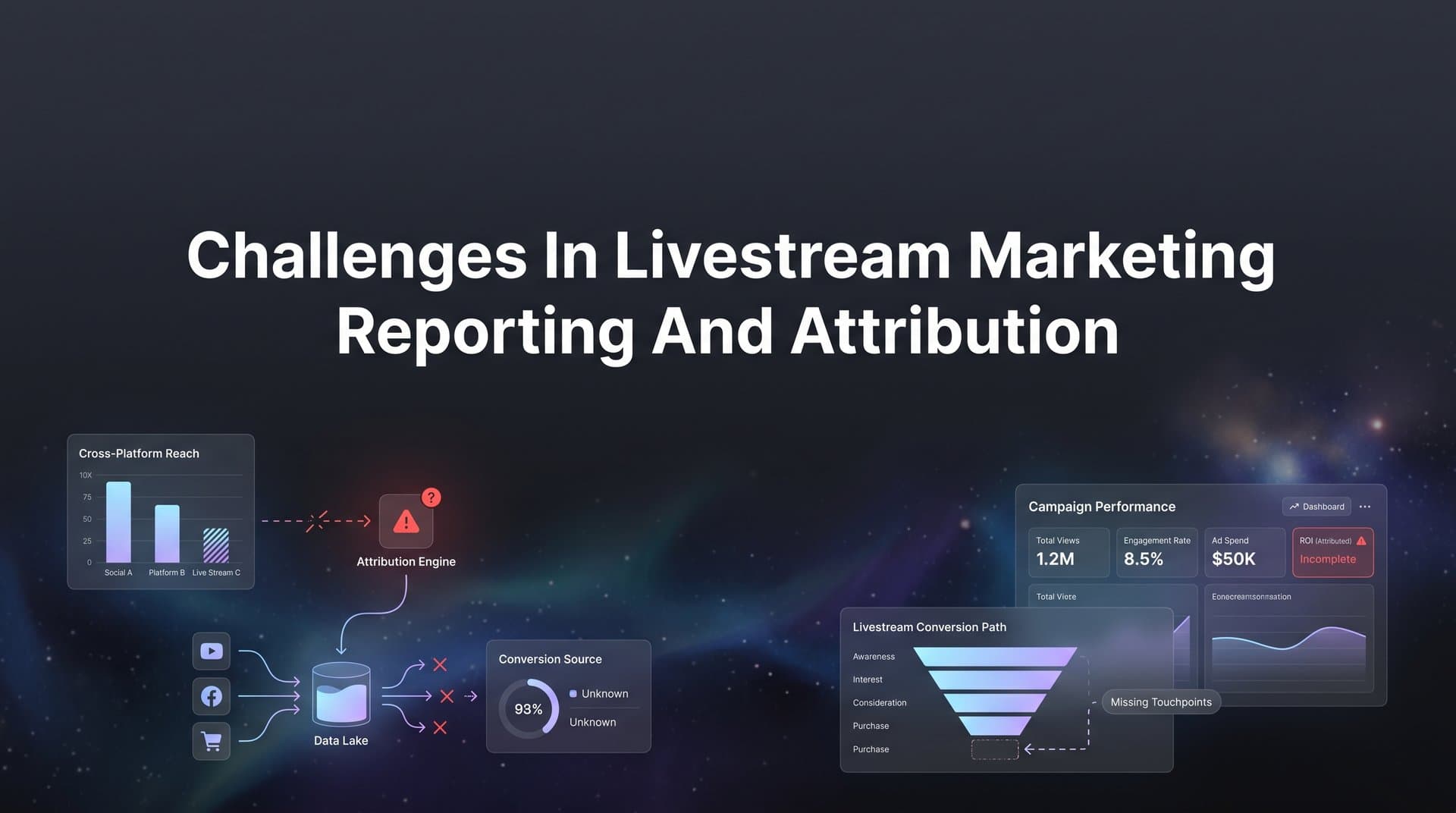
Livestream marketing has become one of the most engaging formats available to modern brands. Whether you are hosting a product launch on TikTok Shop, running a Q&A on YouTube Live, or driving B2B pipeline through LinkedIn Live, the format creates real-time connection that static ads simply cannot replicate. Audiences engage, ask questions, and make purchase decisions in the moment.
But here is the problem: the reporting side of livestream marketing is a mess for most teams.
Unlike a standard paid ad click that follows a clean path from impression to landing page to conversion, livestream interactions are inherently nonlinear. Viewers drop in and out across multiple sessions, engage on one device and convert on another, and often complete a purchase hours or even days after the stream ends. Traditional tracking pixels and last-click attribution models were never designed for this kind of behavior.
The result is predictable. Marketers struggle to prove ROI, budget decisions get made on incomplete data, and high-performing livestream efforts get undervalued simply because the attribution system cannot see what actually happened.
The good news is that these challenges are solvable. The solution is not one magic fix but a connected system of data infrastructure, attribution models, and analytics tools working together. This article walks you through seven proven strategies to overcome the most common challenges in livestream marketing reporting and attribution, so you can connect every viewer interaction to real business outcomes and scale what works with confidence.
1. Unify Your Data Sources With Server-Side Tracking
The Challenge It Solves
Browser-based tracking pixels are increasingly unreliable. Ad blockers prevent pixel fires, iOS App Tracking Transparency limits cross-app data collection, and ongoing cookie deprecation timelines continue to erode signal quality. For a channel like livestreaming, where viewer journeys span multiple sessions and devices, these gaps compound quickly. You end up with incomplete data that makes attribution nearly impossible to trust.
The Strategy Explained
Server-side tracking moves the data collection logic off the browser and onto your own server infrastructure. Instead of relying on a JavaScript pixel that a browser can block or a privacy setting can restrict, events are captured server-to-server before they ever reach the viewer's device. This approach significantly reduces signal loss and gives you a more complete picture of how livestream viewers are engaging and converting across the full customer journey.
For livestream campaigns specifically, server-side tracking means you can capture events like stream joins, CTA clicks, product page visits, and purchases with far greater accuracy, even when users switch devices between watching and buying. Understanding attribution in digital marketing is essential to appreciating why this data capture matters so much.
Implementation Steps
1. Audit your current pixel setup to identify where signal loss is occurring, particularly for post-stream conversion events.
2. Implement a server-side event tracking solution that captures key livestream engagement events and passes them to your analytics stack without relying on browser-side JavaScript.
3. Validate your server-side data against platform-reported metrics to confirm you are capturing the events that matter before running your next livestream campaign.
Pro Tips
Prioritize capturing the events with the highest business value first: purchases, lead form submissions, and add-to-cart actions. Once those are firing reliably server-side, layer in engagement events like stream watch time and CTA interactions. Tools like Cometly's server-side tracking are built specifically to address this kind of signal loss across ad platforms and CRM systems.
2. Move Beyond Last-Click to Multi-Touch Attribution Models
The Challenge It Solves
Last-click attribution is particularly brutal for livestream marketing. When a viewer watches a 45-minute stream, discovers a product, thinks about it overnight, and then clicks a retargeting ad the next morning before purchasing, the livestream gets zero credit. The retargeting ad takes everything. This systematically undervalues livestream as a channel and leads teams to cut budgets that are actually generating significant top-of-funnel and mid-funnel impact.
The Strategy Explained
Multi-touch attribution distributes credit across all the touchpoints that contributed to a conversion, not just the last one. For livestream campaigns, this means the stream itself, any follow-up email or SMS, the retargeting ad, and the final purchase click can all receive proportional credit based on the attribution model you choose. To fully grasp these differences, it helps to understand single source versus multi-touch attribution models and how they distribute credit differently.
The key insight is that livestreaming typically functions as a discovery and trust-building touchpoint rather than a direct conversion driver. Multi-touch attribution respects that reality instead of erasing it.
Implementation Steps
1. Map out the typical customer journey for your livestream audience, identifying the common touchpoints between first stream exposure and final conversion.
2. Choose a multi-touch attribution model that reflects your sales cycle. Time-decay models often work well for livestream since engagement intensity matters more near the conversion event.
3. Compare attribution results across models using a platform that supports multi-touch attribution analysis so you can see how credit shifts when you account for the full journey.
Pro Tips
Run a side-by-side comparison of last-click versus multi-touch results for your last three livestream campaigns. The difference in how credit is distributed will often make a compelling internal case for updating your reporting methodology and protecting livestream budget allocations.
3. Create Unique Tracking Parameters for Every Livestream Event
The Challenge It Solves
Without a consistent tagging framework, livestream campaign data ends up scattered across your analytics tools with no reliable way to filter, segment, or compare performance. Traffic from a pre-stream promotional email looks the same as traffic from an in-stream CTA, making it impossible to understand which promotional elements are actually driving results.
The Strategy Explained
A disciplined UTM and event-tagging framework transforms your livestream campaigns from a black box into a traceable system. Every promotional touchpoint tied to a livestream event should carry unique parameters that identify the campaign, the specific stream, the traffic source, the CTA type, and the host if you are working with multiple presenters or influencers.
This level of granularity lets you answer questions that most teams cannot currently answer: Which pre-stream promotion drove the most qualified viewers? Which in-stream CTA converted at the highest rate? Exploring what types of questions marketing attribution can answer helps frame why this tracking discipline matters so much for livestream campaigns.
Implementation Steps
1. Build a standardized UTM naming convention specifically for livestream campaigns that includes fields for event name, stream date, traffic source, and CTA placement.
2. Create a shared tracking parameter library or spreadsheet that your team uses to generate consistent UTMs for every livestream touchpoint before the event goes live.
3. Set up custom event tags within your analytics platform to track in-stream actions like link clicks, product taps, and replay views separately from pre-stream and post-stream traffic.
Pro Tips
Treat each livestream as its own mini-campaign with its own tracking namespace. Mixing UTMs across events makes historical comparison nearly impossible. A small investment in naming convention discipline upfront saves hours of data cleanup later and gives you a clean dataset to learn from over time.
4. Sync Enriched Conversion Data Back to Ad Platforms
The Challenge It Solves
Ad platform algorithms on Meta, Google, and TikTok are only as smart as the conversion data you feed them. When signal loss from browser-based tracking means those platforms are seeing a fraction of your actual conversions, their targeting and bidding algorithms optimize toward the wrong audiences. For livestream campaigns, where the path from viewer to buyer is longer and less direct, this problem is especially damaging.
The Strategy Explained
Conversion syncing, sometimes called offline conversion tracking or conversion API integration, involves sending enriched conversion event data from your server or CRM back to ad platforms after the fact. This fills in the gaps left by pixel signal loss and gives platform algorithms a more complete picture of which audiences are actually converting after engaging with your livestream content. Tracking revenue attribution by marketing channel becomes far more accurate when this enriched data flows back to each platform.
The practical impact is that your Meta or Google campaigns start reaching more people who look like your actual buyers rather than optimizing toward people who just clicked but never purchased. Over time, this compounds into meaningfully better targeting efficiency for your livestream promotions.
Implementation Steps
1. Identify the key conversion events from your livestream campaigns that are currently underreported in your ad platforms due to pixel signal loss.
2. Set up server-side conversion syncing to pass those events back to Meta Conversions API, Google Enhanced Conversions, or TikTok Events API with as much enrichment data as possible.
3. Monitor your event match quality scores within each ad platform to confirm the data is being received and matched accurately to real users.
Pro Tips
Include as many customer data fields as your privacy policy allows when syncing conversions back to platforms. Email addresses, phone numbers, and location data significantly improve match rates, which in turn improves how well the platform can use that conversion signal to optimize future livestream ad targeting. Cometly's Conversion Sync is designed specifically to handle this kind of enriched event passing across ad platforms.
5. Track the Full Post-Stream Conversion Window
The Challenge It Solves
One of the most common attribution mistakes in livestream marketing is measuring conversions only during or immediately after the live event. The reality is that a significant portion of livestream-driven revenue often comes from viewers who watched, considered, and then converted days later. If your attribution window closes too early, you are systematically undercounting the revenue your livestream efforts generate.
The Strategy Explained
Extending your attribution window means deliberately tracking conversions for a defined period after the stream ends, typically anywhere from three to fourteen days depending on your product category and typical sales cycle. This requires tagging viewers who engaged with the stream so you can match subsequent purchase events back to that original livestream touchpoint even when significant time has passed. Understanding attribution modeling in marketing helps you select the right window and weighting approach for your specific use case.
Post-stream replay views deserve attention here too. Many platforms allow viewers to watch a recorded version of the stream after it ends, and those replay viewers often convert at rates comparable to live viewers. If you are not tracking replay engagement separately, you are missing a meaningful segment of your audience.
Implementation Steps
1. Define a post-stream attribution window that reflects your typical sales cycle. Review historical data from similar campaigns to estimate how long conversion activity typically continues after a live event.
2. Implement audience segmentation that tags users who engaged with your livestream, allowing you to track their subsequent conversion behavior across your website and CRM for the full attribution window.
3. Create separate tracking parameters for replay traffic so you can measure post-stream replay engagement and conversions as a distinct segment within your attribution reporting.
Pro Tips
When presenting livestream ROI to stakeholders, always specify the attribution window you used. A 24-hour window and a 7-day window can produce dramatically different revenue numbers for the same event. Being transparent about your methodology builds credibility and ensures your reporting reflects the true impact of your livestream investments.
6. Build a Centralized Livestream Performance Dashboard
The Challenge It Solves
Livestream campaigns generate data from multiple disconnected sources: your streaming platform, your ad accounts, your email tool, your CRM, and your website analytics. When that data lives in separate silos, reporting becomes a manual, time-consuming process that is prone to errors and always slightly out of date. Marketing teams end up making decisions based on incomplete snapshots rather than a unified view of performance.
The Strategy Explained
A centralized livestream performance dashboard pulls all of your relevant data sources into a single view, giving you real-time visibility into the metrics that matter most: viewer counts, engagement rates, ad spend, attributed conversions, revenue, and cost per acquisition. Implementing real-time marketing attribution reporting ensures your team always has access to the freshest data rather than stale snapshots assembled manually.
The goal is not just convenience. It is speed. When you can see performance data in real time during and after a stream, you can make faster decisions about budget adjustments, follow-up promotions, and content strategy for future events.
Implementation Steps
1. Identify all the data sources that contribute to your livestream campaign reporting and map out which metrics from each source are essential for decision-making.
2. Connect those sources to a centralized analytics platform that supports cross-channel attribution and can display ad spend, engagement, and revenue data in a unified interface.
3. Build dashboard views tailored to different stakeholders: a high-level revenue summary for leadership, a detailed channel breakdown for your media buying team, and an engagement-focused view for your content team.
Pro Tips
Set up automated alerts within your dashboard for key performance thresholds, such as cost per acquisition exceeding a target or conversion rate dropping below a benchmark. This turns your dashboard from a passive reporting tool into an active decision-support system that flags issues before they become expensive problems. Cometly's analytics dashboard is built to consolidate exactly this kind of cross-platform data into one actionable view.
7. Use AI-Powered Recommendations to Optimize Future Events
The Challenge It Solves
Even when marketers have access to good data, turning that data into actionable optimization decisions is time-consuming and often inconsistent. Manually reviewing performance across audience segments, ad creatives, hosts, time slots, and promotional channels to find patterns requires significant analytical bandwidth that most teams simply do not have between events.
The Strategy Explained
AI-powered analytics tools can process large volumes of livestream performance data and surface patterns that would take a human analyst hours or days to identify manually. This includes identifying which audience segments convert most reliably after watching a stream, which ad creatives drive the highest quality viewership, which time slots produce the best engagement-to-conversion ratios, and where budget is being wasted on low-performing placements. The broader impact of data science and marketing analytics is transforming how teams approach this kind of optimization at scale.
The value of AI recommendations is not just speed. It is the ability to spot nonobvious correlations across variables that a manual analysis might miss entirely. When you are running multiple livestream events per month across several platforms, this kind of pattern recognition becomes a genuine competitive advantage.
Implementation Steps
1. Ensure your attribution data is clean, consistent, and flowing into your analytics platform reliably before relying on AI recommendations. AI is only as useful as the data it analyzes.
2. Use AI-powered tools to run post-event analysis after each livestream, identifying the top-performing audience segments, creatives, and promotional channels for that specific event.
3. Feed those recommendations back into your planning process for the next event, treating each livestream as a learning opportunity that continuously improves your targeting, content, and budget allocation.
Pro Tips
Use AI chat functionality to ask natural language questions about your livestream data, such as "Which audience segment had the highest post-stream conversion rate last month?" or "Which ad creative drove the most qualified viewers to our last three events?" This makes your data accessible to team members who are not data analysts and speeds up the insight-to-action cycle significantly. Cometly's AI Chat and AI Ads Manager are designed to surface exactly these kinds of actionable insights across your campaigns.
Putting It All Together: Your Livestream Attribution Action Plan
Solving the challenges in livestream marketing reporting and attribution is not about finding one silver bullet. It is about building a connected system where every touchpoint is captured, every conversion is tracked, and every insight feeds back into smarter decisions for the next event.
If you are starting from scratch, here is how to prioritize your implementation:
Start with data infrastructure. Server-side tracking and a consistent UTM framework are your foundation. Without reliable data capture, every other strategy is built on sand. Get these right before anything else.
Layer on attribution intelligence. Once your data is flowing cleanly, implement multi-touch attribution and extend your conversion windows to get an accurate picture of how your livestreams actually influence revenue across the full customer journey.
Close the loop with ad platforms. Sync your enriched conversion data back to Meta, Google, and other platforms so their algorithms can work with complete information. This improves targeting efficiency for every future livestream promotion you run.
Build for visibility and speed. A centralized dashboard eliminates the manual reporting burden and gives your team the real-time visibility they need to make fast, confident decisions during and after each event.
Optimize continuously with AI. Once your system is running, use AI-powered recommendations to surface patterns, identify opportunities, and compound your learnings across every livestream you run.
The marketers who will win at livestream in the coming years are not necessarily the ones with the biggest budgets or the most charismatic hosts. They are the ones who can clearly see what is working, prove it to stakeholders, and reinvest with precision.
Platforms like Cometly are purpose-built to solve these exact challenges. By connecting your ad platforms, CRM, and website to track the entire customer journey in real time, Cometly gives you the clarity you need to prove livestream ROI and scale your best-performing events with confidence.
Ready to elevate your marketing game with precision and confidence? Discover how Cometly's AI-driven recommendations can transform your ad strategy. Get your free demo today and start capturing every touchpoint to maximize your conversions.




