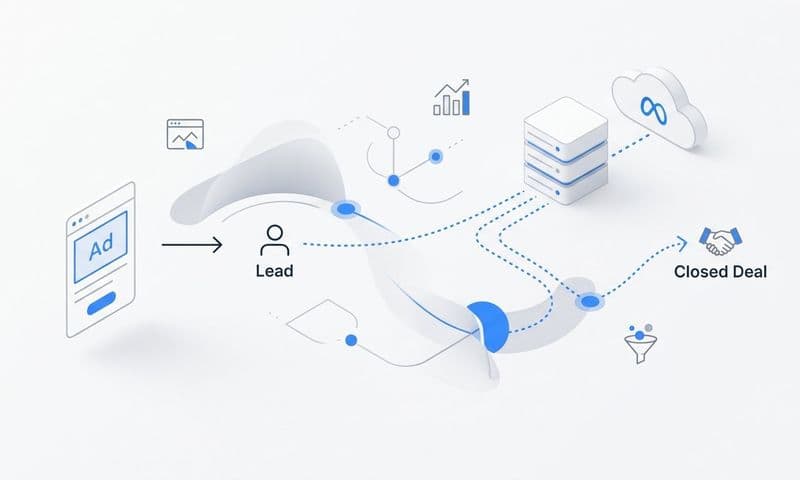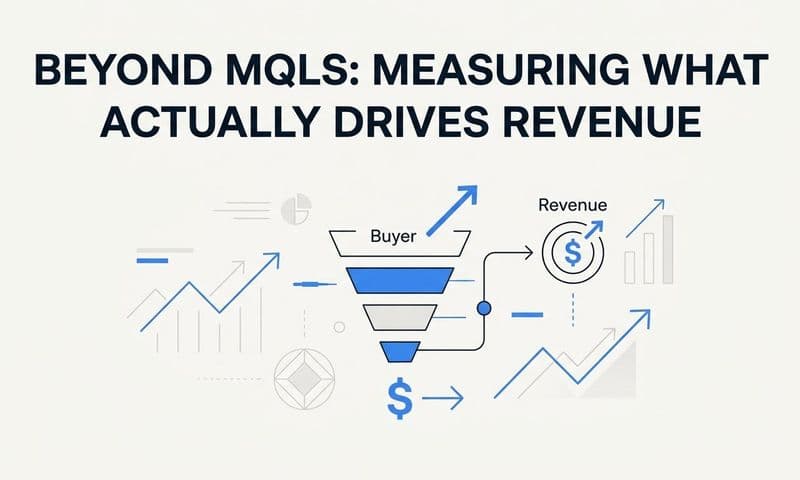
Most marketing teams run campaigns across multiple platforms but struggle to answer a simple question: which ads actually drive revenue? The disconnect between your attribution data and CRM creates a blind spot where leads enter your pipeline but you lose visibility into what brought them there.
When your attribution platform talks to your CRM, everything changes. You can trace a closed deal back to the exact ad, campaign, and channel that started the conversation. You can calculate true return on ad spend instead of guessing. You can feed better conversion data back to ad platforms so their algorithms optimize for what actually matters.
This guide walks you through connecting attribution to your CRM, from preparing your data to validating that everything flows correctly. Whether you use Salesforce, HubSpot, or another CRM, these steps will help you build a complete picture of your customer journey from first click to closed revenue.
Step 1: Audit Your Current Data Flow and Identify Gaps
Before connecting anything, you need to understand what's already happening with your data. Think of this like checking for leaks before installing new plumbing. You're looking for places where attribution information gets lost between the ad click and when a lead lands in your CRM.
Start by mapping the complete customer journey. When someone clicks your ad, what happens next? Do they land on a page tracked by your analytics? Does that page capture UTM parameters from the URL? When they fill out a form, does that form pass along the source information?
Most teams discover gaps at transition points. A lead clicks a Facebook ad, lands on your website, browses three pages, then fills out a contact form two days later. If your form doesn't capture and store the original UTM parameters, your CRM will only see "website form" as the source. The Facebook ad that started everything disappears from the record.
Document which fields your CRM currently populates for new leads. Look at recent entries and check what source information actually made it through. You'll typically find fields like lead source, campaign name, or referral URL, but the level of detail varies wildly.
Check whether your setup captures click IDs consistently. Platforms like Meta and Google append unique identifiers to ad clicks (fbclid, gclid). These IDs allow attribution platforms to match conversions back to specific ads with precision. If your website strips these parameters or your forms don't preserve them, you're losing critical tracking capability.
Pay special attention to different conversion paths. Someone might convert directly after clicking an ad, or they might click an ad, visit your site three times from organic search, then finally convert. Your current setup might only capture the last touchpoint, giving all credit to organic search when the ad actually started the relationship. Understanding how to fix attribution data gaps becomes essential for accurate reporting.
Create a spreadsheet listing every ad platform you use, every conversion point on your website, and every field in your CRM that relates to lead source. Mark which connections currently work and which don't. This becomes your roadmap for the integration.
The audit often reveals that you're already collecting some attribution data, but it's scattered across different tools that don't talk to each other. Your analytics platform sees the full journey, your CRM sees where leads came from, but neither system has the complete picture. That's exactly what you're about to fix.
Step 2: Configure Your Attribution Platform for CRM Integration
Now you're ready to set up the attribution side of the connection. Your attribution platform needs to capture comprehensive data and prepare it for delivery to your CRM.
Server-side tracking should be your foundation. Client-side tracking (JavaScript running in browsers) has become increasingly unreliable as browsers block cookies and users enable privacy features. Server-side tracking captures conversion data on your server before browser restrictions can interfere, ensuring you don't lose visibility into the customer journey.
Configure your attribution platform to track the conversion events that matter for your business. This typically includes form submissions, demo requests, trial signups, and purchases. But you might also want to track content downloads, webinar registrations, or other micro-conversions that indicate buying intent.
The key is defining which events should sync attribution to CRM. Not every website interaction needs to create a CRM record. Someone downloading a blog post might not warrant a lead entry, while someone requesting a demo absolutely should. Set clear thresholds so your CRM doesn't get flooded with low-intent contacts.
Field mapping is where the technical work happens. Your attribution platform captures data points like campaign name, ad set, ad creative, keyword, placement, and device. Your CRM has fields for lead source, campaign, and maybe a few custom fields. You need to map what goes where.
Most attribution platforms offer native integrations with popular CRMs like Salesforce, HubSpot, and Pipedrive. These connectors handle much of the technical complexity, but you still need to configure the mapping. Decide whether campaign name from your attribution tool should populate the campaign field in your CRM, or if you need to create a custom field specifically for attribution campaign data.
Consider how you'll handle multi-touch attribution data. If someone interacts with three different ads before converting, do you want all three touchpoints in your CRM? Some platforms let you send first touch, last touch, and all touches in between to separate fields. This gives your sales team context about the full journey while keeping your reporting clean.
Enable conversion sync if your attribution platform offers it. This feature sends conversion events back to ad platforms like Meta and Google, feeding their algorithms better data about what happens after the click. We'll configure this more thoroughly in Step 6, but enabling it now ensures the pipeline is ready.
Set up any data enrichment features your attribution platform provides. This might include appending device type, geographic location, or time of day to conversion records. The more context you capture now, the more insights you can extract later when analyzing what drives revenue.
Authentication typically requires API keys or OAuth connections. Your attribution platform will provide instructions for generating credentials from your CRM. Follow these carefully, as incorrect permissions can cause the integration to fail silently, making you think everything works when data isn't actually flowing.
Step 3: Prepare Your CRM to Receive Attribution Data
Your CRM needs the right structure to receive and utilize attribution data effectively. This means creating custom fields, setting up automation, and ensuring your database can handle the complexity of multi-touch attribution.
Start by creating custom fields for the attribution data you want to capture. At minimum, you'll want fields for first touch source, first touch campaign, last touch source, and last touch campaign. This gives you visibility into both what started the relationship and what finally converted them.
Many teams also create fields for middle touches, especially in longer sales cycles where prospects interact with multiple campaigns before converting. You might add fields like "all touchpoints" (a text field listing every interaction) or separate fields for second touch, third touch, and so on. Choosing the right attribution software with CRM integration simplifies this process significantly.
Consider adding fields for attribution metadata that helps with analysis. Ad ID, ad set ID, and campaign ID fields let you drill into performance at a granular level. UTM parameters (source, medium, campaign, term, content) should have their own fields if you want to preserve the full tracking taxonomy.
Set up automation rules that fire when new leads arrive. If your attribution platform sends a lead with a campaign name, you might want a workflow that automatically tags that lead with the appropriate campaign in your CRM's native campaign system. This keeps your existing reporting intact while adding the new attribution layer.
Lead scoring becomes more sophisticated when you incorporate attribution signals. Someone who clicked a high-intent search ad might score higher than someone who saw a general awareness display ad. Configure your scoring model to recognize different source quality levels based on historical conversion data. Effective lead generation attribution tracking makes this scoring far more accurate.
Ensure your CRM can handle updates to existing records, not just new lead creation. If someone converts as a lead, then later becomes an opportunity, you want attribution data to follow them through that progression. Some integrations only populate fields on initial creation, which means you lose context as records move through your pipeline.
Create views and filters that leverage your new attribution fields. Build a saved search showing all leads from paid search in the last 30 days, or all opportunities that originated from Facebook ads. These views help your team quickly segment and analyze performance by source.
Think about data retention and cleanup. Attribution data can accumulate quickly, especially if you're capturing every touchpoint. Decide how long you need to retain granular click-level data versus aggregated reporting. Most teams keep detailed data for 90 days and summarized data indefinitely.
Set permissions appropriately. Your sales team needs to see lead source information, but they probably don't need to edit attribution fields. Lock down these fields to prevent accidental changes that would corrupt your data integrity.
Step 4: Establish the Data Connection and Test the Sync
With both platforms configured, you're ready to establish the actual connection and verify that data flows correctly. This step requires methodical testing to catch issues before they affect your live data.
Authenticate the integration by following your attribution platform's connection wizard. This typically involves logging into your CRM through an OAuth flow that grants specific permissions. Pay attention to the permissions requested. The integration needs read/write access to leads and contacts at minimum, and possibly opportunities or deals depending on your setup.
Once authenticated, run a test conversion. The best way to do this is to click one of your own ads, complete a conversion action on your website, and watch what happens. Check your attribution platform first to confirm it captured the conversion with all the expected data points.
Then check your CRM. A new lead should appear within minutes (though some integrations have slight delays). Verify that all the attribution fields populated correctly. Does the campaign name match what you saw in the attribution platform? Did the ad ID come through? Are UTM parameters preserved?
Test conversions from multiple ad platforms. Run a test through Meta, then Google, then LinkedIn if you advertise there. Each platform structures its data slightly differently, and you want to confirm your integration handles all of them. A setup that works perfectly for Google Ads might fail to capture Meta campaign IDs correctly.
Check for common failure points. Missing UTM parameters often indicate that your tracking links aren't properly tagged. Delayed syncs might mean your attribution platform is batching data instead of sending it in real time. Fields that populate with "unknown" or "null" suggest a mapping mismatch between platforms. Learning how to fix attribution data discrepancies helps you troubleshoot these issues quickly.
Test the full customer journey, not just direct conversions. Click an ad but don't convert immediately. Return to your site organically the next day and convert then. Your attribution platform should recognize this as a multi-touch journey and populate both first touch and last touch fields in your CRM accordingly.
Verify that existing leads don't get duplicated. If someone already exists in your CRM and converts again, the integration should update their record rather than creating a duplicate. Test this by using an email address already in your system for a test conversion.
Monitor your CRM's API usage. Most CRMs have rate limits on API calls, and a poorly configured integration can hit those limits quickly. Check your attribution platform's sync frequency settings and adjust if needed to stay within your CRM's API allowance.
Document any issues you encounter and how you resolved them. This becomes your troubleshooting guide when something breaks in the future. Common issues include timezone mismatches (conversions appear with the wrong date), character encoding problems (campaign names with special characters get corrupted), and field length limits (long UTM strings get truncated).
Step 5: Build Reports That Connect Ad Spend to Revenue
Now that attribution data flows into your CRM, you can build reports that finally connect marketing spend to actual revenue. This is where the investment in integration pays off with actionable insights.
Start with a basic channel performance report. Group your CRM opportunities by first touch source and sum their values. This shows you which channels are generating pipeline. Compare this to your ad spend by channel to calculate cost per opportunity and return on ad spend at the channel level.
Create a campaign-level report that goes deeper. Instead of just "paid search," you want to see performance by individual campaigns. Which search campaigns drive the highest-value deals? Which Facebook campaigns generate leads that never close? This granularity lets you optimize at the campaign level rather than making broad channel decisions. Using marketing attribution platforms for revenue tracking makes this analysis straightforward.
Build a closed-loop reporting dashboard that tracks the full funnel. Show leads generated by source, opportunities created by source, and revenue closed by source. Add your ad spend data and calculate metrics like cost per lead, cost per opportunity, and cost per customer acquisition for each source.
Compare attribution models to understand how credit assignment affects your analysis. First touch attribution gives all credit to the initial interaction, last touch gives it all to the final touchpoint, and multi-touch models distribute credit across the journey. Most CRMs let you create different report views showing each model's perspective. Understanding multi-touch attribution models for data helps you choose the right approach for your business.
The differences between models reveal important insights. If first touch and last touch attribution tell wildly different stories, you're dealing with a long, complex buyer journey. Awareness campaigns might dominate first touch while direct and branded search dominate last touch. Both matter, but for different reasons.
Create cohort reports that track how leads from different sources progress through your pipeline. Do paid social leads close faster than organic leads? Do they close at higher or lower rates? Understanding these patterns helps you set realistic expectations and optimize for quality, not just quantity.
Set up automated reports that deliver insights to stakeholders regularly. Your CFO wants to see monthly revenue by source. Your paid search manager wants weekly campaign performance. Build these reports once and schedule them to run automatically.
Use these insights to reallocate budget toward what actually drives pipeline. If LinkedIn ads generate 30% of your opportunities but only get 15% of your budget, that's a clear signal to shift spend. If display ads generate lots of clicks but zero closed revenue, that's a signal to cut or dramatically reduce that investment.
The goal isn't just reporting for reporting's sake. Every report should answer a decision-making question: Where should we spend more? What should we cut? Which campaigns deserve optimization attention? Which sources bring in the highest-value customers?
Step 6: Optimize Your Ad Platforms With CRM Conversion Data
The final step creates a feedback loop that makes your ad platforms smarter. By sending CRM conversion events back to Meta, Google, and other platforms, you help their algorithms optimize for outcomes that actually matter to your business.
Conversion sync (also called server-side conversion tracking or offline conversion import) sends conversion events from your CRM back to ad platforms. When a lead becomes an opportunity or closes as a customer, that event gets reported back to the platform that generated the original click. This tells the algorithm "this type of person converts into revenue" rather than just "this type of person clicks."
Configure which CRM events should sync back to ad platforms. Most teams sync opportunity creation and closed-won deals at minimum. Some also sync important pipeline stages like "qualified lead" or "demo completed." The key is choosing events that indicate real business value, not just activity. Mastering how to optimize ROAS with attribution data depends on getting this configuration right.
Set up value-based bidding using actual deal values from your CRM. Instead of optimizing for conversions (all treated equally), you can optimize for conversion value (weighted by how much each is worth). A platform that knows one conversion is worth $5,000 and another is worth $500 will naturally prioritize finding more of the high-value prospects.
Map your CRM conversion events to the corresponding ad platform conversion actions. In Meta, you might create custom conversions for "SQL Created" and "Deal Closed." In Google Ads, you set up conversion actions with the same names. Your attribution platform then sends the appropriate event to the matching conversion action when it occurs in your CRM.
Configure the match quality settings carefully. Ad platforms match your CRM conversions back to ad clicks using identifiers like email addresses, phone numbers, or click IDs. The more identifiers you can send, the higher your match rate. Low match rates mean the platform can't learn effectively from your conversion data.
Monitor how enriched conversion data affects your campaign performance. Most teams see improvements in targeting quality within a few weeks. The algorithms get better at finding people who look like your actual customers rather than people who just click ads. Proper Google Ads attribution tracking ensures your search campaigns benefit from this feedback loop.
Watch for reduced wasted spend on low-quality traffic. When platforms optimize for clicks or form fills, they often find cheap traffic that never converts to revenue. When you optimize for CRM conversions, the algorithm naturally filters out those low-quality sources because they don't generate the events you're optimizing for.
Use the insights to refine your targeting and creative. If the algorithm performs better with certain audience segments after you enable conversion sync, expand those segments. If certain ad creatives attract people who convert to revenue while others don't, shift budget accordingly.
Remember that conversion sync works best with sufficient volume. Ad platforms need meaningful data to optimize effectively. If you only close ten deals per month, the algorithm doesn't have enough signal to learn from. In that case, you might sync earlier-stage events like opportunity creation to give the platform more data points.
Your Complete Attribution-CRM Integration Checklist
Connecting attribution to your CRM transforms how you measure marketing performance. Instead of optimizing for clicks or form fills, you can optimize for revenue. You move from guessing which campaigns work to knowing exactly what drives pipeline and closed deals.
Use this checklist to verify your setup is complete and working correctly. First, confirm that data flows from every ad platform through your attribution tool to your CRM without gaps. Test each major traffic source individually to ensure the connection holds up across different platforms.
Second, check that custom fields in your CRM capture all the source and campaign details you need for analysis. Look at recent lead records and verify the attribution data is complete and accurate. Missing fields or "unknown" values indicate mapping issues that need attention.
Third, run test conversions through each channel and watch them appear in your CRM with correct attribution. If tests work but real conversions don't, you likely have a UTM parameter or click ID capture problem on your website.
Fourth, build reports that show revenue by channel and campaign. Compare ad spend to revenue to calculate true return on ad spend. If the numbers don't make sense, revisit your field mapping and data flow.
Fifth, verify that conversion data syncs back to your ad platforms and that you've configured value-based bidding where appropriate. Monitor match rates to ensure the platforms can learn from your CRM conversion data effectively.
With this foundation in place, you can finally answer which campaigns deserve more budget and which are wasting money. The customer journey becomes visible from first ad impression to signed contract, giving you the clarity to scale with confidence.
The difference between running ads blind and running them with full attribution visibility is the difference between hoping for results and engineering them. You stop relying on last-click attribution that gives all credit to branded search. You stop guessing whether your awareness campaigns contribute to revenue. You start making decisions based on what actually drives your business forward.
Ready to elevate your marketing game with precision and confidence? Discover how Cometly's AI-driven recommendations can transform your ad strategy. Get your free demo today and start capturing every touchpoint to maximize your conversions.