

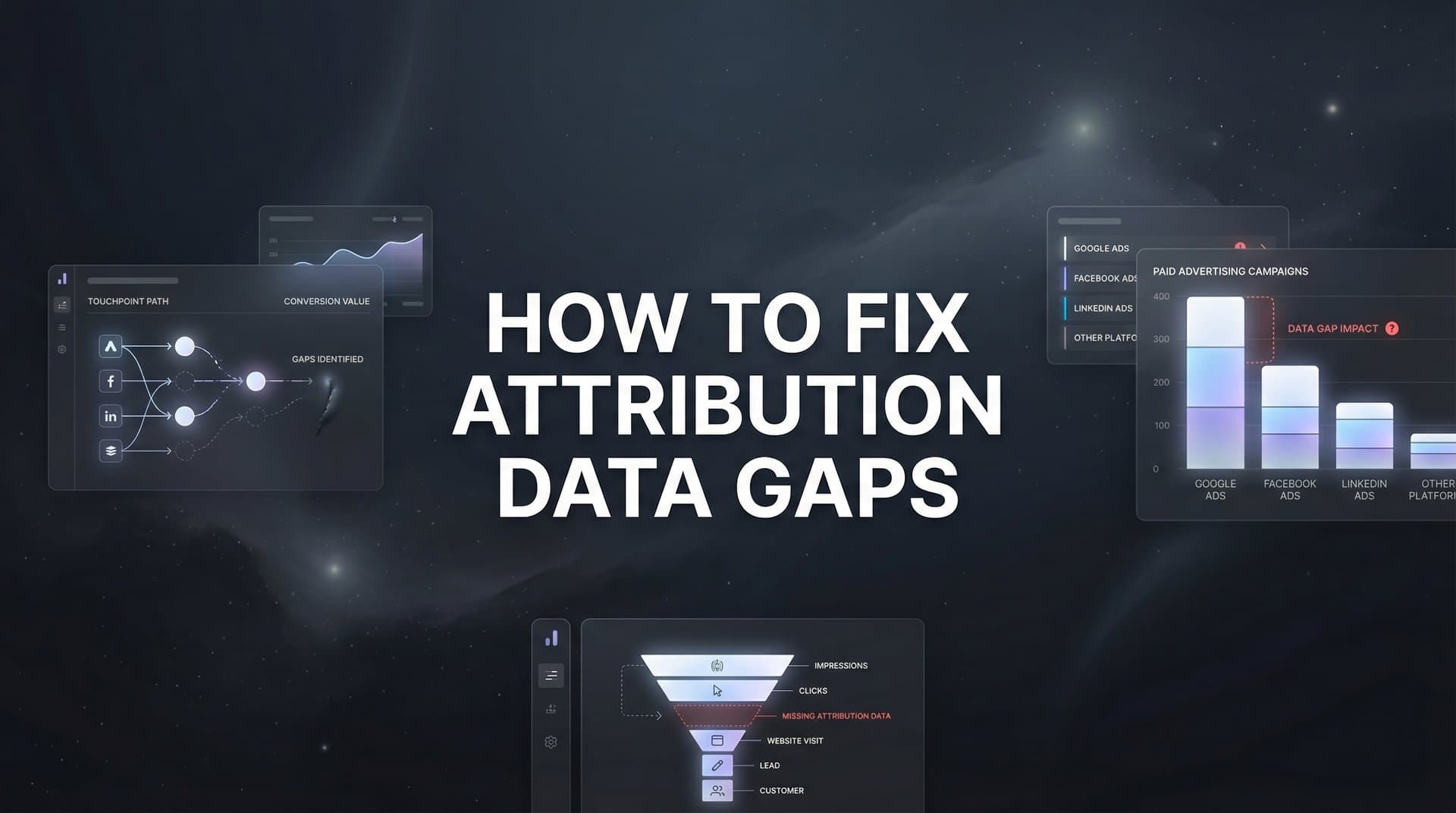
You are spending thousands on ads across Meta, Google, and TikTok, but your attribution data tells a fragmented story. Some conversions show no source. Others credit the wrong channel. Your CRM says one thing while your ad platforms say another.
These attribution data gaps are not just annoying. They are actively sabotaging your marketing decisions, causing you to over-invest in underperforming channels and cut budget from campaigns that actually drive revenue.
The good news is that most attribution gaps stem from a handful of common issues, and each one has a fix. This guide walks you through a systematic process to identify where your attribution breaks down, diagnose the root causes, and implement solutions that give you accurate, actionable data.
By the end, you will have a clear roadmap to close the gaps that are costing you money and confidence in your marketing data.
Step 1: Audit Your Current Attribution Setup to Find the Gaps
Before you can fix attribution problems, you need to see exactly where your data breaks down. Start by pulling conversion reports from every system you use: your ad platforms, Google Analytics, and your CRM. Export the same date range from each and line them up side by side.
The discrepancies will jump out immediately. Meta might show 150 conversions while your CRM only records 112. Google Ads reports 89 conversions but Analytics shows 76. These gaps represent real conversions that are either being double-counted or completely lost in translation.
Next, dig into your unattributed conversions. In Analytics, filter for conversions where the source is listed as "direct" or "none." Calculate what percentage of your total conversions fall into this dark zone. If more than 15-20% of your conversions have no clear source, you have a serious attribution problem that is making it impossible to optimize effectively.
Look for patterns in the missing data. Are mobile conversions less likely to have attribution than desktop? Do certain conversion types consistently lack source information? Are there specific campaigns or ad sets that show impressions and clicks but mysteriously produce no tracked conversions?
Check your attribution windows across platforms. Meta defaults to a 7-day click and 1-day view window. Google Ads uses 30 days for search and 1 day for display. If your actual sales cycle is 14 days, conversions happening on day 10 might fall outside some platforms' windows, creating artificial gaps.
Document everything you find. Create a simple spreadsheet listing each gap type, which systems are affected, and your best guess at the root cause. This becomes your fix-it roadmap. The most common culprits are missing UTM parameters, untracked conversion pages, cross-device journeys that break tracking, and server-side events that never fire.
This audit is not glamorous work, but it is essential. You cannot fix what you cannot see, and most marketing teams are shocked when they discover just how much of their conversion data is incomplete or inaccurate. For a deeper dive into resolving these issues, explore our guide on solving attribution data discrepancies.
Step 2: Fix Your Tracking Foundation with Proper UTM and Pixel Implementation
Your tracking foundation starts with consistent UTM parameters. Every single ad, email, and social post needs properly formatted UTMs that follow the same naming convention. Inconsistency here creates chaos downstream.
Establish clear rules for your team. Use lowercase for everything. Replace spaces with underscores or hyphens. Decide on campaign naming structures and stick to them religiously. If one person tags a Facebook campaign as "fb_spring_promo" while another uses "Facebook-Spring-Promo," your reports will split that campaign into two separate entries.
Create a UTM template that everyone uses. At minimum, include source (where traffic comes from), medium (the marketing channel type), and campaign (the specific initiative). Add content and term parameters when you need to differentiate between ad variations or keywords within the same campaign.
Now verify your pixel implementation. Open your website in Chrome and install the Meta Pixel Helper and Google Tag Assistant extensions. Navigate through your entire conversion funnel, from landing page to thank you page, and watch for pixel fires at each step.
The thank you page is critical. This is where most conversion events should fire, yet it is also the page most likely to have tracking problems. If your pixel fires on the checkout page but not the confirmation page, you will miss conversions entirely. Learn how to address these issues in our article on fixing pixel tracking issues.
Check that your pixels are tracking the right events. A "PageView" event is not the same as a "Purchase" event. Your ad platforms need specific conversion events to optimize properly. Meta needs to see "AddToCart," "InitiateCheckout," and "Purchase" events. Google needs transaction IDs and conversion values.
Test your tracking with real transactions. Place a small test order using a unique email address you can track. Watch it flow through your analytics and ad platforms. If the conversion shows up everywhere with consistent attribution, your tracking works. If it appears in some systems but not others, you have found your gap.
For micro-conversions, implement event tracking on actions that indicate buying intent: video plays, calculator uses, PDF downloads, demo requests. These touchpoints matter for attribution, especially in B2B or high-consideration purchases where the journey is longer.
Fix any broken pixels immediately. A pixel that fires inconsistently is worse than no pixel at all because it creates false data that leads to bad decisions.
Step 3: Implement Server-Side Tracking to Overcome Browser Limitations
Here is the uncomfortable truth: browser-based tracking is dying. iOS App Tracking Transparency blocks a significant portion of mobile tracking. Safari blocks third-party cookies by default. Firefox does the same. Chrome is phasing them out. Ad blockers strip tracking pixels before they can fire.
The result is that client-side tracking, which relies on browsers and cookies, now misses a growing percentage of conversions. Your Meta pixel might fire perfectly in testing but fail silently for 30% of real users whose browsers block it. Understanding how to navigate these challenges is essential when losing attribution data due to privacy updates.
Server-side tracking solves this by sending conversion data directly from your server to ad platforms and analytics tools. Instead of relying on a user's browser to fire a pixel, your server detects the conversion and reports it directly. No browser restrictions. No ad blockers. No iOS limitations.
Setting up server-side tracking requires technical work, but the payoff is substantial. For Meta, you will use the Conversions API. For Google, you will implement server-side Google Tag Manager or the Google Ads API. Both allow you to send conversion events that bypass browser restrictions entirely.
Start by identifying which conversions happen on your server. Purchases, form submissions, account creations, and subscription sign-ups all have server-side components. When a user completes checkout, your server processes the order. That is your trigger to send a conversion event directly to Meta and Google.
The technical implementation varies by platform and tech stack, but the concept is consistent. You capture the conversion event on your server, package it with relevant data like conversion value and user identifiers, and send it via API to your ad platforms.
User matching is critical here. Server-side events need to be matched back to the original ad click. Send as many user identifiers as possible: email (hashed), phone number (hashed), click ID, IP address, and user agent. The more identifiers you send, the better the match rate.
Run server-side tracking alongside your existing pixel tracking, not instead of it. This creates redundancy. If the browser pixel fires, great. If it gets blocked, the server-side event still goes through. Your attribution becomes more complete because you are capturing conversions from both sources.
Verify that your server-side events are working by checking the Events Manager in Meta or the conversion tracking in Google Ads. You should see events labeled as coming from your server. Compare the volume to your pixel-only tracking. The increase represents conversions you were previously missing.
For businesses with CRM systems, connect those conversion events too. When a lead becomes a customer in your CRM, send that event back to your ad platforms. This closes the loop on conversions that happen offline or through sales teams, giving you attribution for the entire customer journey.
Step 4: Connect Your Data Sources for Unified Attribution
Right now, your data lives in silos. Meta has its version of the truth. Google has another. Your CRM has a third. Your analytics platform shows something different. Each system tracks conversions using its own logic, attribution windows, and identifiers.
Unified attribution means bringing all these sources together into a single view where you can see the complete customer journey. This is not about making the numbers match perfectly. It is about understanding how each touchpoint contributes to conversions. Our guide on how to connect all marketing data sources provides a comprehensive framework for this process.
Start by integrating your ad platforms with your attribution system. Most modern attribution tools connect directly to Meta, Google, TikTok, LinkedIn, and other platforms via API. These integrations pull in campaign data, spend, clicks, and platform-reported conversions automatically.
Next, connect your website analytics. Whether you use Google Analytics, Adobe Analytics, or another tool, your attribution system needs access to website behavior data. This shows you how users interact with your site between ad clicks and conversions.
The CRM integration is where attribution becomes powerful. Your CRM holds the ultimate truth about which leads became customers and how much revenue they generated. Connecting this data to your marketing touchpoints shows you which campaigns drive actual revenue, not just form fills.
Customer matching is the technical challenge here. A user clicks a Meta ad on their phone, visits your site on their laptop later, and converts by calling your sales team. These three touchpoints involve different devices and identifiers. Your attribution system needs to recognize they are the same person.
Use email addresses as your primary identifier. When users submit forms, log in, or make purchases, capture their email and pass it to your attribution system. Hash these emails for privacy, but use them to stitch together cross-device journeys.
Supplement email matching with probabilistic methods. IP addresses, user agents, and behavioral patterns can help identify likely matches when deterministic identifiers are not available. The combination of deterministic and probabilistic matching gives you the most complete journey view.
Set up proper conversion value tracking. Your attribution system needs to know not just that a conversion happened, but what it was worth. Pass transaction amounts, subscription values, or lead scores so you can calculate return on ad spend accurately.
Configure your data sync frequency. Real-time syncing is ideal but not always necessary. Daily syncs work for most businesses. The key is consistency. If your data updates at different times across different sources, your reports will show temporary discrepancies that cause confusion.
Test your integrations by tracking a known conversion through the entire system. Submit a form or make a test purchase. Verify that the conversion appears in your attribution platform with the correct source, value, and user journey. If anything is missing, troubleshoot the integration before trusting the data for decisions.
Step 5: Choose and Configure the Right Attribution Model
Attribution models are not just technical settings. They are business decisions about how you value different marketing touchpoints. The wrong model can make winning channels look like losers and vice versa.
Last-click attribution gives 100% credit to the final touchpoint before conversion. If someone clicks a Google search ad and converts immediately, that ad gets all the credit. This model is simple but misleading for businesses with longer sales cycles. It ignores all the awareness and consideration touchpoints that made the final click possible.
First-click attribution does the opposite, giving all credit to the first touchpoint. This makes sense if you care most about which channels introduce new prospects. But it ignores everything that happens after that initial interaction, which can be substantial.
Linear attribution splits credit evenly across all touchpoints. If someone interacts with five different campaigns before converting, each gets 20% credit. This is more fair but still crude because not all touchpoints contribute equally. For a detailed breakdown, see our guide on how to use the linear attribution model.
Time-decay attribution gives more credit to touchpoints closer to conversion. The theory is that recent interactions have more influence on the final decision. This works well for businesses where the last few touchpoints are genuinely more important.
Data-driven attribution uses machine learning to assign credit based on actual conversion patterns. It analyzes thousands of customer journeys to determine which touchpoints statistically increase conversion likelihood. This is the most sophisticated approach but requires significant conversion volume to work accurately. Learn more about this approach in our article on data-driven attribution.
Choose your model based on your sales cycle and buying process. For impulse purchases or short sales cycles, last-click might be fine. For complex B2B sales with 60-day cycles, you need multi-touch attribution that values early awareness and mid-funnel nurture.
Configure your attribution windows to match your actual customer journey length. If your average time from first touch to conversion is 14 days, use at least a 14-day window. If it is 45 days, extend your window accordingly. Windows that are too short will miss early touchpoints that matter.
Run parallel comparisons between different models. Look at the same conversion data through last-click, first-click, and linear lenses. See how channel performance changes. If Facebook looks amazing in last-click but weak in first-click, it might be better at closing than initiating. That insight changes how you use the channel.
Understand that no single model is perfectly "correct." Attribution is always an approximation of complex human behavior. The goal is to choose a model that gives you useful insights for optimization, not perfect mathematical precision.
Document your chosen model and attribution windows clearly. When you present attribution data to stakeholders, they need to understand what the numbers represent. A conversion attributed to Facebook under a 7-day click window means something different than one attributed under a 30-day window.
Step 6: Validate Your Fixes and Establish Ongoing Monitoring
You have audited your setup, fixed your tracking, implemented server-side solutions, unified your data sources, and configured your attribution model. Now you need to verify that everything actually works and stays working.
Pull a comparison report showing attribution data from before and after your fixes. Look at your percentage of unattributed conversions. If you started with 35% dark conversions and now have 12%, you have made real progress. If the number barely moved, something in your implementation is not working correctly.
Check for data consistency across platforms. Your numbers will never match perfectly because each platform uses different attribution logic, but they should be in the same ballpark. If Meta shows 200 conversions and your attribution system shows 45, you have an integration problem. Our article on how to fix attribution discrepancies in data can help you troubleshoot these issues.
Set up automated alerts for attribution anomalies. You want to know immediately if tracked conversions suddenly drop, if unattributed conversions spike, or if a major traffic source starts showing zero conversions. These are signals that tracking has broken and needs immediate attention.
Create a monthly attribution health check process. Review your unattributed conversion percentage. Verify that all major campaigns have proper UTM tagging. Check that pixels are firing on all conversion pages. Confirm that server-side events are sending at expected volumes. Test a sample conversion end-to-end.
Document your entire attribution setup. Write down which pixels are installed where, what server-side events you are sending, how your attribution model works, and what your attribution windows are. This documentation becomes critical when team members change or when you need to troubleshoot problems months later.
Train your team on proper tracking practices. Make UTM tagging part of your campaign launch checklist. Ensure that anyone who creates landing pages knows to include tracking pixels. Build tracking validation into your quality assurance process before campaigns go live.
Attribution is not a set-it-and-forget-it system. Platforms change their tracking requirements. Privacy regulations evolve. Your website gets redesigned. Any of these can break tracking that was working perfectly. Regular monitoring catches problems before they corrupt weeks of data.
When you find new gaps, add them to your audit checklist. Attribution optimization is an iterative process. Each round of fixes reveals new opportunities for improvement. The goal is continuous progress toward more complete and accurate data.
Putting It All Together
Fixing attribution data gaps is not a one-time project but an ongoing discipline. Start with a thorough audit to understand where your data breaks down. Then systematically address tracking fundamentals, implement server-side solutions to overcome browser limitations, unify your data sources, and choose an attribution model that reflects your actual customer journey.
The payoff is significant. When you can trust your attribution data, you can confidently scale winning campaigns, cut wasteful spend, and prove marketing's true impact on revenue. You stop making decisions based on incomplete information and start optimizing based on the full picture.
Use this checklist to track your progress: audit completed, UTMs standardized, pixels verified, server-side tracking live, data sources connected, attribution model configured, and monitoring established. Each step you complete brings you closer to marketing decisions backed by data you can trust.
The marketers who win in 2026 and beyond are those who can track accurately across devices, browsers, and platforms. They capture conversions that others miss. They understand which channels truly drive revenue, not just which ones get the last click. They feed their ad platforms the complete conversion data needed for AI optimization to work effectively.
Your attribution gaps represent missed opportunities and wasted budget. Every unattributed conversion is a signal you cannot learn from. Every misattributed conversion sends you optimizing in the wrong direction. Fixing these gaps transforms your marketing from guesswork into science.
Ready to elevate your marketing game with precision and confidence? Discover how Cometly's AI-driven recommendations can transform your ad strategy. Get your free demo today and start capturing every touchpoint to maximize your conversions.


