

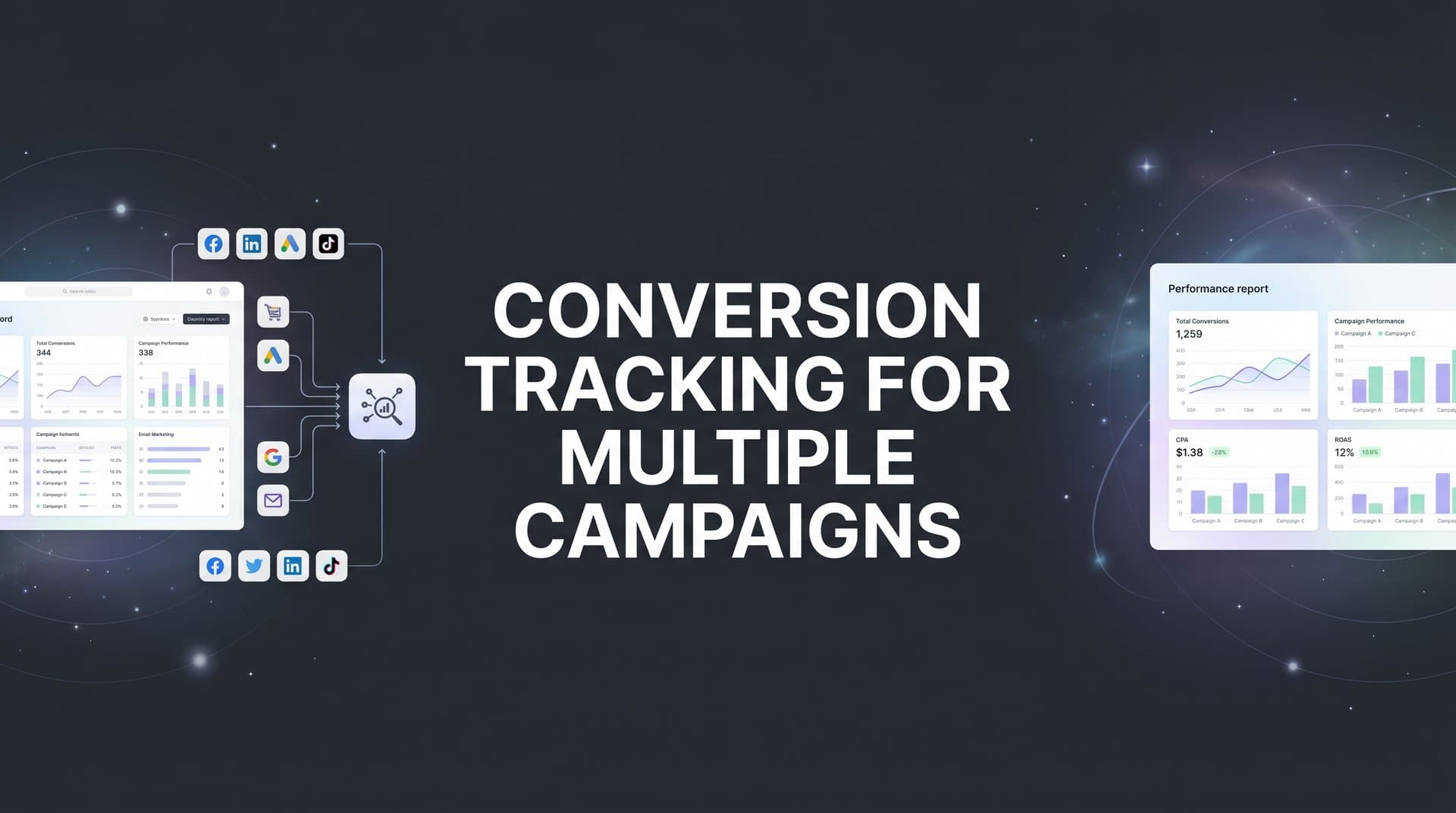
Running paid campaigns across Meta, Google, TikTok, and LinkedIn at the same time creates a problem that every growth-focused marketer eventually hits: each platform tracks conversions differently, reports different numbers, and happily claims credit for the same sale. The result is conflicting dashboards, inflated ROAS figures, and a genuine inability to answer the most important question in marketing: which campaigns are actually driving revenue?
When you are managing a single campaign, you can get away with imperfect tracking. When you are running five, ten, or twenty campaigns simultaneously across multiple platforms, those imperfections compound. A naming inconsistency here, a missing pixel event there, and suddenly your data is telling you three different stories at once.
This guide walks you through a practical, seven-step process for setting up conversion tracking that works reliably across all your campaigns. You will learn how to define consistent conversion events, implement server-side tracking for better accuracy, connect your ad platforms and CRM into a unified system, and validate that your data is flowing correctly before you make a single budget decision based on it.
Think of this as building a single source of truth for every campaign you run. Instead of reconciling platform reports at the end of each week and wondering which numbers to believe, you will have a unified tracking framework that gives you confidence to allocate budget toward what actually works and cut what does not.
By the end of these seven steps, you will have a tracking setup that is accurate, scalable, and ready to grow with your campaigns. Let's get into it.
Step 1: Define Your Conversion Events and Naming Conventions
Before you touch a single pixel or configure a single API endpoint, you need to get clear on what you are actually tracking. This step is foundational, and skipping it is the single most common reason multi-campaign tracking falls apart.
Start by identifying every meaningful conversion action across your funnel. For most businesses, this includes events like a lead form submission, a demo booked, a free trial started, a purchase completed, and potentially an upsell or subscription renewal. Each of these represents a real business outcome worth measuring.
Now here is where consistency becomes critical. If your Google Ads account tracks an event called "purchase" and your Meta Ads account tracks the same action as "complete_payment," you cannot accurately compare performance across those two campaigns. They are technically measuring the same thing, but the inconsistent naming makes cross-platform analysis nearly impossible without manual reconciliation every single time.
The solution is to create a conversion event map before you configure anything. This is a simple document or spreadsheet that captures the following for each conversion event:
Event Name: Use a consistent, lowercase, underscore-separated format across all platforms. For example, "demo_booked" or "purchase_completed."
Funnel Stage: Label each event as top-of-funnel, mid-funnel, or bottom-of-funnel. This matters when you are evaluating campaign performance at different stages.
Monetary Value: Assign a value to each event where applicable. A closed deal has a clear revenue figure. A demo booking might have an estimated pipeline value. This data feeds into ROAS calculations later.
Platform Destinations: Note which platforms need to receive each event. Not every event needs to go to every platform, but you need to be intentional about which ones do.
One common pitfall at this stage is tracking too many micro-conversions. Tracking every button click, scroll depth, and video view sounds comprehensive, but it dilutes the signal quality that ad platform algorithms rely on to optimize delivery. Focus your primary conversion events on actions that represent genuine business value. If you want a deeper look at the different approaches available, explore this guide on understanding conversion tracking methods before finalizing your event map.
You will know this step is complete when you have a single document that lists every conversion event, its standardized name, its funnel stage, its assigned value, and the platforms it needs to reach. This document becomes your reference point for every configuration decision that follows.
Step 2: Implement Server-Side Tracking as Your Foundation
With your conversion events defined and named, it is time to build the tracking infrastructure that will actually capture them reliably. In 2026, that means starting with server-side tracking, not browser-based pixels.
Here is the reality of browser-based tracking today. Ad blockers prevent pixels from firing. Safari's Intelligent Tracking Prevention restricts cookie lifespans and blocks third-party data. Apple's App Tracking Transparency framework has significantly reduced the identifiers available for matching conversions to ad clicks. The result is that browser-based pixels alone miss a meaningful portion of the conversions that actually happen. Many marketers who rely solely on pixel-based tracking are working with data that understates their actual results and misattributes what it does capture.
Server-side tracking solves this by sending conversion data directly from your web server or backend to the ad platforms, bypassing the browser entirely. When a user completes a purchase, for example, your server sends that conversion event directly to Meta's Conversions API, Google's enhanced conversions endpoint, or your central attribution platform. It does not matter whether the user has an ad blocker installed or whether their browser restricted the pixel from firing. The event still gets recorded.
Setting up server-side tracking involves a few core steps. First, install a first-party tracking script on your website. This script captures user and event data under your own domain, which browsers treat as first-party and therefore do not restrict. Second, configure server-side endpoints that receive the data your script collects and forward it to the appropriate destinations. Third, map each of your standardized conversion events from Step 1 to the server-side triggers so that when a conversion occurs, the server fires the correct event with the correct data.
Cometly's server-side tracking is built to handle exactly this setup. It connects to your website and CRM to capture conversion data at the server level, ensuring events are recorded accurately even when browser-based pixels fail to fire. For a deeper look at why this approach matters, read about the benefits of server-side conversion tracking and how it compares to traditional pixel methods.
One important note on implementation: do not run server-side tracking and browser pixels in parallel without deduplication logic. If both the pixel and the server fire for the same conversion event, you will end up with duplicate conversions in your reporting. Most server-side tracking setups include deduplication parameters for this reason. Make sure yours does too.
You will know this step is working when you can trigger a test conversion on your site and see it appear in your server-side tracking dashboard before it shows up in any individual ad platform's reporting. That confirmation is your signal that the foundation is solid and you are ready to connect your platforms on top of it.
Step 3: Connect Every Ad Platform to a Unified Attribution System
Now that your server-side tracking is capturing conversions reliably, the next step is connecting each of your ad platforms to a single, central attribution system. This is what transforms isolated platform reports into a unified view of campaign performance.
Each major ad platform has its own method for receiving conversion data. Meta uses the Conversions API. Google uses enhanced conversions and the Google Ads conversion import. TikTok has its Events API. LinkedIn has its Conversions API as well. Each one requires its own configuration, its own authorization, and its own event mapping. If you manage these integrations independently, platform by platform, you end up with a fragmented setup that is difficult to maintain and even harder to audit.
The more effective approach is to connect all of your ad platforms to one central tracking hub. Instead of configuring each platform's tracking in isolation, you manage all connections from a single place. Your server-side tracking layer sends data to the hub, and the hub distributes it to each connected platform in the format that platform requires. This concept of unified marketing reporting for multiple platforms is what separates scalable tracking setups from fragile ones.
Here is how to walk through the connections. For each ad platform you are running campaigns on, link your ad account to your attribution system and authorize data sharing. Then map your standardized conversion events from Step 1 to each platform's required event format. Meta, for example, uses its own standard event names like "Purchase" and "Lead." Your job is to ensure your "purchase_completed" event maps correctly to Meta's "Purchase" event so the data flows without errors.
Cometly integrates with major ad platforms and lets you manage all of these connections from a single dashboard. Rather than logging into Meta Business Manager, Google Ads, TikTok Ads Manager, and LinkedIn Campaign Manager separately to configure and troubleshoot tracking, you handle it all in one place.
This is also where conversion sync becomes important. Conversion sync is the process of sending your enriched, server-tracked conversion data back to each ad platform so their algorithms can optimize on accurate, complete data rather than the partial data their native pixels capture. Meta's algorithm, for example, performs significantly better when it receives more complete conversion signals. Feeding it server-side data through the Conversions API gives it more to work with, which improves targeting and delivery over time.
A common pitfall at this stage is forgetting to connect one platform entirely. It happens more often than you would think, especially when a new platform is added to the media mix mid-campaign. If TikTok is not connected to your central system, you are making budget decisions about TikTok campaigns based on incomplete cross-channel data. Every platform in your media mix needs to be connected before you start using the data to guide decisions.
Step 4: Link Your CRM to Close the Revenue Loop
Pixel-based tracking and even server-side event tracking have a natural ceiling. They can tell you that someone clicked an ad and filled out a form. What they cannot tell you, without additional integration, is whether that lead actually became a paying customer. For many businesses, especially those with longer sales cycles, that gap between a form fill and closed revenue is where most of the decision-making value lives.
Connecting your CRM closes that gap. When your CRM is integrated with your attribution system, you can trace revenue back to the specific campaign, ad set, and ad that originally generated the lead. Instead of optimizing toward lead volume, you can optimize toward lead quality and actual revenue. This is especially important when tracking attribution for lead generation where cost-per-lead alone rarely tells the full story.
To set this up, start by mapping your CRM pipeline stages to your conversion event framework. A typical B2B pipeline might include stages like lead, marketing qualified lead, sales qualified lead, opportunity, and closed-won. Each of these stages can become a conversion event in your tracking system, allowing you to see how campaigns perform not just at the top of the funnel but all the way through to revenue.
Cometly connects with CRMs and payment tools like Stripe to track the full journey from ad click through to closed revenue. When a deal closes in your CRM, that event is attributed back to the original campaign that generated the lead, giving you true ROI per campaign rather than a cost-per-lead metric that may or may not correlate with actual business results.
This step is especially critical for B2B businesses and high-consideration purchases where the time between the initial ad click and the final purchase decision can span days, weeks, or months. If your business falls into this category, a dedicated approach to tracking for B2B marketing campaigns will help you navigate the unique challenges of longer sales cycles. Without CRM integration, you are essentially flying blind on the back half of your funnel. You might be running campaigns that generate a high volume of leads at a low cost but convert to paying customers at a terrible rate. Without the revenue data connected, you would never know.
You will know this step is working when you can open a closed deal in your CRM, look at the source attribution, and see the exact campaign, ad set, and creative that generated the original lead. That level of visibility is what transforms marketing from a cost center into a measurable revenue driver.
Step 5: Choose and Configure Your Attribution Model
With your tracking infrastructure in place and your CRM connected, you now need to decide how credit for conversions gets distributed across your campaigns. This is your attribution model, and the choice you make here significantly affects how you evaluate campaign performance.
The main attribution models each tell a different story about your campaigns. First-touch attribution gives 100% of the credit to the first ad a customer ever interacted with. Last-touch attribution gives 100% of the credit to the final touchpoint before conversion. Linear attribution distributes credit equally across every touchpoint in the journey. Time-decay attribution gives more credit to touchpoints that occurred closer to the conversion. Data-driven attribution uses algorithmic modeling to assign credit based on the actual influence each touchpoint had on the outcome.
For most advertisers running multiple campaigns simultaneously across multiple platforms, multi-touch attribution is the most accurate approach. Here is why: a customer might first discover your brand through a TikTok awareness campaign, then click a Google retargeting ad a week later, and finally convert after clicking a Meta remarketing ad. Last-touch attribution gives all the credit to Meta and zero credit to TikTok and Google. That leads you to cut your awareness and consideration campaigns, which then causes your retargeting campaigns to underperform because there is nothing filling the top of the funnel. For a more detailed look at how touchpoints interact, see this guide on tracking conversions across multiple touchpoints.
To configure your attribution model, set the attribution window first. This defines how far back in time the system looks for touchpoints to credit. A 30-day or 90-day window is common for most businesses, though B2B companies with longer sales cycles may need to extend this further. Next, define which touchpoints count toward attribution. Paid ad clicks, organic visits, email clicks, and direct visits may all be relevant depending on your business model. Finally, decide how credit is weighted across those touchpoints based on the model you have chosen.
Cometly lets you compare different attribution models side by side, so you can see how each model values your campaigns differently before committing to one. This is genuinely useful because the right model for your business depends on your sales cycle, your channel mix, and your funnel structure. Being able to see the difference between first-touch and data-driven attribution for the same campaign helps you make a more informed choice.
The most common pitfall here is accepting the default last-click attribution that most ad platforms use. Last-click systematically undervalues awareness and mid-funnel campaigns, which often leads marketers to cut budget from campaigns that are actually assisting conversions at scale.
Step 6: Validate Your Tracking With End-to-End Testing
You have defined your events, built your server-side tracking, connected your platforms, linked your CRM, and configured your attribution model. Before you trust any of this data for actual budget decisions, you need to verify that everything is working correctly from end to end. Skipping this step is how teams end up optimizing campaigns based on broken data for weeks without realizing it.
Start by creating a testing checklist that covers every platform and every conversion event in your framework. For each combination, the test should follow this sequence: click an ad from the platform you are testing, complete the conversion action on your site, verify the event appears in your server-side tracking dashboard, confirm it syncs back to the ad platform's reporting, and check that the CRM records the correct source attribution.
Running this test for every platform in your media mix takes time, but it is time well spent. A tracking break that goes undetected for two weeks can cost you significant budget and lead to incorrect optimization decisions that take even longer to reverse. If you have ever wondered why your conversion tracking numbers are wrong, the answer almost always traces back to a validation step that was skipped.
Once you have run your tests, compare the conversion counts in your unified attribution dashboard against each ad platform's native reporting. Some discrepancy is normal and expected. Attribution windows differ, view-through conversions are counted differently, and there is always some latency in data processing. What you are looking for are large, unexplained gaps that suggest a tracking break rather than a methodological difference.
When you find issues, here are the most common causes to investigate. Duplicate events are often caused by both the browser pixel and the server-side tracker firing for the same conversion without deduplication logic in place. Missing events are usually the result of a misconfigured trigger, a page that was not included in the tracking script deployment, or a CRM stage that was not mapped correctly. Misattributed conversions are frequently caused by naming convention errors where an event name in your tracking system does not match what was configured in the platform integration.
You will know this step is complete when conversion counts in your unified dashboard closely match verified conversions across your tests, and each conversion carries the correct source, campaign, ad set, and ad data. At that point, your tracking framework is ready to be trusted.
Step 7: Monitor, Optimize, and Scale With Confidence
Getting your tracking set up correctly is a significant achievement, but it is not a one-time task. Platforms update their APIs, websites get redesigned, new campaigns launch, and any of these changes can silently break tracking that was working perfectly the week before. The final step is establishing the ongoing habits that keep your tracking reliable over time.
Set up a weekly review cadence that includes three things. First, check for tracking anomalies by looking for sudden drops in conversion volume, unexpected spikes, or campaigns that stop reporting conversions entirely. These are usually early signals of a tracking break. Second, compare platform-reported conversions against your unified attribution data. If the gap between them grows significantly from one week to the next, something has changed. Third, flag any new campaigns that were launched during the week and confirm they have tracking configured correctly from day one.
Use your unified data to make budget allocation decisions. Shift spend toward campaigns with the highest verified ROAS based on your chosen attribution model, and pause or reduce budget on underperformers based on real attribution data rather than the inflated numbers that individual platforms report for themselves. For a broader look at how to measure effectiveness across channels, this article on tracking ROI for performance marketing provides additional frameworks you can apply.
Cometly's AI recommendations analyze your campaign performance across all connected channels and surface optimization suggestions, identifying high-performing campaigns and flagging underperformers so you can act quickly. Rather than spending hours pulling reports and cross-referencing data manually, you get actionable insights in one place.
As you launch new campaigns, repeat Steps 1 through 3 for each one. Define the conversion events that campaign should track, confirm server-side tracking is capturing them, and connect the campaign to your central attribution system before you start spending. This habit ensures every campaign is tracked accurately from its first impression rather than being retrofitted with tracking after the fact.
Your Multi-Campaign Tracking Framework: A Quick-Reference Checklist
Accurate conversion tracking across multiple campaigns does not happen by accident. It requires a deliberate system built on consistent event definitions, reliable server-side data collection, unified platform connections, CRM integration, and regular validation. Here is a scannable summary of everything covered in this guide:
Step 1: Define Conversion Events. Create a conversion event map with standardized names, funnel stages, monetary values, and platform destinations for every conversion action you track.
Step 2: Implement Server-Side Tracking. Install first-party tracking and configure server-side endpoints to capture conversion data independently of browser limitations. Verify with a test conversion before moving forward.
Step 3: Connect All Ad Platforms. Link every ad platform to a central attribution hub. Map your standardized events to each platform's required format and enable conversion sync to feed accurate data back to platform algorithms.
Step 4: Integrate Your CRM. Map CRM pipeline stages to your conversion event framework and verify that closed deals can be traced back to the originating campaign, ad set, and creative.
Step 5: Configure Attribution Model. Choose a multi-touch attribution model appropriate for your sales cycle, set your attribution window, and compare models side by side before committing to one.
Step 6: Validate End to End. Run test conversions through every platform and event combination. Investigate and resolve any duplicate events, missing events, or misattributed conversions before using the data for decisions.
Step 7: Monitor and Maintain. Establish a weekly review cadence to catch tracking breaks early, use unified data for budget decisions, and configure tracking for every new campaign before launch.
Each of these steps builds on the one before it. The result is a tracking framework that gives you one reliable source of truth across every campaign you run, on every platform you use, at every stage of your funnel.
Cometly brings all of these pieces together in one platform. From server-side tracking and CRM integration to multi-touch attribution and AI-powered optimization recommendations, it is built for marketers who need accurate, unified data to scale their campaigns with confidence. If you are ready to stop reconciling conflicting dashboards and start making budget decisions you can actually trust, Get your free demo today and see how Cometly can transform the way you track, analyze, and optimize your campaigns.



