

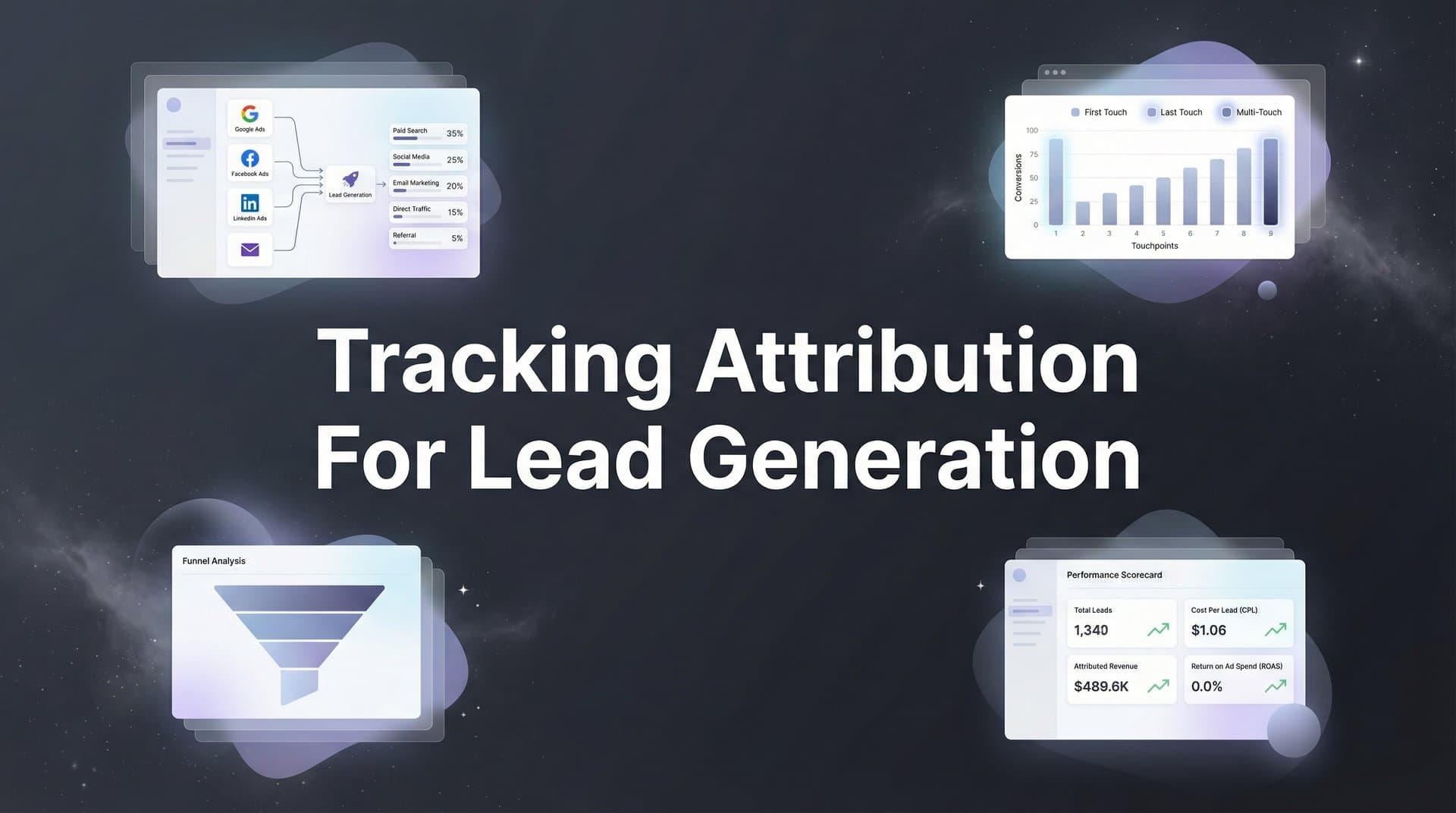
Every marketer knows the frustration of watching leads pour in without knowing which campaigns actually drove them. You are running ads on Meta, Google, and LinkedIn simultaneously, your CRM is filling up with prospects, but when leadership asks which channel deserves more budget, you are left guessing. This disconnect between marketing spend and lead quality costs businesses thousands in wasted ad dollars every month.
Tracking attribution for lead generation solves this problem by connecting every touchpoint in the customer journey to actual conversions. When done right, you will see exactly which ad creative, campaign, and channel generated each lead, allowing you to double down on what works and cut what does not.
This guide walks you through the complete process of setting up lead generation attribution tracking, from initial infrastructure setup to advanced optimization. By the end, you will have a system that captures every interaction, connects it to your CRM data, and gives you clear answers about marketing performance.
Whether you are a solo marketer or part of a larger team, these steps will help you build attribution tracking that actually reflects reality. Let's get started.
Step 1: Audit Your Current Lead Sources and Tracking Gaps
Before you build anything new, you need to understand what you are working with right now. Start by mapping every single channel that brings leads into your business. This means paid advertising on platforms like Meta, Google Ads, and LinkedIn, but also organic search, email campaigns, referral traffic, direct website visits, and any offline sources like events or phone calls.
Create a simple spreadsheet and list each channel. Next to each one, write down how you currently track leads from that source. You will quickly spot the gaps. Maybe your Google Ads campaigns have conversion tracking set up, but your LinkedIn campaigns do not. Perhaps you can see form submissions from your website, but you have no idea which ad someone clicked before filling out that form.
The biggest tracking blind spots typically happen at three points: form submissions that do not capture source data, phone calls that get logged in your CRM without any campaign context, and live chat conversations that start on your website but never connect back to the original traffic source. For phone-based leads specifically, implementing marketing attribution for phone calls can close significant tracking gaps. Document all of these gaps because you will address them in the following steps.
Now map out your lead stages. Most businesses move leads through a progression: visitor becomes lead, lead becomes marketing qualified lead (MQL), MQL becomes sales qualified lead (SQL), SQL becomes opportunity, opportunity becomes customer. Write down each stage your organization uses. This matters because attribution is not just about counting leads, it is about understanding which campaigns generate leads that actually convert into revenue.
Finally, list every platform that needs to talk to each other. Your ad platforms need to connect to your website tracking. Your website tracking needs to connect to your CRM. Your CRM needs to connect back to your attribution system. If you are running ads on four platforms, using Google Analytics, and managing leads in HubSpot, that is six different systems that need to share data seamlessly.
This audit gives you a clear picture of where you are starting from. You might discover that you are only tracking 60% of your lead sources accurately, or that your CRM data never flows back to inform your ad decisions. These discoveries are valuable. They show you exactly what needs to be fixed.
Step 2: Implement UTM Parameters and First-Party Tracking
UTM parameters are the foundation of accurate attribution. These are the tags you add to your campaign URLs that tell you where traffic came from. Without consistent UTM usage, you are flying blind. The key word here is consistent, because random UTM tagging is almost as bad as no UTM tagging at all.
Create a UTM naming convention and stick to it religiously. Your convention should cover five parameters: source (where the traffic comes from, like "facebook" or "google"), medium (the type of traffic, like "cpc" or "email"), campaign (the specific campaign name), content (which ad variation), and term (which keyword for search campaigns).
Here's what matters: use lowercase for everything, replace spaces with underscores or hyphens, and be specific enough to be useful but not so granular that you create chaos. A good example looks like this: utm_source=facebook&utm_medium=cpc&utm_campaign=lead_gen_q1_2026&utm_content=video_ad_a&utm_term=marketing_analytics. Understanding the difference between UTM tracking vs attribution software helps you leverage both approaches effectively.
Document your naming convention in a shared document that everyone on your team can access. Better yet, use a URL builder tool that enforces your convention automatically. When someone creates a new campaign, they should never have to guess what to put in each UTM field.
Now let's talk about first-party tracking. Third-party cookies are disappearing, which means you need to capture visitor data directly on your own domain. Set up first-party cookies that track visitor behavior before they ever fill out a form. This allows you to connect anonymous browsing sessions to identified leads once someone converts. Implementing first-party data tracking for ads is essential in today's privacy-focused landscape.
Server-side tracking takes this a step further. Instead of relying on browser-based JavaScript that can be blocked by ad blockers or privacy settings, server-side tracking sends data directly from your server to your analytics platform. This is especially critical for iOS users, where browser restrictions limit what you can track with traditional methods.
Implement server-side tracking by setting up a server-side tag manager or using a platform that handles this automatically. The technical setup varies depending on your infrastructure, but the concept is the same: capture data on your server where browser restrictions cannot interfere with it.
Test everything. Create a test campaign with UTM parameters, click through to your landing page, and verify that the parameters appear correctly in your analytics. Then submit a test form and confirm that the UTM data passes through to your thank you page and ultimately to your CRM. If parameters get dropped anywhere in this flow, you have a tracking gap to fix.
Step 3: Connect Your Ad Platforms to a Central Attribution System
Running attribution reports in five different ad platforms gives you five different versions of the truth. Each platform wants to take credit for every conversion it touched, which means you end up with 200% attribution when you add everything up. You need a single source of truth that sits above all your ad platforms.
Start by choosing a central attribution platform that can ingest data from all your advertising channels. This platform becomes your command center, pulling in conversion data from Meta, Google, LinkedIn, TikTok, and any other channel you use. The goal is to see all your marketing performance in one dashboard with consistent metrics. Implementing cross platform attribution tracking eliminates the confusion of conflicting platform reports.
Set up integrations for each ad platform. Most modern attribution systems offer native integrations that connect with a few clicks. Authorize the platform to access your ad accounts, select which campaigns to track, and configure the data sync frequency. Daily syncs are usually sufficient, but some platforms offer real-time updates.
Here's where it gets technical but important: enable Conversion API connections for your major platforms. Meta's Conversion API and Google's Enhanced Conversions allow you to send conversion data directly from your server to the ad platform, bypassing browser limitations. This gives ad platforms more accurate data to optimize campaigns, and it gives you better attribution accuracy.
Configure your conversion events carefully. Your attribution system needs to know what counts as a conversion. Is it a form submission? A demo request? A phone call? A specific CRM stage? Define each conversion event clearly, and make sure the definition matches across all platforms. If Meta thinks a conversion is any form submission but your CRM only counts qualified leads, your data will never align. Using conversion tracking for multiple ad platforms ensures consistency across your entire advertising ecosystem.
Run test conversions to verify everything works. Submit a test lead through each channel, then check your attribution dashboard to confirm it appears correctly with the right source attribution. If you ran a test conversion from a Facebook ad, it should show up in your dashboard as coming from Facebook, with all the campaign details intact.
Pay attention to attribution windows. Different platforms use different windows for counting conversions. Facebook might use a 7-day click window, while Google might use 30 days. Configure your central attribution system to use consistent windows across all channels so you are comparing apples to apples.
Step 4: Sync Your CRM to Track Lead Quality and Revenue
Counting leads is easy. Counting leads that actually turn into customers is what matters. This is why CRM integration is non-negotiable for serious attribution tracking. Your CRM holds the data that separates marketing activity from marketing results.
Connect your CRM to your attribution platform. Whether you use HubSpot, Salesforce, Pipedrive, or another system, most modern attribution tools offer direct integrations. Authorize the connection, select which data fields to sync, and configure the sync direction. You typically want two-way sync: conversion data flows from your attribution platform to your CRM, and lead stage updates flow from your CRM back to your attribution platform.
Map your lead stages carefully. Your CRM tracks leads as they progress through your funnel: new lead, contacted, qualified, opportunity, closed won, closed lost. Each of these stages should sync back to your attribution platform so you can see which campaigns generate leads that actually progress. A campaign that drives 100 leads but zero qualified opportunities is very different from a campaign that drives 20 leads and 15 qualified opportunities. Implementing a robust lead generation tracking solution connects these data points seamlessly.
Enable revenue attribution by syncing deal values from your CRM. When a lead becomes a customer, your CRM records the contract value. That revenue data should flow back to your attribution platform and get credited to the original marketing touchpoints. This transforms your attribution from lead counting to revenue attribution, which is what executives actually care about. Explore revenue attribution tracking tools to connect marketing spend directly to closed deals.
Set up automated data syncing to keep everything current. Manual exports and imports create delays and errors. Automated syncing ensures that when a lead changes status in your CRM, your attribution dashboard reflects that change within hours or even minutes. This real-time view lets you make faster decisions about campaign performance.
Configure field mapping between your CRM and attribution platform. The "Lead Source" field in your CRM needs to map to the source data in your attribution system. The "Campaign" field needs to match your UTM campaign parameter. Take time to map these fields correctly, because mismatched data creates confusion and erodes trust in your reporting.
Test the integration with a complete lead lifecycle. Create a test lead, move it through each stage in your CRM, and verify that each stage update appears correctly in your attribution dashboard. Then mark the test lead as closed won with a revenue amount and confirm that the revenue gets attributed back to the correct campaign.
Step 5: Choose and Configure Your Attribution Model
Attribution models determine how credit gets distributed across the touchpoints in a customer journey. A lead might see your Facebook ad, click a Google search ad three days later, visit your website directly a week after that, and then finally convert. Which touchpoint deserves credit for that conversion? Your attribution model answers this question.
First-touch attribution gives 100% credit to the first interaction. In the example above, the Facebook ad gets all the credit. This model is simple and highlights your top-of-funnel awareness campaigns, but it ignores everything that happened after that initial touch. It works well if you have a short sales cycle and want to understand what drives initial awareness.
Last-touch attribution gives 100% credit to the final interaction before conversion. The direct website visit gets all the credit in our example. This model is also simple, and it highlights your bottom-of-funnel conversion drivers, but it ignores the journey that brought someone to that final touchpoint. Many ad platforms use last-touch by default, which is why they all claim credit for the same conversions.
Multi-touch attribution distributes credit across multiple touchpoints. This is more realistic because it acknowledges that conversions rarely happen from a single interaction. The challenge is deciding how to distribute that credit. Linear multi-touch gives equal credit to every touchpoint. Time decay gives more credit to recent touchpoints. Position-based (also called U-shaped) gives more credit to the first and last touches, with less credit to middle interactions. Understanding multi-touch attribution models for data helps you select the right approach for your business.
Choose a model that matches your sales cycle. If you have a long, complex B2B sales cycle with multiple touchpoints over weeks or months, multi-touch attribution makes sense. B2B companies specifically benefit from understanding attribution for B2B lead generation given their extended buyer journeys. If you have a short, transactional sales cycle where most conversions happen within days of first contact, first-touch or last-touch might be sufficient.
Configure your chosen model in your attribution platform. Most platforms let you select from standard models or create custom weighting. If you choose time decay, you will specify how quickly credit decays over time. If you choose position-based, you will specify what percentage goes to first touch, last touch, and middle touches.
Here's a pro tip: do not commit to a single model immediately. Run multiple models side by side for at least a month. Compare how different models attribute credit to your campaigns. You might discover that first-touch shows Facebook driving most leads while last-touch shows Google driving most leads. The truth is probably somewhere in between, which is why multi-touch exists.
Remember that no attribution model is perfect. They are all frameworks for making sense of messy, nonlinear customer journeys. The goal is not perfect accuracy, it is consistent measurement that helps you make better decisions over time.
Step 6: Validate Your Data and Optimize Your Campaigns
Your attribution system is now built, but building it is only half the battle. You need to validate that it is working correctly and then actually use the data to improve your marketing. Start with validation.
Run test conversions through each channel. Create a test campaign in Facebook, click through to your landing page, submit a form, and track that conversion all the way through your attribution system to your CRM. Do the same for Google, LinkedIn, and every other channel. Each test conversion should appear correctly attributed to its source.
Compare your attribution data against platform-reported conversions. Your attribution platform might show 50 conversions from Facebook last month while Facebook Ads Manager shows 75. These numbers will rarely match perfectly, and that is okay. What matters is understanding why they differ. Different attribution windows, different conversion definitions, and different attribution models all create discrepancies.
The goal is not to make the numbers match exactly. The goal is to have a consistent measurement framework that you trust more than any individual platform's self-reported numbers. Platforms have an incentive to inflate their contribution. Your attribution system does not. Using best tools for tracking ad performance gives you an unbiased view of campaign effectiveness.
Now use your insights to reallocate budget. This is where attribution tracking pays off. Look at which campaigns drive the highest quality leads, not just the most leads. If Campaign A generates 100 leads but only 5 become qualified opportunities, while Campaign B generates 30 leads and 20 become qualified opportunities, you should shift budget to Campaign B.
Look beyond lead volume to lead value. If your attribution system connects to revenue data, you can see which campaigns drive the highest revenue per dollar spent. A campaign with a high cost per lead might actually have the best return on ad spend if those expensive leads convert at higher rates and generate larger deal sizes.
Set up automated alerts for tracking issues. Your attribution system should notify you if conversion tracking stops working on any channel, if UTM parameters are missing from campaigns, or if CRM sync fails. Catching these issues quickly prevents data gaps that undermine your attribution accuracy.
Review your attribution data on a regular schedule. Weekly reviews help you spot trends and catch issues early. Monthly reviews give you enough data to make budget reallocation decisions. Quarterly reviews let you assess whether your attribution model is still working or if you need to adjust it based on changes in your sales cycle or channel mix.
Your Attribution System Is Ready
With these six steps complete, you now have a lead generation attribution system that shows exactly which marketing efforts drive real results. Your tracking captures every touchpoint, your CRM data enriches the picture with lead quality and revenue, and your chosen attribution model gives credit where it is due.
Use this checklist to verify your setup: all ad platforms connected, UTM parameters consistent across campaigns, CRM synced with lead stages, attribution model configured, and test conversions validated across all channels. If you can check every box, your system is ready to deliver insights.
Review your attribution data weekly to spot trends and monthly to make budget decisions. Look for campaigns that drive high-quality leads, not just high lead volume. Watch for changes in conversion rates by channel, which might signal creative fatigue or audience saturation. Pay attention to the complete customer journey, not just the first or last click.
As your campaigns scale, your attribution system scales with you. You will add new channels, test new campaigns, and refine your approach. Your attribution infrastructure stays consistent, giving you the confidence to invest more in what works and cut what does not.
The marketers who win are the ones who know their numbers. You now have the infrastructure to know yours. Every lead has a story about which touchpoints influenced the decision, and you can finally see that story clearly. Use that clarity to make smarter decisions, allocate budget more effectively, and prove marketing's contribution to revenue.
Ready to elevate your marketing game with precision and confidence? Discover how Cometly's AI-driven recommendations can transform your ad strategy. Get your free demo today and start capturing every touchpoint to maximize your conversions.



