

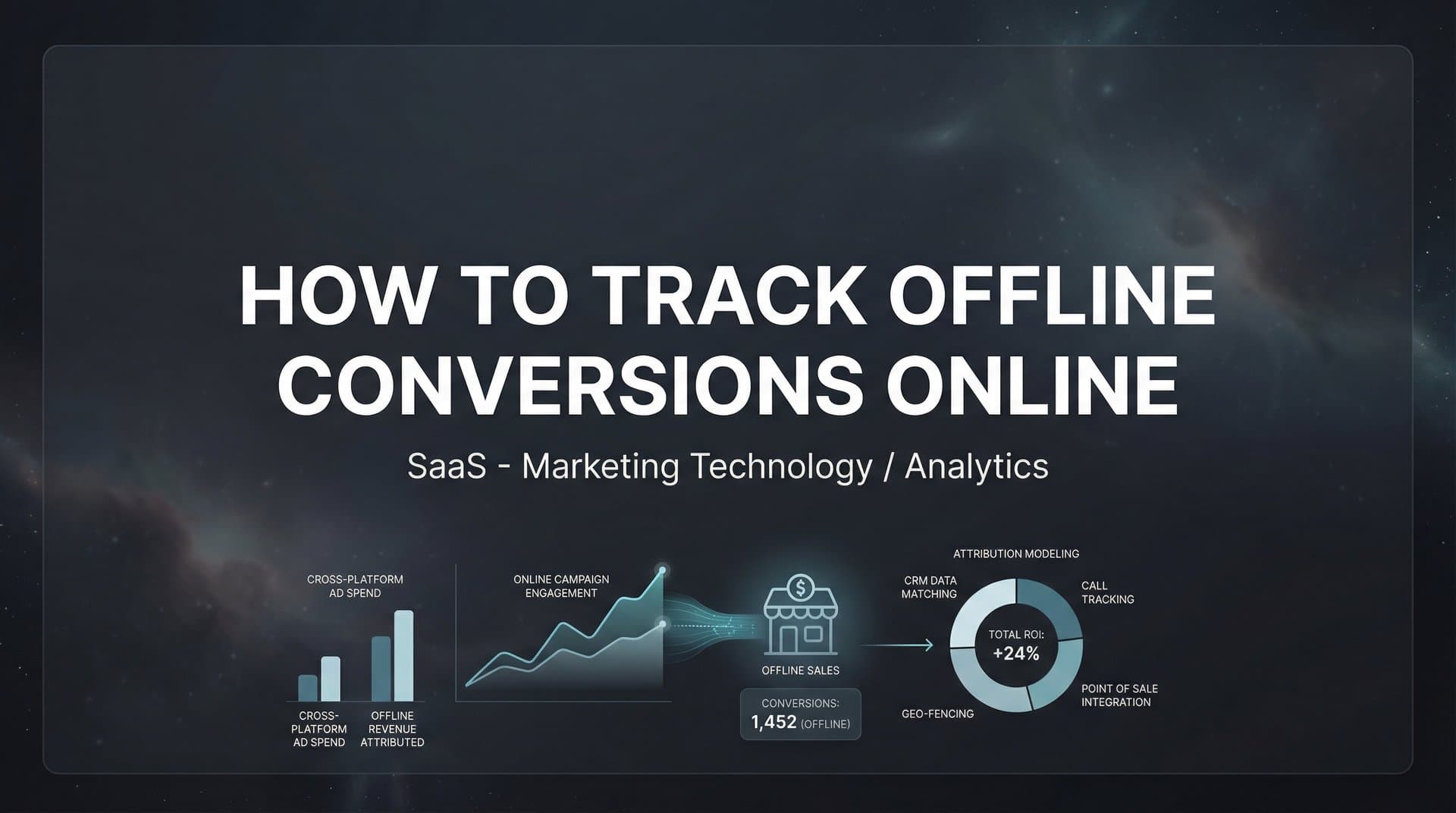
You've built a solid advertising strategy. Your campaigns are running, leads are coming in, and your dashboard shows promising metrics. But here's the problem: when a prospect calls your sales team, walks into your store, or signs a contract at an in-person meeting, that conversion vanishes from your marketing reports. You're making budget decisions based on half the story.
This disconnect creates a dangerous scenario. You might be scaling campaigns that generate cheap clicks but never close deals, while cutting budgets from ads that quietly drive your most valuable customers through offline channels. The numbers you see in Google Ads or Meta don't reflect reality—they reflect only what happens in browsers, not what happens in the real world.
Tracking offline conversions online solves this fundamental problem. When you can connect a Facebook ad to a phone sale three weeks later, or trace an in-store purchase back to a specific Google campaign, you transform your marketing from educated guessing into precision decision-making. You finally see which ads actually drive revenue, not just which ones drive form submissions.
The gap between online activity and offline outcomes isn't just an analytics headache. It's costing you money every day. Without this connection, your ad platform algorithms optimize for the wrong goals, your attribution reports tell incomplete stories, and your team argues about which channels "really work" based on gut feelings instead of data.
This guide walks you through the complete process of capturing offline conversion data and feeding it back to your ad platforms and analytics systems. You'll learn how to build the technical infrastructure, create reliable tracking identifiers, import conversion data correctly, and use these insights to make smarter optimization decisions.
Whether your offline conversions happen through phone calls with sales reps, in-person consultations, retail transactions, or signed contracts that close weeks after the initial click, these steps will help you see the full picture. Let's bridge the gap between your digital advertising and real-world business outcomes.
Step 1: Map Your Offline Conversion Points and Data Sources
Before you can track offline conversions, you need to understand exactly where they happen and what systems capture them. This mapping exercise becomes your blueprint for everything that follows.
Start by identifying every point where conversions occur outside your website. For many businesses, this includes phone calls to sales teams, in-store purchases, signed contracts after consultations, deals closed in CRM, or leads captured at trade shows and events. Each of these represents a conversion that your online analytics currently misses.
The key question: what customer identifiers can you capture at each conversion point? When someone calls your sales line, do you collect their email or phone number? When they make an in-store purchase, can you ask for information that connects them to their online browsing? When a salesperson closes a deal, does your CRM record how that lead originally found you?
Document which systems currently capture this data. Your CRM likely holds closed deals and lead information. Your point-of-sale system tracks retail transactions. Call tracking software records inbound phone conversations. Your sales team might maintain spreadsheets with deal details. Each system contains pieces of the puzzle.
Create a simple flowchart showing the complete customer journey from initial ad click to final conversion. This might look like: user clicks Facebook ad → visits website → submits contact form → receives sales call → schedules demo → signs contract in CRM. Identify where data lives at each stage and what information connects one stage to the next.
Pay special attention to the handoff points where data often breaks. The transition from marketing automation to CRM is a common failure point. So is the gap between online form submission and offline sales conversation. These breaks are where tracking identifiers get lost and attribution falls apart.
Consider your sales cycle length too. If deals typically close 60 days after the first touch, you need tracking that persists that long. If customers browse on mobile but purchase in-store days later, you need identifiers that work across devices and channels.
This mapping exercise reveals not just what you need to track, but also where your current systems have gaps. Maybe your sales team doesn't consistently record lead source in CRM. Perhaps your point-of-sale system has no way to capture customer email addresses. Identifying these gaps now helps you fix them before implementing tracking.
The goal isn't perfection—it's clarity. You need a clear picture of your conversion landscape before you can build tracking that actually works. Spend time on this step. The better your map, the more reliable your tracking becomes.
Step 2: Implement Click Identifiers and UTM Parameters
Click identifiers are the bridge between online advertising and offline conversions. These unique tracking codes attach to your URLs and follow users from ad click through to conversion, even when that conversion happens weeks later through a completely different channel.
Start with auto-tagging in your ad platforms. Google Ads automatically appends a GCLID (Google Click Identifier) to your destination URLs when you enable auto-tagging in your account settings. This unique code identifies the specific ad click and preserves information about the campaign, ad group, keyword, and more.
For Meta campaigns, enable automatic advanced matching and ensure your URLs can capture FBCLID (Facebook Click Identifier) parameters. These work similarly to GCLID, creating a unique identifier for each ad click that you can later match to conversion events.
Beyond platform-specific identifiers, implement consistent UTM parameters across all your campaigns. Use a standardized naming convention: utm_source for the traffic source (google, facebook, linkedin), utm_medium for the channel type (cpc, social, email), utm_campaign for the specific campaign name, and utm_content for ad variations. Understanding what UTM tracking is and how it helps your marketing is essential for building reliable attribution.
Consistency matters more than creativity here. If your team uses "Google" in some campaigns and "google" in others, your reporting breaks. Create a UTM parameter guide that everyone follows, including approved values for each parameter. This discipline pays dividends when you're analyzing attribution months later.
The critical technical piece: configure your website to capture and store these identifiers when users take action. When someone submits a form, creates an account, or initiates checkout, your system needs to grab the GCLID, FBCLID, and UTM parameters from their session and associate them with that user's record.
Most modern marketing platforms and CRMs support this natively through hidden form fields or JavaScript tracking. HubSpot, Salesforce, and similar tools can automatically capture UTM parameters and click IDs from the user's session and attach them to the contact record. If you're using custom forms, you'll need to add hidden fields that pull these values from the URL or cookies.
Test your implementation rigorously. Click one of your ads, complete a form submission, then check your CRM or marketing automation platform. Can you see the GCLID? Are the UTM parameters recorded correctly? If not, your tracking chain is broken before it even starts.
A common mistake: capturing these identifiers initially but losing them during the customer journey. If a user clicks an ad, browses your site, then returns directly three days later to submit a form, you need to preserve that original click identifier across sessions. This typically requires cookie-based tracking or user identification that persists beyond a single visit.
Consider implementing first-party cookies that store click identifiers for your typical sales cycle length. If deals usually close within 90 days, your cookies should last at least that long. This ensures you can match offline conversions back to the original ad click even when significant time passes.
Double-check that your tracking works across devices too. If someone clicks a mobile ad but converts on desktop, you need cross-device tracking through user accounts or enhanced matching techniques. Without this, you'll miss conversions and undervalue mobile campaigns.
Step 3: Connect Your CRM and Sales Systems
Your CRM is where offline conversions live, so connecting it properly to your marketing data is essential. This integration ensures that when deals close, you can trace them back to the campaigns that started the customer journey.
Start by integrating your CRM with your website tracking system. Most major CRMs offer native integrations with advertising platforms and analytics tools. Salesforce connects to Google Ads and Meta. HubSpot syncs with major ad platforms automatically. If you're using a less common CRM, you might need middleware like Zapier or a custom API integration.
The goal: when a lead enters your CRM, it should carry all the tracking identifiers you captured on your website. The GCLID from their initial ad click, the UTM parameters showing which campaign brought them in, and any other attribution data you've collected should flow seamlessly into the CRM record.
Create custom fields in your CRM specifically for tracking data if they don't exist already. You'll need fields for GCLID, FBCLID, and each UTM parameter (source, medium, campaign, content, term). Make these fields visible to your sales team so they understand the importance of preserving this data.
Sales team training is crucial but often overlooked. Your reps need to understand why lead source data matters. When they manually create a lead record after a phone call, they should record how that person heard about you. Learning how to track sales leads effectively requires buy-in from everyone who touches the data.
Implement data validation rules that prevent common errors. Require the lead source field before a deal can be marked as closed-won. Create dropdown menus with approved values instead of free-text fields where salespeople might enter inconsistent data. The cleaner your data entry, the more reliable your attribution becomes.
Set up conversion event triggers in your CRM that fire when leads reach meaningful stages. When a lead moves to "qualified," that's a conversion. When they reach "proposal sent," that's another conversion. When they close as won, that's your ultimate conversion. Each stage can be sent back to your ad platforms to help algorithms understand the full value of campaigns.
Configure these triggers to capture not just the conversion event, but also the conversion value. If a deal closes for $10,000, that value should be associated with the conversion event. This enables value-based bidding in your ad platforms, allowing algorithms to optimize for revenue instead of just conversion volume.
Audit your data flow regularly. Pull a sample of recent closed deals and verify that the tracking identifiers are present and correct. Check that UTM parameters match your naming conventions. Confirm that conversion values are being recorded accurately. If you find gaps, investigate where in the process data is being lost or corrupted.
Pay attention to edge cases too. What happens when a salesperson manually creates a lead from a networking event? How do you handle deals that involve multiple contacts from the same company? What if someone engages with multiple campaigns before converting? Your system needs rules for handling these scenarios consistently.
The connection between your CRM and marketing systems isn't set-it-and-forget-it. As your sales process evolves, as you add new conversion stages, or as you change CRM platforms, you'll need to maintain and update these integrations. Regular audits ensure your tracking stays reliable over time.
Step 4: Upload Offline Conversions to Ad Platforms
Once your CRM captures offline conversions with proper tracking identifiers, you need to send that data back to your ad platforms. This closes the loop, telling Google and Meta which campaigns actually drove valuable outcomes.
For Google Ads, offline conversion imports match your CRM conversion data back to ad clicks using GCLID. You can upload conversions through the Google Ads interface manually via CSV, set up automated uploads through the API, or use a third-party integration tool. The manual CSV method works for getting started, but automated uploads become essential as volume grows.
When preparing your conversion data for Google Ads, you need at minimum: the GCLID, the conversion name, the conversion time, and ideally the conversion value. The conversion time should reflect when the offline action occurred (when the deal closed), not when the ad was clicked. Google Ads will attribute the conversion based on its conversion window settings.
Create different conversion actions for different stages of your funnel. You might have one conversion action for "qualified lead," another for "demo completed," and a third for "closed deal." This granularity helps you understand which campaigns drive leads versus which ones drive revenue. The algorithms can optimize differently depending on which conversion action you're tracking.
Set appropriate conversion windows that match your sales cycle. If your typical deal closes 60 days after the first touch, set your conversion window to at least 60 days. Otherwise, conversions that happen outside the window won't be attributed to any campaign, creating blind spots in your data.
For Meta, the Conversions API is the recommended method for sending offline events. Unlike browser-based tracking, the Conversions API sends conversion data directly from your server to Meta, bypassing browser limitations and privacy restrictions that increasingly block traditional pixel tracking.
Setting up the Conversions API requires technical implementation but offers significant benefits. You can send rich conversion data including customer information (hashed email, phone number), conversion value, and custom parameters that help Meta's algorithm understand your business outcomes.
Meta also supports offline event uploads through the Events Manager interface. This works similarly to Google's CSV upload method—you prepare a file with conversion data and customer matching information (email, phone, or FBCLID), then upload it through the Meta interface. The platform matches these conversions back to ad interactions.
When uploading to Meta, include as many customer matching parameters as possible. The more data points you provide (email, phone number, first name, last name, city, state), the higher your match rate will be. Meta hashes this information for privacy, then matches it against user profiles to attribute conversions correctly.
Conversion values are especially important for both platforms. When you tell Google Ads that a campaign drove $50,000 in closed deals versus just "10 conversions," the algorithm can optimize for high-value outcomes. Similarly, Meta's value optimization bidding strategy works best when you consistently send conversion values with your events.
Account for your sales cycle length in your upload timing too. If deals typically close 30-60 days after the initial click, you'll be uploading conversions well after the campaign ran. This is normal and expected. Both Google and Meta can attribute conversions retroactively within their conversion windows.
Monitor your upload success rates carefully. Both platforms provide diagnostics showing how many conversions were successfully matched versus how many failed. Low match rates indicate problems with your data quality—perhaps GCLIDs aren't being captured correctly, or customer information doesn't match what the platforms have on file.
Start with a test batch of conversions before automating the full process. Upload a small set of recent closed deals, verify they appear correctly in your ad platform reports, and confirm the attribution looks reasonable. Once you've validated the process works, scale up to regular automated uploads. For detailed instructions, check out our guide on how to sync conversions to ad platforms.
Step 5: Implement Server-Side Tracking for Better Data Accuracy
Browser-based tracking is increasingly unreliable. iOS App Tracking Transparency restrictions, browser privacy features, and ad blockers create significant data gaps that make attribution less accurate. Server-side tracking solves these problems by capturing conversion events directly from your servers.
Traditional pixel-based tracking relies on JavaScript code running in the user's browser. When someone converts on your website, the pixel fires an event to the ad platform. But if the user has blocked tracking, disabled cookies, or is browsing in a privacy-focused mode, that event never fires. You lose attribution data even though the conversion happened. Understanding what a tracking pixel is and how it works helps you appreciate why server-side alternatives are becoming essential.
Server-side tracking moves conversion tracking to your server infrastructure. Instead of relying on the user's browser to send events, your server sends conversion data directly to ad platforms through their APIs. This bypasses browser limitations entirely, ensuring you capture every conversion regardless of privacy settings.
For offline conversions specifically, server-side tracking makes even more sense. The conversion isn't happening in a browser at all—it's happening in your CRM, your point-of-sale system, or during a phone call. Sending these events from your server is the natural approach.
Implementing server-side tracking requires technical setup. You need to configure your server to send events to the Google Ads API, Meta Conversions API, or other platform endpoints. This typically involves API credentials, webhook configurations, and code that formats your conversion data correctly for each platform. Our comprehensive guide on how to set up server-side tracking walks through the technical requirements.
The technical complexity is why many marketers use platforms that handle this automatically. Tools like Cometly connect directly to your CRM and automatically sync conversion events to your ad platforms using server-side APIs. When a deal closes in your CRM, the conversion data flows to Google Ads and Meta without manual uploads or custom code.
Server-side tracking also enables enhanced matching techniques. Because you're sending conversion data from your server, you can include customer information like hashed email addresses and phone numbers that help ad platforms match conversions to users even when click identifiers are unavailable. This improves match rates significantly compared to click-based matching alone.
Set up event deduplication to avoid counting the same conversion twice. If you're using both browser-based pixels and server-side tracking, you need a way to identify when they're reporting the same event. Most platforms support event IDs that let you deduplicate automatically—the same event sent from both browser and server will only be counted once.
Validate your server-side implementation carefully. Check the event logs in your ad platform dashboards to confirm events are being received. Verify that the event parameters match what you expect—conversion values, timestamps, and customer information should all be correct. Compare server-side event volumes to your actual conversion counts in your CRM to ensure nothing is being missed.
One major benefit of server-side tracking: you control the data flow completely. You decide exactly what information to send, when to send it, and how to format it. This control means you can ensure data quality, implement custom logic for complex attribution scenarios, and adapt quickly when ad platforms change their requirements.
As privacy regulations evolve and browser tracking becomes more restricted, server-side tracking transitions from optional to essential. The marketers who implement it now will have more accurate data and better campaign performance than those relying solely on browser-based pixels.
Step 6: Analyze Attribution and Optimize Campaigns
With offline conversion tracking in place, you finally have the data to make intelligent optimization decisions. But raw data isn't enough—you need to analyze it correctly and act on what it tells you.
Start by comparing your ad platform's reported conversions against your actual offline conversion data. Open Google Ads and look at the conversions it claims credit for. Then pull a report from your CRM showing deals that actually closed. How closely do these numbers align?
Discrepancies are normal and expected. Ad platforms use attribution windows and may credit conversions to multiple touchpoints. Your CRM might show 100 closed deals while Google Ads reports 85 conversions from the same period. Understanding why these numbers differ helps you interpret your data correctly. If you're seeing major gaps, our article on Google Ads showing wrong conversions explains common causes and fixes.
Look beyond last-click attribution. A customer might click a Facebook ad, then a Google ad, then visit directly before converting offline. Last-click attribution gives all credit to the direct visit, completely ignoring the paid campaigns that introduced them to your business. Multi-touch attribution shows the full journey.
Use attribution models that reflect your actual customer behavior. If you run awareness campaigns at the top of the funnel and conversion campaigns at the bottom, time-decay or position-based attribution might better represent each campaign's contribution. Linear attribution gives equal credit to all touchpoints, which works well for complex B2B sales cycles. Learning how to measure assisted conversions effectively helps you see the full picture of campaign impact.
The real value comes from analyzing which campaigns drive actual revenue, not just cheap conversions. You might discover that a campaign generating expensive clicks actually produces your highest-value customers. Or that campaigns with great cost-per-lead metrics never convert to sales. This insight changes everything.
Reallocate budget based on true revenue data. Scale campaigns that drive closed deals, even if their cost-per-click or cost-per-lead looks expensive. Reduce or pause campaigns that generate lots of leads but never close. Your CPA might look worse, but your ROI will improve dramatically.
Pay attention to conversion lag—the time between ad click and offline conversion. If most deals close 45-60 days after the initial touch, you need to wait at least that long before judging campaign performance. A campaign that launched three weeks ago doesn't have enough conversion data yet to evaluate properly.
Set up regular reporting cadences that review offline conversion data. Weekly might be too frequent given sales cycle length, but monthly or quarterly reviews help you spot trends and make strategic adjustments. Include your sales team in these reviews—they often have qualitative insights about lead quality that complement your quantitative data.
Create segments that reveal deeper insights. Compare conversion rates and deal values across different campaigns, ad groups, keywords, or audience segments. You might find that certain targeting approaches drive higher-value customers, or that specific messaging converts better offline even if online metrics look similar.
Use offline conversion data to improve your ad platform algorithms too. When you consistently feed high-quality conversion data back to Google and Meta, their machine learning systems learn what good customers look like. Over time, they'll find more people similar to those who convert offline, improving targeting automatically.
Test value-based bidding strategies once you have enough conversion volume. These strategies optimize for conversion value rather than conversion volume, which aligns perfectly with offline revenue data. Google's tROAS (target return on ad spend) and Meta's value optimization work best when you're sending actual deal values with your conversions. Mastering how to improve ROAS with better tracking can significantly boost your campaign profitability.
Don't ignore the qualitative side of analysis either. Talk to your sales team about lead quality from different sources. Are leads from certain campaigns more informed and easier to close? Do specific ad messages attract better-fit customers? This context helps you interpret the numbers and make smarter decisions.
Putting It All Together
Tracking offline conversions online transforms your marketing from a guessing game into a data-driven operation. When you can see which campaigns actually drive revenue—not just clicks or form submissions—you make dramatically better decisions about where to invest your budget.
The technical setup requires effort upfront, but the payoff is substantial. You'll finally know which marketing dollars drive real business results. You'll stop scaling campaigns that look good on paper but never close deals. You'll discover high-value campaigns that traditional analytics completely miss.
Start with your highest-volume conversion point and get that tracking working reliably before expanding. If most of your offline conversions happen through sales calls, focus there first. If in-store purchases are your primary offline channel, start with point-of-sale integration. Build momentum with early wins, then expand your tracking coverage.
Quick Implementation Checklist:
□ Map all offline conversion points and data sources
□ Implement GCLID, FBCLID, and UTM tracking on all campaigns
□ Connect CRM to capture and preserve click identifiers
□ Set up conversion uploads to Google Ads and Meta
□ Implement server-side tracking for data accuracy
□ Build attribution reports comparing ad data to actual revenue
The most common mistake is trying to implement everything at once and getting overwhelmed by complexity. Take it step by step. Get click identifiers working first. Then connect your CRM. Then start uploading conversions. Each step builds on the previous one, and each step immediately improves your data quality.
Data quality matters more than tracking sophistication. A simple system that reliably captures 90% of conversions beats a complex system that captures 60% inconsistently. Focus on building reliable processes before adding advanced features. Following best practices for tracking conversions accurately ensures your foundation is solid.
Tools like Cometly can accelerate this entire process by automating the connection between your CRM events and ad platforms. Instead of manual CSV uploads and custom API integrations, Cometly captures every touchpoint from ad clicks to CRM events and automatically syncs conversion data back to Google, Meta, and other platforms. This gives you accurate attribution data without the technical headaches of building it yourself.
The AI-powered features in modern attribution platforms take this further by analyzing your complete customer journey and providing optimization recommendations based on which campaigns truly drive revenue. When you can see not just what happened, but get intelligent suggestions about what to do next, your marketing becomes exponentially more effective.
Ready to elevate your marketing game with precision and confidence? Discover how Cometly's AI-driven recommendations can transform your ad strategy—Get your free demo today and start capturing every touchpoint to maximize your conversions.
The gap between online activity and offline outcomes has frustrated marketers for years. But with the right tracking infrastructure, this gap disappears. You'll finally see the complete picture of how your marketing drives business results, and you'll make better decisions because of it.



