Marketing teams today run campaigns across Meta, Google, TikTok, LinkedIn, and a dozen other platforms—each with its own dashboard, metrics, and reporting quirks. The result? Fragmented data that makes it nearly impossible to answer the most basic question: which marketing efforts actually drive revenue?
You've been there. You're looking at Meta's dashboard showing 50 conversions, Google Ads claiming 38, and your CRM showing only 42 closed deals. Which number is right? Where did the overlap happen? Which platform actually deserves credit?
Unifying your marketing data sources isn't just a nice-to-have organizational project. It's the foundation for accurate attribution, smarter budget allocation, and campaigns that scale profitably.
When your data lives in silos, you're making decisions based on incomplete pictures. You might be over-investing in channels that look good on paper but don't convert, while under-funding the touchpoints that actually close deals. Every platform wants to take full credit for conversions, but the truth is buried somewhere in the overlap.
This guide walks you through the practical steps to bring all your marketing data together into a single, reliable source of truth. You'll learn how to audit your current data landscape, establish consistent tracking standards, connect your platforms, and validate that everything flows correctly.
Whether you're a solo marketer juggling multiple ad accounts or part of a team managing enterprise-level campaigns, these steps will help you build a unified data infrastructure that supports confident, data-driven decisions. Let's get started.
Step 1: Audit Your Current Data Landscape
Before you can unify anything, you need to know exactly what you're working with. Think of this like taking inventory before reorganizing a warehouse—you can't create order until you understand the chaos.
Start by creating a spreadsheet that maps every single platform where marketing data currently lives. This includes obvious sources like Meta Ads Manager, Google Ads, and LinkedIn Campaign Manager. But don't stop there.
Add your analytics tools (Google Analytics, Mixpanel, Amplitude), your CRM (Salesforce, HubSpot, Pipedrive), email marketing platforms (Mailchimp, Klaviyo), and yes, even those spreadsheets where someone manually tracks performance. If data about marketing performance exists somewhere, it belongs on this list. For a deeper dive into this process, explore how to connect all marketing data sources effectively.
For each source, document what metrics it tracks. Meta might show you impressions, clicks, link clicks, landing page views, and purchases. Google Analytics tracks sessions, bounce rate, goal completions, and e-commerce transactions. Your CRM tracks leads, opportunities, closed deals, and revenue.
Here's where it gets interesting: identify the overlaps and gaps. You'll likely discover that three different platforms claim to track "conversions," but each defines it differently. Meta counts a conversion when someone completes your pixel event. Google Analytics counts it when someone reaches a thank-you page. Your CRM counts it when a lead enters the system.
These aren't three versions of the same truth—they're three different measurements that need reconciliation.
Next, identify your primary conversion events. What actions actually matter to your business? For e-commerce, it might be purchases. For SaaS, it could be trial signups or demo requests. For lead generation, it's form submissions or phone calls.
Check if these critical events are tracked consistently across all your sources. Do they fire reliably? Do they use the same naming conventions? If your Meta pixel tracks "Purchase" but your analytics tool tracks "transaction_complete," you've found a unification problem.
Finally, note the technical requirements for each platform. What authentication methods do they use? Do you have API access? Are there rate limits or data retention policies you need to know about? Understanding these constraints now prevents surprises later when you're connecting systems.
By the end of this audit, you should have a clear picture of where your data lives, what it measures, and where the inconsistencies exist. This becomes your roadmap for unification.
Step 2: Define Your Unified Data Schema
Now that you know what data you have, it's time to establish the rules for how it all comes together. This is where most teams either build a solid foundation or create a mess that's harder to untangle than the original chaos.
Start with naming conventions. If your Meta campaigns use "2024_Q1_Prospecting" while Google uses "prospecting-q1-2024" and LinkedIn uses "Q1 Prospecting Campaign," good luck comparing performance across platforms. You need a single, standardized format that everyone follows.
Create a naming convention document that covers campaigns, ad sets, ad groups, and individual ads. A common structure might be: Channel_CampaignType_Audience_DateRange. So "Meta_Prospecting_Lookalike_Q1-2024" tells you everything at a glance.
The same principle applies to UTM parameters. Establish standard values for utm_source, utm_medium, and utm_campaign. Decide now whether you'll use "facebook" or "meta," "cpc" or "paid-social," "underscores" or "hyphens." Document these decisions and share them with everyone who creates campaigns. Understanding what UTM tracking is and how it helps marketing is essential for this standardization.
Next, create your master metrics list. This document defines exactly how each metric should be calculated in your unified system. When you say "cost per acquisition," does that include only ad spend, or does it factor in platform fees, agency costs, and creative production? When you calculate "return on ad spend," which attribution model are you using?
These aren't just semantic questions. Different calculation methods produce different numbers, which lead to different decisions. Standardize the math now.
Map out your customer journey stages. Most businesses have some version of awareness, consideration, conversion, and retention. Define which touchpoints belong to each stage. A social media impression might be awareness. A landing page visit could be consideration. A form submission is conversion. A repeat purchase is retention.
This mapping becomes crucial for multi-touch attribution. When someone sees a Meta ad, clicks a Google search ad, reads an email, and then converts, you need a framework for assigning credit across those touchpoints. Learn more about how to measure marketing attribution to build this framework correctly.
Document your attribution window decisions. Will you give credit to touchpoints within 7 days of conversion? 28 days? Different windows suit different business models. B2B companies with longer sales cycles might use 90-day windows, while e-commerce might stick with 7 days. Choose what fits your reality, then apply it consistently.
Address cross-device tracking requirements. If someone sees your ad on mobile but converts on desktop three days later, should that mobile impression get credit? Your unified schema needs to account for this.
The goal isn't perfection—it's consistency. Once you define these standards, every new campaign, every new platform integration, and every new team member follows the same rules. That's what makes unification possible.
Step 3: Implement Server-Side Tracking
Here's an uncomfortable truth: browser-based tracking is increasingly unreliable. If you're still depending solely on pixels and cookies loaded in users' browsers, you're missing a significant portion of your conversion data.
The reasons are well-documented. Apple's iOS updates restrict cross-site tracking. Browser extensions block third-party cookies. Privacy-focused browsers like Safari and Firefox limit tracking by default. Even Chrome is phasing out third-party cookies. The result? Your pixel-based tracking captures maybe 70-80% of actual conversions, and that percentage keeps dropping.
Server-side tracking solves this by moving event capture from the user's browser to your server. Instead of relying on a pixel that loads in someone's browser (where it can be blocked), your server directly sends conversion data to ad platforms and analytics tools.
Think of it like this: browser-based tracking is like asking customers to fill out a survey on their way out. Some will do it, but many won't. Server-side tracking is like recording the transaction directly in your point-of-sale system—it captures everything.
Start by setting up a server-side tracking layer. This typically involves deploying tracking code on your web server that captures events as they happen. When someone completes a purchase, submits a form, or reaches a key page, your server logs that event.
Next, connect this server-side layer to your ad platforms. Meta offers the Conversions API, Google has Enhanced Conversions, TikTok provides Events API. These server-to-server connections send conversion data directly from your infrastructure to the ad platforms, bypassing browser restrictions entirely. Understanding how to sync conversion data to Facebook Ads is particularly valuable for Meta advertisers.
The key advantage: you're sending enriched, first-party data that includes information pixels can't capture. You can pass along customer lifetime value, subscription tier, or product category—data that helps ad platforms optimize more effectively.
Configure your tracking to send both client-side and server-side events. This redundancy ensures maximum data capture. If the browser pixel fires, great. If it doesn't, the server-side event still goes through. Platforms deduplicate these events automatically, so you don't double-count conversions.
Verify everything works by testing conversion events. Place a test order, submit a test form, complete a test signup. Check that events appear correctly in your ad platform dashboards. Compare the data you're seeing server-side with what platforms report. The numbers should align closely—if they don't, you've got a configuration issue to fix before going live.
Server-side tracking isn't just about capturing more conversions. It's about feeding ad platform algorithms accurate data so they can optimize effectively. When Meta or Google's AI knows which conversions actually happened, it can find more people like your real customers, not just the subset whose conversions made it through browser-based tracking.
This step requires some technical implementation, but it's non-negotiable for accurate data unification. You can't unify data you're not capturing in the first place.
Step 4: Connect Your Ad Platforms and CRM
You've got server-side tracking capturing events reliably. Now it's time to connect all your marketing platforms and your CRM into a centralized attribution system. This is where fragmented data becomes unified intelligence.
Start with your ad platform integrations. Each major platform—Meta, Google, TikTok, LinkedIn, Pinterest—offers API access that lets you pull campaign data programmatically. You'll need to authenticate each platform and grant appropriate permissions for data access.
The goal is to pull performance metrics from each platform into your central system. This includes spend, impressions, clicks, conversions, and any custom events you've configured. Instead of logging into five different dashboards, you're aggregating all that data into one place.
But here's where it gets powerful: connecting your CRM data. This is the bridge between marketing activity and actual business outcomes. Your CRM knows which leads closed, which deals generated revenue, and what the customer lifetime value looks like. That's the data that matters most.
Integrate your CRM (Salesforce, HubSpot, Pipedrive, or whatever you use) with your attribution system. This connection maps the complete customer journey from first ad click through closed deal. You can finally see which marketing touchpoints contributed to your highest-value customers. Discover how to set up marketing attribution properly to maximize this integration.
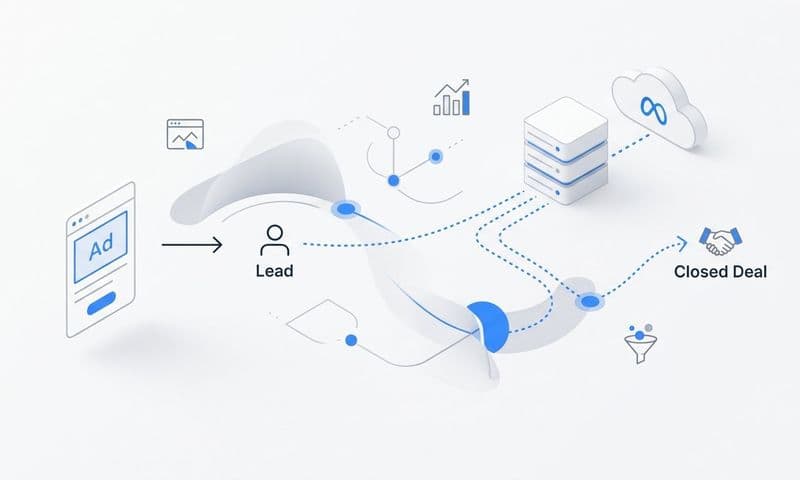
Set up the data flow to track the full path. When someone clicks a Meta ad, that click ID gets captured. When they submit a form, that submission connects to the click. When they become a lead in your CRM, that lead record links back to the original source. When they close as a customer, that revenue attributes back through the entire journey.
This is multi-touch attribution in action. Instead of giving all the credit to the last click (which is almost never the full story), you can see every touchpoint that influenced the decision. That LinkedIn ad they saw three weeks ago? It played a role. The Google search ad they clicked last week? Also contributed. The email that finally converted them? Part of the sequence.
Now implement bidirectional data flow. This is where unification becomes optimization. You're not just pulling data into a central system—you're sending enriched conversion data back to your ad platforms.
When you sync conversion data from your CRM back to Meta or Google, you're telling their algorithms exactly which conversions were valuable. You can pass along revenue amounts, customer segments, or lifetime value predictions. The ad platforms use this enriched data to optimize delivery, finding more people likely to become high-value customers.
Configure your conversion sync to send the events that matter most. If you're a SaaS company, sync trial-to-paid conversions, not just trial signups. If you're in e-commerce, sync high-value purchases separately from low-value ones. The more context you provide, the better platforms can optimize.
Test the entire flow end-to-end. Create a test conversion, watch it appear in your central system, verify it connects to the correct ad click, and confirm it syncs back to the originating platform. This validation step catches configuration issues before they affect real campaign data.
With all platforms and your CRM connected, you've built the infrastructure for true data unification. Every marketing touchpoint, every conversion event, and every revenue outcome flows through a single system that understands how they all connect.
Step 5: Establish Data Quality Controls
Unified data is only valuable if it's accurate. Without quality controls, you'll end up with a centralized mess instead of centralized intelligence. This step ensures your unified system stays reliable over time.
Start by creating automated alerts for tracking failures. Set up monitoring that notifies you immediately when something breaks. If your Meta pixel stops firing, if your server-side tracking goes down, or if your CRM integration fails, you need to know within minutes, not days.
Configure alerts for missing data too. If your daily conversion count drops to zero or falls below a certain threshold, that's likely a tracking issue, not a sudden campaign failure. Set reasonable baselines and get notified when metrics fall outside expected ranges. Understanding why marketing data accuracy matters for ROI reinforces the importance of these controls.
Build automated data reconciliation checks. At regular intervals—daily or weekly—compare the data in your unified system against what each individual platform reports. Your unified dashboard should show roughly the same spend as Meta's dashboard, the same conversion count as Google's interface.
Small discrepancies are normal due to reporting delays and attribution differences, but large gaps indicate problems. Document acceptable variance thresholds (maybe 5% difference is fine, but 20% requires investigation) and create reports that flag when you exceed those thresholds.
Establish data governance rules. Who has permission to modify tracking code? Who can change campaign naming conventions? Who approves new platform integrations? Without clear ownership, your carefully standardized schema will degrade as team members make ad-hoc changes.
Create a change management process. Before anyone modifies tracking, implements new tags, or changes naming conventions, they should document the change and get approval. This prevents well-intentioned updates from breaking your unified data infrastructure. Explore modern solutions for data accuracy in marketing to strengthen your governance approach.
Build a testing protocol for new campaigns. Before launching any campaign, verify that tracking works correctly. Click through the ads yourself, complete test conversions, and confirm that events appear in all connected systems. This pre-flight check catches configuration errors before you spend budget.
Document everything. Maintain a central knowledge base that explains how your unified system works, what each metric means, where data comes from, and how to troubleshoot common issues. When team members change or new people join, this documentation ensures continuity.
Schedule regular data quality audits. Monthly or quarterly, review your entire tracking setup. Check that naming conventions are still followed. Verify that all integrations remain active. Test conversion flows. Look for drift from your established standards and correct it.
Quality controls might seem like overhead, but they're what keep your unified system valuable. Without them, you'll gradually lose confidence in your data, which defeats the entire purpose of unification.
Step 6: Build Your Unified Reporting Dashboard
You've connected all your data sources. Now it's time to make that unified data accessible and actionable through reporting that actually helps you make decisions.
Design dashboard views that show cross-channel performance with consistent metrics. Instead of separate reports for Meta, Google, and LinkedIn, create a single view that shows all channels side-by-side using your standardized metrics. Compare cost per acquisition across platforms. See which channels drive the highest customer lifetime value. Identify where your budget delivers the best return.
Build attribution reports that reveal the complete customer journey. Show first-touch attribution (which channel started the relationship), last-touch attribution (which channel closed the deal), and multi-touch attribution (how credit distributes across all touchpoints). Each view answers different questions about your marketing effectiveness. For guidance on evaluating these reports, learn how to evaluate marketing performance metrics effectively.
Create role-specific dashboards. Your CEO needs high-level metrics: total spend, total revenue, overall ROAS. Your marketing manager needs campaign-level detail: which ad sets perform best, which audiences convert, where to optimize budget. Your media buyer needs real-time performance: which ads ran today, what's the current cost per conversion, where should budget shift right now.
Set up automated reporting cadences. Daily reports might show spend and conversions for quick monitoring. Weekly reports could include performance trends and week-over-week comparisons. Monthly reports should cover strategic metrics: customer acquisition cost trends, lifetime value analysis, channel mix evolution.
Include comparison views that spot discrepancies between platform-reported data and your unified system. Show Meta's reported conversions alongside what your unified system attributes to Meta. If the numbers diverge significantly, you've either got a tracking issue or an attribution methodology difference worth investigating.
Design for action, not just information. Every dashboard should make the next decision obvious. If a campaign underperforms, the dashboard should highlight it. If an audience segment converts exceptionally well, that insight should jump out. If budget needs reallocation, the data should clearly show where to move it. Discover the best data visualization tools for marketing analytics to build compelling dashboards.
Build in flexibility for ad-hoc analysis. While automated dashboards handle routine reporting, you'll need tools to explore questions that arise. Can you quickly segment by customer type? Can you filter by date range or campaign tag? Can you drill down from channel to campaign to ad level? This explorability turns your unified data into a strategic asset.
Your unified reporting dashboard is the interface between your data infrastructure and actual marketing decisions. Build it thoughtfully, and it becomes the command center for your entire marketing operation.
Your Path to Unified Marketing Intelligence
Unifying your marketing data sources transforms how you make decisions. Instead of toggling between dashboards and reconciling conflicting numbers, you have a single view of what's actually driving results.
Let's review your checklist before you launch:
Your audit is complete with all data sources documented and gaps identified. You've established naming conventions and shared them with your entire team. Server-side tracking is implemented and verified to capture conversions reliably. All ad platforms and your CRM are connected through your central attribution system. Data quality alerts are configured to catch issues immediately. Your unified dashboard is built and accessible to stakeholders who need it.
The payoff extends beyond cleaner reports. When you feed accurate, enriched conversion data back to platforms like Meta and Google, their algorithms optimize more effectively. They learn from your real customers, not just the subset whose conversions made it through browser-based tracking. Your targeting improves. Your cost per acquisition drops. Your return on ad spend increases.
You also gain strategic clarity. You can finally answer questions that were impossible before: Which channels work together to drive conversions? How does your customer journey actually flow? Where should you invest your next dollar for maximum impact? What's the true cost of acquiring customers across your entire marketing mix? Implementing data driven marketing strategies becomes possible once your foundation is solid.
Start with Step 1 this week. Map your current data landscape, and you'll immediately see where the biggest gaps exist. Maybe you'll discover that your CRM data never connects to ad performance. Maybe you'll find that three different teams use completely different naming conventions. Maybe you'll realize that half your conversions aren't tracked at all.
Whatever you find, you'll have clarity. And clarity is the first step toward unification.
From there, each subsequent step builds toward the unified infrastructure that makes confident, profitable marketing decisions possible. You're not just organizing data—you're building the foundation for marketing that scales intelligently.
Ready to elevate your marketing game with precision and confidence? Discover how Cometly's AI-driven recommendations can transform your ad strategy—Get your free demo today and start capturing every touchpoint to maximize your conversions.