

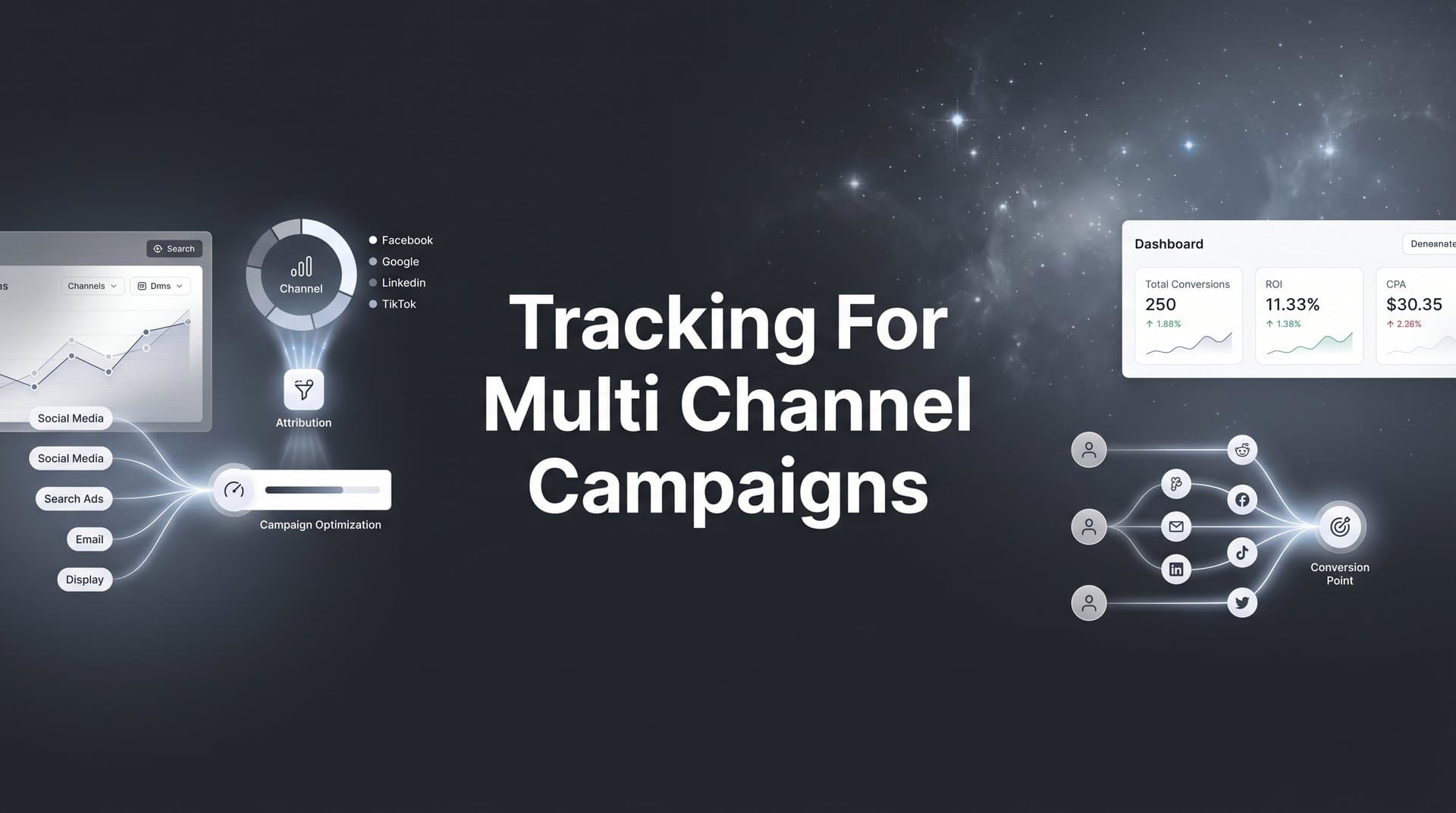
Running ads across Meta, Google, TikTok, and LinkedIn simultaneously? You're not alone. Most marketing teams today spread their budgets across multiple platforms to reach audiences wherever they spend time online.
But here's the challenge: when a customer clicks a Google ad, browses your site, sees a Meta retargeting ad, and finally converts through an email link, which channel gets credit?
Without proper tracking for multi channel campaigns, you're essentially flying blind. You might be pouring budget into channels that look good on surface metrics but contribute little to actual revenue. Or worse, you might be cutting spend on channels that are quietly doing the heavy lifting in your customer journey.
This guide walks you through exactly how to set up comprehensive tracking across all your marketing channels. By the end, you'll have a system that captures every touchpoint, connects ad clicks to actual revenue, and gives you the data you need to make confident budget decisions.
Whether you're managing campaigns for your own business or handling multiple client accounts, these steps will help you move from fragmented platform data to unified, actionable insights.
Step 1: Map Your Current Marketing Channels and Touchpoints
Before you can track anything effectively, you need to know exactly what you're tracking. This means creating a complete inventory of every channel where you're spending time or money to acquire customers.
Start by listing all your paid channels. This typically includes Meta (Facebook and Instagram ads), Google Ads (search and display), TikTok, LinkedIn, YouTube, and any niche platforms specific to your industry. Don't forget about smaller spend areas like Reddit ads, Twitter/X campaigns, or podcast sponsorships.
Next, document your organic channels. These might include organic search traffic, direct website visits, email marketing, social media posts without paid promotion, referral traffic from partners, and content marketing efforts. Even though you're not paying per click, these channels play crucial roles in the customer journey.
Now comes the critical part: identifying all your conversion points. For e-commerce, this is straightforward—purchases. But most businesses have multiple conversion types. You might track form submissions, demo bookings, phone calls, live chat interactions, free trial signups, and even offline conversions like in-person meetings or phone sales that happen after the initial digital touchpoint.
Here's where it gets interesting: map out your typical customer journey length. Does someone usually convert on their first visit, or do they interact with your brand five times over three weeks before buying? Understanding this pattern helps you configure your attribution windows correctly later.
Use a simple spreadsheet or visual diagram to show how these channels connect. You might notice patterns like: "Most customers see a Google ad first, then visit through organic search, then convert through a retargeting ad." These insights become invaluable when you're deciding how to allocate budget. For businesses with physical locations, tracking for multi-location businesses adds another layer of complexity to consider.
Success indicator: You have a documented map showing all active channels, all conversion types, and a rough understanding of how long your typical sales cycle runs. This becomes your baseline for measuring tracking completeness.
Step 2: Implement UTM Parameters Across All Campaign Links
UTM parameters are the foundation of multi channel tracking. They're those extra bits you see at the end of URLs (like ?utm_source=facebook&utm_medium=cpc) that tell your analytics system exactly where traffic came from.
The five standard UTM parameters are: source (which platform), medium (the marketing channel type), campaign (your specific campaign name), content (which ad variation), and term (which keyword for paid search). These tags travel with the user and get recorded when they land on your site.
Your first task is creating a consistent naming convention. This matters more than you might think. If one team member uses "facebook" as the source and another uses "meta" or "fb," your data gets fragmented. Decide on your naming standards now and document them.
Build a UTM template spreadsheet that your entire team can reference. Include columns for each parameter, examples of correct usage, and a URL builder that automatically creates properly formatted links. This prevents the chaos that happens when everyone creates their own tracking parameters differently.
Apply UTM parameters to everything. Every ad you run across every platform. Every link in every email. Every social media post that drives traffic to your site. Every partner referral link. Every influencer collaboration. If it's clickable and drives traffic, it needs UTM parameters. When working with creators, proper ad tracking for influencer campaigns becomes especially important.
Here's a practical example: Your Black Friday campaign on Meta might use utm_source=meta, utm_medium=cpc, utm_campaign=blackfriday2026, utm_content=carousel_v1. The same campaign on Google would keep the campaign name consistent but change the source to google. This consistency lets you compare campaign performance across platforms.
Many marketers make the mistake of only tagging paid ads. Don't do this. Tag your email links, your organic social posts, your YouTube video descriptions, everything. You want to see the full picture of how all your channels work together.
Success indicator: Every marketing link you create follows your documented naming convention. You can trace any piece of traffic back to its exact source, campaign, and creative variation without guessing.
Step 3: Set Up Server-Side Tracking to Capture Complete Data
Here's the uncomfortable truth: browser-based tracking is increasingly unreliable. iOS privacy changes, ad blockers, and cookie restrictions mean you're missing a significant portion of your conversions if you're only relying on pixels and cookies.
When Apple introduced iOS 14.5 and App Tracking Transparency, it fundamentally changed how tracking works. Users can now opt out of tracking, and many do. Ad blockers strip out tracking pixels before they even load. Third-party cookies are being phased out across major browsers. The result? Your ad platforms report fewer conversions than actually happened.
Server-side tracking solves this by capturing events directly from your server rather than from the user's browser. When someone completes a purchase, your server sends that conversion data to your tracking system. This happens regardless of whether the user has an ad blocker, opted out of tracking, or is using Safari with intelligent tracking prevention. Implementing first-party data tracking for ads ensures you maintain data accuracy in this privacy-first environment.
Implementation typically involves adding server-side event tracking to your website's backend. When a conversion happens, your server makes a direct API call to your attribution platform. This bypasses all the browser-level restrictions that cause data loss with traditional pixel tracking.
The next critical piece is connecting your tracking to your CRM. Many conversions don't happen immediately on your website. Someone might fill out a form, then your sales team calls them a week later and closes a $50,000 deal. Without CRM integration, your attribution system never sees that revenue and can't credit the marketing channels that generated that lead.
Set up automated workflows that push CRM conversion data back to your attribution system. When a deal closes in your CRM, that information should flow to your tracking platform so the original touchpoints get proper credit. This is especially important for businesses with longer sales cycles or high-value B2B deals.
Server-side tracking also enables you to enrich conversion data with information that browsers can't see. You can attach customer lifetime value, product margins, subscription tier, or any other business metric to each conversion. This transforms your tracking from simple conversion counting into actual revenue attribution.
Success indicator: You're capturing conversion data that your ad platforms miss when relying only on their native pixels. Your total conversion count in your attribution system exceeds what individual platforms report, proving you're seeing the complete picture.
Step 4: Connect All Ad Platforms to a Central Attribution System
Each ad platform wants to take credit for every conversion. Meta says their ads drove 100 conversions. Google says they drove 90. TikTok claims 50. Add those up and you get 240 conversions, but you only had 150 actual customers. This is the multi channel attribution problem.
A central attribution system solves this by integrating with all your ad platforms and showing you the true customer journey. Instead of seeing isolated platform reports, you see how channels work together to generate conversions. The best multi-channel tracking platforms make this integration seamless.
Start by connecting your major ad platforms through API integrations. Most attribution platforms offer one-click integrations with Meta, Google, TikTok, LinkedIn, and other major networks. These integrations pull in your ad spend, impressions, clicks, and platform-reported conversions automatically.
The real power comes from combining this ad platform data with your first-party conversion data from Step 3. Now you can see which ads someone clicked, which channels they interacted with, and which conversion eventually happened, all in one unified view.
Here's where conversion sync becomes crucial. Your attribution system has more accurate conversion data than the ad platforms do (thanks to server-side tracking). By sending this enriched conversion data back to Meta, Google, and other platforms, you help their algorithms optimize better.
Think of it this way: Meta's algorithm is trying to find people similar to your customers. But if it only sees 60% of your conversions due to tracking limitations, it's optimizing toward an incomplete picture. When you sync complete conversion data back, Meta can optimize toward all your customers, not just the ones it could track with its pixel. Learn more about tracking conversions across multiple ad platforms to maximize this advantage.
Configure your attribution window to match your actual sales cycle. If people typically convert within seven days of first interaction, a seven-day window makes sense. If you're in B2B with a 60-day sales cycle, you need a longer window. This ensures you're crediting touchpoints that actually influenced the conversion, not just coincidentally happened near it.
Set up your dashboard to show cross-channel performance in one view. You should be able to see spend, revenue, and ROAS across all platforms without logging into five different ad accounts. This unified view makes it immediately obvious which channels are performing and which need attention.
Success indicator: You can view performance across Meta, Google, TikTok, LinkedIn, and all other channels in a single dashboard. Your conversion data flows bidirectionally—into your attribution system for analysis and back to ad platforms for optimization.
Step 5: Choose and Configure Your Attribution Model
Attribution models determine how credit gets distributed across the touchpoints in a customer journey. Different models tell different stories about which channels matter most, so choosing the right one for your business is critical. Understanding attribution modeling for multi-channel campaigns is essential for accurate performance measurement.
First-touch attribution gives all credit to the channel that introduced the customer to your brand. If someone clicked a Google ad, visited three more times through different channels, then converted, Google gets 100% credit. This model favors top-of-funnel awareness channels.
Last-touch attribution does the opposite, giving all credit to the final touchpoint before conversion. If that same customer converted through an email link, the email gets 100% credit. This model favors bottom-of-funnel conversion channels but ignores everything that happened earlier in the journey.
Linear attribution splits credit equally across all touchpoints. If there were four interactions before conversion, each gets 25% credit. This acknowledges that multiple channels contributed but treats them all as equally important, which rarely reflects reality.
Time-decay attribution gives more credit to touchpoints closer to the conversion. The logic is that recent interactions influenced the decision more than earlier ones. This works well for businesses where the final touchpoints truly matter more, but it can undervalue the channels that started the relationship.
Data-driven or algorithmic attribution uses machine learning to analyze your actual conversion patterns and assign credit based on what typically leads to conversions in your business. This is the most sophisticated approach but requires enough conversion volume to identify meaningful patterns.
For most businesses, the right choice depends on your sales cycle and business model. E-commerce with quick purchase decisions might find last-touch or time-decay useful because the final touchpoint often drives immediate action. B2B companies with long sales cycles typically benefit from multi-touch models that credit the entire nurture process.
Don't lock yourself into one model forever. Set up the ability to compare models side-by-side. You might discover that Google looks like your best channel under last-touch attribution but Meta is actually driving more first-touch awareness that leads to conversions later. Both insights matter for budget allocation.
Success indicator: You've selected a primary attribution model that matches your sales cycle and can explain why it fits your business. You can also compare how different models value each channel to get a complete picture of channel performance.
Step 6: Validate Your Tracking Setup and Fix Data Gaps
Setting up tracking is one thing. Confirming it actually works is another. This validation step catches issues before they corrupt your data and lead to bad decisions.
Run test conversions through each major channel. Click one of your Google ads, complete a conversion, and verify it appears correctly in your attribution system with proper source attribution. Do the same for Meta, TikTok, LinkedIn, email, and every other channel you're tracking.
Check that all the data points you need are captured. Does the conversion show the correct channel? Is revenue data attached? Are UTM parameters coming through? Is the timestamp accurate? Does it appear in your reporting dashboard? Walk through the entire data flow to confirm nothing gets lost along the way.
Look for common tracking issues that plague multi channel setups. Missing UTM parameters on some campaigns. Pixel fires that don't trigger on certain pages. CRM sync delays that cause conversions to appear hours late. Duplicate conversions counted by both your tracking system and individual ad platforms. Each of these issues skews your data and leads to misguided optimization. Many teams struggle with multiple ad platforms tracking problems that require systematic troubleshooting.
Compare your attribution data against what ad platforms report. There will be discrepancies, and that's normal. Your attribution system should see more conversions than individual platforms due to better tracking. But if the numbers are wildly different, investigate why. You might have a configuration issue or a fundamental tracking gap.
Test edge cases that might break your tracking. What happens if someone uses multiple devices? If they clear cookies mid-journey? If they convert through a channel you haven't tagged with UTM parameters? Understanding where your tracking has limitations helps you interpret the data correctly.
Document any known gaps or limitations. No tracking setup is perfect. Maybe you can't track phone calls that come from offline advertising. Maybe there's a delay in CRM data syncing. Knowing these limitations prevents you from making decisions based on incomplete information.
Success indicator: Test conversions appear accurately attributed in your system within your expected timeframe. You understand where discrepancies between your data and platform data come from and can explain them confidently.
Step 7: Build Reports and Optimize Based on Unified Data
Tracking is pointless if you don't use the data to make better decisions. This final step transforms your attribution data into actionable insights that improve your marketing performance.
Create a weekly reporting cadence that shows true ROAS by channel. Not the ROAS that Meta reports. Not what Google claims. The actual revenue generated divided by actual spend, based on your attribution model. This single metric cuts through platform bias and shows you which channels truly drive profitable growth. A well-designed marketing dashboard for multiple campaigns makes this analysis effortless.
Build reports that show both direct and assisted conversions. Some channels close deals. Other channels start relationships that eventually convert through different touchpoints. A channel might have low last-touch conversions but high first-touch influence. Both matter when you're deciding where to allocate budget.
Use your attribution data to identify optimization opportunities. Maybe your Google campaigns drive high-intent traffic that converts quickly, while Meta builds awareness that leads to conversions later. This insight suggests you need both channels working together, not competing for the same budget.
Make budget reallocation decisions based on actual revenue contribution rather than vanity metrics. A channel with high click-through rates but low revenue contribution deserves less budget than a channel with modest engagement but strong conversion rates. Your attribution data shows you which is which.
Look for patterns in successful customer journeys. Do your best customers typically interact with three touchpoints before converting? Do they usually see a Google ad first, then visit through organic search, then convert through retargeting? Understanding these patterns helps you build campaigns that guide prospects through the journey more effectively. Following best practices for multi-channel campaign analysis ensures you extract maximum value from your data.
Test and iterate based on what your attribution data reveals. If you discover that email assists many conversions but rarely closes them, experiment with email sequences that warm up prospects for other channels to close. If TikTok drives awareness but low direct conversions, build retargeting campaigns that re-engage that audience.
Success indicator: You can confidently explain which channels drive revenue and why you're allocating budget the way you are. Your decisions are backed by complete customer journey data, not isolated platform metrics.
Putting It All Together: Your Multi Channel Tracking System
Let's recap what you've built. You mapped all your channels and conversion points, giving you a complete picture of where customers interact with your brand. You implemented consistent UTM parameters across every marketing link, ensuring you can trace traffic to its source. You set up server-side tracking to capture complete data that browser-based methods miss.
You connected all your ad platforms to a central attribution system, creating a unified view of cross-channel performance. You chose an attribution model that matches your sales cycle and can compare different models to understand channel value from multiple perspectives. You validated your tracking with test conversions and fixed data gaps before they corrupted your reporting.
Finally, you built reports that show true ROAS and channel contribution, enabling you to make budget decisions based on actual revenue impact rather than platform-reported vanity metrics.
With proper tracking for multi channel campaigns in place, you stop guessing which channels deserve more budget and start making decisions backed by complete customer journey data. You see which channels start relationships, which ones nurture prospects, and which ones close deals. You understand how channels work together rather than competing for credit.
The difference between marketers who scale profitably and those who plateau often comes down to this: accurate attribution across every touchpoint. When you can see the complete picture, you optimize the entire system rather than individual pieces. You feed better data back to ad platforms, improving their algorithmic optimization. You allocate budget to the channels that truly drive growth, not just the ones that claim credit loudest.
Ready to see exactly which ads and channels drive your revenue? Cometly connects your ad platforms, CRM, and website to track the entire customer journey in real time. From ad clicks to CRM events, you'll capture every touchpoint and get AI-powered recommendations on which campaigns to scale. Get your free demo today and start making marketing decisions backed by complete attribution data.


